
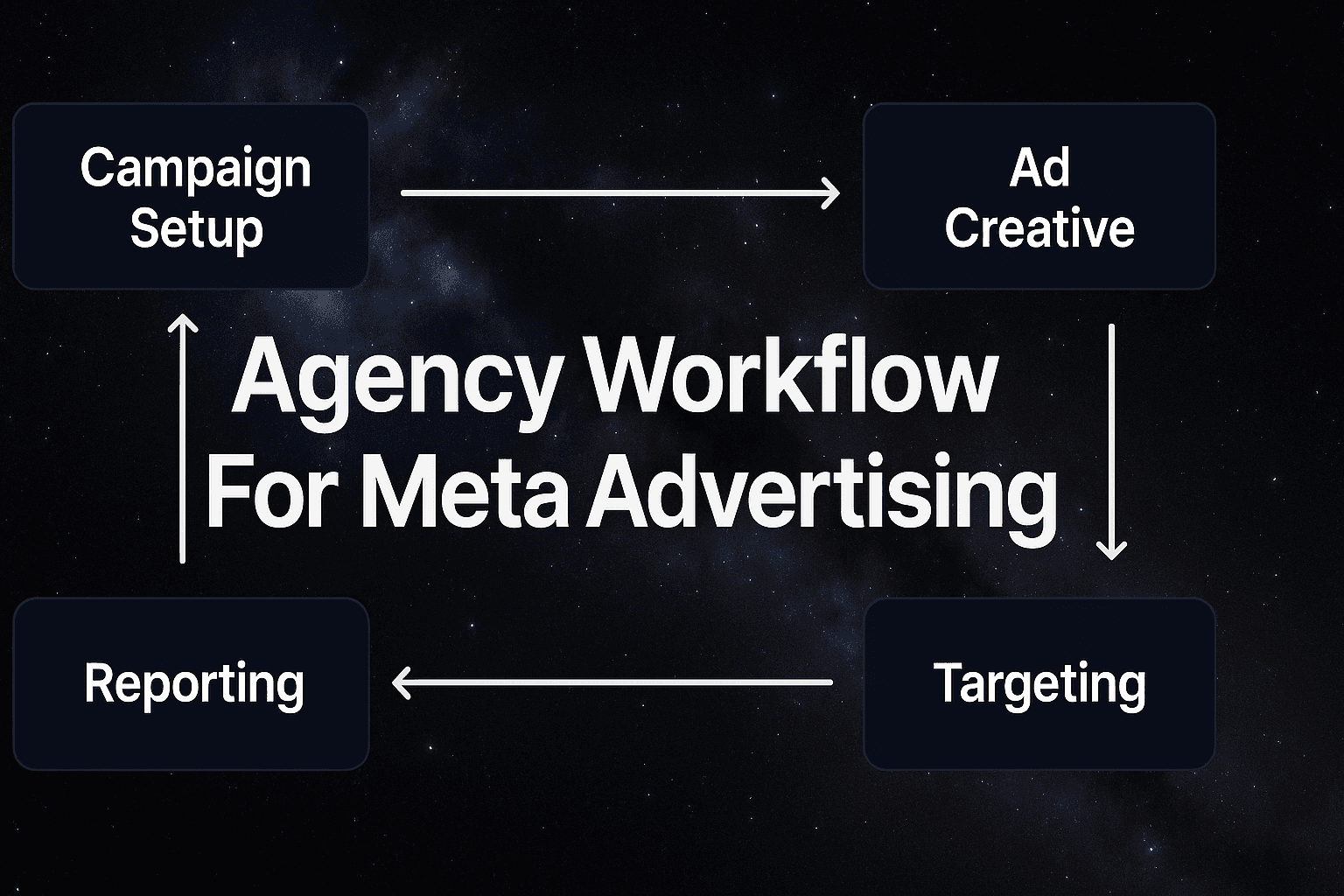
Your best media buyer just told you they need three days to launch five campaigns for a new client. Meanwhile, your competitor is launching the same campaigns in three hours. What's the difference? It's not talent, budget, or even the quality of their creative team. It's their workflow.
Here's the reality most agencies face: talented teams hitting invisible capacity walls. You've got skilled media buyers who could handle twice the workload, but they're spending six to eight hours building each campaign from scratch. They're recreating audience segments they've built a dozen times before. They're formatting creative assets manually for every single ad variation. They're copying and pasting campaign settings that should have been templated months ago.
The hidden cost? Every hour spent on repetitive setup is an hour not spent on strategy, optimization, or bringing in new clients. When your team can only launch two campaigns per day, you're not just limiting current client results—you're capping your agency's growth potential. That prospective client who needs ten campaigns launched next week? You have to turn them away because your team is already at capacity.
But there's a better way. Agencies that implement systematic workflows for Meta advertising reduce campaign creation time by 80% while actually improving performance consistency. They're not working harder—they're working smarter. They've transformed campaign creation from a time-intensive craft into a scalable process that maintains quality while multiplying output.
This guide walks you through building that exact system for your agency. You'll learn how to diagnose your current bottlenecks, create reusable campaign architecture, implement bulk creation processes, automate performance monitoring, and scale with AI-powered tools. By the end, you'll have a clear roadmap to triple your client capacity with the same team size—and your media buyers will actually thank you for it.
Let's walk through how to build this step-by-step.
Step 1: The Agency Scaling Bottleneck That's Killing Your Growth
Before you can fix your workflow, you need to see exactly where it's broken. Most agencies know they're inefficient, but they can't pinpoint why a campaign that should take 90 minutes actually takes six hours. This diagnostic step reveals the hidden time-wasters that are capping your growth.
Start by tracking one complete campaign build from initial client brief to live launch. Don't estimate—actually measure. Have your media buyer document every single task: audience research time, creative asset formatting, campaign structure setup, targeting configuration, budget allocation, and final review. You'll likely discover that 40-60% of the time goes to tasks you've done dozens of times before.
Here's what this typically reveals: Your team spends 90 minutes researching audiences they've already built for similar clients. They spend another hour formatting creative assets to Meta's specifications—work that should be automated. They manually enter campaign settings that could be templated. They wait 30 minutes for client approvals because there's no standardized review process.
The Capacity Wall Reality: When each campaign takes six hours to build, your team can only handle 15-20 new campaigns per month. That's your growth ceiling. A new client needs ten campaigns? You're looking at a week of work from one person, which means other clients wait. This cascades into missed launch windows, delayed optimizations, and ultimately, lost revenue opportunities.
Document these specific bottlenecks for your agency. Create a simple spreadsheet tracking: task name, time spent, frequency (how often you repeat this exact task), and automation potential (could this be templated or systematized?). Focus especially on handoff delays between team members—these hidden gaps often add 2-3 hours to campaign builds without anyone noticing.
The breakthrough insight? Most agencies discover that 70-80% of their campaign creation work is repetitive across clients. Different products, same process. Different audiences, same research methodology. Different budgets, same allocation logic. This repetition is your opportunity.
One critical mistake agencies make during this diagnosis: they blame their team's speed rather than examining the process itself. Your media buyers aren't slow—they're following an inefficient system. When talented people hit capacity walls, the problem is operational, not personal.
By the end of this diagnostic step, you should have concrete data showing where your time actually goes versus where you thought it went. This becomes your baseline for measuring improvement and your roadmap for which processes to systematize first. The tasks consuming the most time with the highest repetition frequency? Those are your priority targets for the workflow optimization steps ahead.
Step 2: Diagnosing Your Current Workflow Inefficiencies
You can't fix what you can't measure. Before implementing any workflow changes, you need to see exactly where your time disappears during campaign creation. Most agencies operate on gut feelings about efficiency—"campaigns take too long"—without understanding which specific tasks consume the most resources.
Start with a complete time audit of your next campaign build. Have your media buyer track every single task from the moment they receive the client brief until the campaign goes live. Document audience research time, creative asset preparation, campaign structure setup, targeting configuration, budget allocation, and final review. Use a simple spreadsheet with task names and time stamps. The goal isn't perfection—it's visibility.
What you'll typically discover: 40-60% of campaign creation time goes to tasks you've already done for other clients. Your team spends 90 minutes researching audiences they built last month for a similar business. They spend another hour formatting creative assets to Meta's specifications—the same specifications they've worked with hundreds of times. They manually enter campaign settings that could have been templated or bulk-uploaded.
Identifying Your Biggest Time Drains
Once you have your time audit data, look for patterns across multiple campaign builds. Which tasks consistently take longer than expected? Where do team members get stuck waiting for information or approvals? These bottlenecks fall into three categories: repetitive technical tasks, communication gaps, and decision-making delays.
Repetitive technical tasks are the easiest to spot and fix. If your team spends 30 minutes per campaign setting up the same conversion tracking, that's a systematization opportunity. If creative asset formatting takes an hour every time, you need templates. If audience research repeats for similar client types, you need a reusable audience library.
Communication gaps create hidden delays that time audits reveal clearly. How long does it take to get creative assets from the client? How many revision cycles happen because the initial brief was unclear? Effective ai driven meta advertising requires clear role definitions and handoff protocols that prevent campaigns from stalling during the approval process.
Decision-making delays often masquerade as strategic thinking. Your media buyer spends 45 minutes deciding between two audience segments they've tested before. They deliberate over budget allocation across ad sets without referencing past performance data. These aren't strategy sessions—they're symptoms of missing decision frameworks.
Calculating Your Opportunity Cost
Here's where the diagnosis gets real: translate time waste into lost revenue. If your average media buyer bills at $150/hour and spends 6 hours on a campaign that should take 90 minutes, you're losing $675 in opportunity cost per campaign. Multiply that across 20 campaigns per month, and you're looking at $13,500 in monthly capacity waste.
But the bigger cost is growth limitation. If your team can only handle 20 campaigns monthly due to inefficient workflows, you're turning away clients who could generate $50,000+ in annual revenue. That prospective client who needs 15 campaigns launched next month? You can't take them on because your team is already at capacity.
Document these numbers clearly. You'll need them to justify the time investment in building systematic workflows and to measure improvement over time. The
Step 3: Building Your Campaign Architecture Foundation
The difference between agencies that scale smoothly and those that hit capacity walls comes down to one thing: standardized campaign architecture. When every campaign starts from scratch, you're not just wasting time—you're introducing inconsistency that hurts performance. The solution is creating reusable templates that handle the technical heavy lifting while preserving strategic flexibility.
Start by building industry-specific campaign templates for your most common client types. An e-commerce client needs a fundamentally different campaign structure than a lead generation business or a brand awareness campaign. For e-commerce, your template should include product catalog integration, dynamic product ads, and purchase optimization campaigns. Lead generation templates focus on form completion funnels and cost-per-lead optimization. Brand awareness templates prioritize reach and engagement metrics over direct conversions.
Here's what this looks like in practice: When a new SaaS client signs on, you're not starting from zero. You pull up your SaaS template that already includes trial signup campaigns, demo booking funnels, and purchase conversion paths. The campaign structure, objective settings, and conversion tracking are pre-configured. Your team just needs to customize the creative, adjust targeting for the specific product, and set appropriate budgets. What used to take six hours now takes ninety minutes.
Next, implement a standardized naming convention that scales across your entire client portfolio. Using automated meta advertising approaches enables agencies to grow revenue without proportionally increasing headcount. Use a format like ClientProductObjectiveDateVersion. For example: "ACMEShoesProspectingJan2026v1" immediately tells you everything about the campaign without opening it. This becomes critical when you're managing 50+ active campaigns across multiple clients.
The naming system should include standardized abbreviations for campaign types (PROS for prospecting, RETARG for retargeting, LOOKALIKE for lookalike audiences) and clear version control for testing. When your team can instantly identify campaign parameters from the name alone, troubleshooting and optimization become dramatically faster. You'll spend less time hunting for the right campaign and more time improving performance.
Build reusable audience segment libraries organized by industry and campaign objective. Most agencies waste hours researching the same interest and behavior combinations for similar clients. Instead, create pre-tested audience segments for your common client verticals. Your e-commerce library might include 15 proven segments for different product categories: fashion enthusiasts, home decor buyers, tech early adopters, fitness equipment shoppers. Each segment includes the specific interests, behaviors, and demographic filters that have performed well historically.
For each audience segment, document what works and what doesn't. Note which industries see the best results, typical cost-per-acquisition ranges, and any seasonal performance patterns. When a new client needs audience targeting, you're not starting research from scratch—you're selecting from proven segments and customizing based on their specific product or service. This approach typically reduces audience research time by 70% while actually improving targeting accuracy because you're building on proven performance data.
The key is maintaining flexibility within structure. Templates handle the repetitive technical setup, but strategic decisions—budget allocation, creative direction, testing priorities—still require human expertise. You're not removing creativity from the process; you're eliminating the tedious setup work that prevents your team from focusing on strategy and optimization.
Step 4: Implementing Bulk Campaign Creation Systems
Here's where workflow optimization gets real: moving from creating campaigns one at a time to launching ten or twenty simultaneously. This isn't about cutting corners—it's about recognizing that 80% of campaign setup is identical across similar client types and systematizing those repetitive tasks.
Start by setting up Meta's bulk upload system through spreadsheet templates. Download the campaign creation template directly from Ads Manager, which includes pre-formatted columns for campaign names, objectives, budgets, ad set targeting, and creative specifications. The key is creating your own master template with formulas that auto-populate naming conventions and standard settings based on client type.
Here's the practical approach: Build one campaign manually for a new client to establish the strategy and structure. Then use that campaign as your template for the remaining variations. Export the campaign details to your spreadsheet, duplicate rows for each variation, and modify only the specific elements that differ—product names, audience segments, or creative assets. Advanced automated facebook campaign creation techniques can further streamline this bulk upload process by eliminating manual data entry and reducing human error in campaign setup.
Creative asset organization makes or breaks bulk campaign creation. Establish a folder structure that mirrors your campaign architecture: Client Name > Product Line > Creative Format > Version. Use standardized file naming that includes these same elements, enabling you to quickly assign assets during bulk uploads. When your file is named "ACMEShoesCarousel_v2.mp4," you know exactly where it belongs without opening it.
Modern ad creation software solutions can integrate directly with your asset organization system to automate creative production for bulk campaigns. This integration eliminates the manual download-rename-upload cycle that typically consumes 30-40% of campaign creation time.
Quality control becomes critical when launching multiple campaigns simultaneously. Create a pre-launch checklist covering targeting parameters, budget allocation, pixel implementation, and creative compliance. The most common bulk upload errors? Mismatched audience sizes across ad sets, incorrect budget distribution formulas, and missing UTM parameters for tracking.
Run a staged launch process for risk mitigation. Upload your bulk campaigns but keep them paused initially. Review the first three campaigns in Ads Manager to verify everything populated correctly. Check targeting, budgets, creative assignments, and tracking parameters. Once you've confirmed the setup is accurate, activate the remaining campaigns. This catches systematic errors before they affect your entire campaign portfolio.
Understanding common budget allocation challenges like overspending on low-performing campaigns or underfunding high-potential tests can be prevented through systematic QA checkpoints before launch. Build budget validation rules into your spreadsheet template—formulas that flag when daily budgets don't align with campaign objectives or when total spend exceeds client authorization.
The efficiency gain is substantial. Agencies report reducing campaign creation time from 6-8 hours per campaign to 90 minutes for an entire campaign set. That's not just faster—it's fundamentally different. Your media buyers shift from technical executors to strategic thinkers, spending their time on optimization and client strategy rather than repetitive setup tasks.
Step 5: Automating Performance Monitoring and Optimization
Manual campaign monitoring doesn't scale. When you're managing five campaigns, checking performance twice daily is manageable. When you're managing fifty campaigns across ten clients, manual monitoring becomes impossible—and that's when budget waste happens. This step transforms reactive firefighting into proactive performance management.
Start by setting up threshold-based alerts in Meta Ads Manager for every critical metric. Configure CPA alerts at 20% above your target cost per acquisition, ROAS alerts at 15% below target return on ad spend, and daily spend pacing alerts at 150% of expected budget consumption. These aren't arbitrary numbers—they're early warning thresholds that catch problems before they become expensive disasters.
Here's the key insight most agencies miss: different campaign types need different alert configurations. Your prospecting campaigns naturally have higher CPAs than retargeting campaigns, so using the same alert threshold across all campaigns creates noise. Set up campaign-type-specific benchmarks based on your historical data. Prospecting campaigns might trigger alerts at $45 CPA while retargeting alerts trigger at $22 CPA for the same client.
Comprehensive automated meta campaigns extend beyond just alerts to include automated bid adjustments, budget reallocation, and creative rotation based on performance thresholds. Build escalation protocols into your alert system: minor fluctuations generate email notifications, moderate issues trigger Slack alerts to the account manager, and severe problems (like 50% budget overspend) send immediate SMS notifications to team leads.
Configure centralized performance dashboards that aggregate data across your entire client portfolio. Your account managers need client-specific views showing campaign performance against KPI targets. Your media buyers need campaign-level dashboards highlighting which campaigns require immediate attention. Your agency leadership needs executive summary dashboards showing overall portfolio health, client profitability, and team capacity utilization.
The dashboard configuration that works best: organize by exception rather than by client. Create a "Needs Attention" view that automatically surfaces campaigns with declining performance, budget pacing issues, or creative fatigue indicators. Your team reviews this dashboard first each morning, addressing problems before they escalate. This exception-based approach reduces monitoring time by 60% while actually improving response speed to performance issues.
Implement automated ad testing protocols that systematically rotate creative variations and audience segments without manual intervention. Set up rules that pause underperforming ad variations after they've spent a defined budget threshold without meeting performance targets. Configure automatic budget shifts that reallocate spend from low-ROAS ad sets to high-performing ones within the same campaign.
Ready to transform your advertising strategy? Start Free Trial With AdStellar AI and be among the first to launch and scale your ad campaigns 10× faster with our intelligent platform that automatically builds and tests winning ads based on real performance data.


