
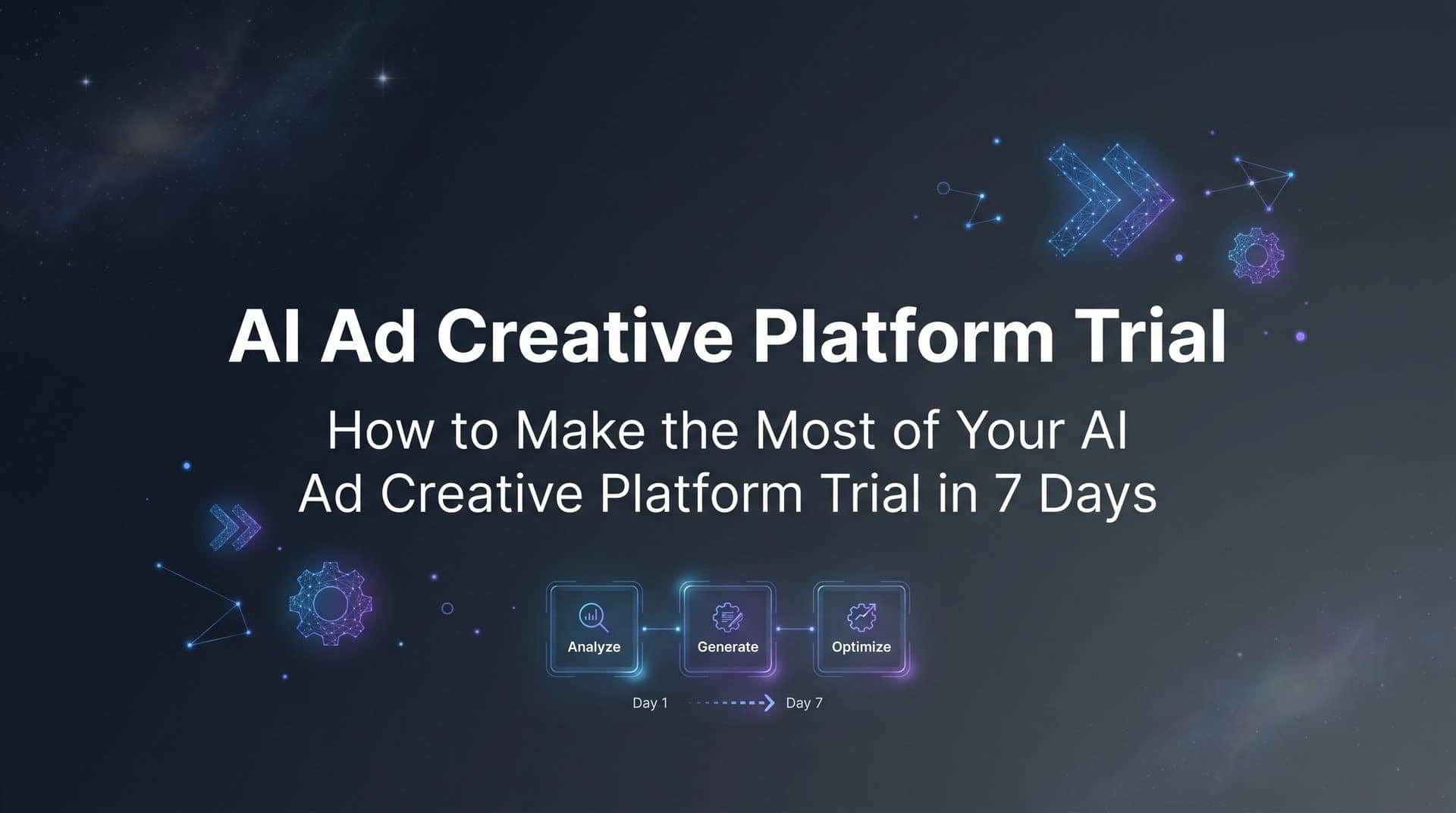
Most marketers treat a free trial like a test drive with no destination in mind. They log in, poke around the interface, maybe generate a creative or two, and then the seven days slip by without any real signal on whether the tool is worth keeping. The trial expires, the decision gets postponed, and the marketing stack stays exactly the same.
That pattern is entirely avoidable. The difference between a productive trial and a wasted one comes down to structure. When you know what to build, what to measure, and in what order, seven days is genuinely enough time to gather meaningful performance data and make a confident decision.
This guide gives you that structure. Whether you are evaluating an AI ad creative platform trial for the first time or coming back to one with fresh eyes, these seven steps will take you from your first login to a real performance benchmark. You will generate creatives, launch campaigns, surface winners, and end the week with clear evidence of what the platform can and cannot do for your workflow.
Each step is designed to build on the previous one. By the time you reach Day 7, you will not be guessing whether the platform is worth it. You will have data.
Let's get into it.
Step 1: Set Clear Goals Before You Log In
The single biggest mistake marketers make with any SaaS trial is starting without a success definition. If you do not know what "good" looks like before you begin, you will spend your trial reacting to the interface rather than evaluating it against your actual needs.
Before you create your account, take 20 minutes to write down what you want to learn. Think about your current ad workflow and where the friction lives. Are you spending too many hours briefing designers? Is your campaign setup process slow and error-prone? Are you struggling to generate enough creative volume to run meaningful tests? The answers to these questions will shape how you use every trial day.
Define your success criteria: Pick two or three specific outcomes that would make this trial a clear win. Examples include generating production-ready creatives without a designer, launching a full Meta campaign in under an hour, or identifying a top-performing creative format you have not tested before. Write these down. They become your evaluation rubric at the end of Day 7.
Choose your test offers: Identify one or two products or services you want to promote during the trial. Do not waste time during the trial deciding what to advertise. Have this locked in before you log in. Ideally, choose offers where you already have some performance history so you have a benchmark to compare against.
Gather your assets: Collect everything the platform will need from you. This includes your product URLs, any brand guidelines or color palettes, your Meta Ad account credentials, and screenshots or data from your top-performing existing ads. Having these ready on Day 1 means you spend trial time testing, not hunting for files.
Write your evaluation questions: Beyond broad goals, write down the specific questions you want answered. Can this platform generate creatives that actually match my brand aesthetic? Can it build campaigns faster than my current manual process? Does the AI reasoning make strategic sense for my audience? If you want to see how other marketers approach this comparison, reviewing an AI ad platform vs traditional tools breakdown can help frame your evaluation criteria.
The output of this step is simple: a one-page trial plan. It does not need to be elaborate. Goals, assets, evaluation questions, and the two offers you are testing. That document becomes your anchor for the entire week.
Step 2: Generate Your First AI Ad Creatives
Now you are ready to log in. Your first session should be entirely focused on creative generation. Do not touch the campaign builder yet. Spend this time understanding the full range of what the AI can produce before you start thinking about how to deploy it.
Start with the AI Creative Hub. The fastest entry point is your product URL. Paste it in and let the platform pull the relevant information about your offer. From there, you can generate image ads, video ads, and UGC-style avatar creatives without briefing a designer, hiring a video editor, or finding actors. The AI builds the creative from your product context and applies formats suited for Meta placements.
Test all three formats: It is tempting to stick with static image ads because they feel familiar. Resist that. Use your trial time to generate video ads and UGC-style creatives even if you have never run them before. Many advertisers find that these formats perform differently across audience segments, and the trial is your low-risk opportunity to find out which works best for your offer.
Use the clone feature: One of the more distinctive capabilities worth testing early is the ability to pull competitor ads directly from the Meta Ad Library and let the AI remix them for your brand. Find two or three competitor ads that are running consistently (a strong signal they are performing) and use them as creative inputs. The output gives you creatives informed by what is already working in your market, adapted for your brand voice and offer.
Refine with chat-based editing: Once you have your initial creatives, use the chat-based editing tool to iterate. Adjust the headline, swap the background, change the call to action, or shift the tone. This is where you start to understand how responsive the platform is to your creative direction. For a deeper look at how these tools stack up, explore this AI ad creative tools review that covers the key capabilities to evaluate.
Aim for 5-10 variations: Before you move to Step 3, you want a library of at least five to ten creative variations across different formats. This is not about perfection. It is about volume. More variations going into your campaign means more signal coming back out. A single creative tells you almost nothing. A diverse set of creatives starts to show you patterns.
By the end of this step, you should have a creative library ready to launch, built entirely within the platform, without any external design or production resources. That alone is worth noting against your trial goals.
Step 3: Build a Campaign With the AI Campaign Builder
With your creatives ready, it is time to move into the AI Campaign Builder. This is where the platform shifts from a creative tool to a full campaign management system, and it is one of the most important things to evaluate during your trial.
Start by connecting your Meta Ad account. Once connected, the AI analyzes your historical campaign data to inform its recommendations. It looks at past performance patterns across your creatives, audiences, headlines, and copy to identify what has worked and what has not. This analysis becomes the foundation for the campaign it builds.
Watch how the AI makes decisions: As the specialized AI agents work through audience selection, headline choices, and ad copy, pay close attention to the rationale it provides. AdStellar is built around full transparency, meaning every decision comes with an explanation of why the AI made that choice. Read these explanations. They are not just justifications for outputs. They are a window into the strategic logic the platform applies, and evaluating that logic against your own knowledge of your audience is one of the most valuable things you can do during the trial.
If you have no historical data: Do not let a clean account stop you. The AI Campaign Builder can work from product and audience inputs alone. You provide the context about your offer, your target customer, and your campaign objective, and the AI builds from there. The recommendations will be less personalized than they would be with historical data, but the campaign structure and reasoning are still worth evaluating. If you are exploring a Meta campaign platform free trial for the first time, this is a perfectly valid starting point.
Review the full campaign structure: Before you launch anything, review every element the AI has assembled. Look at the audience targeting, the ad set structure, the headlines, and the copy. Ask yourself whether this campaign structure makes sense for your offer and audience. If something looks off, use it as a test: adjust it and see how the AI responds or note it as a gap in the platform's recommendations.
The goal of this step is not just to have a campaign ready to launch. It is to understand how the AI thinks about campaign construction, whether its reasoning aligns with your strategy, and how much manual correction it requires. A platform that builds a solid campaign in minutes with transparent reasoning is a fundamentally different workflow than manual campaign setup, and your trial is the place to measure that gap.
Step 4: Use Bulk Launching to Maximize Your Test Volume
One of the most underutilized capabilities in any AI ad platform trial is bulk launching. Most marketers test a handful of variations and call it a campaign. Bulk launching changes the math entirely, and understanding how it works is essential to getting real value from your trial week.
The core idea is straightforward. Instead of building each ad variation manually, you combine multiple creatives, multiple headlines, multiple audiences, and multiple copy variations at both the ad set and ad level. AdStellar generates every possible combination and pushes them all to Meta. What would take hours of manual setup in Ads Manager happens in a matter of clicks.
Why volume matters during a trial: The more variations you have running simultaneously, the faster you accumulate signal. A campaign with five ad variations might take two weeks to show you a clear winner. A campaign with fifty variations can surface patterns in 48 to 72 hours. During a seven-day trial, speed of signal is everything. Understanding the principles behind automated ad creative testing helps explain why this approach produces faster, more reliable results.
Build your variation matrix: Take the creatives you generated in Step 2 and combine them with multiple headline options and audience segments. Even a modest set of inputs, say five creatives, three headlines, and three audiences, produces a substantial number of combinations. The platform handles the assembly and launch automatically, which means your job is to make smart input choices rather than manage the mechanics of ad creation.
Set sensible trial budgets: More test volume does not mean unlimited spend. Distribute your trial budget across your variation set with enough per variation to gather meaningful impressions without burning through your budget in the first two days. The goal is data, not scale. Set daily caps that give each variation a fair chance to show results within your trial window.
Note the time difference: As you go through the bulk launch process, keep track of how long it takes compared to your current manual workflow. This is one of the most concrete efficiency metrics you can bring back to your trial evaluation in Step 7. The contrast between automated ad platforms and manual creation is often most visible during this step.
By the end of this step, you have a statistically meaningful pool of ad variations live on Meta. That is the foundation for everything that comes next.
Step 5: Monitor Performance With AI Insights and Leaderboards
Your campaigns are live. Now the trial shifts from building to learning. The AI Insights dashboard is where you come to understand what is working and why, and it is worth spending dedicated time here every day from this point forward.
The leaderboard view ranks your creatives, headlines, copy variations, audiences, and landing pages against each other based on real performance metrics. You are not looking at vanity metrics here. The rankings are built around ROAS, CPA, CTR, and the other metrics that actually determine whether a campaign is profitable. The leaderboard makes it immediately visible which elements are contributing to results and which are dragging performance down.
Set your target goals first: Before you start interpreting the leaderboard, configure your target benchmarks. What ROAS are you aiming for? What is your acceptable CPA? What CTR signals strong creative engagement for your audience? Once these are set, the AI scores every element against your specific benchmarks rather than generic industry averages. This is an important distinction. The insights you get are calibrated to your goals, not someone else's.
Check in at 48 to 72 hours: Give your campaigns enough time to exit the learning phase before drawing conclusions. Check the AI Insights dashboard at the 48-hour mark and again at 72 hours. Look for early patterns: are certain creative formats consistently outperforming others? Are specific audience segments showing stronger engagement? This kind of analysis is central to what a dynamic creative optimization platform is designed to surface automatically.
Compare against your benchmarks: Pull up the performance data from your existing campaigns and compare it against what you are seeing from the AI-generated creatives and campaigns. This comparison is one of the most honest evaluations you can make. If the AI-generated creatives are performing at or above your historical benchmarks within the first few days, that is a meaningful signal. If they are underperforming, note whether the gap narrows as the campaign optimizes.
The AI Insights dashboard is also where you start to see the platform's analytical value beyond creative generation. It is one thing to produce a lot of ad variations quickly. It is another to have a system that tells you clearly which ones are winning and gives you the data to act on that information. Evaluate both dimensions during this step.
Step 6: Save Winners and Build Your Next Campaign From Proven Assets
By Day 5 or 6 of your trial, you should have enough performance data to identify your top performers. This step is about capturing those winners and using them to build a second campaign, which is where you start to see the compounding value of the platform.
The Winners Hub is the organizational layer that makes this possible. It collects your best-performing creatives, headlines, audiences, and copy in one place, each tagged with the real performance data that earned them their spot. This is not a folder of assets you liked the look of. It is a curated library of proven elements backed by actual campaign results.
Save your top performers immediately: As soon as the AI Insights leaderboard shows you clear winners, move them into the Winners Hub. Do not wait until the end of the trial. The sooner they are organized, the sooner you can use them in your next campaign build.
Build Campaign Two from winners: Use the AI Campaign Builder again, but this time start from your Winners Hub. Select your top-performing creatives, headlines, and audiences as the foundation for the new campaign. This is where the continuous learning loop becomes tangible. The AI now has both your historical data and the performance signals from Campaign One to inform its recommendations. This creative to conversion platform approach means the campaign it builds in this round should reflect sharper targeting and more informed creative selection than the first.
Observe the iteration: Pay attention to how the AI's recommendations change between Campaign One and Campaign Two. Are the audience selections more refined? Are the headline recommendations shifting toward the patterns that performed in the first campaign? This evolution is the platform's core long-term value proposition. Each campaign makes the next one smarter because the AI incorporates new performance data into every subsequent build.
For solo performance marketers, this compounding effect means the platform gets more valuable the longer you use it. For agencies managing multiple client accounts, it means each client's campaign history becomes a proprietary data asset that continuously improves results. If you run an agency, understanding how AI ad platforms serve agencies can help you evaluate whether this workflow scales across your client roster. Your trial window gives you a preview of that dynamic, even if the full effect takes multiple campaign cycles to fully materialize.
By the end of this step, you have launched a second campaign built entirely from proven winners. That is a meaningful demonstration of the platform's iterative model, and it gives you a much stronger basis for your final evaluation than a single campaign ever could.
Step 7: Evaluate Your Trial Results and Make a Decision
Day 7 is your review day. Pull up the one-page trial plan you created in Step 1 and work through it systematically. This is not about gut feeling. It is about measuring your actual experience against the specific criteria you defined before you started.
Review creative quality and speed: Look at the creatives you generated and ask honest questions. Are these production-ready? Would you run them without modification? How many rounds of editing did it take to get them there? How does the time spent on creative generation compare to your previous process? If the platform produced usable creatives significantly faster than your current workflow, that is a concrete efficiency gain worth quantifying.
Assess creative diversity: Did the platform generate formats you would not have produced with your existing resources? If you typically run only static image ads because video production is too expensive or time-consuming, and the trial gave you a library of video ads and UGC-style creatives, that represents a meaningful expansion of your creative capability. Note which formats performed best and whether they were formats you would not have tested otherwise.
Measure campaign performance: Compare your trial campaign results against the benchmarks you established in Step 1. Look at ROAS, CPA, and CTR relative to your historical averages. Be fair in your assessment. A seven-day trial with a new platform will not always outperform campaigns you have been optimizing for months. What you are looking for is trajectory: are the results improving as the AI learns, and are they within a reasonable range of your benchmarks?
Calculate workflow time savings: Estimate how many hours you spent on creative generation, campaign building, and performance analysis during the trial, and compare that to how long the equivalent work would have taken in your previous workflow. Time savings compound over weeks and months, so even modest per-campaign efficiency gains add up quickly at scale.
Review pricing against usage: AdStellar offers three tiers: Hobby at $49 per month, Pro at $129 per month, and Ultra at $499 per month. Based on your trial usage, how many campaigns are you likely to run per month? How many creatives will you need? Use your actual trial behavior as the guide for which tier fits your workflow, rather than trying to predict usage in the abstract. For a detailed breakdown of what each tier includes, the AI ad creative platform pricing guide covers the specifics.
The most common evaluation mistake is judging the platform on a single campaign rather than the full workflow from creative generation to performance insights. Make sure your decision reflects the complete picture: creative speed, campaign build efficiency, insight quality, and the iterative improvement you saw between Campaign One and Campaign Two.
Putting It All Together
Seven days is a short window, but with a structured approach it is more than enough to generate real evidence about whether an AI ad creative platform belongs in your marketing stack. The marketers who get the most from trials are not the ones who explore the most features. They are the ones who move deliberately through a defined process and collect data at every step.
If you followed each step in this guide, you have generated a diverse library of creatives, launched campaigns at scale, surfaced early winners, built a second campaign from proven assets, and compared your results against your own benchmarks. That is a genuine performance test, not a demo.
The next move is yours. Start Free Trial With AdStellar and work through this seven-step plan with a platform built to take you from creative generation to campaign launch to performance insights in one place. Your first week sets the foundation for every campaign that follows.


