
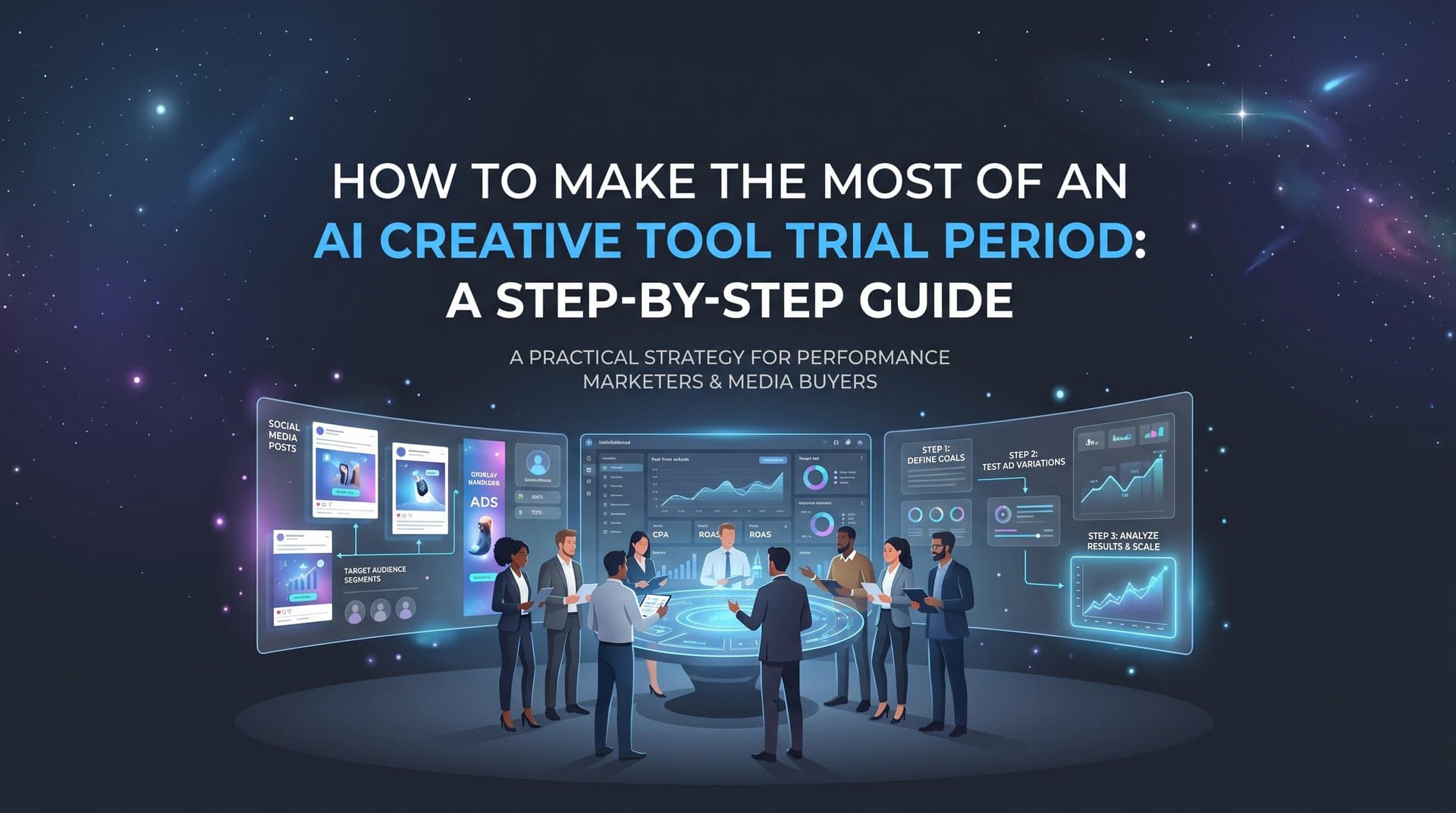
You signed up for an AI creative tool trial. Now what?
Most marketers activate a free trial, poke around for a few minutes, and never get close to seeing real results before the clock runs out. That means they make a subscription decision based on almost no useful data. This guide is built to fix that.
Whether you are evaluating AdStellar or any AI ad platform, a 7-day trial period is enough time to generate real creatives, launch real campaigns, and collect real performance signals. But only if you treat those 7 days with intention.
Think of your AI creative tool trial period like a job interview where you are the hiring manager. You would not just let a candidate wander around the office and form a vague impression. You would give them a structured task, observe how they handle it, and measure the output against a clear standard. Your trial should work the same way.
This step-by-step guide walks you through exactly how to structure your trial so you test the features that matter most, generate creatives that reflect your actual brand and offers, and walk away knowing whether the platform belongs in your stack.
By the end, you will have tested AI-generated image ads, video ads, and potentially UGC-style creatives. You will have run at least one campaign with multiple variations, reviewed performance data, and have a clear framework for making your keep-or-cancel decision.
No guesswork, no wasted days, no vague impressions. Just a structured process that turns a short trial window into a confident, data-backed decision.
Step 1: Set Your Trial Goals Before You Log In
Before you touch a single feature, open a blank document and write down what success looks like for your trial. This sounds simple, but most marketers skip it entirely. Without a benchmark, you cannot evaluate results. You will just be left with a general impression, and general impressions do not justify budget decisions.
Start by identifying the one campaign or product you will use as your test case. Pick something you know well. If you choose a product you have already advertised manually, you have a reference point for judging creative quality. You know what good copy sounds like for that audience, you know what visual styles have worked, and you know what a realistic CPA or ROAS looks like. That context is invaluable during evaluation.
Next, write down your current baseline metrics. What does a good CPA look like in your account right now? What CTR would make you happy? What ROAS threshold separates a winning campaign from a losing one? These numbers become your comparison point when the trial data starts coming in. Without them, you will have no way to judge whether the platform's output is actually better, worse, or equivalent to what you are already doing.
Then decide which ad formats matter most to your workflow. If your brand relies heavily on video content, prioritize testing video ad generation first. If you run mostly static image ads, start there. If UGC-style creatives are a gap in your current production process, that is worth testing specifically. Ranking your format priorities upfront keeps you from spending the first three days on formats that are not actually relevant to your business.
Common pitfall: Trying to test every feature at once. The goal is to evaluate depth, not breadth. One well-tested use case tells you far more than six half-tested ones.
Success indicator: You have a one-page brief with your test product, target audience, budget range, and the specific metrics you will use to judge the platform. Keep this document open throughout your trial.
Step 2: Complete Your Account Setup on Day One
Day one has one job: get everything connected. This is the step most trial users rush past, and it is the reason their results are weak by the end of the week.
Connect your Meta Ads account immediately. Many trial users spend the first two or three days exploring the interface before they ever link their ad account. That is two or three days of lost performance data. The moment you log in for the first time, connecting your Meta account should be your first action. Everything else depends on it.
Once your account is connected, upload your brand assets. This means your logo, product images, brand color palette, and any existing top-performing ad copy. The more context the AI has about your brand from the start, the more relevant and on-brand your generated creatives will be. AI creative tools are only as good as the inputs you give them. Sparse inputs produce generic outputs.
If the platform supports URL-based creative generation, input your product or landing page URL right away. Tools like AdStellar can pull product details, imagery, and messaging directly from a URL, which dramatically speeds up the creative generation process and grounds the output in your actual offer rather than generic templates.
Configure your attribution tracking integration if the platform supports it. For AdStellar users, this means connecting Cometly so that ROAS and CPA data flows directly into the platform from day one. Without attribution data, the AI's scoring and recommendations are working with incomplete information. You also lose the ability to evaluate whether the platform's performance insights actually align with your real conversion data.
Finally, set your campaign goals inside the platform so the AI's scoring is calibrated to your actual benchmarks from the start. If you want the platform to surface winners based on CPA, tell it your target CPA. If ROAS is your north star, configure that. Platforms like AdStellar score every ad element against the goals you set, so the quality of those scores depends entirely on how accurately you define your targets upfront.
Common pitfall: Skipping setup steps and jumping straight to creative generation. Incomplete setup means the AI is working with less information and your results will be weaker than they should be.
Success indicator: Your Meta account is connected, brand assets are uploaded, attribution tracking is configured, and the platform has enough context to generate on-brand creatives. This should all be done within the first two hours of your trial.
Step 3: Generate Your First Batch of AI Creatives
Now the interesting part begins. Start with the AI creative generation feature and input your product URL or brief. Let the platform generate an initial batch of image ads and review what comes back.
Here is the key: do not just accept the first output. The first batch is a starting point, not a finished product. Use chat-based editing or refinement tools to adjust headlines, tweak visuals, or rewrite copy until the creative accurately reflects your brand. This iterative process is part of the evaluation. You are not just testing what the AI produces on its own. You are testing how easy it is to get from initial output to something you would actually run.
Test at least two creative formats during your trial. If you started with image ads, generate a video ad or a UGC-style avatar creative next. This is important because it shows you the range of the platform, not just its performance on one format. AdStellar, for example, lets you generate image ads, video ads, and UGC-style avatar content from the same product URL. Testing across formats gives you a clearer picture of the platform's overall creative capabilities.
If the platform supports competitor ad cloning, use it. Pull a competitor ad from the Meta Ad Library, clone it, and adapt it to your brand. This is one of the fastest ways to generate high-potential creatives because you are starting from a format that is already proven to work in your market. The adaptation process also tests how well the platform handles customization and brand alignment.
As you review your creatives, evaluate quality honestly against the right standard. The relevant question is not whether the AI output is perfect. It is whether it is faster to produce than your current process and good enough to run. Compare it to what your team or freelancers typically produce. If the AI gets you to launch-ready creative in a fraction of the time, that is meaningful even if the output is not flawless.
Common pitfall: Judging AI creatives against an impossible standard of perfection. The right benchmark is your current production process, not a hypothetical ideal.
Success indicator: You have at least four to six creatives ready to test, covering more than one format, and they are on-brand enough to launch with a real budget.
Step 4: Build and Launch a Test Campaign
With your creatives ready, it is time to build your first test campaign. Use the platform's AI campaign builder to structure it. Feed in your creatives, target audience parameters, and budget, then let the AI make its initial recommendations.
Pay close attention to the rationale the AI provides. A well-designed AI campaign builder does not just output a campaign structure. It explains why it made each recommendation. Which audiences did it prioritize and why? Which headlines did it rank highest and on what basis? Which creatives did it pair with which audience segments? This transparency is one of the most important things to evaluate during your trial. If the platform cannot explain its choices, that is critical information for your decision.
AdStellar's AI Campaign Builder analyzes your historical campaign data, ranks every creative, headline, and audience by past performance, and builds complete Meta Ad campaigns in minutes. Every decision comes with a clear rationale so you understand the strategy behind the output, not just the output itself. This is the kind of transparency that builds trust in an AI tool over time.
Use bulk ad launching if the platform supports it. This is where AI ad platforms show a significant advantage over manual campaign building. Instead of setting up each ad variation individually, you mix multiple creatives with different headlines and audience segments, and the platform generates every combination and launches them simultaneously. AdStellar's Bulk Ad Launch feature can create hundreds of ad variations in minutes, which is the volume you need to surface winners quickly.
Set a modest but real budget for this test. Running ads with no spend produces no data. Even a small daily budget gives you meaningful signal within 48 to 72 hours. The goal is not to spend heavily. It is to generate enough data to evaluate the platform's performance insights and AI scoring.
Review every AI decision before you hit launch. Do not treat the AI as a black box that you simply trust. Part of evaluating a platform is understanding whether its recommendations make sense to you as a marketer. If something looks off, investigate it. If the platform cannot explain it, flag that as a concern.
Common pitfall: Launching a single ad variation and calling it a test. You need multiple combinations running simultaneously to see which elements actually perform.
Success indicator: Your campaign is live with multiple ad variations across at least two audience segments, and you have a clear record of what the AI recommended and why.
Step 5: Analyze Performance Data and Identify Winners
Give your campaign 48 to 72 hours of active spend before you dig into the data. Checking results after a few hours is tempting but rarely useful. You need enough impressions and spend to generate statistically meaningful signals.
Once you have data, open the platform's leaderboard or insights features and look at how your creatives, headlines, and audiences are ranking against your goals. In AdStellar, the AI Insights leaderboards rank every element by real metrics like ROAS, CPA, and CTR, scored against the benchmarks you set on day one. This is where the setup work from Step 2 pays off. If your goals are configured correctly, the platform is surfacing winners based on what actually matters to your business.
Look for patterns in what is working. Is one creative format consistently outperforming others? Is a particular audience segment driving lower CPA across multiple creatives? Are certain headlines generating higher CTR regardless of which visual they are paired with? These patterns are what an AI ad platform should be surfacing automatically. Your job during this step is to evaluate whether the platform is actually identifying those patterns or just showing you raw numbers without meaningful analysis.
Here is an important check: evaluate whether the platform's AI scoring aligns with what you are seeing in your raw performance data. If the platform scores an ad highly but the metrics tell a different story, dig into why. This discrepancy might reveal a misconfigured goal, a data connectivity issue, or a genuine limitation of the platform's scoring logic. Either way, it is worth understanding.
Save your top performers to the platform's winners hub or equivalent feature. AdStellar's Winners Hub keeps your best-performing creatives, headlines, and audiences in one place with real performance data attached, so you can pull them directly into future campaigns. Testing this feature during your trial tells you whether the platform makes it easy to operationalize what you learn, or whether insights stay buried in reports you will never revisit.
Common pitfall: Expecting definitive results after one or two days. Use this step to look for directional signals and evaluate the quality of the platform's analysis, not just raw campaign outcomes.
Success indicator: You can identify at least one clear winner and articulate why it outperformed based on both the platform's data and your own review of the metrics.
Step 6: Stress-Test the Workflow for Real-World Use
By day five or six, you have generated creatives, launched a campaign, and reviewed performance data. Now it is time to pressure-test the platform against your actual working reality.
Run a speed test. Starting from a new product brief, time how long it takes you to go from zero to a launched campaign. Include creative generation, refinement, campaign building, and launch. This number tells you something concrete about the platform's efficiency that feature lists and demos never will. Compare it honestly to how long the same process takes you today without the platform.
Try to replicate a real scenario from your workflow. If you typically launch new campaigns every week, simulate that process inside the platform and note where friction appears. Does the campaign builder handle your typical audience structure? Does the creative generation work well for the type of products or offers you usually run? Does anything break or require workarounds that would slow you down in practice?
If you work with a team or manage client accounts, test the collaboration and approval workflow. Can you share creatives for review? Can you export assets in formats your clients or stakeholders expect? Workflow friction that seems minor during a solo trial can become a significant problem when multiple people are involved. Agencies managing multiple clients should pay particular attention to this step.
Evaluate the learning loop. After several days of campaign data, are the platform's recommendations showing signs of improvement compared to day one? A good AI ad platform gets smarter with each campaign it runs. AdStellar's AI Campaign Builder continuously learns from performance data, so its recommendations become more accurate over time. Look for evidence of this during your trial, even if the improvement is subtle.
Before your trial ends, check what happens to your data and campaigns if you do not subscribe. Understand your export options and whether your campaign history and creative assets are accessible after the trial period. This is practical information you need before making your decision.
Common pitfall: Testing features in isolation rather than as a connected workflow. The real value of an AI ad platform shows up in the end-to-end process, from creative generation through campaign launch to performance analysis.
Success indicator: You have a realistic, grounded sense of how the platform fits into your weekly workflow and where it saves the most meaningful time.
Making Your Decision: A Trial Evaluation Checklist
You are at day seven. Here is how to turn everything you have experienced into a clear decision.
Run through this checklist and score each item honestly:
Goals defined before starting: Did you enter the trial with clear success criteria and baseline metrics?
Account fully connected on day one: Was your Meta account, attribution tracking, and brand context set up before you generated a single creative?
Multiple creative formats tested: Did you generate at least two different ad formats and evaluate the quality of each?
Campaign launched with real budget: Did you run actual ads with real spend, or did you only explore the interface?
Performance data reviewed: Did you analyze results after 48 to 72 hours and identify at least one winner?
Workflow stress-tested: Did you simulate your real working process and identify where the platform helps and where it creates friction?
Pricing tier matched to actual usage: Have you compared what you actually used during the trial to the features included at each pricing level?
On that last point: for lighter users or individual marketers, AdStellar's Hobby plan at $49 per month may cover your needs well. Agencies or teams running high-volume campaigns should look closely at the Pro tier at $129 per month or the Ultra tier at $499 per month, which are built for the scale of bulk launching and advanced insights that high-volume advertisers require.
If you followed this guide, you are not making a decision based on a general impression. You are making it based on real creatives you generated, a real campaign you launched, and real performance data you reviewed. That is the difference between a trial that informs and one that just fills time.
Putting It All Together
A 7-day AI creative tool trial is only as valuable as the structure you bring to it. Marketers who define their goals upfront, connect their accounts immediately, generate diverse creatives, launch real campaigns, and analyze actual performance data walk away with a clear answer. Those who browse features without a plan walk away uncertain.
The steps in this guide give you a repeatable framework you can apply to any AI ad platform evaluation. Define success before you start. Set up completely on day one. Generate creatives across multiple formats. Launch a real campaign with multiple variations. Analyze performance data with intention. Stress-test the end-to-end workflow. Then make your decision with a checklist, not a gut feeling.
If you are currently trialing AdStellar, you now have a clear path to test every core feature: AI creative generation, campaign building, bulk launching, and performance insights. Each step in this guide maps directly to a capability in the platform, so you will know by day seven whether it belongs in your ad stack.
Start Free Trial With AdStellar and run through this guide from day one. By day seven, you will have real creatives, real campaign data, and a confident answer on whether AdStellar is the right platform to take your Meta advertising to the next level.


