
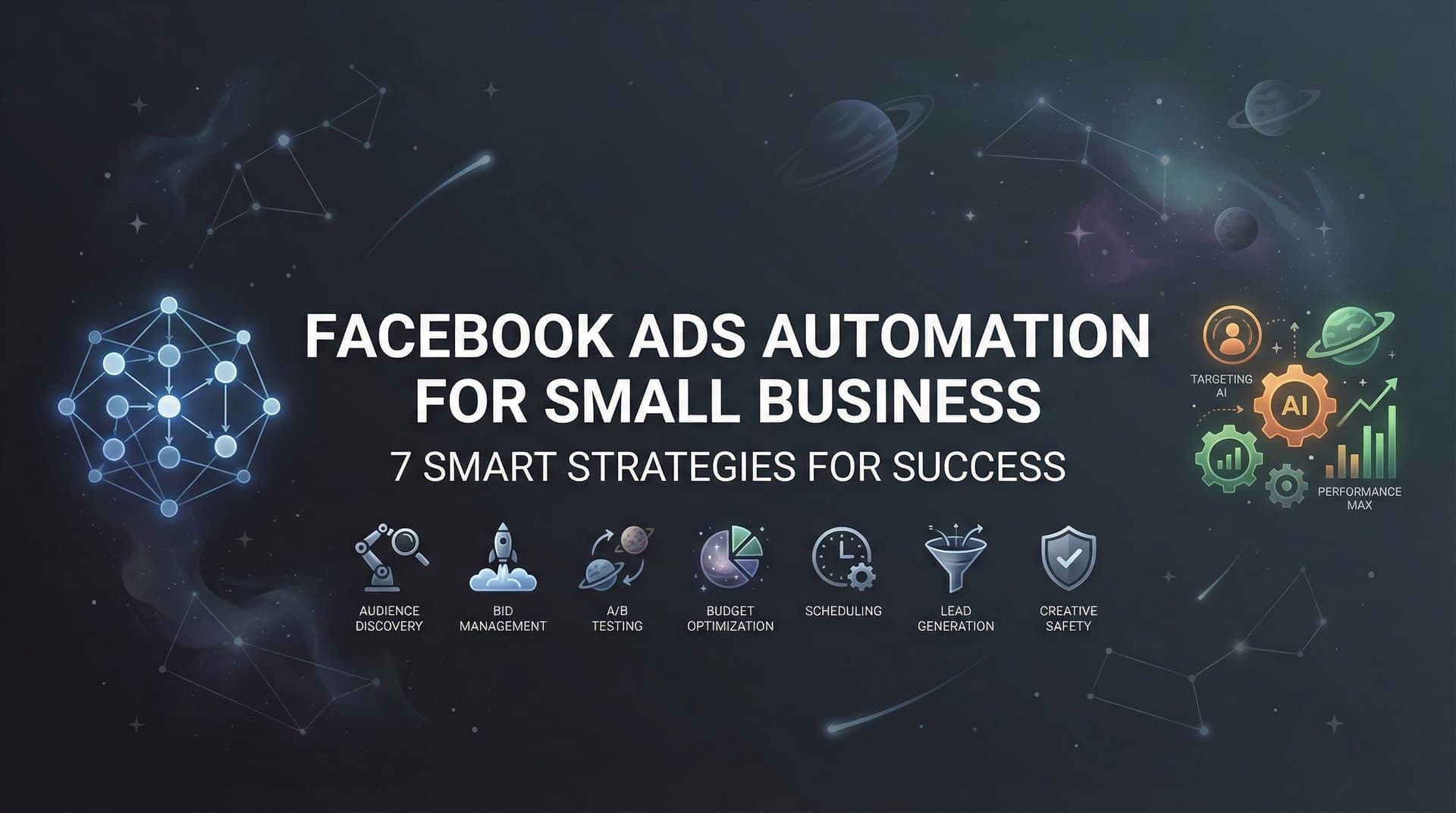
Running Facebook ads as a small business often feels like you're juggling flaming torches while riding a unicycle. Between crafting creative, testing audiences, monitoring performance, and adjusting budgets, the manual workload can quickly become overwhelming—especially when you're competing against larger companies with dedicated marketing teams and bottomless budgets.
The good news? Automation has leveled the playing field.
Small businesses can now access the same sophisticated campaign management capabilities that enterprise brands use, without the enterprise budget or headcount. What used to require a team of media buyers can now be handled by intelligent systems that work around the clock, optimizing your campaigns while you focus on running your business.
This guide walks you through seven practical automation strategies specifically designed for small business constraints: limited time, tight budgets, and the need for every ad dollar to work harder. Whether you're just getting started with Facebook ads automation or looking to optimize your existing setup, these strategies will help you reclaim your time while improving campaign performance.
1. Automate Campaign Structure with AI-Powered Builders
The Challenge It Solves
Building a Facebook campaign from scratch involves dozens of decisions: Should you use CBO or ABO? How many ad sets? Which placements? What naming conventions? For small business owners without media buying experience, these structural choices can make or break performance before your ads even launch.
The traditional approach of manually configuring each campaign layer is not only time-consuming—it's also prone to structural mistakes that waste budget on poorly configured setups.
The Strategy Explained
AI-powered campaign builders analyze your business page, objectives, and historical performance data to automatically construct optimized campaign architectures. Think of it like having an experienced media buyer configure your campaigns, but in seconds instead of hours.
These systems examine your page content, existing creative assets, and conversion goals to determine the ideal campaign structure. They make decisions about budget distribution, placement selection, and ad set organization based on what typically performs well for businesses similar to yours.
The result is a complete, launch-ready campaign that follows industry best practices without requiring you to become a Facebook ads expert.
Implementation Steps
1. Connect your Facebook Business Manager to an AI campaign builder platform that offers automated structure creation.
2. Input your primary campaign objective (conversions, traffic, engagement) and let the AI analyze your business page to understand your offerings and target market.
3. Review the AI-generated campaign structure, which typically includes recommended ad sets, targeting parameters, and budget allocations based on your goals.
4. Launch the campaign with one click, or make minor adjustments before deployment if you have specific preferences.
Pro Tips
Look for platforms that provide transparency about why they made specific structural choices. Understanding the rationale behind automated decisions helps you learn campaign strategy while saving time. Also, start with one automated campaign build to test the approach before committing your entire ad budget to AI-generated structures.
2. Set Up Rules-Based Budget Automation
The Challenge It Solves
Manually monitoring campaign performance and adjusting budgets throughout the day is practically impossible for small business owners managing multiple responsibilities. Yet failing to respond quickly to performance changes means you either miss scaling opportunities on winning ads or waste money on underperformers.
The window between "this ad is crushing it" and "we've exhausted this audience" can be surprisingly narrow, especially with limited budgets.
The Strategy Explained
Rules-based automation allows you to configure conditional logic that automatically adjusts budgets based on performance thresholds you define. When an ad achieves your target ROAS or stays below your maximum CPA, the system automatically increases its budget. When performance drops below acceptable levels, budgets decrease or pause entirely.
This creates a self-optimizing system that reallocates your budget toward what's working without requiring constant manual intervention. Your campaigns become responsive to performance changes in real-time, not just when you happen to check Ads Manager.
Implementation Steps
1. Navigate to Facebook Ads Manager and access the Automated Rules section under the main menu.
2. Create a rule to increase daily budgets by 20-30% when ads achieve your target ROAS over a 24-hour period, with a frequency limit to prevent runaway spending.
3. Set up a complementary rule to decrease budgets by 50% or pause ads entirely when CPA exceeds your maximum threshold for 12+ hours.
4. Configure notification settings so you receive alerts when rules trigger, allowing you to monitor automation effectiveness without constant manual checking.
Pro Tips
Start with conservative thresholds and gradual budget adjustments until you understand how your specific campaigns respond to automated changes. A 20% budget increase is safer than doubling spend immediately. Also, always include time-based conditions—requiring poor performance to persist for several hours prevents premature pausing due to normal fluctuations.
3. Deploy Dynamic Creative Optimization
The Challenge It Solves
Testing creative variations manually means creating dozens of individual ads, each with different image-headline-description combinations. This process is tedious, and analyzing which specific elements drive performance requires spreadsheet gymnastics that most small business owners don't have time for.
Without systematic creative testing, you're essentially guessing which combinations will resonate with your audience.
The Strategy Explained
Dynamic Creative Optimization (DCO) allows you to upload multiple creative assets—images, videos, headlines, descriptions, and calls-to-action—then automatically generates and tests different combinations. Facebook's algorithm serves various permutations to different audience segments and learns which combinations perform best for specific user types.
Instead of manually creating 50 ads to test 5 images with 10 headlines, you upload your assets once and let the system handle the combinatorial testing. The algorithm continuously optimizes delivery toward the highest-performing combinations.
Implementation Steps
1. When creating a new campaign in Ads Manager, select the Dynamic Creative option at the ad level.
2. Upload 3-5 images or videos, 3-5 headline variations, 3-5 primary text options, and 2-3 description variations that align with your offer.
3. Set your optimization goal (conversions, link clicks, etc.) and let Facebook's system begin testing combinations across your target audience.
4. After collecting sufficient data (typically 3-7 days), review the Asset Reporting section to identify which specific creative elements consistently appear in top-performing combinations.
Pro Tips
Ensure your creative variations test genuinely different approaches rather than minor word changes. Testing "Buy Now" versus "Shop Today" provides less learning than testing different value propositions entirely. Also, use DCO insights to inform future manual ad creation—when you know certain images or headlines consistently win, build dedicated ads around those elements.
4. Leverage Automated Audience Expansion
The Challenge It Solves
Small businesses often start with narrow, manually defined audiences that quickly exhaust, leading to rising costs and declining performance. Manually researching, creating, and testing new audience segments is time-intensive, and there's no guarantee your educated guesses about targeting will actually convert.
Meanwhile, Meta's algorithm has access to behavioral signals and user data that you simply cannot replicate through manual targeting.
The Strategy Explained
Automated audience expansion uses Meta's Advantage+ features and lookalike automation to intelligently discover new potential customers beyond your initial targeting parameters. The system analyzes who's converting from your campaigns and automatically finds similar users, expanding your reach while maintaining or improving efficiency.
This approach leverages machine learning that processes billions of signals to identify conversion patterns you'd never spot manually. The algorithm can detect that people who convert tend to engage with specific content types, have certain browsing behaviors, or share demographic characteristics that aren't obvious from surface-level analysis.
Implementation Steps
1. Enable Advantage+ Audience in your ad set settings, which allows Meta to expand beyond your defined targeting when it identifies likely converters outside your parameters.
2. Create Lookalike Audiences based on your highest-value customer segments (purchasers, high-AOV customers, repeat buyers) starting with 1-2% similarity ranges.
3. Set up automated rules to gradually expand successful lookalike audiences from 1% to 3% to 5% as performance data validates the approach.
4. Monitor the Audience Insights section to understand which demographic and interest expansions are driving conversions, informing future targeting strategies.
Pro Tips
Don't abandon all targeting constraints immediately. Start with Advantage+ expansion on one or two ad sets while maintaining control groups with fixed targeting to compare performance. This data-driven approach shows you exactly how much value the automation provides versus your manual targeting instincts.
5. Implement Bulk Ad Launch Workflows
The Challenge It Solves
Creating ads one-by-one through Ads Manager is painfully slow when you need to test multiple offers, audiences, or creative variations. What should take minutes stretches into hours of repetitive clicking, copying, and pasting. This bottleneck prevents small businesses from testing at the scale necessary to find winning combinations quickly.
The manual approach also increases error risk—it's easy to accidentally use the wrong creative or forget to update targeting when building your tenth similar ad in a row.
The Strategy Explained
Bulk ad launching allows you to create and deploy dozens or hundreds of ad variations simultaneously through spreadsheet-based workflows or dedicated bulk creation tools. You define your variables (audiences, creative assets, ad copy, budgets) in a structured format, then launch everything at once rather than building each ad individually.
This workflow dramatically accelerates your testing velocity. Instead of spending an afternoon creating 20 ads, you can launch comprehensive test matrices in minutes, getting to performance data faster.
Implementation Steps
1. Organize your creative assets, ad copy variations, and targeting parameters in a structured spreadsheet with columns for each campaign element.
2. Use Facebook's Ads Manager bulk creation tool or a third-party platform that offers bulk launching capabilities to upload your structured campaign data.
3. Map your spreadsheet columns to the corresponding Facebook ad fields (headline, description, image, audience, budget, etc.) ensuring each row represents a complete ad configuration.
4. Review the preview of generated ads to catch any mapping errors, then launch the entire batch simultaneously with one click.
Pro Tips
Create reusable templates for your most common campaign types so you can quickly modify and relaunch successful structures with new creative or offers. Also, implement clear naming conventions in your bulk sheets—when you're launching 50 ads at once, systematic naming becomes crucial for analyzing performance later.
6. Create Performance-Triggered Notifications
The Challenge It Solves
Checking Ads Manager multiple times daily to catch performance issues or spending anomalies is both time-consuming and ineffective. Problems can escalate for hours before you notice, burning budget on broken tracking, exhausted audiences, or technical issues. Yet you can't realistically monitor campaigns 24/7.
The stress of wondering "is something going wrong right now?" creates constant background anxiety for business owners.
The Strategy Explained
Performance-triggered notifications automatically alert you when specific conditions occur in your campaigns, transforming passive monitoring into active surveillance. Instead of checking whether something is wrong, you're notified immediately when predefined thresholds are crossed—unusual spending patterns, dramatic CPA increases, or conversion tracking failures.
This creates a safety net that catches issues quickly without requiring constant manual oversight. You can focus on other business activities knowing you'll be alerted if campaigns need attention.
Implementation Steps
1. Set up automated rules in Ads Manager specifically for notification purposes (separate from budget automation rules) that trigger alerts without taking action.
2. Configure alerts for critical metrics: when daily spend exceeds 150% of normal levels, when CPA rises above 200% of your target, or when conversion volume drops to zero (indicating tracking issues).
3. Choose notification delivery methods—email for non-urgent alerts, SMS or push notifications for critical issues that require immediate attention.
4. Create a simple response protocol for each alert type so you know exactly what to check when notifications arrive, preventing panic-driven decisions.
Pro Tips
Start with broader thresholds to avoid alert fatigue from normal performance fluctuations, then tighten parameters as you learn your campaigns' typical variance patterns. Getting 20 alerts daily trains you to ignore them; getting 2-3 weekly alerts for genuine issues maintains urgency and attention.
7. Build a Winners Library for Rapid Redeployment
The Challenge It Solves
Small businesses often recreate successful ads from scratch when launching new campaigns because they lack systematic processes for identifying and storing what worked previously. This wastes time and loses institutional knowledge—you might remember "that one ad that crushed it last quarter" but can't quickly find the exact creative and copy to reuse.
Without organized asset management, you're constantly reinventing the wheel instead of building on proven successes.
The Strategy Explained
A Winners Library is a systematic repository of your highest-performing creative assets, ad copy, headlines, and audience configurations that you can quickly redeploy in future campaigns. By intentionally cataloging what works and making it easily accessible, you transform successful campaigns into reusable templates.
This approach treats your advertising knowledge as a growing asset rather than disposable campaign data. Each successful test adds to your library, making future campaign creation faster and more likely to succeed based on proven elements.
Implementation Steps
1. Create a dedicated folder structure or database for storing high-performing creative assets, organized by campaign type, offer, or audience segment.
2. Establish clear criteria for what qualifies as "winner" status (ROAS above X, CPA below Y, sustained performance over Z days) so you're systematically identifying proven assets.
3. When campaigns exceed your winner thresholds, immediately save the creative files, ad copy, targeting parameters, and performance notes to your library with descriptive tags for easy retrieval.
4. Before building new campaigns, review your Winners Library first to identify proven elements you can reuse or adapt rather than starting from scratch.
Pro Tips
Include context notes with each saved asset explaining why it worked—the offer, audience, season, or market conditions that contributed to success. This prevents blindly reusing creative that won't translate to different contexts. Also, periodically review and refresh your library, archiving assets that no longer perform as audience preferences and market conditions evolve.
Putting It All Together
Facebook ads automation isn't about replacing your marketing judgment—it's about freeing you to focus on strategy while systems handle the repetitive execution. The difference between spending 15 hours weekly in Ads Manager versus 2 hours isn't just time saved; it's the mental space to think strategically about your business instead of drowning in campaign minutiae.
Start with one or two strategies that address your biggest time drains, measure the impact, then expand your automation stack gradually. For most small businesses, beginning with automated campaign building and rules-based budget management delivers the fastest ROI on time invested. These foundational automations handle the most time-consuming aspects of campaign management while providing immediate performance benefits.
As you grow more comfortable, layer in dynamic creative testing and bulk launching to scale your output without scaling your hours. The goal is simple: spend less time in Ads Manager and more time growing your business. Every hour you reclaim from manual campaign management is an hour you can invest in product development, customer service, or strategic planning.
The competitive advantage for small businesses in 2026 isn't just having automation—it's implementing the right automation intelligently. While your competitors are still manually building campaigns one-by-one, you'll be testing more variations, responding faster to performance changes, and systematically building on what works.
Ready to transform your advertising strategy? Start Free Trial With AdStellar AI and be among the first to launch and scale your ad campaigns 10× faster with our intelligent platform that automatically builds and tests winning ads based on real performance data. Our seven specialized AI agents handle everything from campaign structure to budget allocation, giving you enterprise-level automation without the enterprise complexity or cost.


