
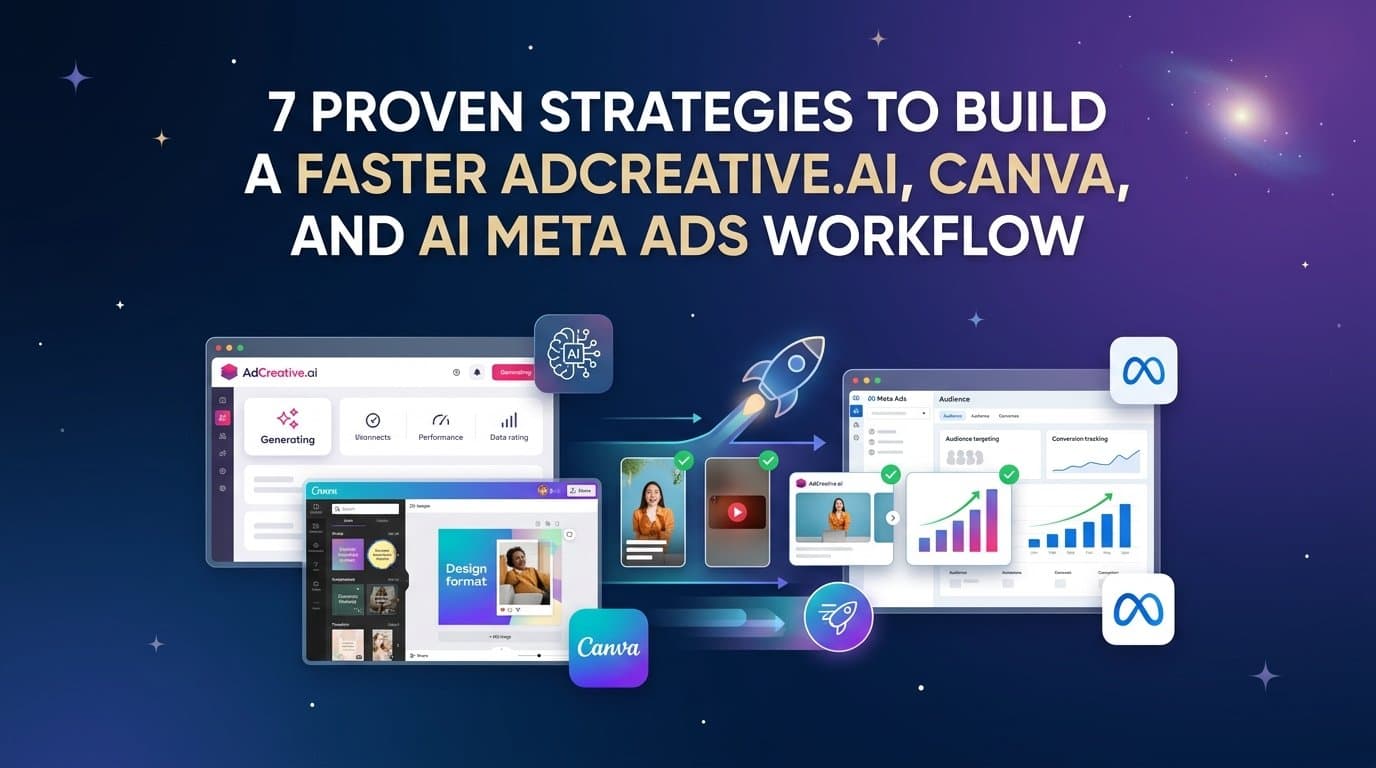
Most Meta advertisers are running three tools at once and still feeling behind. You toggle between AdCreative.ai for AI-generated visuals, Canva for design polish, and Ads Manager for launching, and somewhere in that shuffle, time and performance data get lost. The result is a workflow that feels productive but rarely scales.
This is not a tool problem. It is a workflow problem. The individual tools each do something useful, but stringing them together creates handoff friction that slows your production cycle and disconnects creative decisions from performance data.
This article breaks down seven practical strategies for tightening that creative-to-launch loop. Whether you are a solo media buyer or managing accounts for multiple clients, these approaches will help you stop stitching together disconnected tools and start shipping more ads with less friction. We will also look at where a unified platform like AdStellar can replace several of those steps entirely, putting performance data at the center of every creative decision.
1. Map Your Current Workflow Before Adding Any AI Tool
The Challenge It Solves
Most workflow problems get worse before they get better when you add a new tool without understanding what is already broken. If you do not know exactly where time is leaking in your current process, you will just automate the chaos rather than eliminate it. A workflow audit is the unglamorous first step that makes every other strategy on this list actually work.
The Strategy Explained
Sit down and write out every step between "we need a new ad" and "the campaign is live." Include the handoffs, the approvals, the file exports, the copy-paste moments, and the times you have to switch tabs to check a number. Be specific. Most marketers discover that a significant chunk of their production time is spent on steps that have nothing to do with creative quality or campaign performance.
Look for three types of friction in your audit: time sinks (steps that take longer than they should), data gaps (moments where you lose visibility into what is working), and decision bottlenecks (points where work stalls waiting for input or approval). Each category has a different fix, and knowing which you are dealing with shapes how you layer in tools or automation.
Implementation Steps
1. Document every step from brief to live campaign in a simple list, including who does what and how long each step typically takes.
2. Highlight the three steps that consume the most time or cause the most errors, and note whether they are creative, technical, or organizational in nature.
3. Identify which steps involve moving files, data, or context between tools, as these are your highest-friction handoff points and the most likely candidates for automation or consolidation.
Pro Tips
Do this audit with the people who actually do the work, not just the people who manage it. The real friction points often live in the day-to-day execution that managers do not see. Even a rough time estimate per step will reveal patterns that are impossible to spot when you are inside the workflow every day.
2. Use AI to Generate Creative Concepts, Not Just Final Assets
The Challenge It Solves
A common mistake with AI creative tools is treating them like a faster version of a designer. You prompt, you get an asset, you launch it. That approach misses the real leverage point. When AI is used only to produce polished one-off visuals, you are still operating on a low-volume creative model that cannot keep pace with what Meta's algorithm needs to find your winners.
The Strategy Explained
Shift your mindset from "generate the ad" to "generate the options." Use AI tools to produce a wide range of concept variations quickly, then evaluate those concepts before investing time in design polish. Think of it as a creative brainstorm that happens in minutes instead of hours.
This approach works particularly well for testing different angles on the same product. Rather than deciding upfront whether your ad should lead with price, social proof, or a problem-solution frame, you generate versions of all three and let performance data make that decision. Meta's own guidance for advertisers consistently emphasizes the value of creative diversity in helping the algorithm optimize delivery. More distinct concepts in your testing pool means more signal for the algorithm to work with.
Implementation Steps
1. Before generating any assets, write out three to five distinct creative angles for your product or offer, each with a different hook, emotion, or value proposition.
2. Use your AI creative tool to generate multiple variations for each angle rather than perfecting a single execution, aiming for volume and variety over polish at this stage.
3. Do a quick internal review to identify the two or three concepts worth refining further, then move only those into your Canva template system or final production step.
Pro Tips
Treat the AI output as a creative brief, not a finished product. The best use of AI at this stage is to rapidly externalize ideas so you can evaluate them visually rather than debating them in a meeting. Speed and volume at the concept stage saves time and money at the launch stage.
3. Build a Canva Template System That Scales With Your Ad Volume
The Challenge It Solves
Without a structured template system, every new ad becomes a design project from scratch. That might be fine at low volume, but as your testing cadence increases, ad-hoc design work becomes the bottleneck. Canva is a capable tool, but its value multiplies significantly when it is set up as a system rather than used as a blank canvas every time.
The Strategy Explained
A proper Canva template system starts with your brand kit locked down: colors, fonts, logo placements, and any recurring visual elements. From there, you build a library of format-specific templates covering the ad sizes and styles you use most often. Each template should be designed so that the variable elements, such as the headline, image, and CTA, can be swapped quickly without touching the layout.
The goal is to reduce design decisions during production. When a template is well-built, the person updating it should be making content decisions, not design decisions. That distinction matters enormously when you are producing a high volume of variations under time pressure.
It is worth noting that even a well-organized Canva template system has a ceiling. When your testing volume grows to the point where you need dozens or hundreds of variations, manual template-based production becomes its own bottleneck. That is where bulk creative generation tools become relevant, a point we will return to in strategy six.
Implementation Steps
1. Audit your most commonly used ad formats and sizes, then build one master template per format with clearly labeled placeholder zones for the headline, image, body copy, and CTA.
2. Set up a Canva brand kit with your exact brand colors, approved fonts, and logo files so that every template automatically pulls from the same source of truth.
3. Create a simple naming convention for your templates so team members can find the right starting point quickly without asking, and document which template is appropriate for which campaign type.
Pro Tips
Build your templates to be edited by someone who is not a designer. The best test is to hand a template to a non-designer and see if they can produce a finished ad without making layout mistakes. If they cannot, simplify the template until they can.
4. Separate Creative Production from Campaign Building
The Challenge It Solves
Task-switching between creative work and campaign setup is one of the most common sources of quality loss in a media buyer's day. When you are jumping between designing ads, writing copy, setting up ad sets, and checking performance, neither the creative nor the campaign structure gets your full attention. The result is ads that are almost good and campaigns that are almost optimized.
The Strategy Explained
Batch your work. Dedicate specific blocks of time to creative production and separate blocks to campaign building, and treat the handoff between them as a formal step with a clear deliverable. This is not just a productivity tip. It is a quality control mechanism.
When creative production is batched, you make better decisions about which concepts to prioritize and how many variations to produce. When campaign building is batched, you think more clearly about structure, audience segmentation, and budget allocation. The two modes of thinking are genuinely different, and mixing them degrades both.
A clean handoff process means having a shared folder or document where finished creatives live alongside the metadata a campaign builder needs: the intended audience, the headline paired with each creative, the offer or landing page, and any notes about the creative concept. This removes the back-and-forth that typically happens when creative and campaign work are tangled together.
Implementation Steps
1. Block dedicated creative production time on your calendar and treat it as protected time where Ads Manager is closed and you are focused only on generating and refining assets.
2. Create a simple creative handoff document or folder structure that captures the finished assets alongside the campaign context needed to launch them without follow-up questions.
3. Schedule campaign building as a separate block that happens after creative production is complete, using the handoff document as your brief so you can move through setup without interruption.
Pro Tips
If you are a solo operator, this batching approach still applies. Even separating these tasks by a few hours improves the quality of both. The context-switching cost is real whether you are a team of one or ten.
5. Run Structured Creative Tests Instead of Random Launches
The Challenge It Solves
Launching ads without a testing structure means you collect data without generating insight. You might know that one ad outperformed another, but you will not know why, which means you cannot replicate the win or avoid the loss. Random launches produce random learnings, and random learnings do not compound into a scalable creative strategy.
The Strategy Explained
A structured creative test isolates one variable at a time so that performance differences can be attributed to a specific element. The most common variables to test are creative format, the primary visual or hook, the headline, the body copy angle, and the call to action. You do not need to test all of these simultaneously. In fact, testing too many variables at once makes your data harder to interpret, not easier.
A practical starting point is the "one variable per flight" approach. In each testing period, you hold as many elements constant as possible and vary only one. If you are testing headlines, use the same creative and copy across all variants. If you are testing creative formats, use the same headline and copy. This discipline makes your results actionable rather than interesting.
Meta's advertising guidance supports the value of running multiple creative variations to give the algorithm enough signal to optimize. The key is that your testing structure should serve both the algorithm and your own learning agenda. You want the algorithm to find the winner, and you want to understand why it won so you can build on it.
Implementation Steps
1. Before each launch, define the single variable you are testing and document your hypothesis about which variant will win and why, so you are building genuine creative intuition over time.
2. Set a minimum spend threshold per variant before drawing conclusions, giving each creative enough budget to generate statistically meaningful signal rather than pausing based on early noise.
3. Record your results in a shared testing log that captures the variable tested, the winner, and your interpretation of why it won, so this knowledge is accessible for future campaigns.
Pro Tips
The testing log is more valuable than any individual test result. Over time, it becomes a pattern library that tells you what works for your specific audience, offer, and product category. That pattern library is the foundation of the winners system in strategy seven.
6. Automate the Busywork Between Creative and Performance
The Challenge It Solves
In a multi-tool workflow, a surprising amount of time goes to steps that are purely mechanical: exporting files, uploading assets, copying headlines into the right fields, checking metrics across multiple dashboards, and manually pausing underperformers. None of these steps require creative judgment, but they consume time that could go toward actual strategy.
The Strategy Explained
Start by identifying which steps in your workflow are purely mechanical and which require genuine judgment. Mechanical steps are candidates for automation or elimination. Judgment steps are where your time should be concentrated.
Within a multi-tool setup, some of this automation is possible through integrations, naming conventions, and folder structures that reduce manual coordination. But there is a ceiling to how much you can automate across disconnected tools, because the tools were not designed to work together.
This is where a unified platform changes the equation fundamentally. AdStellar is built around the idea that creative generation, campaign building, bulk launching, and performance analysis should live in one place. Instead of exporting an asset from AdCreative.ai, pulling it into Canva for refinement, downloading the final file, uploading it to Ads Manager, and then checking performance in a separate dashboard, you generate the creative, build the campaign, launch it, and track performance all within a single workflow.
AdStellar's Bulk Ad Launch feature lets you create hundreds of ad variations by mixing creatives, headlines, audiences, and copy, then launch every combination to Meta in minutes rather than hours. The AI Campaign Builder analyzes your past campaigns, ranks every element by performance, and builds complete campaigns with full transparency into why each decision was made. That is the kind of automation that does not just save time; it improves the quality of the output.
Implementation Steps
1. List every step in your current workflow that involves moving files or data between tools, then calculate roughly how much time those steps consume per week across your account volume.
2. Identify which of those steps could be eliminated entirely if your creative and campaign tools shared the same data layer, and use that analysis to evaluate whether a unified platform makes sense for your volume.
3. If you are staying with a multi-tool setup for now, build naming conventions and folder structures that reduce the coordination overhead between tools, and document them so any team member can follow the same process without asking.
Pro Tips
The goal of automation is not to remove humans from the process. It is to remove humans from the parts of the process that do not benefit from human judgment. The time you recover from mechanical tasks should go directly into creative strategy, audience thinking, and performance analysis.
7. Build a Winners System That Compounds Over Time
The Challenge It Solves
Most advertisers start each new campaign from a near-blank slate. They remember roughly what worked before, but the institutional knowledge lives in someone's memory or buried in old campaign data. That means every new campaign has to rediscover lessons that have already been learned, which is an expensive way to run a creative operation.
The Strategy Explained
A winners system is a structured repository of your best-performing creatives, headlines, copy angles, and audiences, organized so that each new campaign can start from proven performance rather than intuition. The concept is recognized as a best practice in performance marketing circles, discussed in publications like Jon Loomer Digital and industry newsletters like Demand Curve, because it turns individual wins into compounding advantages.
The system does not need to be complex. It needs to be consistent. Every time a creative, headline, or audience outperforms your benchmarks, it gets logged with its performance data and the context that made it work: the offer, the audience, the season, the creative format. That context is what makes the winner reusable rather than just memorable.
Over time, your winners system becomes a creative brief for every new campaign. Instead of brainstorming from scratch, you start by asking: what have we already proven works for this audience? What hooks have driven the lowest CPA? Which formats have consistently outperformed on this product line? Those questions have answers when you have a winners system. Without one, they are just guesses.
AdStellar's Winners Hub is built around exactly this concept. Your best-performing creatives, headlines, audiences, and more are surfaced in one place with real performance data attached. When you are ready to build a new campaign, you select from proven winners and add them directly, without digging through old campaigns or relying on memory. The AI Insights feature uses leaderboards to rank every element by metrics like ROAS, CPA, and CTR against your own benchmarks, so you always know what is actually working rather than what feels like it is working.
Implementation Steps
1. Define your performance threshold for what counts as a "winner" in your account, using a specific metric like CPA below target or ROAS above benchmark, so the bar is consistent and not subjective.
2. Create a shared document, spreadsheet, or dedicated tool folder where winning creatives, headlines, and audiences are logged with their performance data and a brief note on the context in which they performed.
3. Build a habit of reviewing your winners system at the start of every new campaign brief, using it as your first creative input before generating anything new, so proven performance informs your starting point rather than being an afterthought.
Pro Tips
Tag your winners by category: offer type, audience segment, creative format, and funnel stage. The more specific your tagging, the more useful the system becomes when you are looking for proven creative for a specific situation. A winners system with good metadata is dramatically more useful than one that is just a folder of top-performing images.
Putting It All Together
Start with the workflow audit in strategy one. That single step will show you exactly where time is leaking in your current AdCreative.ai, Canva, and Meta Ads setup. The patterns you find there will tell you which of the remaining strategies to prioritize first.
From there, the order matters. Build the template system and the testing framework before you try to automate anything. Automation applied to a broken process just breaks things faster. Once your creative production and testing structure are solid, the automation layer in strategy six will have something worth accelerating.
The advertisers who scale fastest are not using more tools. They are using fewer tools more intentionally. Each strategy in this list builds on the previous one, moving you from a fragmented multi-tool setup toward a workflow where creative decisions are informed by performance data and every launch makes the next one smarter.
If you are ready to consolidate creative generation, campaign building, and performance analysis into one place, AdStellar was built for exactly this workflow. From AI-generated image and video ads to bulk launching hundreds of variations to real-time performance scoring through the Winners Hub, it handles the full creative-to-conversion loop without the handoff friction of a multi-tool stack.
Start Free Trial With AdStellar and be among the first to launch and scale your ad campaigns faster with a platform that automatically builds and tests winning ads based on real performance data.


