
Meta Ads Manager feels like it was designed by a committee that never had to actually use it. You open the platform ready to launch a simple campaign, and suddenly you're drowning in dropdown menus, optimization settings, placement options, and targeting parameters that seem to multiply every time you click.
The irony? Facebook advertising wasn't always this complicated.
Over the years, Meta has layered on features like Advantage+ campaigns, detailed targeting expansion, dynamic creative optimization, and dozens of placement options across Facebook, Instagram, Messenger, and Audience Network. Each feature promises better results, but together they create a decision-making gauntlet that can paralyze even experienced marketers.
Here's the truth that Meta won't tell you: complexity is optional.
The best-performing campaigns often have the simplest structures. They focus on clear objectives, consolidated ad sets, and proven creative formats. They let the algorithm do what it does best—optimize—instead of trying to micromanage every variable.
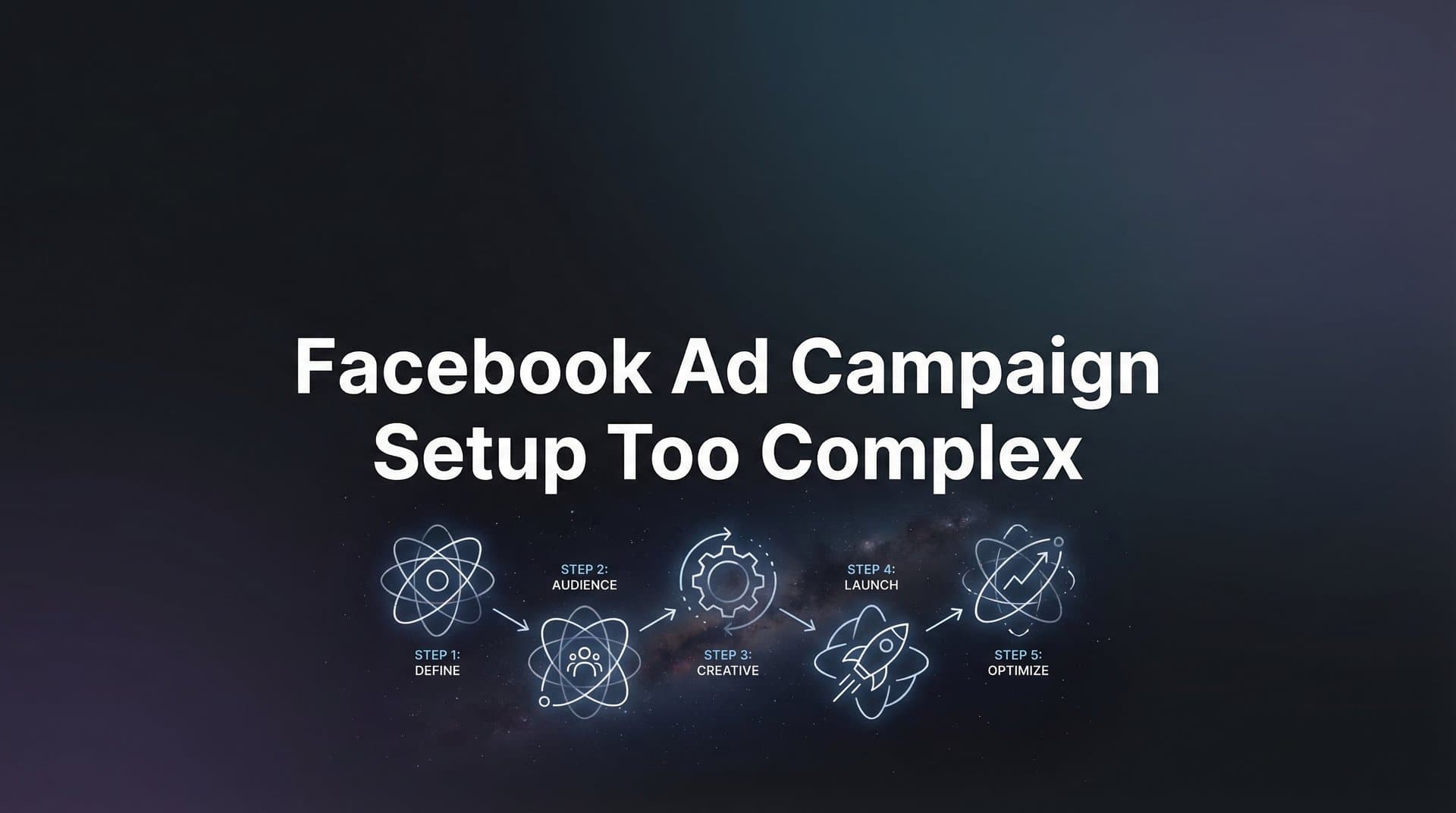
This guide will walk you through a streamlined five-step process that cuts through the noise and gets your campaigns live faster. Whether you're launching your first campaign or your hundredth, these steps will help you work smarter, not harder. And for those who want to eliminate setup complexity entirely, we'll show you how AI-powered tools can handle the heavy lifting automatically.
Step 1: Clarify Your Campaign Objective Before Touching Ads Manager
The biggest mistake in Facebook ad campaign setup happens before you ever log into Ads Manager: starting without a crystal-clear objective.
When your goal is fuzzy—"I want more sales" or "We need brand awareness"—you end up trying to accomplish too much in a single campaign. You add extra ad sets "just in case," create multiple creative variations that test different messages, and choose optimization settings that conflict with each other.
The algorithm gets confused. You get overwhelmed. The campaign underperforms.
Before you open Ads Manager, answer these three questions:
What specific action do you want people to take? Not "engage with my brand" but "download my lead magnet" or "purchase this specific product" or "sign up for a free trial."
Who should take this action? Your existing customers? People who visited your website? Cold audiences who've never heard of you? The answer determines your targeting approach.
How will you measure success? Cost per lead? Return on ad spend? Click-through rate? Choose one primary metric that directly ties to your business goal.
Once you have clear answers, mapping to Meta's campaign objectives becomes straightforward. If you want people to download a resource, you're running a Leads campaign. If you want immediate purchases, you're running Sales. If you want traffic to a blog post, you're running Traffic.
The common mistake here is choosing the wrong objective and then fighting the algorithm. If you select "Engagement" because you want people to interact with your ad, but your real goal is website conversions, the algorithm will optimize for likes and comments—not the action you actually care about.
Your success indicator for this step: you can state your campaign goal in one sentence. "I want to generate qualified leads for my B2B software by offering a free demo to marketing managers at companies with 50+ employees." That's specific enough to build a campaign around.
If you can't articulate your goal that clearly, you're not ready to set up the campaign yet. Spend another 10 minutes clarifying what you're actually trying to accomplish. This clarity will save you hours of confusion later. For a deeper dive into planning your campaigns effectively, explore our guide on Facebook ad campaign planning tools.
Step 2: Simplify Your Campaign Structure Using the 3-2-1 Framework
Once you know your objective, the next trap is overcomplicating your campaign structure. Many marketers create five, seven, or even ten ad sets within a single campaign, each testing different variables—age ranges, interests, geographic regions, placements.
This approach feels thorough, but it actually hurts performance.
Here's why: Meta's algorithm needs data to optimize. When you split your budget across too many ad sets, each one receives insufficient spend to exit the learning phase. You end up with a dozen underperforming ad sets instead of a few well-optimized ones.
The solution is the 3-2-1 framework: three ad sets maximum, two targeting approaches, one clear objective per campaign.
Three ad sets maximum: This forces you to focus on your most important audience segments. Maybe that's one ad set for warm audiences (website visitors), one for lookalikes, and one for broad targeting. Or perhaps it's three geographic regions if you're testing market expansion.
Two targeting approaches: Don't try to test broad vs. interest-based vs. lookalike vs. custom audiences all at once. Pick two approaches that make sense for your goal. For most campaigns, that's either broad + lookalike or custom audience + lookalike.
One clear objective: We covered this in Step 1, but it bears repeating. Every element of your campaign structure should support that single objective. Don't try to generate leads AND build brand awareness AND drive website traffic in the same campaign.
When you're setting up your structure in Ads Manager, this looks simple: create your campaign with your chosen objective, then add 2-3 ad sets with distinct but focused audiences. Use Campaign Budget Optimization (CBO) to let Meta allocate spend toward the best-performing ad sets automatically. Understanding the Facebook ads campaign hierarchy makes this process much more intuitive.
The beauty of this framework is consolidation. Instead of spreading $100/day across seven ad sets ($14 each), you're putting $100/day into three ad sets ($33 each). Each ad set gets enough spend to generate meaningful data, and the algorithm can actually learn what works.
Your success indicator here: your campaign structure fits on a single sticky note. If you need a spreadsheet to track all your ad sets, you've overcomplicated it.
Step 3: Streamline Audience Targeting Without Overthinking
Open the audience targeting section of Ads Manager and you'll face hundreds of interest categories, demographic options, behavior segments, and custom audience combinations. The possibilities feel endless.
This is where many marketers get stuck for hours, trying to craft the "perfect" audience. They layer on interest after interest, exclude this segment, include that behavior, and end up with an audience so narrow that the algorithm has no room to find the people who will actually convert.
The counterintuitive truth: broader targeting often outperforms micro-targeting.
Meta's algorithm has gotten remarkably good at finding your ideal customers when you give it room to work. The platform processes billions of signals—browsing behavior, purchase history, engagement patterns, device usage—that you can't manually target. When you over-specify your audience, you're essentially telling the algorithm, "Ignore all those signals and only show ads to this tiny slice." Managing too many Facebook ad variables often leads to this exact problem.
The minimum viable audience approach works like this: location + age range + one key interest (if needed).
For a local business, that might be: United States (or your city) + ages 25-54 + no additional interests. Let the algorithm find people likely to convert based on your campaign objective and ad creative.
For an e-commerce brand, it might be: United States + ages 25-44 + interested in "online shopping" (broad category). Again, you're giving the algorithm room to explore.
When should you use custom audiences vs. lookalikes vs. broad targeting? Here's the simple decision tree:
Custom audiences (website visitors, email lists, past customers): Use these when you're retargeting people who already know you. This is your warmest traffic and typically your highest-converting audience.
Lookalike audiences: Use these when you want to find new people similar to your best customers. Start with a 1-3% lookalike of your customer list or website visitors. Don't bother with 8-10% lookalikes—they're too broad to be meaningful.
Broad targeting: Use this when you're testing new markets or don't have enough data for custom/lookalike audiences yet. Set location and age, then let Advantage+ audience expansion do its work.
Your success indicator: audience setup takes under 10 minutes. If you're spending 30 minutes crafting the perfect interest stack, you're overthinking it. Set up something reasonable, launch, and let performance data guide your next iteration.
Step 4: Create Ads Efficiently Using Templates and Proven Formats
Ad creative is where most marketers burn hours of time. They agonize over which image to use, rewrite headlines seventeen times, and create elaborate video productions that may or may not resonate with their audience.
The reality is that most successful Facebook ads use simple, proven formats. You don't need a professional videographer or a graphic design degree. You need clarity, relevance, and a basic understanding of what works.
Start with these three ad formats that work for most businesses:
Single image ads: A clean product photo, a customer testimonial screenshot, or a simple graphic with your value proposition. These are the easiest to create and often outperform more complex formats.
Carousel ads: Perfect for showcasing multiple products, telling a step-by-step story, or highlighting different features. Use 3-5 cards maximum—more than that and engagement drops off.
Video ads: Don't overthink this. A 15-30 second video shot on your phone often outperforms polished studio productions. Show your product in action, share a customer success story, or demonstrate a key feature.
The secret to efficient ad creation is repurposing existing content. That Instagram post that got great engagement? Turn it into an ad. Customer testimonials from your email inbox? Screenshot and use them. Product photos from your website? Perfect for single image ads.
For ad copy, use this simple framework: Hook + Problem + Solution + CTA.
Hook: Grab attention in the first sentence. "Tired of ad campaigns that drain your budget?" or "What if you could launch winning ads in under 60 seconds?"
Problem: Acknowledge the pain point your audience feels. "Most marketers spend hours setting up Facebook campaigns, only to watch them underperform."
Solution: Introduce your offer as the answer. "AdStellar AI's seven specialized agents analyze your best performers and build optimized campaigns automatically."
CTA: Tell people exactly what to do next. "Start your free trial today" or "Download the guide" or "Shop now."
Keep your copy concise. Facebook users scroll fast. Your primary text should be 2-3 sentences maximum. Your headline should be under 40 characters. Your description should add one supporting detail.
For marketers who want to scale ad creation without the time investment, AI tools can generate multiple ad variations from your best performers. Platforms like AdStellar AI analyze which headlines, images, and audience combinations drove results, then create new variations that follow those winning patterns. Explore the best Facebook ads automation tools to find solutions that match your workflow.
Your success indicator: you can create 3-5 ad variations in under 30 minutes. If it's taking longer, you're either overthinking the creative or trying to create something too complex. Simplify.
Step 5: Set Budget and Launch With Confidence
You've clarified your objective, simplified your structure, streamlined your targeting, and created your ads. Now comes the final hurdle: setting your budget and actually launching the campaign.
Many marketers freeze at this step, worried they'll waste money or set the wrong budget level. Here's the minimum viable budget formula that works for most campaigns:
Daily budget = (number of ad sets) × $20
If you're running three ad sets, start with $60/day. If you're running two ad sets, start with $40/day. This gives each ad set enough budget to generate meaningful data without requiring a massive investment upfront.
The question of Campaign Budget Optimization (CBO) vs. ad set budgets is simpler than it seems. Use CBO when you want Meta to automatically allocate budget toward your best-performing ad sets. Use ad set budgets when you want manual control over how much each audience receives.
For most marketers, CBO is the better choice. It reduces complexity and lets the algorithm shift budget toward what's working. The only time to use ad set budgets is when you're deliberately testing audiences with equal spend, regardless of performance. Learn more about Facebook campaign structure automation to optimize this process.
Before you hit publish, run through this pre-launch checklist:
1. Verify your pixel is installed correctly. Use Meta's Pixel Helper Chrome extension to confirm it's firing on your website.
2. Check your payment method. Make sure your credit card is current and has sufficient limit for your intended spend.
3. Review your ad copy for typos. Read it out loud. Check that all links work. Confirm your CTA button matches your objective.
4. Confirm your targeting makes sense. You're not accidentally targeting the wrong country or excluding your best customers.
5. Set a calendar reminder to check performance. Don't launch and forget. Plan to review results after 24 hours, 3 days, and 7 days.
Here's the truth about launching: perfectionism kills campaigns. The marketers who succeed are the ones who launch, gather data, and iterate based on what they learn. The marketers who fail are the ones who spend weeks trying to create the "perfect" campaign and never actually launch.
Your ads don't need to be perfect. Your targeting doesn't need to be flawless. Your budget doesn't need to be exactly optimized. You need to get the campaign live, see what happens, and improve from there. If you're ready to scale faster, our guide on how to scale Facebook advertising campaigns provides actionable strategies.
Your success indicator for this final step: campaign is live within 60 minutes of starting setup. If you've followed the previous four steps, this should be easily achievable. You know your objective, you've kept your structure simple, your targeting is streamlined, and your ads are ready. Set your budget, run through the checklist, and hit publish.
Your Simplified Campaign Setup Checklist
Let's recap the five steps that transform Facebook ad campaign setup from overwhelming to manageable:
Step 1: Clarify your objective. Answer what action you want, who should take it, and how you'll measure success. State your goal in one sentence before opening Ads Manager.
Step 2: Use the 3-2-1 framework. Three ad sets maximum, two targeting approaches, one clear objective. Your campaign structure should fit on a sticky note.
Step 3: Streamline your targeting. Start with location + age + one key interest. Let the algorithm find your customers instead of over-specifying. Spend less than 10 minutes on audience setup.
Step 4: Create ads efficiently. Use proven formats (single image, carousel, video). Repurpose existing content. Follow the Hook + Problem + Solution + CTA framework. Generate 3-5 variations in under 30 minutes.
Step 5: Set budget and launch. Use the minimum viable budget formula. Enable Campaign Budget Optimization. Run through the pre-launch checklist. Get your campaign live within 60 minutes.
The complexity you face in Facebook advertising isn't inevitable—it's optional. The best campaigns often have the simplest structures because they give the algorithm room to optimize and the marketer room to learn from real performance data.
For marketers who want to eliminate setup complexity entirely, AI-powered platforms represent the next evolution. Tools like AdStellar AI use seven specialized agents to analyze your historical performance data, identify winning elements, and automatically build optimized campaigns in under 60 seconds. The AI explains every decision it makes, from audience selection to budget allocation, giving you full transparency while handling the complex decision-making process.
Whether you choose to streamline your manual process using these five steps or embrace automation that handles the heavy lifting, the goal is the same: spend less time wrestling with Ads Manager and more time analyzing results and scaling what works.
Ready to transform your advertising strategy? Start Free Trial With AdStellar AI and be among the first to launch and scale your ad campaigns 10× faster with our intelligent platform that automatically builds and tests winning ads based on real performance data.


