
Most marketers don't need convincing that AI advertising platforms are worth exploring. The real question is whether a specific platform is worth paying for. And the only honest way to answer that is to get inside it, connect your actual ad account, and run something real.
That's exactly what a free trial is for. Not to click around a demo. Not to watch a product tour. To test whether the platform fits your workflow, your Meta campaigns, and your actual goals before you commit a dollar to a subscription.
If you've been managing Meta ads the traditional way, that means coordinating between Ads Manager, a designer, a spreadsheet, and your own intuition, you already know how much of your day disappears into logistics rather than strategy. AI advertising platforms promise to collapse that workflow into something faster and more intelligent. But "promise" is the operative word until you've seen it work on your own campaigns.
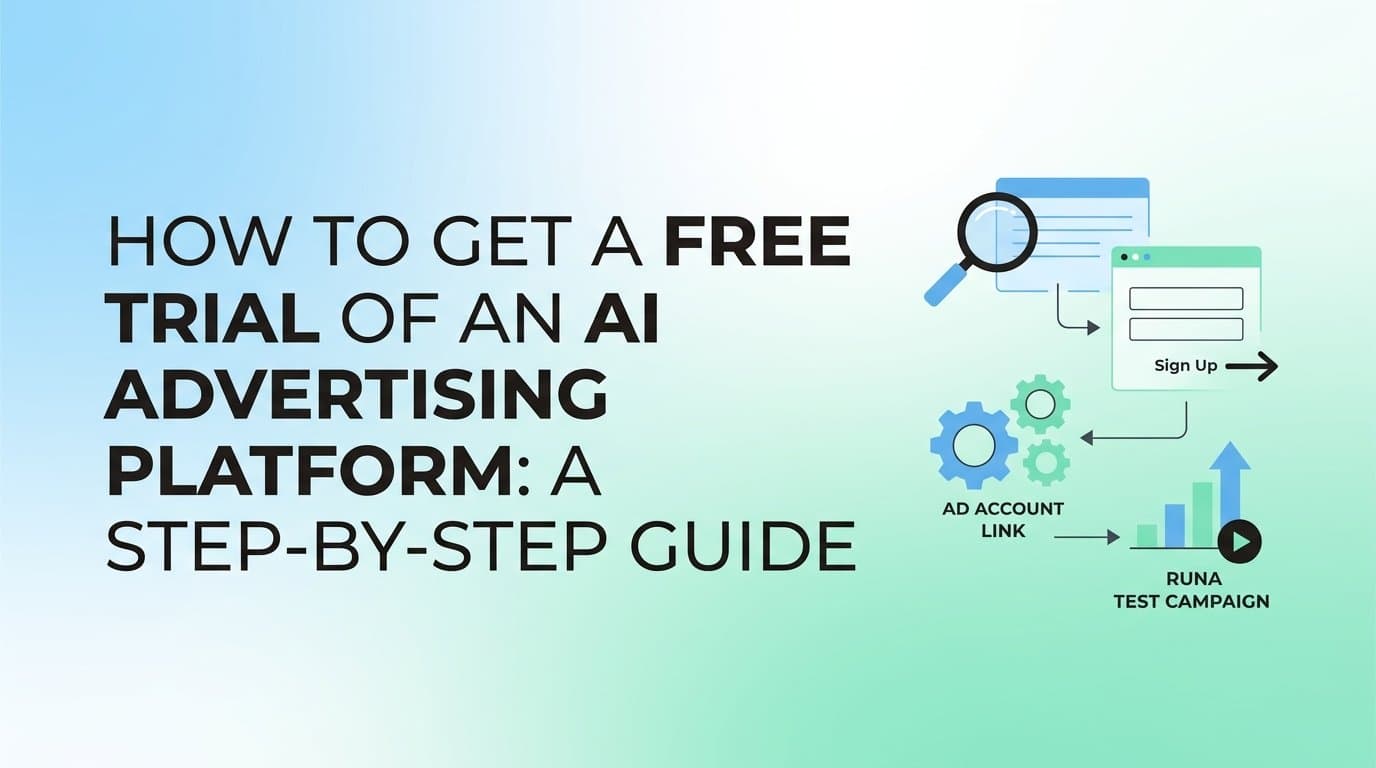
This guide walks you through exactly how to find the right platform, sign up for a free trial, connect your ad account, run a real test, and make a clear decision about whether to move forward. Whether you're a solo media buyer, a performance marketer at an agency, or a business owner running your own Meta campaigns, these steps give you a structured way to evaluate any AI ad platform with confidence.
By the end, you'll have a repeatable framework you can apply to any trial, plus a clear picture of what to look for in a platform that actually delivers.
Step 1: Define What You Actually Need Before You Sign Up
The biggest mistake people make with software trials is signing up first and figuring out what they want later. Without a clear goal, you end up clicking around, watching feature demos, and leaving without any real sense of whether the platform solves your problem. A week passes, the trial expires, and you've learned almost nothing useful.
Before you visit a single pricing page, spend 15 minutes getting specific about your situation.
Identify your biggest pain points. Are you spending too much time on creative production? Struggling to build and launch campaigns efficiently? Losing money to underperforming ad sets because you can't analyze performance fast enough? The answer shapes which features matter most during your trial.
List the Meta ad features you rely on most. Do you run image ads, video ads, or both? Do you test multiple audiences simultaneously? Do you need bulk ad creation across different creatives and copy variations? Knowing this helps you verify that the platform actually supports your workflow rather than a simplified version of it.
Set a clear success benchmark. This is the most important step, and most people skip it. Define what "this worked" looks like before the trial starts. For example: the platform generates a launch-ready creative from my product URL in under 10 minutes, or I can build and launch a full campaign in one session without touching Ads Manager directly. Concrete benchmarks prevent you from making a vague judgment call at the end.
Decide who's involved. If you're evaluating the platform for a team, identify who needs access during the trial. Bringing in too many people too early creates noise. Bringing in too few means you miss important feedback from the people who'll actually use it daily.
The goal of this step is simple: you want to walk into your trial knowing exactly what you're testing for. That clarity is what separates a useful evaluation from an expensive distraction.
Step 2: Research and Shortlist AI Advertising Platforms
Not all AI advertising platforms are built the same way, and the differences matter more than the marketing copy suggests. Some platforms focus exclusively on creative generation. Others specialize in campaign optimization or budget management. The most useful platforms for Meta advertisers cover the full workflow: creative generation, campaign building, launching, and performance analysis in one place.
Here's what to look for when building your shortlist.
Native Meta support, not just integrations. There's a meaningful difference between a platform that natively integrates with Meta's API and one that connects through a third-party middleware. Native integration typically means faster data syncing, more reliable campaign launching, and better access to Meta's targeting and optimization features. Confirm this before you invest time in a trial.
Full feature access during the trial. Some platforms offer trials that are really just guided demos with limited functionality. You want access to the core features, specifically creative generation, campaign building, and performance reporting, so you can evaluate what you're actually buying. If the trial locks you out of key tools, you're not evaluating the product; you're watching a sales pitch.
AI creative generation without requiring a design team. One of the clearest signals that a platform is genuinely useful is whether it can generate image ads, video ads, and UGC-style content from a product URL or existing asset without requiring a designer, video editor, or actor. This is where many platforms fall short. Look for platforms that can also pull from the Meta Ad Library to analyze competitor ads and generate creative variations based on what's already working in your space.
AdStellar as a concrete example. AdStellar covers the full Meta advertising workflow in one platform. You can generate scroll-stopping image ads, video ads, and UGC-style avatar content directly from a product URL. You can clone competitor ads from the Meta Ad Library and refine any creative through chat-based editing. The AI Campaign Builder analyzes your past campaigns, ranks creatives, headlines, and audiences by real performance metrics, and builds complete Meta campaigns with full transparency into the strategy. Then Bulk Ad Launch creates every combination of creatives, headlines, and audiences and pushes them to Meta in minutes. That's the kind of end-to-end capability worth testing.
Check real user feedback. Review sites and community forums give you a ground-level view of what the trial experience is actually like. Look for comments about onboarding speed, how quickly users got to a live campaign, and whether the platform delivered on its core promises. Pay particular attention to feedback from users with similar use cases to yours.
Aim for a shortlist of two to three platforms. Testing more than that in parallel dilutes your attention and makes it harder to evaluate any of them properly.
Step 3: Sign Up for Your Free Trial
Once you've identified the platforms worth testing, the signup process itself is usually straightforward. But a few small decisions at this stage can save you friction later.
Find the trial entry point. Most platforms surface their free trial or "get started" button prominently on the homepage or pricing page. For AdStellar, you can start your trial directly from adstellar.ai. The process is designed to get you from sign-up to your first campaign as quickly as possible, which is exactly what you want from a trial experience.
Use your business email. This keeps your account access clean and separate from personal accounts. It also makes it easier to share access with teammates if needed and ensures that billing communications, if any, go to the right place.
Read what the trial actually includes. Before you click through the setup, take two minutes to confirm the trial duration, which features are accessible, and whether there are any limits on creative generation or campaign launches. This tells you how to prioritize your time during the trial window.
Check the credit card requirement. Some platforms require a card to start a trial and bill automatically when the trial ends. Others don't require payment information upfront. Neither approach is inherently better, but you should know which situation you're in so you can set a reminder to cancel or upgrade before the trial expires.
Complete your profile with accurate business context. Many AI advertising platforms use your business information to personalize recommendations from day one. If you skip this or fill it in vaguely, you're starting the AI with incomplete context, which means the recommendations you see during the trial won't reflect what the platform can actually do for your specific business.
Step 4: Connect Your Meta Ad Account and Import Data
This step is where many trial users make a costly mistake: they skip connecting their real ad account and just explore the platform in isolation. That approach tells you almost nothing useful. The AI needs access to your actual campaign history, performance data, and audience information to generate meaningful recommendations. Without it, you're evaluating a shell of what the platform can do.
Use Meta Business Manager, not your personal Facebook account. This is the most important technical note in this entire guide. A personal Facebook account has limited permissions and won't give the platform access to your pixel data, historical campaigns, or proper audience insights. Log into Business Manager before you start the connection process.
Connect via OAuth authentication. Most reputable AI advertising platforms use OAuth to connect to Meta ad accounts. This is a secure, industry-standard protocol that authorizes the platform to access your data without requiring you to share your password. When you click "Connect Meta Account," you'll be redirected to a Meta login and permissions screen. Review the permissions being requested, grant access, and you'll be redirected back to the platform with your account linked.
Grant the necessary permissions. The platform will typically request access to read your campaigns, ad sets, ads, and performance data. Some platforms also request permission to create and manage campaigns on your behalf, which is necessary if you want to launch directly from the platform. Review each permission and confirm it aligns with what you're testing.
What this unlocks in AdStellar. Once your Meta account is connected, AdStellar's AI Campaign Builder can analyze your past campaigns and rank your existing creatives, headlines, and audiences by real performance metrics. Instead of starting from scratch, the AI has historical context to work from, which means the campaigns it builds during your trial are informed by what's actually worked in your account before.
Verify the connection is live. After completing the OAuth flow, check that your account data appears in the platform dashboard. You should see your campaigns, ad sets, or account summary populated within a few minutes. If data isn't appearing, check that you connected the correct Business Manager and that the right ad accounts were selected during the permissions step.
Step 5: Run a Real Test Campaign During the Trial
This is the step that separates a useful trial from a wasted one. Browsing the interface and watching tooltips is not an evaluation. Launching an actual campaign and watching it perform is.
The goal here is to put the platform's core capabilities under real conditions so you can see what it actually delivers, not what the product page says it delivers.
Start with AI creative generation. Use the platform's creative tools to generate ad content from a product URL or an existing asset. In AdStellar, you can paste a product URL and have the AI generate image ads, video ads, or UGC-style avatar content without touching a design tool. You can also pull competitor ads from the Meta Ad Library and use them as creative references. If the platform can produce launch-ready creative in a single session, that's a meaningful signal about its real-world utility.
Use bulk ad creation to test multiple variations. One of the clearest advantages of AI advertising platforms is the ability to generate and launch many ad variations simultaneously. In AdStellar, Bulk Ad Launch lets you mix multiple creatives, headlines, audiences, and copy variations at both the ad set and ad level. The platform generates every combination and pushes them to Meta in minutes rather than hours. During your trial, this is worth testing specifically because it gives you real performance data across multiple variables faster than any manual process could.
Set a modest but real budget. You don't need to spend heavily to get useful data. A modest daily budget run over several days is enough to start seeing which creatives, headlines, and audiences are pulling ahead. The point is to get real signals, not to run a full-scale campaign. Spending nothing means learning nothing.
Let the campaign run long enough to gather data. Resist the urge to evaluate results after 24 hours. Meta's algorithm needs time to exit the learning phase and start optimizing delivery. Give your test campaign at least several days before drawing conclusions. This also gives the platform's AI Insights tools something meaningful to analyze.
Track results inside the platform. Once data starts coming in, use the platform's reporting tools to review performance. In AdStellar, AI Insights leaderboards rank your creatives, headlines, copy, audiences, and landing pages by real metrics including ROAS, CPA, and CTR. You set your target goals and the AI scores everything against your benchmarks so you can immediately see what's winning and what's wasting spend.
Step 6: Evaluate the Results Against Your Success Benchmark
You set a success benchmark in Step 1. Now it's time to use it. This is where honest evaluation matters more than enthusiasm about the platform's interface or feature list.
Return to your original benchmark and measure against it directly. Did the platform accomplish what you defined as success? If your benchmark was "generate a launch-ready creative from my product URL in under 10 minutes," did it? If it was "build and launch a campaign in one session," did you? Concrete benchmarks make this evaluation clean and objective rather than based on general impressions.
Review the AI Insights leaderboard. Look at how the platform surfaces your winning creatives, headlines, and audiences. Are the top performers clearly ranked by real metrics like ROAS, CPA, and CTR? Or does the platform give you raw data that you still have to manually sort through? The difference matters. A platform that surfaces winners automatically saves you analytical time. One that just presents data in a different format doesn't.
Assess time saved in the workflow. Compare how long it took to go from brief to live campaign using the platform versus your current process. Be honest about this. If the platform required significant setup time, manual adjustments, or workarounds that ate into the efficiency gains, factor that into your assessment. The best platforms get you to a live campaign in a single session without requiring you to coordinate across multiple tools.
Check the Winners Hub. In AdStellar, the Winners Hub collects your best-performing creatives, headlines, audiences, and more in one place with real performance data attached. Evaluate whether the platform makes it fast and easy to take a winning element from one campaign and reuse it in the next. This is a meaningful quality-of-life feature that compounds in value the longer you use the platform.
Look at the AI's transparency. A good AI advertising platform doesn't just tell you what to do. It explains why. When the AI Campaign Builder makes a recommendation, can you see the reasoning behind it? Do you understand the strategy, not just the output? Transparency matters because it helps you trust the recommendations and learn from them over time rather than just following instructions blindly.
Note friction points honestly. Every platform has rough edges. The question is whether the friction points you encountered are deal-breakers or minor inconveniences you'd adapt to quickly. Knowing when a tool is working for you versus against you is a skill worth developing. Write down any friction points and categorize them before making your final decision.
You should also review whether the winning ad elements the platform identified align with your own understanding of your audience and what resonates with them. If the AI's top performers match your instincts and the data confirms it, that's a strong signal of a platform worth keeping.
Making Your Decision: Upgrade, Extend, or Walk Away
Your trial is almost over. Here's how to make a clean decision without second-guessing yourself.
Run through this quick checklist before the trial expires. Did the platform generate quality creatives without requiring a designer? Did it build and launch campaigns efficiently? Did it surface winners using real metrics rather than just presenting raw data? Did it connect to Meta without friction? Did it save you meaningful time compared to your current process?
If the answers are mostly yes, upgrading is straightforward. The platform has demonstrated value against your own benchmark, and continuing to use it is a logical next step.
If you need more time to evaluate, contact the platform's support team before the trial ends. Many platforms will extend a trial for users who are genuinely evaluating, especially if you can articulate what you're still trying to test. It's worth asking.
If the platform didn't meet your benchmark, that's useful information too. Document specifically what fell short so your next trial evaluation is sharper. Did the creative quality miss the mark? Was the Meta integration clunky? Did the AI insights feel generic rather than tailored to your account? Specific feedback makes your next evaluation faster and more targeted.
The trial process described in this guide works for any AI advertising platform. But if you want to start with a platform built specifically for the full Meta advertising workflow, from AI creative generation to campaign launch to performance insights, Start Free Trial With AdStellar and go from creative to live campaign in a single session.
Your Trial Checklist Before You Start
Getting a free trial of an AI advertising platform is only as valuable as the preparation you bring to it. A structured approach separates platforms that look impressive in a demo from ones that genuinely improve your workflow and results.
Here's your complete checklist to carry into any trial:
Before signing up: Set a specific success benchmark. Identify your biggest pain points. List the Meta ad features you rely on most. Decide who on your team will be involved.
At signup: Use your business email. Read what the trial includes. Note whether a credit card is required and when billing starts. Complete your profile with accurate business context.
During the trial: Connect your Meta Business Manager account, not a personal Facebook account. Authorize via OAuth. Verify your account data appears in the dashboard. Generate at least one creative from a product URL. Launch a real campaign with a modest budget. Use bulk ad creation to test multiple variations. Let the campaign run long enough to gather meaningful data.
At evaluation: Measure results against your original benchmark. Review the AI Insights leaderboard for clear winner data. Assess time saved from brief to live campaign. Check the Winners Hub for reusability. Note friction points and categorize them. Make a go or no-go decision before the trial expires.
AdStellar covers every step of this process in one platform, from AI creative generation to campaign launch to performance analysis. Visit adstellar.ai to start your free trial and see what your Meta campaigns look like when the busywork is handled for you.


