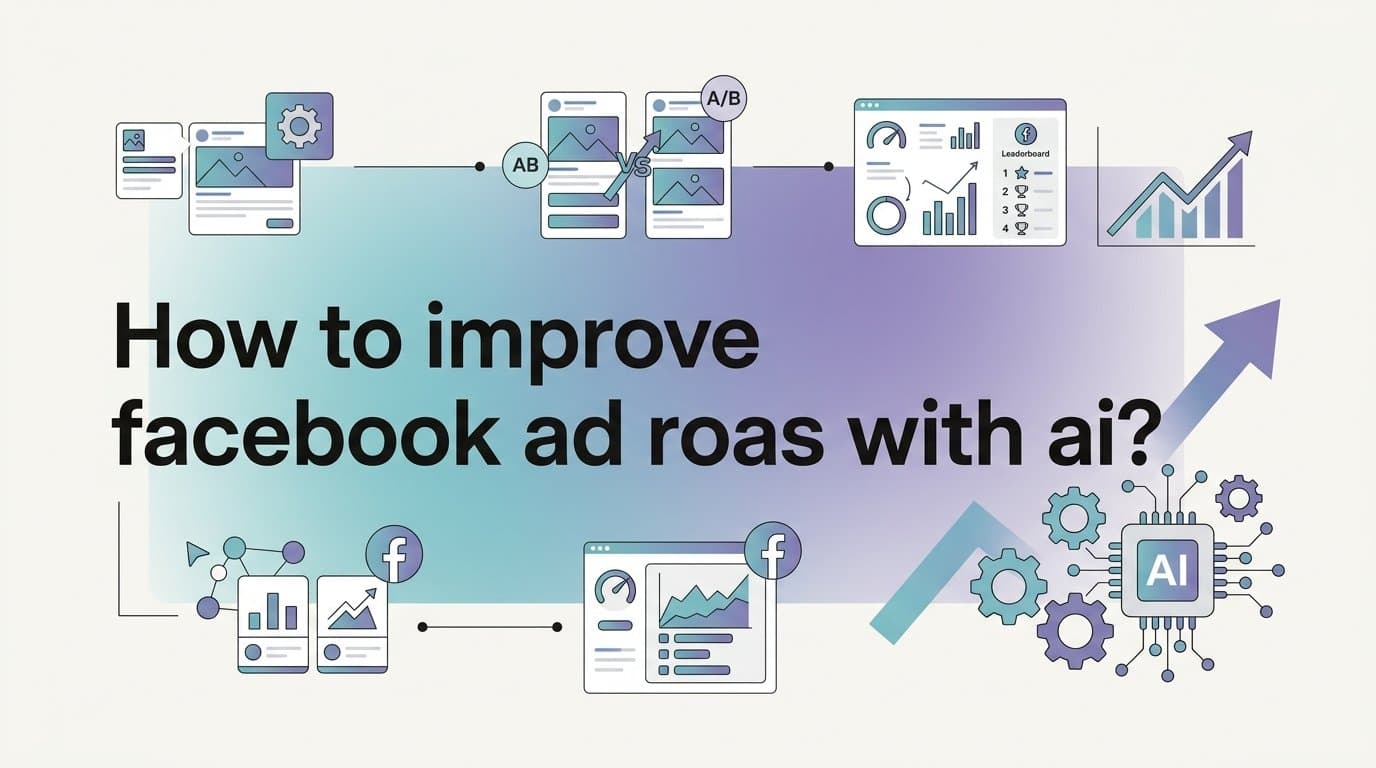
To improve Facebook ad ROAS with AI, the most effective approach is to use AI tools that automate creative generation, identify winning combinations through rapid testing, and shift budget toward top performers automatically. The process is not complicated, but it does require doing things in the right order and having the right system behind each step.
Most ROAS problems on Meta come down to three root causes: not enough creative variation for the algorithm to optimize, too much budget sitting on underperforming ad sets, and scaling decisions made on gut feel rather than data. AI tools compress the timeline for solving all three, but only if you have a clear workflow to follow.
This guide walks through the exact steps to put that process in motion. AdStellar handles the full workflow in one platform, from generating image, video, and UGC-style creatives to building campaigns with AI-optimized audiences and copy, to surfacing winners through real-time ROAS and CPA leaderboards. Each step below references where it fits into that system, alongside principles that apply regardless of which tools you use.
Whether you are a solo media buyer managing a single account or running campaigns for multiple clients, these steps apply to any Meta ad account operating on a ROAS goal. The loop they create is self-reinforcing: each campaign cycle produces better data, better creative, and better ROAS than the last.
Step 1: Audit Your Current ROAS Baseline Before Touching Anything
Before any AI tool can help you improve ROAS, you need a clear picture of where you stand right now. Skipping this step is the single most common mistake advertisers make when adopting AI optimization. Without a baseline, you have no way to measure whether changes are actually working or just creating noise.
Pull the last 30 to 90 days of data from Ads Manager, broken down by creative, audience, and placement. The four metrics that matter most at this stage are ROAS, CPA, CTR, and CPM. Look at each one independently before drawing conclusions about overall account health.
Here is what to look for specifically:
Spend vs. conversion mismatch: Identify which creatives are consuming the majority of your budget versus which ones are actually driving conversions. These are rarely the same ad sets, and the gap between them is usually where ROAS is being quietly destroyed.
Below-threshold ad sets: Flag every ad set where spend has accumulated but ROAS sits below your target. These are your first cut candidates once you move into the optimization phase. Do not wait to address them.
Creative format breakdown: Document how many image ads, video ads, and UGC-style formats are currently running. If your entire account is running static image ads, you are leaving significant optimization surface area on the table.
Audience efficiency: Note which audiences have the lowest CPM combined with the highest conversion rate. These are your scaling targets. Audiences that are cheap to reach but convert well are the foundation of a scalable ROAS strategy.
Once you have this data documented, you have something concrete to hand to an AI system. AdStellar's AI Campaign Builder, for example, analyzes your historical campaign data to inform future decisions. The more clearly you understand your own baseline, the better that analysis becomes.
Set a simple benchmark document before moving to Step 2. Write down your current average ROAS, your target ROAS, your best performing creative format, and your lowest CPM audience. You will reference these numbers throughout the rest of this process.
Step 2: Generate More Creative Variations with AI
Low creative volume is one of the most well-documented causes of stagnant ROAS on Meta. The algorithm needs variety to find the right match between your ad and the right person in your target audience. When you run the same three creatives for weeks, you are not giving Meta's delivery system enough to work with.
The practical challenge is that producing creative variety manually is slow and expensive. A single video ad can take days to produce. A UGC-style creative requires coordinating with creators. Static image ads need a designer. This is exactly where AI creative generation changes the math.
AdStellar's AI Ad Creative feature lets you generate image ads, video ads, and UGC-style avatar content directly from a product URL. You do not need a designer, a video editor, or an actor. You can also clone competitor ads directly from the Meta Ad Library to understand what formats are already working in your niche, then build variations from those patterns rather than starting from scratch.
A few principles to follow as you build out your creative library:
Aim for at least 5 to 10 variations per offer. This gives the AI campaign builder enough material to run meaningful tests. Fewer than five variations and you are not really testing anything at scale.
Cover multiple formats deliberately. Static image, short-form video, and UGC avatar style each reach different audience segments differently. A viewer who scrolls past a polished product image might stop on a UGC-style ad that feels more authentic. You need both in the mix.
Vary your hooks, not just your visuals. The most common mistake when generating creative variations is changing the background or color scheme while keeping the same opening line. The hook is what determines whether someone stops scrolling. Test different problem statements, different benefit angles, and different emotional triggers across your variations.
Use chat-based editing to iterate quickly. AdStellar's chat-based editing lets you refine any creative without going back to a designer. If a video ad has the right structure but the wrong headline, you can adjust it in the platform rather than starting over.
The goal at this stage is to build a creative library that gives your campaigns enough variation to generate real signal. The next step is where that signal gets turned into campaign structure.
Step 3: Build Campaigns with AI-Optimized Audiences and Copy
Manual campaign setup has two problems: it is slow, and it relies heavily on assumptions. Even experienced media buyers are essentially making educated guesses when they select audiences and write copy without data to back those decisions. AI campaign builders replace assumptions with pattern recognition from actual performance history.
AdStellar's AI Campaign Builder analyzes your historical campaigns, ranks every creative, headline, and audience by performance, and builds complete Meta Ad campaigns in minutes. Crucially, every decision is explained with transparency. You can see why a particular headline or audience was selected, which means you are building strategic understanding alongside the campaign, not just accepting a black box output.
This matters for two reasons. First, it makes you a better media buyer over time because you start to understand which patterns the data is revealing. Second, it gives you the ability to override decisions when you have context the AI does not, such as a product launch or a seasonal angle that is not reflected in historical data.
The Bulk Ad Launch feature takes this further. Rather than building one campaign at a time, you can create hundreds of ad variations by mixing creatives, headlines, audiences, and copy at both the ad set and ad level. AdStellar generates every combination and launches them to Meta in clicks rather than hours.
Think about what this changes practically. Instead of spending a full day setting up a campaign with 10 ad sets, you can launch a comprehensive test with dozens of combinations in a fraction of the time. Meta's algorithm then has far more material to optimize against, which compresses the timeline for finding your winners.
One pitfall to avoid here: launching too few variations limits what the algorithm can learn from and slows down ROAS improvement. If you have 10 creatives and 5 audience segments, launch combinations across all of them rather than picking your favorites manually. Let the data tell you what works rather than filtering based on intuition before the test even runs.
Also worth noting: Meta's own Advantage+ campaign automation is a native option for audience targeting and delivery optimization. It works well as a complement to the creative and copy testing process described here, particularly for accounts that want to use Meta's built-in AI alongside a dedicated creative and testing platform.
Step 4: Let AI Identify Winners Through Systematic Testing
ROAS improves when you find winners fast and stop spending on losers. The challenge with manual analysis is that it is time-consuming and easy to misread. You end up either pausing things too early because they look bad on day two, or keeping underperformers alive too long because you are not checking the data frequently enough.
AI-powered leaderboards solve both problems by surfacing ranked performance data in real time against the goals you set.
AdStellar's AI Insights feature ranks your creatives, headlines, copy, audiences, and landing pages by ROAS, CPA, and CTR. The key differentiator is that you set your target ROAS and CPA benchmarks, so the AI scores every asset against your specific goals rather than generic industry averages. An asset that performs well for a high-margin product might be a failure for a low-margin one. The scoring reflects your actual business context.
Here is how to use the leaderboard effectively:
Wait for meaningful data before acting. Patterns in top performers typically emerge within 3 to 5 days of running. Pulling the plug on an ad set after 24 hours of data is one of the most reliable ways to kill a winner before it has time to prove itself. Give campaigns enough runway to exit the learning phase before making cut decisions.
Look for consistent patterns, not single data points. The most useful insight from a leaderboard is not which single ad is performing best right now. It is which creative format, hook type, and audience combination produces the highest ROAS consistently across multiple ad sets. That pattern is what you scale.
Use the leaderboard to build creative hypotheses. If UGC-style ads consistently outperform static images in your account, that is a signal to generate more UGC variations in Step 2 of your next cycle. The testing loop feeds back into the creative generation phase.
The goal of this step is not just to find one winning ad. It is to identify the underlying formula that makes an ad win in your specific account, for your specific audience, at your specific price point. That formula is what drives compounding ROAS improvement over time.
Step 5: Cut Wasted Spend and Redirect Budget to Top Performers
Wasted spend on underperforming ad sets is the most direct drag on overall account ROAS. Every dollar sitting in a campaign that is not hitting your target threshold is a dollar that could be working harder somewhere else. The longer you wait to act on underperformers, the more damage accumulates.
With your AI Insights leaderboard data in hand, this step becomes straightforward rather than agonizing. You are not making judgment calls based on gut feel. You are acting on ranked performance data against the benchmarks you set.
Identify and pause underperformers immediately. If an ad set has accumulated meaningful spend and ROAS is clearly below your threshold with no improving trend, pause it. Do not wait for more data if the signal is already negative. A declining trend rarely reverses without a structural change to the creative or audience.
Do not keep underperformers alive out of optimism. This is one of the most common budget leaks in Meta advertising. An ad set with a small daily spend that is consistently below target still drains your overall account ROAS over time. The size of the spend does not change the math.
Once you have freed up budget from underperformers, redirect it toward ad sets that are hitting or exceeding your ROAS target. This is where AdStellar's Winners Hub becomes particularly useful. It pulls your best performing creatives, headlines, and audiences into one place with real performance data attached to each asset.
Rather than rebuilding a winning campaign from scratch, you can select proven winners from the hub and add them directly to your next campaign. This eliminates the guesswork from the launch phase because you are starting with assets that have already demonstrated performance in your account.
The practical effect of this step is that your budget becomes progressively more concentrated in what is working. Each time you run this cycle, a larger percentage of your spend is going toward ad sets with proven ROAS, which lifts your overall account performance without requiring you to spend more.
Track the reallocation impact. After redirecting budget, note the change in your overall account ROAS over the following 7 days. This is the clearest signal that the optimization loop is working. If account ROAS improves after cutting underperformers and scaling winners, you have confirmation that the process is producing real results.
Step 6: Scale Winners Without Breaking What Is Working
Scaling a winning campaign is where many advertisers accidentally destroy the ROAS they worked to build. The instinct is to increase budget aggressively once something is working. The reality is that Meta's algorithm is sensitive to sudden changes, and moving too fast can push a winning ad set back into the learning phase, where performance becomes unpredictable.
The practitioner guideline most widely used in the media buying community is to increase budgets on winning ad sets by no more than 20 to 30 percent every 3 to 4 days. This incremental approach gives the algorithm time to adjust delivery without triggering a full learning phase reset. It is not a Meta-published rule, but it is a principle that experienced buyers consistently rely on to protect performance during scaling.
A few additional scaling practices worth following:
Duplicate rather than edit. When you want to scale a winning ad set, duplicate it and increase the budget on the duplicate rather than editing the original. Editing an active ad set can reset its algorithm learning and destabilize performance. Duplication preserves the original while giving you a clean slate to scale from.
Build new campaigns from Winners Hub assets. As you scale, use your Winners Hub to launch new campaigns built around proven creative and audience combinations. You are not guessing what might work at higher spend levels. You are starting with assets that have already demonstrated ROAS at lower budgets.
Watch CPM trends as you scale. Rising CPM on a scaled ad set is often the first signal of audience saturation, and it typically appears before ROAS starts to drop. If you see CPM climbing steadily without a corresponding improvement in conversion rate, you are likely reaching the edges of your best audience segment. This is the signal to expand to new audiences rather than continuing to push budget into a saturating one.
Refresh creatives proactively. Creative fatigue is a well-documented phenomenon where ad performance degrades as the same audience sees the same ad repeatedly. As your reach expands with higher budgets, fatigue sets in faster. Use AdStellar's AI Ad Creative feature to generate fresh variations that match the formula of your winning ads before fatigue becomes visible in the data. Staying ahead of fatigue is far more effective than reacting to it after ROAS has already dropped.
Scale the formula, not just the ad. The most common scaling mistake is putting all budget behind one winning creative instead of building a pipeline of fresh variations that match the same winning formula. Identify what made the winner work: the hook style, the format, the audience, the offer framing. Then generate multiple variations of that formula and scale the pattern rather than a single execution.
Putting It All Together
Improving Facebook ad ROAS with AI comes down to three repeatable actions: generate more creative variations than you can manually produce, identify winners faster through AI-powered testing and leaderboards, and cut waste before it compounds. The six steps above create a loop where each campaign cycle produces better data, better creative, and better ROAS than the last.
The process is not a one-time fix. It is a system. And like any system, it gets more effective the more consistently you run it. Your first cycle gives you a baseline. Your second cycle gives you patterns. By the third cycle, you are making decisions based on compounding evidence rather than guesswork.
AdStellar handles this entire workflow from creative generation through campaign launch to performance ranking, all without needing designers, video editors, or manual spreadsheet analysis. The platform connects every step of the process so that insights from one phase feed directly into the next.
To put this into practice, start with Step 1 today. Pull your baseline numbers before making any changes. That single action sets the foundation for everything that follows.
Start Free Trial With AdStellar and be among the first to launch and scale your ad campaigns faster with a platform that automatically builds and tests winning ads based on real performance data.