
You launch your Facebook campaign with confidence. The targeting looks perfect, the creative is strong, and your budget is set. Three days later, you're staring at a dashboard full of red numbers and wondering what went wrong.
Here's the reality: most campaign failures don't happen because of bad ads or weak offers. They happen because of setup errors made in the first five minutes of campaign creation.
These mistakes are invisible at launch but devastating in impact. They cause Facebook's algorithm to optimize for the wrong outcomes, waste your budget on the wrong audiences, and prevent your campaigns from ever reaching their potential. The worst part? Many advertisers repeat these same errors across every campaign they launch, never understanding why their results consistently disappoint.
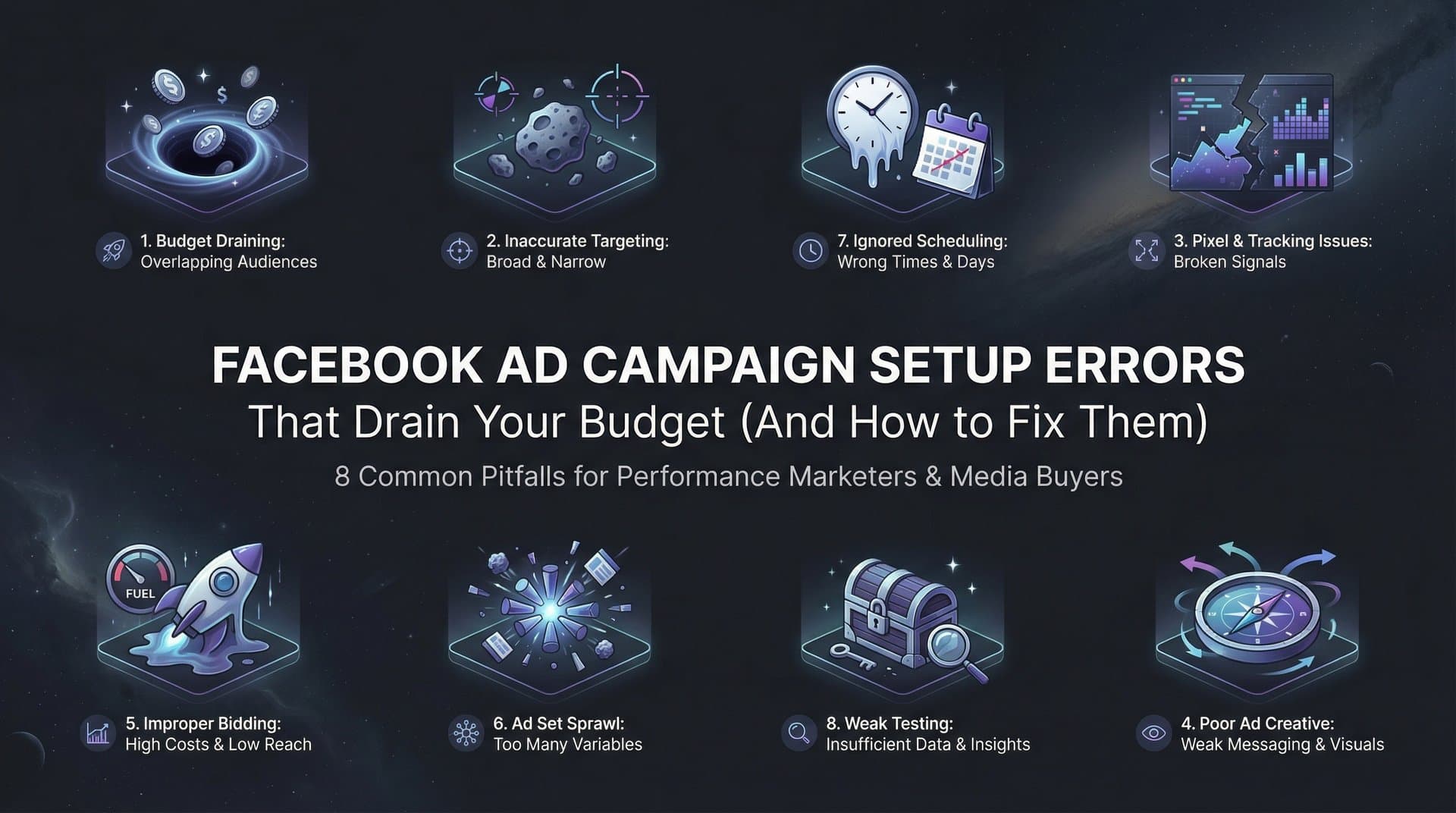
Whether you're managing a single campaign or juggling dozens of client accounts, these eight setup errors are costing you money right now. The good news is that each one is completely fixable with the right knowledge and approach. Let's break down exactly what's going wrong and how to correct it before your next campaign launch.
1. Choosing the Wrong Campaign Objective
The Challenge It Solves
Your campaign objective isn't just a label. It's the instruction set that tells Facebook's algorithm which users to target and which actions to optimize for. When you select "Traffic" but actually want purchases, you're essentially asking Facebook to find people who click links, not people who buy products. The algorithm delivers exactly what you asked for, even though it's not what you actually need.
This misalignment creates a cascade of problems. Your ads reach users with no purchase intent, your cost per result skyrockets, and you blame Facebook's platform when the real issue was your initial selection. Many advertisers choose objectives based on what sounds right rather than what aligns with their actual business goal.
The Strategy Explained
Match your campaign objective to the specific action you want users to take after clicking your ad. If you want purchases, use the Conversions objective and optimize for Purchase events. If you want leads, use the Leads objective. If you want app installs, use the App Installs objective.
Think of it this way: Facebook has billions of users, and its algorithm needs to know which tiny fraction of those users to show your ad to. The objective you select determines how the algorithm evaluates and ranks potential viewers. A Traffic campaign shows your ad to people who habitually click links. A Conversions campaign shows it to people who habitually make purchases.
The algorithm learns from every interaction. When you optimize for the wrong objective, you're training Facebook's system to find more of the wrong people. This compounds over time, making your campaigns progressively worse at delivering what you actually want. Understanding the Facebook ads campaign hierarchy helps you avoid these fundamental mistakes.
Implementation Steps
1. Map your business goal to the correct objective: sales = Conversions (Purchase), email signups = Leads or Conversions (Lead), content views = Traffic, brand awareness = Awareness campaigns.
2. Configure your conversion event at the campaign level by selecting the specific action you want Facebook to optimize for, such as Purchase, Add to Cart, or Complete Registration.
3. Verify that your pixel or Conversions API is properly tracking the event you selected, as the algorithm cannot optimize for events it cannot measure.
4. Resist the temptation to use upper-funnel objectives like Traffic or Engagement for bottom-funnel goals, even if your pixel has limited data initially.
Pro Tips
If your conversion volume is too low for the Conversions objective to work effectively, consider optimizing for a micro-conversion that happens more frequently, like Add to Cart or Initiate Checkout. This gives the algorithm more data to learn from while still targeting users with purchase intent. Once you hit consistent conversion volume, you can shift to optimizing for the final purchase event.
2. Setting Budgets Too Low for Learning Phase
The Challenge It Solves
Facebook's algorithm needs data to optimize. Specifically, it needs approximately 50 conversion events per ad set per week to exit the learning phase and stabilize performance. When you set budgets too low, your campaigns never gather enough data to learn what works. They remain stuck in the learning phase indefinitely, delivering inconsistent results and higher costs.
This creates a vicious cycle. Low budgets generate few conversions, which means the algorithm cannot optimize, which leads to poor performance, which makes you reluctant to increase the budget. Meanwhile, your competitors with adequate budgets are getting better results at lower costs because their campaigns have successfully exited learning.
The Strategy Explained
Calculate the minimum budget needed to generate 50 conversion events per week, then set your budget at or above that threshold. This calculation depends on your conversion rate and cost per result. If your current cost per purchase is $20, you need at least $1,000 per week ($140 per day) to hit 50 conversions and exit learning.
Think of learning phase as the algorithm's training period. During this phase, Facebook is testing different user segments, placements, and delivery patterns to figure out the optimal way to spend your budget. Insufficient budget means insufficient testing, which means the algorithm never finds the winning formula. Learning more about campaign learning and Facebook ads automation can help you navigate this critical phase.
The alternative to increasing budgets is consolidating ad sets. Instead of running five ad sets at $20 per day each, run one ad set at $100 per day. This concentrates your conversion events in a single ad set, helping it exit learning faster even with the same total budget.
Implementation Steps
1. Calculate your current cost per conversion by dividing total spend by total conversions over the past 30 days.
2. Multiply your cost per conversion by 50, then divide by 7 to determine your minimum daily budget per ad set.
3. Consolidate ad sets if your total budget cannot support multiple ad sets at the minimum threshold, combining audiences or creative variations into fewer ad sets with higher budgets.
4. Monitor the learning phase indicator in Ads Manager and avoid making significant edits to ad sets that are close to exiting learning, as major changes reset the learning phase.
Pro Tips
If your budget absolutely cannot support the 50-conversions-per-week threshold, consider optimizing for a higher-funnel event that occurs more frequently. You can optimize for Link Clicks or Landing Page Views initially, then shift to conversion optimization once your budget increases. Alternatively, extend your optimization window to 7-day click or 1-day view attribution to capture more conversion events within your budget constraints.
3. Over-Narrowing Your Audience
The Challenge It Solves
Many advertisers believe that hyper-specific targeting improves relevance and reduces costs. The opposite is often true. When you stack multiple interest layers, demographic filters, and behavioral criteria, you create an audience so small that Facebook's algorithm has no room to optimize. Your CPMs skyrocket because you're competing for a tiny pool of users, and your campaigns cannot scale because there's nowhere to expand.
This problem has intensified as Facebook's machine learning capabilities have improved. The algorithm is remarkably effective at finding high-value users within broad audiences, but it needs volume to work with. Over-narrow targeting ties the algorithm's hands, forcing it to show ads to everyone in your tiny audience regardless of their actual likelihood to convert.
The Strategy Explained
Start with broader audiences and let Facebook's algorithm identify the highest-value users within that pool. Instead of targeting "women, 25-34, interested in yoga, interested in meditation, interested in wellness, living in urban areas," simply target "women, 25-44, interested in yoga." The algorithm will automatically find the subset of that audience most likely to convert based on your optimization event.
Broader audiences provide three key advantages. First, they give the algorithm more users to evaluate and optimize across. Second, they reduce CPMs by expanding your available inventory. Third, they enable scaling, as you can increase budgets without immediately exhausting your audience. Understanding how to scale Facebook advertising campaigns requires mastering this balance between targeting precision and audience size.
This does not mean targeting everyone. It means removing unnecessary layers of targeting that restrict the algorithm without improving performance. Your pixel data and conversion optimization already tell Facebook which users are valuable. Overly narrow targeting just prevents the algorithm from finding those users efficiently.
Implementation Steps
1. Audit your current targeting by reviewing audience size in Ads Manager, aiming for audiences of at least 1-2 million users for most campaigns.
2. Remove stacked interests and demographic filters, keeping only the 1-2 most essential targeting criteria that define your core market.
3. Test Advantage+ audience targeting, which allows you to provide audience suggestions while letting the algorithm expand beyond those parameters to find additional high-value users.
4. Use Audience Insights to identify which targeting layers actually correlate with conversions, eliminating filters that do not meaningfully improve performance.
Pro Tips
If you're concerned about wasting budget on irrelevant users, remember that your ad creative acts as a filter. Users who are not interested in your offer simply will not engage with your ads, and Facebook's algorithm will quickly learn to stop showing your ads to them. Trust the optimization process rather than trying to manually exclude every potentially irrelevant user.
4. Neglecting Pixel and Conversion Tracking
The Challenge It Solves
Facebook's algorithm optimizes based on the data it receives. When your pixel is not firing correctly, when events are misconfigured, or when you're not using Conversions API, the algorithm is essentially flying blind. It cannot distinguish between users who convert and users who do not, so it cannot optimize for conversions. You end up with campaigns that generate clicks but no actual business results.
This problem has become more critical in the post-iOS 14.5 environment. Browser-based pixel tracking alone misses a significant portion of conversions due to opt-outs and tracking limitations. Without Conversions API to supplement pixel data, your reported conversion numbers are artificially low, your cost per result appears artificially high, and your optimization suffers from incomplete data.
The Strategy Explained
Implement both Meta Pixel and Conversions API to create redundant tracking that captures the maximum number of conversion events. The pixel tracks client-side events through browser cookies, while Conversions API sends server-side data directly from your website or CRM to Facebook. Together, they provide a more complete picture of user behavior and campaign performance.
Proper tracking setup involves three layers. First, install the base pixel code on every page of your website. Second, configure standard events like ViewContent, AddToCart, and Purchase to fire at the appropriate moments in the user journey. Third, implement Conversions API to send the same events from your server, creating redundancy that improves data accuracy and attribution.
The quality of your tracking directly impacts the quality of your optimization. Even small improvements in event match quality or data completeness can significantly improve campaign performance by giving the algorithm better information to learn from. Avoiding meta campaign setup errors starts with getting your tracking foundation right.
Implementation Steps
1. Install Meta Pixel using either direct code installation, Google Tag Manager, or your platform's native integration, then verify that the base pixel is firing on all pages using the Meta Pixel Helper browser extension.
2. Configure standard events for key actions on your site, ensuring that Purchase events include value and currency parameters so Facebook can optimize for revenue, not just conversion volume.
3. Implement Conversions API through your e-commerce platform, CRM, or a tool like AdStellar that integrates with attribution platforms like Cometly for comprehensive tracking across the entire customer journey.
4. Test your tracking by completing test purchases or form submissions, then verifying that events appear in Events Manager within a few minutes with correct parameters and values.
Pro Tips
Pay special attention to event match quality scores in Events Manager. These scores indicate how much customer information you're sending with each event. Higher match quality improves attribution accuracy and optimization effectiveness. Include as many matching parameters as possible, such as email, phone, first name, last name, city, state, and country, while respecting user privacy and data regulations.
5. Launching with Insufficient Creative Variations
The Challenge It Solves
Facebook's algorithm optimizes by testing. When you launch a campaign with only one or two ad creatives, you give the algorithm nothing to test and learn from. It cannot identify which creative elements resonate with your audience, which messages drive conversions, or which formats perform best. Your campaign performance is capped by your single creative's effectiveness, with no path to improvement.
This limitation becomes more severe as your campaign runs. Creative fatigue sets in quickly when the same users see the same ad repeatedly. Your frequency increases, your relevance scores drop, and your costs rise. Without fresh creative variations to rotate in, your campaign's performance inevitably declines over time.
The Strategy Explained
Launch campaigns with multiple creative variations from day one. Aim for at least 3-5 different ad creatives per ad set, testing different images, videos, headlines, primary text, and calls to action. This gives Facebook's algorithm meaningful options to test against each other, enabling it to identify top performers and allocate more budget to them automatically.
Creative variation does not mean creating entirely different ads from scratch. It means systematically testing different elements. Use the same product but different backgrounds. Use the same message but different formats. Use the same offer but different hooks. Each variation provides data about what resonates with your audience.
The goal is continuous testing and iteration. As you identify winning creatives, create new variations that build on those insights. As creatives fatigue, swap in fresh variations to maintain performance. This creates a sustainable system rather than a one-time campaign launch.
Implementation Steps
1. Create multiple creative variations before launching by testing different hooks, formats (image vs. video), visual styles, messaging angles, and calls to action.
2. Use dynamic creative testing at the ad set level to let Facebook automatically test different combinations of creative elements and identify the highest-performing combinations.
3. Monitor creative performance using Ads Manager's breakdown features, identifying which specific creatives drive the lowest cost per result and highest ROAS.
4. Generate new creative variations continuously using AI-powered tools like AdStellar's AI Creative Hub, which can create image ads, video ads, and UGC-style content at scale, then test them systematically through the platform's bulk launching capabilities.
Pro Tips
When testing creative variations, change only one element at a time initially so you can isolate which specific changes drive performance improvements. Once you identify winning patterns, you can create more dramatic variations. Also consider cloning high-performing competitor ads from Meta Ad Library as a starting point, then adapting them to your brand and offer.
6. Ignoring Placement Optimization Settings
The Challenge It Solves
Facebook offers ads across dozens of placements: Facebook Feed, Instagram Feed, Stories, Reels, Audience Network, Messenger, and more. Many advertisers manually select placements based on assumptions about where their ads will perform best. This approach typically backfires because the algorithm cannot optimize spend distribution across placements, and you miss opportunities in placements you excluded based on guesswork rather than data.
Manual placement selection also fragments your budget and conversion data. When you run separate campaigns for Facebook Feed and Instagram Stories, you're preventing the algorithm from learning which placement works better for your specific audience and offer. You end up with multiple learning phases, higher costs, and slower optimization.
The Strategy Explained
Use Advantage+ placements to let Facebook's algorithm automatically distribute your budget across all available placements based on where it can achieve the lowest cost per result. The algorithm evaluates every placement in real-time, considering factors like inventory availability, competition, and user behavior patterns that you cannot manually track or predict.
This does not mean your ads will appear everywhere equally. The algorithm concentrates spend on the placements that deliver results most efficiently for your specific campaign. If Instagram Reels drives conversions at half the cost of Facebook Feed, the algorithm will automatically allocate more budget there. If Audience Network performs poorly, it will reduce spend there without manual intervention. For Instagram-specific guidance, check out this Instagram ad campaign setup guide.
The key insight is that placement performance varies by audience, offer, creative, and dozens of other factors. What works for one campaign may not work for another. Automatic placement optimization adapts to these variables in ways that manual selection cannot.
Implementation Steps
1. Select Advantage+ placements at the ad set level instead of manually choosing specific placements, allowing the algorithm to test and optimize across all available inventory.
2. Create placement-optimized creative assets by providing multiple aspect ratios (1:1, 4:5, 9:16) so your ads display properly across different placements without being cropped or distorted.
3. Monitor placement performance using the breakdown feature in Ads Manager, reviewing which placements drive the best results after campaigns have sufficient data.
4. Exclude specific placements only when you have clear data showing they perform poorly across multiple campaigns, not based on assumptions or preferences.
Pro Tips
If you're concerned about brand safety or user experience in certain placements like Audience Network, you can exclude them without abandoning Advantage+ placements entirely. However, test them first before excluding, as they often deliver surprisingly strong performance at lower costs due to less competition.
7. Misaligning Ad Copy with Landing Page
The Challenge It Solves
Your ad makes a promise. Your landing page needs to fulfill that promise immediately and obviously. When there is disconnect between what users expect from your ad and what they encounter on your landing page, they bounce. Your click-through rate looks great, but your conversion rate is terrible, and you're paying for traffic that has no chance of converting.
This misalignment takes many forms. Your ad emphasizes a discount that is not prominently displayed on the landing page. Your ad showcases a specific product that users cannot easily find when they arrive. Your ad uses casual, friendly language while your landing page feels corporate and formal. Each disconnect creates friction that kills conversions.
The Strategy Explained
Create message continuity between your ads and landing pages by matching the key elements that users notice first: headline, primary offer, visual style, and call to action. When someone clicks an ad about "50% Off Summer Dresses," they should land on a page with a prominent headline about 50% off summer dresses, not a generic homepage.
This continuity extends beyond just the main message. Use similar language, tone, and visual style across your ads and landing pages. If your ad features a specific product image, that same product should be immediately visible on the landing page. If your ad emphasizes a specific benefit, that benefit should be the first thing users see after clicking.
Think of the transition from ad to landing page as a single conversation. Your ad is the opening line that grabs attention. Your landing page is the follow-up that delivers on what you promised. Any jarring shift in that conversation causes users to question whether they are in the right place and whether you can be trusted. Using Facebook advertising campaign templates can help maintain this consistency across multiple campaigns.
Implementation Steps
1. Audit your current campaigns by clicking through your own ads and evaluating whether the landing page immediately reinforces the ad's message and offer.
2. Create dedicated landing pages for major campaigns rather than sending all traffic to your homepage, allowing you to match the specific message and offer from each ad.
3. Use dynamic landing page tools or URL parameters to customize landing page content based on which ad users clicked, showing them exactly what they expressed interest in.
4. Test different landing page variations against the same ads to identify which page elements most effectively convert the traffic your ads generate.
Pro Tips
Pay attention to load speed as part of message alignment. Even perfect message match cannot overcome a landing page that takes five seconds to load. Users will bounce before they even see your content. Use tools like Google PageSpeed Insights to identify and fix speed issues that may be sabotaging your conversion rates despite strong ad performance.
8. Skipping Campaign Structure Foundation
The Challenge It Solves
Disorganized campaign structures make optimization impossible. When you throw everything into a single campaign or randomly distribute ad sets across multiple campaigns without clear logic, you cannot identify what is working or why. Your data becomes fragmented, your testing becomes chaotic, and your ability to scale winning approaches evaporates.
Poor structure also leads to redundant testing and wasted budget. You might be testing the same audience or creative in multiple places without realizing it, diluting your results and slowing down learning. Or you might be mixing different objectives, audiences, and creative approaches in ways that make it impossible to isolate variables and draw meaningful conclusions.
The Strategy Explained
Build campaigns with clear organizational logic from the start. Use campaign level to separate different objectives or major testing initiatives. Use ad set level to test different audiences or budget strategies. Use ad level to test different creative variations. This hierarchy creates clean data that enables analysis and optimization.
A solid structure typically follows this pattern: one campaign per objective and major audience segment, multiple ad sets within that campaign testing different audience variations or budget levels, and multiple ads within each ad set testing different creative approaches. This structure makes it easy to identify which elements drive performance and which need improvement. Implementing Facebook campaign structure automation can help you maintain this organization at scale.
Naming conventions matter more than most advertisers realize. Use consistent, descriptive names that identify the key variables at each level. Instead of "Campaign 1," use "Conversions_Purchase_Q1_ProspectingBroad." Instead of "Ad Set 1," use "Interest_Yoga_Budget100." Clear naming makes analysis faster and reduces the risk of making changes to the wrong campaign elements.
Implementation Steps
1. Define your campaign structure before building anything by mapping out which variables you want to test and how they will be organized across campaign, ad set, and ad levels.
2. Implement consistent naming conventions across all campaigns using a format like "Objective_OptimizationEvent_DateRange_AudienceType_SpecificVariable" for campaigns and similar detailed naming for ad sets and ads.
3. Use campaign budget optimization for campaigns where you want Facebook to automatically distribute budget across ad sets, or use ad set budgets when you want manual control over spend distribution.
4. Leverage AI-powered campaign builders like AdStellar's AI Campaign Builder, which analyzes your historical performance data and automatically structures campaigns with proven elements, eliminating guesswork and setup errors.
Pro Tips
Resist the urge to constantly create new campaigns from scratch. Once you have a winning structure, duplicate it and make incremental changes rather than reinventing everything each time. This creates consistency that makes performance comparisons meaningful and helps you build on success rather than starting over repeatedly.
Putting It All Together
These eight setup errors share one critical characteristic: they all happen before your first ad impression, yet they determine whether your campaign succeeds or fails. The difference between profitable Facebook advertising and wasted budget often comes down to decisions made in the first few minutes of campaign creation.
Start by auditing your current campaigns against this list. Which errors are you making right now? For most advertisers, the combination of proper tracking setup, adequate budgets for learning phase, and sufficient creative variations delivers the biggest immediate impact. Fix these three issues first, then work through the remaining errors systematically.
The goal is not perfection on day one. It is building a repeatable process that minimizes setup errors and maximizes your campaigns' chances of success. Create checklists for campaign creation. Document your winning structures. Build systems that prevent you from repeating the same mistakes across multiple campaigns.
As you refine your approach, consider how AI-powered platforms can eliminate many of these errors automatically. AdStellar analyzes your historical campaign data to identify what actually works for your business, generates creative variations at scale so you always have fresh ads to test, and builds complete campaigns with proven structures based on real performance data. The platform's AI Campaign Builder examines every creative, headline, and audience from your past campaigns, ranks them by actual results, and uses that intelligence to construct new campaigns optimized from the start.
This is not about replacing human judgment with automation. It is about removing the manual errors and guesswork that sabotage campaigns before they have a chance to succeed. The platform handles the technical setup and data analysis while you focus on strategy and creative direction.
Your next campaign does not have to repeat the same expensive mistakes. With the right knowledge, tools, and processes, you can launch campaigns that are structured for success from the first impression. The question is not whether you can afford to fix these errors. It is whether you can afford to keep making them.
Ready to transform your advertising strategy? Start Free Trial With AdStellar and be among the first to launch and scale your ad campaigns 10× faster with our intelligent platform that automatically builds and tests winning ads based on real performance data.


