
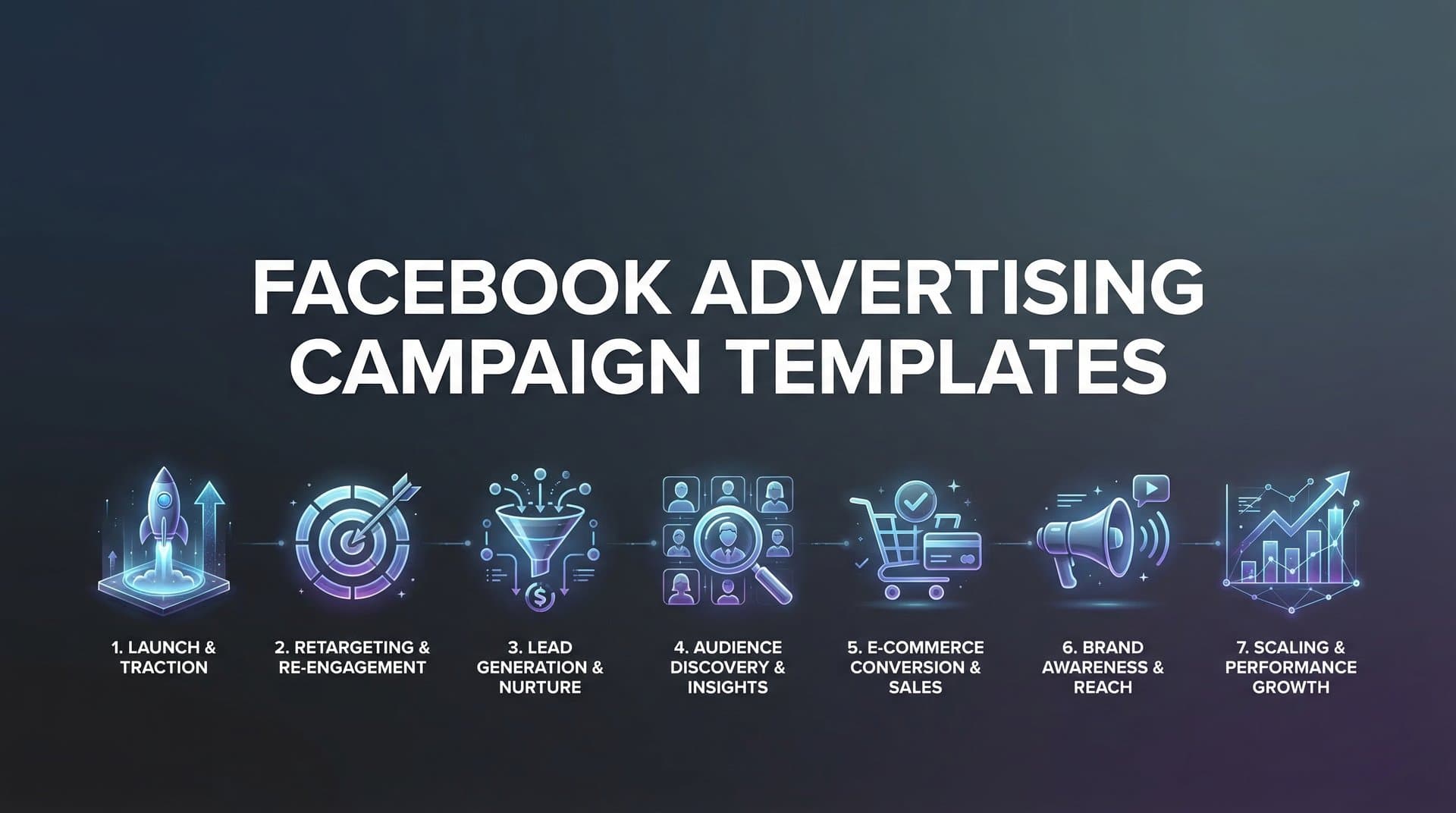
Setting up Facebook ad campaigns from scratch eats hours you could spend optimizing performance and analyzing results. You're rebuilding the same campaign structures over and over, second-guessing your audience targeting, wondering if your ad set organization makes sense, and hoping you haven't missed a critical setting buried in Meta's interface.
Campaign templates eliminate this friction entirely.
Instead of starting with a blank canvas every time, you get proven structures that follow Meta's platform best practices while giving you room to customize for your specific goals. Whether you're capturing leads, driving e-commerce sales, or building brand awareness, the right template removes guesswork and gets you to launch faster.
The following seven templates represent battle-tested frameworks used across different campaign objectives. Each one addresses a specific marketing goal with clear structural guidance on how to organize your campaigns, ad sets, and creative assets for maximum impact.
1. The Lead Generation Funnel Template
The Challenge It Solves
Most lead generation campaigns fail because they treat all audiences the same. Someone who's never heard of your brand needs a completely different message than someone who visited your pricing page yesterday. Without proper segmentation, you're either overwhelming cold audiences with aggressive sales pitches or wasting budget showing awareness content to people already familiar with your offering.
This template solves that problem by creating distinct campaign paths for each funnel stage, ensuring the right message reaches the right audience at the right time.
The Strategy Explained
The Lead Generation Funnel Template uses a three-tier campaign structure that mirrors your customer journey. Your awareness campaign introduces your solution to cold audiences using broad targeting and educational content. Your consideration campaign retargets engaged users with deeper value propositions and social proof. Your conversion campaign focuses exclusively on high-intent audiences with direct calls-to-action and instant forms.
Each tier operates independently with its own budget allocation and optimization strategy. Cold audiences receive lower-friction content designed to build familiarity. Warm audiences see testimonials, case studies, and product demonstrations. Hot audiences get streamlined conversion paths with minimal form fields and strong urgency triggers.
The key is proper audience exclusion between tiers. Your awareness campaigns exclude anyone who's already engaged. Your consideration campaigns exclude recent converters. This prevents audience overlap and ensures budget efficiency across the funnel. Understanding the Facebook ads campaign hierarchy helps you structure these tiers effectively.
Implementation Steps
1. Create three separate campaigns with Lead Generation objective, naming them clearly: "LG - Awareness," "LG - Consideration," and "LG - Conversion" for easy management.
2. Build your awareness campaign with broad interest targeting or lookalike audiences, allocating 40% of your total budget here, and use video content or carousel ads that educate rather than sell.
3. Set up consideration campaign targeting people who engaged with awareness content in the past 30 days, allocating 30% of budget, and exclude anyone who submitted a form in the past 90 days.
4. Configure conversion campaign targeting website visitors from the past 14 days plus form openers who didn't submit, allocating remaining 30% of budget with instant forms optimized for mobile.
5. Establish exclusion audiences across all three campaigns to prevent the same person from seeing ads in multiple tiers simultaneously, reducing wasted impressions.
Pro Tips
Set frequency caps on your consideration and conversion campaigns to prevent ad fatigue among smaller retargeting audiences. Many advertisers find that capping frequency at 3-4 impressions per week maintains engagement without annoying prospects. Also, test different form lengths in your conversion campaign—sometimes fewer fields actually decreases conversion rates if leads feel the offer requires more qualification to be valuable.
2. The E-commerce Product Launch Template
The Challenge It Solves
Product launches on Facebook often stumble because advertisers either flood cold audiences too aggressively or fail to build anticipation before launch day. You end up with either wasted budget on uninterested audiences or a launch that falls flat because nobody knew it was coming. The timing challenge becomes even more critical when you're coordinating inventory, email campaigns, and promotional pricing around a specific date.
The Strategy Explained
This template structures your launch across three distinct phases, each with different objectives and messaging. The pre-launch phase builds anticipation and audience warmth 7-14 days before launch using teaser content and early access offers. Launch day activates conversion campaigns targeting your warmed audience plus lookalikes. The post-launch phase extends momentum with retargeting and broader audience expansion.
Budget allocation shifts dramatically across phases. Pre-launch receives lighter spend focused on engagement and video views. Launch day gets your heaviest budget concentration. Post-launch maintains momentum with sustained but reduced spend focused on retargeting cart abandoners and converting engaged users.
The template includes built-in audience building so you're not launching to cold traffic. Your pre-launch phase creates custom audiences of engaged users who've watched videos, visited your product page, or engaged with teaser content. These become your primary targets when you flip the switch on launch day. A solid Facebook advertising campaign planner helps coordinate these phases seamlessly.
Implementation Steps
1. Start your pre-launch campaign 10-14 days before launch using Video Views or Engagement objective, targeting your existing customers and website visitors with teaser content that hints at what's coming.
2. Create custom audiences capturing everyone who watches 50% or more of your teaser videos, visits your landing page, or engages with your posts during the pre-launch phase.
3. Build your launch day campaign using Sales objective targeting the engaged audiences from pre-launch plus 1-2% lookalikes of your best customers, with budget set at 3-4× your normal daily spend.
4. Prepare dynamic product ads showcasing your new product with multiple creative variations ready to launch simultaneously, allowing Meta's algorithm to optimize toward top performers quickly.
5. Set up post-launch retargeting campaigns targeting cart abandoners, product page visitors, and add-to-cart events with urgency messaging and limited-time offers to capture hesitant buyers.
Pro Tips
Don't pause your pre-launch campaign when you activate launch day campaigns. Keep it running at reduced budget to continue feeding engaged audiences into your retargeting pools. Also, prepare at least 5-7 creative variations for launch day so the algorithm has enough options to optimize quickly—launching with only 1-2 ads limits performance potential during your highest-traffic window.
3. The Evergreen Retargeting Template
The Challenge It Solves
Most retargeting campaigns treat all website visitors identically, showing the same ads to someone who visited once three months ago and someone who browsed your pricing page yesterday. This wastes budget on cold traffic while underselling to hot prospects. Without proper recency-based segmentation and message sequencing, your retargeting becomes white noise instead of strategic re-engagement.
The Strategy Explained
The Evergreen Retargeting Template segments your website visitors by recency and behavior, then delivers progressively stronger messaging based on their engagement level. Recent visitors (1-7 days) see soft retargeting focused on value and education. Mid-range visitors (8-30 days) receive social proof and comparison content. Older visitors (31-90 days) get aggressive offers and urgency triggers to re-activate interest.
This template runs continuously as an always-on campaign structure rather than a temporary activation. As visitors move through recency windows, they automatically graduate to different ad sets with appropriate messaging. Someone who visited yesterday sees educational content. If they don't convert and hit day 8, they move into the social proof segment. By day 31 without conversion, they see your strongest offers.
The structure includes negative exclusions to prevent showing ads to recent converters or current customers, ensuring budget focuses only on prospects still in the consideration phase. Using Facebook campaign structure automation makes managing these complex exclusions much easier.
Implementation Steps
1. Create a single campaign with Sales or Conversions objective named "Retargeting - Evergreen" to house all your recency-based ad sets under one structure.
2. Build your first ad set targeting website visitors from the past 1-7 days, excluding purchasers and current customers, with soft messaging focused on product benefits and educational content.
3. Create your second ad set targeting visitors from 8-30 days ago, excluding the 1-7 day audience and converters, featuring testimonials, case studies, and comparison content.
4. Set up your third ad set targeting visitors from 31-90 days ago, excluding more recent visitors and converters, with aggressive discount offers, limited-time promotions, or free trial extensions.
5. Implement frequency caps of 2-3 impressions per week on each ad set to prevent fatigue, since retargeting audiences are smaller and see ads more frequently than cold traffic.
Pro Tips
Add a fourth ad set targeting cart abandoners separately from general website visitors—they deserve their own message sequence since they showed higher purchase intent. Many e-commerce businesses find that cart abandoners convert at 3-5× the rate of general visitors when targeted with specific "complete your order" messaging rather than generic retargeting content.
4. The Local Business Awareness Template
The Challenge It Solves
Local businesses often waste budget targeting audiences too far from their physical location or too broad to generate actual foot traffic. You might reach thousands of people, but if they're 50 miles away or have no realistic reason to visit your store, those impressions produce zero revenue. The challenge intensifies when you're competing against national brands with bigger budgets while trying to capture customers in your immediate area.
The Strategy Explained
This template combines tight geographic radius targeting with demographic and interest layering to reach only the most relevant local audiences. Instead of broad awareness plays, you're targeting people within a specific distance of your location who match your customer profile and have behaviors indicating they're likely to visit businesses like yours.
The structure uses the Store Traffic objective when available, or Traffic objective with location-based optimization when Store Traffic isn't accessible. Your radius size adjusts based on business type—restaurants might use 5-10 miles while specialty retailers could extend to 25 miles if they offer unique products worth the drive. Exploring Facebook advertising for small business automation can help local businesses compete more effectively.
The template includes separate ad sets for different audience segments within your geographic area: existing customers for retention, lookalikes of customers for acquisition, and interest-based cold audiences for expansion. Each segment receives messaging tailored to their familiarity level with your business.
Implementation Steps
1. Create your campaign using Store Traffic objective if you have a verified location on Facebook, or Traffic objective with location extension if Store Traffic is unavailable.
2. Set your primary ad set with radius targeting around your business location, starting with 10 miles for most retail businesses and adjusting based on your typical customer travel patterns.
3. Layer demographic targeting on top of location to narrow your audience—age ranges, household income levels, or life events that align with your typical customer profile.
4. Add interest targeting related to your business category, but keep it broad enough to maintain audience size above 50,000 people for optimal delivery within your geographic constraints.
5. Create a separate ad set targeting people who live OR work in your radius, not just live, to capture commuters and office workers who might visit during lunch or after work.
Pro Tips
Test "people who live in this location" versus "people recently in this location" targeting options. The "recently in" option captures tourists and visitors who might not live locally but are currently in your area and could visit. For restaurants and entertainment venues, this often outperforms residents-only targeting. Also, use local landmarks and neighborhood names in your ad creative rather than just your street address—people connect better with "near the waterfront" than "123 Main Street."
5. The B2B Decision-Maker Template
The Challenge It Solves
B2B targeting on Facebook presents unique challenges because the platform lacks the professional data depth of LinkedIn. You can't precisely target "Director of Marketing at SaaS companies with 50-200 employees." This forces many B2B advertisers to either waste budget on consumer audiences or abandon Facebook entirely, missing the opportunity to reach decision-makers at lower costs than LinkedIn's premium pricing.
The Strategy Explained
This template works around Facebook's professional targeting limitations by combining job title keywords, industry interests, and behavior signals to approximate your ideal business buyer. Instead of precise targeting, you cast a slightly wider net and use content qualification to identify genuine prospects.
The structure uses a content-driven approach with gated assets like whitepapers, webinars, or industry reports as the initial conversion point rather than direct sales pitches. This allows you to build a qualified lead list from broader targeting, then retarget engaged prospects with product-specific messaging and demo offers. For deeper strategies, our guide on Facebook advertising for B2B marketing covers advanced targeting techniques.
Your campaign flows from awareness content (ungated blog posts, videos) through consideration content (gated research, tools) to conversion offers (demos, free trials). Each stage filters your audience further, ensuring only genuinely interested business buyers reach your sales team.
Implementation Steps
1. Create your awareness campaign targeting job title keywords in the "Employer" field combined with relevant industry page likes and business-focused interests like "Entrepreneurship" or "Business News."
2. Use Lead Generation objective with instant forms for your consideration campaign, offering valuable gated content like industry reports or ROI calculators that appeal specifically to business decision-makers.
3. Build custom audiences from form submissions and content engagement, then create a retargeting campaign focused exclusively on these qualified prospects with product demonstrations and free trial offers.
4. Layer behavioral targeting like "Business decision makers" or "Small business owners" available in Meta's detailed targeting options to refine your audience beyond just job titles and interests.
5. Set up a nurture sequence using multiple ad sets that show different content pieces over time, moving prospects from educational content toward product consideration systematically rather than jumping straight to sales pitches.
Pro Tips
Don't dismiss Facebook for B2B just because targeting isn't as precise as LinkedIn. Many businesses find that Facebook's lower costs and larger reach compensate for less precise targeting, especially when you're willing to invest in content qualification. Test running the same campaigns on both platforms and compare cost-per-qualified-lead rather than just cost-per-click—Facebook often wins on final conversion economics even with broader targeting.
6. The Creative Testing Template
The Challenge It Solves
Random creative testing wastes budget and produces inconclusive results because you're changing too many variables simultaneously. You swap out an image, rewrite the headline, and modify the call-to-action all at once, then have no idea which change drove the performance difference. Without systematic testing frameworks, you're guessing rather than learning what actually resonates with your audience.
The Strategy Explained
This template structures A/B testing by isolating single variables across controlled experiments. Instead of testing completely different ads against each other, you test one element at a time—headline variations with identical images, image variations with identical copy, or call-to-action variations with everything else constant.
The framework uses campaign budget optimization with multiple ad sets, each testing a specific variable. Your control ad runs in every test as a baseline. New variations compete against the control with all other elements held constant. This lets you definitively attribute performance differences to the specific element you're testing. Leveraging data-driven Facebook advertising tools accelerates this analysis process.
The template includes clear success criteria and testing duration guidelines to prevent premature conclusions. You need sufficient data—typically 500-1,000 impressions per variation minimum—before declaring winners. Testing periods run at least 5-7 days to account for day-of-week variations in audience behavior.
Implementation Steps
1. Start with headline testing by creating 4-5 ad variations that use identical images, descriptions, and calls-to-action but different headlines, allowing you to isolate which messaging angle resonates strongest.
2. Set up your campaign with campaign budget optimization enabled and let Meta distribute budget across variations, or use equal budget allocation if you want to force even distribution during early testing phases.
3. Run your test for minimum 7 days or until each variation receives at least 1,000 impressions, whichever comes first, to ensure you have statistically meaningful data before making decisions.
4. Identify your winning headline, then move to image testing using that winning headline across 4-5 different images or video variations to find the optimal visual pairing.
5. Continue this sequential testing approach through call-to-action buttons, ad formats (single image vs. carousel vs. video), and landing page variations, building a winner from proven elements rather than guessing.
Pro Tips
Resist the urge to pause underperforming variations too quickly. Meta's algorithm needs time to find the right audiences for each creative variation. What looks like a loser on day 2 might outperform on day 5 once the algorithm optimizes delivery. Also, test emotional angles, not just tactical copy changes—an ad focused on fear of missing out often performs differently than one focused on achievement or belonging, even if the product benefits are identical.
7. The Seasonal Campaign Template
The Challenge It Solves
Seasonal campaigns often fail because advertisers wait until the promotional window opens to start building audiences. You launch your Black Friday campaign on November 20th to cold traffic, competing in the year's most expensive CPM environment without any warm audiences to target. By the time your ads gain traction, the promotional window has closed and you've burned budget without maximizing the opportunity.
The Strategy Explained
This template structures seasonal campaigns across three phases that begin weeks before your promotional window. The pre-season phase builds awareness and engagement, creating warm audiences before competition intensifies and costs spike. The peak season phase activates aggressive conversion campaigns targeting your pre-built audiences. The post-season phase captures late buyers and extends momentum beyond the traditional promotional dates.
Budget allocation is heavily front-loaded into peak season when conversion intent is highest, but the pre-season investment is critical for campaign success. You're essentially buying cheaper engagement early to create retargeting audiences that convert at higher rates during the expensive peak period. Learning how to scale Facebook advertising campaigns helps you maximize these high-intent windows.
The template includes specific audience exclusions to prevent showing peak-season promotional pricing to people who already bought during pre-season at regular prices, protecting your margin while maximizing conversion opportunities.
Implementation Steps
1. Launch your pre-season awareness campaign 3-4 weeks before your promotional window using Video Views or Engagement objective with gift guides, product showcases, or early access teaser content.
2. Build custom audiences capturing everyone who engages with pre-season content, watches videos, or visits your website during this warm-up period, creating your primary targeting pool for peak season.
3. Activate your peak season conversion campaign targeting pre-season engaged audiences plus lookalikes, with budget set at 5-10× your normal daily spend to capitalize on the condensed high-intent window.
4. Create multiple ad variations featuring your promotional offers with urgency messaging and countdown timers, giving Meta's algorithm options to optimize quickly during the short conversion window.
5. Extend your campaign 3-5 days past the official promotional end date with "last chance" messaging targeting cart abandoners and engaged users who haven't converted, capturing procrastinators and extending revenue beyond the main event.
Pro Tips
Don't assume your seasonal campaign ends when the promotional calendar says it does. Many businesses find that their best cost-per-acquisition comes in the 3-4 days immediately after the main promotional window when competition drops but purchase intent remains elevated. Keep campaigns running at reduced budget to capture these late converters. Also, save your winning creative and audiences from this year's seasonal campaign to use as starting points next year—you'll have proven templates ready to deploy rather than starting from scratch.
Putting Your Templates to Work
The difference between campaign templates and random experimentation is systematic improvement. Each template gives you a proven structure to start from, but the real value comes from treating them as frameworks you refine based on your specific results.
Start with the template that matches your immediate business objective. If you're launching a new product next month, implement the Product Launch Template now. If you're trying to capture more local customers, deploy the Local Business Template this week. Don't try to activate all seven simultaneously—you'll dilute your focus and budget across too many initiatives.
Track performance against clear benchmarks for each template. Your Lead Generation Funnel should show decreasing cost-per-lead as audiences move through awareness to conversion. Your Creative Testing Template should produce definitive winners within 7-10 days. Your Seasonal Campaign should show higher conversion rates from pre-season engaged audiences versus cold traffic during peak periods.
The most successful advertisers treat these templates as living documents. They start with the base structure, run campaigns for 2-3 weeks, analyze what worked and what didn't, then refine the template for the next deployment. Your version of the E-commerce Product Launch Template six months from now should look different than today's version because you've incorporated learnings from each launch.
Ready to transform your advertising strategy? Start Free Trial With AdStellar AI and be among the first to launch and scale your ad campaigns 10× faster with our intelligent platform that automatically builds and tests winning ads based on real performance data. Our AI agents analyze your best-performing elements and construct optimized campaigns in under 60 seconds, eliminating the manual setup work these templates require while maintaining the strategic structure that drives results.


