
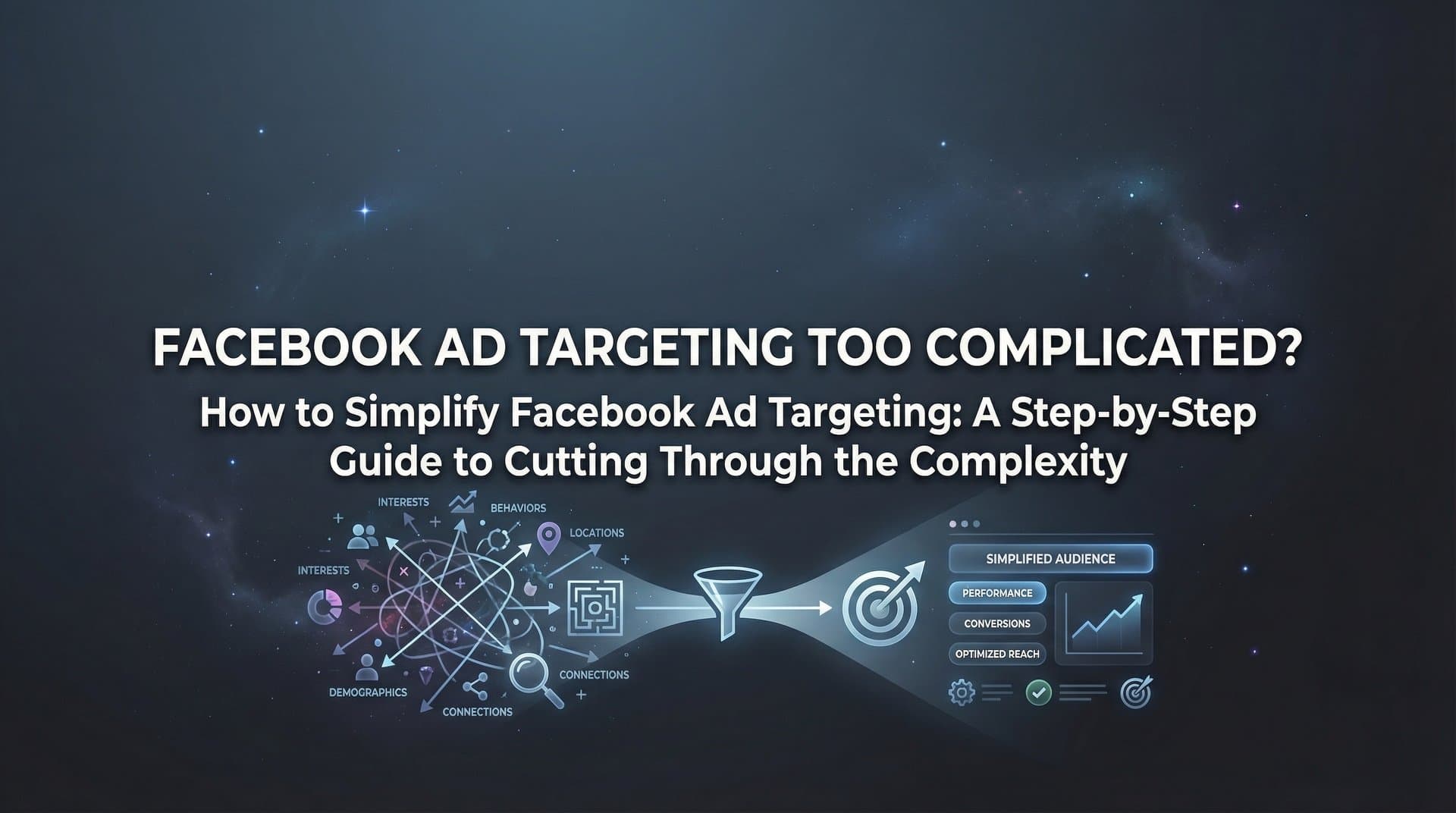
Facebook's targeting interface presents you with 437 different interest categories just for "fitness enthusiasts." Add demographic filters, behavioral signals, custom audience combinations, and lookalike percentages, and you're suddenly managing a decision tree that would make a chess grandmaster sweat. The platform's flexibility has become its biggest liability for most advertisers—more options don't mean better results, they mean more ways to second-guess yourself and fragment your budget across audiences too small to optimize effectively.
The truth is, most successful Facebook advertisers aren't using more targeting options than you. They're using fewer, but using them smarter.
This guide walks you through a systematic approach to cutting through Facebook's targeting complexity without sacrificing performance. You'll learn how to audit what's actually working, build a simple foundational framework, and progressively add sophistication only where data proves it matters. By the end, you'll have a clear targeting strategy that improves over time instead of just getting more complicated.
Step 1: Audit Your Current Targeting Setup and Identify What's Actually Working
Before simplifying anything, you need to understand what you're currently doing and what's actually driving results. Most advertisers skip this step and jump straight to testing new audiences, which just adds more complexity to an already messy situation.
Open your Ads Manager and navigate to the Campaigns tab. Click "Breakdown" and select "By Delivery." This shows you performance data segmented by how Facebook actually delivered your ads, regardless of how you set up targeting. Look for patterns in age ranges, genders, placements, and devices that consistently drive lower costs or higher conversion rates.
Next, go to your ad set level and export performance data for the last 90 days. Create a simple spreadsheet with columns for audience name, spend, impressions, clicks, conversions, cost per result, and return on ad spend. Sort by cost per result and ROAS to identify your top performers and bottom dwellers.
Here's what you're looking for: Are you running multiple ad sets targeting essentially the same people with slightly different parameters? That's audience fragmentation, and it's killing your optimization. Is one broad audience outperforming three hyper-specific ones combined? That's a signal to simplify. Are certain interests or behaviors consistently underperforming across multiple campaigns? Time to stop using them.
Pay special attention to audience overlap. In Ads Manager, go to Audiences, select two or more audiences, and click "Show Audience Overlap." If you're seeing overlap above 25%, you're competing against yourself in the auction, driving up costs unnecessarily. Understanding these Facebook ad targeting mistakes is crucial before you can fix them.
The goal of this audit isn't to find the perfect audience—it's to identify which of your current targeting decisions are adding value and which are just adding noise. Most advertisers discover they're spending 80% of their time managing audiences that drive less than 20% of their results.
Step 2: Define Your Core Audience Using the 3-Layer Framework
Once you know what's working, rebuild your targeting foundation using a simple three-layer approach that prevents over-complication while maintaining strategic focus.
Layer 1: Essential Demographics. Start with only the demographic filters that genuinely matter for your product. For most businesses, this means location (countries or regions where you ship/serve), language (to match your ad copy), and age range (but only if your product has clear age relevance). Skip gender unless your product is explicitly gender-specific. Skip household income, education level, and relationship status unless you have strong data showing they impact performance.
Layer 2: One Primary Interest or Behavior. Choose a single interest category or behavior that best represents your ideal customer's intent or lifestyle. Not three interests. Not seven. One. If you sell running shoes, start with "Running" as an interest. If you sell project management software, start with "Small business owners" as a behavior. The narrower and more specific, the better—but only one to start.
This forces clarity. If you can't identify the single most relevant interest for your product, you probably don't understand your customer well enough yet. That's valuable information.
Layer 3: One Strategic Exclusion. Add a single exclusion rule to filter out people who definitely shouldn't see your ad. This might be existing customers (if you're focused on acquisition), people who already engaged with your brand this month (to prevent ad fatigue), or a competitor's audience if you're in a crowded space. One exclusion keeps things clean without creating complex logic that fragments your audience.
Why does starting simple outperform complex targeting stacks? Because Facebook's algorithm needs volume to optimize. When you create narrow, hyper-specific audiences, you're limiting the algorithm's ability to find patterns and improve delivery. A broader audience with one clear signal gives the system room to discover which specific people within that audience convert best. For a deeper dive into this approach, explore our Facebook ad targeting strategies guide.
This three-layer framework becomes your baseline. You'll add sophistication later, but only after this foundation proves it can drive results. Most advertisers do the opposite—they start complex and never simplify, which means they never establish a clear performance baseline to improve upon.
Step 3: Build Custom Audiences That Do the Heavy Lifting
Custom audiences represent the single most powerful simplification tool in Facebook's targeting arsenal because they're based on actual behavior rather than inferred interests. Someone who visited your pricing page is infinitely more qualified than someone Facebook thinks might be interested based on their activity.
Start with website visitor audiences. In Ads Manager, go to Audiences and click "Create Audience," then "Custom Audience," then "Website." If your Meta Pixel isn't already installed, do that first—this is non-negotiable infrastructure. Create these four audiences immediately: all website visitors (past 180 days), people who viewed specific pages like product or pricing pages (past 30 days), people who added to cart but didn't purchase (past 30 days), and people who initiated checkout but didn't complete (past 7 days).
These audiences let you build retargeting ads on Facebook that speak to people based on where they are in your funnel, without guessing about their interests or demographics. Someone who abandoned their cart doesn't need to be convinced your product category matters—they need a reason to come back and complete the purchase.
Next, create customer list audiences from your CRM or email platform. Export your customer email list (or phone numbers), go to Audiences, create a Custom Audience, and select "Customer List." Upload your file and let Facebook match the data to user profiles. This audience becomes the foundation for lookalike audiences later, but it's also valuable for exclusion (so you're not wasting ad spend showing acquisition campaigns to existing customers) or for targeted upsell campaigns.
Don't skip engagement audiences. Create audiences for people who watched 50% or more of your videos (past 365 days), engaged with your Facebook or Instagram page (past 365 days), or filled out lead forms (past 90 days). These audiences represent people who've shown interest in your brand even if they haven't visited your website yet.
The power of custom audiences is they reduce your reliance on interest-based guesswork. Instead of trying to predict who might care about your product based on what pages they like, you're targeting people who've already demonstrated interest through their actions. This shift from prediction to evidence dramatically simplifies targeting decisions while improving performance.
Set up these custom audiences once, and they update automatically as new people take the qualifying actions. That's one less thing you need to manually manage as your campaigns run.
Step 4: Create Lookalike Audiences Without Overcomplicating Percentages
Lookalike audiences let Facebook find new people who resemble your best customers, but most advertisers overthink the setup and create unnecessary complexity around percentage choices and stacking strategies.
Start by choosing the right source audience. This isn't always your largest audience—it's your highest-quality audience. If you have 500 customers who've spent over $500 with you and 5,000 customers who've spent $20, use the 500 high-value customers as your source. Quality beats quantity for lookalike modeling. Facebook's algorithm learns patterns from the source and finds similar people, so feeding it mediocre data produces mediocre lookalikes.
For your first lookalike, create a 1% audience in your primary target country. This represents the 1% of that country's Facebook users who most closely resemble your source audience. It's the most concentrated, highest-quality lookalike you can build. Create the audience in Ads Manager by going to Audiences, clicking "Create Audience," selecting "Lookalike Audience," choosing your source, selecting your target country, and setting the percentage to 1%.
The 1% vs 5% vs 10% debate comes down to scale and testing capacity. Use 1% when you have limited budget and want the highest concentration of likely customers. Use 5% when you've exhausted 1% or need more volume to spend your budget. Use 10% when you're scaling aggressively and have proven that broader lookalikes still convert profitably. Don't create all three simultaneously and split your budget—that's just audience fragmentation with extra steps.
Start with one 1% lookalike. Run it until you have clear performance data. If it works and you're hitting budget caps, then create a 2-3% lookalike to expand. If that works, go to 4-6%. This progressive expansion based on data beats creating a dozen lookalike variations upfront and hoping one works.
Test your lookalike audiences against your interest-based targeting to find winners. Run them as separate ad sets with equal budget for at least 7 days. Whichever performs better becomes your primary audience, and you can pause or reduce budget on the other. This head-to-head testing removes guesswork and lets performance decide your targeting strategy.
One often-overlooked approach: create lookalikes from different source audiences to find which customer type scales best. A lookalike based on email subscribers might perform differently than one based on purchasers or one based on high lifetime value customers. Test these variations sequentially, not simultaneously, to avoid fragmenting your budget. Leveraging AI Facebook ad audience targeting can help automate this testing process significantly.
Step 5: Leverage Advantage+ Audience and Let Meta's AI Handle Complexity
Advantage+ Audience represents Meta's shift toward AI-driven targeting that reduces manual complexity while often improving performance. Understanding when to use it versus traditional targeting is key to simplification without sacrificing control.
Advantage+ Audience works differently than traditional targeting. Instead of restricting who can see your ads, you provide audience suggestions that guide Meta's algorithm. The system then expands beyond those suggestions to find additional people likely to convert, using machine learning to identify patterns you might miss manually. You're essentially saying "I think these people will work, but show me who else converts" rather than "only show my ads to these specific people."
When should you trust Meta's machine learning versus maintaining manual control? Use Advantage+ Audience when you have sufficient conversion data (generally 50+ conversions per week), when you're focused on outcomes like purchases or leads rather than awareness, and when you want to scale beyond your known audiences. Stick with traditional targeting when you're testing new markets, when you have very specific audience requirements (like B2B targeting for a niche industry), or when you're working with limited budgets that can't absorb the exploration phase.
To set up Advantage+ Audience, create a new ad set and select "Advantage+ Audience" in the audience section. Add your audience suggestions—this might be your custom audiences, lookalikes, or interest-based targeting. These suggestions influence where the algorithm starts but don't restrict where it can go. You can still set age, gender, and location controls if needed, but the algorithm will find people beyond your interest suggestions if they show conversion intent.
Monitor performance to ensure AI targeting aligns with your goals. Check the "Delivery" breakdown in Ads Manager to see who's actually seeing your ads versus who you suggested. If Meta is finding conversions from unexpected demographics or interests, that's valuable data—but if it's spending heavily on audiences that don't convert, you may need to tighten your suggestions or add exclusions.
The simplification benefit of Advantage+ Audience is significant: instead of managing multiple ad sets testing different audience combinations, you can run one ad set with audience suggestions and let the algorithm do the testing. This reduces the number of active audiences you're monitoring while often improving performance through Meta's superior pattern recognition. For more on this approach, check out AI targeting strategy for Facebook ads.
Step 6: Automate Targeting Decisions Based on Performance Data
The final step in simplifying Facebook ad targeting is removing yourself from repetitive decisions that can be handled automatically based on performance data. This creates a system that improves over time without requiring constant manual intervention.
Start with automated rules in Ads Manager. Go to your Campaigns tab, click the checkbox next to a campaign or ad set, then click "Create Rule" in the top menu. Set up rules to automatically pause ad sets when cost per result exceeds your target by 50% for 3 consecutive days, or when ROAS drops below your breakeven threshold for 48 hours. These rules prevent you from wasting budget on underperforming audiences while you're not actively monitoring the account.
You can also create rules to increase budgets on winning ad sets automatically. If an ad set maintains a cost per result 25% below your target for 3 days, increase the budget by 20%. This capitalizes on performance while it's strong, without requiring you to manually check performance and make adjustments multiple times per day. Implementing Facebook ad targeting automation is essential for scaling efficiently.
Consider AI-powered tools that analyze historical data and suggest winning audiences based on patterns across your campaigns. Platforms like AdStellar AI can examine which audience combinations have driven results in the past and automatically build new campaigns using those proven elements, eliminating the manual analysis and setup process. This is particularly powerful when you're managing multiple products or campaigns—the system learns what works across your entire account and applies those learnings automatically.
These automation platforms can test multiple targeting approaches simultaneously and allocate budget dynamically based on real-time performance. Instead of manually creating five ad sets with different audiences and checking daily to see which is winning, the system does that automatically and shifts budget toward winners without your intervention. Explore the best Facebook ad automation tools to find the right fit for your needs.
The key is building a continuous learning loop where each campaign informs the next. When a campaign ends, review which audiences drove the best results. Feed that information into your next campaign setup, either manually or through automated systems. Over time, your targeting becomes increasingly refined based on actual performance data rather than guesses about what might work.
This automation doesn't mean you're not involved—it means you're involved strategically rather than tactically. You're setting the rules, defining success metrics, and reviewing overall patterns rather than manually pausing ad sets and adjusting budgets multiple times per day. That's the ultimate simplification: a system that handles complexity automatically while you focus on strategy and creative.
Putting It All Together: Your Simplified Targeting System
Simplifying Facebook ad targeting isn't about using fewer features—it's about using the right features strategically and building systems that handle complexity automatically. The marketers who win aren't the ones who master every targeting option; they're the ones who build simple, data-driven frameworks that improve over time without requiring constant manual intervention.
Start with your audit to understand what's actually working in your current setup. Build your three-layer foundation with essential demographics, one primary interest, and one strategic exclusion. This baseline gives you a clear performance benchmark without overwhelming complexity. Then progressively add custom audiences based on website behavior, customer lists, and engagement—these audiences do the heavy lifting because they're based on actual actions rather than inferred interests.
Create lookalike audiences from your highest-quality customers, starting with 1% and expanding only when data proves broader audiences still convert profitably. Test Advantage+ Audience to let Meta's AI handle complexity where it makes sense, particularly when you have sufficient conversion volume and want to scale beyond your known audiences. Finally, implement automation rules and consider AI-powered platforms that make targeting decisions based on performance data, creating a continuous learning loop that improves your results over time.
Your quick action checklist: Audit current targeting performance and identify what's actually working. Define your core audience using the three-layer framework. Set up at least one custom audience based on website visitors or customer lists. Create a 1% lookalike from your best customers. Test Advantage+ Audience on one campaign to see how AI-driven targeting performs for your business. Implement automated rules to pause underperforming audiences and scale winners without manual intervention.
The complexity of Facebook's targeting options isn't going away, but your relationship with that complexity can change completely. Instead of drowning in options and second-guessing every decision, you'll have a clear system that handles routine decisions automatically while you focus on strategy, creative, and scaling what works. Following Facebook ad targeting best practices ensures your simplified system still delivers maximum results.
Ready to transform your advertising strategy? Start Free Trial With AdStellar AI and be among the first to launch and scale your ad campaigns 10× faster with our intelligent platform that automatically builds and tests winning ads based on real performance data. Let AI handle the complexity while you focus on growing your business.


