
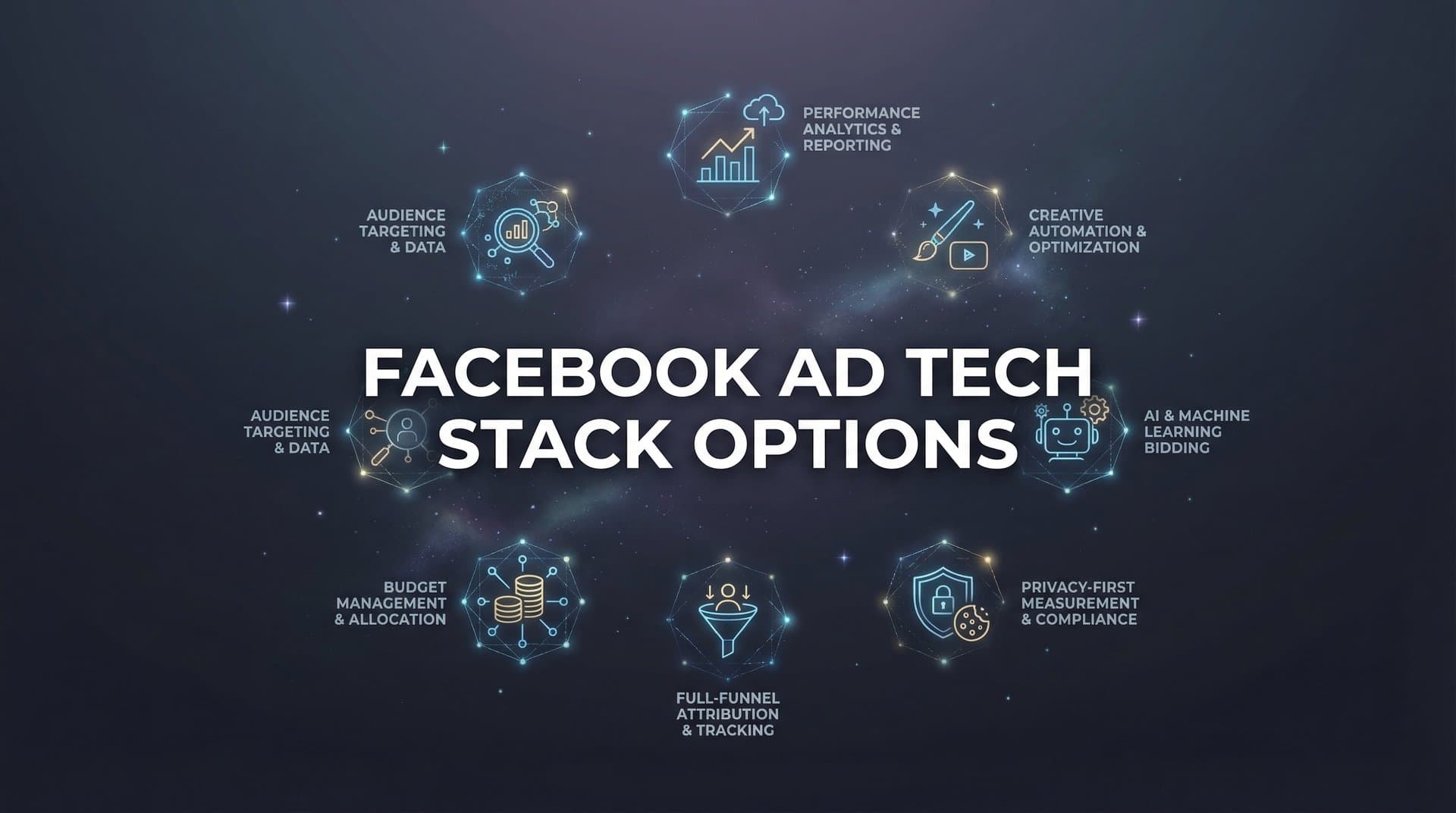
The average Facebook advertiser juggles between five and eight different tools just to run a single campaign. One platform for creative. Another for analytics. A third for automation. A spreadsheet to track it all. Each tool promises to solve one piece of the puzzle, but together they create a fragmented workflow that slows you down and obscures what's actually working.
Your tech stack shouldn't be a collection of disconnected point solutions held together with manual processes and hope. It should be a strategic framework that amplifies your advertising effectiveness while reducing the operational overhead that keeps you from scaling.
The right Facebook ad tech stack configuration depends on your specific situation. Solo marketers have different needs than agencies managing dozens of accounts. Creative-first brands face different bottlenecks than performance marketers obsessed with attribution data. Budget constraints matter. Team size matters. Your growth stage matters.
This guide breaks down seven distinct tech stack approaches for Facebook advertising. Each addresses specific pain points and workflow challenges. Some prioritize creative production speed. Others focus on measurement accuracy or multi-account management. The goal isn't to find the "best" stack in absolute terms, but to identify the configuration that fits your actual needs, resources, and growth objectives.
Let's explore each option so you can build a tech foundation that supports your advertising goals instead of complicating them.
1. The Native-First Stack
The Challenge It Solves
Many marketers overcomplicate their tech stack by adding tools they don't actually need. The result is subscription bloat, data scattered across platforms, and time wasted toggling between interfaces. If you're running straightforward campaigns without complex attribution needs or massive creative volume, you might be paying for capabilities you never use.
The Native-First Stack strips everything back to Meta's own tools: Ads Manager, Business Suite, and Meta Pixel. This approach works best for small businesses, new advertisers, or anyone who wants to master the fundamentals before adding complexity.
The Strategy Explained
Meta's native platform handles more than most advertisers realize. Ads Manager provides campaign creation, audience targeting, budget management, and performance reporting. Business Suite consolidates your Facebook and Instagram presence with basic scheduling and engagement tools. Meta Pixel tracks conversions and builds retargeting audiences.
This stack eliminates the learning curve of third-party tools. Everything lives in one ecosystem with consistent terminology and unified reporting. You're not reconciling data across platforms or troubleshooting integration issues. The interface might feel clunky compared to specialized tools, but it's free and fully supported by Meta.
The trade-off is manual work. You'll build creatives outside Meta and upload them. You'll set up campaigns from scratch each time. You'll export data to spreadsheets for deeper analysis. But for advertisers running a handful of campaigns with modest budgets, this simplicity can be an advantage rather than a limitation.
Implementation Steps
1. Set up your Meta Business Manager account and connect your Facebook Page, Instagram account, and ad account in one centralized location.
2. Install Meta Pixel on your website with standard events configured for key conversion actions like purchases, leads, and page views.
3. Create a campaign structure in Ads Manager with clear naming conventions that make it easy to identify campaigns, ad sets, and individual ads at a glance.
4. Build a simple reporting routine by scheduling weekly exports of campaign data and tracking performance trends in a spreadsheet.
Pro Tips
Use Ads Manager's saved audiences feature to build and store your core targeting segments. This saves time when launching new campaigns. Create custom columns in your reporting view to surface the metrics that matter most to your business. Enable automated rules for basic safeguards like pausing ads that exceed your target cost per acquisition.
2. The Creative Production Stack
The Challenge It Solves
Creative fatigue kills Facebook ad performance faster than almost anything else. Your audience sees the same ad repeatedly, engagement drops, and costs climb. The solution is testing more creative variations, but traditional production workflows create a bottleneck. Hiring designers is expensive. Agencies have long turnaround times. You need a way to produce high-quality ad creatives at the speed and volume that modern Facebook advertising demands.
The Strategy Explained
The Creative Production Stack pairs design tools with Meta's native advertising platform. Popular options include Canva for static images and graphics, Adobe Creative Suite for professional design work, or video editing tools like Premiere Pro or Final Cut for video ads. Some marketers add stock photo services or user-generated content platforms to source raw materials.
This approach gives you creative control without the overhead of a full production team. Design tools have become sophisticated enough that non-designers can create professional-looking ads. Templates provide structure while allowing customization. The workflow is straightforward: create assets in your design tool, export them, and upload to Ads Manager.
The limitation is that you're still doing manual creative work. Each ad requires individual attention. Testing multiple variations means multiplying your design time. As your campaign volume grows, time-consuming Facebook ad creation becomes the constraint that prevents you from scaling your testing velocity.
Implementation Steps
1. Choose a design tool based on your skill level and needs, with Canva offering the easiest learning curve and Adobe providing the most professional capabilities.
2. Build a template library for your most common ad formats, including square posts, vertical stories, and horizontal feed placements with your brand colors and fonts.
3. Create a content calendar that plans creative production in batches, allowing you to design multiple ad variations in focused sessions rather than one-off creation.
4. Establish a review process that ensures brand consistency while avoiding perfectionism that slows down your testing velocity.
Pro Tips
Save every high-performing creative as a template for future variations. Small changes to winning ads often outperform completely new concepts. Build a swipe file of competitor ads and industry examples to inspire your own creative direction. Consider using dynamic creative testing in Ads Manager to let Meta automatically combine your images, headlines, and descriptions into variations.
3. The Analytics-Heavy Stack
The Challenge It Solves
iOS privacy changes fundamentally broke Facebook's attribution model. The data you see in Ads Manager often underreports conversions by significant margins. You're making budget decisions based on incomplete information, potentially cutting campaigns that are actually profitable or scaling ones that aren't. Without accurate attribution, you're flying blind.
The Analytics-Heavy Stack prioritizes measurement accuracy above everything else. This configuration is essential for advertisers with complex customer journeys, high-ticket products, or multi-touch attribution needs.
The Strategy Explained
This stack layers advanced tracking and attribution tools on top of Meta's native platform. Server-side tracking solutions capture conversion data that client-side pixels miss. Attribution platforms like Cometly, Hyros, or Northbeam connect ad clicks to actual revenue using first-party data. Some marketers add Google Analytics 4 for cross-channel visibility or data warehouses for custom analysis.
The goal is triangulating truth from multiple data sources. When Ads Manager shows 50 conversions but your attribution platform shows 75, you can make decisions based on the more complete picture. Server-side tracking recovers conversion data lost to browser restrictions and ad blockers.
This approach requires technical implementation and ongoing maintenance. You'll need to set up server-side conversions, configure attribution windows, and reconcile data across platforms. The investment pays off when you're spending significant budgets and need confidence in your performance data through data-driven Facebook advertising tools.
Implementation Steps
1. Implement server-side tracking through Meta's Conversions API to capture conversion events that client-side pixels miss due to browser restrictions.
2. Choose an attribution platform that integrates with both your ad accounts and your e-commerce or CRM system to track the full customer journey.
3. Set up UTM parameters and tracking URLs that allow you to identify traffic sources and campaigns in your analytics platform beyond Meta's native reporting.
4. Create a weekly reconciliation process where you compare data across platforms to identify discrepancies and understand your true performance metrics.
Pro Tips
Don't expect perfect data alignment across platforms. Attribution models use different methodologies and lookback windows. Focus on directional trends rather than exact numbers. Use your attribution platform to identify which campaigns drive the highest lifetime value customers, not just the most conversions. Test different attribution windows to understand how your customer journey actually works.
4. The Automation Stack
The Challenge It Solves
Managing Facebook campaigns requires constant monitoring and optimization. Check performance every few hours. Pause underperforming ads. Scale winning campaigns. Adjust budgets based on results. This manual oversight is time-consuming and doesn't scale. You're either glued to your dashboard or missing optimization opportunities that cost you money.
The Strategy Explained
The Automation Stack uses rules-based tools to handle routine campaign management tasks. Ads Manager's built-in automated rules provide basic functionality like pausing ads that exceed your target CPA or increasing budgets for campaigns hitting performance thresholds. Third-party tools like Revealbot or Madgicx offer more sophisticated media buyer Facebook automation tools with complex conditional logic.
These tools act as your campaign manager, monitoring performance 24/7 and taking action based on rules you define. Pause ads with declining engagement. Scale budgets gradually for winning campaigns. Shift spend between ad sets based on performance. The automation handles the repetitive work while you focus on strategy and creative.
The challenge is that rules-based automation only works within the parameters you set. It can't adapt to unexpected situations or make strategic decisions. You need to understand your campaign dynamics well enough to write effective rules. Poorly configured automation can make problems worse by scaling bad campaigns or pausing winners prematurely.
Implementation Steps
1. Start with basic automated rules in Ads Manager for critical safeguards like pausing ads that exceed 2x your target cost per acquisition.
2. Document your manual optimization process by writing down every action you take regularly, then identify which decisions follow consistent logic that could be automated.
3. Implement automation gradually by starting with simple rules, monitoring their impact for at least a week, and only adding complexity once you're confident in the basics.
4. Set up notification alerts so you're informed when automation takes significant actions like pausing campaigns or making large budget changes.
5. Review automation performance weekly by comparing results to your manual optimization periods and adjusting rules based on what you learn.
Pro Tips
Build in safety mechanisms to prevent automation from making drastic changes. Use percentage-based budget adjustments rather than fixed amounts. Include minimum spend thresholds so rules don't trigger on statistically insignificant data. Create separate rule sets for different campaign objectives since what works for awareness campaigns differs from conversion campaigns.
5. The Agency Stack
The Challenge It Solves
Managing Facebook ads for multiple clients creates unique operational challenges. You're switching between ad accounts constantly. Client reporting requires customized dashboards. You need team collaboration features and permission management. Standard tools designed for single advertisers don't address the complexity of agency workflows.
The Strategy Explained
The Agency Stack centers on multi-client Facebook ads platforms built specifically for agencies and consultants. Tools like Madgicx, AdEspresso, or Smartly.io provide unified dashboards that show all client accounts in one view. You can launch campaigns across multiple accounts simultaneously, create standardized reporting templates, and manage team access with granular permissions.
These platforms add collaboration features that matter when you're working with a team. Comment on campaigns. Assign tasks. Track who made which changes. Client-facing reporting tools generate white-labeled dashboards that look professional and update automatically. Some platforms include automation, creative tools, and audience management features designed for agency workflows.
The investment is significant, with most agency platforms charging based on ad spend or number of accounts managed. But the efficiency gains matter when you're managing multiple Facebook ad accounts and coordinating a team. The alternative is manual processes that don't scale and client reporting that consumes hours every week.
Implementation Steps
1. Evaluate platforms based on your specific agency needs, considering factors like number of clients, team size, and whether you need creative tools or just campaign management.
2. Standardize your campaign structure across all clients using consistent naming conventions and organization that makes it easy to find campaigns in multi-account views.
3. Build reporting templates for different client types so you're not creating custom reports from scratch for every account.
4. Set up team workflows with clear ownership for campaign creation, optimization, and client communication to avoid confusion about who's responsible for what.
Pro Tips
Use saved audiences and campaign templates to replicate successful strategies across clients without starting from zero each time. Create a knowledge base that documents what works for different industries and objectives. Schedule regular audits of all client accounts to catch issues before clients notice them. Consider tiering your service offerings based on which platform features clients need access to.
6. The Modular Stack
The Challenge It Solves
No single tool excels at everything. The best creative platform might have weak analytics. The best attribution tool might lack automation features. All-in-one solutions force compromises where you settle for adequate performance across multiple functions instead of excellence in each area. If you have specific needs and the resources to manage complexity, a modular approach lets you choose the absolute best tool for each function.
The Strategy Explained
The Modular Stack combines specialized point solutions for different advertising functions. You might use Canva for creative production, Cometly for attribution, Revealbot for automation, and a separate tool for audience research. Each component is best-in-class for its specific purpose. The stack is customized to your exact workflow and priorities.
This approach provides maximum flexibility and capability. You're not limited by what one platform offers. If a better tool emerges for one function, you can swap it out without rebuilding your entire stack. You can optimize costs by choosing different pricing tiers for different tools based on how heavily you use each one.
The downside is integration complexity. Data doesn't flow automatically between platforms. You'll manually export from one tool and import to another. Context-switching between interfaces slows you down. Each tool has its own learning curve, login credentials, and support system. The operational overhead is real, which is why this stack works best for larger teams with dedicated resources for tool management who understand how to optimize Facebook ad workflow.
Implementation Steps
1. Map your advertising workflow from creative ideation through conversion tracking, identifying every function where you need tooling support.
2. Research and test the leading tools for each function, prioritizing integrations with your existing systems and compatibility with your team's skill level.
3. Document your data flow by creating a diagram that shows how information moves between platforms and where manual processes are required.
4. Build standard operating procedures for your team that explain which tool to use for each task and how to transfer data between systems.
5. Schedule quarterly stack reviews to evaluate whether each tool is still the best option and identify opportunities to consolidate or upgrade.
Pro Tips
Use Zapier or similar integration platforms to automate data transfer between tools that don't natively connect. Create a centralized dashboard that pulls key metrics from all your tools into one view. Negotiate annual contracts for your core tools to reduce costs. Assign tool ownership to specific team members who become the internal expert for that platform.
7. The All-in-One AI Stack
The Challenge It Solves
The biggest constraint in scaling Facebook ads isn't budget or audience size. It's the time required to create variations, build campaigns, analyze performance, and iterate. Traditional workflows force you to choose between testing velocity and team capacity. You can test more creatives if you hire more designers. You can launch more campaigns if you add more media buyers. But this doesn't scale efficiently.
The All-in-One AI Stack eliminates these bottlenecks by handling creative generation, campaign building, and optimization in one unified platform. Instead of juggling multiple tools and manual processes, AI handles the heavy lifting while you focus on strategy and results.
The Strategy Explained
Platforms like AdStellar represent a fundamental shift in how Facebook advertising works. The AI generates scroll-stopping image ads, video ads, and UGC-style creatives from a product URL or by cloning competitor ads from the Meta Ad Library. No designers or video editors required. The platform then analyzes your historical campaign data, ranks every creative, headline, and audience by actual performance, and builds complete Meta Ad campaigns with full transparency about every decision.
The bulk launch feature creates hundreds of ad variations by mixing multiple creatives, headlines, audiences, and copy at both the ad set and ad level. What would take hours of manual work in Ads Manager happens in minutes. The platform launches everything directly to Meta and surfaces your winners through AI-powered leaderboards that rank every element by metrics like ROAS, CPA, and CTR.
This approach transforms your testing velocity. You can launch more variations, iterate faster, and identify winners without proportionally increasing your workload. The AI learns from every campaign, getting smarter over time. The Winners Hub organizes your best-performing elements with real performance data, making it easy to reuse winning Facebook ad elements in future campaigns.
Implementation Steps
1. Connect your Meta ad account and allow the platform to analyze your historical campaign data to identify patterns in what's worked and what hasn't.
2. Generate your first batch of ad creatives by providing product URLs or cloning high-performing competitor ads, then refine them using the chat-based editing interface.
3. Use the AI Campaign Builder to create your first campaign, reviewing the platform's recommendations and understanding the rationale behind each strategic decision.
4. Set your target goals for metrics like ROAS and CPA so the AI can score every element against your specific benchmarks and surface opportunities.
5. Review the leaderboards weekly to identify winning creatives, headlines, and audiences, then use the Winners Hub to incorporate these proven elements into new campaigns.
Pro Tips
Start by letting the AI analyze at least 30 days of historical data to build an accurate baseline of what works for your business. Use the bulk launch feature to test creative variations systematically rather than making random changes. Pay attention to the AI's rationale for each recommendation to build your own understanding of what drives performance. Combine your best-performing elements from the Winners Hub to create compound winners that leverage multiple proven assets.
Putting It All Together
Your ideal Facebook ad tech stack depends on where you are right now and where you're trying to go. A solo marketer launching their first campaigns has different needs than an agency managing 50 accounts. A brand focused on creative excellence faces different bottlenecks than a performance marketer obsessed with attribution accuracy.
Start by identifying your primary constraint. If creative production is your bottleneck, prioritize tools that accelerate asset creation. If you're struggling with attribution accuracy, invest in measurement infrastructure. If manual campaign management consumes your time, look for automation solutions. If you're managing multiple accounts, agency platforms make sense.
The trend in advertising technology is clear. Fragmented point solutions create operational overhead that slows you down. The future belongs to integrated platforms that eliminate context-switching and enable faster iteration cycles. AI-powered tools are transforming what's possible, allowing small teams to achieve testing velocity that previously required large agencies.
Consider your growth trajectory when choosing your stack. A configuration that works at $5,000 monthly ad spend might not scale to $50,000. Building on a foundation that can grow with you prevents the painful migration of switching platforms later. The best stack is the one that removes constraints rather than adding complexity.
Ready to transform your advertising strategy? Start Free Trial With AdStellar and be among the first to launch and scale your ad campaigns 10× faster with our intelligent platform that automatically builds and tests winning ads based on real performance data. One platform from creative to conversion, with AI handling the heavy lifting while you focus on strategy and results.


