You just launched three new ad campaigns across Facebook, Google, and LinkedIn. Twenty-four hours later, you're staring at your screen wondering: Are they working? You click through five different tabs, three dashboards, and two analytics platforms—and somehow still can't find the one number that actually matters.
Sound familiar?
Here's the thing: The confusion isn't your fault. Every advertising platform deliberately organizes its data differently, emphasizing metrics that serve its business model rather than your decision-making needs. Facebook wants you focused on engagement. Google prioritizes conversion actions. LinkedIn highlights professional demographics. Meanwhile, you're just trying to figure out if you should pause Campaign B or double down on it.
The stakes are real. Wrong data leads to wrong decisions, which means wasted budget and missed opportunities. When you can't quickly find accurate performance metrics, you're essentially flying blind—making gut-feel calls with thousands of dollars on the line.
But here's what most marketers don't realize: Performance data isn't just scattered randomly across platforms. It's strategically positioned based on what each platform wants you to prioritize. Understanding this changes everything about how you navigate dashboards and make optimization decisions.
By the end of this guide, you'll know exactly where to find every metric that matters—and more importantly, which data sources to trust for which decisions. We'll walk through platform-native dashboards, advanced analytics tools, third-party aggregation platforms, and the hidden pitfalls that trip up even experienced marketers.
You'll discover why the same campaign shows different results depending on where you check the data. You'll learn which metrics live in plain sight versus which require custom setup. And you'll understand how to match your data source to your actual business goal—because delivery metrics answer different questions than conversion metrics.
No more wasting thirty minutes every morning clicking through disconnected dashboards. No more second-guessing whether that cost-per-click number is good or terrible. Just clear, confident access to the performance data that drives real campaign improvements.
Let's dive in.
Decoding Ad Performance Data: What You're Actually Looking For
Here's the thing most marketers get wrong: They think all performance data tells the same story. You check Facebook, see 100 conversions. You check Google Analytics, see 65 conversions for the same campaign. Panic sets in. Which number is real?
Both are. They're just measuring different things.
Ad performance data isn't a single truth—it's multiple perspectives on the same campaign. Each data source answers a different strategic question, and understanding this transforms how you make optimization decisions.
The Three Layers Every Marketer Must Track
Think of ad performance data as a three-layer cake. Each layer answers a fundamentally different question about your campaign's success.
Delivery Metrics (impressions, reach, frequency) answer "Did people see my ad?" You'll find these front and center in every platform's main dashboard. They tell you whether your targeting and budget are working to get eyeballs on your creative.
Engagement Metrics (clicks, CTR, video views, reactions, comments) answer "Did people care enough to interact?" The location of these varies by platform—some bury them in secondary tabs, others showcase them prominently. They reveal whether your creative resonates with your audience, and learning how to improve ad engagement becomes critical when these numbers underperform.
Conversion Metrics (purchases, leads, ROAS, CPA) answer "Did it drive business results?" These often require additional tracking setup through pixels or conversion APIs. They're the ultimate measure of campaign success.
Here's why this matters: A campaign with 100,000 impressions (great delivery), 0.5% CTR (poor engagement), but $50 CPA (excellent conversion efficiency) tells you the creative isn't compelling, but the targeting is perfect. You'd never see this complete story if you only looked at one metric layer.
Stop chasing vanity metrics. Match your data layer to your actual business goal.
Platform-Native Dashboards: Your First Stop For Real-Time Performance
Every advertising platform has its own dashboard where performance data lives. These native interfaces give you the most immediate, unfiltered view of how your campaigns are performing right now.
But here's what trips up most marketers: Each platform organizes its data differently, emphasizes different metrics, and uses slightly different attribution windows. Understanding where to look—and what each number actually means—is the difference between confident optimization and guesswork.
Facebook Ads Manager: Where Engagement Metrics Shine
Facebook Ads Manager is built around engagement. When you land on the Campaigns tab, you immediately see impressions, reach, and amount spent. Click into any campaign, and you'll find clicks, CTR, and cost per result front and center.
The key metrics live in the "Columns" dropdown. By default, you see "Performance," which shows delivery and engagement data. Switch to "Performance and Clicks" to see link clicks specifically. Choose "Conversions" to surface purchase data, leads, or custom conversion events.
Here's the critical detail most marketers miss: Facebook's conversion data reflects its own attribution model, which defaults to 7-day click and 1-day view attribution. This means Facebook takes credit for conversions that happen within seven days of someone clicking your ad, or within one day of just seeing it.
For campaign optimization decisions, use Ads Manager when you need to understand creative performance, audience engagement, or delivery issues. The data updates in near real-time, making it perfect for quick checks and immediate adjustments. When scaling campaigns with bulk ad launcher tools, this real-time visibility becomes even more valuable for monitoring multiple campaigns simultaneously.
Google Ads: Conversion-Focused By Design
Google Ads takes a different approach. Its dashboard prioritizes conversions, cost per conversion, and conversion rate right from the overview screen. Impressions and clicks are visible but secondary.
Navigate to the "Campaigns" tab to see high-level performance across all campaigns. Click into any campaign to see ad group performance. Drill down further to see individual keyword or ad performance. Each level reveals progressively more granular data.
The "Columns" icon lets you customize which metrics appear. Start with "Predefined columns" and choose "Conversions" to see conversion actions, conversion value, and cost per conversion. Switch to "Competitive metrics" to see impression share and lost impression share data—critical for understanding whether budget constraints are limiting your reach.
Google's attribution defaults to last-click, meaning it gives full credit to the final ad click before conversion. This differs fundamentally from Facebook's multi-touch approach, which explains why the same campaign shows different conversion numbers across platforms.
Use Google Ads when you need to evaluate search intent performance, keyword effectiveness, or bottom-funnel conversion efficiency. The platform excels at showing you which search queries drive results and which waste budget. Modern PPC automation tools can help you optimize these campaigns faster by automatically adjusting bids based on real-time performance data.
LinkedIn Campaign Manager: Professional Targeting Meets Performance Data
LinkedIn Campaign Manager organizes data around professional demographics and B2B conversion actions. The dashboard immediately shows impressions, clicks, and social actions (likes, comments, shares).
Click into any campaign to see performance by audience segment. LinkedIn's unique strength is showing you which job titles, company sizes, or industries engage most with your ads. This demographic breakdown lives in the "Demographics" tab within each campaign.
Conversion tracking requires LinkedIn's Insight Tag installed on your website. Once set up, conversion data appears in the "Conversions" column. LinkedIn uses a 30-day click attribution window by default—much longer than Facebook or Google—reflecting the longer B2B sales cycles.
Use LinkedIn Campaign Manager when you need to understand professional audience engagement or evaluate B2B lead quality. The platform's demographic insights are unmatched for refining professional targeting.
TikTok Ads Manager: Creative Performance At Scale
TikTok Ads Manager emphasizes video completion rates and engagement metrics. The dashboard shows impressions, clicks, and video views prominently, with conversion data requiring additional setup through TikTok Pixel.
The "Creative" tab within each campaign shows performance by individual video creative. This view is critical for understanding which video hooks, formats, or styles drive results. TikTok's algorithm heavily weights creative performance, making this data essential for optimization.
TikTok uses a 7-day click and 1-day view attribution window, similar to Facebook. Conversion data appears in the "Conversions" column once pixel tracking is configured.
Use TikTok Ads Manager when you need to evaluate video creative performance or understand which content formats resonate with younger audiences. The platform's creative-first approach makes it ideal for testing new ad concepts quickly. For marketers comparing different approaches, understanding AI vs traditional advertising methods can help determine whether to rely on platform algorithms or manual optimization strategies.
Cometly: The Source Of Truth For Website Behavior
When platform dashboards disagree and Google Analytics shows different numbers, where do you find the actual truth about your ad performance? This is where specialized attribution platforms become essential.
Cometly positions itself as a source of truth for ad tracking by addressing the fundamental attribution problem that frustrates most marketers: every platform claims credit for conversions using different attribution windows and methodologies. Facebook says it drove 100 conversions. Google claims 85. LinkedIn reports 42. They're all measuring the same campaign period, yet the numbers don't align.
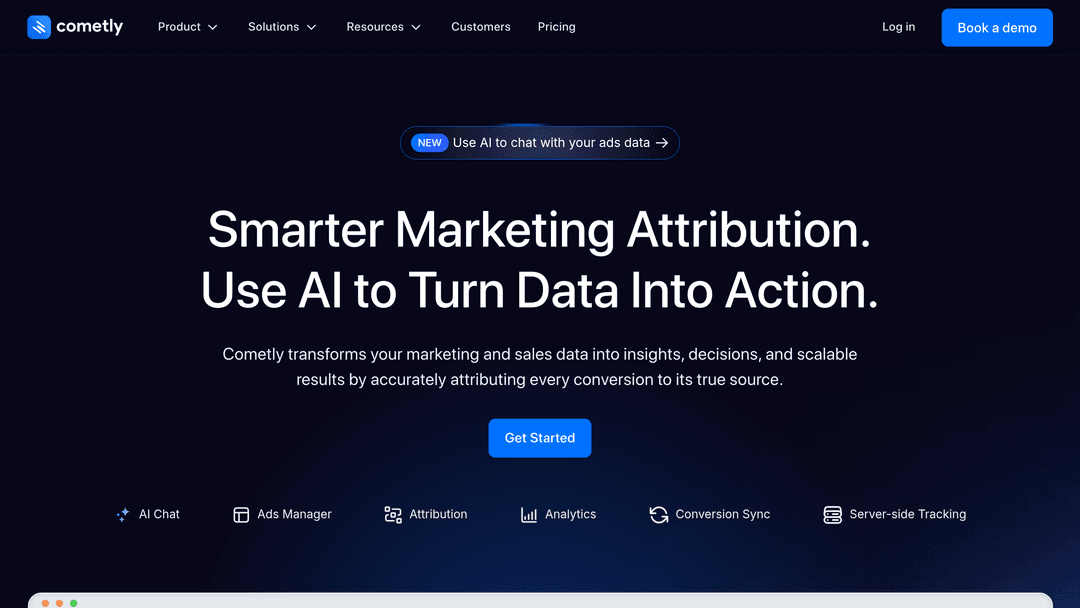
The platform works by implementing server-side tracking that captures the complete customer journey from first ad click through final conversion. Unlike platform pixels that rely on browser cookies—which face increasing limitations from privacy regulations and cookie blocking—server-side tracking maintains more consistent data collection across devices and sessions.
How Attribution Platforms Create A Unified View
Attribution platforms like Cometly connect the dots between advertising touchpoints and conversions by tracking users across their entire journey. When someone clicks your Facebook ad, then later clicks a Google ad, then converts three days later, the platform records all three touchpoints and applies attribution logic to determine which channels deserve credit.
This approach solves several common problems. First, it eliminates the inflated conversion counts that happen when multiple platforms each claim 100% credit for the same sale. Second, it reveals the true customer journey, showing you which channels work together to drive conversions rather than viewing each platform in isolation. Third, it provides consistent metrics across all channels, making meaningful performance comparisons possible.
The platform integrates with major advertising platforms through API connections, pulling in ad spend and click data automatically. On the conversion side, it tracks purchases, leads, and custom events through its tracking code implemented on your website.
Multi-Touch Attribution Models
Specialized attribution platforms typically offer multiple attribution models, allowing you to choose how credit gets distributed across touchpoints. Each model tells a different story about campaign performance.
First-touch attribution gives all credit to the initial interaction, helping you understand which channels excel at introducing new potential customers to your brand. This model highlights top-of-funnel performance.
Last-touch attribution assigns full credit to the final touchpoint before conversion, revealing which channels are most effective at closing sales. This matches how Google Ads attributes conversions by default.
Linear attribution distributes credit equally across all touchpoints in the customer journey. This approach acknowledges that multiple interactions typically contribute to a conversion decision.
Time-decay attribution gives more credit to touchpoints closer to the conversion event, reflecting the assumption that recent interactions have greater influence on the final decision.
Data-driven attribution uses algorithmic analysis to determine how much credit each touchpoint deserves based on actual conversion patterns in your account data. This model adapts to your specific customer behavior rather than applying a predetermined formula.
When You Need An Attribution Platform
Attribution platforms become valuable when you're running campaigns across multiple channels with significant overlap in audience exposure. If most customers interact with only one ad before converting, platform-native attribution suffices. But when customers typically see three, four, or five different ads across various platforms before purchasing, you need a unified view to understand what's actually working.
These tools are particularly useful for businesses with longer sales cycles or higher consideration purchases, where the customer journey spans days or weeks and involves multiple research touchpoints. E-commerce brands, SaaS companies, and B2B businesses often find that attribution platforms reveal hidden performance patterns invisible in platform-native dashboards.
The platforms also help when you're scaling ad spend and need to make confident budget allocation decisions. Rather than guessing whether to increase Facebook or Google investment based on platform-reported conversions, you see which channels genuinely drive incremental results when working together.
However, attribution platforms require proper implementation and ongoing data validation. The tracking code must be correctly installed on all conversion pages, API connections need regular monitoring, and you should periodically verify that reported conversions align with actual business results. When set up correctly, they provide the unified performance view that transforms how you optimize multi-channel campaigns.
Third-Party Analytics Platforms: Unified Dashboards For Multi-Channel Campaigns
Platform-native dashboards and Google Analytics give you deep insights, but they require jumping between multiple tools. Third-party analytics platforms solve this by aggregating data from all your ad accounts into a single unified dashboard.
These tools are essential when you're running campaigns across multiple platforms and need to compare performance, identify trends, or report to stakeholders without manually compiling data from five different sources.
What Third-Party Platforms Actually Do
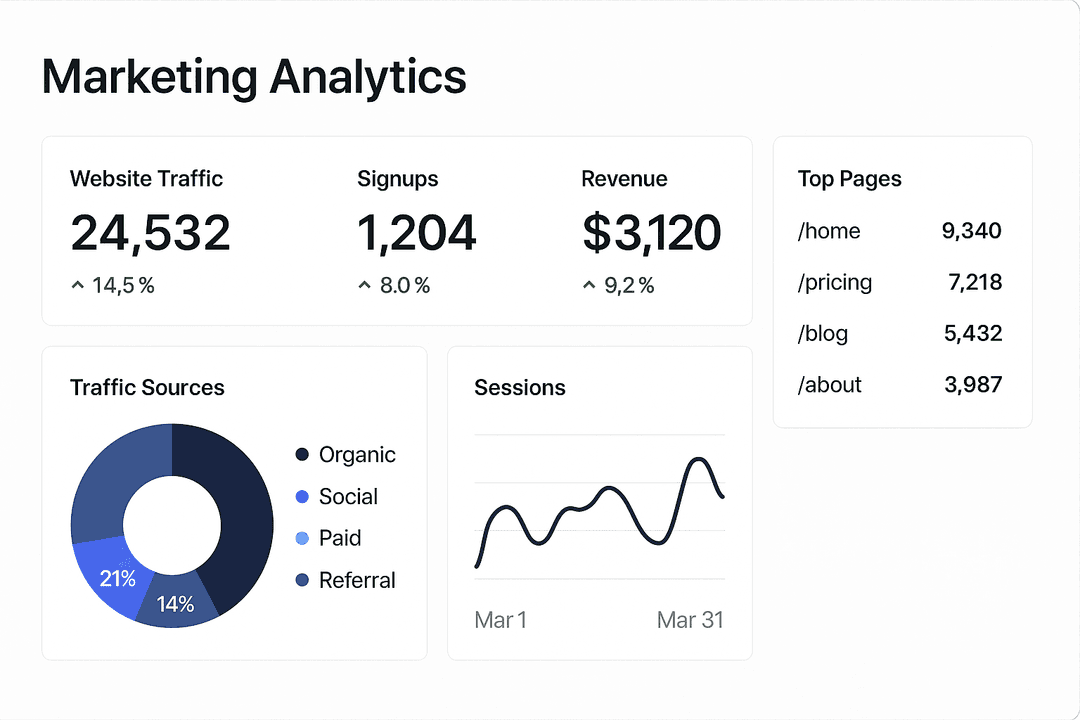
Third-party analytics platforms connect to your ad accounts via API and pull performance data into a centralized interface. You see all campaigns from Facebook, Google, LinkedIn, TikTok, and other platforms in one place, with standardized metrics that make cross-platform comparison possible.
The best platforms offer custom attribution modeling, allowing you to define your own rules for how credit is assigned across touchpoints. This solves the attribution discrepancy problem by giving you a consistent methodology across all channels.
They also provide advanced visualization, automated reporting, and anomaly detection—features that help you spot performance changes faster than manually checking each platform daily.
When Third-Party Tools Make Sense
Use third-party analytics platforms when you're managing campaigns across three or more ad platforms, need to report performance to stakeholders regularly, or want to implement custom attribution modeling that differs from platform defaults.
They're particularly valuable for agencies managing multiple client accounts or brands with significant ad spend across diverse channels. The time saved on manual reporting and data compilation quickly justifies the subscription cost.
However, these tools add a layer of abstraction between you and raw platform data. For day-to-day optimization decisions, platform-native dashboards still provide the most immediate, actionable insights. When building comprehensive strategies, understanding how to create effective ad strategies helps you determine which metrics matter most for your specific business goals.
Ready to transform your advertising strategy? Get Started With AdStellar AI and be among the first to launch and scale your ad campaigns 10× faster with our intelligent platform that automatically builds and tests winning ads based on real performance data.