It's 4 PM on a Thursday, and you're staring at a blank ad interface. Your campaign needs to launch tomorrow morning. You've got a product to promote, a budget approved, and a deadline that's not moving. What you don't have? Fifteen compelling headline variations, multiple description options that don't sound identical, and the mental energy to make it all happen before you leave today.
This scenario plays out in marketing departments everywhere, every single day. The manual ad creation process is exhausting—not because writing copy is impossibly difficult, but because creating enough variations to actually test what works requires hours of focused effort. You write a headline. Then another. Then you realize they're basically the same idea with different words. You start over. The clock keeps ticking.
Here's what changes with AI ad creation: What currently takes you three hours to produce—maybe 10-15 usable ad variations if you're really pushing—can be generated in fifteen minutes. Not because AI is replacing your marketing judgment, but because it's removing the mechanical bottleneck of typing out every single variation yourself.
Think of it like having a copywriter who never gets tired and can explore 100 different angles simultaneously. You're still the strategist. You still decide what's on-brand, what resonates with your audience, and which variations actually get launched. But instead of spending your afternoon manually creating options, you spend it evaluating and selecting from dozens of AI-generated possibilities.
The real transformation isn't about speed—it's about testing capacity. When you can generate 50 headline variations in the time it used to take to write 5, you're no longer guessing which message might work. You're actually testing multiple angles, tones, and benefit statements to discover what your audience responds to.
This guide walks you through the complete process, from the preparation work that makes AI effective to the actual generation and refinement steps. By the end, you'll have created your first AI-generated ad campaign and understand exactly where AI saves you time versus where your human judgment remains irreplaceable.
Fair warning: Your first campaign will take longer than subsequent ones—plan for about two hours as you learn the workflow. But once you've done it twice, you'll be creating complete campaign variations in 30 minutes or less. The learning curve is real, but it's short.
Let's walk through exactly how to do this, step-by-step, starting with what you need to have ready before you generate your first AI ad.
Step 1: Define Your Campaign Objective And Audience
Here's where most AI ad campaigns fail before they even start: vague objectives produce vague ads. If you tell an AI tool "I want more customers," you'll get generic copy that could work for anyone—which means it works for no one. The AI isn't being difficult. It's doing exactly what you asked: creating something broad enough to theoretically attract "more customers."
Before you write a single prompt, you need to understand how to create effective ad strategies that align with your business goals and customer journey. AI amplifies your strategy—if your strategy is unclear, you'll just get unclear results faster.
Think of your campaign objective as the targeting system for everything that follows. The more specific you make it, the more focused your AI-generated ads become.
Setting Clear Campaign Goals
Your campaign objective needs three elements: a specific action, a measurable quantity, and a time frame. "Increase brand awareness" fails all three tests. "Generate 50 demo requests from marketing managers within 30 days at a target cost per lead of $40 or less" passes them all.
Here's the difference in practice:
❌ Vague objective: "Get more customers for our software"
✅ Specific objective: "Generate 50 qualified demo requests from marketing managers at B2B SaaS companies with 50-200 employees within 30 days, targeting a cost per lead of $40 or less"
The specific version tells AI exactly what success looks like. It knows to emphasize demo requests (not just clicks), target marketing managers (not generic "business owners"), focus on mid-sized companies (not startups or enterprises), and create urgency around the 30-day window.
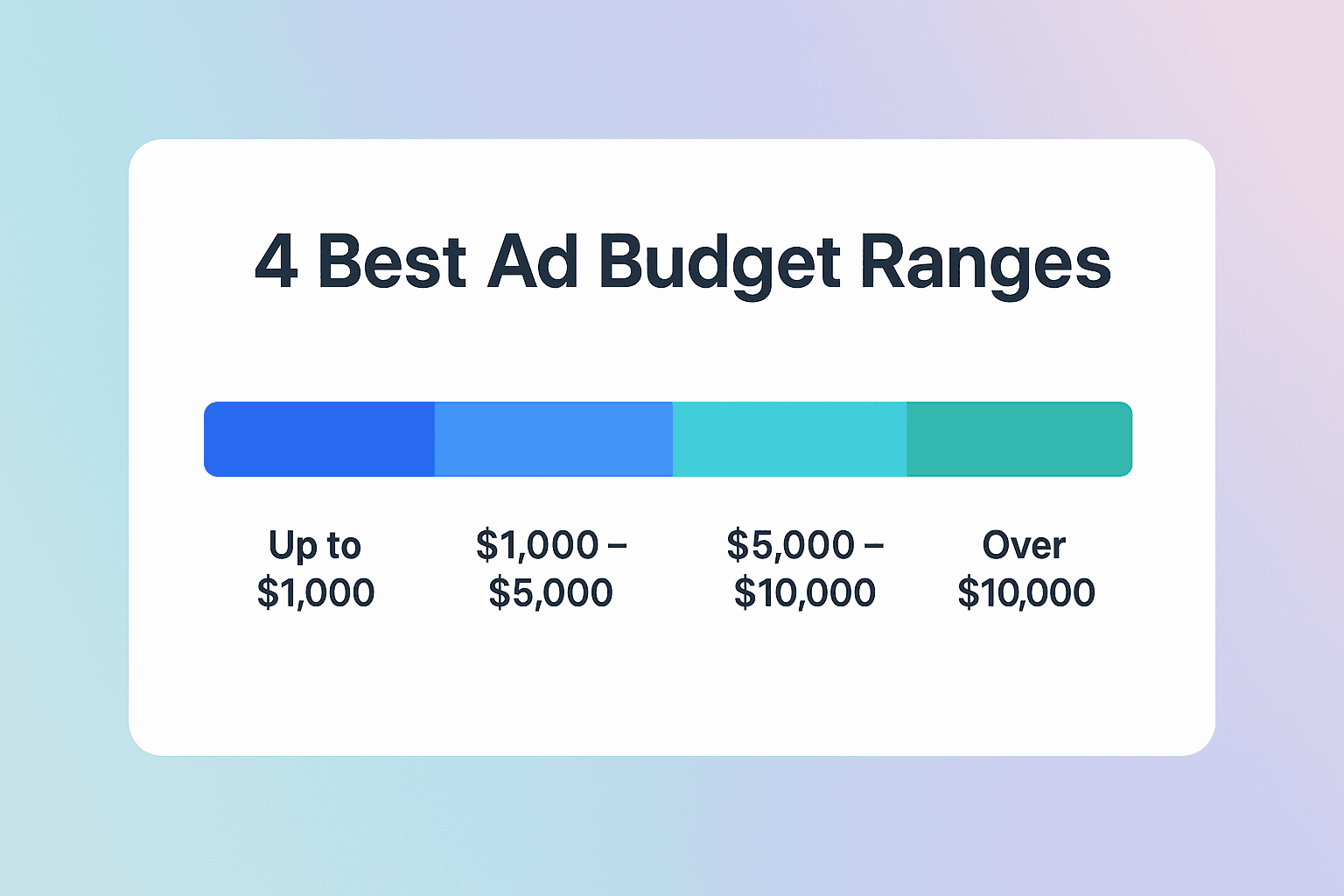
Your budget constraints matter too. A $5,000 budget suggests premium positioning and comprehensive benefits. A $500 budget requires more direct, conversion-focused messaging. AI can adapt tone based on these constraints—but only if you document them.
Spend ten minutes making your objective specific now. It saves hours of filtering unusable AI output later.
Identifying Your Target Audience
AI creates better ads when you document your audience's actual language, not marketing department assumptions about what they care about. The goal here isn't demographics—it's understanding how your audience thinks and talks about their problems.
Start with the basics: job title, company size, industry. But don't stop there. Document their specific pain points using the words they actually use. If your customers say they're "drowning in spreadsheets," that phrase belongs in your AI brief. If they talk about "duct-taped solutions," write that down.
Here's what inadequate audience documentation looks like: "Small business owners who need marketing help."
Here's what useful documentation looks like: "Marketing managers at B2B SaaS companies, 50-200 employees, who spend 10+ hours weekly on manual reporting because their current tools don't integrate. They fear looking incompetent to leadership due to reporting delays. They use phrases like 'drowning in spreadsheets' and 'duct-taped solutions.'"
The difference between these two approaches becomes obvious when you compare the resulting ad copy. Generic audience documentation produces generic ads. Specific documentation produces ads that feel like they were written specifically for your prospect—because they were.
Step 2: Generate Your Ad Copy With AI
You've got your brief ready. Now comes the part where AI actually earns its keep—generating dozens of ad variations in minutes instead of hours. But here's the thing: typing "write me some Facebook ads" into an AI tool produces garbage. You need a systematic approach to prompting that tells the AI exactly what you want, how you want it, and what to avoid.
Think of AI prompting like giving instructions to a new copywriter on their first day. The more context and structure you provide, the better their output. Vague instructions produce vague results. Specific, structured prompts produce targeted, usable copy.
Crafting Effective AI Prompts
Every effective AI prompt follows the same four-part structure: Context, Task, Format, and Constraints. Miss any of these, and you'll spend more time fixing output than you would have writing ads manually.
Context: Tell the AI who it should be. "You're a direct response copywriter specializing in B2B SaaS" produces dramatically different output than "You're a creative brand storyteller." The role you assign shapes the writing style, word choice, and persuasion approach.
Task: Specify exactly what you want created. "Create headlines" is vague. "Create 10 Facebook ad headlines" is specific. "Create 10 Facebook ad headlines that emphasize time savings for marketing managers" is actionable.
Format: Define the output structure. Include character limits (Facebook headlines max at 40 characters), quantity needed, and any structural requirements like including a number or question format.
Constraints: Set boundaries. Specify tone (professional vs. casual), words to avoid (no hype like "revolutionary" or "game-changing"), and compliance requirements (no income claims, no superlatives you can't verify).
Here's what this looks like in practice. A weak prompt: "Write Facebook ad headlines for my software." A strong prompt: "You're a direct response copywriter for B2B SaaS. Create 10 Facebook ad headlines (max 40 characters) targeting marketing managers who waste 10+ hours weekly on manual reporting. Focus on time savings. Use power words but avoid hype. Tone: Professional but approachable."
The difference? The weak prompt might take 20 minutes and produce unusable generic copy. The strong prompt takes 30 seconds to write and produces variations you can actually launch.
Your first attempts will probably produce generic output. This is completely normal. Prompt engineering is a skill that improves with practice. When output feels generic, add more constraints. When it's too formal, adjust the tone descriptor. When it misses your brand voice, include an example of your best-performing ad and say "write in this style."
Generating Multiple Variations
Here's the counterintuitive part: Generate way more variations than you think you need. If you want to launch 10 ads, generate 50. If you need 5 headlines, create 30. Volume gives you options, and options let you select winners instead of settling for "good enough."
Start broad to see the range of possibilities. Generate 20-30 headlines without overthinking it. You're exploring what angles the AI can produce based on your brief. Some will be terrible. Some will be surprisingly good. A few will be exactly what you needed but wouldn't have thought to write yourself.
This approach differs significantly from traditional methods where you might manually write 5-10 variations and call it done. With AI-powered workflows, you can explore far more creative territory in the same amount of time, which is why understanding AI vs traditional advertising methods helps you leverage the right approach for your campaigns.
Once you have your initial batch, refine your prompts based on what worked. If the benefit-focused headlines performed better than feature-focused ones, generate 20 more benefit-focused variations. If question formats got more engagement, create more questions. Let the data guide your next generation round.
The goal isn't to use everything AI generates—it's to have enough quality options that you're choosing between good and great, not between mediocre and acceptable. That selection process is where your marketing judgment becomes invaluable.
Step 3: Refine And Test Your Ad Variations
You've generated 50 headline variations and 30 description options. Now comes the critical part that separates effective AI ad creation from wasted effort: systematic refinement and strategic testing. Raw AI output is rarely launch-ready. It needs your editorial judgment, brand alignment, and strategic filtering.
Think of this step as quality control. AI gave you quantity—now you're applying the criteria that transform generic copy into ads that actually convert for your specific audience and brand.
Filtering For Brand Voice And Compliance
Start by eliminating anything that violates platform policies or your brand guidelines. This isn't creative work—it's binary decision-making. Does this ad make claims you can't substantiate? Gone. Does it use language your brand would never use? Gone. Does it violate Facebook's advertising policies? Gone.
Create a simple three-column spreadsheet: Keep, Maybe, Reject. Move fast through your AI-generated variations, sorting them based on immediate gut reaction. You're not overthinking at this stage—you're just removing obvious non-starters.
Your "Keep" column should have 15-20 variations that feel on-brand and compliant. Your "Maybe" column holds another 10-15 that could work with minor edits. Everything else goes to "Reject"—and that's fine. You generated volume specifically so you could be selective.
Now refine your "Keep" variations for consistency. If your brand voice is conversational but professional, adjust any copy that skews too casual or too formal. If you avoid industry jargon, replace technical terms with plain language. If you emphasize specific benefits over features, rewrite any feature-heavy copy.
This editing process should take 15-20 minutes, not hours. You're making targeted adjustments, not rewriting from scratch. If a variation needs substantial rewriting, it probably belongs in your "Reject" column.
Setting Up A/B Tests
Now you're ready to test. But here's where most marketers waste their AI advantage: they launch everything at once with no hypothesis about what they're actually testing. Random testing produces random insights. Strategic testing produces actionable data.
Group your variations by what they're testing. Are you testing benefit emphasis (time savings vs. cost reduction)? Tone (urgent vs. educational)? Format (question vs. statement)? Specificity (concrete numbers vs. general claims)? Each test should isolate one variable so you know what's actually driving performance differences.
Start with your highest-confidence hypothesis. If your audience research suggests time savings is their primary pain point, test time-focused headlines against cost-focused headlines. Run both variations with identical descriptions, images, and targeting so headline emphasis is the only variable.
For efficient campaign management at scale, consider using bulk ad launcher tools that let you deploy multiple variations simultaneously without manual setup for each ad. This becomes especially valuable when you're testing 10-15 variations across multiple ad sets.
Give each test enough time and budget to reach statistical significance. For most campaigns, this means at least 1,000 impressions per variation and a minimum 7-day testing window. Calling winners after 100 clicks is how you make decisions based on noise instead of signal.
Document everything. Which headline won? By how much? What was the cost per conversion difference? What does this tell you about your audience's priorities? These insights inform your next campaign's AI prompts, creating a compounding advantage over time.
Step 4: Scale Your Winning Variations
You've identified your winners. Three headline variations are outperforming everything else by 40%. Two description formats are driving conversions at half the cost of your other options. Now comes the step that transforms good results into exceptional ROI: strategic scaling.
But scaling isn't just increasing budget on winning ads. It's systematically expanding what works across audiences, platforms, and campaign objectives while maintaining the performance that made these variations winners in the first place.
Expanding Across Audiences And Platforms
Your winning ad variations proved themselves with one audience segment. The question now: which other segments might respond to the same messaging? Start with adjacent audiences—groups that share characteristics with your winners but aren't identical.
If your time-savings message crushed it with marketing managers, test it with sales managers who face similar reporting burdens. If your cost-reduction angle worked for small businesses, try it with mid-sized companies operating on similar constraints. You're not guessing—you're making educated expansions based on proven messaging.
Platform expansion requires more adaptation. A winning Facebook ad won't perform identically on LinkedIn or Google Display just because you copy-paste it. Each platform has different user intent, ad formats, and engagement patterns. But the core message that resonated? That travels.
Take your winning Facebook headline and adapt it for LinkedIn's professional context. If "Cut reporting time by 10 hours weekly" won on Facebook, try "Marketing leaders: Reclaim 10 hours weekly from manual reporting" on LinkedIn. Same benefit, adjusted tone for platform expectations.
For teams managing campaigns across multiple platforms, PPC automation tools can help maintain consistency while adapting to each platform's requirements, ensuring your winning message reaches audiences wherever they're most active.
Automating Repetitive Tasks
Here's what happens when you manually scale winning ads: You spend three hours creating variations for new audiences, another two hours setting up campaigns across platforms, and another hour adjusting bids and budgets. By the time you're done, you're exhausted and your winning momentum has stalled.
Automation handles the mechanical scaling work so you can focus on strategic decisions. Once you've identified winning patterns, automated systems can generate platform-specific variations, set up campaign structures, and manage bid adjustments based on performance rules you define.
The key is knowing what to automate versus what requires human judgment. Automate: campaign setup, bid adjustments based on performance thresholds, budget reallocation to top performers, and routine reporting. Keep human: creative strategy decisions, brand voice adjustments, audience expansion choices, and interpretation of performance trends.
Think of automation as your operations team. It executes your strategy consistently and tirelessly, but it doesn't make the strategy. You still decide which audiences to target, which messages to test, and when to pivot based on market changes. Automation just removes the tedious execution work that used to consume your afternoons.
Start small with automation. Pick one repetitive task—maybe bid adjustments or budget reallocation—and automate just that. Once you're comfortable with how it works and trust the results, expand to additional tasks. Trying to automate everything at once is how you lose control and waste budget on poorly configured rules.
Putting It All Together
You've walked through the complete AI ad creation process—from defining your objective and audience, to generating variations with strategic prompts, designing visuals that support your message, refining for compliance and brand alignment, and launching with proper tracking in place. What seemed like an overwhelming shift in workflow is actually a series of manageable steps that build on each other.
The transformation happens when you realize AI isn't replacing your marketing judgment—it's removing the mechanical bottleneck that used to consume hours of your day. You're still making the strategic decisions about what resonates with your audience, what aligns with your brand, and which variations deserve budget. But instead of spending your afternoon typing out fifteen headline variations manually, you're spending it evaluating fifty options and selecting the winners.
Here's your action plan: Start with one campaign. Pick a product or service you know well, document your audience's actual pain points in specific language, and generate your first batch of AI variations. Your first attempt will take longer than you'd like—that's normal. But by your third campaign, you'll be creating complete ad sets in a fraction of the time you used to spend on a single ad.
The real advantage isn't just speed—it's testing capacity. When you can generate and test ten times more message variations than before, you stop guessing what might work and start discovering what actually does. That's when AI ad creation shifts from a productivity tool to a competitive advantage.