
Shopify store owners face a constant creative challenge: producing enough high-quality ad variations to test, optimize, and scale their Meta advertising campaigns. Traditional approaches require hiring designers, coordinating with video editors, or spending hours in Canva creating assets that may or may not resonate with your audience.
AI ad creative tools have fundamentally changed this equation, enabling Shopify merchants to generate professional image ads, video ads, and UGC-style content in minutes rather than days.
The creative bottleneck has long been the limiting factor for Shopify merchants trying to scale their advertising. You know you need to test more variations. You understand that creative fatigue kills campaign performance. But the practical reality of producing dozens of new ads every week makes systematic testing nearly impossible for most store owners.
This guide covers seven actionable strategies for leveraging AI ad creative specifically for Shopify stores, from product-based generation to competitor analysis and bulk testing approaches. These are not theoretical concepts but practical implementations that Shopify merchants are using right now to break through creative production constraints.
1. Generate Product-Based Creatives Directly From Your Shopify URLs
The Challenge It Solves
Every new product launch or seasonal campaign starts with the same tedious workflow: download product images from Shopify, gather descriptions and specifications, open your design tool, manually position elements, write ad copy, export files, and upload to Meta. This process might take 30-45 minutes per ad variation. When you need to create ads for multiple products or test different creative approaches, the time investment becomes unsustainable.
The disconnect between your Shopify product catalog and your advertising workflow creates unnecessary friction. Your store already contains all the information needed to create compelling ads: high-quality product images, detailed descriptions, pricing, features, and benefits.
The Strategy Explained
AI ad creative platforms can now connect directly to your Shopify product URLs and extract everything needed to generate complete ad creatives automatically. You simply paste the product URL, and the AI analyzes the product page to pull images, parse descriptions for key selling points, identify primary features, and generate ad-ready creatives with appropriate copy and visual layouts.
This approach eliminates manual asset gathering entirely. The AI understands product context from your existing Shopify content and translates it into advertising formats optimized for Meta's specifications. For Shopify merchants managing catalogs with dozens or hundreds of products, this transforms ad creation from a multi-hour project into a five-minute task. Learn more about how an AI ad generator for Shopify can streamline this entire process.
The generated creatives maintain your product's visual identity while applying proven advertising frameworks for headlines, benefit statements, and calls-to-action. You get professionally formatted ads without needing design skills or template libraries.
Implementation Steps
1. Identify your top-performing or newest products that need advertising support and compile their Shopify product URLs.
2. Use an AI ad creative platform with Shopify URL integration to generate initial creative variations by pasting each product URL and selecting your preferred ad format (image, video, carousel).
3. Review the AI-generated creatives and select the variations that best represent your product positioning and brand voice.
4. Launch these creatives in test campaigns to establish baseline performance data before scaling winners.
Pro Tips
Ensure your Shopify product pages have detailed descriptions and high-quality images before generating AI creatives. The AI output quality directly correlates with the input quality from your product pages. Consider creating a "master" product page template with comprehensive copy and multiple image angles specifically to optimize AI creative generation.
AdStellar is an AI-powered ad creative platform built specifically to address the creative production challenges that Shopify merchants face when scaling Meta advertising campaigns. The platform combines several of the strategies outlined in this guide into a unified workflow designed to eliminate the bottlenecks that typically limit creative testing and iteration.
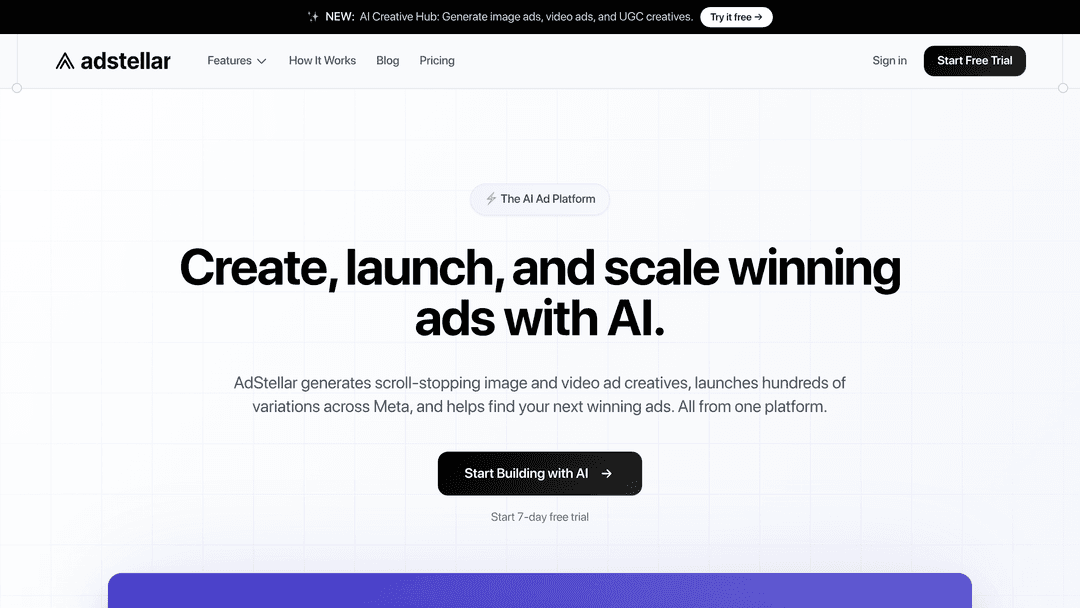
The platform centers on a straightforward concept: your Shopify product catalog already contains everything needed to create effective ads. AdStellar connects directly to your product URLs and uses AI to transform your existing product information into complete ad creatives. This eliminates the manual process of downloading images, writing copy, and formatting assets across multiple tools.
For Shopify merchants managing catalogs with dozens or hundreds of products, this integration approach makes systematic creative testing practical. You can generate multiple ad variations for new product launches, seasonal campaigns, or catalog refreshes without the traditional time investment required for each creative asset.
AdStellar's approach to bulk generation enables you to test comprehensive creative matrices by defining the elements you want to test (headlines, visual styles, copy frameworks, calls-to-action) and having the platform generate all combinations automatically. This transforms creative testing from a resource-intensive process into a systematic methodology where you can validate creative hypotheses through actual performance data rather than intuition.
The platform includes chat-based editing functionality that allows you to refine AI-generated creatives through conversational prompts. This removes the technical barrier of design software for merchants who want to iterate on creative elements based on performance feedback or brand alignment needs.
AdStellar also provides AI-driven performance analysis that ranks individual creative elements (specific headlines, images, copy variations) by actual performance metrics. This granular insight helps identify which creative components consistently drive results across different campaigns, allowing you to build a library of proven elements that compound in value over time.
The platform addresses the full creative production cycle for Shopify advertising: generating initial variations from product data, creating bulk testing matrices to validate approaches, analyzing performance to identify winners, and iterating on successful creative elements through conversational editing. This integrated approach is designed to support the systematic creative testing methodology that separates scaling Shopify stores from those stuck in creative production constraints.
2. Clone and Adapt Winning Competitor Ad Styles
The Challenge It Solves
Identifying what actually works in your market requires constant competitive research. You browse the Meta Ad Library, screenshot competitor ads, try to reverse-engineer their creative approach, and then attempt to recreate similar styles for your own products. This manual process is time-consuming and often results in poor imitations that miss the subtle elements that made the original effective.
Most Shopify merchants know which competitor ads are resonating but lack the design resources to quickly adapt those proven formats for their own product catalogs.
The Strategy Explained
AI creative tools now enable direct cloning of competitor ad structures from Meta Ad Library. You can identify a competitor ad that demonstrates strong engagement signals (long run time, multiple variations, consistent presence), input it into your AI platform, and have the system analyze the creative structure, layout patterns, headline formulas, visual composition, and copy frameworks.
The AI then applies these proven patterns to your own products, maintaining the effective structural elements while replacing the competitor's branding, products, and messaging with yours. This is not about copying content but about leveraging proven creative frameworks and adapting them to your unique value proposition. A robust AI ad creative platform makes this analysis and adaptation seamless.
Think of it like using a successful recipe but substituting your own ingredients. The fundamental structure that made the original work remains intact, but the final result is entirely yours.
Implementation Steps
1. Search Meta Ad Library for competitors in your niche and document ads that have been running consistently for weeks or months (indicating positive performance).
2. Analyze the common patterns across successful competitor ads, noting layout styles, headline structures, benefit presentation, and visual approaches.
3. Use AI cloning functionality to recreate these proven formats with your own products, maintaining the structural elements while ensuring your brand identity and messaging remain distinct.
4. Test cloned ad variations against your original creative approaches to validate whether competitor-inspired formats outperform your baseline.
Pro Tips
Focus on cloning ads from competitors at similar business stages rather than major brands with unlimited budgets. A small Shopify store's successful ad format is more likely to be replicable for your business than a creative approach backed by a six-figure production budget. Look for competitors running simple, effective ads that rely on strong messaging rather than expensive production value.
3. Create UGC-Style Ads Without Hiring Creators
The Challenge It Solves
User-generated content formats consistently outperform polished brand content on Meta platforms. Authentic testimonials, real-person reviews, and casual product demonstrations generate higher engagement and conversion rates than traditional advertising creative. However, coordinating with content creators involves significant overhead: finding creators, negotiating rates, providing product samples, managing revisions, and handling usage rights.
For Shopify merchants testing new products or operating with limited budgets, the creator coordination process often makes UGC-style content impractical despite its proven effectiveness.
The Strategy Explained
AI-powered UGC creation uses avatar technology to generate authentic-looking testimonial content without hiring real creators. These tools create realistic spokesperson videos where AI avatars discuss your product benefits, demonstrate features, or share testimonial-style messaging in natural, conversational formats. Discover how AI UGC for Shopify can transform your content production workflow.
The visual presentation mimics the casual, unpolished aesthetic that makes real UGC effective while giving you complete control over messaging, timing, and variations. You can generate multiple UGC-style videos with different avatars, scripts, and approaches in the time it would take to brief a single creator.
This approach bridges the gap between the proven effectiveness of UGC formats and the practical constraints of creator coordination. You maintain the authentic presentation style that audiences respond to while eliminating production complexity.
Implementation Steps
1. Develop testimonial-style scripts that highlight specific product benefits using natural, conversational language rather than marketing copy.
2. Generate UGC-style avatar videos using AI creative tools, testing different avatar personas to identify which demographic presentations resonate best with your target audience.
3. Create multiple script variations focusing on different product benefits or use cases to test messaging angles systematically.
4. Launch UGC-style creatives alongside your traditional product ads to compare performance metrics and audience response.
Pro Tips
Keep UGC-style scripts conversational and benefit-focused rather than feature-heavy. Real user testimonials emphasize how products solve problems or improve experiences, not technical specifications. Frame your AI-generated UGC content around these authentic benefit statements. Test opening hooks aggressively since UGC formats live or die based on the first three seconds capturing attention.
4. Build Video Ads From Static Product Images
The Challenge It Solves
Video ads typically outperform static images on Meta platforms, but video production presents significant barriers for most Shopify merchants. Professional video creation requires equipment, editing skills, and substantial time investment. Even simple product videos involve filming, editing, adding text overlays, incorporating transitions, and rendering final files.
Many Shopify stores have excellent product photography but lack video assets entirely. This leaves significant advertising performance on the table since video formats often generate higher engagement and conversion rates.
The Strategy Explained
AI video generation tools transform your existing static product images into dynamic video content through automated motion graphics, intelligent transitions, and text animations. The AI analyzes your product images and applies professional video effects like zoom animations, pan movements, fade transitions, and text overlays to create engaging video ads from static assets.
This technology eliminates the need for video filming or complex editing software. You upload product images you already have, select a video style or template, and the AI handles all technical aspects of creating a polished video ad optimized for Meta's specifications. Explore the broader landscape of AI-driven ad creative generation tools to find the right fit for your needs.
The resulting videos maintain professional quality while being generated in minutes rather than hours. You can create multiple video variations testing different transition styles, text placements, and pacing without additional production work.
Implementation Steps
1. Compile your highest-quality product images, ensuring you have multiple angles and detail shots for each product you want to advertise.
2. Use AI video generation to create initial video ads, experimenting with different motion styles and transition speeds to match your brand aesthetic.
3. Add text overlays highlighting key benefits, pricing offers, or calls-to-action using the AI platform's text animation features.
4. Generate multiple video variations for each product by adjusting pacing, text content, and visual sequences to create testable alternatives.
Pro Tips
Front-load your most compelling product images in the first three seconds of AI-generated videos. Meta users scroll quickly, so your strongest visual hook must appear immediately. Consider creating separate video variations that emphasize different product benefits or use cases rather than trying to communicate everything in a single video. Focused messaging typically outperforms comprehensive product overviews.
5. Use Bulk Generation to Test Creative Variations at Scale
The Challenge It Solves
Effective creative testing requires volume. Testing one headline against another provides limited insight. Testing five headlines across three visual styles with four different calls-to-action generates meaningful data about what resonates with your audience. However, manually creating 60 ad variations (5×3×4) is completely impractical for most Shopify merchants.
The creative testing bottleneck prevents systematic optimization. You end up testing a few variations, drawing conclusions from limited data, and never discovering the combinations that might significantly outperform your current approach. Many merchants find that ad creative testing takes forever without the right tools in place.
The Strategy Explained
Bulk AI creative generation enables you to produce hundreds of ad variations by defining the elements you want to test and letting the AI create every possible combination. You specify your headline variations, visual approaches, copy frameworks, and calls-to-action, then the system generates complete ads for each unique combination.
This transforms creative testing from a manual, time-intensive process into a systematic, data-driven approach. You can test comprehensive creative hypotheses that would be impossible to execute manually. Want to know whether benefit-focused headlines outperform feature-focused headlines across different visual styles? Generate all combinations and let performance data provide the answer.
The volume of variations you can test increases exponentially while the time investment remains minimal. What might have taken days or weeks of design work becomes a 15-minute setup process. This is especially powerful for bulk Facebook ads for product launches where speed to market matters.
Implementation Steps
1. Define your testing variables by identifying the creative elements you want to test (headlines, images, copy length, calls-to-action, visual styles).
2. Create multiple variations for each element, ensuring each variation represents a genuinely different approach rather than minor wording changes.
3. Use bulk generation to create all possible combinations of your defined elements, producing a comprehensive creative testing matrix.
4. Launch all variations in a structured campaign with even budget distribution to gather unbiased performance data across your creative matrix.
Pro Tips
Start with a smaller testing matrix (3 headlines × 3 images × 2 CTAs = 18 variations) before expanding to larger combinations. This allows you to validate your testing methodology and ensure your tracking is properly configured. Once you confirm the system works, scale up to more comprehensive testing matrices. Document your testing hypotheses before generating bulk variations so you can properly analyze results and draw actionable conclusions.
6. Leverage AI Insights to Double Down on Winners
The Challenge It Solves
Running multiple ad variations generates valuable performance data, but analyzing that data to identify actionable patterns requires significant time and analytical skill. Which headline structure actually drives conversions? Do lifestyle images outperform product-only shots for your audience? Is your call-to-action phrasing helping or hurting performance?
Most Shopify merchants look at campaign-level metrics but struggle to identify which specific creative elements drive results. This makes it difficult to systematically improve ad performance beyond general intuition.
The Strategy Explained
AI insight platforms analyze your ad performance data and rank individual creative elements (headlines, images, copy, calls-to-action) by actual performance metrics like ROAS, CPA, and CTR. Instead of reviewing campaign performance, you see leaderboards showing which specific headlines generate the best ROAS, which images drive the highest click-through rates, and which copy frameworks convert most efficiently. A dedicated Facebook ad creative testing platform can automate much of this analysis.
This granular analysis reveals patterns that would be nearly impossible to identify manually. You might discover that a specific headline structure consistently outperforms alternatives across different products, or that certain visual compositions generate higher engagement regardless of the specific product featured.
The AI scoring system compares each element against your target goals, making it immediately clear which creative components meet your performance benchmarks and which fall short. This transforms creative optimization from guesswork into data-driven decision making.
Implementation Steps
1. Set clear performance goals (target ROAS, maximum CPA, minimum CTR) so the AI scoring system can evaluate creative elements against your specific benchmarks.
2. Run campaigns with sufficient creative variation to generate meaningful comparative data across different headlines, images, and copy approaches.
3. Review AI-generated leaderboards regularly to identify top-performing creative elements and understand which specific components drive your best results.
4. Create a "winners library" of proven creative elements and prioritize these high-performers in future campaigns while continuing to test new variations.
Pro Tips
Allow campaigns to run long enough to generate statistically meaningful data before making optimization decisions. Early performance indicators can be misleading, especially for conversion-focused campaigns where the optimization window extends beyond initial clicks. Focus on identifying patterns across multiple campaigns rather than overreacting to single-campaign results. Consistent performance across different contexts provides stronger signals than isolated successes.
7. Iterate Creatives With Chat-Based Editing
The Challenge It Solves
AI-generated creatives rarely nail every detail on the first attempt. You might love the overall layout but want different headline phrasing. The image composition works perfectly, but the call-to-action button needs different positioning. The color scheme almost matches your brand, but requires subtle adjustments.
Traditional editing requires opening design software, locating the correct layers, making adjustments, re-exporting, and uploading new files. For merchants without design experience, even simple changes become frustrating obstacles. This friction often results in using "good enough" creatives rather than optimized versions.
The Strategy Explained
Chat-based creative editing allows you to refine AI-generated ads through conversational prompts rather than manual design work. You describe the changes you want in natural language: "make the headline larger," "change the background to navy blue," "move the CTA button to the bottom right," or "adjust the product image to show more detail."
The AI interprets your instructions and applies the requested changes while maintaining the overall creative integrity. This conversational approach removes technical barriers to creative refinement. You can iterate on designs until they precisely match your vision without needing design skills or software proficiency. This capability is a hallmark of modern AI creative generators for Facebook ads.
The speed of chat-based iteration enables rapid testing of subtle variations. Want to test whether a red CTA button outperforms blue? Make the change in seconds rather than creating an entirely new design file.
Implementation Steps
1. Generate initial AI creatives using product URLs or competitor cloning to establish your baseline designs.
2. Review each creative and identify specific elements that need adjustment to better match your brand guidelines or messaging strategy.
3. Use chat-based editing to refine each element through conversational prompts, making one change at a time to maintain control over the final result.
4. Create systematic variations by using chat editing to test different versions of specific elements (headline phrasing, CTA placement, color schemes) while keeping other components constant.
Pro Tips
Be specific in your chat-based editing requests. Instead of "make it better," say "increase headline font size by 20% and change color to dark blue." Specific instructions produce better results than vague directives. Save successful chat editing sequences as templates for future use. If you discover that a specific series of refinements consistently improves AI-generated creatives, document that process to streamline future creative production.
Your Implementation Roadmap
Implementing AI ad creative for your Shopify store is not about replacing creative strategy with automation. It is about removing production bottlenecks so you can focus on what actually moves the needle: testing more variations, identifying winners faster, and scaling what works.
Start with product URL-based generation to build your initial creative library. This immediately eliminates the manual asset gathering process and gives you a foundation of professional ad creatives for your key products. Once you have baseline creatives running, expand into UGC-style content and competitor-inspired formats to test different creative approaches systematically.
Use bulk generation to run proper creative tests with sufficient variation to generate meaningful insights. The Shopify merchants seeing the best results treat AI creative tools as force multipliers for their existing marketing knowledge, not replacements for strategic thinking. Your product knowledge, audience understanding, and brand positioning remain critical. AI simply removes the production constraints that previously limited how quickly you could test and validate creative hypotheses.
Leverage AI insights to identify your winning creative elements and build a library of proven components. This creates a compounding advantage where each campaign generates data that improves future performance. Chat-based editing enables rapid iteration without design skills, allowing you to refine and optimize creatives based on performance feedback.
The competitive advantage goes to Shopify merchants who can test more creative variations, identify winners faster, and scale successful approaches before competitors catch up. AI ad creative tools provide the production capacity to make this systematic approach practical for stores of any size.
Ready to transform your advertising strategy? Start Free Trial With AdStellar and be among the first to launch and scale your ad campaigns 10× faster with our intelligent platform that automatically builds and tests winning ads based on real performance data.


