
Product photography has traditionally required expensive equipment, professional photographers, and lengthy post-production workflows. For digital marketers and ecommerce businesses running Meta ad campaigns, this creates a significant bottleneck when you need fresh creative assets at scale.
AI models for product photos are changing this equation entirely, enabling teams to generate professional-quality product imagery in minutes rather than days. Whether you're launching a new product line, testing ad variations, or refreshing seasonal campaigns, understanding how to leverage these AI tools strategically can dramatically reduce costs while improving creative output.
This guide covers seven actionable strategies for integrating AI product photo generation into your marketing workflow, from choosing the right approach for your needs to scaling production for high-volume testing.
1. Start With High-Quality Source Images
The Challenge It Solves
AI models for product photos can only work with what you give them. Feed the system a blurry, poorly lit image taken on a phone in dim warehouse lighting, and you'll get back polished garbage. The quality of your output is fundamentally limited by the quality of your input.
This matters because many teams assume AI can magically fix bad photography. It can't. What it can do is enhance, transform, and multiply good photography at scale.
The Strategy Explained
Think of your source images as the foundation of everything that follows. You need clear, well-lit product shots with accurate colors and sharp details. This doesn't mean you need a $10,000 camera setup, but it does mean being intentional about your base photography.
The sweet spot is images with even lighting, neutral backgrounds, and products that fill the frame without being cropped. Resolution matters too. Aim for images at least 2000 pixels on the longest side. This gives the AI model enough detail to work with when generating variations or applying transformations.
Your source images should accurately represent the product's true colors, textures, and proportions. AI can change backgrounds and add effects, but it shouldn't need to guess what your product actually looks like.
Implementation Steps
1. Set up a simple photography area with consistent lighting, even if it's just a white backdrop near a window with diffused natural light or affordable LED panels.
2. Capture products from multiple angles with the same lighting setup, creating a library of clean source images you can feed into AI tools.
3. Review each image at 100% zoom before processing to catch focus issues, reflections, or color casts that will multiply through AI generation.
Pro Tips
Maintain a master folder of your best source images organized by product category. When you need AI-generated variations, you'll have a quality library ready to go rather than scrambling for decent photos. The time you invest in creating solid source material pays dividends across every AI-generated asset.
Why AdStellar Makes This Workflow Actually Work
Understanding these seven strategies is valuable. Actually implementing them without creating new operational headaches is the real challenge. Most teams face a fundamental disconnect between generating AI product photos and getting them into performing ad campaigns.
You generate variations in one tool. Upload them manually to Meta. Write copy separately. Build audiences in Ads Manager. Launch campaigns. Monitor performance across multiple dashboards. Identify winners. Scale what works. Every step involves switching contexts, manual data entry, and decisions based on incomplete information.
This fragmented workflow is precisely why many teams generate impressive AI product photos that never actually make it into campaigns quickly enough to matter. The asset creation happens in isolation from the testing and optimization process.
The Integration Problem
AI product photo generation solves one bottleneck while creating another. You can now produce dozens of product photo variations in minutes. Great. Now you need to manually build ads around each variation, write appropriate copy, select targeting, set budgets, launch campaigns, and monitor performance across all those variations.
The creative production speed now outpaces everything downstream from it. You've accelerated one part of the process while leaving the rest as manual as before. Teams often find themselves with folders full of AI-generated product photos waiting for someone to actually do something with them.
The real value of AI product photos only materializes when they flow directly into testing campaigns that surface what actually performs. Speed of generation without speed of deployment just moves the bottleneck.
What AdStellar Actually Does Differently
AdStellar connects AI product photo generation directly to Meta campaign deployment and optimization. Generate creative variations, and the platform immediately builds complete ads around them, including AI-optimized copy and audience targeting based on your product and goals.
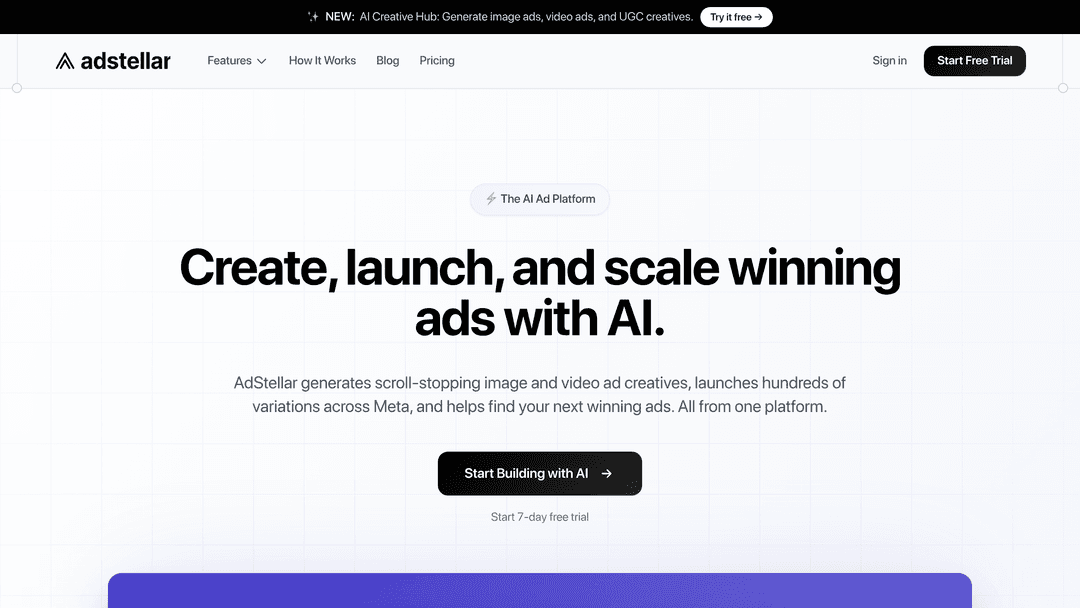
This integration means your AI-generated product photos launch into live testing campaigns within minutes of creation. The platform runs systematic tests across variations, surfaces top performers based on actual conversion data, and scales budget toward what's working.
The workflow becomes: generate product photo variations, set your campaign goals and budget, launch. The platform handles audience creation, copy generation, campaign structure, and ongoing optimization. You focus on strategic decisions informed by performance data rather than tactical campaign management.
Why This Matters for Product Photo Strategy
Each strategy covered in this guide becomes significantly more practical when creation connects to deployment. Background replacement is useful when you can immediately test which backgrounds drive better conversion rates. Seasonal variations matter when you can launch them across audience segments simultaneously and identify what resonates.
Batch processing hundreds of product photos makes sense when those photos automatically flow into campaign structures that test them systematically. Without that connection, you've just created hundreds of assets that sit in folders waiting for manual campaign builds.
The platform enables the kind of rapid iteration and testing these AI tools make possible. Generate variations, launch them into campaigns, review performance data, generate refined variations based on what's working. This feedback loop is where AI product photos actually deliver ROI rather than just filling up your asset libraries.
The Operational Reality
Consider what implementing these strategies looks like without integrated tools. Your team generates AI product photos in one platform. Someone downloads them. Another person uploads them to Meta. Someone writes ad copy. Someone else sets up targeting and campaigns. Days pass between creative generation and campaign launch. By the time you're testing variations, you've lost the speed advantage entirely.
AdStellar collapses that timeline. The same platform that generates your product photo variations builds and launches the campaigns to test them. No file downloads, no manual uploads, no context switching between tools. The AI that created your visuals also creates the copy, audiences, and campaign structures that match your product and goals.
This operational efficiency compounds over time. Teams can run more tests, iterate faster, and identify winning combinations of creative, copy, and targeting that would be impractical to test manually. The platform's ability to systematically test variations and surface insights based on actual performance data means you're making decisions grounded in what your specific audience responds to rather than creative assumptions.
When This Approach Makes Sense
AdStellar is built specifically for ecommerce brands and digital marketers running Meta ad campaigns who need to produce and test creative at scale. If you're manually building campaigns one at a time, running limited creative variations due to production constraints, or struggling to identify what's actually driving performance across dozens of ad sets, the platform addresses those specific bottlenecks.
The value proposition is straightforward: generate more creative variations, test them systematically, identify winners faster, and scale budget toward what performs. For teams already producing AI product photos but struggling to get them into campaigns quickly, the integration eliminates the deployment bottleneck.
Teams managing large product catalogs, frequent seasonal campaigns, or high-volume creative testing benefit most. The platform's automation handles repetitive campaign management tasks, freeing up time for strategic work like analyzing performance patterns, refining product positioning, and developing new testing hypotheses.
2. Use Background Removal and Replacement
The Challenge It Solves
Traditional product photography locks you into whatever background you shoot against. Need your product on a beach for a summer campaign? That's a whole new photoshoot. Want to test the same product in five different lifestyle settings? That's five photoshoots or expensive compositing work.
This inflexibility means most teams end up with generic white backgrounds for everything, missing opportunities to create contextual, engaging product imagery that resonates with specific audiences or campaigns.
The Strategy Explained
AI-powered background tools let you shoot once and create unlimited variations. Remove the original background, then replace it with anything from clean gradients to detailed lifestyle scenes. Your product can appear on a kitchen counter, in a gym, at a coffee shop, or against abstract patterns without ever leaving your photography setup.
The key is understanding that background replacement serves two distinct purposes. First, it creates versatility from limited source material. Second, it enables rapid A/B testing of different contexts to see which environments drive better engagement and conversions.
Modern AI models handle complex edges surprisingly well, including transparent objects, fine details like hair or fabric, and reflective surfaces. The technology has evolved beyond simple cutout tools to understanding depth, lighting, and how products should interact with their environments. Teams using AI ad generators for ecommerce can leverage these capabilities to produce dozens of variations from a single source image.
Implementation Steps
1. Remove backgrounds from your source images using AI tools, creating clean product cutouts you can reuse across multiple campaigns.
2. Build a library of background templates that align with your brand aesthetic, from lifestyle scenes to abstract patterns that work across product categories.
3. Generate multiple background variations for each product, then test them in actual ad campaigns to identify which contexts drive the best performance for different audience segments.
Pro Tips
Pay attention to lighting consistency when replacing backgrounds. If your product was shot in bright, direct light, placing it against a moody, low-light background creates visual dissonance. The best AI tools can adjust product lighting to match new backgrounds, but starting with compatible lighting makes everything easier.
3. Generate Multiple Angles and Variations
The Challenge It Solves
Capturing every possible product angle means rotating items, adjusting lighting, and taking dozens of shots per product. For catalogs with hundreds or thousands of SKUs, this becomes prohibitively time-consuming. You end up with limited angles per product, restricting how you can showcase items in different ad formats.
The problem compounds when you're testing ad creative. You might discover that a 45-degree angle converts better than straight-on shots, but you don't have that angle for most products in your catalog.
The Strategy Explained
AI models can extrapolate new angles from existing product photos, generating views you never actually photographed. Start with three or four well-shot angles, and the AI can interpolate additional perspectives, rotations, and viewpoints.
This isn't about replacing photography entirely. It's about expanding what's possible from the photography you've already invested in. Think of it as multiplying your existing assets rather than creating something from nothing.
The technology works by understanding the three-dimensional structure of your product from multiple source images, then rendering new views based on that understanding. Quality varies based on product complexity. Simple products with clear geometry work better than highly detailed items with intricate textures. Understanding the best size for Instagram photos helps ensure your generated angles display correctly across different placements.
Implementation Steps
1. Photograph each product from at least three distinct angles (front, side, and three-quarter view) to give AI models enough information to understand the product's structure.
2. Use AI tools to generate intermediate angles and rotations, building out a complete set of product views from your limited source material.
3. Test generated angles in your ad creative to identify which perspectives drive engagement, then prioritize those views for future products in the same category.
Pro Tips
Not every generated angle will be perfect. Review AI-generated views carefully for distortions or artifacts, especially around edges and complex details. The goal is augmenting your photography workflow, not replacing quality control.
4. Batch Process Product Catalogs
The Challenge It Solves
Processing hundreds of product images individually is mind-numbing work. Apply the same background to 500 products? That's 500 individual edits. Update seasonal branding across your entire catalog? Hope you've cleared your calendar.
This manual approach creates bottlenecks that prevent teams from executing campaigns quickly. By the time you've updated all your product imagery, the seasonal moment you were targeting has passed.
The Strategy Explained
Batch processing applies consistent transformations across entire product libraries in one operation. Define your parameters once, whether that's background removal, style transfer, or adding seasonal elements, then let AI process your entire catalog automatically.
This approach maintains visual consistency while dramatically reducing production time. Every product gets the same treatment, creating a cohesive look across your catalog without manual intervention for each item. Brands struggling with Facebook ad production time often find batch processing to be the single biggest efficiency gain.
The real power comes from combining batch processing with template systems. Create approved visual treatments, save them as templates, then apply those templates to new products as they're added to your catalog. This ensures brand consistency while keeping production scalable.
Implementation Steps
1. Organize your product catalog into logical categories that share visual characteristics, making it easier to apply appropriate batch treatments to similar items.
2. Create and test visual treatment templates on a small sample of products first, ensuring the results meet your quality standards before processing your entire catalog.
3. Run batch operations during off-hours when system resources are available, and build in review checkpoints to catch any systematic issues before they affect your entire catalog.
Pro Tips
Maintain version control for your product imagery. Before running major batch operations, back up your current assets. This gives you a rollback option if results don't meet expectations or if you need to revert for specific products.
5. Create Seasonal and Campaign-Specific Imagery
The Challenge It Solves
Traditional seasonal campaigns require reshooting products with holiday props, seasonal backgrounds, or campaign-specific elements. This means coordinating photography sessions months in advance, managing physical props, and hoping your creative concepts still feel relevant when the campaign actually launches.
For fast-moving brands running frequent promotions, this lead time makes it nearly impossible to stay agile or respond to market opportunities.
The Strategy Explained
AI enables rapid seasonal adaptation of existing product photography. Take your core product shots and add holiday elements, seasonal backgrounds, or campaign-specific visual treatments in minutes rather than scheduling new photoshoots.
Your winter coat doesn't need to be photographed in actual snow. Your summer collection doesn't need a beach location shoot. AI can place products in seasonally appropriate contexts while maintaining photographic quality that feels authentic rather than obviously composited.
This flexibility extends beyond major holidays. Test promotional themes, create limited-time offer graphics, or adapt imagery for regional campaigns without touching your photography setup. The same product can appear in different seasonal contexts simultaneously across different markets. This capability is particularly valuable for bulk Facebook ads for product launches where you need multiple creative variations quickly.
Implementation Steps
1. Build a library of seasonal elements and backgrounds you can apply to product photography, from holiday decorations to weather-appropriate settings.
2. Create seasonal variations of your best-performing products first, testing whether contextual imagery improves campaign performance before investing time in your entire catalog.
3. Schedule seasonal asset creation at least two weeks before campaign launch, giving you time for review and iteration while maintaining the agility to respond to market trends.
Pro Tips
Subtle seasonal touches often outperform heavy-handed holiday themes. A hint of autumn colors or soft snow effects can signal seasonality without overwhelming your product. Test different intensity levels to find what resonates with your audience.
6. Integrate Into Ad Creative Workflow
The Challenge It Solves
Generating great product photos is only half the battle. The real challenge is getting those images into your ad campaigns quickly enough to capitalize on their freshness. Traditional workflows involve multiple handoffs between asset creation, approval processes, and ad platform uploads.
This disconnection means AI-generated product photos sit in folders waiting for someone to manually build ads around them, defeating the speed advantage these tools provide.
The Strategy Explained
The most effective approach connects AI product photo generation directly to your ad creation workflow. Generate variations, immediately test them in live campaigns, and surface winners based on actual performance data rather than subjective creative preferences.
This integration transforms AI from a standalone tool into part of your testing infrastructure. Create multiple product photo variations, launch them simultaneously across different ad sets, and let performance data tell you which visual approaches work best. Teams leveraging Meta ads automation for ecommerce can streamline this entire process from generation to deployment.
Platforms like AdStellar handle this connection natively, allowing you to generate product creatives and immediately launch them into Meta campaigns with AI-optimized audiences and copy. The system tests every combination and surfaces top performers based on your specific goals, whether that's ROAS, CPA, or CTR.
Implementation Steps
1. Map your AI product photo generation process to your ad creation workflow, identifying where generated assets should flow and who needs access at each stage.
2. Establish naming conventions and metadata tagging for AI-generated assets so they're easily searchable and can be tracked through campaign performance.
3. Set up automated testing protocols that launch new product photo variations into campaigns immediately, comparing them against existing creative to identify improvements.
Pro Tips
Don't let perfect be the enemy of good. Launch AI-generated product photos into small test campaigns before rolling them out broadly. Real performance data beats endless internal debates about which variation looks better.
7. Establish Quality Standards and Review Checkpoints
The Challenge It Solves
AI-generated product photos can include subtle artifacts, color shifts, or distortions that slip past casual review but undermine perceived quality. Without systematic quality control, these issues make it into live campaigns, potentially damaging brand perception or misrepresenting products.
The speed of AI generation makes this problem worse. You can create hundreds of variations so quickly that thorough review becomes impractical, leading teams to either skip quality checks or create bottlenecks that negate efficiency gains.
The Strategy Explained
Build quality standards and review checkpoints directly into your AI workflow rather than treating them as afterthoughts. Define what constitutes acceptable output, create checklists for common issues, and establish clear approval gates before assets reach campaigns.
This doesn't mean manually reviewing every generated image. It means creating systematic spot-checks, using batch review tools to identify outliers, and establishing clear criteria for what passes quality control. Teams using Facebook advertising productivity tools can often automate portions of this review process.
The goal is maintaining brand standards while preserving the speed advantages of AI generation. Smart review processes catch problems without becoming bottlenecks, focusing human attention where it matters most.
Implementation Steps
1. Document your quality standards specifically for AI-generated imagery, including acceptable artifact levels, color accuracy requirements, and brand consistency guidelines.
2. Create review checklists that evaluators can use to quickly assess AI-generated product photos, focusing on common failure modes like edge artifacts, lighting inconsistencies, and proportion distortions.
3. Implement tiered review where high-stakes campaigns get thorough human review while lower-risk testing campaigns use spot-checking and automated quality filters.
Pro Tips
Build feedback loops that improve your AI generation over time. When reviewers catch issues, document what went wrong and adjust your input parameters or prompts to prevent similar problems in future batches. Your quality standards should evolve as you learn what works.
Putting It All Together
AI models for product photos represent a significant opportunity for marketers who need to produce high-quality visual assets at scale. The key is approaching these tools strategically rather than expecting them to replace your entire photography workflow overnight.
Start with the strategies that address your most pressing bottlenecks, whether that's background replacement for faster asset turnaround or batch processing for large catalogs. As you build confidence with AI-generated imagery, expand into more complex applications like seasonal campaigns and multi-variation testing.
The teams seeing the best results are those combining AI efficiency with human quality control, using automation to handle repetitive tasks while maintaining creative oversight where it matters most.
For marketers running Meta ad campaigns, the real advantage comes from connecting AI-generated product photos directly to performance testing. Generate variations quickly, launch them into campaigns immediately, and let real data identify what works rather than relying on guesswork.
Ready to transform your advertising strategy? Start Free Trial With AdStellar and be among the first to launch and scale your ad campaigns 10× faster with our intelligent platform that automatically builds and tests winning ads based on real performance data. Generate scroll-stopping product creatives, launch them directly to Meta, and surface your top performers with AI-powered insights that show you exactly what's working.


