
Startups face a specific kind of advertising pressure that established brands rarely deal with. The budget is limited, the team is lean, and the pressure to grow is constant. Traditional ad creative production adds friction at every turn: designers, copywriters, and brand reviewers working in separate silos, rounds of revisions, and a campaign that finally launches weeks after the original idea. By that point, the moment has often passed.
Ad creative automation changes the equation entirely. Instead of spending weeks producing a handful of ads, you can generate dozens of variations in minutes, test them simultaneously, and let performance data decide what scales. The creative bottleneck disappears, and what replaces it is a system that gets faster and smarter with every campaign you run.
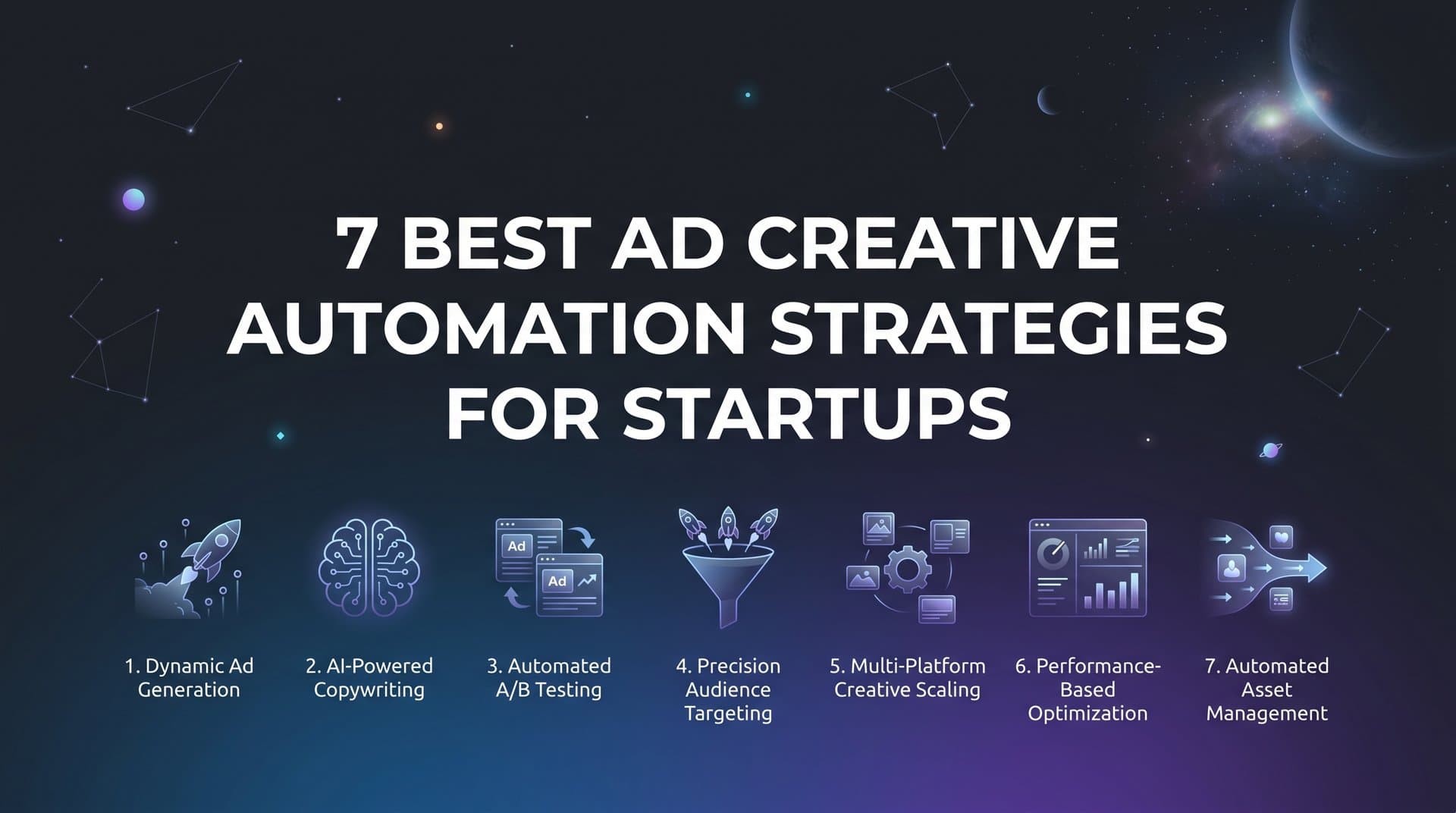
This guide covers seven practical strategies for getting the most out of ad creative automation on Meta. From generating your first AI-powered creative to building a self-improving campaign engine, these strategies are designed for startup teams that need to move fast without sacrificing quality or burning through budget on guesswork. Whether you are running your first Facebook campaign or managing multiple ad accounts, the goal is the same: more testing, faster learning, and winning creatives without the overhead of a full production team.
1. Start With a Product URL, Not a Design Brief
The Challenge It Solves
The traditional creative production workflow is slow by design. A brief goes to a designer, who sends a draft to a copywriter, who passes it to a brand reviewer, who sends revisions back to the start. For a startup that needs to test multiple angles quickly, this process creates a bottleneck before the campaign even begins. Every day spent in production is a day not spent learning from real audience data.
The Strategy Explained
Modern AI ad creation tools can ingest a product URL and generate image ads, video ads, and UGC-style creatives without a designer or video editor in the loop. The AI pulls product details, imagery, and context directly from your URL and builds scroll-stopping creatives from that foundation. You can then refine any output through chat-based editing, adjusting tone, format, or visual direction without opening a design tool.
UGC-style content deserves particular attention here. This format mimics organic social content and tends to earn stronger engagement than polished studio ads because it feels native to the feed. For startups that cannot afford actor-based video production, AI-generated UGC avatar ads offer a way to produce this format at scale without the cost or coordination. Exploring the best Facebook ad creative tools can help you identify which platforms support this kind of output most effectively.
Implementation Steps
1. Gather your product URL and confirm the page has clear product descriptions, key benefits, and strong imagery.
2. Input the URL into your AI creative platform and select the formats you want to generate: image ads, video ads, or UGC-style avatar content.
3. Review the initial outputs and use chat-based editing to refine tone, messaging, and visual direction.
4. Export at least three to five creative variations per format to build your initial testing set.
Pro Tips
Do not aim for perfection on the first round. The goal is to get a diverse set of angles into testing as quickly as possible. Your product page copy will heavily influence the output, so make sure your headlines, benefits, and calls to action are clear before you start. A stronger source page produces stronger AI-generated creatives.
2. Clone Competitor Ads to Shortcut Your Learning Curve
The Challenge It Solves
When you are starting from scratch, you have no historical data to tell you which creative angles resonate with your audience. Building that knowledge from zero takes time and budget. Meanwhile, your competitors have already run that experiment. Their active ads, especially ones that have been running for weeks or months, are a signal that something is working for them.
The Strategy Explained
The Meta Ad Library is a publicly available tool that shows every active ad running across Facebook and Instagram. It is a legitimate competitive intelligence resource, and studying it is a standard practice in direct response advertising. The concept of the "swipe file" has existed in advertising for decades: collect examples of what is working in your market, understand why it works, and adapt the framework for your own brand.
AI takes this further by analyzing the structure, format, and messaging of competitor ads and helping you recreate the framework with your own original content. You are not copying the ad. You are learning from a proven format and applying it to your brand. If a competitor has been running the same ad for three months, that is strong evidence the format is profitable. Starting from that foundation is smarter than starting from a blank canvas. Understanding Meta ads creative automation can show you how AI accelerates this entire adaptation process.
Implementation Steps
1. Open the Meta Ad Library and search for your top two or three competitors.
2. Filter for active ads and note which ones have been running the longest. Longevity is a proxy for performance.
3. Identify the creative format, hook structure, and messaging angle in each ad.
4. Use your AI creative platform to clone the format and adapt it with your own product, brand voice, and offer.
5. Create multiple variations based on the same structural framework before launching.
Pro Tips
Look beyond your direct competitors. Brands in adjacent categories often use formats and angles that your audience has not seen yet, giving you a novelty advantage. Focus on the structure and emotional hook of the ad, not the specific copy or visuals, when adapting for your brand.
3. Build a Bulk Variation Engine Instead of Single Ads
The Challenge It Solves
Running one or two ads at a time means slow learning and limited data. You might get a signal after a few weeks, but you still do not know if a different headline, a different creative format, or a different audience would have performed better. Single-ad testing is the creative equivalent of checking one lottery ticket and concluding the lottery does not pay out.
The Strategy Explained
The core principle of creative testing at scale is volume. The more combinations you put into the market simultaneously, the faster you find a winner. A bulk ad launcher lets you mix multiple creatives, headlines, copy variations, and audiences at both the ad set and ad level, then generate every combination and launch them to Meta in minutes rather than hours.
Think of it like this: if you have five creatives, four headlines, three copy blocks, and two audiences, a bulk variation engine generates 120 unique combinations from those inputs. Manually building those combinations in Ads Manager would take hours. With bulk Facebook ad creation software, it takes minutes. This dramatically increases your testing surface area and your probability of finding a winning combination before your budget runs out.
This approach also aligns with Meta's own guidance on creative diversity. The platform rewards advertisers who give the delivery system more creative options to optimize against. More variation means better learning, better delivery, and faster identification of top performers. Reviewing ad creative testing automation strategies can help you understand how to structure your variation sets for maximum learning efficiency. You can explore more about ad launching strategies to understand how bulk approaches fit into a broader campaign structure.
Implementation Steps
1. Prepare your creative assets: at least three to five unique creatives, three to four headline options, and two to three copy variations.
2. Define your audience segments: at minimum two distinct audiences to test against each other.
3. Input all elements into your bulk creation tool and generate the full combination matrix.
4. Review the output set and remove any combinations that feel off-brand before launching.
5. Launch the full set and let the data accumulate before making optimization decisions.
Pro Tips
Resist the urge to over-optimize too early. Give your bulk launch enough budget and time to generate statistically meaningful data before pausing underperformers. The goal of the first phase is learning, not perfection.
4. Let AI Analyze Historical Data Before Building New Campaigns
The Challenge It Solves
Most advertisers have more useful data sitting in their ad accounts than they actively use. Every past campaign contains signals about which creatives resonated, which audiences converted, and which headlines drove action. Ignoring that data and starting every new campaign from scratch is one of the most common and costly mistakes in performance marketing.
The Strategy Explained
Before launching any new campaign, use AI tools for campaign management to analyze your historical performance data. The AI ranks past creatives, headlines, and audiences by actual results, then uses those rankings to inform the structure of your next campaign. Instead of guessing which elements to include, you start from a foundation of what has already been proven to work in your specific account with your specific audience.
The transparency of this process matters as much as the output. An AI campaign builder that shows you the rationale behind every decision, not just the final campaign structure, helps you understand the strategy rather than blindly following it. That understanding compounds over time: you start to recognize patterns, develop better creative instincts, and make smarter decisions even outside the platform. Teams exploring AI marketing automation for Meta ads will find that this kind of data-driven campaign building is one of the most impactful capabilities available.
Implementation Steps
1. Ensure your ad account has at least a few weeks of campaign data before running an AI analysis.
2. Connect your account to your AI campaign builder and run a historical performance analysis.
3. Review the ranked outputs: which creatives, headlines, and audiences have historically driven your best results.
4. Use those top-ranked elements as the starting point for your new campaign structure.
5. Review the AI rationale for each decision and note any patterns you can apply to future creative development.
Pro Tips
If your account is new and lacks historical data, focus on Strategies 1 through 3 first to build a data foundation. The AI analysis becomes more powerful as your account accumulates more campaign history. Even a few weeks of bulk variation testing can generate enough signal to make the historical analysis genuinely useful.
5. Score Every Ad Element Against Your Actual Goals
The Challenge It Solves
Vanity metrics are everywhere in ad reporting. Impressions look impressive. Reach sounds significant. Clicks feel like progress. But none of those numbers tell you whether your ads are actually driving business outcomes. Without benchmarks tied to real goals, it is easy to keep spending on ads that generate activity without generating revenue.
The Strategy Explained
Goal-based scoring means setting clear benchmarks for the metrics that actually matter to your business, typically ROAS, CPA, and CTR, and then using AI leaderboards to rank every creative, headline, copy block, and audience against those benchmarks. This is closely related to dynamic creative optimization principles, where performance data continuously informs which elements get prioritized.
The leaderboard format is particularly useful for startup teams. Instead of digging through rows of data in a spreadsheet, you get a ranked view of what is working and what is not, scored against your specific goals. The Meta Business Help Center recommends setting campaign objectives aligned to actual business outcomes rather than platform metrics, and goal-based scoring puts that principle into practice at the creative element level. Reviewing best practices for ad testing can help you build a more rigorous scoring framework from the start. For deeper analysis, performance analytics for ads can help you understand how to build this kind of reporting framework.
Implementation Steps
1. Define your primary goal metric: ROAS target, maximum CPA, or minimum CTR threshold based on your business model.
2. Set those benchmarks in your AI insights platform so every element is scored against your specific targets.
3. Review the leaderboard rankings after your campaigns have accumulated sufficient data, typically after one to two weeks of active spend.
4. Identify the top-scoring creatives, headlines, and audiences and note what they have in common.
5. Pause or restructure elements that consistently score below your benchmarks and reallocate budget to top performers.
Pro Tips
Set your benchmarks based on your unit economics, not industry averages. A ROAS target that makes sense for a SaaS product with high lifetime value will look very different from one that works for a low-margin physical product. Your scoring system is only as useful as the goals you feed into it.
6. Build a Winners Hub to Stop Reinventing the Wheel
The Challenge It Solves
Startup teams move fast, and institutional knowledge often disappears just as quickly. A high-performing creative from three months ago gets buried in Ads Manager. A headline that drove strong conversions last quarter is forgotten when a new team member takes over the account. Every new campaign starts from scratch not because there are no proven assets, but because those assets are not organized and accessible.
The Strategy Explained
A Winners Hub is a centralized library of your best-performing creatives, headlines, audiences, and copy blocks, with real performance data attached to each asset. Instead of searching through old campaigns to find what worked, you have a curated collection of proven winners ready to deploy in your next campaign. This is a core component of scalable marketing automation: building systems that compound over time rather than starting from zero with every new initiative.
The compounding effect here is significant. Every campaign you run adds potential winners to the library. Over time, your starting point for each new campaign gets stronger. Instead of testing whether a concept works, you are testing refinements and extensions of concepts that have already proven themselves. This is how lean startup teams build creative leverage without growing headcount. Teams running Facebook campaign automation for startups will find that a well-maintained Winners Hub dramatically reduces the time from campaign idea to launch.
Implementation Steps
1. After each campaign cycle, identify the top two or three performers across creatives, headlines, and audiences based on your goal-based scores.
2. Tag and save those assets to your Winners Hub with their performance data attached.
3. Before launching any new campaign, review the Winners Hub first and select proven elements as your baseline.
4. Build new variations around winning formats rather than starting from scratch each time.
5. Review and prune the Winners Hub periodically to remove assets whose performance data has become outdated.
Pro Tips
Include context notes alongside performance data when saving winners. A headline that performed well during a promotional period may not generalize to evergreen campaigns. Knowing why something worked is as valuable as knowing that it worked.
7. Close the Loop With Attribution Before You Scale
The Challenge It Solves
Scaling ad spend without reliable attribution data is one of the most common and costly mistakes startups make. A creative might generate strong click-through rates while driving zero actual conversions. Another might look average by platform metrics but consistently produce high-value customers. Without attribution connecting ad performance to real revenue outcomes, you are making scaling decisions based on incomplete information.
The Strategy Explained
Attribution is the bridge between what your ads appear to be doing and what they are actually doing for your business. Before increasing spend on any creative or campaign, connect your ad performance data to actual conversion and revenue outcomes. This means tracking not just clicks and platform-reported conversions, but the downstream results: purchases, signups, and customer lifetime value.
AdStellar integrates with Cometly for attribution tracking, which closes the loop between creative performance in the platform and actual conversion data. Understanding how to calculate marketing ROI becomes straightforward when your attribution is set up correctly, because you can see exactly which creatives are driving revenue rather than just activity. This is also a key reason why automated ad platforms with built-in attribution integrations offer a significant advantage over manual campaign management.
Implementation Steps
1. Set up your attribution tracking before launching any campaign you intend to scale. Retroactive attribution is difficult and often unreliable.
2. Connect your ad platform to your attribution tool and verify that conversion events are firing correctly.
3. Run campaigns at a modest budget until you have enough attributed conversion data to identify which creatives are driving actual revenue.
4. Compare platform-reported metrics against attribution data and note any discrepancies. These gaps often reveal where credit is being misassigned.
5. Scale budget only on creatives and campaigns where attribution confirms real revenue outcomes.
Pro Tips
Multi-touch attribution gives you a more complete picture than last-click models, especially for products with longer consideration cycles. If your attribution tool supports it, review how different creatives contribute at different stages of the customer journey rather than only crediting the final touchpoint before conversion.
Your Implementation Roadmap
Ad creative automation is not a shortcut for startups. It is a competitive advantage. The startups that win on Meta are not the ones with the biggest budgets. They are the ones that test the most variations, learn the fastest, and build systems that improve with every campaign.
The seven strategies in this guide work together as a compounding system. Start with Strategy 1: get your first AI-generated creative live from a product URL. Layer in bulk variation to increase your testing surface area. Use goal-based scoring to identify what is actually working against your benchmarks. Save those winners to a centralized library so every future campaign starts stronger. And close the loop with attribution before you commit serious budget to scaling.
Each strategy builds on the one before it. By the time you have all seven running together, you have something most startup competitors do not: a self-improving creative engine that gets smarter with every dollar spent.
Platforms like AdStellar bring all of this together in one place. From generating image ads, video ads, and UGC-style creatives from a product URL, to launching campaigns with AI-optimized audiences, to surfacing your top performers automatically with leaderboard rankings and goal-based scoring, it is a full-stack solution designed for teams that need to move fast without adding headcount.
Start Free Trial With AdStellar and see how quickly a lean startup team can move when creative production, campaign building, and performance analysis live in a single platform. The best time to automate your ad creative workflow is before your competitors do.


