You're building a brand, pushing campaigns live, chasing attribution, fixing landing pages, and trying to keep content moving, all while software vendors keep suggesting another monthly subscription. That's the situation for a lot of teams in 2026. Budget pressure is significant, but so is the need for solid data, fast execution, and tools your team will adopt.
The good news is that a professional stack doesn't have to start with enterprise software. Some of the best digital marketing tools free are the ones practitioners already lean on every day for analytics, SEO, creative production, scheduling, and competitive research. The trick isn't finding a random list of free apps. It's choosing tools that work together, knowing where each one is strong, and being honest about where the free tier starts to pinch.
That's the angle here. This isn't just a roundup. It's a practical stack builder.
A freelancer or small in-house team might need visibility and content output first. An agency needs repeatable workflows and clean reporting. An e-commerce brand needs better readouts on conversion leaks. A B2B SaaS team usually needs tighter attribution, SEO visibility, and clearer handoff between traffic and lead gen.
Below are the tools I would prioritize for a zero-dollar stack first, plus the trade-offs that matter when you are using them in practice.
1. Google Analytics 4
A free stack breaks down fast if nobody trusts the numbers. Google Analytics 4 usually gets the first spot because it answers the questions every team asks once traffic starts coming in. Which channels bring engaged users, which pages assist conversion, and where the drop-off starts.
GA4 earns its place because it is flexible enough to support very different marketing setups. An agency can use it to standardize reporting across clients. An e-commerce team can track product views, cart actions, and checkout steps. A B2B SaaS team can map visits to demo requests, pricing-page engagement, and lead-quality signals. That role-based fit matters more than raw feature count.
Where GA4 earns its place
The event-based model is the primary reason to use GA4, even though setup takes work. You can track signups, purchases, scroll depth, video engagement, outbound clicks, form starts, and other actions in one framework. Done well, that gives you cleaner reporting than session-heavy setups that hide what users did.
Use it for:
- Channel comparison: Judge organic, paid social, email, and referral traffic by engagement and conversion behavior, not clicks alone.
- Conversion mapping: Track macro and micro-conversions as events so you can see which actions contribute to revenue or pipeline.
- Shared reporting: Give paid, content, SEO, and lifecycle teams one reporting layer instead of four disconnected dashboards.
Practical rule: Define your events before you build reports. If naming conventions are sloppy, GA4 becomes a dashboard full of noise.
GA4 is also one of the better foundation tools for a curated free stack because it combines well with the tools that follow. Pair it with Search Console for query-to-landing-page analysis. Pair it with Ahrefs Webmaster Tools for page-level SEO opportunities. Pair it with Contentsquare Free when you need to understand why a page underperforms after the click. GA4 tells you where the problem is. The rest of the stack helps explain it.
The free tier is generous, but the trade-offs are real. The interface is not intuitive for new users. Standard reports rarely answer every stakeholder question without customization. Historical data can be limited by how late you set things up, and attribution still needs careful interpretation, especially for longer B2B buying cycles or campaigns spread across multiple channels.
My rule is simple. If a team has limited time, set up five things first and get them right: key conversions, channel groupings, UTM discipline, internal traffic filters, and one business-facing dashboard. That gets you usable data quickly, which is the whole point of a free tool stack.
2. Google Search Console
Google Search Console is the SEO tool almost everyone underuses. If GA4 tells you what happened after someone landed, Search Console tells you how Google saw your site before the click. For anyone searching for the best digital marketing tools free, this is one of the few that's both foundational and strictly non-optional.
The reason I like GSC in a free stack is simple. It's first-party search data. No guesswork, no modeled estimate pretending to be certainty, and no third-party crawler trying to reconstruct your visibility from the outside.
What it's best at
Search Console is where you catch indexing problems, weak CTR pages, mobile issues, and query-to-page mismatches. For content teams, the Performance report is usually the fastest path to new wins. A page may already rank for terms you never intentionally targeted. That's often your easiest optimization opportunity.
Here's where it pairs especially well with GA4:
- Query visibility in GSC: See what users searched before they clicked.
- On-site behavior in GA4: See whether that traffic engaged or bounced.
- Technical fixes in GSC: Confirm indexing, sitemap status, and URL inspection details.
Search Console is less useful for forecasting and much better for diagnosis. Treat it like a search health monitor, not a full SEO platform.
The trade-off is narrow scope. It only covers Google Search. It won't help much with competitor intelligence, content planning at scale, or backlink exploration. There's also reporting lag, which makes it less ideal for same-day decisions.
For SEO and content teams, though, this is still the cleanest free diagnostic layer you can add.
3. Ahrefs Webmaster Tools
Ahrefs Webmaster Tools is one of the better free complements to Search Console because it gives you a different angle on the same site. Search Console shows Google's view of your presence. Ahrefs Webmaster Tools is better for technical crawling, backlink visibility, and surfacing issues in a way many marketers find easier to act on.
If your content program has grown beyond a few landing pages and blog posts, this tool helps because it turns vague SEO debt into a concrete list. Broken links, thin pages, redirect issues, missing metadata, internal linking gaps. That's the work that usually gets ignored until traffic stalls.
Where it fits in a free stack
I wouldn't treat AWT as a replacement for a full SEO suite, and it definitely isn't a replacement for Search Console. It's a verified-site utility. That limitation matters. On the free tier, it's strongest when you're auditing your own properties, not doing deep competitor research.
What works well:
- Technical audits: A practical way to find site hygiene issues before they become bigger ranking or UX problems.
- Backlink monitoring for your own site: Useful for keeping an eye on changes without paying for a full subscription.
- On-page review: The toolbar and interface are clean enough that non-specialists can still get value.
What doesn't:
- Broad competitive research: The free tier isn't built for endless market mapping.
- Heavy keyword discovery: You'll hit the boundaries quickly if content planning is your main use case.
For agencies, I like AWT as part of a lightweight SEO QA process. Verify the client site, run recurring audits, pair findings with GSC, then prioritize fixes based on revenue pages first.
4. Google Keyword Planner
Google Keyword Planner is often filed away as a PPC tool, but that undersells it. For a free stack, it's still one of the cleanest ways to size search demand, shape ad groups, and pressure-test content ideas with data that comes directly from Google Ads.
I use it less for “find me magic keywords” and more for grounding decisions. It's especially useful when teams are chasing niche topics that sound strategic but may not have enough demand to justify the work.
Best use cases
Keyword Planner is strongest at the front of planning:
- Search campaign structure: Group related terms into logical ad clusters.
- SEO sanity checks: Validate whether a content angle has enough demand to matter.
- CPC awareness: Get a directional read on commercial intent through bid and cost estimates.
A practical trade-off is that the data can be broad. Volume ranges and aggregation can flatten nuance, especially for smaller terms. If you want rich SERP-level context, content gap analysis, or deep long-tail exploration, you'll need another tool beside it.
That's where pairing matters. The verified data on free tool adoption highlights Ubersuggest within AMRA & Elma's AI marketing tool adoption statistics summary as a useful free option because it provides keyword difficulty scores, monthly search volumes, and CPC estimates, while its free tier allows three daily searches. In practice, that means Keyword Planner can give you Google-native demand direction, and a second free keyword tool can help narrow prioritization.
Don't let Keyword Planner dictate your content calendar by itself. It's a demand signal, not a strategy engine.
For PPC managers, this remains one of the best no-cost starting points in the stack.
5. Semrush Free Account
Semrush on a free account is best used selectively. It's not a true free SEO operating system. It's a sampler of a much larger platform. That sounds like a criticism, but it's useful if you approach it with the right expectations.
Semrush is good when you need quick snapshots. You want to sanity-check a keyword, look at a domain overview, run a limited audit, or confirm whether a competitor seems strong in an adjacent topic. Those are high-value tasks even with a constrained plan.
What the free tier is good for
The free account works best for marketers who already know the question they're trying to answer.
- Keyword validation: Good for a quick read on search intent and SERP competitiveness.
- Domain overviews: Useful for directional competitor research.
- Basic site checks: Enough to catch obvious issues before a larger audit.
Its biggest weakness is the same thing that makes the paid product attractive. Semrush has breadth. On the free plan, that breadth turns into lots of locked doors. You can do a little of many things, but not enough of any one thing to run a full SEO program comfortably.
That's why I rarely recommend it as the only SEO tool in a zero-budget stack. It's better as a tactical supplement beside GSC and Ahrefs Webmaster Tools. Use Search Console for truth, AWT for technical auditing, and Semrush free for quick outside-in perspective.
For consultants or solo operators, that combo is often enough to stay productive without paying for a full suite immediately.
6. Meta Ad Library
Meta Ad Library is one of the most effective free tools for paid social teams because it cuts through theory. You can see what advertisers are running on Facebook and Instagram right now. Not what they say is working. What they have live.
That distinction matters. When budgets are tight, creative research has to get sharper. Looking at landing pages and social feeds only tells part of the story. Ad Library gives you current market messaging, offer patterns, creative formats, and how aggressively a brand is iterating.
What to look for inside Ad Library
Marketers often use Ad Library too casually. They check one competitor, scroll for a minute, and leave. The better move is to review patterns across several accounts and log them.
Pay attention to:
- Offer structure: Discount-led, education-led, testimonial-led, founder-led.
- Creative format: Static, UGC-style video, carousels, product demos.
- Message repetition: Hooks that appear repeatedly are usually there for a reason.
- Landing alignment: Compare ad promise to post-click experience.
If a competitor keeps several similar ads active, don't copy the visual. Study the angle they're unwilling to stop testing.
The downside is obvious. You get transparency, not performance. Commercial ads don't come with ROAS, CPA, or conversion data. You still need judgment. Some brands also cycle creatives quickly, so the archive can be less complete than marketers expect in fast-moving categories.
For e-commerce and agencies, though, this is still one of the best free creative research inputs available.
7. Canva Free
Canva Free is what teams reach for when a campaign needs five resized social posts, a webinar cover image, and a sales PDF before lunch. It cuts production time fast, which is why it stays in so many marketing stacks even when a team has access to stronger design tools.
I recommend it most for marketers who need to publish often without waiting on a designer. Agency account managers, paid media teams, content marketers, and founders all run into the same bottleneck. The idea is ready, but the asset is not. Canva closes that gap well enough to keep work moving.
Where Canva Free earns its spot
Canva works best as a production tool inside a broader stack. For an e-commerce team, that usually means product promos, paid social variants, and email graphics. For B2B SaaS, it is often webinar banners, LinkedIn carousels, case study covers, and sales enablement one-pagers. Agencies use it differently. They use it to speed up drafts, client-ready mockups, and repeatable templates across multiple accounts.
It is a strong fit for:
- Fast asset creation: Social graphics, blog headers, presentation slides, and simple ad creatives.
- Template-based workflows: Reusing approved layouts instead of starting from scratch.
- Non-designer execution: Marketing teams can produce acceptable creative without design software training.
The free tier has real limits, and they show up quickly in team settings. Premium elements are mixed into the editor, so junior marketers can build assets they cannot export cleanly without rework. Brand controls are also light. If no one owns templates, fonts, and usage rules, output gets messy fast.
That trade-off is manageable for lean teams. It is less manageable for brands with strict visual systems or high approval overhead.
Canva Free is not a replacement for a design team. It is a practical layer between blank page and publish-ready asset. In a free marketing stack, that matters because speed usually beats perfection.
8. Buffer Free
A familiar problem: content is ready, channels are quiet, and nobody wants to post manually at 8:30 p.m. Buffer solves that specific operational gap better than many larger social suites on the free tier. The product stays focused on scheduling and basic publishing, which is why small teams often keep using it instead of abandoning it after setup.
Buffer fits best when the goal is consistent distribution, not full social management. The free plan is useful for a founder building a personal brand, a SaaS marketer keeping LinkedIn and X active, or an e-commerce team scheduling promos around launches and restocks. In those cases, simple usually wins.
The main free-tier trade-off is capacity. You get a limited number of connected channels and a small queue, so Buffer works better for tight posting calendars than for high-volume programs. If an agency is handling several client accounts, or if a brand needs approvals, inbox management, and deeper reporting, the ceiling shows up fast.
That is why Buffer belongs in certain free tool stacks and not others:
- Solo operator stack: Buffer plus Canva Free plus GA4 covers creation, scheduling, and basic performance tracking.
- Early-stage B2B SaaS stack: Buffer works well for thought leadership distribution, webinar promotion, and recycling product updates across a few channels.
- Agency edge case: It can support one very small client account, but it is rarely the long-term answer for multi-client workflow.
Its weakness is the same as its strength. Buffer does one job cleanly, but it does not give social teams much room to grow before they need another tool or a paid upgrade. For lean teams that value speed and low setup overhead, that is still a good deal.
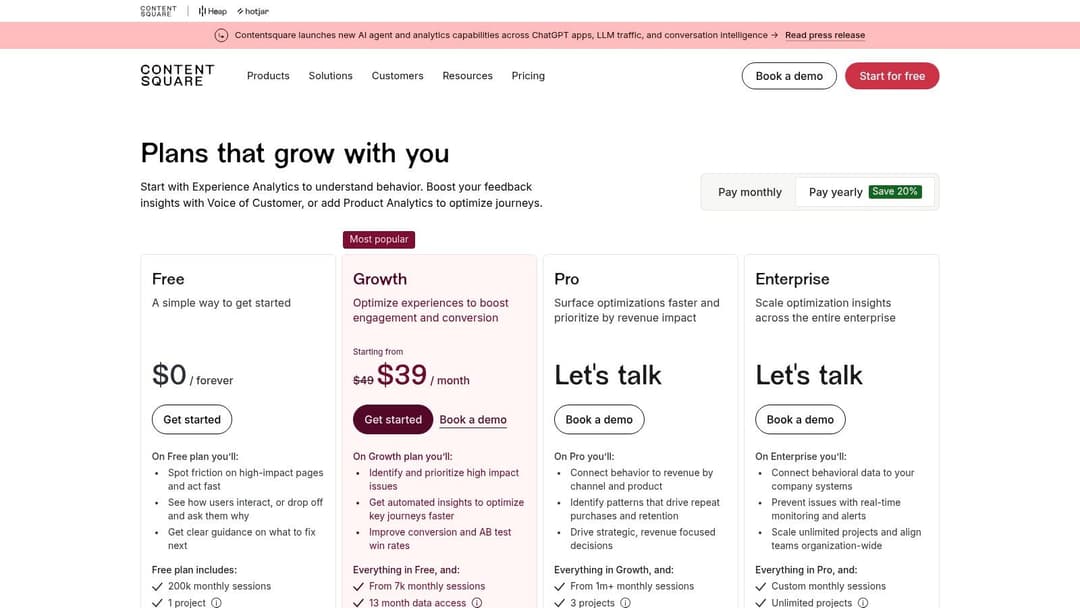
9. Contentsquare Free
A familiar conversion review goes like this. GA4 shows traffic hitting the page, Search Console explains how people found it, and the team still cannot answer one basic question: what did visitors struggle with before they left? Contentsquare Free fills that gap with behavior data.
It works best after the basics are already in place. Use GA4 for acquisition and outcomes, then use Contentsquare to inspect friction inside the visit. That makes it a practical addition for landing page optimization, signup flow reviews, and product-led growth teams trying to understand why intent is not turning into action.
Where it helps
Contentsquare Free gives teams a closer view of on-page behavior through tools like session replay, heatmaps, funnels, and friction analysis. That changes the conversation from opinion to evidence.
Useful patterns to check:
- Scroll drop-off: Visitors load the page but never reach the core message or CTA.
- Missed elements: Important buttons, forms, or trust signals get little attention.
- Journey friction: Users hesitate, loop, error out, or abandon a step that looked fine in design review.
The free-tier value is real, but so is the cost in team time. Behavior tools only pay off when someone reviews sessions, tags recurring issues, and turns findings into page edits, test ideas, or dev tickets. Without that workflow, replay data turns into a backlog nobody uses.
That trade-off is why Contentsquare belongs in some free stacks more than others. An e-commerce team can pair it with GA4 and Search Console to diagnose weak product page performance. A B2B SaaS team can use it with GA4, Buffer, and Canva to improve demo or trial signup pages after campaigns go live. For agencies, it is strongest during audits and CRO sprints, not as a passive install across every client site.
The limitation is straightforward. Contentsquare Free can show where friction happens, but it does not replace analysis discipline or experimentation. Teams that already review funnels and act quickly will get clear value from it. Teams looking for a set-and-forget dashboard usually will not.
10. AdStellar AI
AdStellar AI is the outlier on this list because it isn't trying to be a general marketing utility. It's built for one job: launching, testing, and scaling Meta campaigns faster with less manual work.
That makes it relevant because free tools usually break down at the exact point paid social teams need speed. Analytics tools report. Design tools create. Research tools inspire. But the workflow between creative production, audience setup, bulk variation testing, and performance feedback often stays painfully manual.
Where AdStellar stands apart
AdStellar connects to Meta Ads Manager through secure OAuth and uses historical performance data to inform decision-making. Its AI Launch and AI Insights are built around the actual work performance teams do every week: generate many creative and audience combinations, push them live quickly, then identify which combinations deserve more budget.
The product positioning is practical:
- Bulk ad creation: Generate many variations from existing assets and messaging.
- Meta-centric execution: Built specifically around Facebook and Instagram campaign workflows.
- Performance ranking: Surface creatives, audiences, and messages against goals like ROAS, CPL, and CPA.
- Centralized workspace: Manage campaigns, creatives, audiences, media, and performance breakdowns in one place.
That matters because of the gap in the free-tool market. The verified data states that free tools often lack integration with performance ad platforms like Meta Ads Manager, forcing manual workflows, and that 70% of performance marketers cited manual setup time as a top pain point in HubSpot's 2025 State of Marketing report, as summarized in the provided verified brief. That's the bottleneck AdStellar is designed to address.
Real trade-offs
AdStellar's value is strongest for teams that already run Meta seriously. If you're not advertising on Meta, or only spend lightly and infrequently, the platform won't be as relevant as a broad analytics or creative tool.
A few practical considerations:
- Meta focus: This is for performance marketers working inside the Meta ecosystem.
- Pricing isn't public: Teams need a sales conversation to evaluate fit.
- Published proof is limited on-site: There aren't public customer case studies on the product page.
- Onboarding still matters: A connected system is faster than manual work, but teams still need naming conventions, creative discipline, and a test structure.
Field note: The biggest paid social inefficiency isn't usually creative scarcity. It's workflow drag. Teams have ideas, data, and assets, but they lose time assembling, launching, and comparing variations manually.
The product also connects well with the rest of this list. GA4 helps read cross-channel results. Meta Ad Library sharpens market research. Canva speeds asset production. Behavior tools show where paid traffic leaks after the click. AdStellar sits closer to execution and scaling.
For agencies, DTC brands, and B2B SaaS teams managing lots of variations, that's a meaningful distinction.
Top 10 Free Digital Marketing Tools Comparison
| Tool | Primary use / Core features | Target audience | Unique value / Differentiator | Price & access |
|---|---|---|---|---|
| Google Analytics 4 (GA4) | Event‑based web & app analytics; conversions & Explorations | Startups → enterprise marketers, analysts | Free industry standard; native Ads/Search Console & BigQuery export; predictive audiences | Free (GA360 for enterprise SLAs) |
| Google Search Console (GSC) | Search indexing, URL inspection, Core Web Vitals | SEOs, site owners, devs | Most accurate Google Search presence; sitemap & coverage diagnostics | Free |
| Ahrefs Webmaster Tools (AWT) | Technical site audit; backlink & verified site research | SEOs, site owners doing technical audits | Robust 170+ check site audit; reputable backlink index for verified sites | Free (limited features) |
| Google Keyword Planner | Keyword discovery, historical volume, CPC & forecasts | PPC managers, SEO strategists, agencies | Direct Google search demand and CPC forecasts for ad planning | Free (requires Google Ads account) |
| Semrush (Free account) | Keyword research, site audit, domain snapshots (limited) | SMBs, marketers exploring competitive research | Broad all‑in‑one toolkit; easy upgrade path to advanced reports | Free tier with strict query limits; paid plans available |
| Meta Ad Library | Public archive of active Facebook/Instagram ads | Advertisers, creative teams, competitive analysts | See live competitor creatives and messaging trends; no login required | Free |
| Canva (Free) | Drag‑and‑drop ad & social design; templates & basic brand kit | Non‑designers, social teams, small marketers | Fast creative iteration with high‑quality templates; easy resize | Free with paid assets/Pro upgrades |
| Buffer (Free) | Social post scheduling & basic analytics | Solo marketers, small brands | Simple, fast scheduler for building cadence; easy to adopt | Free limited channels/posts; paid tiers for scaling |
| Contentsquare Free | Session replays, heatmaps, funnels, surveys | UX, CRO, product & analytics teams | Very high free session allowance; GA4 & tool integrations | Free after short Growth trial; retention limits apply |
| AdStellar AI (Recommended) | AI‑driven Meta campaign automation; bulk creative, copy & audience generation; AI Insights & auto‑learning | Performance marketers, growth teams, e‑commerce/DTC brands, agencies, B2B SaaS | Automates 100s of variations and one‑click launch; ranks creatives/audiences by ROAS/CPL/CPA; AI Launch & real‑time scaling | Contact sales, pricing not public |
From Free Tools to Scalable Growth
Free tools are enough to build a serious operating stack if you use them with intent. That's the main takeaway. Many businesses don't need more software first. They need better coordination between the tools they already have access to.
A solid zero-cost setup usually starts with measurement. GA4 gives you traffic and conversion structure. Search Console covers search visibility and indexing. Ahrefs Webmaster Tools helps with site hygiene. Keyword Planner and Semrush free support research and prioritization. Canva and Buffer keep creative and publishing moving. Meta Ad Library improves competitive awareness. A behavior platform adds the missing “why” behind drop-off.
The next step is stack design by role.
For agencies, I'd combine GA4, Search Console, Ahrefs Webmaster Tools, Meta Ad Library, Canva, and Buffer. That stack covers reporting, SEO diagnostics, competitive creative review, fast asset production, and social scheduling without forcing the team into expensive retainers before processes are stable.
For e-commerce, I'd prioritize GA4, Keyword Planner, Meta Ad Library, Canva, a behavior analytics tool, and then a Meta execution layer if paid social is a core growth channel. E-commerce teams usually don't struggle to find ideas. They struggle to identify friction fast and scale what's already close to working.
For B2B SaaS, I'd lean into GA4, Search Console, Ahrefs Webmaster Tools, Semrush free, Canva, and behavior analytics. SaaS teams often need a cleaner view of content performance, lead-gen pages, and demo-path conversion leaks before they add more software.
That's also where free tiers reveal their real limitation. The issue usually isn't lack of features. It's fragmentation. Data sits in one place, creative lives in another, scheduling happens elsewhere, and campaign execution becomes a manual relay race.
That's why moving from free tools to specialized platforms should be tied to bottlenecks, not impulse. Upgrade when a tool saves real team time, improves visibility into revenue-critical decisions, or removes repetitive work that your team keeps doing by hand. Paid software makes sense when it compounds output, not when it just adds another dashboard.
For paid social teams, especially those scaling Meta, specialized execution platforms can make that jump worthwhile. Once you know which hooks, audiences, and creatives are producing results, speed becomes the differentiator. That's where a platform like AdStellar AI can sit on top of your broader stack and turn scattered signals into repeatable launch and optimization workflows.
Free tools teach discipline. They force you to get the fundamentals right. Then you invest where the impact is highest.
If you want a broader perspective on where AI fits into online retail workflows, this guide on AI for e-commerce from WearView is worth reading alongside your stack planning.
If your team is spending too much time building Meta campaigns by hand, AdStellar AI is worth a closer look. It's built for performance marketers who need to launch more variations, learn faster from live data, and scale winners without drowning in manual setup.