
Manual Facebook ad management drains hours from your week—adjusting budgets, duplicating campaigns, testing creatives, analyzing performance. For small businesses and lean teams, this time drain becomes a competitive disadvantage. You're stuck choosing between spending money on ads or spending time managing them.
The assumption that effective automation requires expensive enterprise tools keeps many advertisers trapped in manual workflows. But here's the reality: affordable automation exists at every level, from Meta's free native features to AI-powered platforms designed specifically for budget-conscious advertisers.
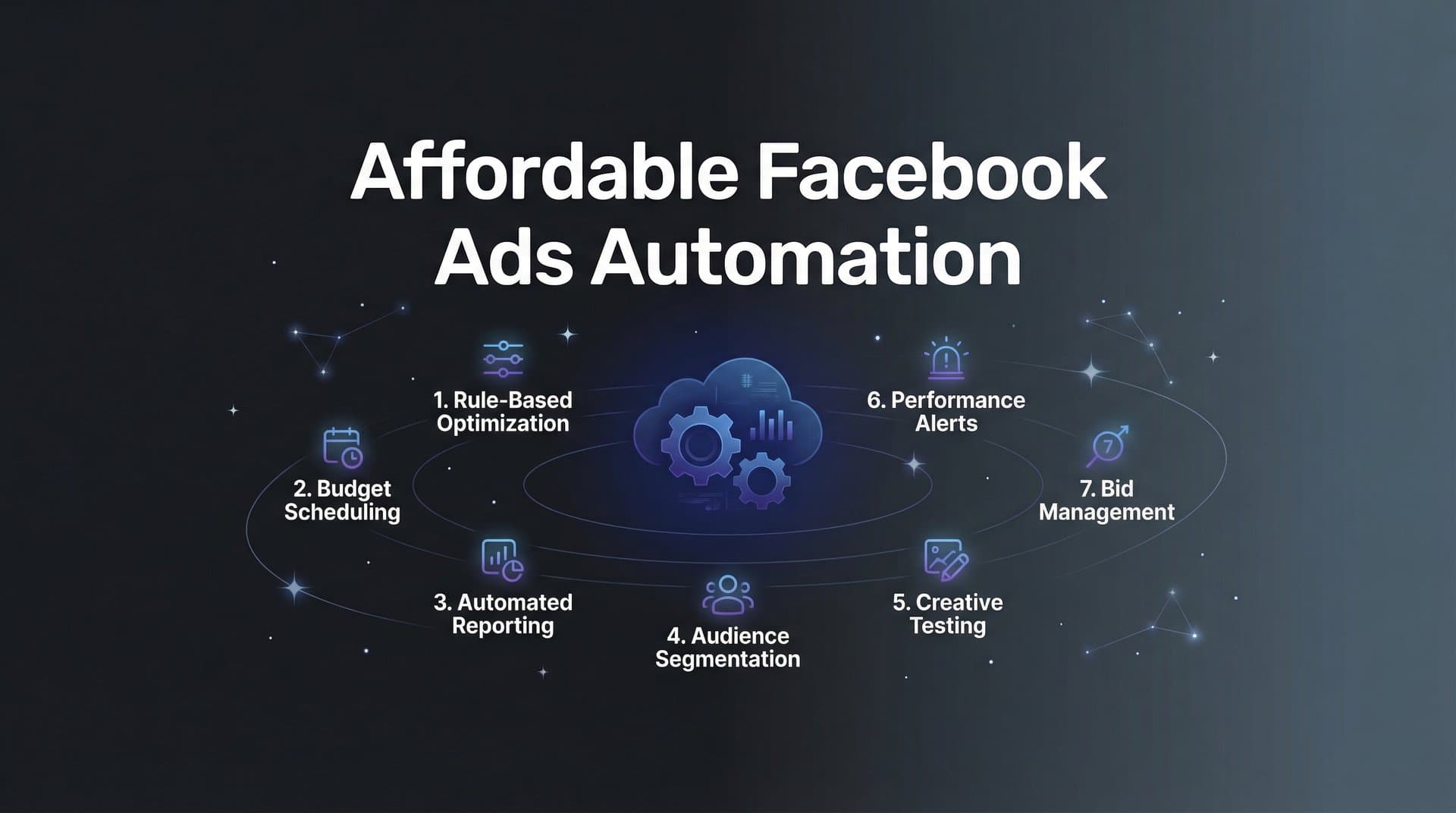
This guide breaks down seven practical automation strategies that work regardless of your budget size. These aren't theoretical approaches—they're battle-tested methods that help you compete with bigger advertisers while keeping costs firmly under control.
Whether you're managing campaigns solo or running a growing agency, these strategies will help you scale effectively without the enterprise price tag.
1. Start with Native Meta Automation Rules
The Challenge It Solves
Most advertisers manually check their campaigns multiple times daily, adjusting budgets when performance dips and pausing ads that aren't converting. This reactive approach means you're either watching campaigns constantly or discovering problems hours after they've drained your budget. For advertisers managing multiple campaigns across different time zones, this manual monitoring becomes impossible to sustain.
The Strategy Explained
Meta's Automated Rules feature—available free to all advertisers—lets you set conditions that trigger automatic actions. Think of it as your 24/7 campaign manager that never sleeps. You define the "if-then" logic: if cost per result exceeds your target, pause the ad set; if ROAS drops below threshold, reduce budget by a percentage; if an ad reaches frequency cap, turn it off automatically.
The beauty of native rules is their direct integration with your ad account. There's no third-party data delay, no additional subscription cost, and no learning curve beyond Meta's interface you already know. Many advertisers overlook this feature entirely, continuing to manage campaigns manually when free automation sits unused in their account. Understanding the difference between Meta ads automation vs Ads Manager helps clarify when native tools suffice and when you need more advanced solutions.
Implementation Steps
1. Navigate to Ads Manager, select the campaign level you want to automate, click the three-dot menu, and select "Create Automated Rule" to access the rule builder interface.
2. Define your trigger conditions by selecting metrics (cost per result, ROAS, frequency, spend) and setting thresholds that align with your performance targets—start conservative to avoid over-automation.
3. Choose your automated action (pause, adjust budget, send notification) and set the rule schedule, beginning with daily checks before moving to real-time monitoring as you gain confidence.
4. Apply rules at the campaign, ad set, or ad level depending on where you need control, and enable email notifications so you're informed when rules trigger without needing to check constantly.
Pro Tips
Start with safety-net rules first: pause campaigns that exceed daily spend limits or stop ads with extremely high cost per conversion. These prevent budget disasters while you learn the system. Build complexity gradually—add performance optimization rules only after your safety nets prove reliable. Review triggered actions weekly to refine thresholds based on actual results rather than assumptions.
2. Leverage AI-Powered Campaign Builders for Speed
The Challenge It Solves
Building a Facebook campaign from scratch typically consumes 30-60 minutes per campaign. You're manually selecting targeting parameters, writing ad copy variations, choosing creative combinations, and structuring campaign architecture. Multiply this by the number of campaigns you need to test monthly, and you're spending entire days on setup rather than strategy. For agencies managing multiple clients, this setup time becomes a profitability killer.
The Strategy Explained
AI-powered campaign builders analyze your historical performance data, business page information, and advertising goals to automatically generate complete campaign structures in minutes. Instead of manually building each element, you provide the AI with your objectives and let specialized agents handle campaign architecture, audience targeting, creative selection, and budget allocation simultaneously. Exploring AI marketing automation for Facebook reveals how these systems transform campaign creation workflows.
The key differentiator from manual building is transparency—quality AI tools explain their reasoning for each decision, showing you why specific audiences were selected or why certain budget allocations make sense based on your data. This combines automation speed with learning opportunities, so you understand the strategy behind each campaign rather than blindly trusting a black box.
Platforms offering this capability typically provide tiered pricing that scales with your needs. You're not paying enterprise rates for features you don't use—you're accessing professional-grade automation at a fraction of traditional agency costs.
Implementation Steps
1. Connect your Meta ad account to an AI campaign builder platform that offers direct API integration, ensuring the system can access your historical performance data and business page information for informed decision-making.
2. Define your campaign objectives clearly—whether driving conversions, generating leads, or building awareness—and provide the AI with your target audience parameters, budget constraints, and performance goals.
3. Review the AI-generated campaign structure before launching, paying attention to the rationale provided for targeting choices, creative selections, and budget allocations to understand the strategic thinking.
4. Launch your first AI-built campaign as a test alongside a manually created control campaign, comparing setup time, initial performance, and your confidence level with the automated approach.
Pro Tips
The more performance data you provide, the smarter your AI campaigns become. Start using AI builders after you have at least 30 days of campaign history—this gives the system meaningful patterns to analyze. Look for platforms that offer Facebook ads automation free trial options so you can test effectiveness before committing to a subscription. Focus on tools that show their work rather than hiding decisions behind proprietary algorithms.
3. Automate Creative Testing Without Expensive Agencies
The Challenge It Solves
Creative fatigue kills campaign performance, yet systematic testing requires creating dozens of variations, monitoring each one's performance, and manually promoting winners while retiring losers. Most advertisers either skip testing entirely due to time constraints or run informal tests without proper tracking. The result? You're either running stale creatives or guessing which elements actually drive results. Agencies charge premium rates for this testing discipline, putting it out of reach for smaller budgets.
The Strategy Explained
Automated creative testing establishes systematic workflows that continuously rotate new variations into your campaigns, track performance against clear metrics, and automatically scale winning combinations. Instead of manually creating and monitoring tests, you build a testing framework once and let automation handle the execution.
The workflow operates in cycles: new creative variations launch automatically based on templates you define, performance data accumulates over a set testing period, statistical analysis identifies winners, and successful elements move into your "winners library" for future reuse. Underperformers get paused automatically before they waste significant budget.
This approach transforms creative testing from an occasional project into a continuous improvement engine. Your campaigns constantly evolve based on real performance data rather than intuition or outdated creative that's lost effectiveness.
Implementation Steps
1. Create a creative testing framework by defining which elements you'll test (headlines, images, body copy, calls-to-action) and establishing clear success metrics that determine winners versus losers.
2. Build creative templates that allow rapid variation generation—standardized formats where you can swap elements without starting from scratch each time you test new concepts.
3. Set up automated rules that pause creative variations falling below your performance threshold after accumulating sufficient data (typically 1,000+ impressions or 50+ clicks depending on your funnel).
4. Establish a winners library where proven creative elements are cataloged with performance data, making it easy to reuse successful components in future campaigns without reinventing effective approaches.
Pro Tips
Test one variable at a time when starting out—changing headlines, images, and copy simultaneously makes it impossible to identify which element drove results. Once you've identified winning patterns, create combination tests that mix your best-performing elements. Set minimum sample size requirements before making decisions; pausing a creative after 100 impressions often kills potential winners before they've had a fair test.
4. Implement Smart Budget Pacing Automation
The Challenge It Solves
Budget overspend happens in two ways: campaigns that burn through daily budgets in the first few hours, and month-long campaigns that exhaust budgets prematurely. Both scenarios leave you either scrambling to adjust spending or missing opportunities during high-performance periods. Manual budget management requires constant monitoring and quick reactions—checking multiple times daily to ensure pacing stays on track. For advertisers managing campaigns across time zones, this becomes a round-the-clock responsibility.
The Strategy Explained
Smart budget pacing automation monitors spend velocity in real-time and makes micro-adjustments throughout the day to maintain optimal pacing. Instead of setting a daily budget and hoping Meta's algorithm distributes it effectively, automated pacing actively manages how quickly your budget depletes based on performance signals.
The system tracks your target cost per result, current spend rate, and remaining budget, then adjusts bid strategies or budget allocations to keep spending aligned with performance goals. High-performing campaigns receive budget increases automatically, while underperformers get reduced allocations before they waste significant spend. This is where Facebook ads workflow automation delivers immediate ROI by eliminating constant manual oversight.
This dynamic approach prevents the common scenario where you discover at day's end that a campaign spent its entire budget on poor-quality traffic during off-peak hours. Your budget flows toward the times and audiences delivering the best results.
Implementation Steps
1. Calculate your target cost per result based on historical performance and business economics, establishing clear thresholds for acceptable, optimal, and unacceptable performance levels.
2. Set up automated rules that reduce budgets by 20-30% when cost per result exceeds your acceptable threshold for 4+ hours, preventing runaway spend while allowing for normal performance fluctuations.
3. Create companion rules that increase budgets by 15-20% when campaigns consistently perform below your target cost per result, automatically scaling what's working without manual intervention.
4. Implement spend velocity monitoring that alerts you when campaigns are projected to exhaust budgets prematurely, giving you advance warning rather than discovering problems after the fact.
Pro Tips
Build in buffer zones rather than making budget changes at exact thresholds—this prevents constant micro-adjustments that disrupt Meta's learning phase. Use percentage-based budget changes rather than fixed amounts so adjustments scale appropriately across different campaign sizes. Review pacing patterns weekly to identify optimal times of day for your audience, then adjust campaign schedules to concentrate budget during peak performance windows.
5. Use Bulk Operations to Multiply Output
The Challenge It Solves
Scaling Facebook campaigns traditionally means repetitive manual work: copying campaign structures, adjusting targeting parameters one at a time, duplicating ad sets with slight variations, and manually creating dozens of similar ads with different creative combinations. What should take minutes stretches into hours of clicking through Meta's interface. This bottleneck prevents you from testing at the volume needed to find winning combinations quickly. Agencies solve this with dedicated teams, but solo advertisers and small teams face a productivity ceiling.
The Strategy Explained
Bulk operations compress hours of manual work into single workflows. Instead of creating campaigns one at a time, you define templates and parameters once, then generate multiple variations simultaneously. Think of it as batch processing for advertising—you're manufacturing campaigns at scale rather than hand-crafting each one individually.
The approach works across every campaign element: duplicate successful campaigns with different budget levels in one action, create ad sets targeting different audience segments from a single template, generate ad variations that test every combination of headlines and images without manually building each one. Your output multiplies while your time investment stays constant. Learning Facebook ads scaling automation techniques helps you identify which bulk operations deliver the highest leverage.
This operational leverage is what separates advertisers who test a few ideas monthly from those running dozens of concurrent tests. Volume creates faster learning cycles—you discover what works in weeks instead of months.
Implementation Steps
1. Identify your highest-performing campaign structure and document every element—targeting parameters, ad copy formulas, creative formats, and budget allocations—creating a template for rapid duplication.
2. Use Meta's bulk creation tools or third-party platforms to generate multiple campaign variations simultaneously, changing only the specific variables you want to test while keeping proven elements consistent.
3. Create naming conventions that make bulk-created campaigns easy to track, using consistent prefixes, dates, and test variables so you can quickly identify and analyze related campaigns.
4. Schedule bulk launches strategically rather than launching everything simultaneously—stagger start dates by 24-48 hours to avoid overwhelming your ability to monitor initial performance and make quick adjustments.
Pro Tips
Start with bulk ad creation before moving to campaign-level duplication—it's lower risk and helps you develop confidence with batch operations. When duplicating successful campaigns, change budgets by at least 30% to trigger Meta's algorithm to treat them as distinct rather than competing with your original. Export campaign structures to spreadsheets for easy bulk editing, then re-upload to create variations faster than clicking through the interface allows.
6. Set Up Performance-Based Audience Automation
The Challenge It Solves
Audience management requires constant attention: manually expanding audiences when initial targets are exhausted, creating retargeting campaigns for specific behaviors, excluding converted users from acquisition campaigns, and adjusting targeting as performance shifts. Each of these tasks demands regular monitoring and quick action. Miss the timing, and you're either showing ads to exhausted audiences with declining performance or wasting budget on people who've already converted. The manual workload scales linearly with campaign count—more campaigns mean exponentially more audience management tasks.
The Strategy Explained
Performance-based audience automation creates dynamic audience management that responds to real-time data without manual intervention. The system monitors audience saturation signals, automatically expands targeting when performance remains strong, triggers retargeting campaigns when users take specific actions, and updates exclusion lists as conversions occur.
Instead of setting audiences once at campaign launch and hoping they remain effective, automated audience management treats targeting as a living system that evolves with your campaign performance. High-performing audiences automatically scale to lookalikes and interest expansions. Engaged users move into retargeting funnels without manual list building. Converted customers get excluded from acquisition campaigns immediately rather than after your next manual review.
This responsive approach keeps your targeting fresh and efficient, directing ad spend toward the audience segments delivering results while automatically retiring approaches that stop working.
Implementation Steps
1. Define audience performance triggers that indicate when expansion is appropriate—typically when an audience maintains target cost per result while reaching 70%+ of its potential reach, signaling it's time to scale.
2. Set up automated lookalike audience creation based on your highest-value custom audiences, with rules that generate new lookalike tiers when existing ones maintain performance above your threshold.
3. Create behavioral triggers that automatically add users to retargeting audiences based on specific actions—website visits, video views, engagement—without manual list management.
4. Implement dynamic exclusion lists that automatically remove converted users from acquisition campaigns and add them to retention or upsell audiences based on their customer status.
Pro Tips
Build your automation around custom audiences based on actual behavior rather than interest targeting—behavioral data provides clearer signals for automated decisions. Start with broad automated exclusions (all converters) before creating sophisticated segmentation (high-value versus low-value customers). Monitor your automation's audience size changes weekly to ensure expansions aren't diluting performance by reaching too far beyond your core audience.
7. Build a Continuous Learning Loop
The Challenge It Solves
Most advertisers treat each campaign as an isolated project, starting fresh with every new launch rather than systematically building on past learnings. The insights from your best-performing campaigns remain trapped in spreadsheets or memory, never feeding back into future campaign creation. This means you're constantly rediscovering what works instead of compounding knowledge over time. The result is a frustrating plateau where you're working harder without improving results proportionally. Your tenth campaign shouldn't require the same guesswork as your first, yet without systematic learning loops, it often does.
The Strategy Explained
A continuous learning loop connects your campaign performance data to your campaign creation process, ensuring every new campaign benefits from accumulated intelligence. The system captures what worked in past campaigns—winning audiences, effective creative elements, optimal budget allocations, successful messaging angles—and automatically incorporates these insights when building future campaigns. Understanding campaign learning Facebook ads automation principles helps you design systems that genuinely improve over time.
This creates a compounding knowledge effect. Your first campaign provides baseline data. Your second campaign starts with those insights, testing new variations against proven winners. Your third campaign benefits from both previous rounds of learning. Each iteration becomes smarter than the last without requiring you to manually remember and apply every lesson learned.
The technical implementation involves connecting your attribution data to your campaign builder, creating feedback mechanisms that identify patterns across campaigns, and building systems that suggest or automatically apply proven approaches when creating new campaigns.
Implementation Steps
1. Connect your Facebook ads data to attribution tracking that shows true ROI beyond Meta's native reporting, giving you reliable performance signals that account for the full customer journey.
2. Establish a structured winners library that catalogs your best-performing campaign elements with specific performance metrics—not just "this worked" but "this headline generated 2.3× higher CTR than average in Q1 2026."
3. Create campaign templates that automatically incorporate your winners library, suggesting proven audiences, creative elements, and structures when building new campaigns rather than starting from scratch.
4. Set up regular performance reviews (weekly or bi-weekly) where you systematically identify new winning patterns and add them to your knowledge base, ensuring recent learnings feed into the loop quickly.
Pro Tips
Tag campaigns with consistent labels that make pattern identification easier—test type, audience category, creative approach, offer type. This structured data makes it possible to identify what's working across multiple campaigns rather than treating each as unique. Connect your learning loop to external attribution tools like Cometly rather than relying solely on Meta's reporting, which often overcredits ad performance. The more accurate your performance data, the more reliable your learning loop becomes.
Putting It All Together
Affordable Facebook ads automation isn't about finding a single magic solution—it's about layering strategies that compound your efficiency over time. The advertisers who succeed with limited budgets don't outspend their competition; they out-systematize them.
Start with Meta's free native automation rules to build your foundation. These safety nets prevent budget disasters while you develop confidence with automated campaign management. Once you're comfortable with basic rules, add AI-powered campaign builders that compress setup time from hours to minutes.
Prioritize automations based on where you're currently spending the most manual hours. If creative testing consumes your weeks, automate that first. If budget management keeps you checking campaigns constantly, implement smart pacing next. Each automation you add frees time for higher-level strategy rather than repetitive execution. For small businesses especially, Facebook ads automation for small business approaches can level the playing field against larger competitors.
The goal isn't removing yourself entirely from campaign management—it's focusing your attention where human judgment adds the most value. Let automation handle the repetitive tasks: building campaign structures, testing creative variations, adjusting budgets, managing audiences. You focus on the strategic decisions that actually move your business forward.
Remember that automation quality improves with data volume. Your first automated campaigns provide baseline learning. Your tenth automated campaign benefits from accumulated intelligence about what works for your specific business. This compounding effect is what separates automation that merely saves time from automation that actively improves your results.
Build your automation stack incrementally rather than trying to implement everything simultaneously. Master one layer before adding the next. This measured approach prevents overwhelming yourself while building genuine expertise with each tool in your automation arsenal. If you're new to these concepts, our guide on Facebook ads automation for beginners provides a solid starting foundation.
Ready to transform your advertising strategy? Start Free Trial With AdStellar AI and experience how specialized AI agents can build, test, and launch complete Meta campaigns in under 60 seconds—with full transparency showing you exactly why each decision was made. Join advertisers who are scaling their campaigns 10× faster while maintaining the strategic control that drives real business results.


