Running paid ads on Meta has always required a mix of creative instinct, analytical thinking, and constant optimization. The problem is that most teams are stretched thin, juggling creative production, audience research, campaign builds, and performance analysis all at once.
AI paid ads agents are changing that dynamic by automating the most time-consuming parts of the workflow while making smarter decisions based on real performance data. But simply turning on an AI agent and hoping for results is not a strategy.
To get the most out of these tools, you need to know how to work with them, feed them the right inputs, and build workflows that let them do what they do best. This guide covers seven practical strategies for marketers who want to use an AI paid ads agent to run faster, leaner, and more effective campaigns on Meta. Whether you are managing ads for a single brand or running campaigns across multiple clients, these approaches will help you move from manual guesswork to a system that learns, adapts, and compounds results over time.
1. Feed Your AI Agent Clean Historical Data Before Launching Anything
The Challenge It Solves
AI paid ads agents are only as smart as the data they learn from. If you point an AI system at messy, incomplete, or poorly tracked campaign history, it will optimize toward the wrong signals. Before you let any AI agent start making decisions on your behalf, the data foundation needs to be solid.
The Strategy Explained
Start by auditing your past campaign performance across the three core signals that matter most in Meta advertising: ROAS, CPA, and CTR. These are the metrics that actually tell the story of what worked and what did not.
Organize your historical data by creative type, audience segment, and campaign objective. This gives your AI agent a structured view of performance patterns rather than a single undifferentiated pool of numbers. When the AI can see that video ads targeting a specific audience consistently outperformed static image ads at the top of funnel, it can carry that intelligence into future campaign decisions.
Equally important is ensuring your conversion tracking is properly configured before anything goes live. Misattributed or missing conversions send the wrong optimization signals, which causes the AI to learn the wrong lessons entirely. Understanding how Facebook ads conversion rate data flows into your optimization decisions is essential before you hand control to any AI system.
Implementation Steps
1. Export historical campaign data from Meta Ads Manager and segment it by creative format, audience type, and objective.
2. Identify your baseline benchmarks for ROAS, CPA, and CTR based on past performance across each segment.
3. Audit your pixel setup and conversion events to confirm every key action is being tracked accurately before launching new campaigns.
4. Flag and exclude any campaign data from periods with known tracking issues, budget anomalies, or external factors that would skew the baseline.
Pro Tips
Do not rush this step. Spending time on data hygiene before your first AI-assisted launch will save you significant budget later. The more organized and accurate your historical inputs, the faster your AI agent will identify what actually drives results for your specific audience and offer.
2. Use AI to Generate Creative Variations at Scale, Not Just One Winner
The Challenge It Solves
Creative production is the biggest bottleneck in most Meta ad workflows. Designing a handful of static images, coordinating video shoots, and writing multiple copy angles takes days or weeks. By the time those creatives are live, audience fatigue can already be setting in. The volume of creative needed to stay competitive on Meta is simply beyond what most teams can produce manually at speed.
The Strategy Explained
The right approach is not to use AI to find one winning creative and scale it. It is to use AI to generate a diverse creative mix across formats and messaging angles simultaneously, then let performance data tell you which combinations resonate.
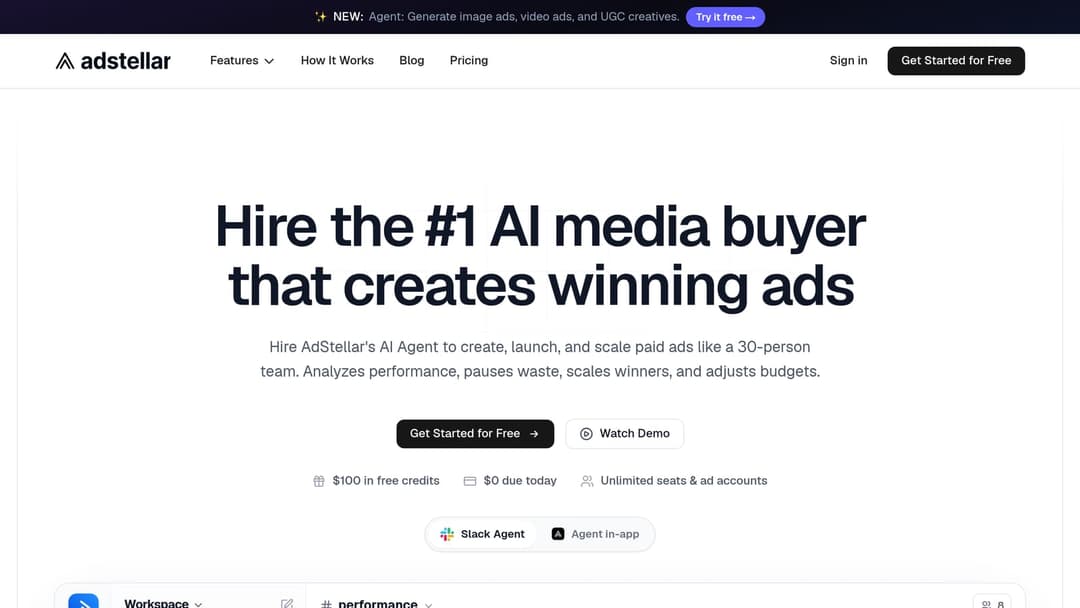
With a platform like AdStellar, you can generate image ads, video ads, and UGC-style avatar creatives directly from a product URL. The AI builds creatives from scratch without requiring designers, video editors, or actors. You can also clone competitor ads directly from the Meta Ad Library, which gives you a competitive intelligence head start by letting you see what messaging and formats are already working in your market.
Building creative diversity across formats, hooks, and visual styles is essential because Meta's algorithm needs enough variation to identify which combination resonates with which audience segment. A single creative angle, no matter how strong it looks in isolation, will not give you the signal volume needed to optimize effectively. Teams that rely on Facebook ads automation tools to scale creative output consistently outpace those still producing assets manually.
Implementation Steps
1. Input your product URL into AdStellar's AI Creative Hub and generate a batch of image ads, video ads, and UGC-style creatives covering at least three distinct messaging angles.
2. Browse the Meta Ad Library to identify competitor ads that are running consistently, then use the clone feature to build on proven formats with your own brand and offer.
3. Use chat-based editing to refine individual creatives without starting from scratch, adjusting headlines, visuals, or calls to action based on your brand guidelines.
4. Organize your creative output into format categories before launch so you can track performance by type rather than treating all creatives as a single pool.
Pro Tips
Resist the temptation to pre-select your favorite creatives before testing. What looks best to you and what performs best with your audience are often very different things. Let the data make that call, not your personal preference.
3. Let the AI Build Campaigns, But Define Your Goals First
The Challenge It Solves
An AI campaign builder can analyze historical data, select audiences, write headlines, and structure ad sets in minutes. But it can only optimize toward the goals you give it. Without clearly defined targets, the AI will make decisions based on proxy metrics that may not align with what actually matters to your business.
The Strategy Explained
Before you let an AI agent build your next campaign, define your ROAS target and CPA benchmark with specificity. These numbers should come from your historical data audit and reflect realistic expectations based on your offer, price point, and funnel structure.
Goal-based scoring works by giving the AI a benchmark to measure every creative, audience, and copy element against. When AdStellar's AI Campaign Builder analyzes your past campaigns and builds a new one, it ranks every element by how well it is likely to perform against your stated goal. This means the AI is not just picking what worked in the abstract; it is selecting what worked relative to your specific targets. Following Meta ads campaign structure best practices ensures the AI has a well-organized foundation to build from.
Reviewing the AI's rationale for its decisions is not optional. Understanding why the AI selected a particular audience or headline builds your trust in the system and, more importantly, helps you identify when your inputs need to be refined. Full transparency in AI decision-making is what separates a tool you can learn from versus one you are just hoping works.
Implementation Steps
1. Set a specific ROAS target and CPA benchmark before initiating any AI campaign build, based on your historical performance data.
2. Input your goals into the AI Campaign Builder and review the campaign structure it generates, including audience selections, creative rankings, and copy recommendations.
3. Read the AI's rationale for each major decision before approving the campaign for launch.
4. After the first campaign cycle, compare actual performance against your stated goals and adjust your benchmarks if the targets were misaligned with market reality.
Pro Tips
If you are new to goal-based AI campaign building, start with conservative targets based on your best historical performance rather than aspirational numbers. Giving the AI achievable benchmarks in the early stages helps it learn your account faster and build a stronger foundation for future optimization.
4. Run Bulk Launches to Compress Your Testing Timeline
The Challenge It Solves
Traditional sequential A/B testing is too slow for Meta's competitive environment. Testing one variable at a time means waiting weeks to gather enough data on each element before moving to the next. By the time you have results, the creative landscape has already shifted. You need a faster way to gather signal without burning through budget on guesswork.
The Strategy Explained
Bulk launching solves this by deploying hundreds of ad variations simultaneously across creatives, headlines, audiences, and copy. Instead of testing sequentially, you compress the learning phase by giving Meta's algorithm a wide variation matrix to work with from day one.
AdStellar's Bulk Ad Launch feature lets you mix multiple creatives, headlines, audiences, and copy at both the ad set and ad level, then generates every combination and launches them to Meta in minutes rather than hours. The result is a compressed testing timeline where meaningful performance signals emerge much faster than traditional sequential methods allow. Marketers who have explored Facebook ads bulk campaign creation consistently report dramatically shorter learning phases compared to one-at-a-time testing approaches.
The key to making bulk launches work is structuring your variation matrix with intention. You want enough variation to generate real signal, but not so much randomness that you cannot interpret the results. Think in terms of controlled dimensions: three to five creative formats, two to three headline angles, and two to three audience segments gives you a manageable matrix with strong signal potential.
Implementation Steps
1. Define your variation matrix before launch: select your creative pool, headline options, copy variations, and audience segments with clear boundaries on each dimension.
2. Use AdStellar's Bulk Ad Launch to generate all combinations and push them to Meta simultaneously.
3. Set kill criteria in advance: define the minimum spend threshold and performance floor at which you will pause underperforming variations to protect budget.
4. After the initial learning phase, use performance data to identify the top-performing combinations and shift budget toward them while pausing the rest.
Pro Tips
Kill criteria are not optional. Without pre-defined rules for when to pause underperformers, bulk launching can become expensive very quickly. Decide your thresholds before you launch, not after you see the data.
5. Build a Winners System That Compounds Over Time
The Challenge It Solves
Most teams lose track of their best-performing ads once a campaign ends. The creative that drove strong ROAS last quarter gets buried in Ads Manager, the audience that consistently hit CPA targets is forgotten, and the next campaign starts from scratch. This is one of the most common and costly inefficiencies in Meta advertising.
The Strategy Explained
The solution is a centralized system for preserving proven creatives, headlines, and audiences with real performance data attached. When you can see at a glance which elements have a documented history of strong performance, you stop reinventing the wheel and start building on what works.
AdStellar's Winners Hub does exactly this. Your best-performing creatives, headlines, audiences, and more are stored in one place with actual performance metrics attached, not just subjective labels. When you are ready to build your next campaign, you can pull directly from proven winners and feed them back into the AI Campaign Builder as high-confidence inputs. This approach is especially powerful for agencies managing Facebook ads for clients across multiple accounts, where institutional knowledge is easily lost between campaigns.
This is where the compounding effect becomes real. Each campaign cycle adds new winners to the system. The AI learns from a growing library of validated performance data. Creative testing gets faster because you are starting from a higher baseline each time. Over multiple campaign cycles, the gap between your results and those of teams starting from scratch widens significantly.
Implementation Steps
1. After each campaign cycle, identify your top-performing creatives, headlines, and audiences based on your goal benchmarks and add them to your Winners Hub.
2. Tag each winner with the campaign context: offer type, audience segment, funnel stage, and the performance metrics that qualified it.
3. When building the next campaign, start by reviewing your Winners Hub and selecting proven elements as the foundation before generating new variations.
4. Feed winners back into AdStellar's AI Campaign Builder as high-priority inputs so the AI can build on validated performance history rather than starting from a blank slate.
Pro Tips
Treat your Winners Hub as a living asset, not an archive. Review it before every campaign build and retire elements that have aged out of relevance due to creative fatigue or offer changes. A well-maintained winners library is one of the most valuable things a Meta advertising team can build.
6. Use AI Insights to Score Every Element Against Your Benchmarks
The Challenge It Solves
Vanity metrics like impressions and clicks can look impressive while your actual business results are disappointing. Without a clear framework for evaluating performance against your real goals, it is easy to make optimization decisions based on the wrong signals and keep spending on elements that are not actually driving revenue.
The Strategy Explained
AI leaderboard rankings change this by surfacing the real performance drivers across creatives, audiences, copy, and landing pages, ranked by metrics that actually matter: ROAS, CPA, and CTR. Instead of manually sorting through rows of data in spreadsheets, you get a ranked view of what is working and what is not, filtered through the lens of your specific goals.
AdStellar's AI Insights feature scores every ad element against your target benchmarks. Set your ROAS goal and CPA target, and the AI evaluates every creative, headline, audience, and landing page against those thresholds. Elements that consistently meet or exceed your benchmarks rise to the top. Elements that consistently fall short get flagged for review or elimination. Pairing this with a dedicated Meta ads dashboard gives you a single view where scoring data and campaign metrics live together.
The important nuance here is maintaining strategic oversight even as you act on AI recommendations. Leaderboard rankings tell you what is performing, but your job is to understand why. When a particular creative angle is consistently outperforming others, dig into what it is communicating and why that resonates. That insight informs your next creative brief and makes your AI inputs smarter over time.
Implementation Steps
1. Configure your goal benchmarks in AdStellar's AI Insights before reviewing any leaderboard data, so rankings are scored against your actual targets rather than platform averages.
2. Review leaderboard rankings across creatives, audiences, copy, and landing pages after each significant spend threshold to identify patterns in what is consistently performing.
3. Act on the bottom of the leaderboard first: pause or replace elements that are consistently below benchmark before reallocating budget toward top performers.
4. Document the qualitative characteristics of your top-performing elements and use those observations to brief your next round of AI creative generation.
Pro Tips
Do not wait until a campaign ends to review AI Insights. Mid-campaign leaderboard reviews allow you to make real-time adjustments that protect budget and accelerate learning, rather than waiting for a post-mortem that is too late to act on.
7. Integrate Attribution Tracking to Close the Feedback Loop
The Challenge It Solves
An AI paid ads agent making decisions based on incomplete attribution data is like a navigator working with an inaccurate map. The decisions might look logical given the information available, but the destination will be wrong. Without clean revenue signals flowing back into your AI system, optimization decisions get made based on proxy metrics that may not reflect actual business outcomes.
The Strategy Explained
Pixel setup and conversion tracking are non-negotiable foundations for any AI-powered ad operation. Every key conversion event, from add-to-cart to purchase to subscription start, needs to be tracked accurately and consistently. Gaps in conversion data create gaps in the AI's understanding of what is actually driving revenue.
Beyond the Meta pixel, integrating a dedicated attribution tool closes the loop between ad spend and real revenue. AdStellar integrates with Cometly for attribution tracking, which gives the AI clean revenue signals that go beyond what the native Meta pixel can capture. When the AI can see the full revenue impact of each creative, audience, and campaign, its optimization decisions become significantly more accurate. Teams that have struggled with Meta ads budget allocation issues often find that poor attribution data is the root cause of misallocated spend.
The practical impact is that your AI agent stops optimizing toward clicks or surface-level conversions and starts optimizing toward the outcomes that actually matter to your business. ROAS data and revenue attribution continuously refine future campaign inputs, creating a feedback loop where each campaign cycle produces better data for the next one.
Implementation Steps
1. Audit your current pixel setup and verify that all key conversion events are firing correctly and attributed to the right ad interactions.
2. Integrate Cometly with AdStellar to establish clean revenue attribution that connects ad spend to actual business outcomes beyond what the native pixel tracks.
3. Review attribution data after each campaign cycle to identify any discrepancies between Meta-reported conversions and actual revenue, and adjust your tracking setup accordingly.
4. Use clean ROAS and revenue data as the primary inputs for your next AI campaign build, ensuring the AI is optimizing toward verified business outcomes rather than estimated conversions.
Pro Tips
Attribution setup is not a one-time task. Tracking configurations can break when websites are updated, checkout flows change, or new products are added. Build a regular tracking audit into your workflow so your AI agent always has accurate data to work with.
Putting It All Together: Building a Smarter Ad Operation with AI
The seven strategies above are not meant to be implemented all at once. The right approach is to build from the foundation up.
Start with clean data, clearly defined goals, and proper attribution tracking. These three elements form the infrastructure that everything else depends on. Without them, even the most sophisticated AI agent will produce unreliable results.
From there, layer in creative generation at scale and bulk launching. These two capabilities work together to compress your testing timeline and generate the performance signals your AI needs to learn quickly. As your creative library grows and your Winners Hub fills with validated performers, the compounding effect begins to take shape.
Each campaign cycle adds new winners to your system. The AI learns from a growing base of validated data. Creative testing gets faster because you are starting from a higher baseline. AI Insights keep your optimization decisions grounded in real performance metrics rather than vanity numbers. And clean attribution data ensures the entire system is optimizing toward outcomes that actually matter to your business.
An AI paid ads agent is only as effective as the system you build around it. AdStellar brings all of these capabilities into one platform, from generating image ads, video ads, and UGC-style creatives to building complete Meta campaigns, launching hundreds of variations at once, and surfacing winners with real-time insights and leaderboard rankings.
If you are ready to move from manual campaign management to an AI-powered operation that gets smarter with every campaign, Start Free Trial With AdStellar and be among the first to launch and scale your ad campaigns faster with a platform that automatically builds and tests winning ads based on real performance data.