
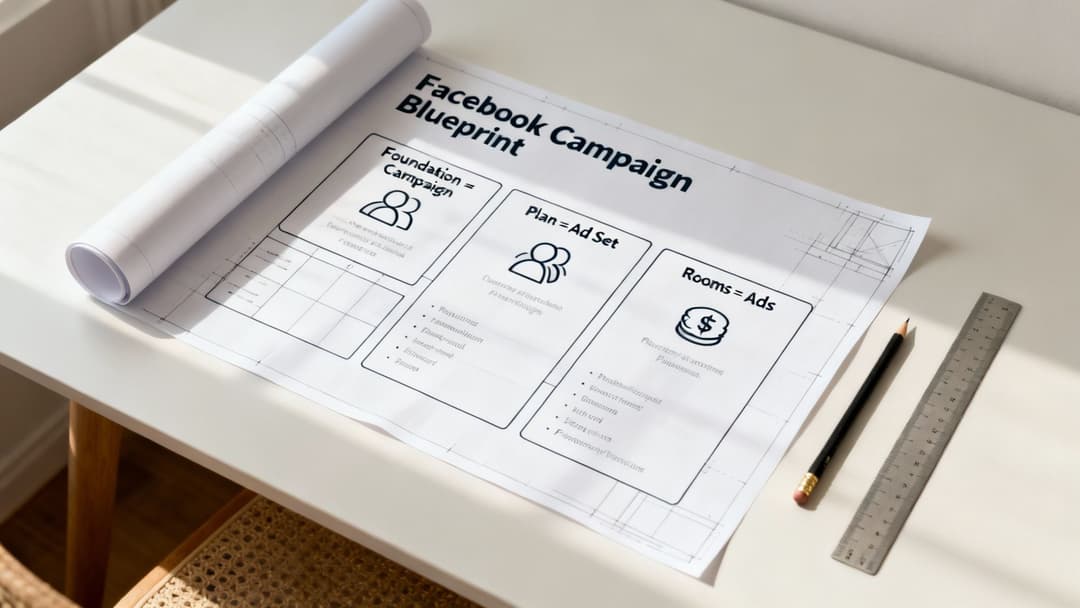
If your whole advertising strategy is the blueprint for a house, think of the campaign as the foundation. The individual ads are the rooms, and the Facebook ad group—or "Ad Set," as Meta officially calls it—is the architectural plan for each floor.
This is where the real work gets done.
The Blueprint of a Winning Facebook Campaign
Your Facebook ad group is the strategic engine that truly powers your Return on Ad Spend (ROAS). It's that critical middle layer where you call the shots: who sees your ads, how much you're willing to spend, and where those ads show up.
Getting the ad group right means you're not just throwing ads at a wall and hoping they stick. You're building a scalable, predictable system for growth. It gives you the control you need to test, learn, and scale your winners.
This structure is the key to keeping your efforts organized. It makes sure your campaign's main goal, like generating leads or driving sales, is backed by specific audiences and budgets at the ad group level. Each ad group then holds the actual ad creatives—the images, videos, and copy—that you'll show to that specific audience.
Understanding the Meta Ads Hierarchy
This diagram breaks down the simple, three-part structure that every Meta advertising campaign follows.
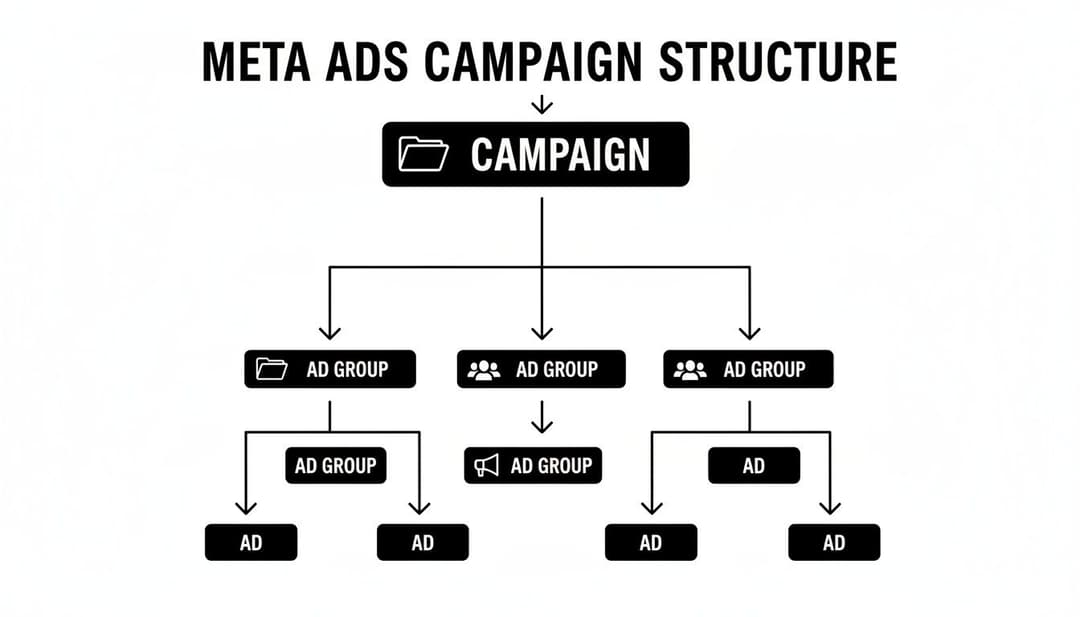
As you can see, the campaign sets the high-level goal, the ads deliver the message, and the ad group connects the two by defining the execution strategy.
To put it simply, the ad group is where you bundle ads together for unified testing and targeting. This is absolutely essential for getting results at scale. With 3.07 billion monthly active users, Facebook offers an incredible opportunity for performance marketers. A well-built ad group helps you zero in on the right slice of that massive audience, which includes 68% of US adults and reaches nearly 60% of all internet users worldwide.
The core function of an ad group is to connect a specific audience with a specific message. Get this connection right, and your ROAS will prove it. Get it wrong, and you might as well be lighting your budget on fire.
For a quick reference, here's how the three levels work together.
The Meta Ads Hierarchy At a Glance
| Level | What You Control | Primary Purpose |
|---|---|---|
| Campaign | The overall objective (e.g., conversions, traffic, leads). | Sets the "why" for your advertising effort. |
| Ad Group (Ad Set) | Audience, budget, schedule, and placements. | Defines "who, where, when, and how much." |
| Ad | The creative content (images, video, copy, CTA). | Delivers the "what"—the message itself. |
This clear separation of duties is what makes the structure so powerful and easy to manage once you get the hang of it.
Why This Structure Is Crucial for Success
A disciplined structure keeps your account from descending into chaos. It creates clarity and allows you to systematically test different variables—for instance, pitting a lookalike audience against an interest-based one within the same campaign to see which performs better. You can explore a variety of these setups in our guide on advanced https://www.adstellar.ai/blog/facebook-ad-strategies.
Ultimately, your ad group's performance is tied directly to your overall funnel. To really boost your conversion rates and ROAS, make sure you're following comprehensive lead generation best practices that turn clicks into customers.
Finding Your Ideal Customer with Precision Targeting
Think of Meta's advertising platform as a massive, bustling city. If you just shout your message from a rooftop, you'll be drowned out. Targeting is how you find the exact street corner where your ideal customers are hanging out, ready to listen. Your Facebook ad group—what Meta now officially calls an "ad set"—is your command center for making this happen.
It’s where you stop broadcasting and start having a real conversation with the people who actually need what you’re selling.
The scale we're dealing with is almost hard to comprehend. As of early 2025, Facebook's advertising reach climbed to an incredible 2.28 billion users globally. That's a 4.3% jump from the year before. With an audience that huge, precision isn't just a nice-to-have; it's absolutely essential for any performance marketer who wants to scale without burning cash. For a deeper look at the numbers, DataReportal keeps a running tab on these global stats.
The Three Pillars of Audience Targeting
To pinpoint your ideal customer within this massive crowd, Meta gives you three powerful tools at the ad group level. Each one plays a unique and strategic role in your advertising playbook.
- Core Audiences: This is your starting block. You build these audiences from the ground up using demographics (age, gender, location), interests (what pages they follow, their hobbies), and even their online behaviors (like recent purchase activity).
- Custom Audiences: These are your "warm" leads—people who already know you. You can create audiences from website visitors, your email list, or anyone who has engaged with your social media pages. It’s your chance to re-engage an interested crowd.
- Lookalike Audiences: This is your secret weapon for growth. You give Meta a "source" audience (like your list of best customers), and its algorithm goes out and finds new people who share similar traits. It's an incredibly effective way to find fresh, high-intent prospects.
To really get the most out of these tools, you need a solid grasp of understanding audience segmentation. It's the art and science of grouping your customers so you can talk to each group in the most relevant way possible.
Bringing Targeting Strategies to Life
Okay, theory is great, but let's see how this works in the real world. Putting these audience types together is where the magic really happens.
Example Scenario: An E-commerce Brand
Imagine you run an online store that sells premium, sustainable yoga mats. Here’s a practical way you could structure a Facebook ad group to find eco-conscious buyers:
- Start Broad with Core Audiences: You might begin by targeting users interested in "Yoga," "Sustainability," and "Eco-friendly products." This casts a wide but relevant net.
- Layer and Refine: To sharpen your focus, you could require that users match all of those interests, not just one. You could even layer on a behavior like "Engaged Shoppers" to find people who are more likely to buy online.
- Build a Custom Audience: At the same time, you'd want a separate ad group for retargeting. Create a Custom Audience of everyone who visited your website in the last 30 days but didn't make a purchase. Classic, and it works.
- Scale with Lookalikes: Once you have a solid list of 500+ past purchasers, create a 1% Lookalike Audience. This ad group targets new users who are statistically a mirror image of your best customers, giving you a powerful engine for finding new buyers.
This strategic layering—combining and excluding different audiences—is what turns your ad group from a blunt instrument into a precision tool. If you want to go even deeper on this, our complete guide on how to identify a target audience is the perfect next step.
Allocating Your Budget and Placements for Peak Performance
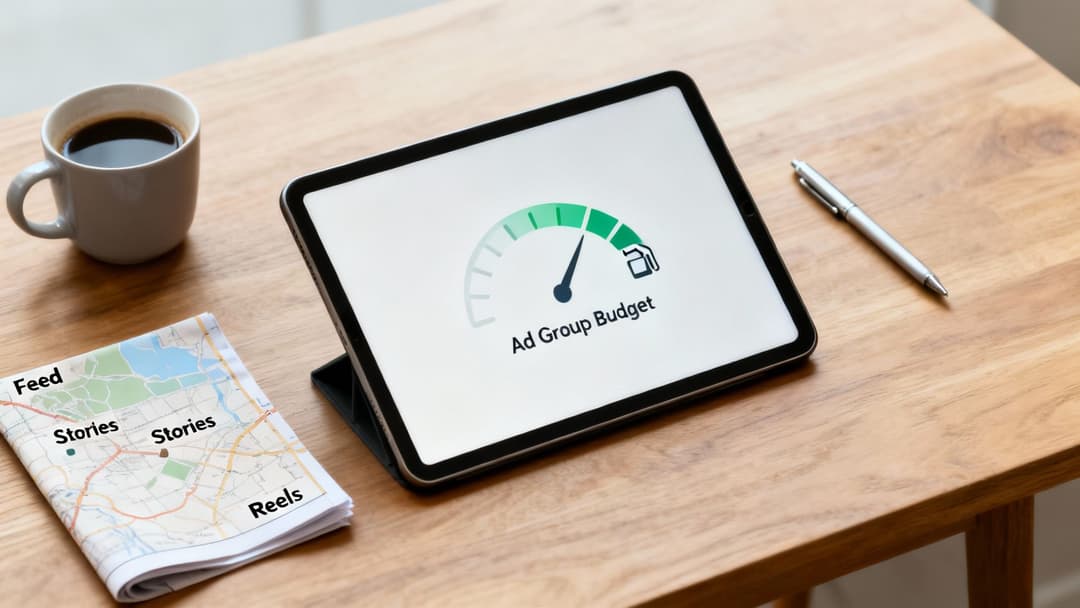
Think of your budget as the fuel for your ad campaign and placements as the roads you'll drive on. If you have plenty of gas and a great map, you’ll get where you’re going. But if you run out of fuel or take a wrong turn, your campaign is going to stall out.
This is where your Facebook ad group (or ad set, as Meta now calls it) becomes so critical. It’s the dashboard where you control exactly how much money you spend and where your ads show up across Meta's massive network of apps and websites. The choices you make here are what separate a wildly profitable campaign from a dud.
Campaign Budget vs Ad Group Budgets
One of the first big calls you have to make is where to set your budget. Meta gives you two main options, and each serves a completely different strategic purpose. It's like deciding whether you want to manage every single one of your investments by hand or let an AI-powered fund manager do it for you.
- Ad Set Budget Optimization (ABO): With ABO, you’re in the driver's seat. You set a specific daily or lifetime budget for each individual ad group. This gives you tight, predictable control, which is perfect when you’re in the testing phase. You can give a small, fixed budget to a new audience or creative without putting your entire campaign spend at risk.
- Campaign Budget Optimization (CBO): With CBO, you set one single budget at the campaign level and let Meta’s algorithm work its magic. It automatically funnels your money to the top-performing ad groups in real time. This is your go-to for scaling. Once you've used ABO to find your winning audiences, you throw them into a CBO campaign and let the algorithm floor it.
The core difference is control versus automation. Use ABO to find what works with predictable spend. Use CBO to scale what works by letting the algorithm dynamically allocate your budget to the best opportunities.
If you really want to make every dollar count, our guide on how to optimize ad budget allocation breaks these strategies down even further.
Choosing Your Ad Placements
Next up: deciding where your ads will actually appear. Meta’s network is huge, covering everything from Facebook feeds and Instagram Stories to Messenger inboxes and the Audience Network.
Advantage+ Placements (Automatic)
Honestly, for most advertisers, just let Meta handle this. Their "Advantage+ Placements" setting is incredibly smart. The algorithm is constantly hunting for the cheapest and most effective spots to show your ad to achieve your goal, whether that’s a click, a lead, or a sale. It automatically finds where your audience is most likely to convert and puts your ad there.
Manual Placements
However, there are definitely times when you need to take manual control. Let's say you've designed a killer vertical video specifically for Instagram Stories (9:16 aspect ratio). The last thing you want is for it to be awkwardly cropped in a square Facebook feed. In that case, you'd create a dedicated Facebook ad group and manually select only Instagram Stories as the placement. This guarantees your ad looks native and performs the way you designed it to.
How to Structure and Name Your Ad Groups for Clarity
A messy Meta Ads account isn't just an eyesore—it’s a direct line to wasted ad spend and missed opportunities. Without a clear system, you can't figure out what's actually working, making intelligent decisions next to impossible. Bringing a consistent framework to how you structure and name your Facebook ad group (or ad set) is the first step to taming the chaos.
This is about more than just keeping things tidy. It’s about building a scalable system for analysis. Imagine glancing at your dashboard and knowing an ad group's audience, location, and strategic purpose instantly. That’s the kind of clarity that makes reporting a breeze and your optimization decisions razor-sharp.
A Naming Convention That Works
A solid, battle-tested naming convention eliminates all the guesswork. The goal is to make every ad group name scannable and packed with just enough information to tell the whole story. While you can customize the components to fit your needs, a great template always includes a few key identifiers.
Think of your naming convention as the internal language of your ad account. A clear language leads to clear insights and, ultimately, better performance. The key is to keep it consistent across every single campaign.
Sample Naming Convention Template
Here is a flexible and powerful template you can adapt for your own campaigns. It’s designed to turn a confusing list of ad groups into a clean, easy-to-read report at a glance.
| Component | Example | Purpose |
|---|---|---|
| Audience Type | LAL1% | Quickly identifies the audience (Lookalike, Interest, Custom). |
| Audience Detail | Purchasers30d | Specifies the source (e.g., 30-day purchasers, interest keyword). |
| Location | US_CA | Narrows down the geo-target (e.g., USA & Canada). |
| Placement | IG-Stories | Shows where the ads are running (e.g., Instagram Stories, Auto). |
| Device | Mob | Indicates if you're targeting Mobile, Desktop, or both. |
This modular approach is a game-changer for organization. Once you have a system like this, sticking to it is crucial, especially when launching multiple ad group variations. For teams creating dozens of ad groups at a time, looking into tools for bulk launching can save hours of mind-numbing manual work while ensuring your naming rules are applied perfectly every single time.
Putting It Into Practice
Let's see how this convention plays out in a couple of real-world scenarios.
Example 1: E-commerce Product Angle Test
An e-commerce brand wants to test two different audiences for a new skincare product.
- Ad Group 1:
LAL1%-Purchasers90d_US_Auto_Mob- Translation: This targets a 1% Lookalike Audience built from customers who purchased in the last 90 days. We're targeting the US on mobile devices with automatic placements.
- Ad Group 2:
INT-Skincare-Yoga_US_Auto_Mob- Translation: This targets users in the US on mobile who have interests in "Skincare" and "Yoga," also using automatic placements.
Example 2: B2B Lead Nurturing
A SaaS company is running a campaign to nurture leads at different stages of their funnel.
- Ad Group 1 (Top of Funnel):
INT-ProjectManagement_CA_FB-Feed_Desk- Translation: We're targeting users in Canada on desktop with an interest in "Project Management," and the ads will only appear in the Facebook Feed.
- Ad Group 2 (Middle of Funnel):
CUS-WebVisitors30d_CA_Auto_All- Translation: This is a retargeting ad group for a custom audience of all website visitors from the last 30 days in Canada, running across all devices and automatic placements.
Avoiding Costly Mistakes in Your Ad Group Setup
Every seasoned marketer has a story about a campaign that bled money. More often than not, the culprit is a simple, avoidable mistake made at the ad group (or ad set) level. A single wrong click can sink a campaign before it ever has a chance to turn a profit.
The tricky part is that these errors often seem minor on the surface. But behind the scenes, they’re quietly eating away at your ROAS, making you think Meta's platform isn't working when the real issue is hiding in your setup.

Let's walk through the most common pitfalls so you can steer clear of them. Once you know what to look for, they’re surprisingly easy to avoid.
The Problem of Overlapping Audiences
This is probably the most frequent mistake I see. It happens when you target similar or nearly identical audiences across multiple active ad groups. When you do this, you’re basically forcing your own ad groups into a bidding war against each other for the same users. This drives up your costs and creates unstable performance as Meta’s algorithm gets confused about which ad group to serve.
- What it looks like: Imagine running one ad group targeting a 1% Lookalike of your customers and another targeting a broad interest like "online shopping." There's a good chance a huge chunk of those audiences are the exact same people.
- Here's what to do instead: Jump into Ads Manager and use the Audience Overlap tool. If you find a high percentage of overlap, either combine the ad groups into one or use audience exclusions to keep them from competing. Simple fix, big impact.
Constantly Resetting the Learning Phase
Meta’s ad delivery algorithm is a beast, but it needs two things to work its magic: time and data. When you make significant edits to an active ad group—like changing the targeting, swapping out the creative, or changing the optimization goal—you reset its "learning phase."
Each reset forces the algorithm to start learning from scratch. The result? Volatile performance, unpredictable costs, and a whole lot of wasted ad spend while it tries to figure things out again.
A constantly tweaked ad group is a struggling ad group. As a rule of thumb, give the algorithm at least 48-72 hours and around 50 conversion events to find its footing before you even think about making major changes.
Mismatching Creative and Placements
Another classic error is taking a one-size-fits-all approach to your ad creative. That gorgeous horizontal video you made for the Facebook Feed? It’s going to look awful when it’s awkwardly cropped into a vertical Instagram Story. This kind of mismatch screams "low-effort ad" to users and absolutely tanks your engagement rates.
- What it looks like: Using the same square image everywhere—Feeds, Stories, Reels, you name it.
- Here's what to do instead: If you’re using manual placements, create a separate Facebook ad group specifically for formats with different aspect ratios. A dedicated group for Feeds (1:1) and another for Stories/Reels (9:16) is a great starting point. Customize your creative for each placement to give users a seamless, native experience they’ll actually want to engage with.
The Metrics That Truly Matter for Ad Group Success
Impressions and clicks can feel good, but they don't pay the bills. If you want to know if a Facebook ad group is really working, you have to look past the surface-level numbers and focus on what’s driving profit. The Ads Manager dashboard is a sea of data, but true success comes down to a handful of key performance indicators (KPIs) that connect directly to your bottom line.
Think of your metrics in two distinct layers. Each layer tells a different part of the story, helping you diagnose problems and spot opportunities with surgical precision.
Cost and Engagement Metrics
This first set of numbers is your early warning system. They tell you how efficiently you're spending money within Meta's auction and whether your creative is actually connecting with your audience. Think of them as the health check for your ad group.
- Cost Per Mille (CPM): This is simply the price you pay for 1,000 impressions. A sky-high CPM can be a red flag, often pointing to an overly competitive auction or an audience that's just too narrow.
- Cost Per Click (CPC): Exactly what it sounds like—how much you're shelling out for each click. It’s a direct measure of how efficiently you're driving people to your website or landing page.
- Click-Through Rate (CTR): This percentage reveals how compelling your ad actually is. A low CTR is a classic sign that your creative, copy, or offer isn't hitting the mark with the people you're trying to reach.
These metrics give you a quick pulse on performance. They help you understand if you're paying a fair price to get in front of people and if those people find your ads interesting enough to even bother clicking.
Conversion and Profit Metrics
While the first group of metrics is useful for diagnostics, this next group is where the rubber meets the road. These are the numbers that determine whether your ad group is a profitable machine or just a money pit.
Clicks and impressions are vanity metrics if they don't lead to results. The only numbers that truly define success are the ones that connect your ad spend directly to your revenue and business goals.
At the end of the day, it's all about profit. Two KPIs are absolutely essential here:
- Cost Per Acquisition (CPA): This is your total ad spend divided by the number of conversions. It tells you exactly how much it costs to land one customer, generate a lead, or make a sale. No ambiguity, just the raw cost.
- Return On Ad Spend (ROAS): This is the holy grail. It measures the total revenue you generate for every single dollar you spend on ads. A ROAS of 3:1 means you made $3 for every $1 you put in.
If your ROAS is healthy, you've got a winning ad group on your hands—one that's ready to scale. To get a better handle on this critical calculation, check out our complete guide on how to calculate return on ad spend.
By keeping a close eye on CPA and ROAS, you can make sharp, data-backed decisions. You'll know exactly when to pour more fuel on a winner and when it's time to cut a loser loose.
Answering Your Top Questions About Facebook Ad Groups
As you get comfortable with the campaign structure, a few common questions always pop up. Let's tackle the ones performance marketers ask most often when they're in the weeds managing their Facebook ad groups (or ad sets, as Meta now calls them).
How Many Ads Should I Run in a Single Ad Group?
This is a classic question, and for good reason. A solid rule of thumb is to start with 3-5 ads per ad group.
This range hits the sweet spot. It gives Meta's algorithm enough creative variety to test and find a winner, but it doesn't spread your budget so thin that no single ad gets meaningful traction. Go with fewer than three, and you're not really testing. Go with too many, and you risk none of them getting enough data to exit the dreaded "learning phase," which tanks your performance.
What's the Real Difference Between an Ad Group and a CBO Campaign?
Think of it in terms of control. A Facebook ad group is your hands-on control panel for a specific cluster of ads. It's where you dictate the audience, placements, and budget for that particular set.
A CBO (Campaign Budget Optimization) campaign, on the other hand, is a setting you activate at the campaign level—one step higher in the hierarchy. When you turn on CBO, you're telling Meta to take one central budget and automatically spread it across all the ad groups inside that campaign. It will dynamically shift spending to the top performers in real-time to get you the best possible results.
It's like this: An ad group is a single investment fund where you're the manager, making all the allocation decisions. CBO is like hiring an AI fund manager to automatically move your capital between multiple funds based on which ones are generating the highest returns.
Should I Edit an Existing Ad Group or Just Create a New One?
Knowing when to tweak versus when to start fresh is key. For small adjustments, editing an existing ad group is perfectly fine. Think minor budget increases or dropping in a new creative to test against your current winners.
However, you should always create a new ad group for any significant change. This means targeting a completely new audience, switching your optimization goal from link clicks to conversions, or making any other major strategic pivot. Big edits can throw the algorithm's learning process for a loop and reset it. Duplicating the ad group and making your changes there preserves all the valuable performance data your original setup worked so hard to gather.
Ready to stop the manual grind and start scaling your Meta campaigns? AdStellar AI helps performance marketers launch, test, and optimize ad campaigns 10x faster. Learn how AdStellar works.


