
In digital advertising, the gap between a great campaign idea and a live, high-performing ad is often filled with a time-consuming creative production process. For performance marketers juggling multiple campaigns across Meta, TikTok, and Google, creating fresh visuals from scratch for every split test is a major bottleneck. This constant demand for new creative can exhaust design resources and slow down the testing velocity required for effective optimization.
This is precisely the problem that a good set of ad templates free to use can solve. Starting with a pre-designed, professionally structured template provides a proven foundation for your ad creatives. It allows your team to move past the blank canvas and focus directly on the strategic elements that drive results: adapting messaging, swapping product imagery, and testing value propositions. You can significantly shorten production cycles while still maintaining a high standard of visual quality aligned with platform best practices.
This curated guide is built to help you find the best free ad templates for your specific needs. We’ve organized the top resources by format (image, video, carousel), file type (Canva, Figma, PSD), and use case, from e-commerce promotions to B2B lead generation. Each entry includes preview screenshots, direct download links, and actionable tips for customization. Forget endless searching; this list provides a direct path to the assets you need to build and scale your next winning campaign efficiently.
1. Canva
Canva is arguably the most accessible entry point for anyone needing professional-looking ad templates free of charge. Its platform is built around a simple drag-and-drop editor, making it exceptionally fast for non-designers, marketers, and startup teams to produce campaign assets without a steep learning curve. The sheer volume of its template library is its primary advantage; you can find pre-sized and stylized designs for nearly every major ad placement, including Meta (Facebook/Instagram feeds, Stories, Reels), Google Display Ads, YouTube video ads, and even LinkedIn.
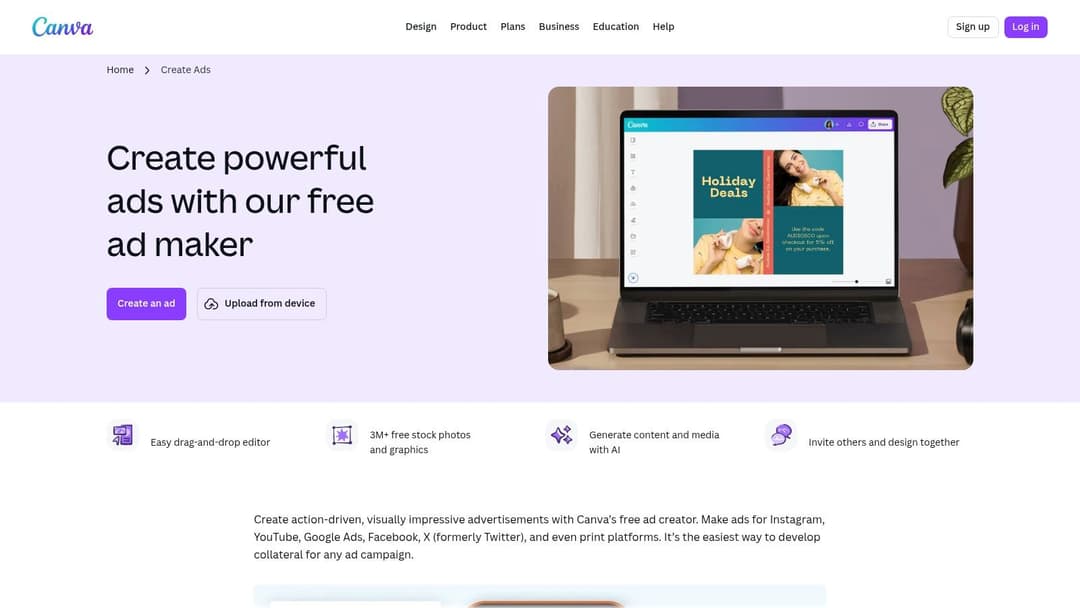
This makes it an ideal starting point for exploring different creative directions or fulfilling the diverse format requirements of a multi-platform campaign. You can quickly adapt a single design for various placements, a task that would be much more time-consuming in traditional design software. For teams focused on rapid iteration, this is a significant workflow improvement.
Key Features & Use Case
- Platform: Web-based editor, with desktop and mobile apps.
- Best For: Quick, high-volume production of static and simple video ads for social media and display networks. Perfect for marketing teams without dedicated designers.
- Unique Offering: The free plan is incredibly generous, providing thousands of templates and stock assets. The integrated "Magic Studio" (AI tools) can help generate copy, suggest layouts, and even create images, further speeding up the process. This is a great way to experiment with the role of AI in producing your digital marketing creatives without a financial commitment.
However, be mindful that some of the most polished templates, elements, or stock photos are marked with a crown icon, indicating they require a Pro subscription or a per-asset payment. The free version's brand management tools are also limited, making strict brand consistency across a large team more challenging without an upgrade.
Website: Canva Ad Maker
2. Adobe Express
Adobe Express brings enterprise-grade polish to the world of ad templates free for everyone. As part of the Adobe ecosystem, it benefits from a legacy of professional design tooling, presenting a clean and powerful interface that feels both intuitive and robust. The platform offers thousands of templates specifically designed for ad placements across major channels like Meta, TikTok, LinkedIn, and Google Performance Max, with a guided creation flow that simplifies the process for marketers.
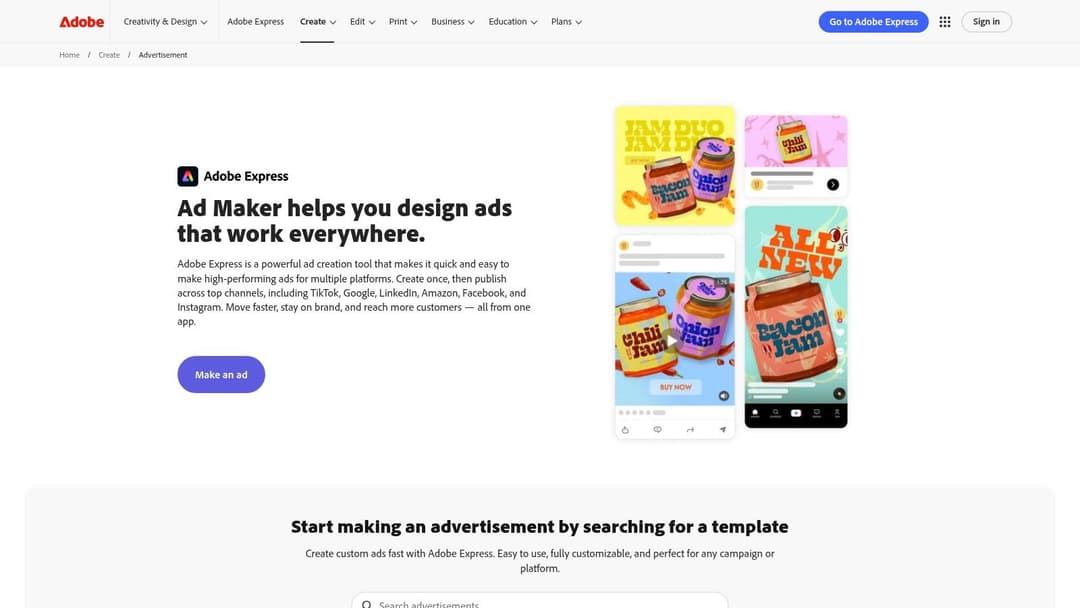
Its standout quality is the attention to technical specifications and platform compliance. Features like an integrated safe-zone checker ensure your text and key visuals won’t be cut off by platform UI elements, a common frustration for advertisers. This focus on spec-readiness makes it a reliable choice for teams who need their assets to be pixel-perfect and ready for launch without second-guessing dimensions or safe areas, something you can learn more about in this guide to Meta ad sizes.
Key Features & Use Case
- Platform: Web-based editor with companion mobile apps.
- Best For: Marketers and businesses already within the Adobe ecosystem or those needing high-fidelity, spec-compliant ads with minimal technical fuss.
- Unique Offering: The free plan includes access to Adobe’s Firefly AI for image generation, text-to-template creation, and quick animations. Its direct export and scheduling integrations with select ad platforms are a major workflow benefit, allowing users to move from design to deployment more efficiently.
While the free offering is substantial, a significant portion of premium stock photos, video clips, and advanced features are locked behind the Premium plan. Some platform integrations may also require enabling add-ons, adding an extra step to the setup. However, for those seeking a highly polished and technically sound free ad creation tool, Adobe Express is a top-tier contender.
Website: Adobe Express Advertisement Maker
3. Creatopy
Creatopy stands out for teams and agencies that need to produce cohesive campaigns across multiple ad sizes and formats. While many tools offer templates, Creatopy specializes in providing pre-built, multi-size ad sets. This means you can find a design and instantly access its variations for different placements like social media feeds, stories, and standard display ad dimensions, ensuring brand consistency with minimal effort. Its Ad Studio is a robust, web-based editor built specifically for advertising production.
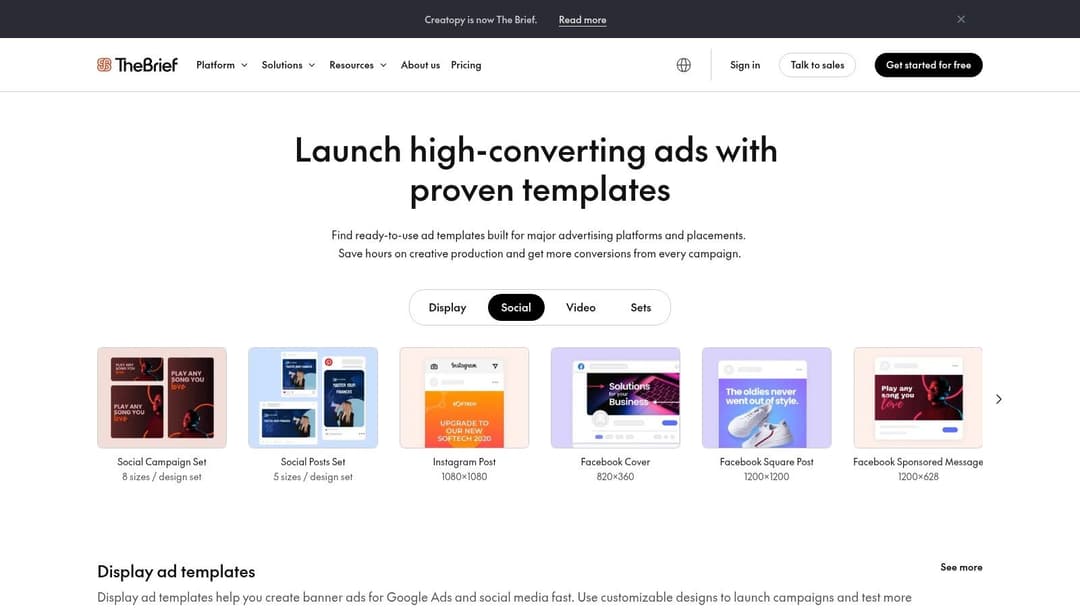
The platform bridges the gap between simple template editors and professional design software, offering more advanced controls like animation timelines and team collaboration features. For agencies managing multiple clients or in-house teams with strict brand guidelines, Creatopy's structured environment is a major benefit. It moves beyond just offering ad templates free of charge and provides a full production workflow.
Key Features & Use Case
- Platform: Web-based Ad Studio.
- Best For: Agencies and marketing teams needing to build coordinated, multi-size campaigns for display and social media with strong brand controls.
- Unique Offering: The emphasis on multi-size ad sets from a single master creative is a powerful time-saver. Its team permission and brand control features (like asset locking and brand kits) are more developed than many competitors, making it ideal for scalable ad production. The templates themselves are just a starting point for crafting great ad copy and visuals.
The free plan provides a good entry point to explore the template library and editor's basic functions. However, many of the features that make Creatopy a compelling choice, such as the full template library, animation capabilities, and advanced team collaboration tools, are reserved for its paid subscriptions.
Website: Creatopy Templates
4. Kapwing
While many platforms focus on static images first, Kapwing stands out by prioritizing video. It offers a large library of ad templates free for customization, all within a straightforward browser-based editor. This platform is specifically geared towards social media, providing countless templates in social-ready aspect ratios like 9:16 for Stories and Reels. It is an excellent solution for marketers who need to create short-form video ads quickly without resorting to complex, professional video editing software.
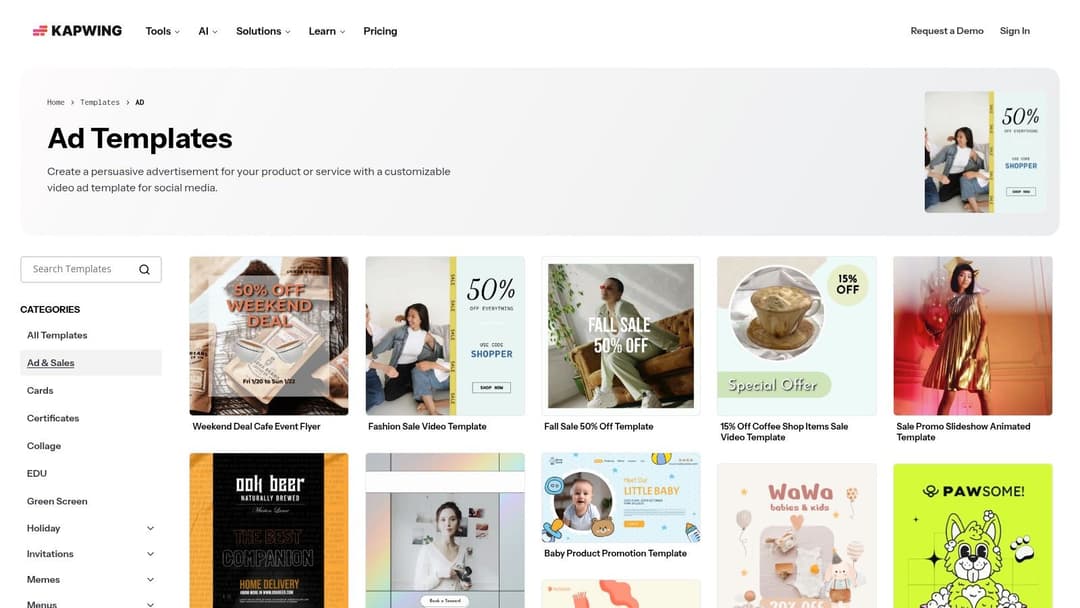
The primary strength of Kapwing is its speed and simplicity for video creation. You can take a pre-animated template, replace the placeholder footage and text, and have a shareable video ad in minutes. This makes it a great tool for reacting to trends or testing different video concepts without a significant time investment, aligning well with the rapid testing cycles common in performance marketing.
Key Features & Use Case
- Platform: Web-based video editor.
- Best For: Creating simple, template-driven video ads for social media platforms like TikTok, Instagram Reels, and YouTube Shorts. It's ideal for teams needing to produce video content without video editing expertise.
- Unique Offering: Its video-first approach, combined with AI-powered tools like automatic subtitle generation and background removal, makes producing professional-looking video ads remarkably accessible. Seeing a great video ad example and wanting to replicate its style is much easier with a tool like this.
However, the free plan has limitations. Your exported videos will include a Kapwing watermark, and there are caps on export length and resolution. While great for drafting or internal review, you will need to upgrade to a paid plan for professional, watermark-free campaign assets. Its collaboration features are also simpler compared to professional non-linear editors (NLEs).
Website: Kapwing Ad Templates
5. Visme
Visme positions itself as a versatile design tool for marketers who need more than just static images, offering a solid collection of ad templates free for both static and video formats. It effectively bridges the gap between simple graphic editors and more complex video software, providing a balanced platform. The interface is clean and user-friendly, making it a good choice for marketers looking to produce social media and display ad variants quickly without a significant time investment in learning new software.
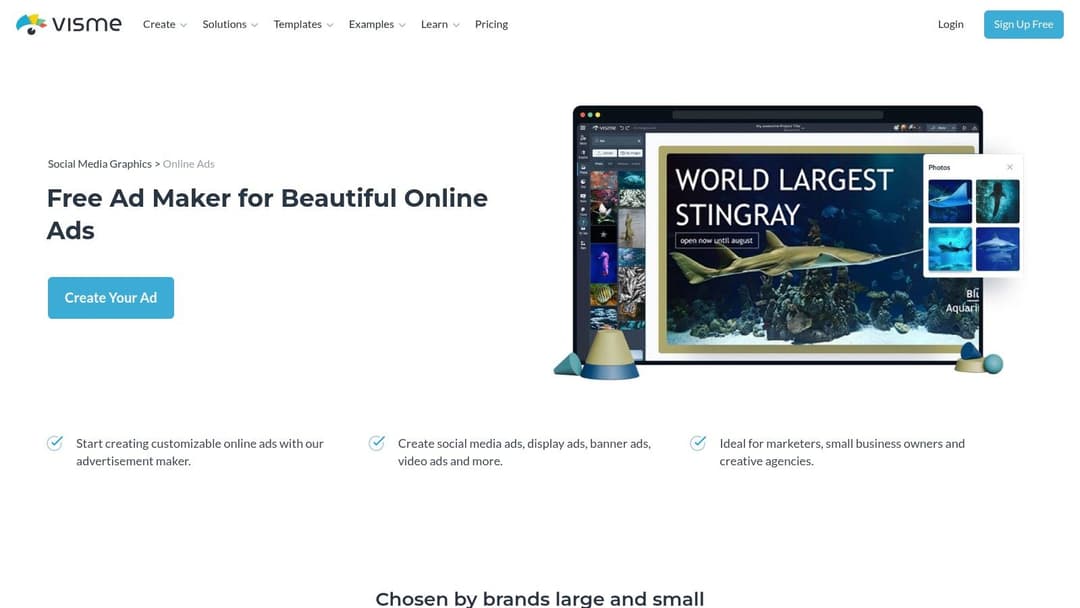
The platform is particularly useful for creating ads with simple animations, like animated text or moving elements, which can increase engagement on social feeds. You can find pre-sized templates for Facebook, Instagram, and various display ad dimensions, then export them as images, GIFs, or MP4 video files. This multi-format export capability makes it easy to test different creative types from a single design.
Key Features & Use Case
- Platform: Web-based editor.
- Best For: Marketers needing to create a mix of static graphics and simple animated video ads, especially for social media campaigns.
- Unique Offering: Visme’s strength is its balance. Unlike tools that excel only at static design or only at video, it provides a competent set of features for both within one unified environment. Its library of stock assets and built-in animation presets allows for the quick production of motion graphics that look more polished than a static image but are less work than a full video edit.
A key consideration is that, similar to other freemium models, many of the most appealing templates, icons, and stock media assets are reserved for paid subscribers. The free plan is functional for basic needs, but you may encounter limitations. Furthermore, while its video tools are great for short, simple ads, teams producing longer or more complex video content will find dedicated video editing software more capable.
Website: Visme Ad Maker
6. Snappa
Snappa is designed for one primary purpose: speed. It offers a library of ad templates free for social media and display, all accessible through a simple browser-based editor that prioritizes minimal setup and quick production. For marketers who need a static Facebook Ad or a simple carousel creative finished in minutes, Snappa removes many of the extra features found in larger suites, focusing instead on core tools. Its interface is clean and immediately understandable for non-designers.
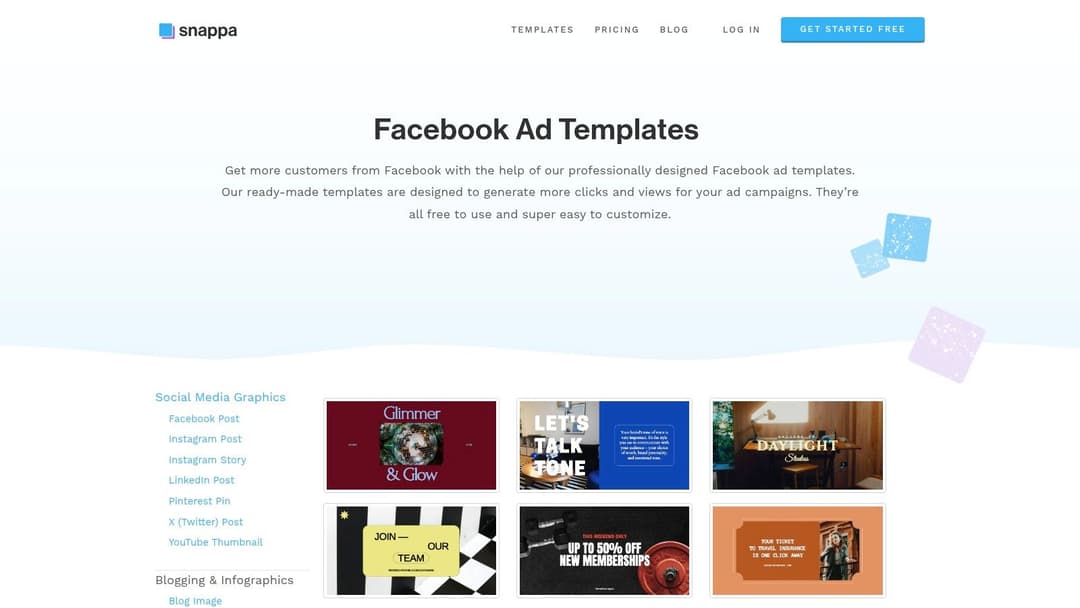
The platform curates its templates specifically for popular placements like Facebook and Instagram, providing a solid starting point without overwhelming users with options. One of its most practical features is the one-click dimension change, allowing you to instantly resize an ad for different platforms, which is a significant time-saver. While it doesn't aim to be a complete design ecosystem, it excels as a quick-turnaround tool for static image ads.
Key Features & Use Case
- Platform: Web-based editor.
- Best For: Solo marketers or small teams needing to create static social media ads with low friction and no design background.
- Unique Offering: The free plan provides access to all templates and a vast library of stock photos and graphics. It’s an ideal solution if your goal is rapid, single-ad creation rather than building out a large, interconnected campaign. This focus on speed makes it a valuable asset alongside some of the best bulk ad creation software for rounding out a creative toolkit.
The main limitation is the free tier's usage cap, which allows for only three downloads per month. This makes it unsuitable for high-volume needs but perfect for occasional ad creation. The overall template selection is also less deep compared to competitors like Canva, so it may not cover every niche or style.
Website: Snappa Facebook Ad Templates
7. Venngage
While often associated with infographics and reports, Venngage also provides a solid library of ad templates free for users, focusing primarily on static display and social media banners. Its strength lies in simplicity and brand alignment, making it a great tool for producing top-of-funnel creative assets without needing a dedicated design background. The editor is straightforward, allowing marketers to quickly generate on-brand visuals for Google Display Network or social media headers.
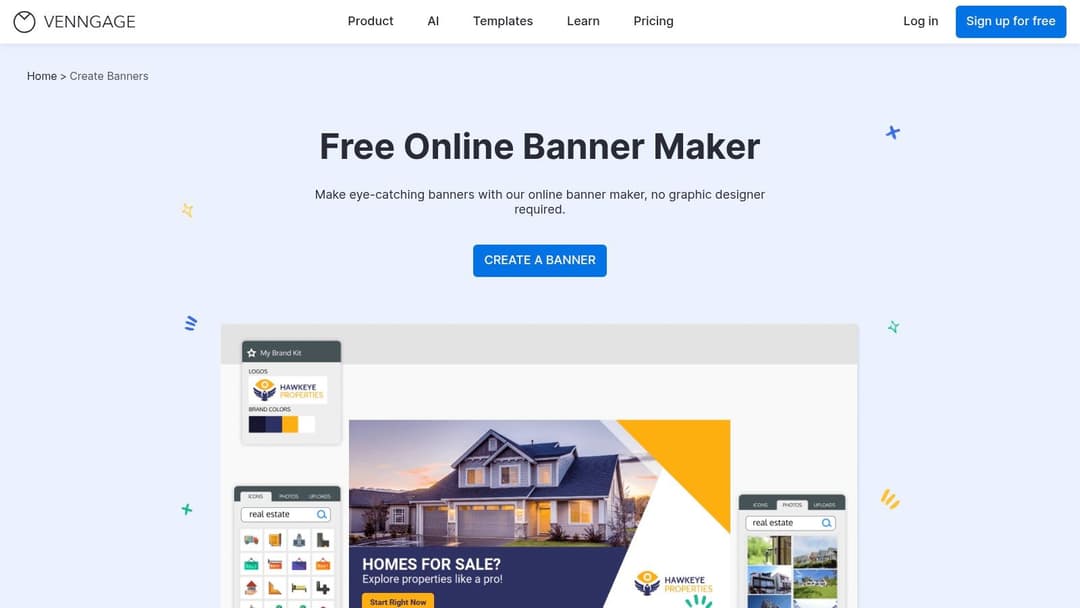
Venngage is particularly useful for teams that need to maintain strict brand consistency. Its "My Brand Kit" feature allows users to pre-load logos, color palettes, and fonts, which can then be applied to any template with a single click. This significantly speeds up the process of creating a suite of cohesive banner ads for a campaign, ensuring brand recognition across different placements.
Key Features & Use Case
- Platform: Web-based editor.
- Best For: Teams needing to quickly produce a high volume of on-brand, static display banners and social media graphics. Ideal for B2B marketers and corporate teams.
- Unique Offering: The one-click branding application is its standout feature. Rather than manually changing colors and fonts on each new ad, you can apply your saved brand kit instantly, making it far more efficient for producing consistent campaign creative than more generalized tools.
However, Venngage’s focus is clearly on static images. The platform has limited capabilities for video or animated ad creation, making it less suitable for channels like Instagram Reels or YouTube. Furthermore, while many templates are free, advanced export options like high-resolution PNGs or interactive PDFs are gated behind a paid subscription, which is a key consideration for professional campaign use.
Website: Venngage Banner Maker
8. Desygner
Desygner focuses on providing ad templates free from the hassle of constant resizing and format checking. Its main strength lies in offering a library of templates that are pre-sized and kept up-to-date with the latest Google Display Network (IAB) and major social media ad specifications. This makes it a dependable choice for marketers who need to quickly produce a set of standard banner ads without having to double-check dimensions for placements like leaderboards, skyscrapers, or medium rectangles.
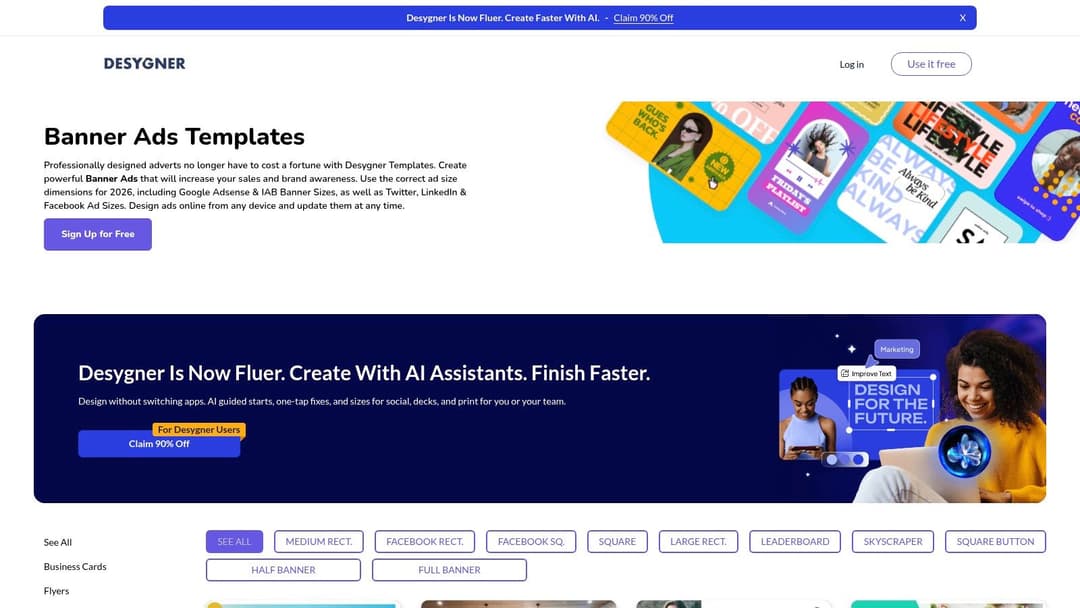
The platform is designed for accessibility, with a lightweight editor that works smoothly on both desktop browsers and mobile devices. This on-the-go editing capability is a significant benefit for small business owners or social media managers who often need to make quick adjustments to campaigns while away from their primary workstation. The user interface is straightforward, allowing for simple text and image swaps to get ads campaign-ready in minutes.
Key Features & Use Case
- Platform: Web-based editor with dedicated mobile apps (iOS/Android).
- Best For: Creating standard-sized banner and social media ads, especially when you need to make quick edits from a phone or tablet.
- Unique Offering: The platform's commitment to maintaining accurate, up-to-date ad size templates for IAB, Google, Meta, and X (Twitter) is a key differentiator. The free plan allows exports in JPG, PNG, and PDF, which covers the needs for most static display campaigns.
While excellent for static image ads, Desygner's free version has limited options for video ad creation. Advanced features, such as a brand kit for managing logos and colors, or access to a wider pool of premium stock assets, are reserved for its paid subscription plans. This makes it ideal for quick, individual ad tasks rather than complex, brand-consistent team projects.
Website: Desygner Banner Ad Templates
9. Figma
Figma moves beyond simple drag-and-drop tools to offer a professional-grade design environment where teams can create and manage their own ad templates free of charge. For organizations already using Figma for UI/UX or product design, extending its use to marketing creative is a natural and efficient step. The platform’s strength lies in its collaborative, system-based approach, allowing for the creation of reusable components (like logos, buttons, and text styles) that ensure brand consistency across all ad variations.
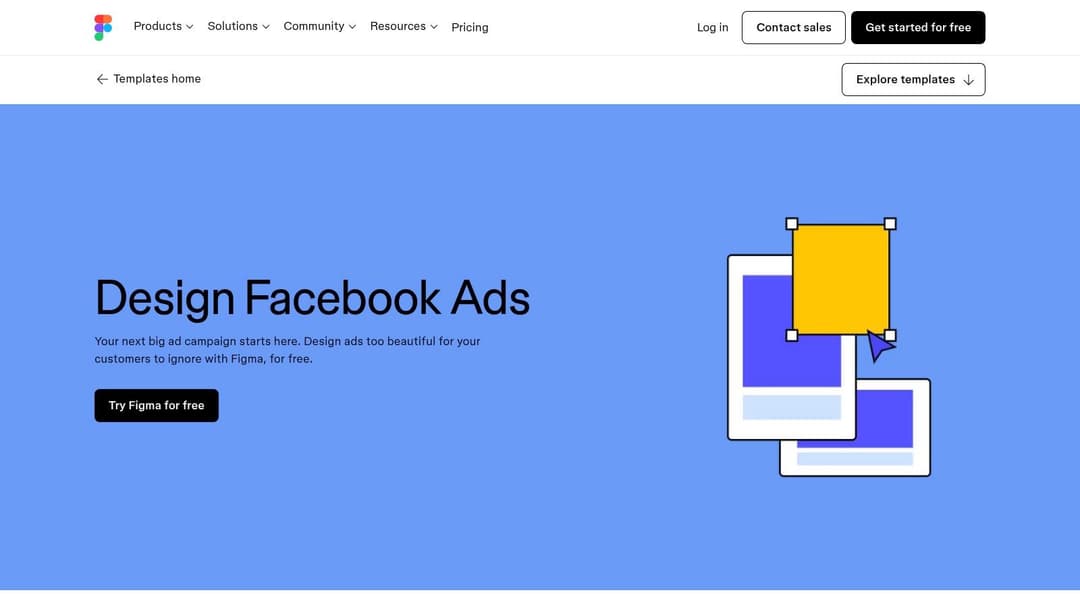
Unlike simpler tools, Figma is built for design systems and creative operations. You can find community-made templates that come pre-loaded with frames for all major Meta ad placements, complete with specification guides. This setup lets designers or marketers quickly produce a full set of ad assets, then hand them off to developers or uploaders with perfect clarity, thanks to built-in commenting and version history.
Key Features & Use Case
- Platform: Primarily a powerful web-based editor with desktop apps for macOS and Windows.
- Best For: Design-led marketing teams or companies that have integrated Figma into their core workflow. It excels at systematic creative production and maintaining brand integrity at scale.
- Unique Offering: The real-time, "multiplayer" collaboration is a standout feature, allowing multiple stakeholders to work on or review ad creatives simultaneously. Its component and style system enables rapid iteration; updating a master component can instantly refresh it across dozens of ad designs, saving significant manual effort.
The main consideration is its learning curve, which is steeper than dedicated ad makers like Canva. It’s a full-featured design tool, not just a template editor. The process is also less automated, as you must manually export assets from Figma and then upload them to your respective ad platforms. However, for teams prioritizing control, collaboration, and systematic design, the initial time investment pays off.
Website: Figma Facebook Ad Creator Template
10. Google Web Designer (Rich Media Gallery)
For advertisers focused on high-impact display formats, Google's Rich Media Gallery is a vital resource. It provides a collection of ad templates free for use within Google Web Designer, a powerful tool for creating interactive HTML5-based ads. Unlike simple image editors, this platform is specifically built for producing responsive and animated creatives that are fully compliant with Google Ads and Display & Video 360 requirements. It's the go-to for anyone wanting to move beyond static images into more engaging ad experiences.
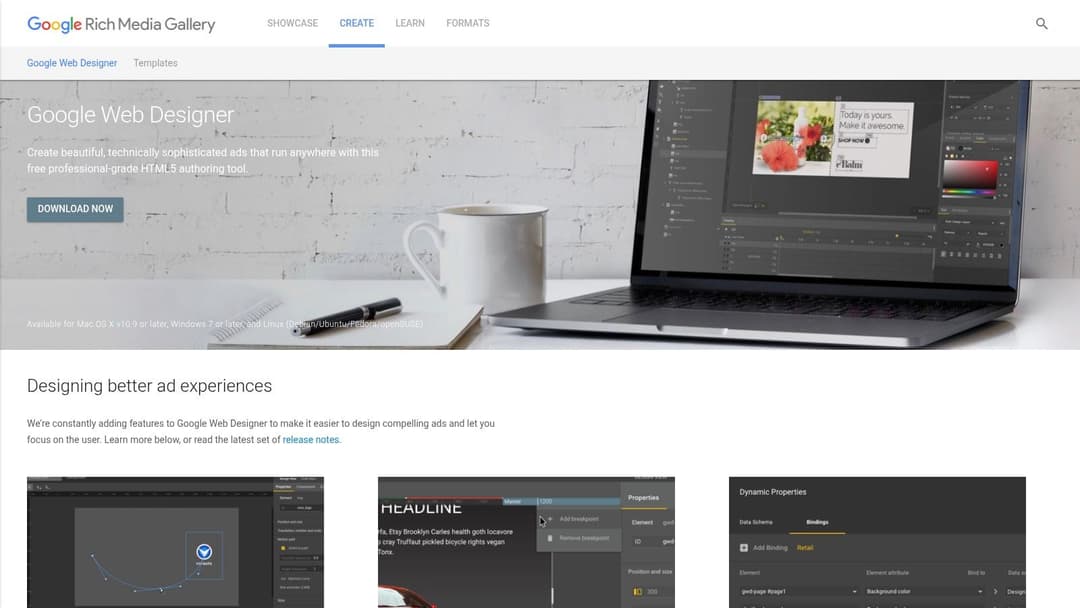
The templates here are not just layouts; they are functional frameworks for rich media components like expandable panels, motion path animations, and dynamic content feeds. This makes the gallery an excellent starting point for complex Performance Max or display campaigns where interactivity can significantly boost engagement and click-through rates. The provided templates ensure your final ad meets strict network specifications, avoiding common rejection issues.
Key Features & Use Case
- Platform: Desktop application (Google Web Designer) with a web-based template gallery.
- Best For: Technical marketers and developers creating interactive HTML5 display and video ads for the Google Display Network.
- Unique Offering: The gallery is one of the few places to find free, standards-compliant templates for advanced formats like Lightbox ads and responsive display units. The templates are designed to be customized in a code-friendly environment, giving you precise control over animations and user interactions that simple editors can't offer.
However, the primary challenge is the learning curve. Google Web Designer is a more technical application than a drag-and-drop tool. To get the most out of these templates, a basic understanding of HTML5, CSS, and animation timelines is highly beneficial, making it less accessible for teams without dedicated technical or design resources.
Website: Google Rich Media Gallery
11. Biteable
Biteable excels at simplifying video ad creation, making it a go-to platform for producing professional-looking motion ads without needing video editing skills. It offers a rich library of ad templates free to edit, covering everything from promos and explainers to dynamic social media ads. The scene-based editor allows marketers to quickly assemble videos, apply branding, and add stock music, turning a complex process into a matter of minutes.
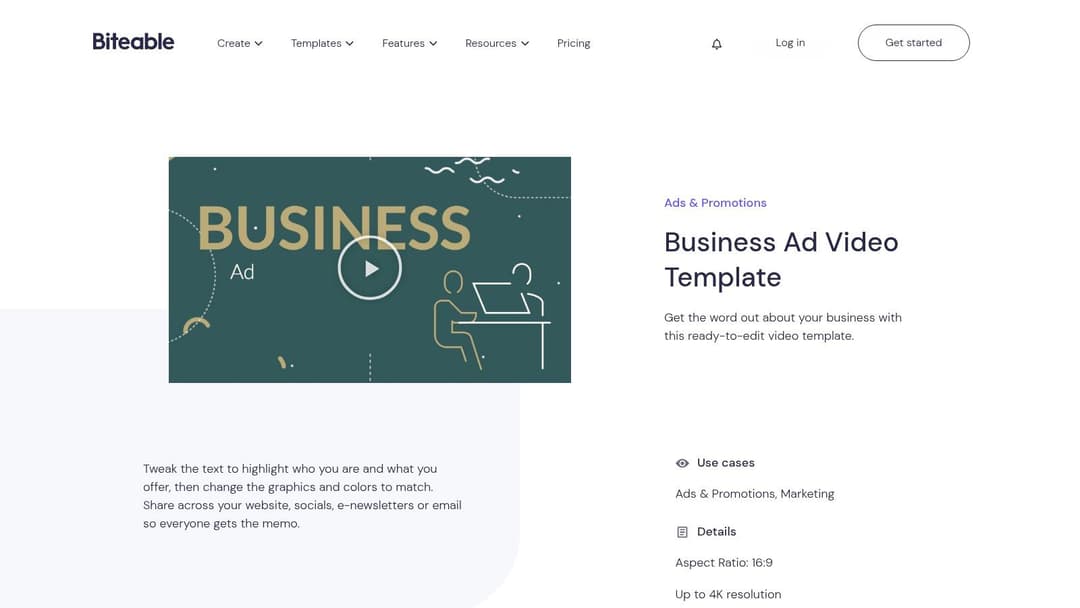
The platform is especially effective for teams that need to produce simple animated content fast. Instead of getting bogged down in timelines and keyframes, you can focus on your message and let the template handle the motion design. This approach is ideal for testing different ad concepts or refreshing creatives without a significant time investment.
Key Features & Use Case
- Platform: Web-based video editor.
- Best For: Marketing teams and small businesses needing to create simple, effective video ads for social media and websites with zero prior video experience.
- Unique Offering: The editor's structure is built around pre-animated scenes, which you can customize with your own text, logos, and brand colors. This modular system makes video creation feel more like building a presentation than editing a film, lowering the barrier to entry significantly.
While you can start creating for free, exporting your final video without a watermark and accessing premium templates or advanced analytics requires a paid subscription. The free plan is best used for drafting concepts and getting comfortable with the interface before committing. Customization options are also more constrained compared to professional software like After Effects, so it's not suited for highly bespoke animation.
Website: Biteable Templates
12. VistaCreate (formerly Crello)
VistaCreate, which many marketers may remember as Crello, is another powerful web-based design tool that provides a substantial library of ad templates free for a variety of platforms. Similar to its main competitor, Canva, it operates on a user-friendly drag-and-drop model, making it a strong choice for marketers and small business owners who need to produce ad creative quickly without a background in graphic design. Its free Starter plan is a major draw, offering thousands of templates for social media, display ads, and video.
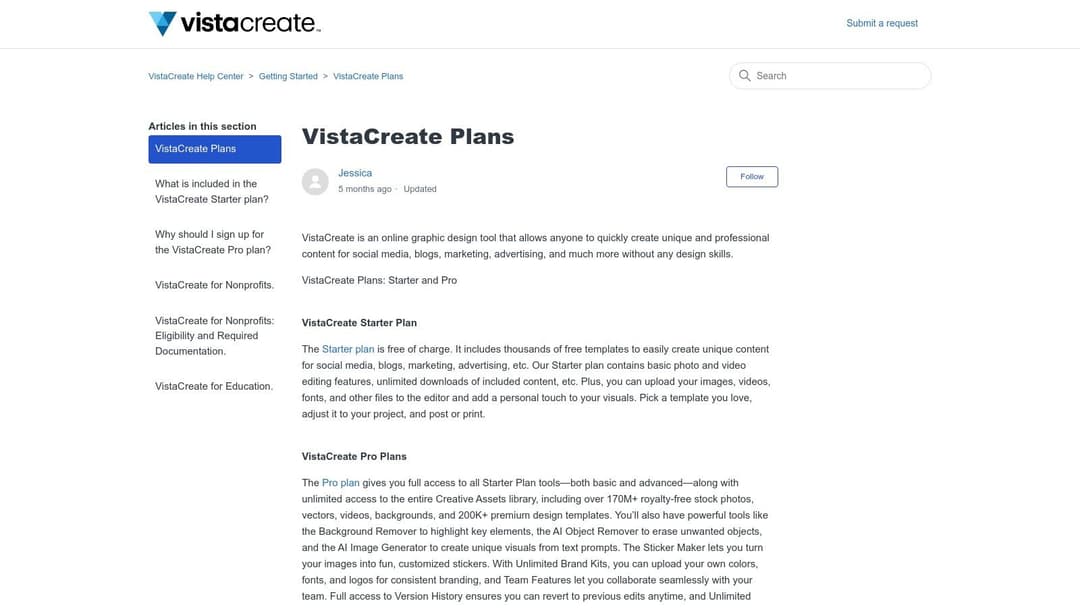
The platform’s strength lies in its balance of accessibility and features. Even on the free tier, users can access basic video editing and animation tools, which is excellent for creating simple, eye-catching video ads that outperform static images. This makes it a practical solution for teams looking to dip their toes into video advertising without committing to more complex software or a paid subscription.
Key Features & Use Case
- Platform: Web-based editor with mobile app support.
- Best For: Individuals and small teams needing quick static and animated ad assets with a generous free asset library. It’s particularly useful for creating simple video ads for platforms like Instagram Stories or TikTok.
- Unique Offering: The free plan includes access to over 1 million stock photos, videos, and vectors, which is quite competitive. It also provides a limited Brand Kit, allowing you to save your brand colors, logos, and fonts for easier application, a feature often restricted in other tools.
However, many of the more polished or niche templates and assets are reserved for the Pro plan. While the free version is robust, teams aiming for high-volume production or requiring advanced features like unlimited brand kits, team collaboration, and a content scheduler will find the upgrade necessary.
Website: VistaCreate Plans
Top 12 Free Ad Template Tools Comparison
| Tool | Unique selling point | Core features | Target users | Price & limitations |
|---|---|---|---|---|
| Canva | Massive template library + one‑click resizing | Thousands platform‑sized templates, Magic Studio AI, brand kit, multi‑format export | Non‑designers, marketing teams | Free tier; Pro for brand controls & premium assets, some assets watermarked |
| Adobe Express | Enterprise polish + spec checks | Guided ad workflow, safe‑zone checker, AI image gen, direct exports | Teams using Adobe, enterprise marketers | Free plan; premium assets/integrations require paid/add‑ons |
| Creatopy | Multi‑size campaign consistency for agencies | Display/social/video templates, prebuilt multi‑size sets, Ad Studio, team permissions | Agencies, teams needing coherent sets | Paid tiers for advanced features; some roles gated |
| Kapwing | Fast short‑form video ad creation | 2k+ video templates, drag‑drop editor, social aspect ratios | Creators and marketers making quick videos | Free with export limits/branding; paid for full exports |
| Visme | Balanced static + motion ad maker | Social/display/video templates, stock assets, simple animation, multi‑format export | Marketers needing both static & motion | Free available; some templates/assets locked to paid plans |
| Snappa | Quick static Facebook & carousel ads | Curated FB/carousel templates, stock photos, one‑click dimension change | Non‑designers producing quick statics | Free tier limited; smaller template depth vs larger suites |
| Venngage | Fast banners and top‑of‑funnel assets | Banner & social templates, brand colors/fonts, popular ad sizes | Marketers creating display/top‑funnel banners | Free with limitations; advanced exports require paid plan |
| Desygner | Up‑to‑date sizing + mobile edits | Pre‑sized IAB/Google/social templates, multi‑format export, mobile/web editing | Teams needing current specs and on‑device edits | Free basic plan; brand/advanced tools on paid plans |
| Figma | Design‑system workflows & versioning | Facebook/IG templates, size/spec guidance, multiplayer collaboration, component reuse | Design teams, creative ops, product teams | Free tiers; steeper learning curve, manual exports to ad platforms |
| Google Web Designer (Rich Media Gallery) | Standards‑compliant HTML5 rich media for Google inventory | Responsive/dynamic templates, motion paths, rich‑media components | Developers, rich‑media creatives, DV360/Google Ads users | Free but technical; best with Google Web Designer knowledge |
| Biteable | Very fast simple motion ads with music | Video ad templates, scene‑based editing, brand colors/logos, stock music | Non‑video specialists, marketers needing quick motion | Free limited; advanced outputs and higher quality require paid plans |
| VistaCreate (Crello) | Strong free starter with large asset library | Static & video templates, basic video editing, stock library, limited brand kit | Small teams, quick ad production | Free Starter; Pro unlocks more templates, assets and automation features |
From Templates to Triumphs: Scaling Your Creative Workflow
The journey through this extensive list of free ad templates, from Canva’s user-friendly interface to Figma’s professional-grade flexibility, demonstrates a clear reality for modern marketers: you don’t need a massive budget to create visually compelling advertisements. We’ve covered a wide array of resources, each offering a solid starting point for your campaigns on Meta, Google, and beyond. Whether you need a polished image ad from Creatopy, an animated video from Biteable, or a dynamic rich media unit from Google Web Designer, the tools are readily available.
However, access to great ad templates free of charge is only the first piece of the puzzle. The real challenge, and where many marketing teams get stuck, is turning those static templates into a high-velocity testing engine that produces consistent, data-backed winners. A single well-designed template is a valuable asset, but its true power is unlocked when you can rapidly iterate on it, creating dozens of variations to test against different audience segments.
Bridging the Gap Between Creation and Performance
The primary takeaway from our exploration is that efficiency in creative production must be matched by efficiency in campaign testing and optimization. Manually creating 50 variations of a single Canva template, each with a different headline, background color, or call-to-action button, is an arduous and repetitive task. The process of then uploading each one to Ads Manager, setting up individual ads, and trying to make sense of the resulting performance data is a significant operational bottleneck.
This manual grind is where the workflow breaks down. The time spent on these repetitive tasks could be better invested in strategic thinking, audience research, and analyzing higher-level trends. The solution lies in building a system that connects your creative assets directly to a data-driven testing framework.
Actionable Next Steps: Building a Scalable Creative System
To move from simply using templates to truly scaling your creative output, consider the following strategic steps:
- Standardize Your Core Assets: Choose one or two platforms from our list that best fit your team’s skills. A performance marketer might prefer the simplicity of Canva or Adobe Express, while a team with design resources might gravitate toward Figma for its component-based system. Standardizing helps maintain brand consistency and streamlines the initial design process.
- Embrace Component-Based Design: Instead of thinking in terms of finished ads, break your templates down into their core components: backgrounds, product images, headlines, logos, and CTAs. This approach, especially powerful in tools like Figma, allows you to mix and match elements programmatically, creating hundreds of permutations from a handful of core assets.
- Integrate an Automation Layer: This is the most critical step for scaling. Manually testing at scale is not feasible. Platforms like AdStellar AI are purpose-built to solve this problem by taking your creative components and automatically generating, launching, and analyzing hundreds of ad variations. This turns your template library into a dynamic testing ground.
- Create a Data Feedback Loop: The goal isn't just to make more ads; it's to make smarter ads. Your testing platform should provide clear, actionable insights. You need to know which headlines perform best with which images, or which background colors drive the highest click-through rates for a specific audience. This data then informs your next batch of creative iterations, creating a continuous cycle of improvement. To truly scale your creative workflow from templates to triumphs, integrating the best AI tools for content creation in 2026 can automate and enhance various aspects of your ad production.
By combining the accessibility of ad templates free for download with the intelligent automation of a testing platform, you transform your creative process from a manual, time-consuming chore into a scalable engine for growth and discovery. This is how top-performing brands stay ahead, continuously learning what resonates with their audience and deploying winning ads faster than the competition.
Ready to stop the manual grind and start scaling your ad creative? AdStellar AI connects directly to your creative assets and Meta Ads account, automating the generation, launch, and analysis of hundreds of ad variations. Turn your best templates into a data-driven growth engine by visiting AdStellar AI to see how it works.


