
The ideal Facebook ad video size really comes down to where you plan on running it. That said, the two most common specs you'll see are a 9:16 aspect ratio (1080x1920 pixels) for Reels and Stories, and a 4:5 aspect ratio (1080x1350 pixels) for Feeds.
Nailing these dimensions is your first step toward making ads that look great on mobile. It ensures your videos fill the screen perfectly, which helps you avoid awkward cropping and keeps viewers engaged.
Your Quick Reference Guide To Facebook Video Ad Specs
Getting your video dimensions right from the start is non-negotiable for a successful ad campaign. A video formatted for the wrong placement just looks unprofessional—it gets cut off in weird places and, frankly, wastes your ad spend. Think of this section as your go-to cheat sheet for the most critical specs you need before hitting "upload."
These specifications aren't just restrictive rules; they're the blueprint for a good user experience. When your ad fits seamlessly into the format a user is already browsing, it feels more native and less like a disruptive ad. That's a huge factor in boosting watch time and click-through rates.
This visual guide breaks down the key differences between the two most dominant placements right now: Reels and the Feed. It's a quick way to see their distinct aspect ratios and how they're designed for different viewing habits.
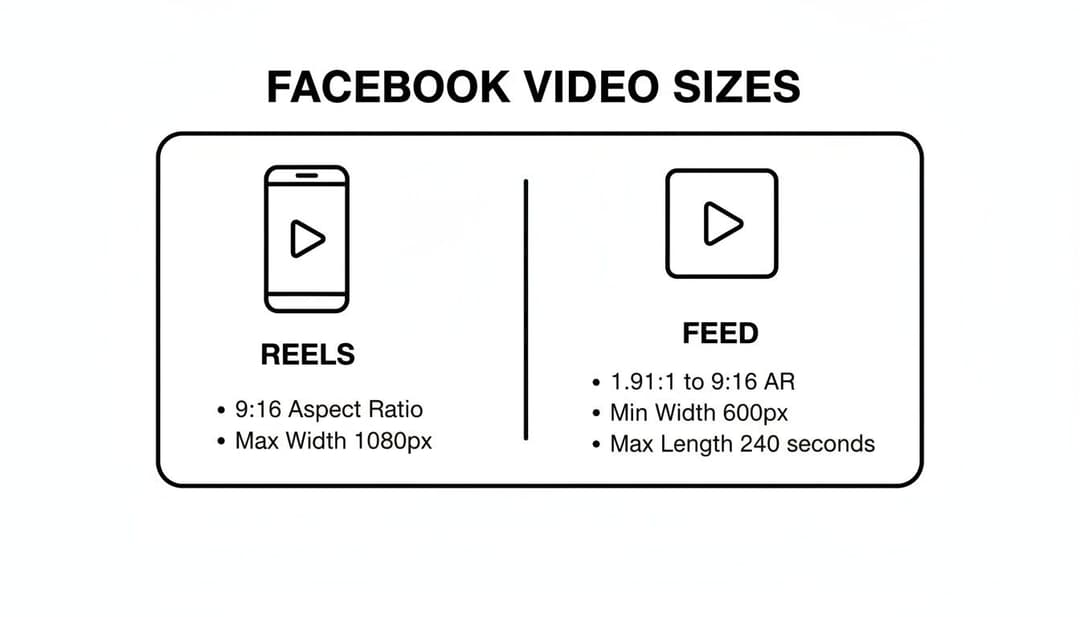
As you can see, Reels are all about that tall, vertical 9:16 format for an immersive, full-screen experience. Feed videos, on the other hand, are optimized for a slightly shorter 4:5 vertical layout that still takes up a ton of space as people scroll.
Facebook Video Ad Specs Quick Reference Table
To make things even easier, I've pulled together the essential requirements for top-performing ad placements into one simple table. Use this for a final check before you export your videos.
| Placement | Aspect Ratio | Recommended Resolution (Pixels) | Max Length | Max File Size |
|---|---|---|---|---|
| Feed | 4:5 or 1:1 | 1080 x 1350 or 1080 x 1080 | 241 minutes | 4 GB |
| Reels | 9:16 | 1080 x 1920 | No maximum | 4 GB |
| Stories | 9:16 | 1080 x 1920 | 2 minutes | 4 GB |
| In-Stream | 16:9 or 1:1 | 1920 x 1080 or 1080 x 1080 | 5-15 seconds | 4 GB |
| Marketplace | 1:1 | 1080 x 1080 | 241 minutes | 4 GB |
Pro Tip: Always, always design your videos for mobile-first viewing. Even for placements like the Feed that support multiple aspect ratios, the vertical formats like 4:5 almost always perform better. Why? They command more screen real estate, so users don't have to rotate their phones to get the full picture.
Mastering these core specs is fundamental, but it's just one piece of the puzzle. To see how these technical details fit into the bigger picture, you should check out our complete guide on https://www.adstellar.ai/blog/facebook-advertising-best-practices.
Also, keeping your file size under that 4 GB limit is crucial if you want to avoid upload errors. For some really targeted advice on trimming down file sizes without killing your quality, take a look at these specific Facebook video compression guidelines. Following them will help ensure your videos look crisp while still meeting Meta's technical requirements.
Why Video Specs Directly Impact Ad Performance
Getting your Facebook ad video size right isn't just about ticking a technical box. It's a strategic move that directly hits your campaign's bottom line. When a video ad fits its placement perfectly, it feels native and seamless to the viewer—and in a world of fast-scrolling feeds, that’s everything for grabbing and holding attention.
Think about it. An incorrectly sized video, slapped with ugly black bars or cropped in an awkward way, immediately screams "low-effort ad." That tiny detail is often all it takes for someone to scroll right past. Your cost-per-impression creeps up, and engagement plummets. But a video that fills the screen? It looks professional, feels immersive, and encourages people to stick around and watch.
The Financial Impact of Correct Formatting
The line between proper video specs and your financial return is crystal clear. Better engagement and longer watch times are positive signals to Meta's ad algorithm. In turn, the algorithm can reward you with lower costs (CPL and CPA) and a healthier return on ad spend (ROAS).
It all comes down to the mobile-first nature of Facebook and Instagram. A 9:16 video in Stories or a 4:5 video in the Feed takes up maximum screen real estate. Your message becomes dominant and almost impossible to ignore, which is the first step toward driving a conversion. It’s a foundational piece of the puzzle, and you can dig deeper into unlocking your Facebook Ads conversion rate with more targeted strategies.
Every Second Counts Especially the First Three
Users fly through their feeds, making the very first impression of your ad unbelievably powerful. If those first few moments are visually jarring because of bad formatting, you’ve already lost a huge chunk of your audience and whatever value your campaign might have had.
A landmark study by Meta and Nielsen found that a staggering 47% of a video campaign's total value is delivered within the first three seconds. That means nearly half of your potential ROAS or CPL improvement is decided almost instantly. You can find more insights like this in these Facebook business statistics.
This data really drives the point home: a perfectly sized, immersive video isn't just a best practice; it's a financial necessity. The one-size-fits-all approach is dead. To capture that initial burst of value and set your campaign up to win, you have to tailor your Facebook ad video size for every single placement.
Mastering Vertical Video For Reels And Stories
Let's be clear: vertical video isn't just a trend anymore. For placements like Facebook Reels, Instagram Reels, and Stories, it's the undisputed standard for mobile-first advertising. The 9:16 aspect ratio is king here. This full-screen format is designed to grab 100% of a user's attention, creating an immersive experience that actually stops the scroll.
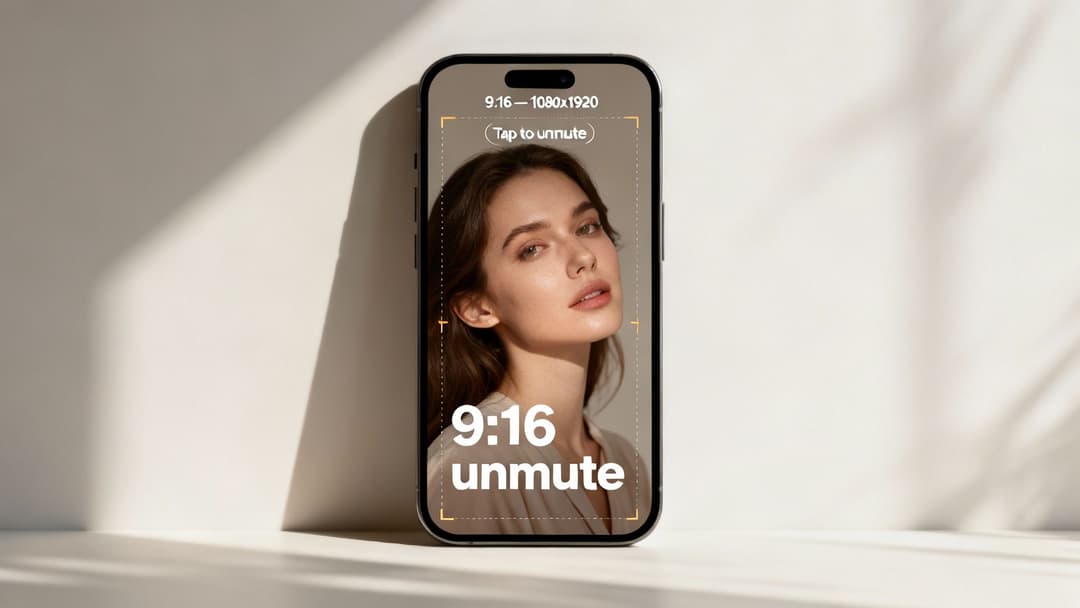
Think about it—this format perfectly matches how people naturally hold their phones. It feels native and doesn't interrupt their flow. Using any other Facebook ad video size for these placements will leave you with ugly black bars or awkward cropping, which instantly signals to users that your ad doesn't belong there.
The Unmissable Specs For Vertical Video
To make sure your ads show up perfectly, you have to nail the technical specs. Even a small mistake here can get your ad rejected or just tank its performance.
Here are the absolute must-haves for Facebook and Instagram Reels and Stories:
- Aspect Ratio: 9:16. Seriously, this is non-negotiable for a full-screen mobile experience.
- Recommended Resolution: 1080 x 1920 pixels. This is the sweet spot to make your video look sharp and high-quality on modern smartphone screens.
- Supported File Types: Stick with MP4 and MOV. They're the most common and reliable formats.
- Maximum File Size: 4 GB. Keep your file size well below this to avoid frustrating upload issues.
- Video Length: For Stories, you get up to 2 minutes. For Reels ads, there's no technical max length, but shorter is almost always better for engagement.
Getting these guidelines right is your first step. The next is figuring out how to use the format to make a real impact. We dive deeper into those strategies in our guide on how to improve ad engagement.
Designing For The Vertical Experience
Making great vertical video ads is about more than just getting the dimensions right. You need to design your creative with the user's viewing habits front and center.
First, always assume the sound is off. The vast majority of people watch videos without audio, at least at first. Use bold, clear captions or on-screen text to get your message across from the very first frame.
Second, mind the "safe zone." Mobile interfaces have overlays at the top and bottom of the screen—things like the profile name or the call-to-action button. Keep your most important text, logos, and visuals in the center of the screen so they don't get covered up. This ensures your key message is always visible.
Key Takeaway: Designing for vertical video means creating for a mobile-native environment. Captions, safe zone placement, and a strong visual hook in the first three seconds are essential components for success in Reels and Stories.
Optimizing Video Ads for Facebook and Instagram Feeds
Even with the explosive growth of vertical video in Reels and Stories, the classic Feed is still a powerhouse placement for advertisers. But this scrollable environment has its own rules. Just dropping a 16:9 or 9:16 video into the Feed is a surefire way to get ignored—it simply doesn't command the screen space needed to stop a user's thumb.
Your main goal here is to take up as much vertical real estate on a mobile screen as you can, without getting awkwardly cropped. This is where the 4:5 aspect ratio becomes your best friend. It’s taller than a square video but fits perfectly within the Feed's layout, making your ad impossible to miss.
The Best Facebook Ad Video Size for Feeds
For both Facebook and Instagram Feeds, the 4:5 aspect ratio is the undisputed champion. This format hits the sweet spot for mobile viewing, giving your ad a commanding presence as people scroll. Of course, the classic square 1:1 format is still a solid, versatile option that works well too.
Here are the specs you need to nail for the Feed:
- Recommended Aspect Ratio: 4:5. This is the go-to for mobile-first ads to maximize screen space.
- Alternative Aspect Ratio: 1:1. A great all-rounder that also performs well on desktop and can be repurposed for placements like Marketplace.
- Recommended Resolution: 1080 x 1350 pixels for a 4:5 video, or 1080 x 1080 pixels for 1:1.
- File Types: Stick with MP4 or MOV. They offer the best balance of quality and compatibility.
- Maximum File Size: 4 GB.
- Maximum Video Length: Up to 241 minutes. But let’s be real—keep it short. Videos under 60 seconds are far more likely to hold someone's attention.
Following these specs not only makes your video look professional but also helps the ad delivery algorithms favor your content. It’s also a good idea to stay familiar with the general platform guidelines for uploading videos to Instagram, as this ensures your content looks great whether it's an ad or an organic post.
Why 4:5 Outperforms Other Ratios in the Feed
The difference a proper aspect ratio makes is immediate. Picture scrolling your own feed and coming across a horizontal 16:9 video. It looks tiny, trapped between huge black bars, and feels completely out of place. It’s practically begging the user to turn their phone sideways, which almost no one ever does.
Now, imagine that same ad formatted as a 4:5 video. It fills the screen, grabbing your attention and making the visuals, text, and call-to-action large and clear. That better viewing experience isn't just nice to have; it directly impacts your ad's performance.
An optimized 4:5 video ad can dramatically boost watch time and engagement just by being easier and more natural to watch. That visual dominance is what stops the scroll and gets someone to actually interact with your ad.
A seamless experience is key to getting results. When you give your audience a video that fits their environment, you're making it that much easier for them to take the next step. For more on this, check out our guide on how to improve your ad's click-through rate. Ultimately, choosing the right Facebook ad video size for the Feed isn't just a technical box to check—it’s a strategic move for better engagement.
A Complete Spec Guide For All Other Ad Placements
Feeds, Reels, and Stories get all the attention, but savvy advertisers know the real magic happens when you master the entire Meta ecosystem. Your audience isn’t just scrolling one feed; they’re watching videos, browsing products in Marketplace, and searching for solutions. To really squeeze every drop of performance out of your budget, you need video ads that feel native to every single one of those spots.
Think of this as your reference guide for those "other" placements. Each one has a unique context and user mindset, which means the right facebook ad video size isn't just a technical detail—it's the difference between a welcome ad and an annoying interruption. We'll break down the specs for everything from quick-hit in-stream ads to the versatile square videos that shine in discovery-focused corners of the platform.
Facebook In-Stream Video Ads
These are the short ads that pop up before, during, or after other videos on Facebook. It's a tricky spot. Viewers are already leaned in and watching something else, so your ad has to be a masterclass in efficiency to grab their attention without getting an instant skip. The whole game here is to make an impact fast.
Because of this interruptive nature, the technical requirements are tight—especially when it comes to length. You don't have the luxury of a long narrative.
- Supported Aspect Ratios: Your best bets are 16:9 (standard horizontal) or 1:1 (square).
- Recommended Resolution: Always go for the highest quality your source file allows. Think 1920 x 1080 pixels for horizontal and 1080 x 1080 pixels for square.
- File Types: Stick to the standards: MP4 or MOV.
- Video Length: This is the most critical spec. You've got a tiny window of 5 to 15 seconds. Non-skippable ads are even shorter.
- Maximum File Size: 4 GB.
Facebook Marketplace Video Ads
Marketplace has grown from a simple digital garage sale into a serious e-commerce engine. People browsing here aren't just killing time; they're often ready to buy. A video ad that shows your product in action can be incredibly persuasive in this high-intent environment.
The good news is that the specs for Marketplace are pretty forgiving. The platform heavily favors the mobile-friendly square format.
- Recommended Aspect Ratio: 1:1 is king here. It fits perfectly into the grid-style layout of Marketplace.
- Recommended Resolution: A crisp 1080 x 1080 pixels or higher will make your product look professional.
- File Types: You can use MP4, MOV, or even a GIF.
- Maximum Video Length: While you can upload a video up to 241 minutes, don't. For an ad, anything over 60 seconds is pushing it. Keep it short and sweet.
- Maximum File Size: 4 GB.
Cross-Placement Tip: Your 1:1 square video is a true workhorse. A single, well-made square ad can run perfectly across the Facebook Feed, Instagram Feed, and Facebook Marketplace. This is a huge time-saver for your creative team.
Facebook Search Results Video Ads
When someone types a query into the Facebook search bar, they're on a mission. Placing a video ad right in their path is a golden opportunity to capture attention at a moment of peak relevance. Just like with Marketplace, a clean, universally compatible format is your best bet.
The specs for search results ads will look familiar, making it easy to repurpose creative you already have.
- Recommended Aspect Ratio: Stick with 1:1.
- Recommended Resolution: Go for 1080 x 1080 pixels or better.
- File Types: MP4, MOV, or GIF.
- Maximum Video Length: Up to 241 minutes.
- Maximum File Size: 4 GB.
Facebook Right Column Ads
A true Facebook classic, Right Column ads are a desktop-only placement. They’re small and sit off to the side, making them better for simple awareness or traffic campaigns rather than deep video engagement. While you can run video here, the creative constraints are real.
Because the ad unit is so small, any complex visuals or tiny text overlays in your video will be completely lost. Simplicity is everything.
- Recommended Aspect Ratio: 1:1.
- Recommended Resolution: 1080 x 1080 pixels or larger.
- File Types: MP4, MOV, or GIF.
- Maximum Video Length: Up to 241 minutes.
- Maximum File Size: 4 GB.
With such a compact space, your video needs an immediate visual punch to even get noticed. Think simple logo animations or a crystal-clear product shot. A detailed, story-driven video would be totally wasted here. Always, always use the ad preview tool to see how your creative looks in this tiny format before you spend a dime.
Getting the Technical Details Right (And Avoiding Common Mistakes)
Going beyond the basic dimensions and landing the perfect Facebook ad video size is where the pros separate themselves from the amateurs. The technical quality of your video file plays a huge role in how smoothly it plays and how professional it looks. Getting these details right means your ad will look crisp, load fast, and sail through Meta's review process without a hitch.
First up, let's talk compression. The goal here is to shrink your file size without making the video look pixelated or blurry. For just about any video on the web, and especially for Facebook, H.264 compression is the gold standard. It hits that sweet spot between high quality and manageable file size, making it the go-to choice. Think of it as the universal language for online video.
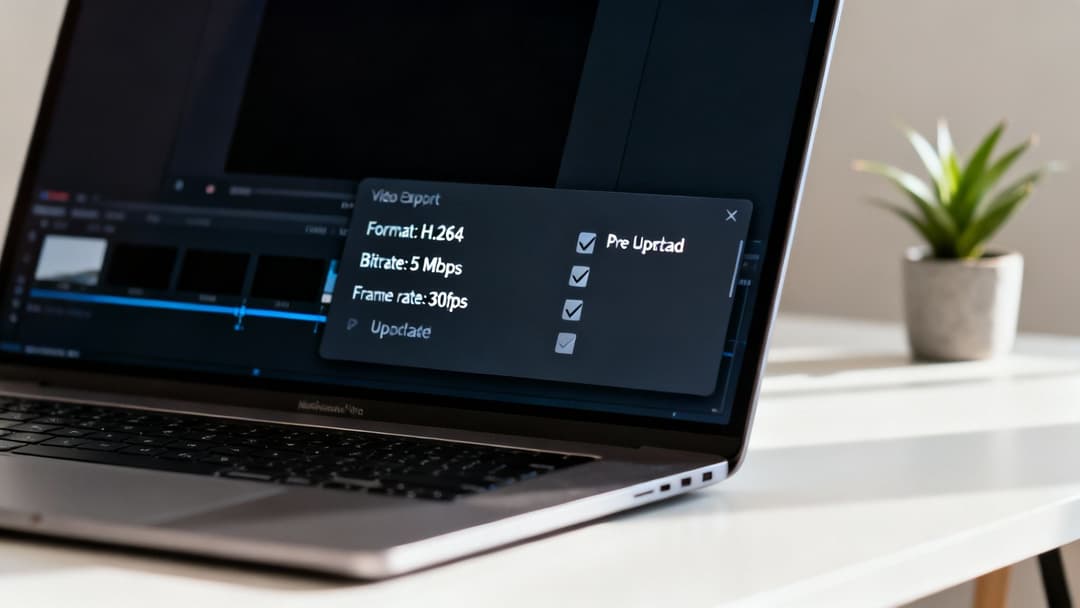
This is also where bitrate and frame rate come into play. A higher bitrate usually means better quality, but the file gets bigger. For a standard 1080p video, a good starting point is around 5-10 Mbps. As for frame rate, sticking to 30 frames per second (fps) gives you that smooth, natural-looking motion on most devices without making your file unnecessarily large.
Common Mistakes That Can Tank Your Performance
Even with the most amazing creative, a simple technical mistake can stop your campaign dead in its tracks. These slip-ups are incredibly common, but thankfully, they're easy to sidestep with a quick check before you hit "upload."
One of the most frequent errors I see is uploading a video with the wrong aspect ratio. This is what causes those ugly black bars on the top and bottom or sides of your ad, instantly shrinking your creative and screaming "unprofessional." Another big one is blowing past the 4 GB file size limit. While that sounds like a lot, a high-res video can get there surprisingly fast. Proper compression is your best friend here.
Sometimes, these small technical glitches can be the reason your ads just aren't running. It’s a super common frustration for marketers. If you’re stuck wondering why your campaign isn't getting any traction, you might want to check out our detailed guide on why your Facebook ad is not delivering.
A critical mistake is forgetting to design for a sound-off experience. With autoplay muted by default, relying on audio to convey your message means most users will miss it entirely. Use clear, bold captions or on-screen text to make your ad understandable from the very first second.
Your Pre-Upload Checklist
To catch these issues before they become a problem, just run through this simple checklist before you publish any video ad. It'll save you a ton of headaches and help make sure your ad looks exactly how you intended.
- File Format: Is it an MP4 or MOV?
- Compression: Did you use H.264 encoding?
- Aspect Ratio: Does it match the placement (e.g., 9:16 for Reels, 4:5 for Feed)?
- Resolution: Is it high-quality (at least 1080p is a good rule of thumb)?
- File Size: Is it safely under the 4 GB limit?
- Sound-Off Ready: Are there captions or essential on-screen text?
Nailing these technical specs is non-negotiable. At the end of the day, the right dimensions and file settings are the foundation of your ad's performance, directly impacting everything from watch time to conversions.
Frequently Asked Questions About Facebook Video Ad Sizes
Getting your video specs right can feel like trying to hit a moving target, but it's not as complicated as it seems. Let's break down some of the most common questions and sticking points advertisers run into. Getting these fundamentals down will make the whole process smoother.
Think of this as your quick-reference guide to solve those nagging issues that pop up right when you're about to launch a campaign.
What Is the Best Video Size for Facebook Ads?
There's no single "best" size, because the ideal format is all about the placement. But if you want to know what wins most of the time in today's mobile-first world, two sizes are king.
For immersive, full-screen placements like Reels and Stories, 9:16 (1080x1920 pixels) is your go-to. It fills the entire screen and feels native. For the main Facebook and Instagram Feeds, the taller 4:5 vertical format (1080x1350 pixels) is the top performer. It takes up more screen real estate than a square video, grabbing more attention as people scroll.
How Do I Fix a Video with the Wrong Aspect Ratio?
Nothing kills an ad's vibe faster than awkward black bars or weird cropping. If your video's aspect ratio is off, you've got a couple of solid options. The best route is to head back to your video editing software and create properly framed versions for each key placement—specifically 9:16 and 4:5.
If you're in a pinch, Meta Ads Manager has a built-in fix. During ad setup, look for the Asset Customization feature. It lets you crop and adjust your video for each placement right inside the platform, ensuring it looks right everywhere it runs.
Does Video Length Impact My Facebook Ad Cost?
While Meta doesn't charge you more for a longer video, length has a huge indirect impact on your costs. It all comes down to engagement. Shorter, punchier videos tend to get higher watch-through rates and more interaction.
When the algorithm sees those positive signals, it flags your ad as relevant and high-quality. This can lead to lower CPMs and a better cost per result. For most placements, the sweet spot is somewhere between 15 and 60 seconds—long enough to tell a story but short enough to hold attention.
Can I Use the Same Video for All Placements?
Technically, you can. But you really, really shouldn't. Using one video for every placement is a guaranteed way to make your ad look out of place and perform poorly. Imagine a widescreen 16:9 video showing up in a vertical Story—it will be a tiny, ineffective box floating in the middle of the screen.
Best Practice: Make friends with Meta's Asset Customization tool. It's built specifically to solve this problem. You can upload unique, perfectly formatted videos for each placement group—one for Feeds, one for Stories, one for Reels, etc. This simple step creates a seamless experience for viewers and will seriously boost your campaign's performance.
Stop wasting time on manual ad creation and start getting better results. AdStellar AI helps you launch, test, and scale hundreds of ad variations in minutes, using AI to identify winning combinations and optimize your campaigns for maximum ROAS. See how much faster you can grow at https://www.adstellar.ai.


