
When your Facebook ad isn’t delivering, the culprit is usually something surprisingly simple. More often than not, it's a basic setup error like a disapproved ad status, a maxed-out account spending limit, or a campaign that’s still finding its footing in the 'Learning Phase'.
Before you panic and start tearing your campaign apart, take a deep breath. Heading straight into your Meta Ads Manager to check these three things is the fastest way to get back on track.
Your Go-To Checklist for Common Ad Delivery Problems
We’ve all been there. You hit “Publish” on a new campaign, come back later expecting to see results, and are greeted with a big fat zero in the impressions column. It’s a gut-wrenching feeling for any advertiser.
But before you start a full-scale rebuild, let's run a quick diagnostic. The problem is almost always a minor oversight you can fix in minutes. This initial checklist is your first line of defense, designed to clear the most common (and easily missed) delivery hurdles right from your Ads Manager dashboard.
To make this even easier, here’s a quick-glance table to help you rapidly identify and solve the most common issues when you first notice a problem.
Rapid Diagnostic Checklist for Ad Delivery
| Check Item | Potential Issue | How to Fix |
|---|---|---|
| Ad Delivery Status | Ad is stuck in review, has been disapproved, or is turned off. | Check the "Delivery" column. If Disapproved, fix the issue and resubmit. If In Review, wait 24 hours. |
| Account Spending Limit | The overall account has hit its self-imposed spending cap. | Go to 'Billing & Payment Settings,' then either increase or completely remove the account spending limit. |
| Campaign/Ad Set Budget | The budget is too low to compete in the auction effectively. | Increase the daily or lifetime budget to a competitive level for your target audience size and industry. |
| Learning Phase | The campaign is new and the algorithm is still gathering data. | Be patient. Ensure the ad set can achieve around 50 optimization events per week to exit the learning phase. |
This table covers the immediate triage steps. Let's dig a little deeper into each one.
First Things First: Check Your Ad Status
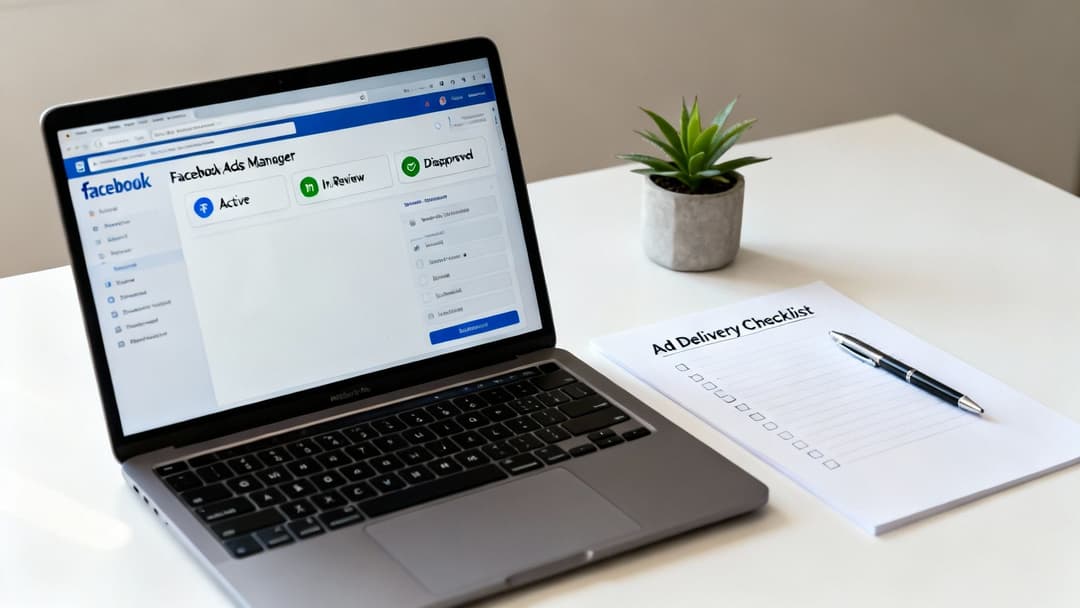
The very first place your eyes should go is the "Delivery" column in Ads Manager. Is your ad actually ‘Active,’ or is something else going on?
- In Review: Every new ad gets an automated once-over to ensure it follows Meta's policies. This is usually quick, but can sometimes drag on for up to 24 hours. If your ad is stuck here, just wait it out. Editing it will only kick you to the back of the review line.
- Disapproved: If your ad gets rejected, Meta will tell you why. It could be anything from a word in your copy to something on your landing page. Just fix the specific issue they flagged and resubmit it for another look.
- Active: This is what you want to see. But if it says 'Active' and you still have zero impressions, the problem lies somewhere else.
Next Up: Verify Your Budgets and Spending Limits
It’s surprisingly common to be your own worst enemy here. A self-imposed financial cap is a frequent reason an ad is not delivering on Facebook. You need to look in two places:
- Account Spending Limit: This is a hard cap on your entire ad account. Once you hit this, every single campaign grinds to a halt, no matter their individual budgets. You can find this setting in your 'Billing & Payment Settings' to either raise it or remove it entirely.
- Campaign or Ad Set Budget: Take a look at your daily or lifetime budget. A $5 per day budget aimed at a hyper-competitive audience of a million people probably isn’t even enough to get a foot in the ad auction door.
This simple process flow shows how you should approach troubleshooting every single time. Start with the status, move to the budget, and then look at the audience.
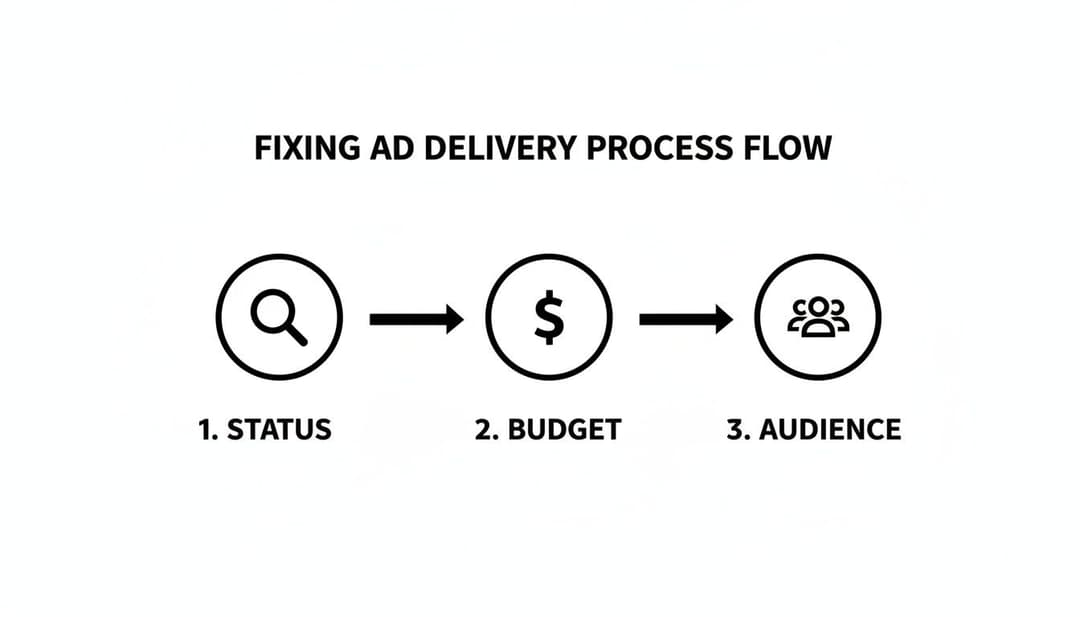
Following this order—Status, Budget, Audience—will solve the vast majority of delivery issues without wasting any time.
Finally: Understand the Learning Phase
Don't forget about the 'Learning Phase.' When a new ad set launches, Meta's algorithm is essentially going to school. It needs time and data—typically around 50 optimization events (like purchases or leads) per week—to figure out who the best people are to show your ad to.
During this period, performance can be erratic and delivery might seem slow or unstable. If your campaign is brand new, the best thing you can do is give it a few days to collect data and find its rhythm.
For a deeper dive into setting up campaigns for success from the start, our guide on Facebook advertising best practices is a great resource.
Solving Audience and Targeting Setbacks
Alright, so you've checked the obvious stuff—ad status, disapprovals, budget—and everything looks good. The next stop on our troubleshooting tour is your audience targeting. This is where things get tricky, and it's a common culprit for delivery issues. It’s tempting to get hyper-specific with your targeting, but that’s a classic mistake that can suffocate a campaign before it even gets started.
When you start stacking dozens of niche interests, demographic filters, and layered exclusions, you might accidentally shrink your potential audience down to a tiny sliver. An over-segmented audience is one of the top reasons an ad is not delivering on Facebook. The algorithm needs room to breathe—ideally an audience with at least 1-2 million in potential reach—to learn and find the right people. Getting too aggressive here can cause delivery to plummet by up to 90%, simply because the system has nowhere to go. You can find more details about this in a study on Facebook ad delivery issues by Superads.ai.
The Danger of Audience Overlap
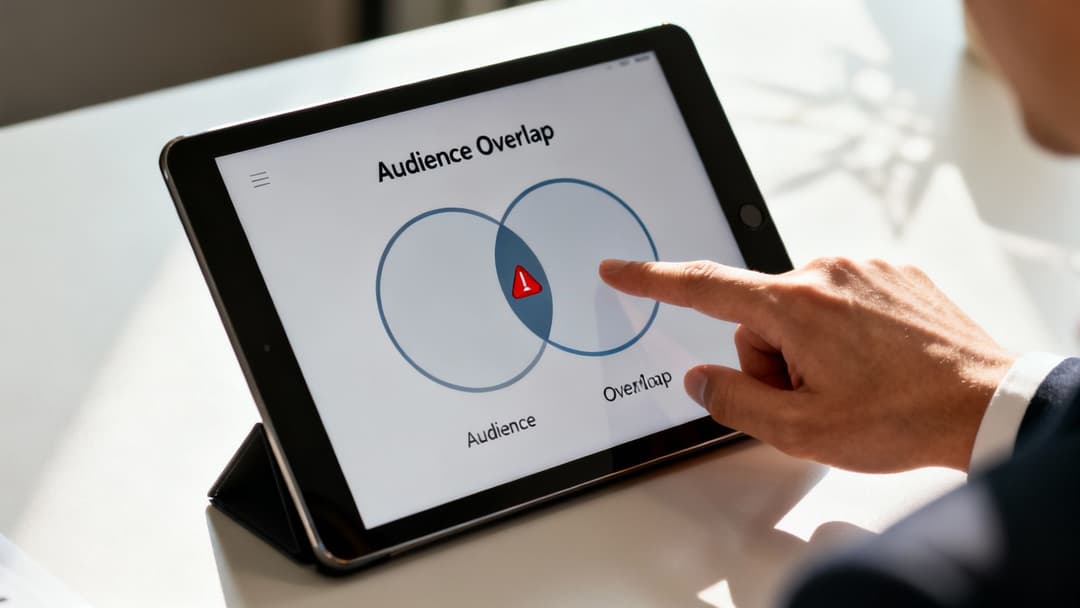
On the flip side of targeting is a sneakier problem: audience overlap. This happens when you have multiple ad sets all trying to reach the same group of people. You’re essentially bidding against yourself, which drives up your costs and forces Meta to suppress delivery for one or more of your ad sets.
Think of it like sending two of your own salespeople to pitch the same customer at the same time. It’s just messy and inefficient.
Key Takeaway: When your own ad sets are fighting for the same eyeballs, Meta's auction will usually just pick a "winner" and sideline the others. This means stalled delivery and wasted potential for the ad sets that lose out.
This is a really common issue if you're running separate campaigns for prospecting and retargeting but haven't set up your exclusions correctly. For example, your prospecting ad set might target "people interested in digital marketing," while your retargeting ad set targets "all website visitors." There's a very good chance the same users exist in both pools. Luckily, Meta has a built-in tool to diagnose this exact problem.
Using the Audience Overlap Tool
Meta gives you a straightforward way to see just how much your audiences are stepping on each other's toes. The Audience Overlap tool is your best friend here.
Here’s how you can check for it:
- Head over to the Audiences section in your Meta Business Suite.
- Select the checkboxes for two or more audiences you want to compare.
- Click the three-dot menu (...) and choose "Show Audience Overlap."
The tool will spit out a percentage showing the overlap between the audiences you selected. If you see a high number—generally anything over 20-30%—that’s a huge red flag. You're probably cannibalizing your own results.
The fix is usually pretty simple: create exclusions. In your prospecting ad set, for instance, you should exclude your custom audiences of recent website visitors, purchasers, or email subscribers. This carves out a unique pool of users for each ad set, giving them both a fair shot at delivering effectively. For a deeper dive, check out our guide on creating and refining Facebook Ads custom audiences to build your campaigns without these conflicts from the get-go.
How Budgets and Bids Directly Affect Delivery
So, your ad is active and your audience looks solid, but you're still seeing crickets. The next place I always look is the money—your budget and bidding strategy. On Meta's platform, every single ad impression is decided in a real-time auction. If your financial setup isn't competitive, your ad won't even make it past the velvet rope, leaving you with zero delivery.
One of the most classic delivery killers is a budget that's just too low for the audience you're trying to reach. Targeting a million people with a $10 daily budget? That’s like trying to water a football field with a spray bottle. It's simply not enough to make a real impact, and the algorithm might decide it's not even worth trying to serve your ad.
Choosing the Right Bidding Strategy
Your bidding strategy is your instruction manual for Meta on how to spend your money in that auction. Picking the wrong one is a surprisingly common reason an ad is not delivering on Facebook. The two main choices you'll face are Highest Volume and Cost Per Result Goal.
- Highest Volume (formerly Lowest Cost): This one is simple and aggressive. You're telling Meta, "Get me the most results you can for my budget, period." It's fantastic for maximizing delivery and getting your ad out there, but you do sacrifice some control over the cost of each individual result.
- Cost Per Result Goal (formerly Cost Cap): Here, you get to set a specific target cost you're willing to pay per result. This gives you way more control over your costs, but there's a catch. If your goal is too low for the current auction conditions, Meta simply won't be able to find results at your price, and your delivery will grind to a halt.
If you’re just starting out or your main goal is to ensure your ad gets shown, Highest Volume is usually the safer bet. You can always gather some performance data and switch to a Cost Per Result Goal later, once you have a real-world idea of what your cost per acquisition actually is. To really get the most out of every dollar, check out our guide on how to optimize ad budget allocation.
The Pitfall of Manual Bid Caps
Setting a manual bid cap offers the most granular control, but it's also incredibly easy to get wrong. Let's say you set your bid cap at $0.50 for a click in a competitive niche where the average cost is closer to $3.00. You'll lose every single auction, every single time. Your ad won't stand a chance.
Pro Tip: If you absolutely must use a manual bid, don't just guess. Dig into your historical data. Find your average cost-per-result and set your initial bid slightly above that to make sure you're competitive. From there, you can slowly adjust it based on how things are going.
How CBO Can Starve Your Ad Sets
Campaign Budget Optimization (CBO) is a brilliant tool. It intelligently distributes your campaign budget to the ad sets that are performing the best. But sometimes, it's a little too efficient and can be ruthless with new or slower-starting ad sets.
Picture this: one of your ad sets gets a few quick, cheap wins right out of the gate. CBO sees this and might decide to pour the entire campaign budget into that one ad set, effectively starving all your others. This completely chokes their delivery. If you're trying to test new audiences or creatives, it’s often a better idea to use ad set level budgets to guarantee each one gets a fair shot to spend and prove itself.
Overcoming Creative Fatigue and Poor Ad Relevance
You can have the most dialed-in technical setup—perfect budgets, bids, and targeting—but your campaign will still flatline if your creative is weak. A stale, irrelevant, or just plain boring ad is a guaranteed way to get choked by Meta's algorithm, which lives to serve positive user experiences. When your creative doesn't land, it's a massive reason why an ad is not delivering on Facebook.
This problem usually shows up as ad fatigue. It's what happens when the same people see your ad over and over again. They start scrolling right past it, engagement plummets, and you might even see an uptick in negative feedback (like users hiding your ad). This all sends a clear signal to Meta that your ad is no longer welcome, prompting the platform to slash its reach.
Diagnosing Creative Health with Ad Relevance Metrics
So, how do you know if your creative is the culprit? Meta gives you the tools to find out. Inside Ads Manager, you can customize your columns to show the Ad Relevance Diagnostics. Think of these metrics as your creative's report card.
- Quality Ranking: This compares your ad's perceived quality against other ads gunning for the same audience.
- Engagement Rate Ranking: Ranks your ad's expected engagement (likes, comments, shares) against the competition.
- Conversion Rate Ranking: Measures how your ad's expected conversion rate stacks up against others with the same optimization goal.
Seeing "Average" or "Above Average" is a good sign. But if you see "Below Average," that's a red flag. It’s Meta telling you directly that your ad is underperforming and is at high risk of being suppressed.
You can find these diagnostics right in your Ads Manager columns, as shown below.
Keeping an eye on these three rankings gives you a clear, data-backed picture of whether the problem lies with your creative, its ability to engage, or what happens after the click.
Actionable Strategies to Boost Relevance and Beat Fatigue
Fixing poor relevance scores means getting proactive with your creative. Weak ads and high frequency are silently killing delivery for 70% of underperforming campaigns, as audiences simply tune out after seeing the same thing a few times. And it's not just the ad—a bad landing page experience can be just as deadly. Users often bounce in under three seconds if a mobile page is slow to load, which tanks relevance scores and can send your CPCs through the roof.
Key Insight: Ad fatigue isn't just about the visual. It's about the entire user journey. A great ad leading to a slow, confusing landing page will still get a poor relevance score from Meta, halting delivery.
To fight this, you need a constant flow of fresh ideas.
Implement Creative Rotation: Don't wait for performance to die. Have new ad variations queued up and ready to swap in every two to four weeks—or sooner if you see your frequency climbing and engagement dropping.
Test Diverse Angles and Hooks: Your product solves a problem, right? So, frame that solution in different ways. Test copy that focuses on the benefits against copy that agitates a pain point. Pit glossy studio shots against authentic user-generated content (UGC).
Leverage Dynamic Creative: This is one of the most powerful tools in your arsenal. You upload a bunch of different ad components—images, videos, headlines, descriptions—and let Meta's algorithm find the winning combinations for different people. It's a game-changer. Learn more in our complete guide to what is Dynamic Creative Optimization.
Embrace AI for Idea Generation: To effectively combat creative fatigue, you need a deep well of ideas. This is where AI ad creative generator tools can make a huge difference. They can help you brainstorm new concepts, write compelling copy, and produce fresh visuals at scale, so you never have to worry about running out of ads to test.
Diving Into Advanced Technical and Optimization Hurdles

So you've checked your budget, your audience seems right, and your creative is solid, but your ad is still stuck at zero. It’s time to pop the hood and look at the technical engine of your campaign. More often than not, the culprit behind an ad not delivering on Facebook is hiding in the weeds of your optimization and tracking settings.
These advanced hurdles trip up even seasoned advertisers, but they're essential to get right for a reliable setup. One of the most common mistakes I see is a mismatch between the campaign's optimization goal and the maturity of the account's data. For instance, telling Meta to optimize for 'Purchases' with a brand-new, unseasoned Pixel is a classic recipe for failure. The algorithm simply has no idea who to show your ad to because it has no conversion history to learn from.
It's a surprisingly common issue. Some analyses show a staggering 62% of small businesses consider their paid Facebook ads failures, often due to this exact kind of mismatch between objectives and available data. Staying on top of platform changes, like Meta's new AI model for publishers, is also crucial, as these updates can dramatically shift how ads are delivered and optimized.
Aligning Optimization Goals with Pixel Data
Think of your Meta Pixel as the algorithm's eyes and ears. If it hasn't seen any conversions yet, it's essentially flying blind. A fresh pixel has no concept of what a "purchaser" looks like for your business, so asking it to find them is a tall order.
This is exactly why "seasoning" your pixel is so important. Instead of aiming for a high-intent, bottom-of-funnel goal like purchases right out of the gate, you need to start with upper-funnel objectives to feed it data.
- Landing Page Views: This teaches the algorithm to find people who not only click but also stick around for your page to load.
- Add to Carts: A fantastic mid-funnel goal that signals much higher intent than a simple click.
- Initiate Checkouts: This helps you capture an even more valuable audience segment you can use for retargeting and building powerful lookalike audiences later on.
By working your way down the funnel, you give the algorithm thousands of data points to learn from. Once you're getting a steady stream of these upper-funnel events, you can confidently switch your optimization goal to purchases.
The Critical Role of Tracking and Placements
Your tracking setup is the absolute foundation of your campaign. A broken Meta Pixel or a misconfigured Conversions API (CAPI) will bring any conversion-focused campaign to a screeching halt. If Meta can't get accurate signals confirming your ads are driving results, it will simply stop spending your money.
Pro Tip: Before you launch any campaign, use the Meta Pixel Helper browser extension and the 'Test Events' tool in Events Manager. Confirming that your pixel is firing correctly on key pages takes a few minutes but can save you days of troubleshooting frustration.
Finally, take a hard look at your placement settings. It’s tempting to hand-pick the placements you think will perform best, but getting too restrictive can severely limit Meta’s ability to find cost-effective impressions. Using Advantage+ Placements (what used to be called Automatic Placements) almost always gives the algorithm the flexibility it needs to find users wherever they are, preventing your delivery from getting bottlenecked. To get this right from the start, check out our detailed guide on how to set up the Facebook Pixel the proper way.
Common Questions About Facebook Ad Delivery
Even after running through a full diagnostic, a few specific questions always seem to pop up. Let's tackle the most common head-scratchers advertisers face when an ad just won't deliver. These are the quick, direct answers you need to figure out what to do next.
Why Is My Ad Active but Has Zero Impressions?
This is easily one of the most maddening situations for any advertiser. Your dashboard says "Active," everything looks good to go, but you're seeing zero impressions. It feels like a glitch, but it almost always comes down to one of three things.
More often than not, your budget or bid is just too low to get a foot in the door of the ad auction. The other common culprits are an audience that's way too small and restrictive, or a subtle policy issue that's quietly holding your ad back without a full disapproval.
The quickest way out of this jam? Try giving your bid a little bump or loosening up your audience targeting. Think of it as giving the algorithm a bigger playground and more fuel to start working with.
How Long Until My Facebook Ad Starts Delivering?
In a perfect world, a freshly approved ad will start racking up impressions within a few hours. But it's rarely that simple. If your campaign is just kicking off the Learning Phase, you can expect some choppiness and slow delivery at first. That's just the algorithm finding its footing and gathering data.
My rule of thumb is to give it a solid 24 hours. If a full day passes and you're still at zero impressions, that's your cue to stop waiting. It's a clear sign something is wrong, and it's time to start actively troubleshooting.
Can I Force My Facebook Ad to Deliver Faster?
While there's no magic "deliver faster" button, you absolutely have levers you can pull to speed things up. The most direct approach is to give your budget a significant boost or raise your bid. This immediately makes your ad more competitive in the auction, increasing the odds it gets shown right away.
Another powerful tactic is simply broadening your audience. When you give the algorithm a larger, less restrictive pool of users, it can often kickstart delivery almost instantly. Just be strategic here—making aggressive changes without monitoring them can lead to burning through your budget inefficiently.
What Is the Learning Phase and Does It Stop Delivery?
The Learning Phase is that initial period where Meta's delivery system is figuring out who the best people are to show your ad to. It doesn't halt delivery completely, but it definitely makes performance unstable. You'll likely see inconsistent spending and periods of slow (or no) delivery.
The key to getting out of this phase and achieving stable performance is getting roughly 50 optimization events—like a purchase or a lead—within a week. The most important thing to remember is to avoid making any major edits to your ad set during this time. A significant change can reset the whole process, sending you right back to square one.
Tired of manually troubleshooting campaigns? AdStellar AI automates the entire process, from launching hundreds of ad variations in minutes to identifying your top-performing creatives and audiences with AI-powered insights. Cut the guesswork and scale your Meta campaigns 10x faster. See how at https://www.adstellar.ai.


