For anyone in the performance marketing game, the Facebook Ads Policy is the unofficial bible. It dictates exactly what you can—and can't—show to millions of users on Meta's platforms. It's easy to see it as a list of annoying restrictions, but the savviest marketers know better. It’s actually a framework for building campaigns that last.
Why the Facebook Ads Policy Is Your Most Important Growth Tool
Let’s be real: for an agency or brand that lives on Meta's platforms, a disabled ad account is the stuff of nightmares. It’s the ultimate campaign killer. Suddenly, your lead flow dries up, revenue flatlines, and all your carefully built strategies are thrown into total chaos.
This is why getting a handle on the Facebook Ads Policy isn't just about dodging trouble—it's the bedrock of a solid growth strategy.
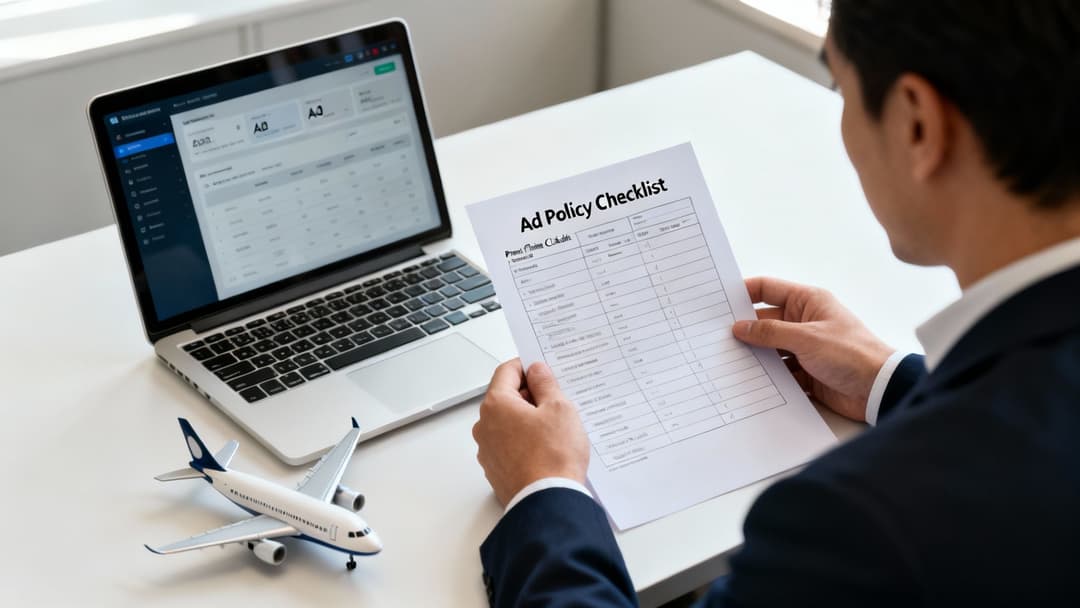
Think of the policies like a pilot’s pre-flight checklist. Instead of scrambling to fix a disapproved ad, you build compliance right into your workflow. This proactive approach gives every campaign the best shot at a smooth flight, from launch to landing, with profitable results. Honestly, this mindset is the secret sauce for anyone wondering, "do Facebook ads still work?" A policy-first attitude is how you get predictable, scalable results. (https://www.adstellar.ai/blog/do-facebook-ads-work)
The High Stakes of Non-Compliance
Playing fast and loose with the rules, even by accident, costs you more than just a rejected ad. The fallout can trigger a domino effect that messes with your entire marketing operation.
- Wasted Ad Spend: Your budget keeps burning on an ad while it’s live, even if Meta disapproves it hours or days later. That money is just gone.
- Campaign Pauses: Abrupt rejections kill your momentum. They skew your performance data and send your team into firefighting mode instead of focusing on growth.
- Account Restrictions: Rack up enough violations, and you'll find your ad account disabled. Just like that, a primary customer acquisition channel vanishes.
- Brand Damage: Let's face it, ads that feel spammy or misleading don't just get rejected—they erode user trust and tarnish your brand's reputation.
Staying on the right side of Facebook's ads policy is non-negotiable for consistent campaign performance. It's one of the core marketing automation best practices for sustainable growth.
A Shift Toward Transparency
The good news? Meta's enforcement isn't the black box it used to be. We've moved away from the days of instant, hair-trigger account bans that left advertisers completely in the dark.
Lately, the platform has been putting more emphasis on human review. This helps cut down on the frustrating false positives that used to plague growth teams. This shift points to a more collaborative future, where advertisers who play by the rules can run their campaigns with a lot more confidence.
Understanding the Core Pillars of Meta's Ad Policies
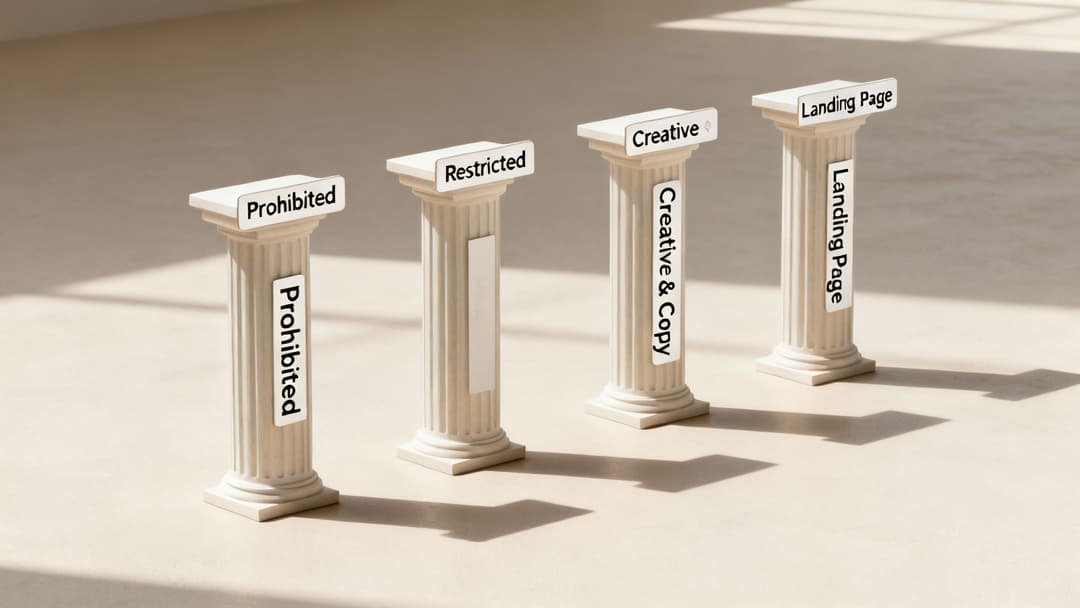
Trying to master Meta's ad policies can feel like you're solving a puzzle where the pieces keep changing. But once you get the logic behind the rules, it all starts to click. At its core, Meta’s main goal is to protect the user experience—making sure the content people see is safe, authentic, and genuinely relevant.
To make this whole system easier to digest, we can break it down into four main pillars. Think of these as the foundational columns holding up Meta’s entire advertising world. Get a handle on these four areas, and you'll start thinking like a policy reviewer, building campaigns designed for approval right from the start.
Pillar 1: Prohibited Content
This one is the most straightforward. Prohibited Content is the stuff that’s completely banned from the platform. No exceptions, no workarounds. These are the absolute "no-go" zones designed to keep users safe and prevent illegal or harmful activity.
The list is long, but it covers the areas you’d probably expect:
- Illegal Products or Services: Think drugs, weapons, explosives, and tobacco products.
- Discriminatory Practices: Ads that promote discrimination based on race, gender, age, religion, or other personal attributes are strictly forbidden.
- Unsafe Supplements: Any health supplement Meta considers unsafe—like anabolic steroids or human growth hormones—is out.
- Sensational Content: Ads using shocking, graphic, or disrespectful content fall here and will get shut down fast.
There’s zero gray area with this pillar. Trying to advertise anything in this category is the quickest ticket to getting your ad account restricted or permanently disabled.
Pillar 2: Restricted Content
Here’s where things get more nuanced and where even well-intentioned marketers often get tripped up. Restricted Content covers topics that are legally or culturally sensitive. They aren't banned outright, but you'll need special permissions, targeting limitations, or specific disclaimers to run them.
It's a bit like buying alcohol or lottery tickets. You can do it, but the cashier needs to check your ID first. Meta is the cashier in this scenario, and advertisers in these categories have to go through an authorization process.
Common examples of restricted content include:
- Alcohol: You can advertise booze, but you must follow local laws to the letter, which almost always means targeting users who are of legal drinking age.
- Dating Services: These ads are allowed, but they come with strict requirements to ensure they aren't promoting sketchy or low-quality experiences.
- Financial Services: Ads for things like credit cards, loans, or crypto often require specific licenses and demand total transparency about fees and risks.
- Real Estate: Recent policy changes, especially in the US, have added special requirements for housing ads to prevent discriminatory targeting.
To get a better feel for the tools used to run these types of campaigns, check out our guide on what Facebook Ads Manager is. Successfully advertising restricted content is all about proving to Meta that you’re a legitimate business playing by their rules.
Pillar 3: Ad Creative and Copy Rules
This pillar is all about the how of your ads—what they can look like and what your text can say. The goal is to maintain a positive user experience by avoiding tactics that feel spammy, misleading, or just plain aggressive. You could have the best product in the world, but if your ad creative breaks these rules, it's getting rejected.
One of the most common traps here is the "Personal Attributes" policy. It forbids you from directly calling out a user's perceived traits. So you can't say, "Struggling with debt?" but you can say, "Our service helps people manage their finances."
Other key rules in this pillar involve:
- Misleading Claims: Your ad can't make promises you can't back up or guarantee unrealistic results. This is especially true in the health, wellness, and finance spaces.
- "Before and After" Images: These are heavily restricted, particularly for things like weight loss or health products, because they can imply an outcome that isn't typical.
- Low-Quality Media: Blurry images, distracting flashing effects, or using way too much punctuation ("SALE NOW!!!") are all red flags that can trigger a rejection.
Pillar 4: Landing Page Standards
Meta’s review doesn't just stop at your ad creative. The facebook ads policy extends to the user's entire post-click experience on your landing page. The platform wants to make sure you're sending people to a legitimate, functional, and trustworthy website.
Your landing page has to deliver on what your ad promised. A big disconnect between your ad and your landing page is a major red flag for the review team. For example, if your ad shows a specific pair of shoes, the link should go directly to that product page, not a generic category page.
Key landing page requirements include:
- Functionality: The page must load properly and be free of annoying pop-ups, broken links, or malware.
- Transparency: It should be obvious what your business does and have easy-to-find privacy policies and contact info.
- Relevance: The content on the landing page has to directly match the product or service you're advertising. No bait-and-switch tactics allowed.
To help you keep these categories straight, here's a quick summary of the four pillars we just covered.
Meta's Ad Policy Pillars at a Glance
This table breaks down the main policy categories so you can quickly reference the core principle behind each one.
| Policy Pillar | Core Principle | Common Examples |
|---|---|---|
| Prohibited Content | To protect users from illegal, harmful, or unsafe products and services. | Weapons, tobacco, illegal drugs, unsafe supplements, sensational content. |
| Restricted Content | To manage sensitive or regulated industries with proper authorization and targeting. | Alcohol, dating services, cryptocurrency, gambling, real estate. |
| Ad Creative & Copy | To ensure a positive, non-deceptive user experience in the ad itself. | Misleading claims, "before & after" images, personal attribute callouts. |
| Landing Page | To verify that the post-click experience is safe, relevant, and functional. | Broken pages, irrelevant content, lack of a privacy policy, malware. |
Thinking about your campaigns through the lens of these four pillars is the first step toward getting more ads approved and building a healthier, more resilient ad account.
The Most Common Violations That Trigger Ad Rejections
Trying to get ads approved on Meta can feel like a game where the rules are constantly changing. The frustrating part? Many of the most common violations aren't from malicious advertisers, but from well-meaning marketers whose good instincts clash with Meta's strict user experience goals.
Getting a handle on these frequent tripwires is the first step toward creating ads that sail through review. These rules don’t care if you’re a small e-commerce shop or a massive SaaS company; Meta's automated system is built to spot patterns, and one tiny misstep can bring your entire campaign to a screeching halt. Let's break down the common violations we see tripping up marketers every single day.
Misleading Claims and Unrealistic Promises
This is, without a doubt, the number one reason ads get rejected, especially in the health, wellness, and finance spaces. Any ad that guarantees a specific result or makes a promise that sounds too good to be true will get flagged almost instantly. Meta’s top priority here is protecting its users from scams and disappointment.
Your ad has to be planted firmly in reality. For instance, a fitness ad can’t promise someone will “Lose 30 pounds in 30 days,” because that’s not a typical or guaranteed outcome for everyone.
- What gets flagged: "Become a millionaire in six months with our trading course!" This is a classic example of promising an unrealistic financial result.
- What gets approved: "Learn the strategies top traders use to analyze the market." This shifts the focus to the educational value and skills you offer, not a specific dollar amount.
The same idea applies to your product features. Ditch superlatives like "the #1 best" unless you have a credible, third-party source to back it up. When in doubt, honesty and transparency are your best friends.
Violating the Personal Attributes Policy
The Personal Attributes policy is probably one of the most misunderstood yet critical rules on the platform. In short, it stops you from directly or indirectly stating that you know a user’s personal characteristics. This includes everything from their race, religion, and age to their health conditions or financial status.
The whole point is to keep users from feeling singled out or targeted for something sensitive. You never want to make someone feel like their private data is being used against them.
Key Takeaway: Always talk about your product's benefits, not the user's perceived problems. Frame your copy around the solution you provide, not a negative personal trait you think the user has.
This screenshot from Meta's own policy page shows just how many content categories are off-limits, driving home the platform's focus on user safety.
Every ad is judged not just on its marketing message, but on its potential impact on the user.
The Tricky Before-and-After Image Rule
Before-and-after images are a minefield, especially for ads in health, weight loss, or cosmetic surgery. While they are incredibly powerful from a marketing perspective, Meta sees them as a potential problem because they can imply an unrealistic or guaranteed result.
Even if your photos are 100% real, the automated review system will often flag them by default. It’s a huge source of frustration for advertisers in the fitness and beauty industries.
- What gets flagged: A side-by-side photo showing dramatic weight loss.
- What gets approved: A shot of someone happily jogging or cooking a healthy meal while using your product. This approach focuses on the positive lifestyle your brand enables, without making a direct health claim.
For marketers trying to find better visuals, exploring different methods for Facebook ad creative testing can help uncover compelling, policy-friendly alternatives that still drive results.
Subtle Triggers That Alert the System
Sometimes, it’s not the big promise or the splashy image that gets you in trouble—it’s the little details. Meta's algorithm is trained to scan for subtle patterns that often show up in low-quality or spammy ads.
Keep an eye out for these small but mighty triggers:
- Excessive Punctuation: Using way too many exclamation points (!!!) or question marks (???) makes your ad look unprofessional and can get it flagged.
- Overuse of Emojis: A couple of well-placed emojis can add some personality, but cramming your copy full of them is a tactic used by low-quality advertisers, and the system knows it.
- Capitalization: WRITING YOUR ENTIRE AD IN ALL CAPS is considered shouting online and is a clear violation of their policies.
By steering clear of these common mistakes, you can dramatically cut down your ad rejection rate. That means smoother campaign launches, more predictable performance, and a lot less time spent talking to Meta support. It all comes down to aligning your creative flair with Meta’s standards for a good user experience.
A Step-By-Step Guide to Appealing a Rejected Ad
Waking up to that dreaded "ad disapproved" notification is a rite of passage for every performance marketer. It's frustrating, for sure, but it's rarely the final word. The key is to have a calm, systematic process to get your campaigns back on track.
Panicking and immediately duplicating the ad is the worst move you can make. Instead, think of a rejection as a data point—it's a chance to get a better handle on Facebook Ads policy and tighten up your compliance game. This playbook will walk you through the process, turning a roadblock into a genuine learning moment.
Step 1: Play Detective and Diagnose the Violation
Before you can even think about a fix, you have to know exactly what broke. Meta always gives a reason for the rejection, but let's be honest, it can sometimes feel a bit cryptic. Your first job is to put on your detective hat.
Head straight to your Account Quality dashboard. This is your command center for all things policy and will show the specific rule your ad supposedly violated. Read that policy description, then read it again. Now, compare it directly against every single piece of your ad:
- The Ad Creative: Really look at your image or video. Is there any way it could be misinterpreted? For example, are you showing a "before and after" shot that implies an unrealistic promise?
- The Ad Copy: Scrutinize every word in your headline and primary text. Are you making a direct claim about someone, or accidentally calling out a personal attribute? "Are you struggling with debt?" is a classic no-go.
- The Landing Page: Click through your ad just like a user would. Does the page deliver on what the ad promised? Is it fully functional, transparent about who you are, and directly relevant to the ad?
This initial diagnosis is everything. More often than not, the issue is a simple oversight you can fix in a couple of minutes.
Step 2: Decide Your Next Move: Edit or Appeal?
Once you've zeroed in on the likely problem, you've got two main paths: edit the ad or request a formal review. The right choice really depends on the situation.
Choose to edit if:
You’ve found a clear, undeniable mistake. Maybe you used a forbidden word in your copy or an image that falls under the "sensational content" rule. In these cases, just edit the ad, save the new version, and let it run through the review process again. It's the fastest way forward.
Choose to appeal if:
You’ve thoroughly reviewed the cited Facebook Ads policy and you're confident your ad is actually compliant. This happens a lot with false positives from Meta's automated review system, where the AI just misunderstands the context of your content. You need a human review to sort these out.
Never, ever appeal an ad you know is breaking a rule. Trying to game the system can hurt your account's reputation and might put your future campaigns under a microscope. Being honest and showing you're willing to fix mistakes goes a long way.
Step 3: Write a Clear, Professional Appeal
If you're going the appeal route, the message you send to the review team really matters. Your goal is to be clear, concise, and professional. Getting emotional or aggressive won't get you anywhere.
Here's a simple framework for a solid appeal message:
- Acknowledge the Cited Policy: Start by naming the specific policy Meta flagged (e.g., "This ad was rejected for violating the Personal Attributes policy."). This immediately shows you've done your homework.
- Politely Explain Your Case: Briefly and calmly explain why you believe your ad is compliant. Stick to the facts. For example: "Our ad copy focuses on the features of our financial management software and does not make assumptions about any individual's personal financial situation."
- Request a Human Review: End with a simple, polite ask. "We believe this rejection was an error and would appreciate a manual review from your team. Thank you for your time."
Keep it short and to the point. The review teams are looking at a huge volume of these, so a message they can scan quickly is always more effective. If you notice your ads get rejected for similar reasons over and over, it might point to a deeper problem with campaigns not delivering. This often happens when there's an underlying friction with policy. You can dig deeper into troubleshooting these issues in our guide on why some Facebook ads are not delivering.
Step 4: What to Expect: Timelines and Outcomes
Once you hit "submit" on that appeal, it’s time to be patient. The review process can take anywhere from a few hours to a few days. Whatever you do, don't keep resubmitting the same ad. That just clogs up the queue and can delay the response.
You'll get one of two outcomes: the ad is approved, or the rejection is upheld. If it's approved, you're golden—the ad will start running. If the rejection is upheld, you'll get a final notification. At that point, your only real option is to go back and edit the ad to be compliant or just start over with a fresh one.
Building a Scalable Compliance Workflow for Your Team
For agencies and in-house growth teams juggling hundreds—or even thousands—of ads, manual policy checks aren't just slow. They're a direct bottleneck to growth. Playing whack-a-mole with disapproved ads is a losing game. The only way to win is to get ahead of the problem, shifting from a reactive mindset to a proactive, policy-first workflow that stops violations before they ever happen.
This becomes non-negotiable as you scale. When you’re pushing dozens of campaigns live at once, you can't expect one person to manually vet every creative, headline, and landing page for potential Facebook ads policy issues. This is precisely where manual review processes fall apart, leading to stalled campaigns, wasted ad spend, and a whole lot of firefighting.
Moving Beyond Manual Review
At high velocity, the risk of a single compliance slip-up multiplies fast. A small mistake that gets one ad flagged can bring an entire ad set to a grinding halt, throwing client results and internal KPIs into jeopardy. Trying to rely on human memory to recall every single nuance of Meta's advertising rules just isn't a strategy that can keep up.
This is exactly why top-tier growth teams build compliance directly into their creation process. Instead of treating policy as the final checkpoint before launch, they use it as the foundation. This means thinking about compliance from the very first moments of campaign ideation, not as an afterthought.
The goal here is to work with Meta's machine learning systems, not against them. Just think about Meta's own evolution. The company's massive pivot toward machine learning for campaign optimization, especially with the global rollout of Campaign Budget Optimization (CBO) back in 2018, proved that automation was the only path to scale. That shift let teams launch with broader targeting and trust the AI to allocate budgets, freeing them from endless manual tweaks. The same logic now applies to compliance: automation is the key to scaling safely.
The Role of AI in Proactive Compliance
This is where AI-powered tools become essential. Platforms like AdStellar bake compliance checks right into the ad creation workflow, basically giving your team a policy expert that reviews assets as they're being built. It allows you to spot and fix potential red flags long before you ever hit "Publish."
Here’s what that integrated approach looks like in practice:
- Pre-Screening Ad Copy: AI can scan your headlines and primary text for problematic keywords, claims, or patterns known to trigger rejections, like misleading statements or personal attribute call-outs.
- Building Safe Creative Templates: You can create and save pre-approved creative templates you know are compliant, giving new ad variations a safe starting point.
- Maintaining a Library of Approved Assets: Keep all your policy-safe images, videos, and copy in a central library. This makes it simple for your team to build new ads without reinventing the wheel or accidentally introducing new risks.
This flowchart breaks down a simple, structured process for tackling ad policy issues, from diagnosis to resolution.
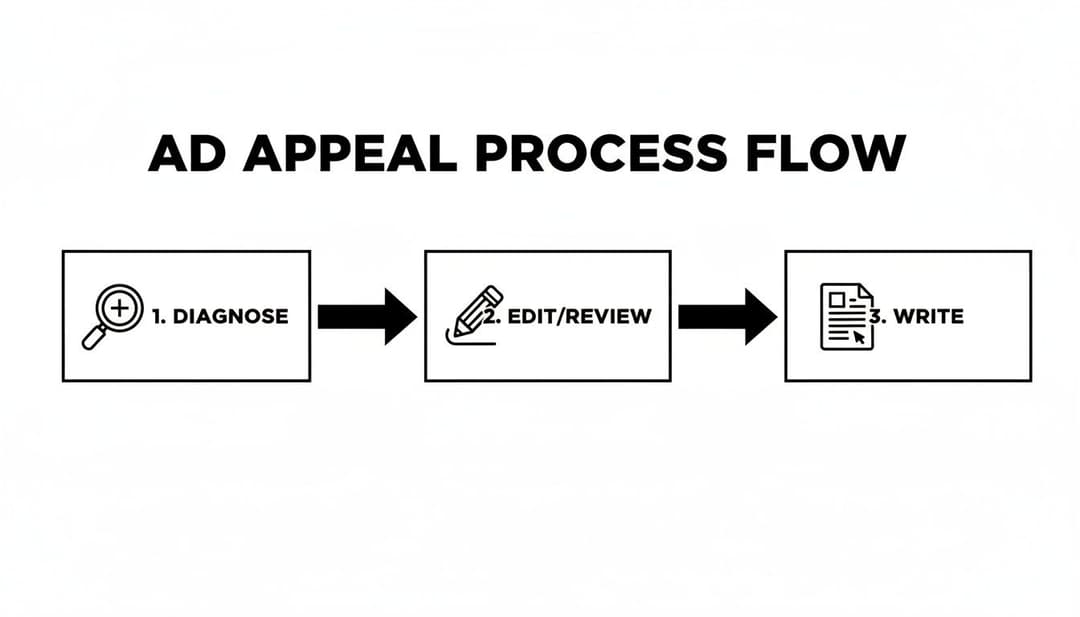
A systematic workflow like this can turn a chaotic, stressful problem into a predictable, manageable process.
By automating these checks, you free up your team to focus on what they do best—strategy and creativity—all while knowing their work is built on a solid, compliant foundation. You can dig deeper into applying this to your own team in our guide on how to automate your Facebook advertising workflow.
A policy-first workflow transforms compliance from a defensive chore into a competitive advantage. It results in smoother campaign launches, fewer costly interruptions, and more predictable performance—all critical for scaling profitably on Meta's platforms.
At the end of the day, building a scalable compliance system is about managing risk at every stage. For long-term resilience, it's also wise to look at broader strategies for Mastering Regulatory Compliance Risk Management. When you embed policy adherence into your team’s daily rhythm, you create a robust advertising ecosystem that can handle scrutiny and drive consistent results.
Frequently Asked Questions About Facebook Ad Policy
Navigating Facebook Ads Policy often brings up real-world dilemmas that go beyond theory. Below, you’ll find practical answers to the questions most marketers face so you can keep campaigns running smoothly.
What Should I Do If My Entire Ad Account Is Restricted
First, take a deep breath. Rushing to set up a new account usually makes things worse—and can even trigger a permanent ban.
- Visit your Account Quality dashboard in Meta Business Suite.
- Identify the restriction reason and look for the Request Review button.
- Audit all recent ads (yes, including older ones) to spot any potential infractions.
When you submit your appeal, stay professional and concise. Outline the steps you’ve taken to clean up your account. If it’s a security hold, be ready to verify your identity.
Patience Is Crucial: Reviews can take anywhere from a few days to a couple of weeks.
How Do I Avoid Violating the Personal Attributes Policy
The Personal Attributes Policy trips up many advertisers because it forbids implying you know a user’s private traits—health issues, financial status, age, or beliefs.
Shift your copy to highlight benefits instead of problems. For example:
- Violation: “Struggling with back pain after a long day at work?”
- Compliant: “Discover all-day comfort with our ergonomic office chair.”
Or:
- Violation: “Are you in debt and looking for a way out?”
- Compliant: “Our service helps you manage your finances more effectively.”
Focusing on positive outcomes keeps you compliant—and often more persuasive.
Can I Use User-Generated Content In My Ads
Yes—as long as you have explicit, written permission from the creator. A social media tag or casual comment doesn’t cut it.
- Secure a simple agreement granting commercial usage rights.
- Vet the UGC for policy violations (no unverified health claims, no prohibited “before-and-after” shots).
- Treat the content with the same standards you apply to your in-house creative.
Why Was My Ad Approved and Then Disapproved Later
This happens because Meta runs ads through multiple checks:
- Initial Automated Review—fast but sometimes misses subtle issues.
- Continuous Re-Review—advanced algorithms, human audits, or user reports can trigger a later disapproval.
The lesson? Build every campaign on a foundation of solid policy adherence, not just quick bot-friendly fixes.
How Does The Policy Affect Real Estate Ads
Real estate ads must follow Fair Housing rules—and since early 2025, Meta’s AI flags any housing-style post without the special ad category tag.
To stay on the safe side:
- Lead with a story or lifestyle detail before listing specs.
- Ditch the MLS boilerplate for a conversational tone.
- Feature fresh photos or a short Reel.
- Place your property link in the first comment instead of the main caption.
Do Policies Change For Political Or Social Issue Ads
Absolutely. These rules can shift rapidly based on local regulations. For instance, starting October 2025, Meta stopped political, electoral, and social issue ads in the EU due to the new TTPA law.
Organic discussions are still allowed, but paid promotions on those topics? They’re off the platform in that region. Keep an eye on regional policy updates to avoid unwanted surprises.
Ready to build compliant campaigns faster? AdStellar AI helps growth teams launch, test, and scale Facebook ads with less policy risk. Automate bulk ad creation, stay ahead of rule changes, and focus on driving results.