High-performing ad creative is the engine of profitable campaigns, but constant production can drain your time and budget. This guide cuts through the noise to reveal the best sources for high-quality, free ad templates that will help you accelerate your creative workflow, test more ideas, and drive better results on platforms like Meta, TikTok, and Google.
Creating compelling visuals is a major challenge for many marketing teams. You need a steady stream of fresh creative to avoid ad fatigue and maintain performance, but commissioning designs for every split test or campaign refresh isn't always feasible. The resources we've gathered solve this problem directly, providing a massive library of professionally designed starting points for your ads.
Inside this guide, we break down the 12 best platforms for free ad templates. For each one, you’ll find:
- A quick analysis of its strengths and limitations.
- Direct links to their template libraries.
- Preview screenshots to see the design quality.
- Key specs and platform compatibility.
- Simple instructions for customization and export.
We'll cover everything from Canva and Adobe Express to more specialized tools like Figma and Google Web Designer. When exploring actionable content ideas for social media, remember that great creative is key to standing out without spending a dime. Whether you're a lean marketing team, a solo media buyer, or a growing agency, this curated list is your ultimate toolkit for building a powerful and effective ad creative library, completely free. Let's dive in.
1. Canva
Canva is a dominant force in online design, and its reputation for providing high-quality free ad templates is well-earned. The platform offers a massive, searchable library covering nearly every major ad format, from Meta (Facebook/Instagram Feeds, Stories, Reels) and TikTok to YouTube and standard display banners. For performance marketers, its main strength is the speed at which you can generate multiple creative variations for testing.
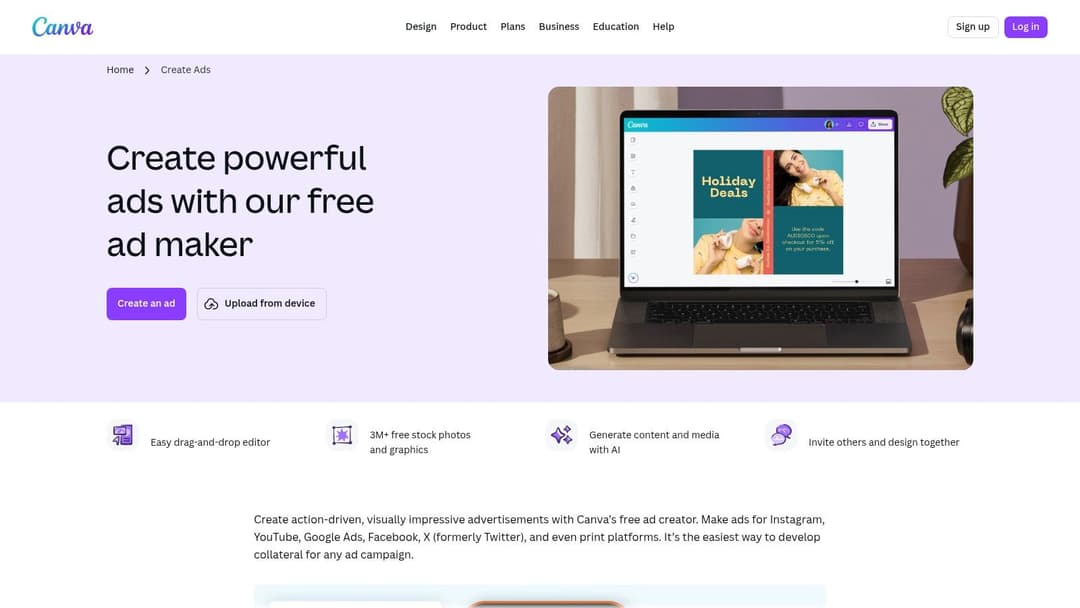
The drag-and-drop editor is exceptionally user-friendly, allowing for quick customization with brand colors, logos, and fonts. What truly sets Canva apart for advertisers is its direct integration with Meta. The "Meta Design Check" app reviews your creative against best practices before you publish, and you can send completed ads directly to your Meta Ads Manager account without ever leaving the Canva interface.
Key Features & Use Cases
- Rapid Variation Testing: Use a single template and the "Magic Switch" feature (formerly Resize & Magic Switch) to instantly adapt your design for multiple placements (e.g., from a 4:5 feed post to a 9:16 Story). This is ideal for A/B testing visuals across different ad sets.
- Direct Meta Publishing: Streamline your workflow by creating, checking, and publishing ads to Meta Ads Manager from one place.
- Brand Kit Management: Store your brand’s logos, color palettes, and fonts to ensure all ad creatives remain consistent.
Pro Tip: While many templates are free, some of the best photos, videos, and graphic elements are marked with a crown icon, requiring a Canva Pro subscription. You can filter your search to show "Free" assets only to avoid these paywalls.
Limitations and Considerations
While powerful, Canva's collaboration and version control features are less robust than professional tools like Figma or Adobe Creative Cloud. The free plan is generous, but accessing premium stock assets and advanced features like background remover or custom brand kits requires a paid subscription. Nevertheless, for teams needing to produce a high volume of social ad creatives quickly, it is an indispensable tool. If you want to dive deeper into the principles behind effective creatives, check out this guide on a solid ad banners design strategy.
Website: Canva Ad Maker
2. Adobe Express
Adobe Express brings the design pedigree of its parent company into a fast, web-based tool ideal for creating free ad templates. Its collection leans into professionally designed layouts with strong typography and visual balance, making it a great starting point for brands that want a polished look without the complexity of Photoshop or Illustrator. The platform covers key social and display formats, including Facebook, Instagram, and standard web banners.
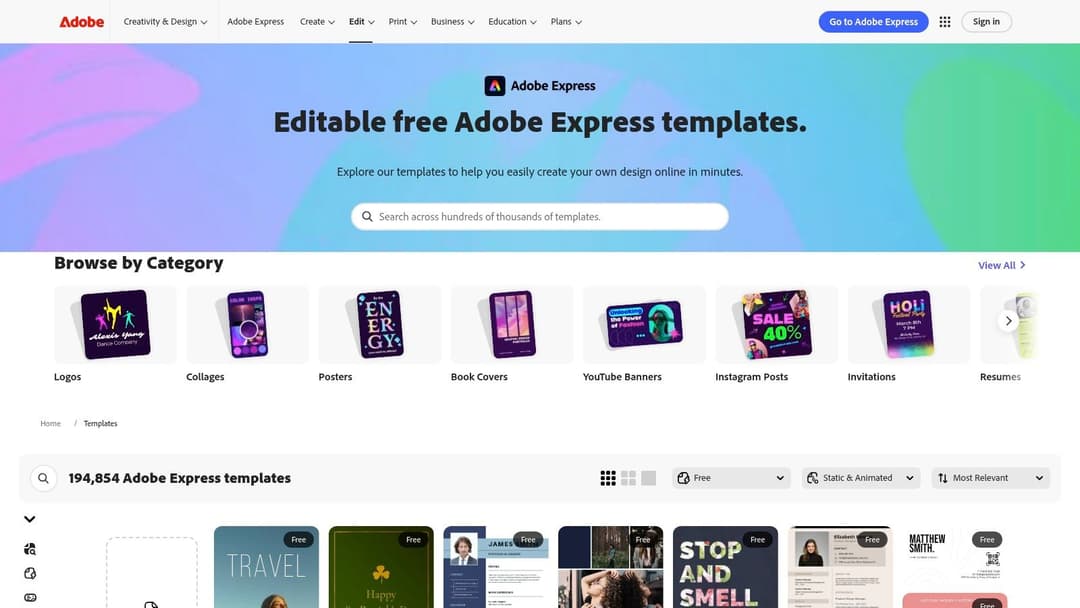
The user experience is clean and intuitive, available on both web and mobile for on-the-go edits. A key advantage for advertisers is the guided ad maker, which simplifies customization, and the one-click resize function for adapting a single creative across multiple placements. This makes it efficient for producing campaign assets for different channels quickly.
Key Features & Use Cases
- Professional Template Base: Start with high-quality, aesthetically pleasing templates that give your ads a professional edge from the outset.
- Quick Brand Application: Apply your brand logo, colors, and fonts to any template in seconds to maintain brand consistency across all creatives.
- Web and Mobile Editing: Create or modify ad designs seamlessly whether you are at your desk or on your phone, perfect for quick-turnaround requests.
- Access to Adobe Stock: The free plan includes a limited but high-quality selection of royalty-free Adobe Stock photos and assets.
Pro Tip: While you can easily swap images and text, use the "Text Effects" and "Animation" features to make your static ads more dynamic and eye-catching in crowded social feeds.
Limitations and Considerations
Adobe Express is designed for speed and simplicity, meaning it lacks the deep layout and vector manipulation controls found in full Adobe Creative Cloud applications. Many of the most desirable templates, stock assets, and features (like advanced resizing options) are locked behind the premium subscription. However, for marketers needing to produce high-quality variations without a steep learning curve, its free offering is exceptionally strong. A great visual is only half the battle; make sure your messaging is just as compelling by reviewing effective Facebook ad copy examples.
Website: Adobe Express Templates
3. VistaCreate (formerly Crello)
VistaCreate, the platform formerly known as Crello, is a strong contender for marketers seeking high-quality free ad templates, particularly those who want to produce animated creative without any motion design skills. Its library is well-stocked with thousands of professionally designed options, covering key social ad formats for Facebook, Instagram, and more. For non-designers, its primary appeal is the low learning curve and quick path to producing eye-catching visuals.
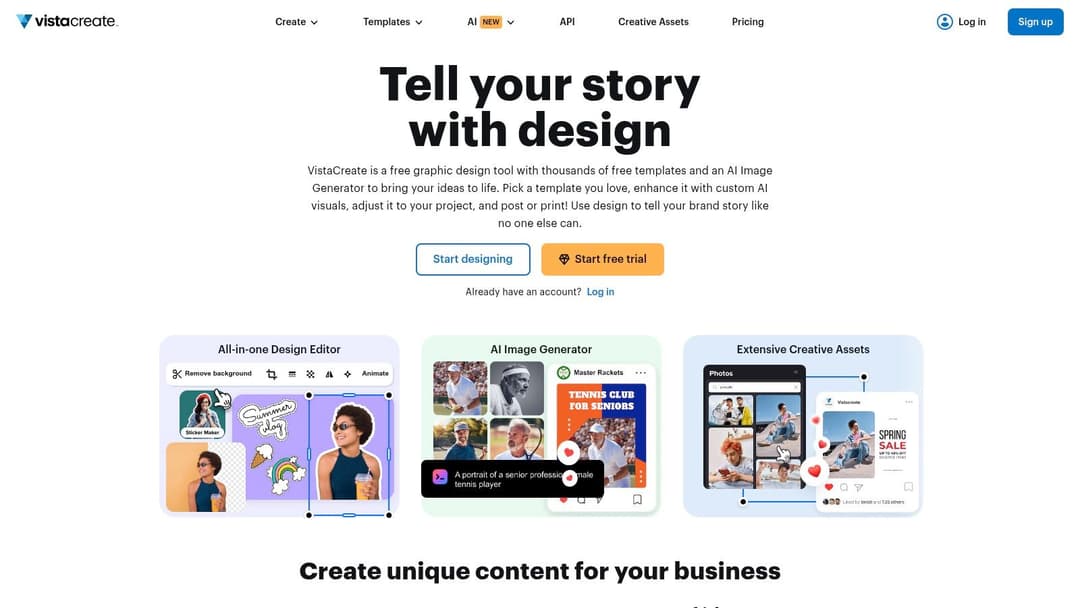
The platform’s user-friendly editor makes it simple to apply brand assets and customize templates in minutes. What makes VistaCreate a great choice for advertisers is its focus on animated content. You can easily add subtle motion to text, graphics, or backgrounds to make your ads stand out in a crowded feed, which is a significant advantage over platforms that primarily focus on static images.
Key Features & Use Cases
- Effortless Animation: Quickly apply pre-made animation effects to any design element, creating simple video ads that capture attention without needing complex software.
- Brand Kit Implementation: The free plan includes a Brand Kit where you can store one color palette, logo, and font set, making it easy to maintain brand consistency across all your ad creatives.
- Social Publishing Helpers: Direct integration with Facebook, Instagram, and Pinterest business pages allows you to schedule and publish your completed ads directly from the VistaCreate interface.
Pro Tip: Explore the "Animated Designs" tab to find templates built specifically for motion. These often provide a better starting point than adding animations to a static template from scratch.
Limitations and Considerations
While impressive, VistaCreate’s library of stock photos and design elements is smaller than what you'll find on Canva or Adobe Stock. The free plan is quite functional but limits you to one Brand Kit and places some of the more advanced assets and features, like background removal and unlimited storage, behind its Pro subscription. For more technical guidance on creative specifications, be sure to review the latest official Meta ad sizes to ensure your designs are perfectly optimized.
Website: VistaCreate
4. Snappa
Snappa positions itself as the fastest way to create online graphics, and for performance marketers needing simple, static free ad templates, it lives up to that promise. The platform is notably lightweight and prioritizes speed over an exhaustive feature set, making it a strong choice for quick production. Its library includes over 6,000 templates for formats like Facebook Ads and standard display banners, paired with access to a large stock image collection.
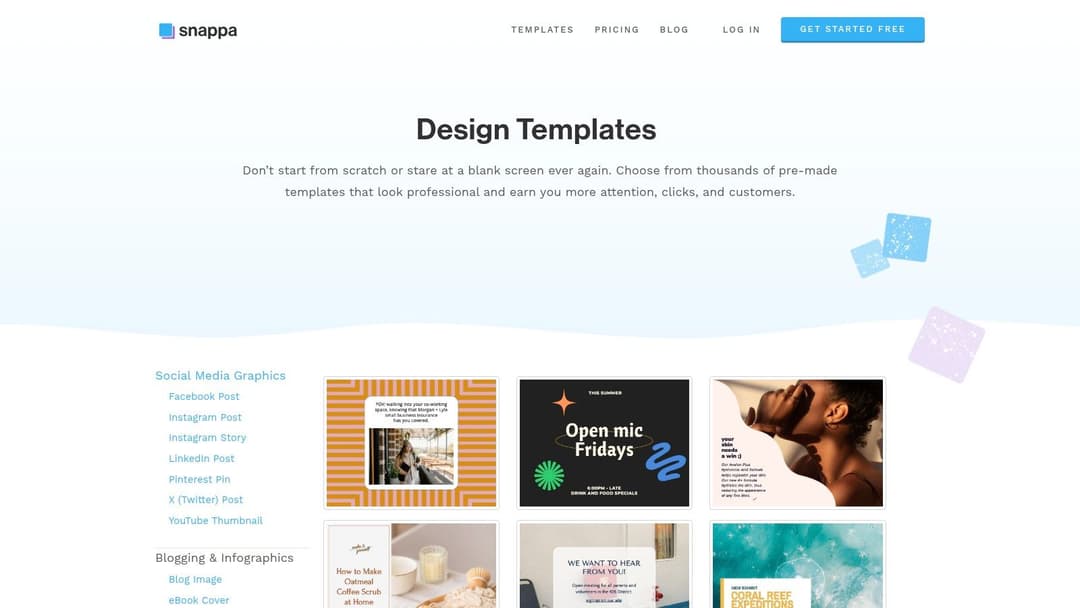
The user interface is clean and immediately understandable, removing the learning curve associated with more complex design tools. You can select a template, swap out the text and imagery, and export a finished ad creative in minutes. This makes it particularly effective for teams or individuals who need to produce foundational ad graphics without getting bogged down in intricate design functionalities.
Key Features & Use Cases
- Rapid Static Ad Production: Ideal for creating straightforward image ads for social media or display networks when speed is the primary concern. The intuitive editor allows for rapid customization.
- Simple Background Removal: A one-click tool to remove image backgrounds, which is useful for creating clean product shots for e-commerce ads.
- Massive Stock Photo Library: Access to millions of royalty-free, high-resolution photos directly within the editor, eliminating the need to source assets from other sites.
Pro Tip: The most significant limitation of the free plan is the cap of three downloads per month. Use your downloads wisely by finalizing your designs completely within Snappa before exporting. If you hit the limit, you'll have to wait until the next month or upgrade.
Limitations and Considerations
Snappa is built for simplicity and speed, which means it lacks the advanced animation, video editing, and collaborative features found in tools like Canva or VistaCreate. The three-download monthly limit on the free plan is restrictive for any serious ad testing and requires careful planning. However, if your primary need is to quickly generate a handful of high-quality static ads without a subscription, Snappa is an excellent, no-fuss option. For those ads destined for Meta, ensure they are built for success by understanding the core principles of Facebook ad optimization.
Website: Snappa Templates
5. Kapwing
Kapwing carves out its niche by focusing on browser-based video editing, making it a standout resource for teams needing to create video ads without complex desktop software. Its library offers a solid collection of free ad templates designed for modern placements, especially vertical video for TikTok, Instagram Reels, and Facebook Stories. The platform is built for speed, allowing marketers to quickly produce and iterate on video creatives.
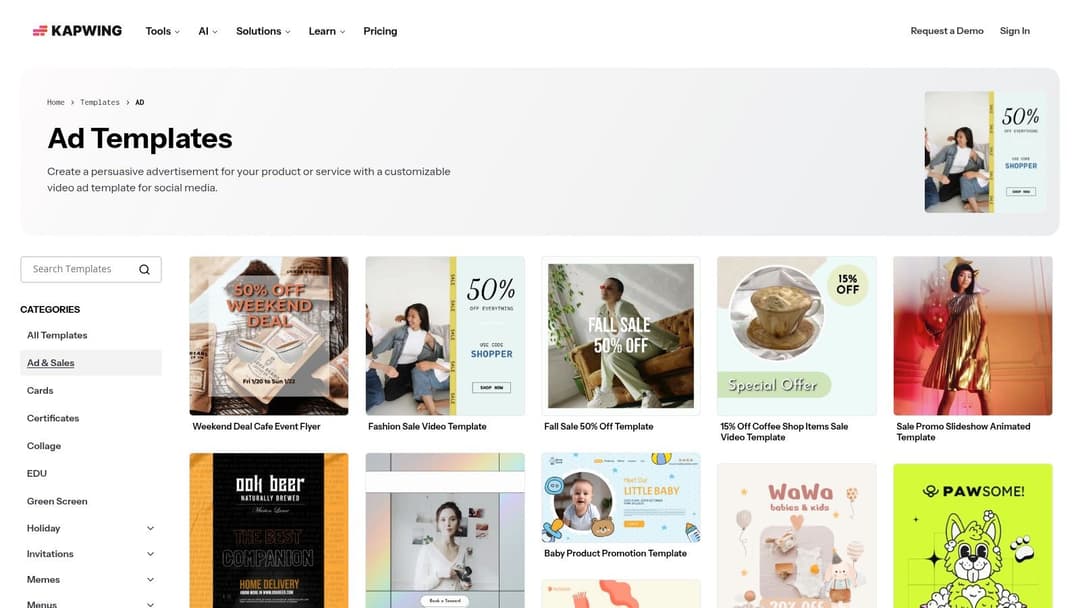
The online editor is intuitive, providing essential tools like timeline trimming, text overlays, and automatic smart captions, which are critical for sound-off social environments. Kapwing's primary advantage is empowering non-editors to produce professional-looking video ads. The templates serve as a starting point that can be rapidly customized with brand assets, making it ideal for performance marketers focused on testing different video hooks and messages.
Key Features & Use Cases
- Rapid Vertical Video Production: Quickly adapt templates for 9:16 formats, perfect for creating ads for TikTok, Reels, and Stories without any prior video editing experience.
- Browser-Based Editing: The entire workflow is web-based, eliminating the need for powerful hardware or software installation. This is great for remote teams and quick turnarounds.
- Automatic Subtitling: Generate and customize captions for your video ads with a single click, a crucial feature for improving accessibility and engagement on social feeds where video is often muted.
Pro Tip: Use Kapwing's "Smart Cut" feature to automatically remove silences from your video clips. This instantly tightens up the pacing of your ad, which is essential for retaining viewer attention in the first few seconds.
Limitations and Considerations
While Kapwing is excellent for fast-turnaround video, its free plan comes with limitations, including watermarks on exported videos and caps on export length and resolution. For watermark-free, high-resolution exports and access to collaborative features like Brand Kits, a paid subscription is necessary. It is not a replacement for advanced NLEs like Adobe Premiere Pro for complex motion graphics or color grading. However, for teams that need to integrate video into their paid social efforts, it bridges a critical gap. For more ideas on how to use video in your paid campaigns, explore these effective Facebook ad strategies.
Website: Kapwing Ad Templates
6. Microsoft Designer / Microsoft Create Templates
Microsoft is making a significant push into the creative space with its Designer app, accessible via the Microsoft Create templates hub. For those already working within the Microsoft 365 ecosystem, this platform offers a convenient and free source of free ad templates for popular social media placements. While not as expansive as dedicated design tools, its strength lies in AI-assisted layouts and a no-frills approach to creating simple, effective ad graphics.
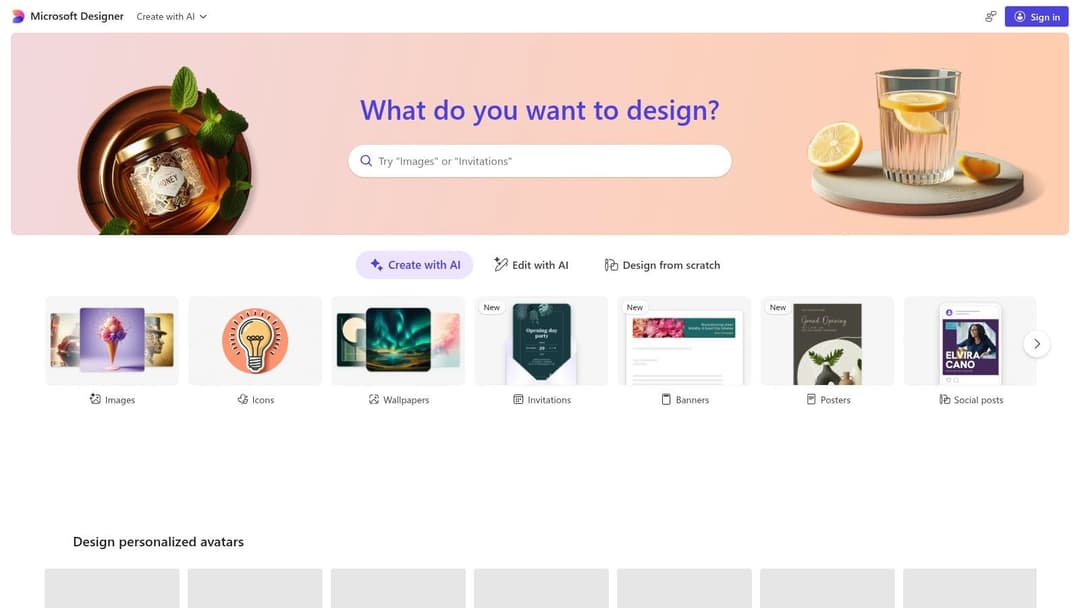
The platform is particularly useful for generating quick visuals for Facebook, Instagram, and even Pinterest ads. The editor is straightforward, allowing for quick customization of text, colors, and images. For teams or individuals who find tools like Canva overwhelming, Microsoft Designer presents a simplified, less cluttered alternative that gets the job done for basic advertising needs.
Key Features & Use Cases
- AI-Assisted Design: Simply describe the ad you want to create (e.g., "an Instagram ad for a summer shoe sale"), and Designer’s AI will generate several unique layout options for you to choose from and refine.
- Microsoft 365 Integration: A natural choice for teams that rely on Microsoft products. The experience is simple for users already familiar with the Microsoft interface.
- Social Format Presets: Quickly find templates sized correctly for Instagram Posts, Facebook Ads, and Pinterest Pins, reducing guesswork during setup.
Pro Tip: Use the "Designer" AI feature to get a head start. Even if the initial results aren't perfect, they provide a strong structural foundation that you can customize much faster than starting from a blank canvas.
Limitations and Considerations
Microsoft Designer's primary drawback is its relatively small catalog of ad-specific templates compared to more established competitors. Advanced features like brand kit management, complex animations, or team collaboration tools are also less developed. The platform is completely free to use with a Microsoft account, making it an excellent zero-cost option for startups or marketers needing to produce fundamental ad graphics without a budget for paid tools.
Website: Microsoft Create Designer Templates
7. Kittl
Kittl has carved out a niche by offering a curated library of high-quality free ad templates with a strong emphasis on typography, illustration, and vintage aesthetics. While not exclusively an ad maker, its sophisticated designs are perfect for brands wanting to create static ads that look more like bespoke art than a standard template. The platform is particularly effective for generating striking visuals that can stop the scroll on crowded social feeds.
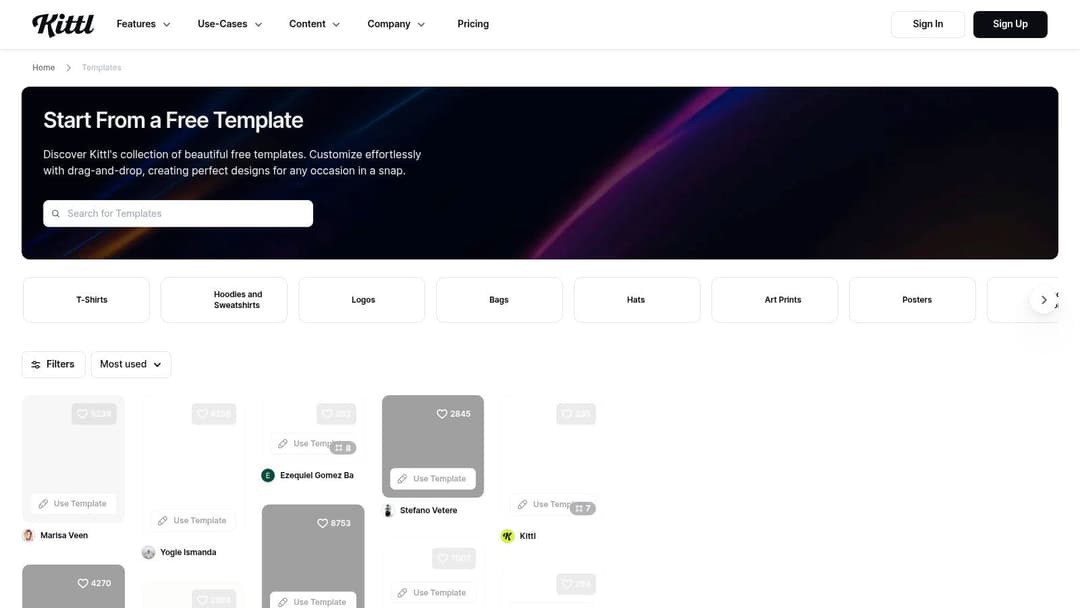
The editor is intuitive, providing advanced text editing features like warping and transformations that are usually found in professional software like Adobe Illustrator. This allows marketers to quickly adapt a template with unique typographic lockups without needing deep design skills. Its strength lies in quickly refreshing static ad creatives with a premium, illustrative feel that differentiates a brand from competitors relying on more generic-looking templates.
Key Features & Use Cases
- Typographic Excellence: Create ads that stand out with intricate text effects and unique font combinations that are difficult to replicate in other web-based tools.
- Static Creative Refresh: Ideal for performance marketers who need to quickly produce new static image variations for testing. The workflow is fast for swapping backgrounds, text, and colors.
- AI-Powered Tools: Includes an AI image generator and background remover, helping to create custom assets directly within the platform to supplement the templates.
Pro Tip: The free plan is excellent for experimentation, but it restricts you to low-resolution exports and requires attribution. For any serious ad campaign, you will need to upgrade to a paid plan to get high-resolution files and a commercial use license.
Limitations and Considerations
Kittl's primary limitation for advertisers is its focus on static images; it lacks the video and motion graphic capabilities of platforms like Canva. The template library is also smaller and more stylistically focused, which may not suit every brand. The free plan's commercial use restrictions make it more of a trial than a long-term solution for active ad campaigns. However, for brands whose aesthetic aligns with Kittl's curated style, it's an exceptional tool for producing distinctive static ads.
Website: Kittl Templates
8. Pixelied
Pixelied positions itself as a lightweight and straightforward alternative to more complex design suites, offering a solid collection of free ad templates for teams that prioritize speed and simplicity. The platform is especially useful for creating static ads for social media, including dedicated formats for Facebook and standard display banners. Its core appeal lies in a clean, uncluttered editor that allows non-designers to quickly produce professional-looking creatives without a steep learning curve.
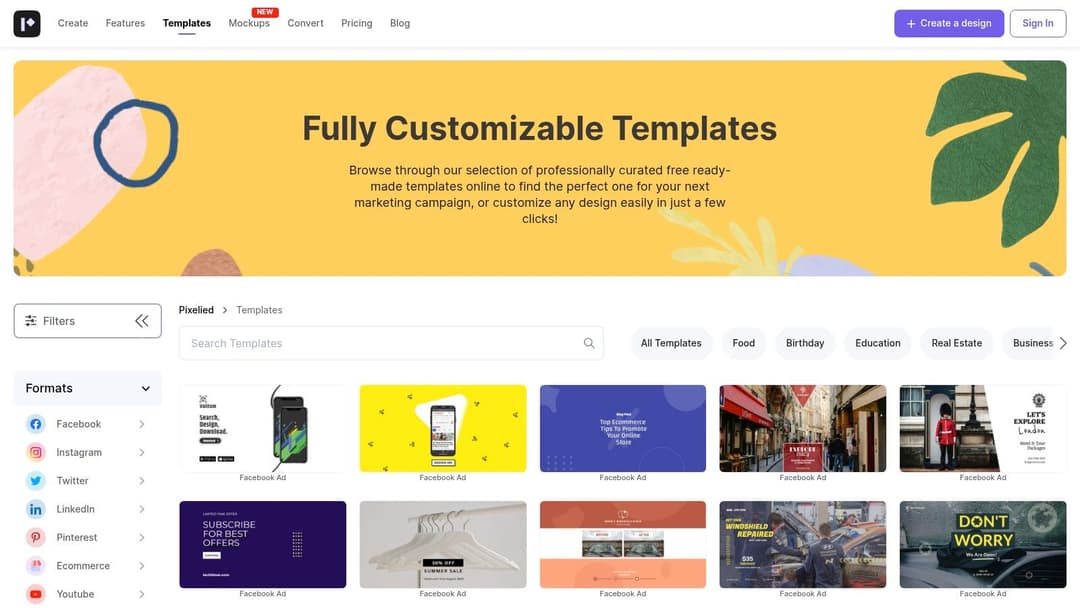
While its library isn't as expansive as Canva's, Pixelied provides a legitimate free tier that is more than sufficient for simple campaigns or startups needing basic ad visuals. The interface is intuitive, focusing on core editing functions like text replacement, color changes, and adding your logo, which makes it an excellent tool for marketers who need to generate ads quickly without getting bogged down in advanced features.
Key Features & Use Cases
- Quick Static Ad Creation: Ideal for producing simple, clean static image ads for Meta or display networks without needing any design experience.
- Lightweight Editor: The user interface is very approachable, making it a good choice for marketers who find more powerful platforms overwhelming.
- Generous Free Tier: The free plan offers access to thousands of templates and a basic stock asset library, which is perfect for teams on a tight budget.
Pro Tip: Use Pixelied's "Workspaces" feature (available on paid plans) to organize designs by client or campaign. This helps keep your ad creative assets tidy if you're managing multiple brands.
Limitations and Considerations
Pixelied's main drawback is its limited support for video and motion graphics; it is primarily a tool for static images. Compared to giants like Canva or VistaCreate, its template selection and community are smaller, meaning you might find fewer niche designs. The more advanced tools, such as the background remover and premium brand features, are locked behind a paid subscription. However, for quick, no-fuss static ad production, Pixelied provides a valuable and accessible starting point.
Website: Pixelied Templates
9. DesignWizard
DesignWizard is a practical and straightforward design tool that offers a solid collection of free ad templates, particularly for marketers focused on standard display and social media advertising. The platform simplifies the creation process with dedicated template packs for Google Display Network (GDN) and Facebook Ads, making it a handy resource for teams that need to produce standard-format ads without a steep learning curve. Its main advantage is its focus on these core ad types, providing presets for common IAB sizes.
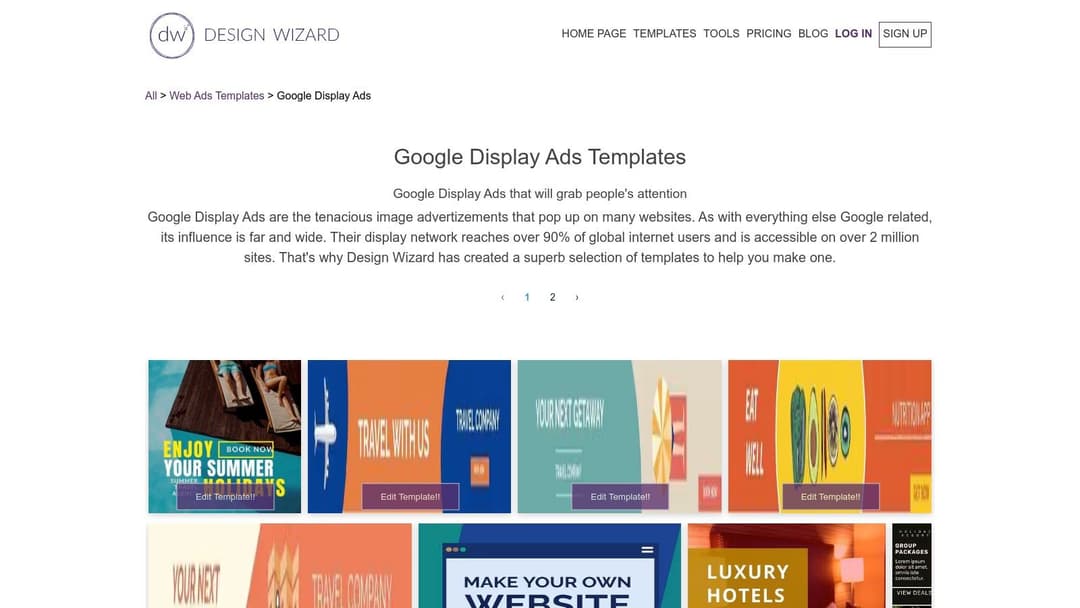
The editor is simple to use, allowing for quick text, color, and image adjustments. While its asset library and design ecosystem are smaller than giants like Canva, it provides a functional toolkit for creating clean, professional-looking ads. For a performance marketer needing to quickly generate a set of standard leaderboard or MPU banners for a GDN campaign, DesignWizard gets the job done efficiently.
Key Features & Use Cases
- Google Display Ad Presets: Quickly find and customize templates for standard IAB sizes like 300x250 (Medium Rectangle), 728x90 (Leaderboard), and 160x600 (Skyscraper).
- Facebook Ad Templates: Access a variety of designs specifically formatted for Facebook feed ads, helping you get campaigns live faster.
- Simple Customization: The editor is intuitive, making it easy to apply your brand's messaging and visual identity to any template.
Pro Tip: Use DesignWizard to create a baseline set of display ads for your remarketing campaigns. Since the IAB sizes are standardized, you can export them as JPEGs or PNGs and upload them directly into Google Ads without worrying about formatting issues.
Limitations and Considerations
The primary drawback of DesignWizard is that its most valuable assets and features are gated behind a paid subscription. The free plan has limitations on the number of image uploads and access to premium templates and stock photos. The overall design ecosystem is also less extensive than its larger competitors, offering fewer integrations and advanced features. However, for quick and simple banner ad creation, it remains a very useful tool in a marketer's arsenal.
Website: DesignWizard Google Display Ads
10. Freepik (Ad/Banner Templates)
Freepik is a colossal resource library known for its stock vectors and photos, but it’s also an excellent source for free ad templates. The platform offers thousands of editable templates, primarily in PSD (Adobe Photoshop) and AI (Adobe Illustrator) formats, which are perfect for designers looking to build out social media and display advertising campaigns. While it requires more hands-on design software knowledge than a tool like Canva, the creative flexibility is substantially greater.
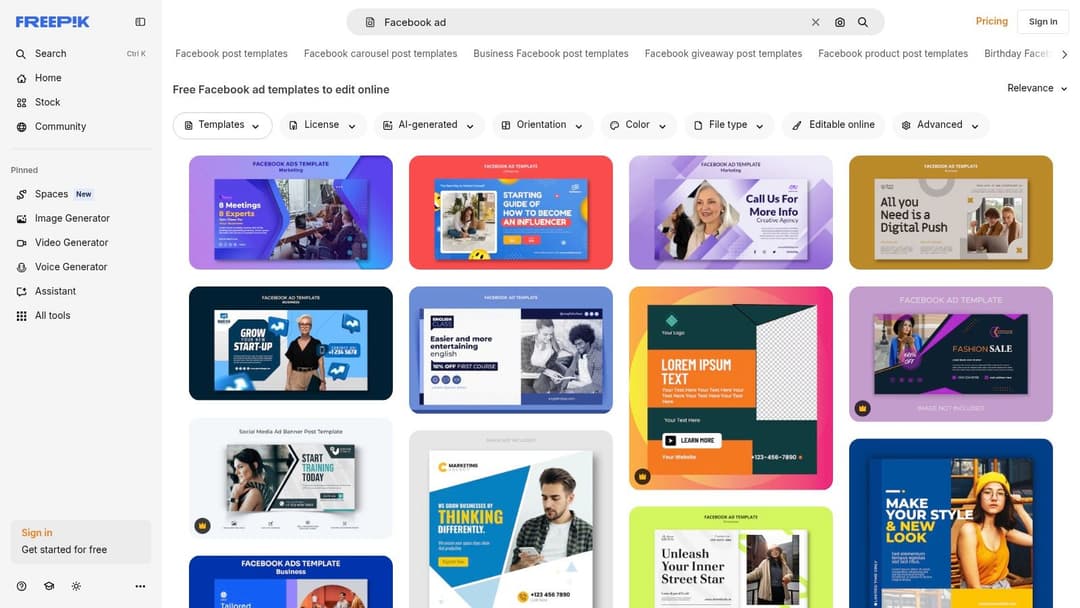
The main advantage of Freepik for advertisers is the sheer volume and variety, especially for event-based or promotional ads. You can find high-quality starting points for Black Friday sales, restaurant promotions, or real estate listings that can be quickly adapted. Freepik is also experimenting with an online editor for some assets, providing a more accessible customization path for those without Adobe Creative Cloud.
Key Features & Use Cases
- Seasonal & Niche Campaigns: Quickly find professional templates for specific holidays, events, or industries (e.g., fitness, tech, fashion) that might be less common on other platforms.
- Full Creative Control: Since most files are PSD or AI, you can deconstruct every layer, change gradients, manipulate vector shapes, and fully rework the design to match your brand's unique aesthetic.
- Inspiration & Mood Boarding: Even if you don't use the templates directly, browsing Freepik is a great way to generate ideas and spot design trends for your next ad creative set.
Pro Tip: Pay close attention to the license. Most free assets require you to credit "Freepik" in your work. To avoid this and gain access to a larger library with full commercial rights, a Premium subscription is necessary.
Limitations and Considerations
The quality of templates can be inconsistent, so it’s important to vet files before committing to them for a campaign. Furthermore, the reliance on professional design software creates a higher barrier to entry than browser-based editors. The free license attribution requirement can be prohibitive for many commercial ad uses, making the Premium plan almost a necessity for professional marketers.
Website: Freepik Facebook Ad Templates
11. Google Web Designer / Rich Media Gallery
For teams needing production-ready HTML5 creatives for programmatic display, Google Web Designer stands out as a powerful, code-first solution. Paired with the Rich Media Gallery, it offers a solid collection of free ad templates specifically built for Google Ads and Display & Video 360 (DV360). These aren't just design concepts; they are functional, responsive HTML5 ad units ready for customization and deployment.
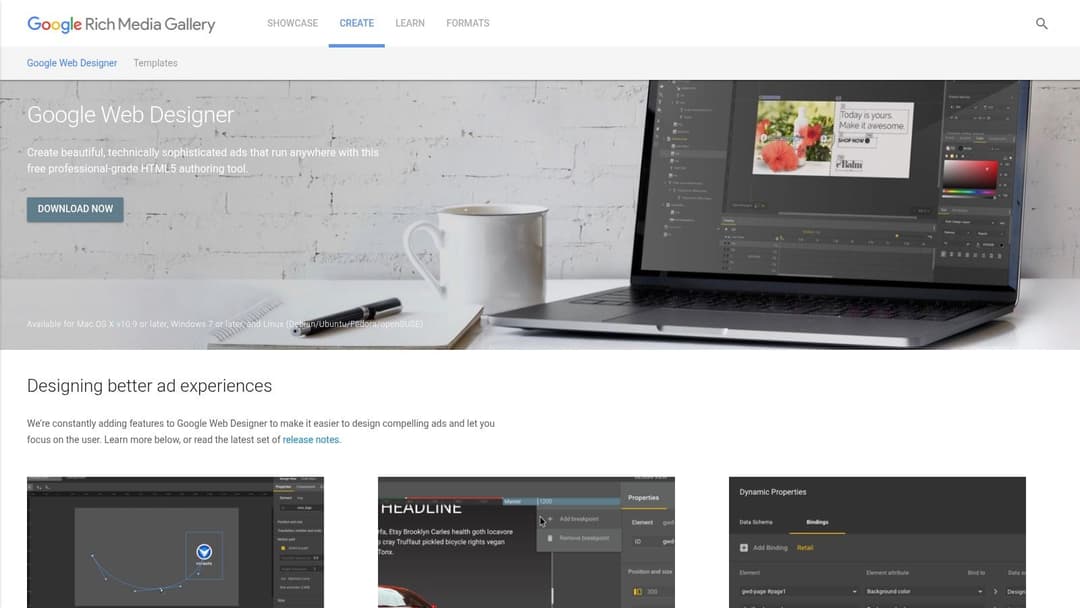
Unlike drag-and-drop tools, Google Web Designer is a free desktop application for Windows, Mac, and Linux that gives you direct control over the HTML, CSS, and JavaScript. This is ideal for creating animated, interactive, and responsive banners that meet the precise technical specifications of the Google Display Network. The Rich Media Gallery acts as the starting point, providing templates and components that you can import directly into the Web Designer app.
Key Features & Use Cases
- Production-Ready Display Ads: Access templates for standard banners, expandable ads, and interstitial units that are pre-validated for Google's ad platforms.
- Dynamic Creative Support: Build templates that can pull product data from a feed, perfect for dynamic remarketing campaigns in e-commerce.
- Code-Level Control: Go beyond visual editors to fine-tune animations, interactivity, and responsiveness for complex creative executions.
Pro Tip: Before starting, browse the Rich Media Gallery to find a template that most closely matches your goal. Each template comes with a build guide and a demo, which helps you understand its functionality before you commit to downloading and editing it.
Limitations and Considerations
The primary drawback is the learning curve. This is not a tool for beginners; familiarity with HTML5, CSS, and basic design principles is necessary to use it effectively. The template variety is also smaller and more technically focused compared to social media-centric platforms like Canva. However, for performance marketers focused on programmatic display, the ability to create compliant, high-performing HTML5 ads for free is a significant advantage.
Website: Rich Media Gallery
12. Figma Community (Ad Templates)
Figma has become the design industry's gold standard, and its Community hub is a goldmine of professional-grade free ad templates. Unlike template builders, Figma Community offers fully editable source files published by other designers. These are not simple drag-and-drop templates but complete design systems for creating cohesive, scalable ad campaigns. The value here lies in building systematic ad sets with auto-layout and batch exports for efficient multivariate testing.
Once you find a template, you duplicate it into your own Figma account, giving you total control. This is perfect for performance marketers who need to generate dozens of variations of a core concept. By using Figma’s component and variant features, you can change a headline, image, or call-to-action in one place and have it update across all your ad sizes instantly. This approach is far more scalable than editing one ad at a time.
Key Features & Use Cases
- Systematic Creative Production: Build a master file with ad components (logos, headlines, CTAs) and use variants to generate all combinations for testing with a few clicks.
- Batch Exporting: Select all your ad variations and export them simultaneously in the required formats (PNG, JPG, SVG), correctly named and ready for upload.
- Professional Design Foundations: Start with files built by professional designers, complete with proper layout grids, typographic scales, and organized layers.
Pro Tip: Pay close attention to the license information on each community file. While many are free for commercial use, some are for personal or educational use only. Always check the creator's notes on the file's description page before using it in a live campaign.
Limitations and Considerations
The biggest hurdle is the learning curve. Figma is a professional design tool, and users will need basic skills to edit text, swap images, and use features like auto-layout effectively. The quality and organization of community files can also vary greatly, so you may need to sift through a few to find a high-quality, well-structured template. However, for teams with even basic design capabilities, the control and scalability it offers are unmatched by any other free tool.
Website: Figma Community
Free Ad Templates — 12-Tool Comparison
| Tool | Core features | Best for | Unique selling point | Limitations / Pricing |
|---|---|---|---|---|
| Canva | Thousands of templates, drag‑and‑drop editor, Meta Design Check, bulk resize & publish to Meta | Rapid bulk variations and cross‑format social ads | Broad format library + direct Meta integration for fast publishing | Freemium; premium assets/features paid; lighter enterprise brand controls |
| Adobe Express | Professional templates, brand application, one‑click resizing, Adobe Stock access | High‑quality, typographic ad creatives and quick turnarounds | Adobe‑grade templates and polished typography | Freemium; premium assets/features behind paid tiers; less layout depth than core Adobe apps |
| VistaCreate (Crello) | Animated templates, brand kit, one‑click exports, social posting helpers | Non‑designers who need quick on‑brand animated ads | Easy animated ad creation without motion skills | Smaller asset depth than Canva/Adobe; some features paid |
| Snappa | 6,000+ templates, stock images, one‑click resize, lightweight UI | Very fast static ad production and simple social graphics | Extremely simple, fast workflow with clear usage limits | Free plan limited downloads; no animation/video capabilities |
| Kapwing | Browser video editor, vertical video templates, captioning, resizing | Rapid vertical video ads for FB/IG/TikTok without desktop NLEs | Fast, web‑based video editing for non‑editors | Free limits and watermarks; advanced exports require paid plan |
| Microsoft Designer / Create | AI‑assisted layouts, template catalog, social presets | Teams in Microsoft ecosystem needing quick ad graphics | Free with Microsoft account and AI layout suggestions | Smaller ad catalog; fewer brand/animation tools |
| Kittl | Curated typographic & illustrative templates, quick static edits | Ads that need standout typography and illustration | High‑quality typographic styles that pop in feeds | Free limits on high‑res exports/commercial use; smaller template volume |
| Pixelied | Ready ad templates, simple editor, legit free tier | Small teams or solo marketers on a budget | True free tier for basic campaign needs, lightweight UI | Limited motion/video; smaller community/template set |
| DesignWizard | Facebook & Google Display template packs, simple editor | Standard display (IAB) and Facebook ad presets for teams | Handy presets for GDN and FB with ready export formats | Smaller ecosystem; many assets/features require paid plan |
| Freepik (Ad/Banner) | Massive PSD/AI/online templates library, frequent additions | Seasonal/promotional ad starters and lots of options | Huge variety and volume of templates | Free requires attribution; mixed quality; premium needed for full rights |
| Google Web Designer / Rich Media | Responsive HTML5 templates, rich components, dynamic ads support | Production‑ready HTML5 for GDN, DV360, programmatic display | Code‑level control and responsive HTML5 creatives | Requires HTML5/design familiarity; fewer drag‑and‑drop templates |
| Figma Community (Ad Templates) | Editable Figma files, auto‑layout, variants, batch export | Systematic, scalable creative sets and multivariate testing | Scalable design system workflows and reusable components | Quality/licensing varies; needs Figma skills to edit effectively |
Turn Your Free Templates into Your Most profitable Ads
We've explored a dozen powerful sources for free ad templates, from all-in-one design suites like Canva and Adobe Express to specialized tools like Kapwing for video and Figma for collaborative design. The core takeaway is clear: you no longer need a massive design budget or a dedicated creative team to produce high-quality, conversion-focused ad creative.
The resources in this guide put professional-grade design within everyone's reach. By using these free ad templates, you can eliminate creative bottlenecks and focus on what truly matters: testing, learning, and scaling what works. The key is to move beyond simply using a template and start thinking systematically.
From Template to High-Performing Campaign
Simply downloading a template is only the first step. The real value comes from a strategic, repeatable process. To turn these free assets into a genuine performance advantage, you must internalize a new workflow.
- Systematic Customization: Always adapt a template to your brand. This means more than just adding your logo. Adjust the color palette, swap in your brand’s typography, and ensure the imagery or video clips reflect your unique value proposition. The goal is for the final ad to feel custom-built, not like a generic template.
- Hypothesis-Driven Variation: A single ad creative is a single data point. True growth comes from testing. Use a template as your control version and quickly create variations. Test different headlines, calls-to-action, background colors, and primary images. Each variation is a hypothesis to be proven or disproven by performance data.
- Strategic Platform Adaptation: A static image that works on Meta may not translate directly to a dynamic video format. For instance, creating effective short-form video requires a different approach. Beyond just Meta, to truly turn your free templates into your most profitable ads, understanding how to make TikTok ads that actually convert is a vital step for expanding your reach. Your creative strategy must account for the native user experience of each platform.
Choosing the Right Tool for Your Needs
With so many options, selecting the right starting point is crucial. Your choice should align with your team's skills, primary ad formats, and workflow preferences.
- For Speed and Simplicity: If you need to create a wide variety of static and simple video ads quickly, Canva, Adobe Express, and VistaCreate are your best bets. Their massive libraries and intuitive drag-and-drop editors are built for efficiency.
- For Advanced Customization and Collaboration: If your team has design experience or requires a more robust, collaborative environment, the Figma Community is an unmatched resource. The templates here are often more complex and built with component-based design systems, ideal for scaling creative production.
- For Specialized Video and Animation: For teams focused heavily on video, Kapwing offers a user-friendly, web-based editor perfect for trimming, adding text overlays, and creating social-first video ads. For more complex HTML5 banners, Google Web Designer remains a powerful, though more technical, choice.
Ultimately, the most significant barrier to effective advertising is no longer design access but creative velocity and intelligent testing. The tools listed here solve the first part of the equation. By embracing a systematic approach to variation and analysis, you can build a powerful engine for growth, turning these free ad templates into your most reliable and profitable marketing assets.
Ready to move beyond manual creation and unlock true scale? AdStellar AI connects directly to your ad accounts and creative tools, automating the process of building, testing, and optimizing thousands of ad variations from your best templates. Stop spending hours in design tools and start focusing on strategy with AdStellar AI.