
If you've ever felt overwhelmed by the idea of running ads on Facebook or Instagram, you're not alone. It can seem like a complex maze without a map. That's where Facebook Ads Manager comes in—it's your command center for everything related to advertising on Meta's platforms.
Your Command Center for Meta Advertising
Think of it like this: trying to run ads without Ads Manager is like trying to fly a plane without a cockpit. You'd have no controls, no navigation, and no idea where you're going. Facebook Ads Manager is that cockpit, giving you every dial, switch, and screen you need to launch, navigate, and land your campaigns successfully.
At its core, the platform is designed to turn your business goals—whether that's more website traffic, new leads, or online sales—into real, measurable results. It's the central hub for creating, managing, and analyzing your ad campaigns across Facebook, Instagram, Messenger, and the Audience Network.
First launched back in 2014, Ads Manager has completely changed the game for digital advertising. It’s grown to a point where it now has a staggering global ad reach of 2.28 billion users. That number is still climbing, showing a 4.3% year-over-year increase, which speaks volumes about its massive potential. If you want to dive deeper into the numbers, Uproas.io has some great stats.
Who Is Facebook Ads Manager For?
This isn't just a tool for massive corporations with bottomless budgets. It’s built for everyone, from a solo entrepreneur launching their very first ad to a seasoned agency team juggling millions in ad spend. It provides the essential controls for anyone who's serious about getting results from paid social.
No matter your goal, Ads Manager is where the magic happens. This is the place you’ll go to:
- Build Campaigns: Structure your advertising from the ground up, starting with your main objective.
- Target Audiences: Get incredibly specific about who sees your ads, using everything from demographics and interests to online behaviors.
- Manage Budgets: Keep your spending in check with daily or lifetime budgets, ensuring you get the most bang for your buck.
- Analyze Performance: Dig into the data to see what’s working, what isn't, and where you can improve.
Here's a look at the main dashboard—your mission control for monitoring all active campaigns at a glance.
This high-level view gives you a quick pulse check on key metrics like your budget, results, and cost per result. It's designed for quick, at-a-glance assessments. For a deeper look into whether this platform is right for you, check out our guide on whether advertising on Facebook still works.
To put it all together, here’s a simple breakdown of what Ads Manager really empowers you to do.
Facebook Ads Manager at a Glance
| Core Function | What It Lets You Do | Example Use Case |
|---|---|---|
| Campaign Creation | Build and structure ad campaigns based on specific business objectives. | Setting up a "Lead Generation" campaign to collect email sign-ups for a webinar. |
| Audience Targeting | Define and save specific audience segments to show your ads to. | Targeting users aged 25-45 in specific cities who have shown interest in fitness and wellness. |
| Budget Management | Set, control, and optimize your ad spend across campaigns and ad sets. | Allocating a $50 daily budget to your best-performing ad set while pausing underperformers. |
| Creative Management | Upload, test, and manage all your ad visuals, videos, and copy. | A/B testing two different ad images to see which one gets a higher click-through rate. |
| Performance Reporting | Access detailed analytics and reports to measure your campaign results. | Analyzing the cost per purchase for an e-commerce campaign to calculate your return on ad spend. |
Ultimately, every function within Ads Manager is there to give you more control and clarity over your advertising efforts, helping you make smarter, data-driven decisions.
Navigating the Ads Manager Dashboard
Opening Facebook Ads Manager for the first time can feel like stepping onto the bridge of the Starship Enterprise—it’s packed with powerful tools, but all those buttons and readouts can be a bit intimidating. This tour will demystify the interface and get you moving around the platform like you’ve been doing it for years.
The key is understanding its simple, hierarchical structure.
Think of it like a filing cabinet you use to organize all your advertising. At the very top, you have the Campaign, which is like the main drawer labeled "Summer Sale." This holds everything related to that one, single business goal.
The Three-Tiered Structure
Inside that drawer, you’ll find several folders. These are your Ad Sets. You might label each Ad Set folder for a different audience, like "Women 25-34" or "Website Visitors (Last 30 Days)." This is the level where you control the budget, schedule, audience targeting, and placements for a group of ads.
Finally, tucked inside each folder are the individual documents—your Ads. These are the actual images, videos, headlines, and descriptions your audience sees in their feed. This three-tiered structure of Campaigns, Ad Sets, and Ads is the bedrock of keeping your advertising organized, scalable, and easy to analyze.
It's what allows you to test different audiences (at the Ad Set level) or different creative concepts (at the Ad level), all while working toward one unified objective (at the Campaign level).
At its core, Ads Manager is the central hub that connects your campaigns across Facebook, Instagram, and Messenger, providing a unified view of your entire advertising ecosystem.
This infographic shows how Ads Manager is the command center for everything you do across Meta's platforms.
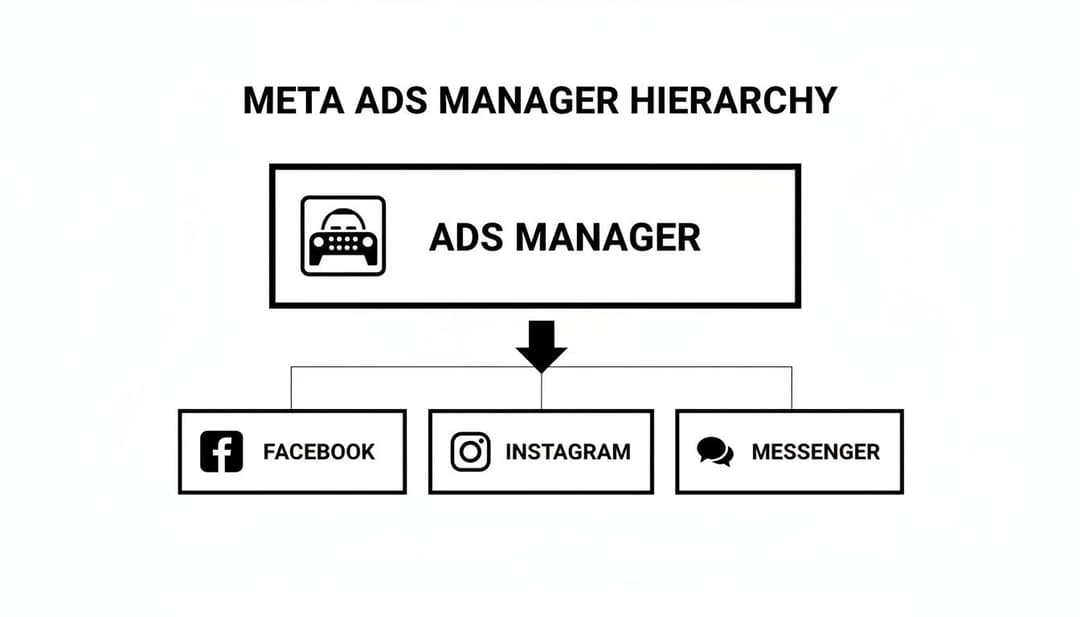
It’s a great visual reminder that no matter where your ads show up, they all come from this one powerful dashboard.
Mastering the Dashboard View
Your main view in Ads Manager is a massive reporting table. Every row is a campaign, ad set, or ad, depending on which tab you’re on, and the columns show your key performance metrics. One of the first and most important things to do is customize these columns to show the data that actually matters to your goals.
An e-commerce brand, for instance, will live and die by metrics like Return on Ad Spend (ROAS) and Purchases. A business focused on lead generation, on the other hand, will care more about Cost Per Lead (CPL).
You can completely tailor this view by clicking the "Columns" dropdown and selecting "Customize Columns." From there, you can pick and choose from hundreds of available metrics. Pro tip: save your custom column setup as a preset. It will save you a ton of time during your daily check-ins.
Don't forget to use the powerful search and filter functions, either. They let you instantly zero in on specific campaigns or analyze performance over a certain date range, cutting through the noise to find focused, actionable insights.
The Three Pillars of a Winning Campaign
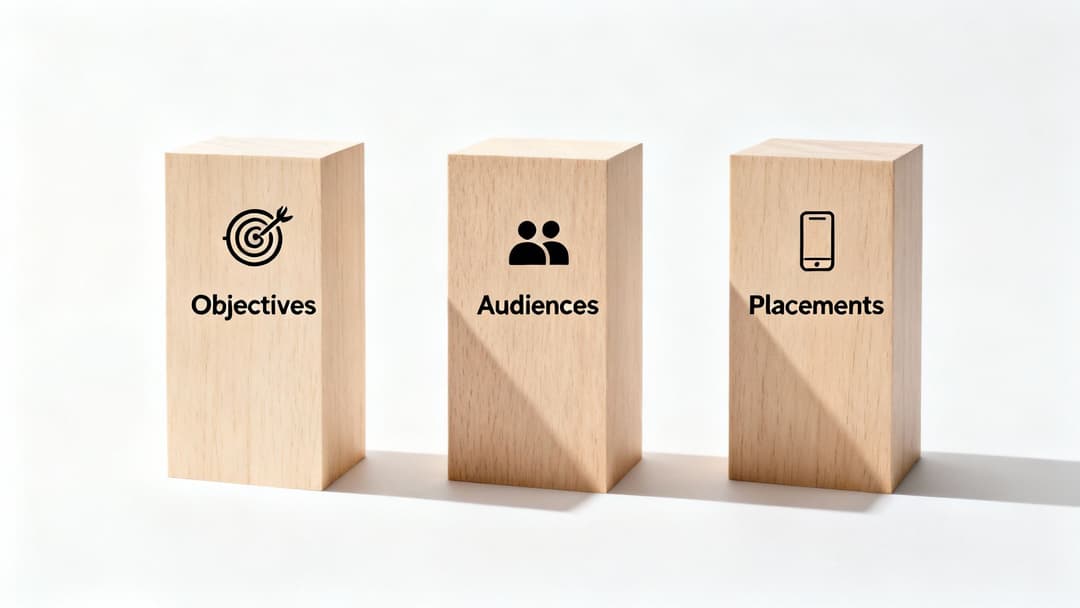
Every powerful campaign you see humming along in Ads Manager is built on three strategic pillars. Getting these core components right—Objectives, Audiences, and Placements—is what separates the campaigns that just burn cash from the ones that actually drive real, measurable growth.
Think of these pillars as the "what," "who," and "where" of your entire advertising plan. Nail these three, and you’ve laid a rock-solid foundation for success.
Pillar 1: Your Campaign Objective
The very first decision you’ll make is choosing your campaign objective. This isn’t just some arbitrary label; you're giving Meta's algorithm a direct order about what you want people to do. It’s the most important step.
If you choose "Sales," you're telling the algorithm, "Go find me people who are most likely to buy something." Pick "Brand Awareness," and the instruction changes to, "Show my ad to as many people as possible in my audience to get my name out there."
Your objective completely dictates how Meta optimizes and delivers your ads.
Choosing the Right Campaign Objective
Picking the right objective is like giving a delivery driver the correct address; without it, your message will never reach its destination. To help you get it right, this table breaks down the common objectives and what they're actually designed to do.
| Campaign Objective | Primary Goal | Ideal For |
|---|---|---|
| Awareness | Maximize reach and ad recall | Introducing a new brand or product to a cold audience. |
| Traffic | Drive clicks to a website, app, or landing page | Promoting a blog post or getting eyes on a new product page. |
| Engagement | Get more likes, comments, shares, and post interactions | Building social proof and community around your content. |
| Leads | Collect contact information from potential customers | Growing an email list, signing people up for a webinar. |
| Sales | Drive conversions, catalog sales, or store traffic | E-commerce businesses focused on direct-response purchases. |
Ultimately, your business goals should be the starting point. Match your objective to what you really want to achieve, and you're already halfway to a successful campaign.
Pillar 2: Your Target Audience
Once your goal is set, the next question is who you're going to talk to. Ads Manager has incredibly powerful targeting tools that let you zero in on the right people. They generally fall into three buckets.
Your audience is the heart of your campaign. You can have the best ad creative in the world, but if it's shown to the wrong people, it simply won't perform.
These audience types are built for different stages of the customer journey:
- Core Audiences: This is where you build an audience from the ground up using demographics (age, location), interests (hobbies, pages they like), and behaviors (purchase history, device usage). It's your go-to for reaching brand-new people.
- Custom Audiences: Here, you get to target people who already know you. Think website visitors, your email list, or users who've engaged with your Facebook or Instagram page. This is your bread and butter for retargeting warm leads.
- Lookalike Audiences: This is where Meta's magic really shines. The algorithm analyzes one of your Custom Audiences (like a list of your best customers) and builds a new audience of people with similar characteristics. It's a game-changer for scaling your campaigns and finding high-quality prospects.
Pillar 3: Your Ad Placements
The final pillar is deciding where your ads will show up across Meta’s massive network of apps and websites, including Facebook, Instagram, Messenger, and the Audience Network.
You have two main paths you can take. Advantage+ Placements (which used to be called Automatic Placements) lets Meta's algorithm do the heavy lifting. It will automatically show your ads where they are most likely to get results. Honestly, this is the best option for most advertisers because it leverages machine learning to find the cheapest and best-performing spots in real time.
The other option is Manual Placements, where you hand-pick exactly where your ads can appear—like only in Instagram Stories or the Facebook Feed. This gives you more control, but it requires a much deeper understanding of where your specific audience hangs out online.
To get a better sense of how these pillars fit into a bigger picture, you can explore these effective Facebook ad strategies.
Translating Ad Metrics into Actionable Insights
Data is the lifeblood of advertising, but staring at a dashboard packed with acronyms can feel like trying to read a foreign language. Facebook Ads Manager gives you a mountain of metrics, but the real skill is learning to translate that data into smart, decisive action. Instead of just reporting on the numbers, you need to understand the story they’re telling you.
Think of your ad metrics as clues in a detective story. A high Click-Through Rate (CTR) but a rock-bottom conversion rate isn't a failure—it's a clue. It points you toward a potential problem on your landing page. Maybe the page loads at a snail's pace, the offer doesn't match the ad's promise, or the checkout process is just plain confusing. The data from Ads Manager is where your investigation begins.
Moving Beyond Definitions
To get anywhere, you have to look at key metrics in relation to each other. Understanding them in isolation is a start, but seeing how they connect is where the real insights are hiding.
- Cost Per Click (CPC) vs. Conversion Rate: If your CPC is low but nobody is converting, you might be targeting an audience that loves to click but has zero intent to buy. That’s a clear signal to go back and refine your audience targeting.
- Return on Ad Spend (ROAS): For any e-commerce brand, this is the ultimate measure of success. A 2x ROAS means for every dollar you put in, you get two dollars back. This metric cuts through the noise and tells you if your campaigns are actually profitable.
- Frequency: This shows you how many times, on average, the same person has seen your ad. If your frequency is climbing while your results are tanking, your audience is probably sick of your ad. It's time to switch up the creative.
Your goal isn't just to collect data; it's to ask why. Why did this ad get a ton of clicks but no sales? Why did performance suddenly dive on Wednesday? Every answer you find makes your next campaign that much stronger.
Diagnosing Performance and Taking Action
Facebook Ads Manager has always given advertisers powerful tools to figure out what's working. And in today's world, it's more critical than ever. Recent benchmarks show just how much acting on this data matters; in 2025, traffic campaigns saw CTR increases in 71% of 22 industries, with sectors like Shopping and Gifts skyrocketing a massive 146% year-over-year. To see how you stack up, you can explore recent Facebook Ads benchmarks on Wordstream.com. This isn't just trivia—it's proof that understanding and acting on your metrics is what separates the winners from the losers.
Of course, none of this works without solid tracking. To accurately measure conversions, you have to get your Meta Pixel installed correctly. For a step-by-step walkthrough, check out our guide on how to set up the Facebook Pixel.
And if you want to truly understand where every dollar is going, you should look into advanced UTM tracking strategies. This lets you see precisely which ad, audience, and platform drove a specific action, turning raw data into a clear roadmap for your budget and business growth.
Practical Workflows for Performance Marketers

Knowing the individual tools in Ads Manager is one thing, but seeing how they all click together to actually make a business money is the real game. Performance marketers don’t just wing it; they rely on structured, repeatable workflows to turn advertising theory into cold, hard profit.
Let’s walk through a few common scenarios.
Imagine an e-commerce brand dropping a new sneaker. The goal is simple: sales. The first thing a marketer does is select the "Sales" objective, which tells Meta's algorithm exactly what they want. From there, they'll build several different ad sets to test out targeting strategies and zero in on their perfect customer.
This testing phase is absolutely critical. One ad set might go broad, targeting anyone interested in streetwear. Another might be a Lookalike Audience built from their list of repeat buyers. By throwing a small, controlled budget at each, the marketer can quickly see which audience is biting before they pour more money in. For a deeper look at setting this up, check out our guide on the ideal Facebook Ads workflow.
Generating Leads for a Service Business
Now, let's switch gears to a B2B SaaS company that needs more demo requests. The workflow here looks a bit different. Instead of "Sales," the campaign objective becomes "Leads," optimizing for people who are likely to fill out a form.
The audience targeting gets much tighter, too. We're talking specific job titles, industries, and company sizes that fit their ideal customer profile. The ad itself would probably have a clear call-to-action like "Request a Demo" and send people to a landing page built for one thing: capturing that lead.
No matter the business, the core principle is the same: Match your objective to a real business outcome, build targeted audiences to test your hunches, and design ads that lead people to the finish line.
This strategic approach is what fuels a massive part of Meta's entire advertising machine. Ads Manager is the engine behind Meta's projected $160 billion USD in ad revenue for 2025, providing the essential tools for both online stores and B2B companies. Its global ad reach has ballooned to 2.28 billion people, showing just how powerful this platform is. You can find more stats about Facebook's marketing dominance on Statista.com.
Retargeting Abandoned Carts
One of the most profitable plays for any online store is the cart abandonment campaign. This strategy absolutely depends on having the Meta Pixel installed correctly so it can track what people are doing on your site.
Here’s how it usually breaks down:
- Create a Custom Audience: The marketer builds an audience of everyone who added an item to their cart in the last 7 days but didn't finish checking out.
- Launch a "Sales" Campaign: They target this hyper-specific custom audience.
- Deploy Specific Creative: The ad copy might say something like, "Still thinking it over?" and maybe even include a small discount code to nudge them over the finish line.
This workflow is a money-maker because it targets people who were this close to buying. They've already shown huge intent, which is why these campaigns often deliver a fantastic Return on Ad Spend (ROAS). Each of these scenarios shows that Facebook Ads Manager isn't just a dashboard—it's a strategic weapon for executing growth plans you can actually measure.
Moving Beyond Manual Work with AI and Automation
While Facebook Ads Manager is an incredibly powerful platform, any team serious about growth eventually hits a wall. The sheer volume of manual work needed to build, test, and scale winning campaigns becomes a massive bottleneck. It slows you down and puts a cap on how much you can really achieve.
Think of Ads Manager as a high-performance workshop full of amazing hand tools. You can build incredible things, but every single piece requires time, focus, and constant effort. Automation platforms are the power tools that supercharge that workshop, letting you execute complex jobs in a fraction of the time.
These tools are built to solve Ads Manager’s biggest headaches—like the painfully slow process of testing hundreds of creative variations or the need for round-the-clock monitoring to properly scale your winners.
How Automation Supercharges Your Workflow
Instead of spending hours manually duplicating ad sets just to swap out one image or headline, automation software can do it for you in minutes. This is a huge shift. It lets marketers go from testing a handful of ad concepts to launching dozens or even hundreds of variations at once, which dramatically speeds up how quickly you learn what actually works.
Here’s a look at how these platforms typically operate:
- Bulk Creative Generation: They let you mix and match all your assets—headlines, body copy, images, and videos—to automatically generate hundreds of unique ad combinations.
- AI-Powered Analysis: The software crunches performance data in real time, identifying which creative elements, audiences, and placements are driving the best results.
- Automated Scaling: Once a winning ad is found, the system can automatically increase its budget or push it into new campaigns. This captures momentum instantly, without you having to be at your keyboard.
By taking over the repetitive, time-sucking tasks, automation frees up marketers to focus on what really moves the needle: high-level strategy and creative thinking.
This jump from manual drudgery to a streamlined, scalable operation is a total game-changer. For a deeper look, check out how you can use AI for Facebook Ads to drive this kind of efficiency.
To explore how artificial intelligence can level up your advertising even further, it’s worth digging into the strategies for leveraging AI for social media marketing. Ultimately, these tools don’t replace Ads Manager. They amplify its power, turning it into a much faster and more intelligent growth engine.
Got Questions About Facebook Ads Manager?
Getting started with Ads Manager always brings up a few questions. It’s a powerful platform, but it can feel a little intimidating at first. Let's clear up some of the most common hurdles you might run into.
What's the Difference Between Ads Manager and Business Manager?
Think of Meta Business Manager (now called Business Suite) as your company's digital headquarters. It's the secure building where you store all your valuable assets: your Facebook Page, your Instagram profile, your ad accounts, your pixels—everything.
Ads Manager, on the other hand, is the specific workshop inside that building. It's where the real work happens. This is the tool you'll use day-in and day-out to actually build, launch, and analyze your ad campaigns. You need Business Manager to keep everything organized and secure, but you'll live inside Ads Manager to get results.
Do I Need a Huge Budget to Start?
Not at all. In fact, that's one of the best things about the platform. You can get your feet wet and start gathering real-world data with a budget as small as $5 a day.
The goal isn't to spend big right out of the gate. The goal is to learn. Start small, run a few tests, and figure out what messages and visuals actually connect with your audience. Once you find a winner, that's when you start scaling up your investment.
The most successful advertisers don't start with the biggest budgets; they start with the smartest testing strategies. Focus on learning first, then scale your investment.
Can I Run Ads Without a Facebook Page?
Nope, this one is non-negotiable. You absolutely must have an active Facebook Page for your business to run ads.
Your Page is the face of your brand on the platform. It's the identity attached to every ad you run and gives people a place to go if they want to learn more about you. Every single ad is required to be connected to a business Page.
Ready to stop the manual grind and launch winning campaigns faster? AdStellar AI automates bulk ad creation, identifies top-performing creative with AI insights, and helps you scale your Meta ads with confidence. See how much time you can save with AdStellar AI.


