
If you're trying to grow a business today, especially a direct-to-consumer brand, treating Instagram as just a place for pretty pictures is a huge mistake. It's not just a social network anymore. It has become a full-blown commercial engine, packed with a massive, engaged audience that has a real appetite to buy. For performance marketers, ignoring it is like deciding you’re not interested in money.
Why Your Business Needs Instagram Ads in 2026
Let's be clear: Instagram is now a fundamental battleground for customer acquisition. It's where you find the highly coveted 18-34 age demographic, who aren't just scrolling for entertainment—they're actively discovering products and making purchases.
The scale is just staggering. Instagram is now responsible for over 50% of Meta’s US ad revenue. That’s not a typo. Projections show its ad revenue in the US alone is set to hit an incredible $42.52 billion by 2026, a massive leap from $22 billion back in 2022. This kind of explosive growth tells you exactly where brands are putting their ad dollars to work.
To put the opportunity into perspective, let's look at the key numbers shaping the platform for advertisers in 2026.
Instagram Advertising At a Glance
| Metric | Figure | Significance for Marketers |
|---|---|---|
| Projected US Ad Revenue | $42.52 Billion by 2026 | Shows immense, sustained investment from brands, indicating strong and proven ROI potential. |
| Meta Ad Revenue Share | Over 50% | Instagram is Meta's primary growth engine, receiving top-tier feature development and support. |
| Primary User Demo | 18-34 Years Old | Direct access to a valuable consumer group with high disposable income and digital shopping habits. |
| Daily Active Users | Over 500 Million | A massive, highly engaged audience provides unparalleled reach for campaigns of any scale. |
These figures aren't just vanity metrics; they represent a fundamental shift in how and where commerce happens.
The Shift from Social Platform to Sales Channel
What makes Instagram so potent is how seamlessly it blends content with commerce. Ads don't feel like jarring interruptions; they're woven into the user experience through formats native to Feeds, Stories, and Reels. This unique environment gives advertisers some serious advantages:
- High Purchase Intent: The platform is built for shopping. From product tags and in-app checkout to the simple "swipe-up" (now a link sticker) in Stories, Instagram has relentlessly removed friction from the path to purchase.
- Visual Storytelling: This is where you can truly show your product's value. Demonstrate it in action, feature authentic user-generated content, and build a powerful brand identity that connects on a visual and emotional level.
- Targeting Precision: Tapping into Meta's ad platform gives you incredible power to reach the exact right person. You can target based on demographics, interests, online behaviors, and even interactions with your website or app.
The real challenge isn't deciding if you should advertise on Instagram, but how to do it right. The platform is crowded and competitive. A "spray-and-pray" approach will just light your budget on fire with nothing to show for it.
Setting the Stage for Success
This guide is your playbook for moving past simple "boosting" and into the world of strategic, high-performing ad campaigns. We're not here to just spend money. We're here to build a predictable system for generating leads and sales.
We’ll break down the exact steps to create Instagram ads that actually work, cutting through the noise to deliver a tangible return on your investment. Learning how to properly promote on Instagram is the first, most critical step. From technical setup to advanced optimization tactics, we’ve got you covered.
Build a Solid Foundation for Your Ad Campaigns
It’s tempting to jump straight into designing that perfect, eye-catching ad creative. I get it—that’s the fun part. But hold on. Skipping the technical setup is like trying to race a car without building the engine first. You won't get far.
Many advertisers dive headfirst into making ads, only to wonder why their campaigns are sputtering out. A solid foundation isn't just a suggestion; it’s what separates the ads that work from the ones that burn cash.
First things first, get your Meta Business Suite in order. Think of it as your campaign’s mission control. This is where you connect your Facebook Page and Instagram professional account, and getting this link right from the start saves you from a world of pain later—think attribution nightmares and payment glitches. It’s a simple check that unlocks the full power of Meta's ad platform.
The Brain of Your Campaign: The Meta Pixel
The single most important piece of your entire setup is the Meta Pixel. It’s a small snippet of code you install on your website, but don't let its size fool you. This code is the brain of your operation, feeding critical data back to Meta’s ad platform. That data is gold.
Without the Pixel, you’re basically flying blind. It’s what lets you:
- Track Conversions: Know for sure which ads are driving actual sales, leads, or sign-ups.
- Optimize Ad Delivery: The Pixel teaches Meta’s algorithm who your best customers are, so it can find more people just like them.
- Build Retargeting Audiences: Create powerful custom audiences from people who’ve already shown interest—like visitors who viewed a product or left items in their cart.
Setting Up Essential Tracking Events
Once the Pixel is installed, you need to tell it what to watch for by setting up standard events. These are specific actions you want to track on your site, like AddToCart, InitiateCheckout, and, of course, Purchase. This is how you measure your true return on ad spend (ROAS) instead of just chasing vanity metrics like clicks and likes.
If you’re on a platform like Shopify, the integration is usually pretty straightforward. But if you hit a verification error, the first thing to check is that the Pixel ID on your site’s backend perfectly matches the one in your Events Manager. A single mismatched number can break the entire data connection.
Pro Tip: Don’t just stop at the
Purchaseevent. By trackingAddToCartandInitiateCheckout, you can create slick retargeting flows to bring back those high-intent shoppers who got distracted. It’s one of the easiest ways to recover lost sales.
As more and more ad dollars flow into Instagram, mastering these technical details is what gives you a real competitive edge. Just look at the platform's revenue growth—it tells a clear story.
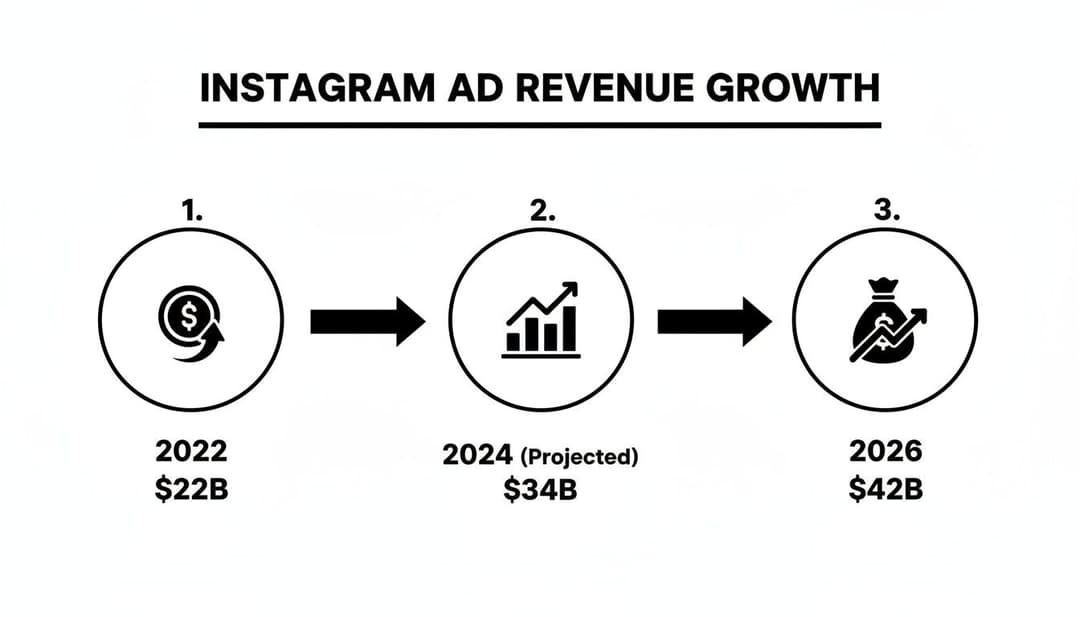
The numbers don't lie. Ad revenue is on track to nearly double in just four years. This signals more competition, but also massive opportunity for advertisers who know how to build a sophisticated strategy from the ground up.
To make your data collection even more robust, especially with all the privacy changes happening, you'll want to dig into the Meta Conversions API. It works hand-in-hand with the Pixel to create a more reliable and resilient tracking system. With this foundation firmly in place, you’ll be ready to tackle creative, knowing your measurement and optimization engine is built to perform.
Develop Ad Creatives That Stop the Scroll
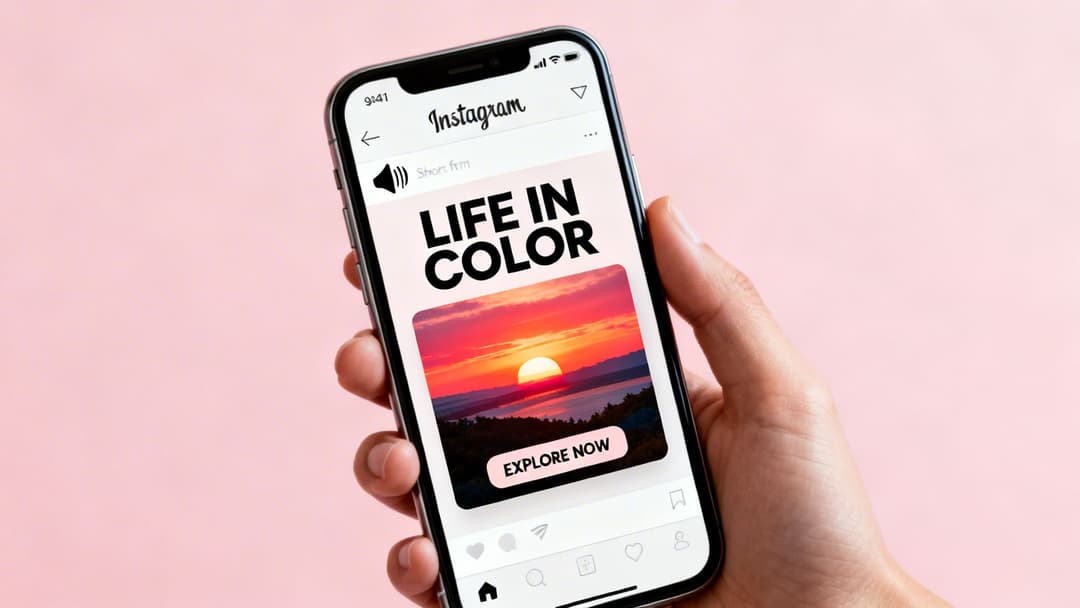
In the endless feed of Instagram, your ad creative is everything. It’s your one and only shot to make someone stop their thumb mid-scroll. If your visual doesn’t break that pattern, your copy, your offer, and your budget are all wasted.
This is where so many advertisers go wrong. They think "good content" is the same as a strategically designed ad built to drive action. It's not.
Today, that strategy is all about video. Short-form video has completely changed the game. Since late 2021, engagement on Reels has jumped by 25%, and it’s a powerhouse for brand awareness, especially with the 16-34 year-old crowd. The data is clear: Instagram prioritizes these formats, mobile ads now take up 83% of social ad budgets, and video just flat-out works better at turning viewers into buyers.
Your creative approach has to be video-first. While a sharp, high-quality static image still has a role—especially for retargeting familiar audiences—your efforts to find new customers should lead with motion.
Mastering Creative Formats and Specs
A one-size-fits-all ad is a recipe for failure. To get results, you absolutely have to design your creative for the specific placement where it’s going to run. Each one has its own rules and, more importantly, its own user expectations.
- Instagram Reels & Stories (9:16 Aspect Ratio): This is the king of formats. You need to design for a full-screen, immersive experience. The goal is to feel like native content, not a jarring, poorly-fitted advertisement.
- Instagram Feed (4:5 Aspect Ratio): The Feed is still a crucial placement. A 4:5 vertical ad takes up much more screen space than an old-school square (1:1) or landscape (16:9) post, which gives you a much better chance of stopping the scroll.
It’s also critical to remember that 85% of users watch videos with the sound off. Your creative has to make sense visually. Use on-screen text, captions, and compelling imagery to get your point across without ever needing audio.
Key Takeaway: The first three seconds are everything. Your hook has to grab attention instantly. Test different openings—a surprising visual, a bold question on screen, or a rapid-cut montage—to see what actually stops your specific audience in their tracks.
To help you keep track, here’s a quick reference guide for the most important placements.
Instagram Ad Creative Specs and Best Practices
| Placement | Recommended Aspect Ratio | Video Length | Key Best Practice |
|---|---|---|---|
| Reels & Stories | 9:16 (Vertical) | Up to 90 seconds | Design for sound-off. Use text overlays and fast pacing to capture attention in the first 3 seconds. |
| Feed | 4:5 (Vertical) | Up to 60 minutes | Maximize screen real estate with the vertical format. Ensure your copy is concise and compelling above the "more" button. |
| Explore | 4:5 (Vertical) | Up to 60 minutes | Your creative needs to be visually striking to stand out among top-tier organic content. |
| In-Stream Video | 16:9 (Horizontal) | 5-15 seconds | Treat it like a traditional TV spot—get your brand and message in quickly before the user can skip. |
Optimizing for each placement isn't just a best practice; it's essential for getting the most out of your ad spend.
Crafting Copy That Converts
Once your visual has earned a few seconds of attention, your copy has to close the deal. Keep your headline and primary text clear, benefit-focused, and short. No one on mobile is reading dense paragraphs. Get straight to the point.
One of the most reliable frameworks for ad copy is Problem-Agitate-Solve (PAS).
- Problem: Start by calling out a pain point your audience knows all too well. (e.g., "Tired of your marketing data being scattered across a dozen different spreadsheets?")
- Agitate: Pour a little salt in the wound by reminding them how frustrating it is. (e.g., "It's impossible to see what's actually working, making it hard to justify your ad spend.")
- Solve: Present your product as the clear, obvious solution to that frustration. (e.g., "AdStellar pulls all your campaign data into one clean dashboard, showing you exactly what drives ROAS.")
This structure works because it taps into a real-world frustration and immediately offers relief. For more ideas on putting this into practice, check out our guide with a complete video ad example that breaks down these principles.
To make this all happen faster, tools like an AI Reel Generator can be a massive help. They can quickly churn out dozens of video variations for testing, which dramatically speeds up the process of finding a winner. By pairing scroll-stopping visuals with sharp, benefit-driven copy, you can create Instagram ads that don't just get seen—they get results.
Master Audience Targeting and Campaign Structure
You can have the most stunning ad creative in the world, but if it's shown to the wrong people, you're just throwing money away. This is a classic misstep I see all the time—advertisers pour all their energy into visuals and copy but completely overlook who their ads are for.
Getting a handle on Instagram's audience targeting tools is what separates the campaigns that flop from the ones that drive real revenue. Your entire goal is to get the right creative in front of the right person at the right moment. Meta Ads Manager gives you three powerful audience types to do just that.
The Three Core Audience Types
First up, you have Core Audiences. Think of this as your starting point for finding brand-new customers. You build these audiences by layering demographics, locations, and, most importantly, detailed interests and behaviors. For example, a local coffee shop could target users aged 25-45 living within a 5-mile radius who follow "specialty coffee" pages or have shown interest in competing cafe brands.
Then you have Custom Audiences. These are your money-makers—people who have already interacted with your business in some way. This is where you bring back high-intent users who are close to converting. You can pull from several sources:
- Website Visitors: Anyone who has browsed your site in the last 30 days.
- Instagram Engagers: People who’ve liked a post, saved a video, or visited your profile.
- Customer Lists: Your list of past purchasers, perfect for running special offers or upsell campaigns.
Finally, there are Lookalike Audiences. This is Meta's secret weapon for scaling. You give it a high-quality "source" audience (like your list of best customers), and its algorithm goes out and finds new people who share similar traits. A 1% Lookalike is the most potent, finding the top 1% of users in a country who are most similar to your source.
Pro Tip: Your Custom Audiences are gold. Retargeting people who abandoned their cart with a "10% off to complete your order" ad is one of the highest-ROI plays you can make. They're already on the one-yard line.
Structuring Campaigns for Clarity and Scale
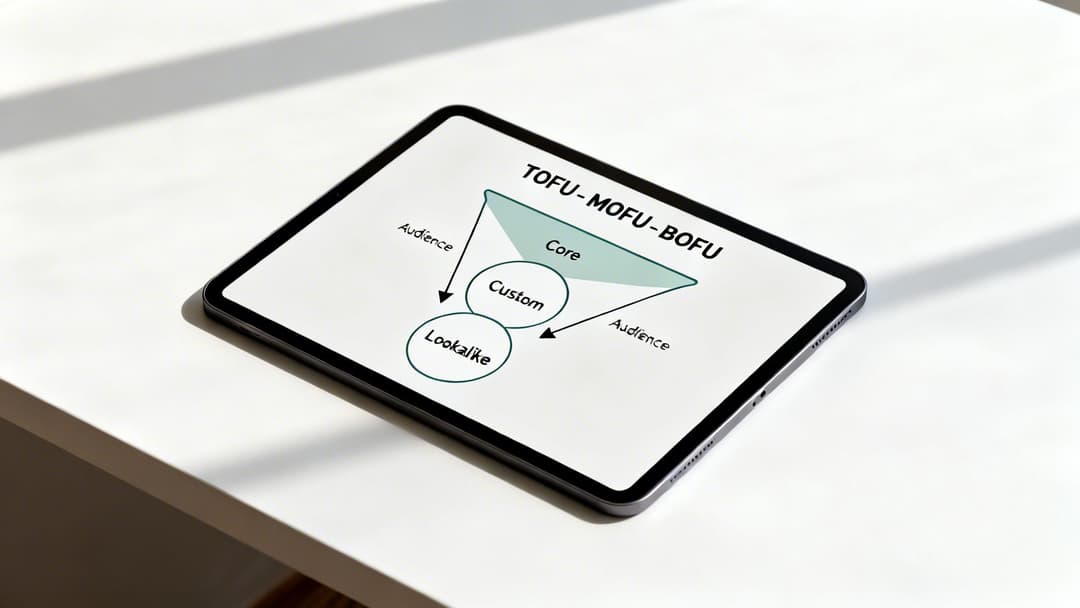
Now that you have your audiences, you need a system to organize them. Without a solid structure, your ad account will spiral into a chaotic mess that’s impossible to read or optimize. The most proven model is the Top-of-Funnel (TOFU), Middle-of-Funnel (MOFU), and Bottom-of-Funnel (BOFU) structure.
This framework simply aligns your campaign goal with how "warm" your audience is.
TOFU (Top of Funnel): This is your prospecting phase. The goal is to get your brand in front of completely new faces. You'll use your broad Core Audiences and wider Lookalike Audiences here. The messaging should be engaging and educational—introduce your brand without a hard sell.
MOFU (Middle of Funnel): Here's where you start nurturing the interest you've built. This is for people who have shown some interest but haven't taken a big step yet. Good MOFU audiences include people who’ve watched a significant portion of your videos or frequently engage with your Instagram profile.
BOFU (Bottom of Funnel): This is all about driving conversions. These audiences are hot and often ready to buy. BOFU campaigns should target your most valuable Custom Audiences, like recent website visitors, cart abandoners, and past customers. Your creative can be direct, with clear calls-to-action like "Shop Now."
This funnel-based approach keeps your ad account tidy, makes it easy to allocate your budget, and lets you see exactly how you're moving people from awareness to purchase. When you want to create Instagram ads that are profitable month after month, this strategic foundation is non-negotiable. To dig even deeper into audience building, our post on different types of target markets offers more great insights.
Launch, Analyze, and Optimize Like a Pro
So you’ve hit “Publish.” It’s a great feeling, but this isn't the finish line. Honestly, it's just the starting gun. Now the real work begins, where data, not guesswork, separates the winning campaigns from the ones that just burn cash.
Getting your ads live is only step one. What comes next—analyzing performance and fine-tuning your approach—is what will actually make you money.
Embrace the Learning Phase
The moment you launch a new campaign, Meta’s algorithm kicks into what’s called the learning phase. This is a critical window where the system is actively figuring out who to show your ads to and where to show them for the best results.
Your costs will probably be all over the place during this time, and performance can feel unpredictable. It’s just part of the process. The algorithm typically needs around 50 optimization events (like a purchase or lead sign-up) within a 7-day period to find its groove and stabilize.
Resist the temptation to make knee-jerk reactions. Killing an ad set after one day of high costs is a classic rookie mistake. Patience is everything here. Let the algorithm do its job.
If you jump in and start making significant edits, you'll just reset the learning phase, forcing the system to start from scratch. That only delays your path to consistent, predictable results.
Focus on KPIs That Actually Matter
When you open Ads Manager, you're hit with a wall of data. It’s easy to get sidetracked by vanity metrics like likes or link clicks. But experienced advertisers know to cut through that noise and focus on the handful of Key Performance Indicators (KPIs) that truly drive the business.
These are the numbers you should live and die by:
- Return On Ad Spend (ROAS): This is your north star. It’s the simplest measure of profitability, telling you exactly how many dollars you make for every dollar you spend. A 3.0 ROAS means you’re generating $3 for every $1 in ad spend.
- Cost Per Acquisition (CPA): This is what it costs you to get one new customer or lead. You absolutely have to know your target CPA to manage your budget and ensure your campaigns are profitable in the long run.
- Conversion Rate (CVR): This is the percentage of people who click your ad and then complete the goal, like making a purchase. A low CVR is often a red flag that there's a disconnect between your ad creative and your landing page experience.
These are the metrics that tell you if your ads are making money. Everything else is just commentary. For a deeper look at how to move these numbers in the right direction, check out our guide on Facebook advertising optimization.
Navigating the Reach Recession
Instagram is more crowded than ever. Over the past few years, the sheer amount of content has created what marketers are calling a "reach recession." Simply posting more isn’t a guarantee that more people will see your content.
For example, after a major algorithm change in 2025, marketers boosted their weekly Reels posts by 35%, but their overall reach dropped by 31%. Average reach per post plummeted from 9,877 to just 6,754 views.
This new reality makes paid amplification more critical than ever. You can’t build a predictable growth engine on organic reach alone. Paid ads give you the control to slice through the noise and guarantee your best content gets in front of your ideal customers.
A System for Continuous Improvement
Optimization isn’t something you do once; it's a constant loop of testing, learning, and scaling. Once your campaigns are running, your job shifts to systematically figuring out what works, what doesn't, and why.
The key is to test one variable at a time. For instance, you could run the exact same creative to two different audiences—maybe an interest-based group versus a Lookalike audience—to see which one delivers a better CPA. Once you have a winning audience, you can start testing different ad creatives against it.
This methodical process helps you build a library of proven winners. When you find that magic combination of creative and audience, you can scale the budget with confidence because your decisions are backed by hard data. If you want to take your testing to the next level, you can explore AI-driven solutions for ad optimization.
Turning your analysis and optimization into a repeatable system is how you transform your ad account from a slot machine into a predictable growth engine.
Common Questions About Creating Instagram Ads
Even with a perfect plan, you're bound to run into questions and a few surprises when you start creating Instagram ads. It’s just part of the process. Here are some quick, no-fluff answers to the most common hurdles I see advertisers face.
How Much Should I Spend on Instagram Ads Daily?
There’s no magic number here, but a great starting point for a small business or a brand new campaign is $10–$20 per day. This is usually enough to give Meta's algorithm the data it needs to get out of that critical "learning phase" without you having to break the bank.
The goal isn't to spend thousands overnight. What you're really trying to do is find what works on a smaller, manageable scale. Once you hit a profitable ROAS (Return On Ad Spend), then you can start nudging that budget up. This is how you build sustainable, data-backed growth instead of just making risky, high-spend gambles.
Why Are My Instagram Ads Not Delivering?
It’s one of the most frustrating things: you hit "publish," and then... crickets. Zero impressions. When your ads aren't delivering, it's almost always due to one of a few common culprits.
Start your troubleshooting by checking these usual suspects:
- Your Audience is Too Small: If you get too specific with your targeting, the algorithm might literally struggle to find enough people to show your ads to. Try broadening your location, age range, or interest targeting just a bit.
- Your Bid is Too Low: You're in an auction, and your bid might not be competitive enough to win placements. While Meta often handles this automatically, if you’ve set a manual bid cap too low, it can completely halt delivery.
- Ad Disapproval or Account Issues: A disapproved ad or a problem with your payment method will stop your campaign in its tracks. Always check your Account Quality dashboard and Ads Manager for any red flags or notifications.
- Spending Limit Reached: This one is simple but surprisingly common. You may have just hit your account's spending limit. A quick look in your payment settings will confirm if this is the issue.
Most delivery problems can be fixed by expanding your audience just enough to give the algorithm more room to maneuver and making sure your account is in good standing.
Can I Run Instagram Ads Without a Facebook Page?
Technically, yes. You can boost an existing post right from the Instagram app without a formally linked Facebook Page. But—and this is a big but—doing so means you miss out on the entire suite of powerful tools inside Meta Ads Manager.
For anyone serious about advertising, connecting your Instagram account to a Facebook Business Page is completely non-negotiable. It's the only way you'll get access to the features that actually drive results, like:
- Advanced Audience Targeting: Building powerful Custom and Lookalike Audiences.
- Detailed Analytics: Measuring the KPIs that matter, like ROAS and CPA.
- A/B Testing: Systematically figuring out which creatives and copy work best.
- Campaign-Level Controls: Structuring your efforts around specific, measurable objectives.
Boosting is fine for getting your feet wet, but real, scalable growth happens in Ads Manager.
How Long Should I Run an Instagram Ad For?
Patience is a true virtue in advertising. You should plan to let your ads run for at least 7-14 days before you make any big decisions about their performance. This window gives Meta's algorithm enough time and data to optimize delivery and exit the learning phase.
For evergreen campaigns—like retargeting people who abandoned their carts—you can let them run indefinitely, as long as they stay profitable. For ads tied to a specific sale or promotion, just run them for the duration of the offer.
Whatever you do, try to avoid the classic mistake of panicking and shutting off a campaign after just a day or two of so-so results. Performance almost always stabilizes and improves with a little time.
Ready to stop the guesswork and build winning campaigns 10x faster? AdStellar AI automates bulk ad creation, tests hundreds of creative and audience combinations in minutes, and uses AI insights to pinpoint what’s driving your ROAS. Stop wasting time and start scaling with AdStellar AI.


