

You’ve shipped the app. The onboarding looks clean. The screenshots are polished. A few friends installed it and said it feels great.
Then the hard part starts. Nobody outside your circle knows it exists, paid traffic is expensive, early users churn faster than expected, and every channel seems to demand a different playbook. That’s where many get stuck.
Knowing how to market your app isn’t about collecting random tactics. It’s about building a system that connects positioning, analytics, launch sequencing, paid acquisition, and retention. The teams that win don’t just “run ads” or “do ASO.” They create a feedback loop where every install teaches them how to get a better one next.
The Pre-Launch Playbook Your Foundation for Growth
Most app marketing problems start before launch. Teams blame Meta, UAC, or “high CPIs,” when the core problem lies in having launched without a tracking setup, weak positioning, and an app store page that doesn’t convert.
The market doesn’t give you much room for sloppy prep. Global mobile app downloads are projected to hit 255 billion in 2025, but Day 1 retention averages 21-24%, which means acquisition pressure is intense and post-install drop-off starts immediately, according to mobile app download and retention benchmarks. If you spend before your foundation is ready, you’re paying to learn basic things you should have known earlier.
Start with problem research, not channel research
Founders often ask which channel to start with. That’s the wrong first question. Start by identifying what job the app does better than existing options, then look for evidence in competitor reviews, Reddit threads, support complaints, and feature requests.
Read negative reviews on competing apps line by line. You’re looking for repeated friction, not clever copy ideas. If users keep complaining about confusing onboarding, hidden pricing, or missing integrations, those become messaging inputs for your launch page, store listing, and ad angles.
A simple pre-launch research checklist looks like this:
- Pull competitor reviews: Sort by newest and lowest-rated reviews in both app stores.
- Tag recurring pain points: Confusion, crashes, pricing, missing workflows, weak support, or poor results.
- Map pain to promise: Turn each complaint into a product or messaging response.
- Write audience segments: Power users, casual users, budget-conscious users, and switchers from a known competitor.
- Draft objections: “Why should I install this instead of doing nothing?”
Practical rule: If you can’t explain why someone should switch in one sentence, your campaigns will struggle no matter how good the creative looks.
Install the measurement stack before you spend
This is the part many teams delay because it feels technical. That delay gets expensive fast.
Before launch, connect your MMP, app analytics SDK, and ad platform signals. In practice, that usually means a setup that includes AppsFlyer or Adjust for attribution, plus Firebase or Mixpanel for in-app behavior. If you want cleaner campaign learning on Meta, understanding event plumbing matters, and a primer on the Meta Pixel and how tracking signals work helps clarify the basics.
What should be tracked from day one? Not just installs. Track the moments that show intent and value:
- Activation events: account creation, completed onboarding, first key action
- Engagement events: session depth, repeat opens, feature usage
- Revenue events: trial start, subscription, purchase, renewal
- Quality signals: refund, churn trigger, failed onboarding, uninstall proxy where available
If you only optimize for installs, you’ll attract cheap users who disappear. If you track activation and revenue events early, you can tell which channels and messages bring users worth keeping.
Treat ASO like infrastructure
ASO isn’t glamorous, but it supports everything else. Paid traffic lands on your store page. PR mentions send people there. Influencer traffic ends there. If that page is weak, every other channel underperforms.
Focus on three assets first:
| Asset | What to improve | What bad looks like |
|---|---|---|
| App title and keywords | Clear language tied to the user problem | Clever branding with no discoverability |
| Icon | Immediate recognition at small size | Generic gradients and visual clutter |
| Screenshots | Show use case, benefit, and flow quickly | Feature dumps with no narrative |
Your screenshots should answer one question in sequence: what the app is, who it helps, and why it’s better than the alternatives. Teams often over-explain features and under-sell outcomes.
If you’re putting together your launch prep list, these essential pre-launch marketing strategies are a useful companion resource because they push you to build audience signal before launch day instead of hoping the store algorithms do all the work.
Build launch assets before you need them
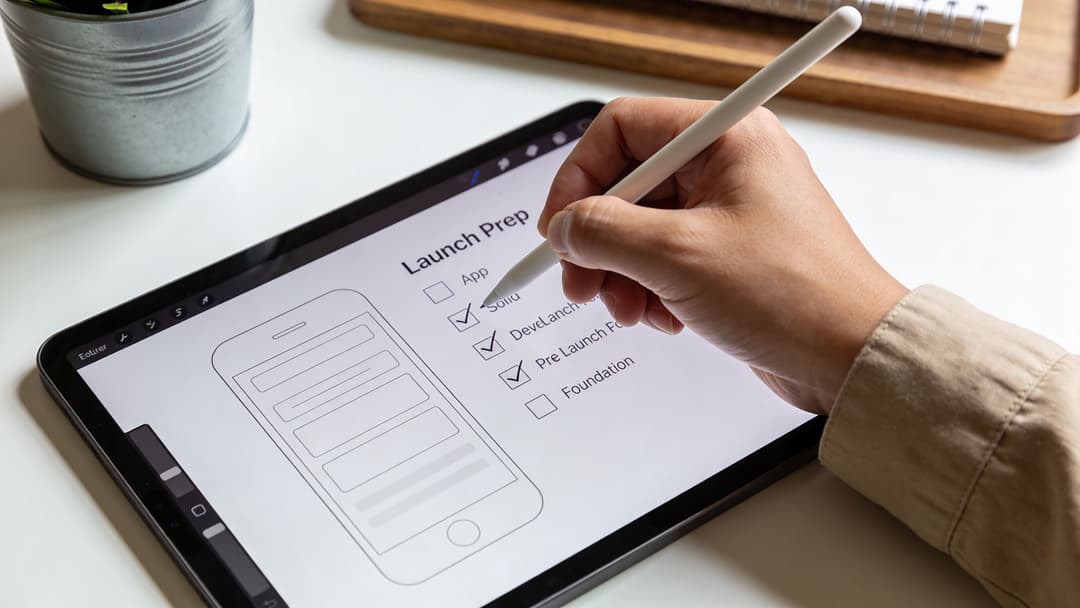
Good launches feel fast because the work happened earlier. Have your press kit, founder bio, product screenshots, demo video, onboarding emails, review prompts, and support macros ready before the app goes live.
The teams that look organized at launch usually are. The teams that scramble after launch waste their best window.
Mastering Your Launch and First 10000 Users
A launch shouldn’t look like a single announcement followed by silence. It should feel like a controlled sequence. You’re trying to create enough momentum that users, reviewers, and algorithms all see signs of life at the same time.
That means mixing channels on purpose. Community traction helps PR. PR helps store page conversion. Early paid tests help you discover which messages deserve more distribution. Reviews give every later campaign more credibility.
Sequence the launch instead of blasting every channel at once
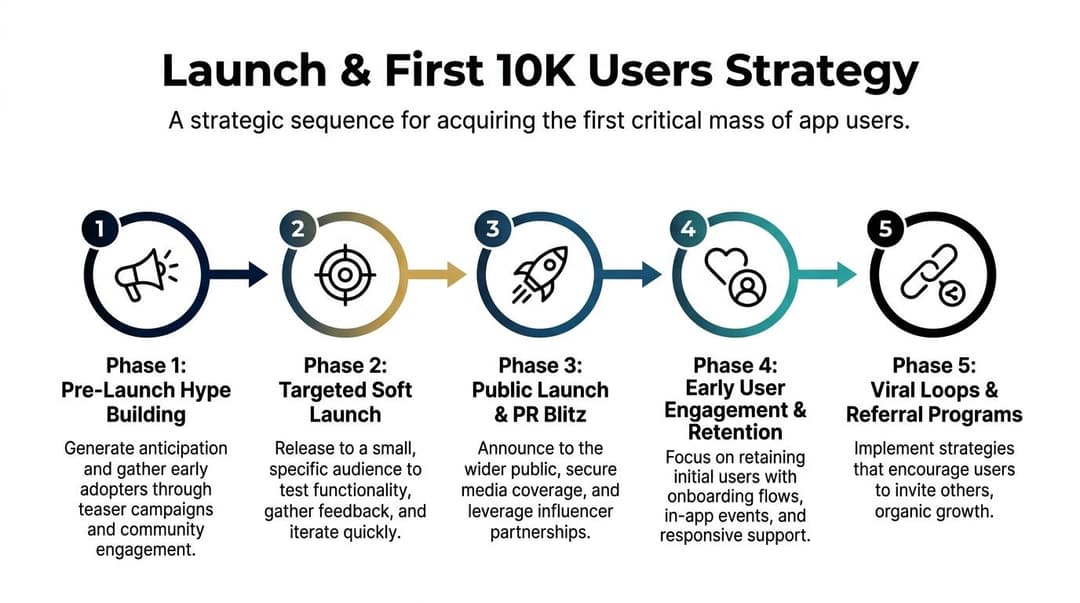
The biggest mistake I see is teams going fully public before they know what resonates. A better launch starts narrow, learns quickly, then expands.
Here’s the rhythm that works better in practice:
Week one, soft launch to a controlled audience
Start with users you can still talk to directly. That may be a waitlist, niche Slack group, Discord server, subreddit, customer community, or partner list. The point isn’t volume. The point is feedback density.
Ask these users very specific questions:
- What made you install?
- Where did onboarding drag?
- What almost stopped you from signing up?
- What result were you expecting in the first session?
Those answers shape both product fixes and launch messaging. You don’t need broad awareness yet. You need clarity.
Week two, gather proof and tighten your positioning
At this stage, your app store page, onboarding copy, and support replies should all reflect what real users said in week one. If users describe your app differently than you do, trust the users.
This is also when you secure the ingredients for wider reach:
- Positive reviews from real users
- Short testimonials or quoted feedback
- Screenshots of outcomes or useful workflows
- A cleaner landing page headline
- A short founder pitch for outreach
Early traction is less about scale and more about consistency. A launch with aligned messaging, user proof, and fast iteration beats a louder launch with mixed signals.
Week three, public launch with layered distribution
Now you can go broader. Publish the launch post, email the list, pitch niche media, post short videos, activate creators if relevant, and run exploratory paid traffic to the strongest angles that emerged in soft launch.
Category matters. A consumer app may benefit from creator partnerships and short-form social. A B2B utility app may get more from founder-led outreach, product communities, and specialized newsletters. A commerce app may need a stronger paid social emphasis early.
If you market in the Shopify ecosystem, the Shopify App Growth Playbook for 2026 is worth reading because it captures the nature of launching in a crowded platform environment where trust and use case clarity matter more than hype.
Choose channels by learning speed
Don’t pick channels by what sounds advanced. Pick them by how quickly they teach you something useful.
Here’s a practical way to think about your first channel mix:
| Channel | Best use early on | Trade-off |
|---|---|---|
| Reddit and communities | Message testing and direct feedback | Requires restraint. Over-promotion gets ignored |
| Niche PR | Credibility and backlinks | Slow and hit-or-miss without a strong angle |
| Organic social | Repetition and audience building | Takes consistency before it compounds |
| Small paid tests | Fast message validation | Easy to waste money without tracking |
If you’re planning launch distribution on Meta, this guide to Facebook automation for app marketing gives a useful view of how teams reduce setup friction once they move from one-off tests into structured campaign execution.
Protect the first users
The first serious users aren’t just customers. They’re signal. If support is slow, onboarding is clumsy, or bug fixes drag, you don’t just lose users. You lose the clearest feedback you’ll ever get.
That’s why the first ten thousand users matter so much. Not because the number itself is magical, but because by then you should know which promise gets clicks, which onboarding path gets activation, and which user type is worth paying to acquire at scale.
Scaling App Installs with Paid Social and UAC
Once an app has a working onboarding flow and clear value proposition, paid acquisition becomes less about “trying ads” and more about building throughput. At this juncture, many teams hit a wall.
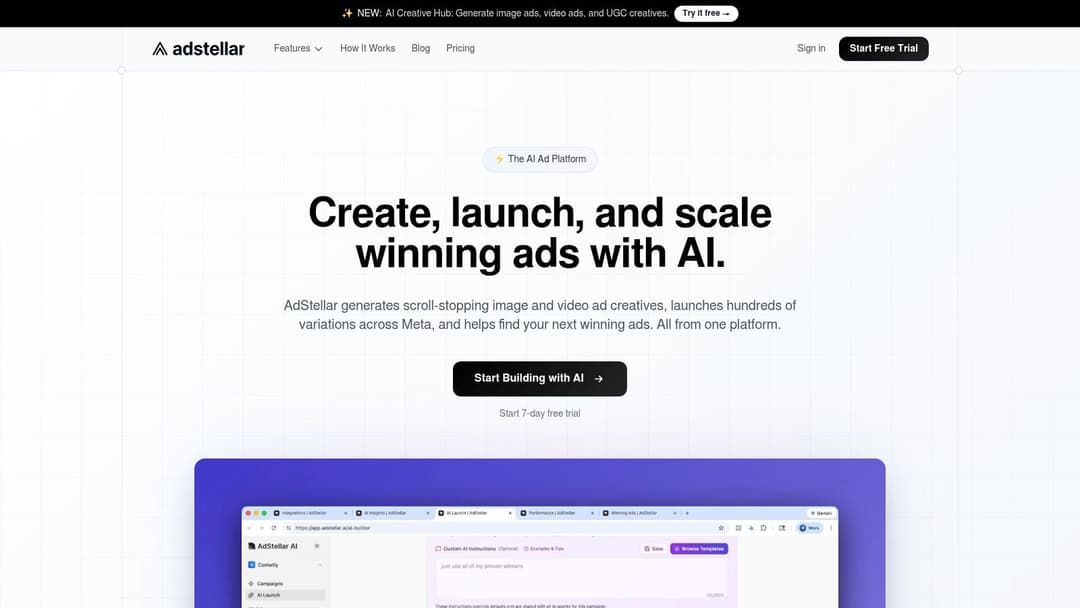
They know Meta and Google can drive installs. They know they need creative testing. But their workflow still looks like this: brief a designer, wait for three or four concepts, launch a few ads, stare at CTR, make one round of edits, and call it testing. That isn’t a scale system. It’s manual labor with a dashboard attached.
Creative volume is the real bottleneck
In app UA, targeting still matters. But it matters less than many marketers want to believe when the creative itself is weak or stale.
According to RPLG’s breakdown of app marketing mistakes and creative optimization, creatives drive 60-70% of campaign success. The same source notes that post-iOS 14, creative optimization yields 3x better results than targeting tweaks alone, and high-performing creatives can achieve 2-5x higher CTR. The catch is operational: winning teams test 100+ variations, and automated platforms accelerate that workflow 10x.
That matches what performance marketers run into every day. The issue isn’t whether testing matters. It’s whether your process can produce enough useful variation quickly enough to keep up with platform fatigue.
Meta versus UAC in the real world
Both channels matter, but they behave differently.
Google UAC is useful when you want broad distribution across Google inventory with less manual campaign construction. It can work well when your app store assets and event signals are solid. The trade-off is reduced control. You often learn less about which message or visual angle did the heavy lifting.
Meta gives you more room to shape the message, hook, angle, and audience framing. That’s why it’s often the better place to discover what persuades a user to install. But that advantage disappears if your team can’t generate and test enough creative combinations.
A simple comparison:
| Channel | Strength | Weak spot |
|---|---|---|
| Google UAC | Broad automation and scale | Less granular creative insight |
| Meta Ads | Faster message learning and creative control | Heavy creative workload without automation |
If your app lives or dies on positioning, emotional resonance, visual demonstration, or before-and-after transformation, Meta usually exposes that signal faster.
What manual testing gets wrong
Most underperforming app accounts don’t fail because nobody had ideas. They fail because the team tested too few angles, changed too many variables at once, or judged performance too early.
Weak testing usually has one or more of these traits:
- Too little variety: five ads that all say the same thing in slightly different words
- Too much design polish: one expensive concept instead of many rough but distinct hooks
- Bad success criteria: choosing the ad with the cheapest click instead of the best downstream user quality
- Slow iteration: waiting for the next sprint before launching the next batch
If your creative process can’t support high-volume iteration, your scaling ceiling arrives early, even when the channel still has room.
For teams focused on install growth on Meta, it helps to understand the campaign structure behind Meta ads for app install campaigns before layering on more complex optimization.
A practical creative matrix usually includes variation across:
- Hook: pain, aspiration, urgency, comparison, curiosity
- Format: static, UGC-style video, founder clip, demo, motion graphic
- Audience framing: beginner, power user, switcher, deal-driven, convenience-driven
- Offer or action: install, trial, browse, claim, return
That’s how you get real pattern recognition. Not from swapping one headline.
A good walkthrough of the mechanics is below.
What actually scales on Meta
The teams that scale best on Meta tend to do four things consistently.
They build around angles, not individual ads
An “angle” is the underlying persuasion logic. Save time. Make money. Remove friction. Replace a messy workflow. Look better. Feel more in control. If one angle works, then expand within that angle before jumping somewhere else.
They separate clickbait from quality
Some ads win the click and lose the user. Those are expensive. If the creative overpromises, your install rate, activation quality, and retention suffer later. The ad account may still look busy, but the business result won’t hold.
They review creative performance against business metrics
CTR matters. It just isn’t enough. The job of paid acquisition is not to buy attention. It’s to buy users who activate and monetize.
They remove production drag
Automation changes the economics of growth. Once a team can generate many combinations of creative, copy, and audience logic quickly, they stop debating every asset and start learning from volume. That’s the difference between occasional campaign wins and a repeatable acquisition engine.
The Art of Measurement and Data-Driven Optimization
A lot of app teams think they have a marketing problem when they really have a measurement problem. They can tell you installs by channel, maybe even CPI, but they can’t tell you which cohort became valuable users.
That gap creates bad decisions. It makes weak channels look efficient, strong channels look expensive, and mediocre creative look “good enough” because the reporting window is too shallow.
Stop treating installs as the finish line
Installs are a starting event. They are not proof of value.
According to AppInSnap’s guide to KPI tracking and app marketing mistakes, focusing on vanity metrics like downloads can lead to 40% budget misallocation. The same source says apps with robust, event-based tracking achieve 2x higher D7 retention (12-18%) and 35% lower churn by optimizing around LTV and ROAS instead of simple install counts.
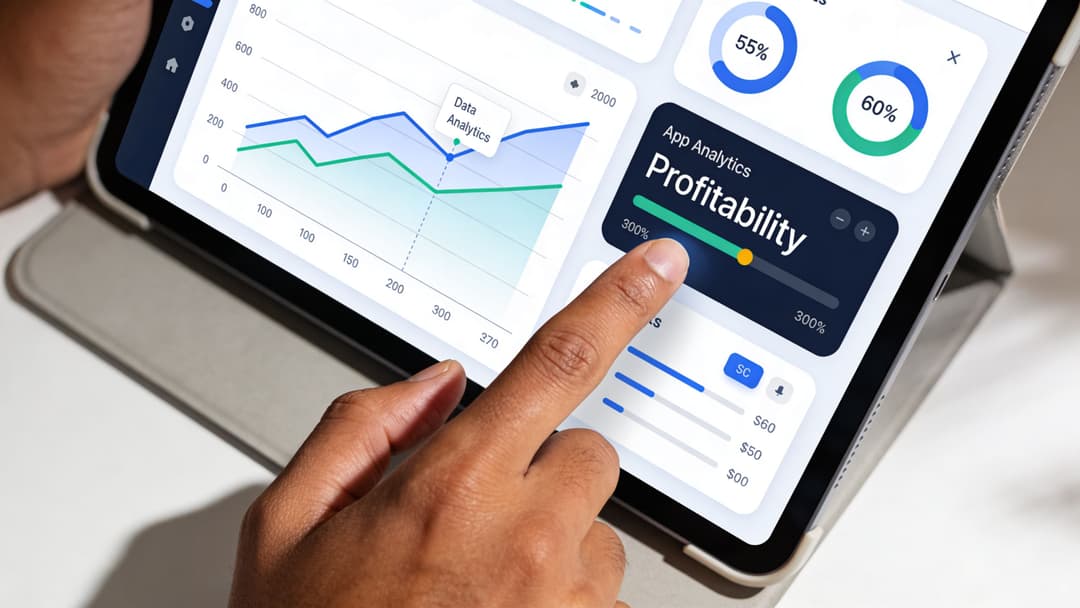
That’s the shift that matters. A cheap install that never activates is not efficient. A more expensive install that becomes a paying subscriber often is.
The KPI stack that actually helps you make decisions
You don’t need dozens of app metrics on the same dashboard. You need a stack that reflects the user journey and the business model.
A practical KPI hierarchy looks like this:
| Layer | Core question | Useful metrics |
|---|---|---|
| Acquisition | Can we attract the right user? | CTR, CPI, install rate |
| Activation | Does the user reach value fast? | completed onboarding, first key action |
| Retention | Do they come back? | D1, D7, repeat sessions |
| Monetization | Do they generate revenue? | trial start, purchase, subscription, ROAS |
| Efficiency | Should we scale this? | CPA, CPL, payback logic, cohort LTV |
Notice what’s missing: download volume as the hero metric.
Read cohorts like an operator, not a spectator
Cohort analysis is where app marketers stop guessing. You group users by acquisition date, channel, campaign, creative angle, geography, or audience type, then watch what happens after install.
Patterns matter more than isolated outcomes. If one campaign drives modest install volume but a much healthier activation curve, that campaign deserves attention. If another campaign floods the app with users who vanish after onboarding, pause it even if CPI looks attractive.
Look for these signals in cohort reviews:
- Sharp drop after install: the ad promised the wrong thing, or onboarding stalls
- Good activation but weak repeat usage: initial value is clear, habit formation is not
- Strong retention in one segment: there’s a more specific audience worth pursuing
- Revenue lag but solid engagement: maybe you have a monetization issue, not a UA issue
Good optimization starts when you’re willing to pay more for a better user and willing to cut a “cheap” campaign that brings the wrong one.
If your team needs a clearer framework for connecting spend to outcome, this guide to measuring advertising effectiveness is useful because it frames performance around business impact rather than dashboard noise.
Weekly optimization beats heroic overhauls
Most profitable app growth comes from disciplined iteration, not dramatic resets. Review the same few questions each week:
- Which campaign brought the best users, not just the cheapest installs?
- Which creative angle improved downstream behavior?
- Which audience segment retained or monetized better than expected?
- Where did the funnel leak most this week?
That rhythm keeps the team honest. It also keeps product and marketing tied together, which is where app growth usually gets stronger.
Beyond Installs Building Growth Loops and Retention
Too many teams act like acquisition is the business and retention is the cleanup. That’s backwards.
If users leave quickly, paid marketing becomes a tax on churn. You can keep buying installs, but you’re just pouring more people into the same leaky funnel. Sustainable app growth happens when retention, product experience, and referral behavior reduce your dependence on constant top-of-funnel spending.
Retention changes the economics of everything
It is a reality that post-install performance is harsh for most apps. Day 30 retention averages 2-3%, but apps that push updates every 14-21 days can boost retention by 33%, as noted in the earlier benchmark set. That’s why serious growth teams obsess over product iteration, onboarding friction, lifecycle messaging, and habit formation.
Teams that keep shipping relevant improvements give users a reason to come back. Teams that chase installs while the product stays static usually see the same outcome repeated at larger scale.
Build loops, not just campaigns
A growth loop is simple in principle. One user action creates the conditions for another user to arrive, activate, or return.
Common app loops include:
- Referral loops: users invite friends because both sides get clear value
- Content loops: users create or share something that exposes new people to the app
- Collaboration loops: one user brings in teammates, clients, or community members
- Reactivation loops: lifecycle messages pull dormant users back to complete a task
Not every app can rely on viral behavior, but almost every app can design for repeat use and occasional sharing.
Push notifications need restraint and relevance
Push is one of the fastest ways to bring people back, and one of the fastest ways to annoy them. The rule is simple. Don’t send reminders because your calendar says to. Send them when the user has context for action.
Good push usually does one of three things:
- reminds someone to finish something they already started
- highlights a useful update
- surfaces a moment of value tied to their behavior
If you also use email in your retention mix, craft those messages with the same care. Even details like subject line capitalization best practices can affect how polished and trustworthy your lifecycle communication feels.
The best retention message doesn’t “drive engagement.” It helps the user do what they already wanted to do.
Product, support, and growth should share the same feedback loop
Reviews, support tickets, onboarding drop-offs, and feature requests should all feed into one operating rhythm. If growth sees a pattern but product never hears it, retention stalls. If support hears complaints but marketing keeps promising the same thing, churn compounds.
The strongest apps don’t separate acquisition from retention. They use acquisition to learn who the right users are, then use retention to make those users more valuable over time.
FAQ Your App Marketing Questions Answered
How much should my initial app marketing budget be
There isn’t a universal budget that fits every app. The better question is how much you need to test channels, messages, and event quality without putting the company at risk.
For a soft launch, start with a budget you can afford to treat as tuition. You’re buying learning before you buy scale. If your analytics are weak, spending more won’t fix that. It will just make the mistakes more expensive.
When should I hire a marketing agency versus build in-house
Hire an agency when you need speed, channel-specific expertise, or outside execution capacity right away. That’s common when the team needs paid social help, ASO support, or launch production and doesn’t yet have a senior operator in-house.
Build in-house when acquisition becomes a repeatable function that needs daily coordination with product, analytics, and lifecycle marketing. If your app changes often, an internal team usually closes the feedback loop faster.
How do I market an app with zero budget
Use time where you can’t use money. Improve ASO. Participate in niche communities. Reach out directly to bloggers and creators. Build useful content around the problem your app solves. Collect testimonials and user stories early.
You also need to stay compliant when you do begin promoting on paid channels. If Meta is part of your roadmap, reviewing Facebook ads policy basics early saves headaches later, especially for apps in sensitive categories.
What’s the biggest mistake to avoid after launching my app
Launch-and-disappear is the most common one. Teams spend weeks preparing for release day and then go quiet once the app is live.
The first post-launch window is when you should be most active. Watch onboarding. Reply to reviews. Fix bugs quickly. Ask users what confused them. Update your store listing. Tighten your messaging. Marketing an app is never a single event. It’s a cycle of acquisition, learning, and refinement.
If your team is scaling app installs on Meta and the bottleneck is creative production, testing speed, or finding winning combinations fast, AdStellar AI is built for that workflow. It helps growth teams launch, test, and scale Meta campaigns faster by generating high volumes of ad variations, syncing with Meta through secure OAuth, and surfacing the combinations that matter against goals like ROAS, CPL, and CPA.


