
Your Meta ads account can look healthy while the tracking underneath it is degrading. Spend is steady. Creative is fine. Click-through rate hasn’t collapsed. But reported conversions drift, retargeting pools feel thinner, and the gap between Meta and your store or CRM gets harder to ignore.
That’s the point where many teams outgrow the Pixel but still don’t want a full server-side tagging project. For most SMBs and agencies, conversion api gateway is the practical middle ground. It gives you server-side event forwarding without turning your media team into a cloud engineering team, but it still demands discipline around setup quality, deduplication, and validation.
Why Your Meta Pixel Is Failing and What Comes Next
The old workflow was simple. Install the Meta Pixel, fire standard events, optimize campaigns, and trust the browser to pass enough signal back to Ads Manager. That workflow doesn’t hold up the way it used to.
Privacy restrictions changed the economics of browser-only tracking. Meta introduced the Conversions API Gateway in late 2021 with AWS to simplify server-side tracking for advertisers dealing with changes like iOS 14.5+ App Tracking Transparency, which reduced pixel-based attribution by up to 30 to 50% for many marketers. Meta built it for its over 8 million small businesses, especially those without engineering resources, and reported that using the Gateway alongside the Pixel delivered an average 13% improvement in cost per result and a 7% increase in reported conversions according to Meta’s benchmark overview.
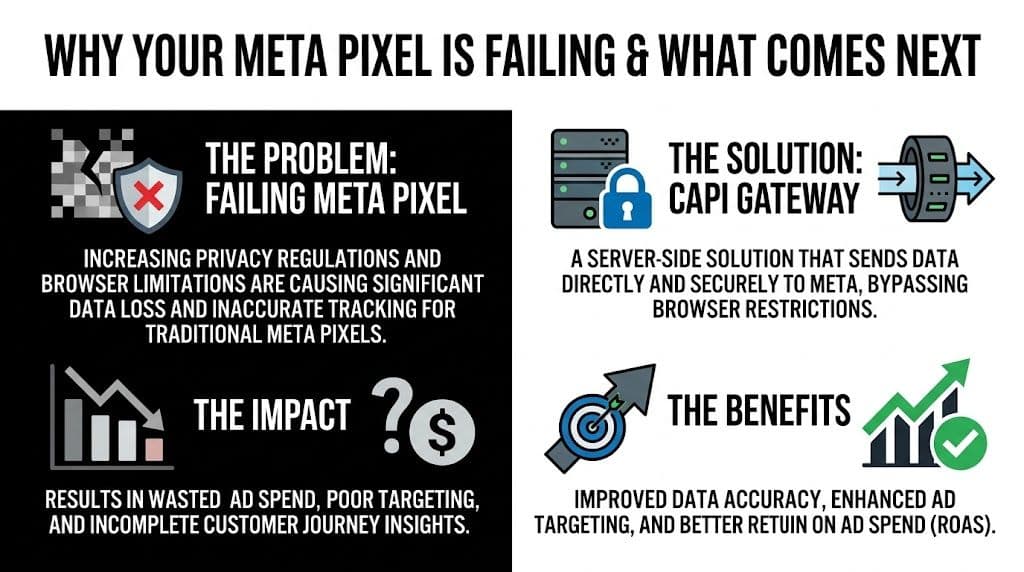
If you’re still relying on browser-only tracking, you’re working with partial visibility. Ad blockers, browser privacy controls, and app-level restrictions don’t just hurt reporting. They weaken optimization because Meta has fewer clean signals to learn from.
A lot of marketers know this already. The hard part is deciding what to do next.
Three realistic paths
There are really three options commonly considered.
| Approach | Best for | Strength | Limitation |
|---|---|---|---|
| Pixel only | Small accounts that need the fastest setup | Simple and familiar | More vulnerable to browser signal loss |
| CAPI Gateway | SMBs and agencies that need better measurement without a heavy build | Self-service path into server-side forwarding | Still depends on clean client-side events and is Meta-specific |
| sGTM setup | Advanced teams with broader data needs | More control and multi-platform flexibility | More implementation complexity |
The Pixel-only route is still fine if your account is small, your event setup is simple, and you can tolerate some reporting loss. But once you’re making budget decisions off shaky attribution, “simple” gets expensive.
At the other end is a full server-side GTM implementation. That’s the right move when you need stronger ownership of your event pipeline, tighter governance, and support beyond Meta. It’s also more work. For a lot of teams, that jump is too big too early.
Why the Gateway is the middle ground that actually works
The Conversions API Gateway exists for the team in between. You’ve outgrown the Pixel, but you’re not ready to build and maintain a full server container strategy. The Gateway acts as a lightweight proxy. It connects to your website’s existing Pixel events, captures those web events, and forwards them server-side to Meta’s Conversions API endpoint without requiring a custom integration.
Practical rule: If your team can manage Events Manager and basic AWS account access, you can usually manage the Gateway. If your team needs cross-channel server-side routing and custom data governance, you’ve probably reached sGTM territory.
That distinction matters. I wouldn’t position the Gateway as the final form of server-side tracking. I’d position it as the most useful next step for teams that need better Meta event resilience now.
It also helps avoid a common mistake. Some teams keep squeezing more reporting analysis out of a weak Pixel foundation instead of fixing data collection first. If your setup is still browser-only, the better move is often to improve the signal pipeline before you rewrite your bidding strategy or blame creative fatigue. Teams still getting oriented with browser tracking basics can review what the Meta Pixel does and where it breaks down.
What it does well and where it falls short
The Gateway is strong when your primary objective is to recover Meta signal with minimal implementation drag. It’s built for speed, ease, and low operational overhead. Automatic updates also remove some maintenance burden that usually scares non-technical teams away from server-side setups.
It’s weaker when you need flexibility outside Meta. It doesn’t solve multi-platform forwarding. It doesn’t magically clean bad event architecture. And if your Pixel sends flawed data, the Gateway won’t fix the underlying event logic by duplicating that bad input server-side.
A broken Purchase event in the browser becomes a broken Purchase event on the server. The transport improves. The event design doesn’t.
That’s why I treat conversion api gateway as a measurement upgrade, not a substitute for tracking hygiene. If your events are unstable, mislabeled, or missing key identifiers, fix that first. If the events are sound but browser loss is undermining performance, the Gateway is usually the right next move.
A Marketer-Friendly Guide to CAPI Gateway Setup
The good news is that Meta designed the Gateway as a self-service option. Compared with a direct Conversions API build that can take 2 to 4 weeks of engineering for request handling, retries, and maintenance, the Gateway is meant to be launched by marketers with basic platform access, as outlined in New Engen’s setup breakdown.
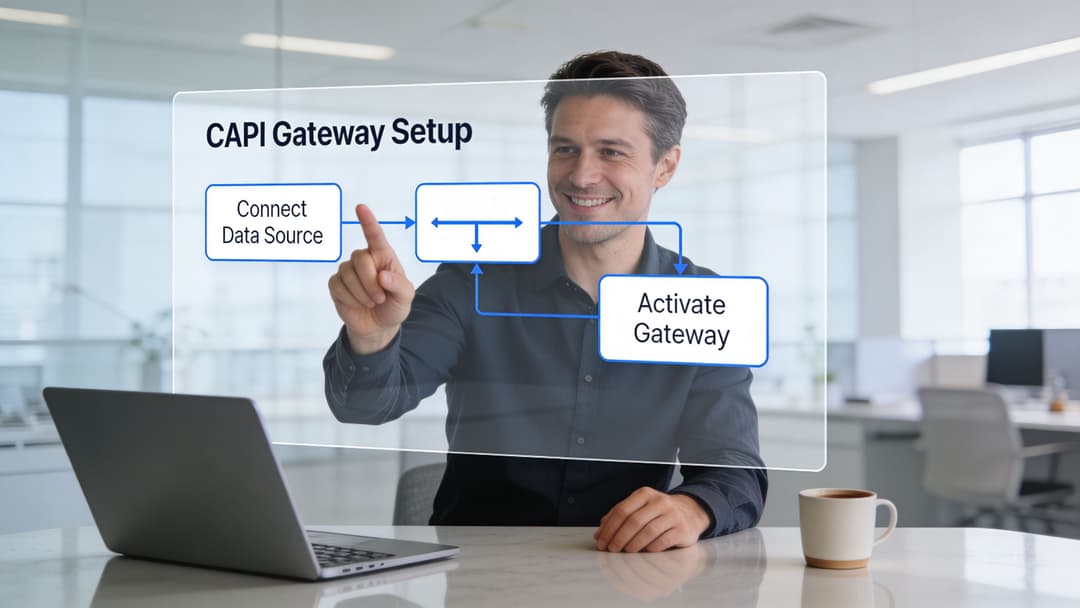
You still need to be methodical. The Gateway is marketed as easy, and compared with direct API work it is. But “easy” only applies if your existing Pixel events are already mapped correctly and your account permissions are clean.
Before you start
Have these ready before you click anything:
- Meta business access with permission to the correct Events Manager data source.
- An AWS account that your team can use for hosting the Gateway instance.
- A clear event list covering what you optimize toward, usually things like Purchase, Lead, or CompleteRegistration.
- A naming check so your browser-side event names match what you intend to forward.
This is also where it helps to think in terms of systems, not just tools. If your team is building out a more durable measurement stack, it’s worth understanding the broader principles behind cloud native architectures, especially around managed infrastructure, access control, and operational simplicity. The Gateway is lighter than a custom deployment, but it still lives inside that broader infrastructure mindset.
The actual setup flow
The cleanest path usually looks like this.
Start in Events Manager
Open Meta Business Manager and go to Events Manager. Choose the Pixel you want to upgrade, then select the Conversions API Gateway setup option.
Meta will generate the credentials or access details needed to begin the connection. This is the part many marketers skip too quickly. Double-check that you’re in the right business account and the right Pixel before you proceed. Agencies especially get burned here when multiple clients share similar naming conventions.
Link AWS correctly
Meta’s Gateway setup uses AWS for hosting. You’ll connect your AWS account through IAM roles, which sounds technical but is really just Meta asking for controlled access to deploy the Gateway instance in your environment.
The key thing is not to improvise permissions. Follow the access prompts as presented in the flow. If your internal IT team gets involved, keep the brief simple: Meta needs scoped access to deploy and run the Gateway instance, not broad account-level freedom.
Once linked, Meta can deploy the Gateway environment on AWS. For lower-volume setups, the AWS free tier may be enough, which makes this route especially attractive for smaller advertisers.
Map the events that matter
Setup quality starts to separate good implementations from noisy ones.
The Gateway doesn’t invent events. It forwards them. So you need to make sure the core parameters are mapped correctly:
- event_name should align with the action you’re tracking
- event_time must fall within Meta’s allowed window
- user_data should include the identifiers you’re passing, such as hashed email or phone where applicable
- event_id should exist for deduplication between browser and server events
If you’ve never worked directly with Meta’s event parameters, review your current browser implementation first. Don’t treat Gateway setup as a chance to guess your way through naming. If your team needs a more foundational walkthrough, this guide on Meta Conversions API basics fills in the broader context before you go live.
Implementation note: Don’t hash
fbporfbc. Those need to be passed in the expected format. Hashing the wrong fields is a quiet way to hurt match quality.
This is also the stage where agencies should simplify. Don’t start by forwarding every custom event in the account. Launch with the events that drive optimization and reporting decisions. Purchase, Lead, and one or two meaningful lower-funnel events are usually enough for the first pass.
After the setup screens, it helps to see the interface in action:
What usually causes setup friction
Most failed launches don’t fail because the Gateway itself is hard. They fail because the account underneath it is messy.
A few common examples:
Wrong Pixel selected
This happens more often in agencies than in-house teams. The Gateway goes live, but it’s attached to the wrong data source.Events are inconsistent across the site
If browser events aren’t firing reliably, the server-side forwarding won’t rescue the setup.No usable deduplication key
If browser and server events can’t be matched, reporting gets messy fast.User data is incomplete
Match quality suffers when identifiers aren’t passed consistently.
What good setup discipline looks like
A marketer-friendly Gateway rollout isn’t about touching every technical option. It’s about controlling the few variables that matter.
| Area | What to check | Why it matters |
|---|---|---|
| Permissions | Right business, right Pixel, right AWS account | Prevents deploying into the wrong environment |
| Events | Priority conversion events mapped first | Keeps launch focused and easier to validate |
| Identifiers | Hashed user data where appropriate, correct raw handling for allowed fields | Supports better match quality |
| Deduplication | Consistent event IDs across browser and server | Prevents inflated reporting |
If you approach the setup like a media buyer, not a developer, the objective is simple. Get clean high-priority events into Meta’s server endpoint, verify them, and avoid introducing noise. That’s enough to make the Gateway useful.
Verifying Your Setup Is Working Correctly
A common post-launch scenario looks like this. Events start flowing, Ads Manager shows more conversions, and everyone assumes the Gateway is working. Then a week later, Shopify or the CRM does not line up, EMQ is mediocre, and nobody is sure whether Meta is seeing cleaner data or just more noise.
That is why validation needs to go beyond "server events are showing up."
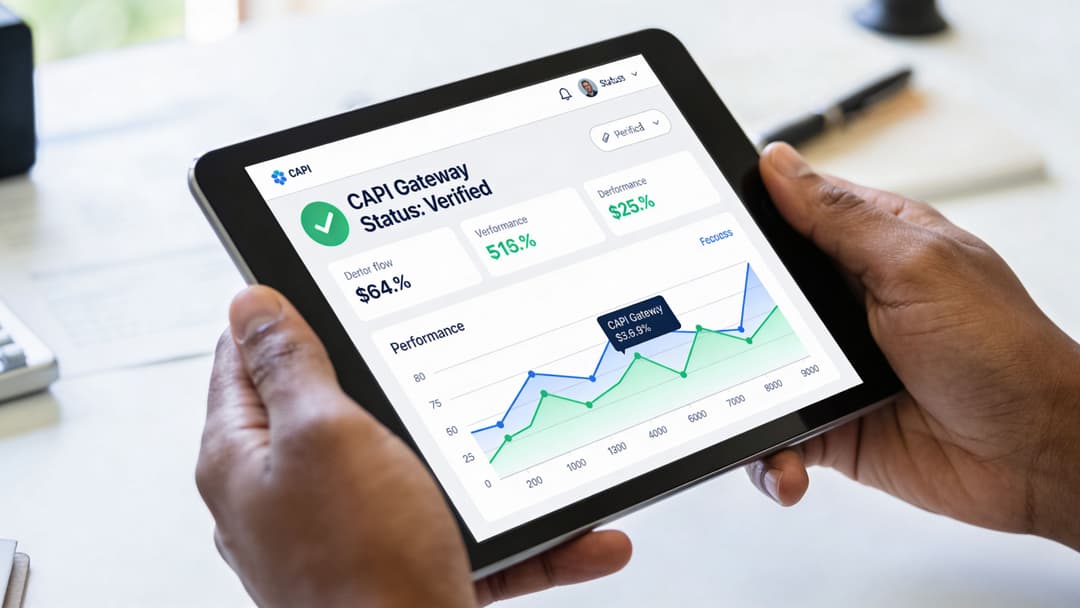
CAPI Gateway sits in a useful middle ground. It is simpler to get live than a full server-side GTM setup, but it still needs the same measurement discipline after launch. For SMBs and agencies, that usually means validating two things first: can Meta match the event to a real user, and can it merge the browser and server versions of the same action cleanly?
Start in Test Events, but do not stop there
Use Test Events in Events Manager to trigger the actions that matter most. Load a product page. Submit a lead form. Run a test checkout if you can do it without polluting production reporting.
Inside Test Events, confirm:
- The server event is arriving
- The browser event is also present when expected
- Both versions share the same event name and timing
- The action is not producing two separate conversions
I have seen plenty of Gateway installs where the server event appeared immediately, but the event_id was missing or inconsistent. Meta still received both events. It just could not merge them reliably. That is where reported performance starts drifting away from actual business performance.
EMQ and deduplication measure different problems
A clean setup needs both.
| Metric | What it answers | What I look for |
|---|---|---|
| EMQ | Can Meta match this event to a user well enough to improve attribution and optimization? | A rising score over the first days after launch, with priority events like Purchase and Lead getting the closest review |
| Deduplication | Did Meta merge the browser and server versions of the same action into one conversion? | Stable event counts that do not spike artificially after Gateway launch |
An acceptable EMQ does not mean deduplication is working. Good deduplication does not mean match quality is strong enough to help bidding. Treat them as separate checks.
For agencies, this is the primary value of CAPI Gateway versus staying pixel-only. You recover data that the browser misses, but you still avoid the heavier engineering overhead of sGTM. The trade-off is that you must verify the basics yourself instead of assuming the extra server signal is automatically useful.
A practical validation checklist
Use this checklist after launch and again after any tagging change:
Trigger your highest-value events manually
Start with Purchase, InitiateCheckout, Lead, and CompleteRegistration. Lower-value events can wait.Confirm the correct Pixel is receiving the traffic
Multi-account setups cause more validation mistakes than bad code. If you need to confirm the ID first, use this guide to find your Facebook Pixel ID.Check whether browser and server events are deduplicating
Look for one counted conversion per action, not two parallel records.Review EMQ after real traffic accumulates
Do not judge match quality from a handful of test events. Let actual users generate enough volume to spot patterns.Compare Meta event counts with your source of truth
Use Shopify, your CRM, or your booking platform. Small differences happen. Large jumps right after launch usually point to deduplication or event mapping issues.Inspect the user parameters on priority events
Missing email, phone, external_id, or other allowed identifiers usually shows up as weak EMQ before it shows up as poor campaign efficiency.Check event names and value parameters for consistency
If browser Purchase and server Purchase are not structured the same way, optimization gets less reliable.
What low EMQ usually means
Low EMQ usually comes from incomplete identity signals, not from the Gateway itself. The event may be firing correctly, but Meta has too little usable context to match it well. In practice, that often means one of three things: forms are not passing identifiers consistently, checkout data is incomplete, or the browser event and server event are sending different user data.
I treat EMQ as a diagnostic metric, not a vanity metric. If Purchase EMQ is weak, I expect less stable optimization. If Lead EMQ improves after cleanup, I usually expect better downstream efficiency because Meta has a clearer picture of who converted.
That matters even more for brands trying to improve ecommerce conversion rate. Better on-site conversion helps, but cleaner event matching gives Meta a better feedback loop, which often makes that site improvement easier to scale profitably.
What "working correctly" should look like after launch
For a healthy CAPI Gateway rollout, the pattern is pretty straightforward. Priority events appear in Test Events from the server path. Browser and server versions merge cleanly. EMQ trends in the right direction after a few days of real traffic. Meta-reported conversions stay close enough to platform or CRM totals that the account can be optimized with confidence.
That is the standard I use with clients. If those checks pass, CAPI Gateway is doing its job as the practical middle ground. Better signal than the Pixel alone, less complexity than a full sGTM build, and enough measurement reliability to trust your ROAS decisions.
Optimizing Performance and Avoiding Critical Pitfalls
Once the Gateway is stable, the actual work starts. The biggest gains usually come from reducing noise, not just recovering signal.
The most expensive mistake is double-counting. It’s easy to create because the Gateway forwards web events server-side while the browser Pixel can still send the same event on its own. If those two versions aren’t deduplicated correctly, Meta can overstate performance.
According to DataCops’ analysis of the CAPI gap, improper deduplication can inflate ROAS by 15 to 30%. That’s not a reporting nuisance. That’s enough to push budget into campaigns that look profitable but aren’t.

Double-counting breaks media buying decisions
When deduplication fails, Ads Manager can make a campaign look like it found a new efficiency pocket. Teams often respond by scaling budget, expanding audience reach, or reusing the same creative logic elsewhere.
That’s the wrong move if the lift came from measurement inflation.
Here’s the practical pattern I watch for:
- Meta conversions rise sharply after Gateway launch
- Store platform or CRM totals don’t move in step
- ROAS improves in-platform, but margin reality doesn’t
That doesn’t automatically mean the Gateway is bad. It usually means the setup needs cleanup.
The fastest way to waste budget with server-side tracking is to trust improved reporting before you validate event integrity.
How to tighten deduplication
Deduplication depends on one simple idea. The browser event and the server event need a shared key, usually an event_id, so Meta knows they represent the same user action.
If that key is missing, inconsistent, or generated differently across browser and server contexts, merging gets unreliable.
A practical cleanup routine looks like this:
Audit your event_id logic
Make sure the same action creates the same identifier in both paths.Check a small set of priority events first
Purchase and Lead are better places to validate than dozens of micro-events.Review reported deduplication behavior in Events Manager
If browser and server counts both look healthy but total outcomes feel inflated, inspect merge quality before changing bids.Compare against your source of truth
Shopify, HubSpot, or your backend order system should at least directionally align.
EMQ improvement is operational, not theoretical
After deduplication, I focus on Event Match Quality. Here, the Gateway goes from “working” to “useful.”
EMQ improves when you pass cleaner user data and pass it consistently. That includes the fields Meta expects for matching, handled in the right format. In weak implementations, the event fires but the payload is thin. In stronger ones, the event carries enough context for Meta to connect it to a user more reliably.
A few habits help:
- Enrich the event payload with the customer data you already collect legally and appropriately
- Pass allowed browser identifiers correctly instead of transforming fields that shouldn’t be transformed
- Keep event timing clean so server events land in the expected window
- Monitor weekly, not once, because drift happens when sites change
If you run ecommerce, this work pairs well with broader efforts to improve ecommerce conversion rate. Better onsite conversion and better event quality amplify each other. Cleaner funnel behavior produces better signals, and better signals help Meta optimize toward the right users.
When the Gateway stops being enough
To be candid with clients, the Gateway is excellent for a certain stage of growth. It is not the right long-term architecture for every account.
You should start evaluating more advanced server-side infrastructure when:
| Signal | What it usually means |
|---|---|
| You need Meta plus other ad platforms from one server-side layer | Gateway is becoming too narrow |
| You want tighter ownership of routing and transformation logic | You need more than a managed proxy |
| Your team has engineering support and data governance requirements | sGTM or custom server-side design may fit better |
For most SMBs and many agencies, though, the Gateway remains the best value move after Pixel-only tracking. It gives you a recoverable path into better data without forcing a full rebuild.
What matters is discipline after launch. Teams that keep refining deduplication, matching quality, and reporting validation usually get far more value from the setup than teams that install it and walk away. If you’re actively tuning Meta account efficiency, this broader guide to Facebook ads optimisation is a useful companion because data quality and campaign optimization always move together.
From Data Recovery to Smarter Campaign Scaling
Conversion api gateway matters because it repairs a broken input layer. It helps restore the event stream Meta needs to measure outcomes more reliably and optimize campaigns with more confidence.
That doesn’t make it a magic fix. It gives you a stronger foundation. The advantage comes from what you do once that foundation is in place.
A cleaner signal pipeline changes how you evaluate performance. You can judge campaign efficiency with less guesswork, compare in-platform performance against your own source of truth more responsibly, and make scaling decisions on data that’s less distorted by browser loss. That’s also why every growth team should know how to calculate marketing ROI beyond platform-reported numbers. Better tracking improves the model, but disciplined finance and attribution thinking still matter.
What changes after setup
The biggest shift is strategic. You stop treating tracking recovery as the end goal and start treating it as operating infrastructure.
That creates three immediate benefits:
- Budget decisions get cleaner because conversion reporting is less fragile
- Optimization improves because Meta gets stronger lower-funnel feedback
- Testing becomes more credible because the event stream behind your analysis is more trustworthy
For teams using historical performance to guide launch strategy, cleaner event quality also improves how you interpret prior winners and losers. That’s especially important when you’re building from account history, segmenting by outcome type, or reviewing patterns in Facebook ad historical data usage.
The real role of the Gateway
The Gateway is not the finish line. It’s the point where your Meta setup becomes durable enough to support more ambitious testing and scaling.
That’s the right mental model. Fix the signal path first. Then use that recovered signal to launch better tests, cut weaker angles faster, and scale with more conviction.
Frequently Asked Questions About CAPI Gateway
Is CAPI Gateway expensive to run
It depends on traffic volume and your AWS usage pattern. The verified guidance says the AWS free tier can work for low-volume setups, while larger usage can introduce hosting costs. The exact amount varies by implementation and scale, so treat it as an infrastructure line item that should be reviewed inside AWS rather than guessed from a generic benchmark.
What’s the difference between EMQ and deduplication
EMQ measures how well Meta can match an event to a user based on the identifiers and context sent with that event. Deduplication measures whether Meta correctly merges the browser and server versions of the same action. One affects match strength. The other prevents inflated event counts.
Is CAPI Gateway better than Signals Gateway
They solve related but different problems. For advanced users, the main comparison is that CAPI Gateway forwards existing web events server-side to bypass ad blockers, while Signals Gateway uses newer pixel technology to more fully bypass third-party cookie restrictions, which can make it more effective for the post-2025 environment but also more complex, according to Birch’s comparison of CAPI Gateway and Signals Gateway.
Should agencies choose Gateway or sGTM
If you need a fast, manageable upgrade for Meta tracking across multiple SMB clients, Gateway is often the cleaner operational choice. If your clients need cross-platform server-side routing, deeper transformation control, or stricter data ownership, sGTM usually makes more sense.
If your team has recovered the signal but still spends too much time building, testing, and scaling campaigns manually, AdStellar AI is built for that next step. It connects to your Meta Ads Manager, learns from historical performance, and helps launch, test, and scale campaigns far faster with AI-driven creative, audience, and performance workflows.


