As a small business, your most valuable assets are time and resources. Juggling lead nurturing, email campaigns, social media, and customer data can feel like a constant battle, pulling you away from strategic growth. This is the core problem that marketing automation software for small business is designed to solve. These platforms handle repetitive, time-consuming tasks, allowing you to engage customers with personalized, timely communication at scale without hiring a massive team.
This guide is built to cut through the noise. We've compiled a comprehensive list of the top marketing automation platforms, specifically evaluating them for the needs of small businesses, startups, and e-commerce brands. Instead of generic feature lists, we provide an in-depth analysis of each tool, including its core strengths, potential limitations, and ideal use cases. You'll find a detailed breakdown covering:
- Key Features: From email and SMS marketing to CRM and workflow builders.
- Pricing Tiers: Clear explanations of costs to match your budget.
- Best-For Scenarios: Who the platform is truly designed for.
Our goal is to give you a clear, practical roadmap for selecting a tool that not only automates tasks but also becomes a central hub for your growth. Effectively leveraging these tools often involves a strategic mindset; understanding different types of innovation can help frame how you apply automation to drive genuine business expansion. Each review includes screenshots and direct links, so you can see the software in action and explore it for yourself. Let's find the right platform to put your marketing on autopilot and reclaim your time.
1. AdStellar AI
AdStellar AI stands out as a premier marketing automation software for small business teams focused on mastering Meta advertising. It’s an AI-first platform engineered to dramatically accelerate the entire campaign lifecycle, from creative production to performance scaling. The core value lies in its ability to automate the most time-consuming aspects of ad management, claiming to speed up campaign launches by up to 10x.
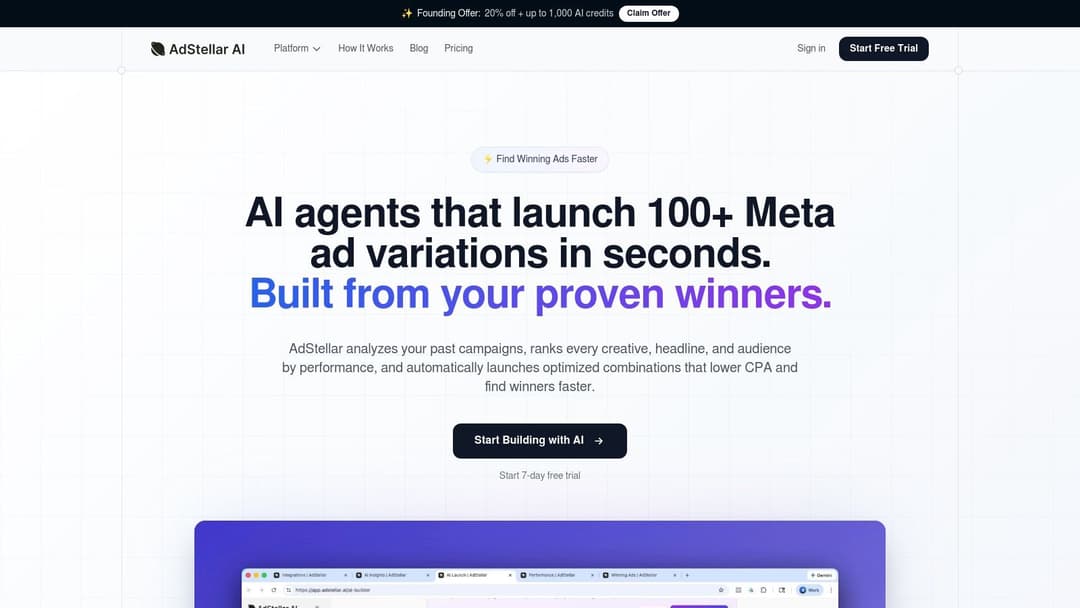
Unlike generalist platforms, AdStellar AI is a specialist tool built for one purpose: maximizing Meta ad performance. After a secure connection to your Meta Ads Manager, it ingests historical data to understand what has worked for your brand. This continuous learning model then informs every recommendation, removing guesswork from campaign setup. Teams can produce hundreds of ad variations in minutes, push them live with a single click, and let the AI assemble new campaigns from proven winners.
Key Strengths & Use Cases
AdStellar AI is particularly powerful for e-commerce, DTC brands, and performance marketing agencies that rely heavily on creative testing and data-driven scaling.
- Massive Speed and Scale: The platform's ability to generate hundreds of creative, copy, and audience combinations at once is its defining feature. This is ideal for businesses needing to execute rapid, high-volume A/B testing to find winning ad formulas quickly.
- Data-Driven Optimization: Its machine learning models analyze your past performance to rank potential ads against your primary KPIs, whether that's ROAS, CPL, or CPA. This ensures your budget is allocated to the assets most likely to succeed.
- Auto-Learning and Auto-Scaling: The "AI Launch" feature automatically builds new campaigns using top-performing components. As new data comes in, the system continuously scales high performers, creating a self-optimizing feedback loop.
- Centralized Workflow: It consolidates all essential functions (campaigns, creatives, audiences, media library, and analytics) into a single hub. This unified interface significantly improves team efficiency by eliminating repetitive manual setup.
Practical Considerations
While its strengths are significant, its focused nature means it’s not a universal solution. The platform is built exclusively for Meta Ads, so it won’t replace a multi-channel orchestration tool if you also run campaigns on Google or TikTok. Furthermore, its effectiveness is directly tied to the quality and volume of your historical ad data; new accounts may experience a slower ramp-up period as the AI gathers initial learnings. The platform represents one of several specialized AI tools for small business marketing that can deliver a competitive edge.
Pricing: Not publicly listed. Contact AdStellar AI for a demo and custom pricing.
Website: adstellar.ai
2. HubSpot Marketing Hub
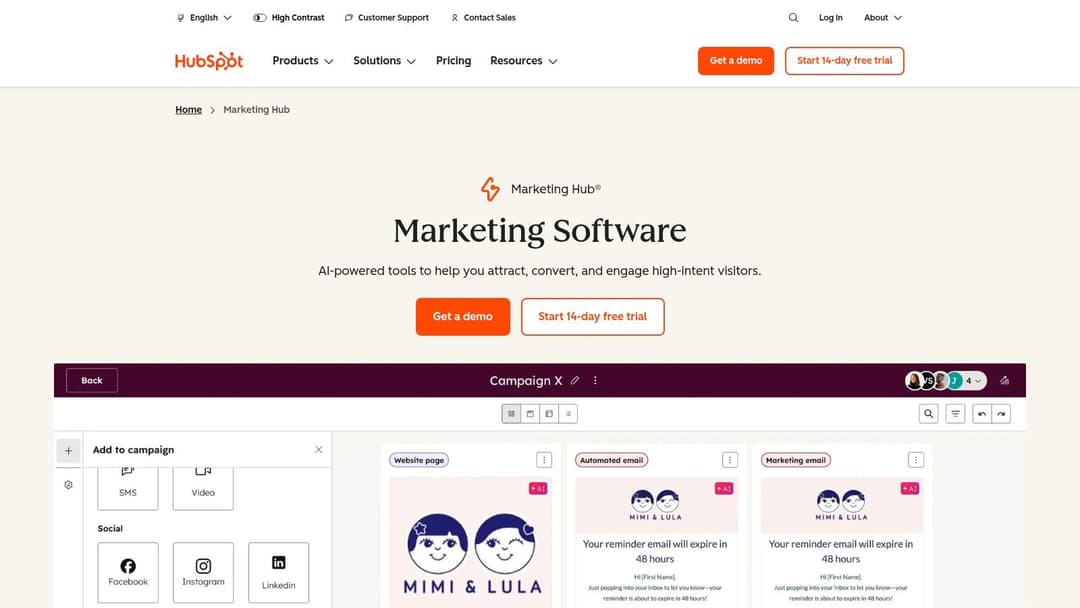
HubSpot Marketing Hub is an all-in-one marketing automation platform built on top of its powerful, free CRM. This integration is its key differentiator, allowing small businesses to create deeply personalized campaigns based on customer data and behavior. It’s an ideal choice for SMBs that want a single source of truth for their marketing, sales, and service efforts and plan to scale over time.
The platform provides a comprehensive suite of tools, from a visual workflow builder to create automated email sequences, to landing page and form builders. Its strength lies in connecting every touchpoint, so a contact’s interaction with an ad, email, or website page informs the next automated step. This makes it a standout choice for businesses focused on full-funnel, CRM-driven marketing.
Key Features & Use Cases
- CRM-Powered Automation: Use contact properties, list memberships, and website activity to trigger workflows. A practical use case is creating a "lead nurturing" sequence that automatically sends targeted content to prospects based on the specific pages they visited on your website.
- Integrated Marketing Tools: Manage email campaigns, social media scheduling, and digital ads from one place. HubSpot’s ad tools allow you to build audiences from your CRM data, a feature that pairs well with other specialized social media advertising software for more advanced campaign management.
- Reporting and Analytics: Connect marketing activities directly to revenue with built-in attribution reporting (more advanced in higher tiers).
Pricing & Limitations
HubSpot offers a free tier with basic tools, with paid plans starting at the "Starter" level. A significant consideration for small businesses is the mandatory onboarding fee for Professional and Enterprise tiers, which can be a substantial upfront cost. Pricing also scales based on the number of marketing contacts, so it's crucial to manage your list to control expenses. While powerful, the sheer breadth of features can feel overwhelming for complete beginners without dedicated time for learning.
Website: https://www.hubspot.com/products/marketing
3. Mailchimp
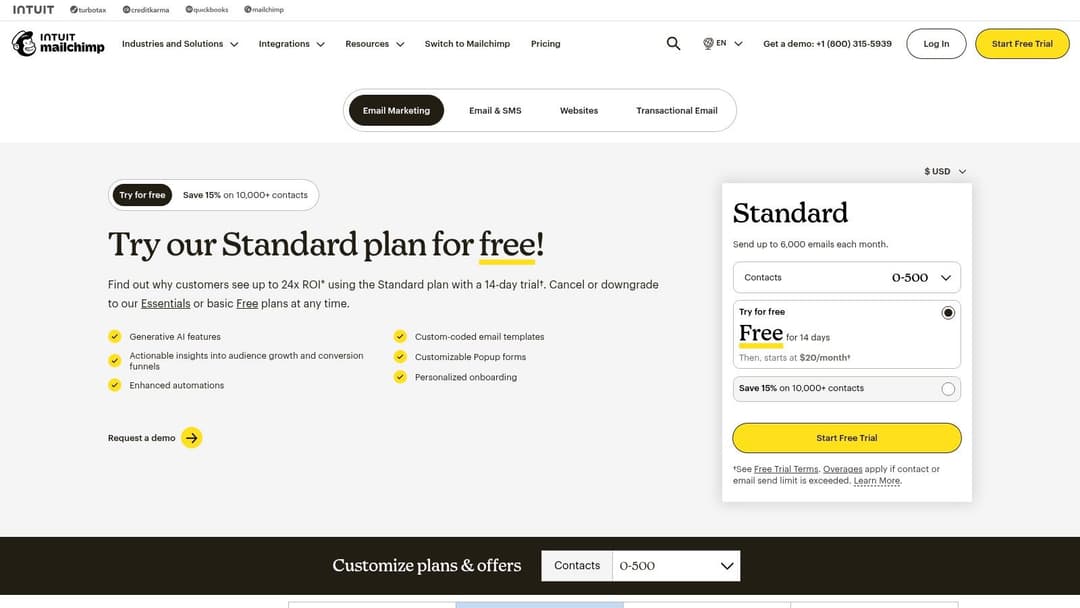
Mailchimp is one of the most recognized names in email marketing, and it has evolved into a beginner-friendly marketing automation software for small business owners. Its core strength lies in its intuitive user interface, beautiful email templates, and straightforward setup, making it an excellent starting point for those new to automation. The platform allows businesses to move beyond simple newsletters into building basic, yet effective, automated customer journeys.
Its approachability is its main differentiator. Where other platforms can be complex, Mailchimp focuses on core functionalities like welcome sequences, abandoned cart reminders, and birthday emails, all accessible through a simple visual builder. This makes it ideal for e-commerce stores, bloggers, and service businesses who need reliable email automation without a steep learning curve or extensive technical configuration.
Key Features & Use Cases
- Customer Journey Builder: Visually map out simple automation paths with triggers and actions. A common use case is creating a post-purchase follow-up series that automatically asks for a review, then suggests related products a few weeks later.
- Pre-Built Templates & AI Assistance: Get started quickly with pre-designed automation recipes and use AI tools to help generate subject lines and email copy. This feature is particularly useful for teams without dedicated copywriters.
- E-commerce and Ad Integrations: Connect directly with platforms like Shopify and WooCommerce to trigger automations based on purchase data. You can also create and manage social media ads, a process that can be enhanced by dedicated Facebook ads automation tools for more complex campaigns.
Pricing & Limitations
Mailchimp offers a limited free plan, with paid tiers unlocking more advanced features and larger contact lists. The "Standard" plan is typically required for its more sophisticated journey builder and optimization tools. A key limitation is that its automation capabilities, while solid for beginners, are less powerful than more dedicated platforms; complex, multi-path logic can be difficult to implement. Additionally, pricing is contact-based, so costs can escalate quickly as your audience grows.
Website: https://mailchimp.com/pricing/marketing/
4. ActiveCampaign
ActiveCampaign is a customer experience automation platform that excels at creating sophisticated, logic-based workflows. It combines email marketing, marketing automation, and a sales CRM into a unified system, making it a powerful choice for small businesses that have outgrown simpler tools and need granular control over their customer journeys. Its key differentiator is the depth and flexibility of its automation builder, which allows for complex branching logic that rivals more expensive enterprise solutions.
The platform is built for SMBs focused on creating truly personalized, multi-channel experiences. You can automate actions across email, SMS, and even on-site messages. This makes it a standout option for businesses that want to implement advanced tactics like lead scoring, dynamic content, and automated sales handoffs without the enterprise-level price tag.
Key Features & Use Cases
- Advanced Automation Builder: Create powerful "if/then" workflows with multiple conditions and paths. A great use case is building a re-engagement campaign that sends different messages based on whether a user has opened an email, clicked a link, or visited a specific product page recently.
- Built-in Sales CRM: Manage deals, tasks, and contact data within the same platform. This allows for seamless automation, such as automatically creating a deal and assigning a sales rep when a contact's lead score surpasses a certain threshold.
- Robust Segmentation and Personalization: Use tags, custom fields, and site tracking data to segment your audience with precision. This enables you to send highly targeted messages with conditional content, showing different offers or images to different segments within the same email.
Pricing & Limitations
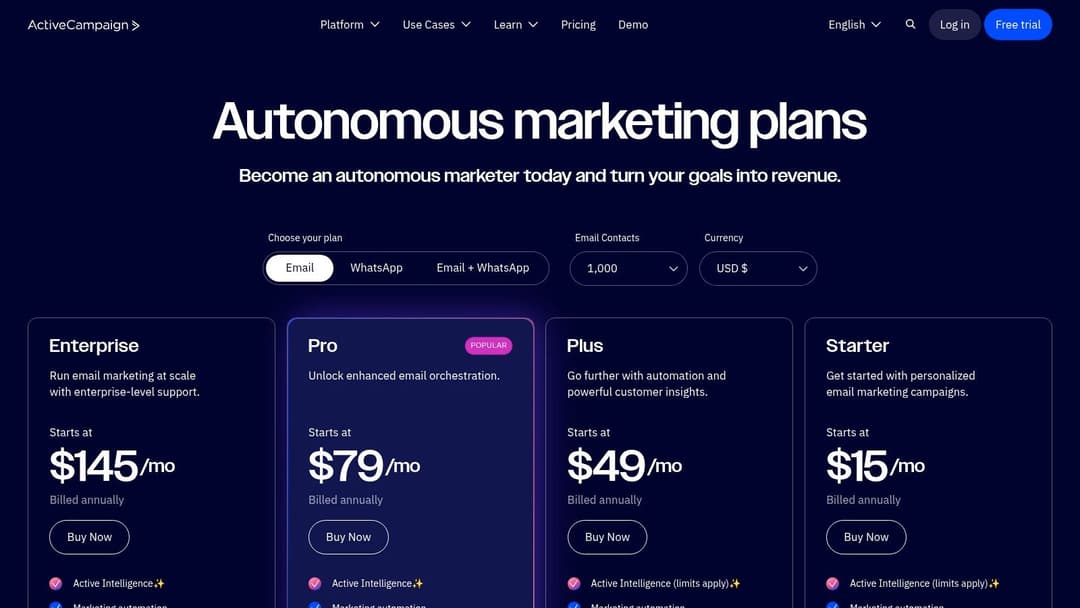
ActiveCampaign's pricing has shifted towards custom, quote-based plans, moving away from publicly listed tiers. Historically, it offered strong automation depth for its price point, but now small businesses must contact sales for a tailored quote based on contact count and feature needs. This change can make initial budget planning less straightforward. While incredibly powerful, the sheer number of options in the automation builder can present a steeper learning curve for teams completely new to marketing automation software for small business.
Website: https://www.activecampaign.com/pricing
5. Klaviyo
Klaviyo is a powerful email and SMS marketing automation platform designed specifically for ecommerce businesses. Its core strength lies in its deep, native integrations with platforms like Shopify, WooCommerce, and BigCommerce, allowing it to pull in rich customer and product data. This makes it the go-to choice for direct-to-consumer (DTC) brands that need to automate highly personalized, revenue-generating campaigns based on shopping behavior.
The platform excels at turning customer data into automated actions. It’s built to handle everything from abandoned cart reminders triggered by real-time activity to post-purchase follow-ups based on specific products bought. For an online store, this level of product-aware automation is what makes Klaviyo a top-tier marketing automation software for small business growth, connecting marketing efforts directly to sales.
Key Features & Use Cases
- Deep Ecommerce Integrations: Use data like products viewed, items added to cart, and purchase history to trigger precise automation flows. A classic use case is creating a "browse abandonment" flow that emails a user about the specific product category they were looking at but didn't add to their cart.
- Advanced Segmentation: Build dynamic segments based on predictive analytics, such as a customer's likelihood to purchase or their estimated lifetime value. This allows for creating high-value segments for special offers or loyalty campaigns.
- Unified SMS & Email: Combine SMS and email marketing within a single automated workflow. For example, you can send an abandoned cart email first, then follow up with an SMS message a few hours later if the user hasn't completed their purchase.
Pricing & Limitations
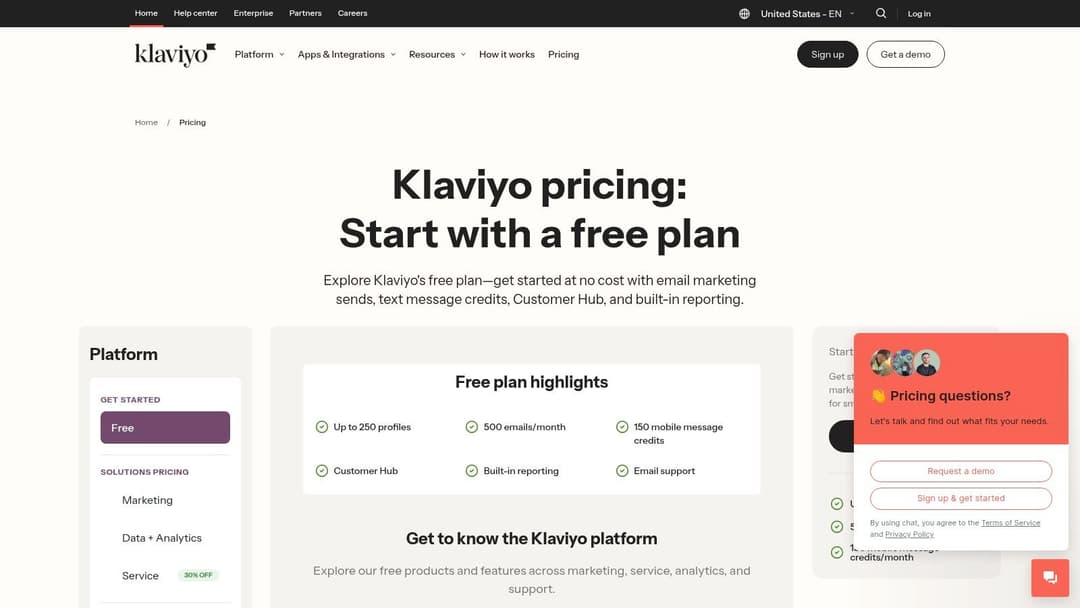
Klaviyo offers a free plan for up to 250 contacts and 500 email sends, making it accessible for new businesses. Paid plans scale based on the number of contacts and email/SMS volume, which is transparent and predictable. The main limitation is its ecommerce focus; while it can be used for B2B or non-commerce businesses, many of its core features and analytics are tailored to product sales. Teams without an online store may find the platform's feature set is not aligned with their core needs.
Website: https://www.klaviyo.com/pricing
6. Brevo (formerly Sendinblue)
Brevo, formerly known as Sendinblue, has evolved from a simple email service into an all-in-one marketing and sales platform. Its core appeal for small businesses is its exceptional value, offering a robust suite of tools including email, SMS, chat, and CRM at a highly competitive price point. The platform is designed for businesses that need a multi-channel communication hub without the enterprise-level cost.
Its key differentiator is its flexible, often volume-based pricing model, which makes it an accessible piece of marketing automation software for small business owners just starting out. Brevo combines essential marketing automation features with transactional messaging capabilities (like password resets and order confirmations), allowing businesses to manage both promotional and operational communications from a single dashboard.
Key Features & Use Cases
- Multi-Channel Campaigns: Combine email, SMS, and WhatsApp messages within a single automation workflow. A practical use case is creating an abandoned cart sequence that starts with an email, followed by an SMS reminder 24 hours later if the user hasn't completed their purchase.
- Transactional Messaging: Utilize Brevo's powerful API for transactional emails and SMS. This is crucial for e-commerce stores needing reliable delivery for order confirmations, shipping updates, and account-related notifications.
- Lead Generation Tools: Build and embed signup forms, create dedicated landing pages, and engage website visitors with a live chat widget. These tools work together to capture leads that can be immediately entered into automated nurturing sequences.
Pricing & Limitations
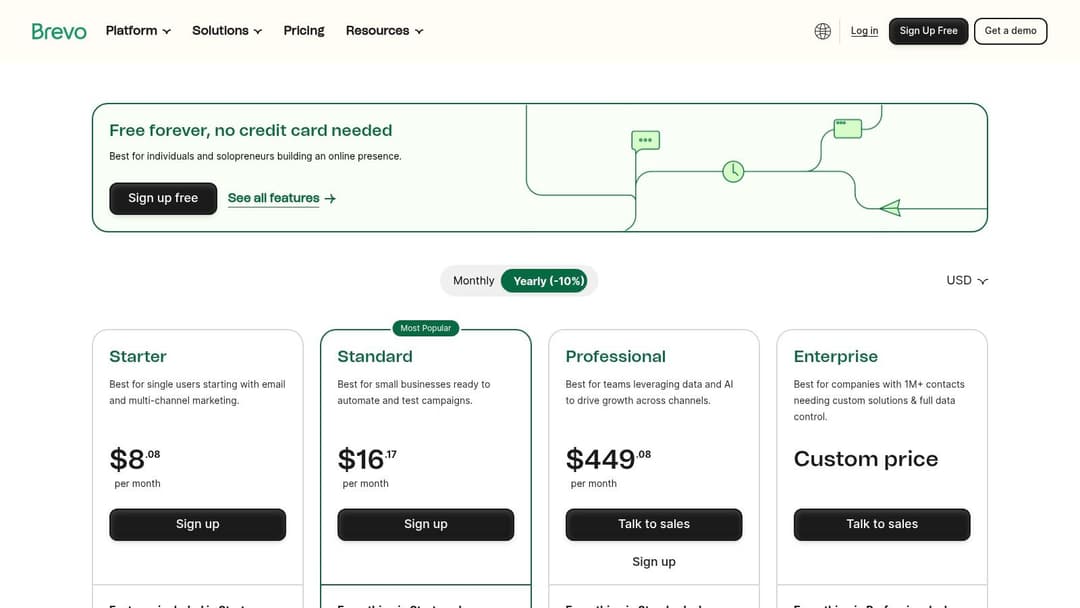
Brevo offers a generous free plan that includes marketing automation for up to 2,000 contacts, making it a great starting point. Paid plans are affordably priced, often based on email volume rather than contact count, which provides cost-effective scalability. Optional add-ons, like a dedicated IP, are available for businesses looking to improve email deliverability. The main limitation is that while its automation builder is capable, it may lack the depth and advanced logic found in more specialized, high-end platforms.
Website: https://www.brevo.com/pricing/
7. Constant Contact
Constant Contact has long been a go-to platform for small businesses, evolving from a simple email tool into a broader marketing suite. Its core strength lies in its user-friendly interface and outstanding customer support, making it an excellent starting point for businesses new to automation. The platform focuses on straightforward, effective tools rather than overwhelming users with complexity, which is ideal for owners who manage their own marketing.
It provides a well-rounded set of features designed for immediate use, such as event marketing management, social ad creation, and basic e-commerce automation. This makes it a practical choice for service-based businesses, non-profits, or small retailers who need reliable, easy-to-implement marketing automation software for small business without a steep learning curve or technical setup.
Key Features & Use Cases
- Pre-built Automation Flows: Quickly launch campaigns using templates for welcome series, abandoned cart reminders, and birthday emails. A common use case is setting up an automated welcome sequence for new subscribers that introduces the brand and offers a first-time purchase discount.
- Event Marketing & Management: The platform includes tools to create event landing pages, manage registrations, and send automated follow-ups. This is perfect for businesses that run webinars, workshops, or community events.
- Integrated Social Ads and Posts: Create and publish social media ads and posts directly from the platform, using your contact lists to build custom audiences on Facebook and Instagram for targeted campaigns.
Pricing & Limitations
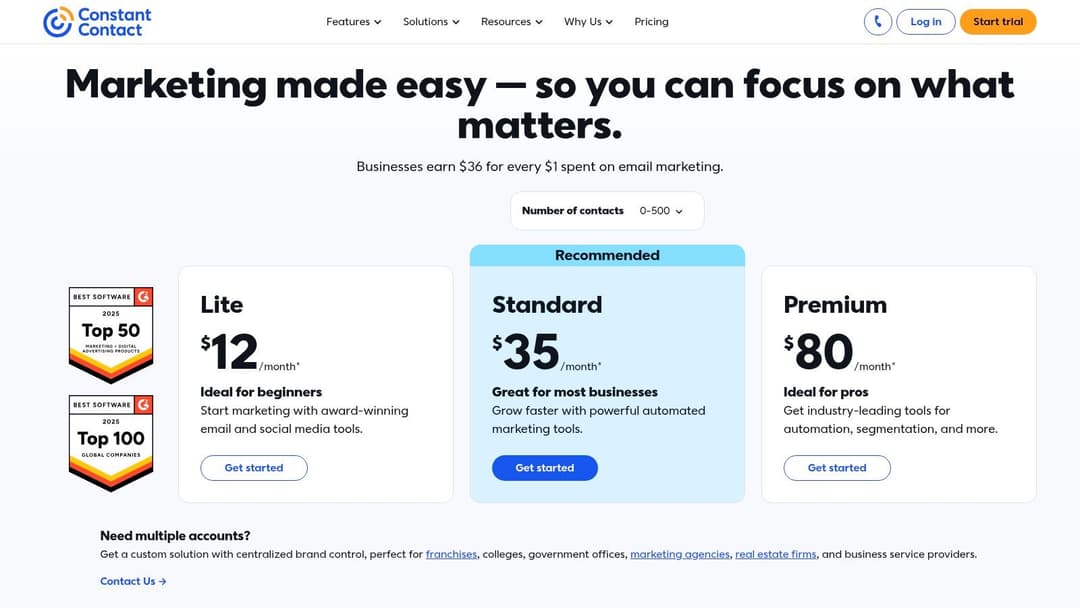
Constant Contact offers tiered pricing based on the number of contacts, with its Core plan providing foundational tools and the Plus plan unlocking more advanced automation features. A key benefit is its excellent live support and 1:1 onboarding assistance, which is rare at its price point. However, businesses with complex segmentation needs or a desire for highly sophisticated, multi-path workflows may find its automation capabilities limiting compared to more advanced platforms. The feature depth, while sufficient for most small businesses, can lag behind more technically focused competitors.
Website: https://www.constantcontact.com/pricing
8. Keap (formerly Infusionsoft)
Keap, formerly known as Infusionsoft, is a veteran in the CRM and marketing automation space, specifically designed for established service-based small businesses. Its primary differentiator is the tight integration of CRM, sales pipeline management, marketing automation, and payment processing into a single, unified platform. This makes it an excellent choice for businesses that want to manage the entire customer lifecycle, from lead capture to final payment, without juggling multiple tools.
The platform is built around consolidating client management and sales processes. Keap shines for businesses that need to send quotes, manage invoices, and schedule appointments alongside their marketing efforts. Its visual campaign builder is powerful, allowing for complex, logic-based automations that go beyond simple email sequences, making it a robust piece of marketing automation software for small business owners who need to streamline operations.
Key Features & Use Cases
- Integrated CRM & Sales Pipeline: Automate follow-ups and task creation as leads move through your sales stages. A practical use case is automatically sending an appointment booking link when a lead is moved to the "Qualified" stage, then triggering a proposal once the meeting is complete.
- Invoicing and Payments: Create and send invoices directly from the CRM and automate reminders for late payments. This is ideal for coaches, consultants, and agencies who bill clients directly for services.
- Advanced Automation Logic: Use its visual builder to create detailed campaigns with decision nodes, timers, and goal-driven triggers. This feature supports a more scalable marketing automation strategy as a business grows.
Pricing & Limitations
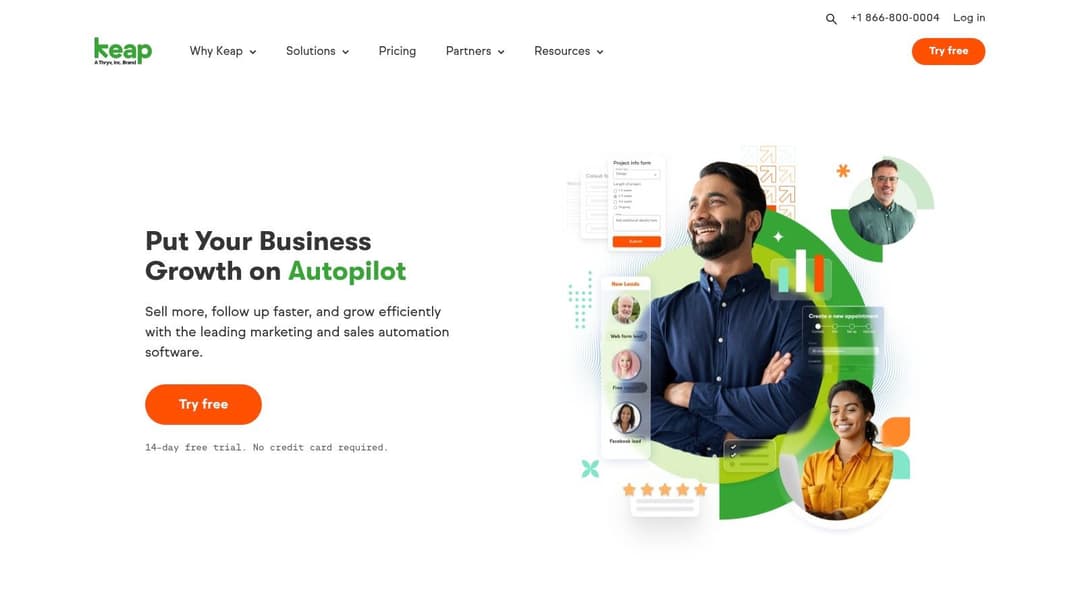
Keap does not offer a free plan, and its starting price point is higher than many email-centric automation tools. This reflects its focus as an all-in-one platform rather than just a marketing tool. The platform can have a steeper learning curve due to its depth, but Keap addresses this with strong, hands-on onboarding and dedicated customer support, which is often included in the initial cost. It's best suited for businesses ready to invest in a central system for sales and marketing, not those just starting with basic automation.
Website: https://keap.com
9. Zoho Marketing Automation
Zoho Marketing Automation is an integral part of the extensive Zoho software ecosystem, offering a powerful and cost-effective solution for small businesses. Its primary advantage lies in its seamless integration with other Zoho applications, like Zoho CRM, creating a unified platform for managing customer relationships and marketing efforts. This makes it a compelling choice for businesses already invested in or considering the Zoho suite.
The platform provides a user-friendly journey builder that allows businesses to map out and automate customer interactions across multiple channels. It supports email, SMS, and even WhatsApp campaigns, enabling a multi-touchpoint strategy. For businesses looking for robust marketing automation software for small business without the premium price tag of an all-in-one giant, Zoho presents a feature-rich alternative.
Key Features & Use Cases
- Omnichannel Journey Builder: Create visual workflows that trigger communications across email, SMS, and web push notifications based on user behavior. A great use case is an abandoned cart sequence that starts with an email, followed by an SMS reminder 24 hours later if the purchase is not completed.
- Behavior Tracking and Lead Scoring: Monitor how leads interact with your website, emails, and campaigns to automatically score their engagement level. This helps sales teams prioritize the most qualified leads for follow-up.
- Deep Zoho Ecosystem Integration: Combine marketing data with sales and support information from other Zoho apps for a 360-degree customer view. This integration helps connect marketing spend to sales outcomes, a core principle of effective performance marketing software.
Pricing & Limitations
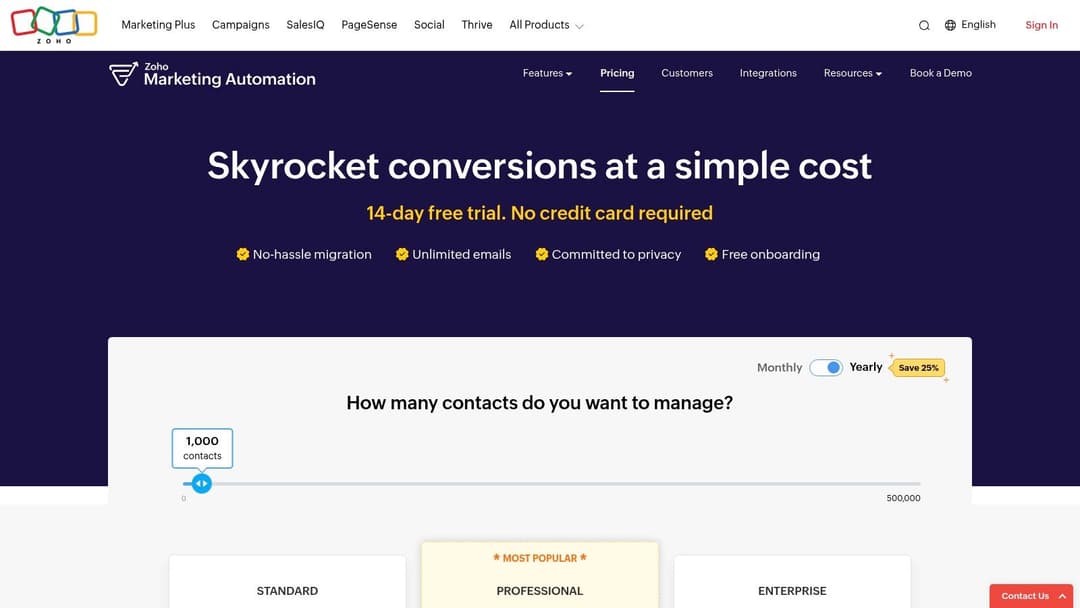
Zoho’s pricing is highly competitive, with generous allowances for users and contacts, and unlimited emails on all paid plans. It also includes free onboarding support, which is a significant value-add for small teams. The main limitation is that its full potential is best unlocked when used in conjunction with other Zoho products. For businesses not using the Zoho ecosystem, the UI might feel less intuitive or cohesive compared to standalone solutions.
Website: https://www.zoho.com/marketingautomation/pricing.html
10. GetResponse
GetResponse positions itself as more than just an email marketing tool, offering an all-in-one marketing platform that integrates automation, webinars, landing pages, and conversion funnels. This makes it a compelling option for small businesses that want to consolidate their marketing stack and reduce tool sprawl. Its unique selling point is the inclusion of built-in webinar hosting, a feature rarely found natively in other marketing automation software at this price point.
The platform is designed for businesses focused on generating leads and converting them through structured funnels. By combining email sequences, landing pages, and live or on-demand webinars, users can build a complete customer journey within a single interface. This integrated approach is ideal for consultants, course creators, and B2B marketers who use educational content as a primary lead magnet.
Key Features & Use Cases
- Integrated Webinar Marketing: Host live, automated, or on-demand webinars and use automation to send invitations, reminders, and follow-up sequences. A common use case is promoting a webinar to an email list, then automatically segmenting attendees and non-attendees into separate nurturing campaigns.
- Conversion Funnels: Pre-built, scenario-based funnels for lead generation, sales, and webinars. These templates guide users through setting up landing pages, forms, emails, and payment processing steps to create a cohesive conversion path.
- Visual Automation Builder: Drag-and-drop workflow editor that uses conditions, actions, and filters. You can build simple autoresponders or complex, multi-path sequences based on user behavior like email opens, link clicks, or cart abandonment.
Pricing & Limitations
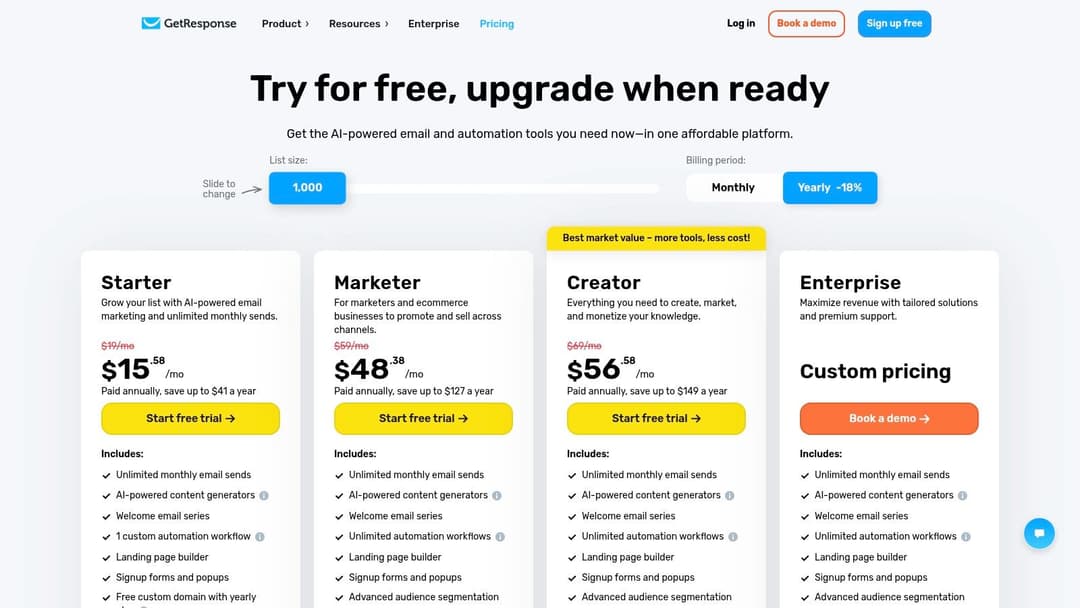
GetResponse offers a free-forever plan with basic email marketing tools for up to 500 contacts. Paid plans start with the "Email Marketing" tier and scale up, unlocking more advanced automation and funnel features. Like many platforms, pricing is tied to your list size, so costs will increase as your audience grows. While the all-in-one approach is a major benefit, some users may find the interface less intuitive than more specialized tools, and the most powerful automation features are reserved for the "Marketing Automation" tier and above.
Website: https://www.getresponse.com/pricing
11. Omnisend
Omnisend is a marketing automation platform built specifically for ecommerce businesses. Its primary advantage is the deep integration with platforms like Shopify, BigCommerce, and WooCommerce, enabling powerful, sales-driven automation that combines email, SMS, and web push notifications into a single workflow. It’s the ideal choice for online stores looking to increase conversions with minimal setup.
The platform excels with its library of pre-built ecommerce workflows for cart abandonment, welcome series, and post-purchase follow-ups. Unlike general-purpose tools, these templates are designed with sales metrics in mind, making it one of the most accessible marketing automation software options for small business retailers who need to get campaigns running quickly.
Key Features & Use Cases
- Pre-Built Ecommerce Workflows: Launch proven automation sequences for abandoned carts, new subscribers, and customer win-backs in minutes. A common use case is a multi-channel cart recovery flow that sends an email, then an SMS reminder an hour later if the purchase is not completed.
- Multi-Channel Messaging: Combine email, SMS, and web push notifications within a single automation sequence. This allows for creating layered campaigns, such as sending a push notification about a flash sale, followed by an email with more details.
- Advanced Ecommerce Reporting: Track which automation workflows, emails, and messages are generating the most revenue. The platform provides clear attribution, connecting your marketing efforts directly to sales performance.
Pricing & Limitations
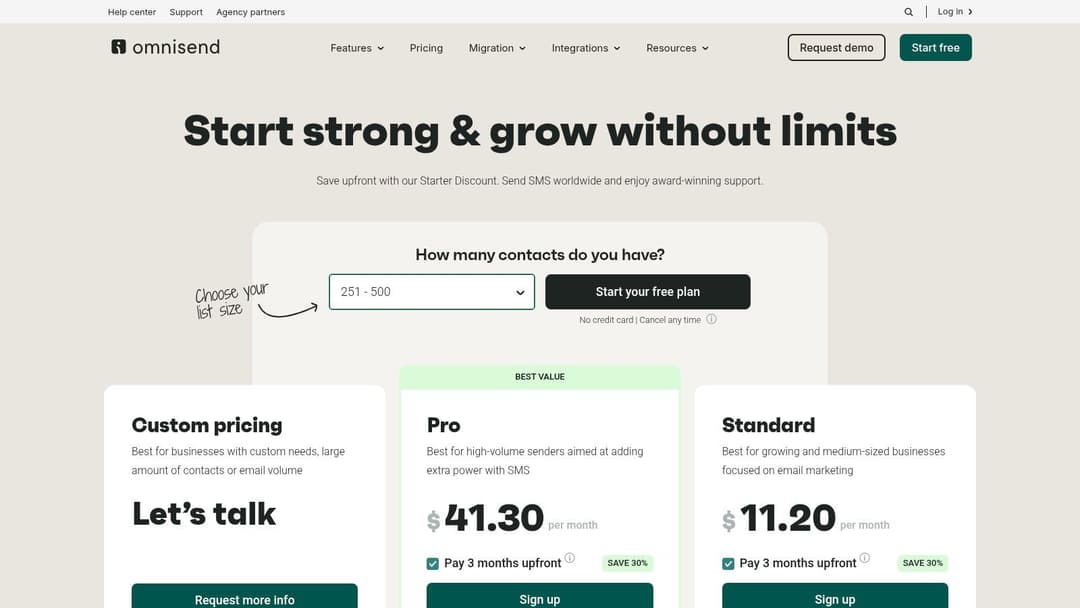
Omnisend offers a free plan that includes all core features for up to 250 contacts, making it highly accessible. Paid plans (Standard and Pro) scale based on contact list size but offer unlimited emails and 24/7 support. The pricing model is straightforward and competitive for ecommerce brands.
The primary limitation is its specialized focus. While it's exceptional for ecommerce, businesses in B2B or service industries might find the feature set too retail-centric. The platform's strengths are tied directly to having a product catalog to promote and sell.
Website: https://www.omnisend.com/pricing/
12. MailerLite
MailerLite excels in providing streamlined email marketing and automation with a focus on simplicity and affordability. It stands out for its user-friendly interface and generous features, making it an ideal choice for creators, bloggers, and small businesses that prioritize powerful email marketing without the complexity of an all-in-one suite. The platform’s core strength lies in its clean design and intuitive workflow builder, which allows even beginners to set up sophisticated automated sequences.
This platform is more than just an email tool; it includes a suite of features like landing page, website, and pop-up builders, allowing businesses to manage a significant portion of their online presence from one dashboard. For SMBs looking for reliable and effective marketing automation software for small business with a fast learning curve and excellent deliverability, MailerLite presents a compelling, budget-friendly option.
Key Features & Use Cases
- Visual Automation Builder: Easily create multi-step automation workflows based on triggers like a new subscriber joining a list, clicking a link, or completing a form. A practical use case is building a welcome series that automatically delivers a sequence of onboarding emails to educate new users about your product or service.
- Integrated Website and Landing Page Builder: Build and host simple websites, blogs, and landing pages directly within the platform. This is perfect for a startup launching a new product and needing a quick way to capture leads for an automation sequence without requiring a separate web-hosting service.
- Dynamic Content Blocks: Personalize email campaigns by showing different content blocks to subscribers based on their segment or group. For example, an e-commerce store can display a special offer only to subscribers who have previously purchased a specific product category.
Pricing & Limitations
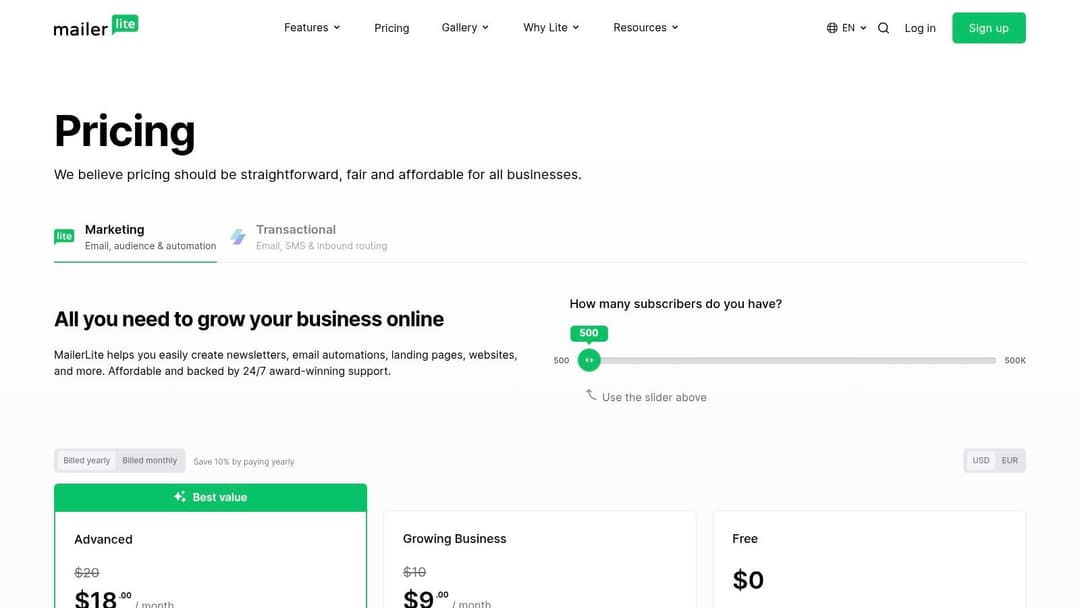
MailerLite offers a generous free plan for up to 1,000 subscribers and 12,000 monthly emails. Paid plans are very competitively priced, starting with the "Growing Business" tier, which includes unlimited monthly emails and unlocks key automation features. The pricing model is refreshingly simple and scales transparently with your subscriber count. The primary limitation is that it lacks the deep, native e-commerce and CRM integrations found in more specialized or enterprise-level platforms, which may be a consideration for businesses with complex sales funnels.
Website: https://www.mailerlite.com/pricing
12 Small-Business Marketing Automation Tools Comparison
| Product | Core features | Target audience | Unique selling points | Pricing model |
|---|---|---|---|---|
| AdStellar AI | AI bulk creative, copy & audience generation; Meta Ads Manager ingest; AI Launch; auto-scaling and performance rankings (ROAS/CPL/CPA) | Agencies, growth teams, DTC/e‑commerce and performance marketers focused on Meta | 10× faster ad production; goal-aligned recommendations; one-click deploy; continuous account-level learning | Contact sales / demo (pricing not publicly listed) |
| HubSpot Marketing Hub | CRM-powered automation, landing pages, ads management, reporting & integrations | SMBs wanting CRM-driven full‑funnel marketing | Deep CRM personalization; large integration ecosystem; strong onboarding | Tiered (Free → Pro/Enterprise); costs rise with contacts; onboarding fees on higher tiers |
| Mailchimp | Email templates & AI helpers, basic automations, landing pages, integrations | Small teams, creators, businesses valuing ease‑of‑use | Beginner-friendly UI; extensive templates and integrations | Free limited plan; paid tiers for advanced features |
| ActiveCampaign | Advanced automations, omnichannel messaging, built-in CRM, lead scoring | SMBs needing complex workflows and sales handoff | Powerful automation logic for price; mature templates | Tiered; some plans by quote / request a quote for tailored pricing |
| Klaviyo | Email & SMS, ecommerce product feeds, deep segmentation, revenue reporting | Ecommerce/DTC stores (Shopify, WooCommerce, Wix) | Ecommerce-native analytics, product-triggered flows, strong attribution | Contact-based; pricing scales with contacts and features |
| Brevo (Sendinblue) | Email, SMS/WhatsApp, chat, automation, web push, landing pages | Cost-conscious SMBs needing multichannel comms | Competitive entry pricing; flexible send-volume model; useful add‑ons | Send-volume based tiers; pay-as-you-go credits available |
| Constant Contact | Email, prebuilt automations, event tools, social ads, lightweight CRM | SMBs needing live support and event marketing | Live 1:1 onboarding & support; simple contact-based pricing | Tiered contact-based pricing; refund window available |
| Keap (Infusionsoft) | CRM, visual automation, payments/invoicing, appointment scheduling | Service businesses wanting CRM + payments in one | Consolidates CRM, automation & payments; hands-on onboarding | Higher starting price; no free plan |
| Zoho Marketing Automation | Journey builder, email/SMS/WhatsApp, behavior tracking, product recommendations | Teams using Zoho apps or price-sensitive SMBs | Attractive pricing; unlimited emails on plans; strong Zoho integrations | Competitive tiered pricing (part of Zoho ecosystem) |
| GetResponse | Email automation, webinars, landing pages, funnels, autoresponders | SMBs that need webinars and funnel tools without extra apps | Built-in webinar & funnel features; all‑in‑one approach | Tiered; pricing scales with contacts |
| Omnisend | Email, SMS, push, prebuilt ecommerce workflows, advanced reporting | Ecommerce stores (Shopify, BigCommerce, WooCommerce) | Fast ecommerce setup; prebuilt flows and strong reporting | Tiered; free plan + paid tiers (pricing scales with features) |
| MailerLite | Email automation, websites, landing pages, strong deliverability | Creators, startups, lean teams with small lists | Very competitive pricing; simple UI and quick learning curve | Free for small lists; affordable paid tiers with unlimited emails on paid plans |
Automate Tasks, Not Relationships
Navigating the landscape of marketing automation software for small business can feel overwhelming. We've explored a dozen powerful platforms, from all-in-one giants like HubSpot and ActiveCampaign to e-commerce specialists like Klaviyo and Omnisend, and budget-friendly options such as MailerLite and Brevo. Each tool offers a unique blend of features, pricing, and strategic focus. The right choice doesn't hinge on finding the platform with the most features, but on identifying the one that aligns perfectly with your specific business model, growth stage, and customer journey.
The core takeaway is that automation is not about replacing human connection; it's about creating more space for it. By offloading repetitive, manual tasks like sending welcome emails, segmenting audiences, and tracking lead behavior, you and your team are freed up to focus on higher-value activities. These include crafting compelling creative, analyzing campaign performance, talking to customers, and developing the overarching strategy that automation simply executes.
Your Final Checklist for Choosing the Right Tool
As you move from evaluation to decision, distill your needs down to the essentials. Revisit the checklist we provided earlier and use this simplified framework to guide your final choice:
- Primary Goal: Are you focused on lead nurturing (B2B SaaS), driving repeat purchases (e-commerce), or building a simple email list? Your primary objective will immediately narrow the field. For instance, a DTC brand will find more immediate value in Klaviyo's e-commerce integrations than a B2B consultancy, which might lean towards Keap's CRM-centric approach.
- Team Capacity: Be realistic about the time and expertise your team can dedicate. A powerful but complex platform like Keap or HubSpot might become a burden without a dedicated team member to manage it. In contrast, tools like Mailchimp or Constant Contact are designed for quick adoption and ease of use.
- Integration Ecosystem: Your marketing automation platform must act as a central hub, not an isolated island. List your must-have integrations (e.g., Shopify, Salesforce, WordPress, Stripe) and verify that your top contenders offer seamless, native connections. Relying on third-party connectors like Zapier can add complexity and cost.
- Scalability and Future Needs: Where do you see your business in 18-24 months? While a free or entry-level plan might suffice today, consider the platform's ability to grow with you. Examine the feature set and pricing of higher tiers to ensure a smooth upgrade path without a painful migration down the line. A tool like ActiveCampaign, for example, offers a powerful runway from startup to enterprise.
Implementation: The Key to Unlocking Value
Remember, selecting the software is only the first step. Successful implementation is what generates ROI. Start small. Don't try to automate every conceivable process on day one. Begin with a single, high-impact workflow, such as a welcome series for new subscribers or an abandoned cart sequence. Master it, measure its impact, and then build your next automation.
This iterative approach not only prevents overwhelm but also allows you to learn the platform's nuances and gather real performance data. Most importantly, it ensures that your automation efforts remain grounded in a clear strategy, delivering personalized, timely messages that build relationships, rather than just broadcasting noise. The best marketing automation software for small business is ultimately the one you use consistently and effectively to serve your customers better.
If your core focus is on optimizing paid advertising across social and display channels, many traditional marketing automation platforms fall short. For performance marketers who need to automate ad creation, budget optimization, and cross-channel reporting, a specialized tool is essential. AdStellar AI is designed specifically for this purpose, using AI to automate the tedious tasks of ad management so you can focus on strategy and growth. Discover how you can elevate your paid campaigns at AdStellar AI.