
To get started with Facebook video, you just upload your file when you're creating a new post or an ad. But if you want it to actually work, there's a bit more to it. Think mobile-first—a 9:16 vertical video is your best friend here. Always add captions for the silent scrollers, and make sure your main point hits them right between the eyes in the first three seconds.
Why Facebook Video Is a Must-Do in 2026
If you're still thinking of video as a "nice-to-have" for your Facebook strategy, you're already playing catch-up. The days of static images and text posts grabbing all the attention are long gone. The feed is a battlefield for eyeballs, and video is your heavy artillery.
For performance marketers, this isn't about chasing likes or shares. It's about the bottom line. Video is the engine that drives real, measurable business results.
Time and time again, video content just flat-out beats other formats. We see it in the data: lower customer acquisition costs (CAC) and higher return on ad spend (ROAS). The reason is brutally simple—video grabs and holds attention in a way a static image can only dream of. It lets you tell a story, show off your product's value, and forge an emotional connection, all in the span of a few seconds.
The Numbers Don't Lie
Still not convinced? Let's look at the data. Facebook video has turned into an absolute juggernaut, pulling in over 4 billion video views every single day.
Here's the kicker: even though video is only about 3% of all content on the platform, it pulls in the highest engagement rates of any post type. And for the growth teams paying close attention, native videos—the ones you upload directly to Facebook—get an insane 478% more shares than videos you just link from YouTube or elsewhere. You can dig deeper into what these numbers mean for performance over at 99firms.com.
The message here is crystal clear: if you want to maximize your reach and get people to actually engage, you have to upload your videos directly to the platform.
From One-Hit Wonder to a Video Production Machine
Scoring a single viral video feels great, but it's not a sustainable growth strategy. Real growth comes from a steady stream of fresh, high-performing video content.
Audience fatigue is a killer. The ad that crushed it last month will eventually see its performance tank as people get sick of seeing it. This is where the real challenge begins: how do you scale your video production without a Hollywood budget?
The top brands aren't just making one-off videos. They've built systems to churn out and test tons of variations, always iterating to find the next winner. This used to be a game only the big players with huge teams could afford to play. Not anymore.
Today, even lean teams can compete by using AI to automate their video production. Tools like AdStellar AI have completely changed the landscape, making it possible to generate hundreds of creative variations from just one asset. This lets marketers test at a scale that was simply unimaginable a few years ago.
Nailing the Facebook Video Specs and Formats
Before you even think about creative, story, or copy, you have to get the technical specs right. This is the unglamorous but absolutely essential foundation of any successful Facebook video. Get it wrong, and even the most brilliant ad creative will look amateurish and get scrolled past.
Think of it this way: each placement on Facebook is its own unique stage. The way people watch videos in their Feed is completely different from how they tap through Stories or get lost in Reels. A video cut for one just won't work in another. This is one of the most common—and costly—mistakes I see advertisers make. They blow their budget before the campaign even gets a fair shot.
If you’re wondering why this is so important, just look at the numbers. Video is a beast on Facebook.
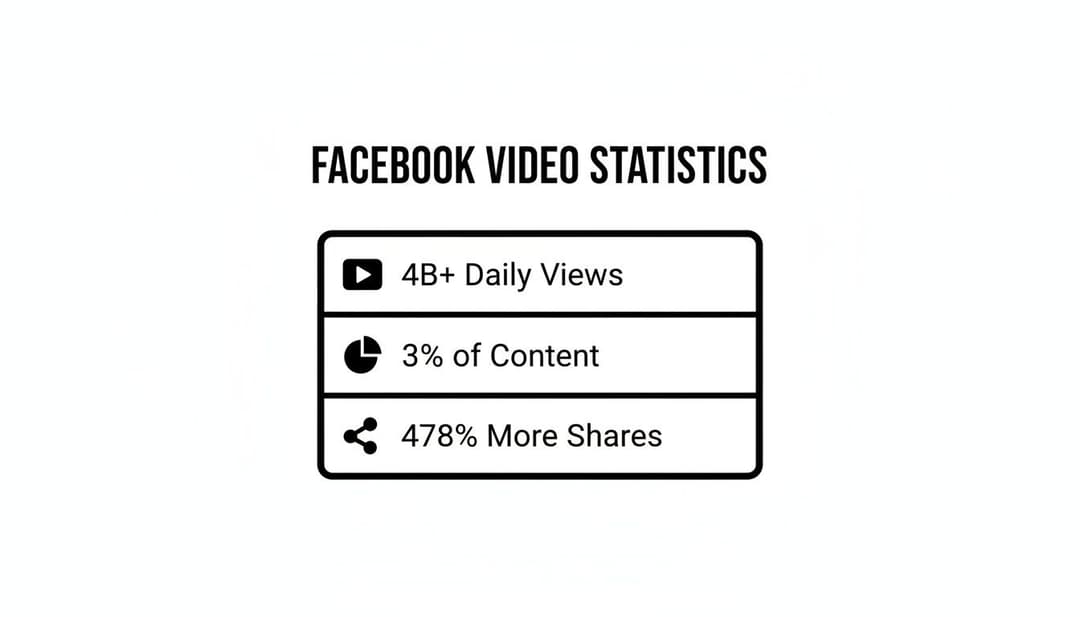
The data is clear: while video makes up a tiny fraction of all content, it pulls in billions of daily views and gets shared way more than anything else. That's some serious engagement potential you can't afford to ignore.
Go Vertical or Go Home: Mastering Aspect Ratios
The single most critical spec is the aspect ratio. Almost everyone is on their phone, so you absolutely must design for a vertical screen. A classic horizontal 16:9 video gets shrunk into a tiny letterbox, surrounded by black bars. It's hard to see, looks out of place, and is ridiculously easy to scroll right past.
For placements like Reels and Stories, the full-screen, vertical 9:16 aspect ratio is your best friend. It’s immersive, fills the entire screen, and grabs every ounce of a user’s attention.
For the in-feed placements, a 4:5 ratio is a fantastic choice. It takes up significantly more screen real estate than a square (1:1) video, which means it’s harder to miss when someone is scrolling.
File Types, Lengths, and Getting to the Point
Beyond the shape of your video, you’ve got to get the format and length right. Meta’s official recommendation is to stick with MP4 or MOV files. They give you the best mix of high quality and small file size, which is perfect for smooth streaming.
Video length is where things get really different depending on the placement:
- Facebook Feed: Videos can technically be up to 240 minutes, but let's be real. For ads, you want to keep it short and sweet. The sweet spot is 15-30 seconds.
- Facebook Stories: The max length is 120 seconds, but users are in a rapid-fire tapping mode here. Aim for under 15 seconds.
- Facebook Reels: These are designed for short, punchy content, with a hard cap of 90 seconds. The best-performing Reels ads are almost always under 30 seconds.
Your main goal is to land your message almost instantly. If you don’t hook someone in the first three seconds, you’ve lost them. It doesn’t matter if the video is 15 seconds or 15 minutes long.
To help you keep track, here's a quick reference table with the most common placements and their specs.
Facebook Video Ad Placement Specifications for 2026
This table breaks down the key technical requirements for the most popular Facebook video ad placements. Use it as a quick cheat sheet to make sure your creatives are perfectly optimized for every format before you hit "publish."
| Placement | Recommended Aspect Ratio | Max Length | Recommended Resolution | Max File Size |
|---|---|---|---|---|
| Feed | 4:5 | 240 minutes | 1080x1350px | 4GB |
| Stories | 9:16 | 120 seconds | 1080x1920px | 4GB |
| Reels | 9:16 | 90 seconds | 1080x1920px | 4GB |
| In-Stream | 16:9 | 15 seconds | 1920x1080px | 4GB |
| Marketplace | 4:5 | 240 minutes | 1080x1350px | 4GB |
Getting these specs right means your video shows up looking sharp and professional, giving it the best possible chance to stop the scroll.
Once you’ve got these fundamentals down, you can pour all your energy into what really moves the needle: the creative strategy. For an even deeper dive, check out our complete guide to Facebook video ad dimensions.
Creating Your First High-Impact Facebook Video Ad
Alright, you've got your video file ready to go. Now it's time for the fun part: turning that file into a live ad inside Meta Ads Manager. This is where your strategy gets put into action.
Getting from a video on your desktop to a high-performing ad isn't just a matter of clicking "upload." It's a sequence of deliberate choices, each one designed to give your creative the best shot at succeeding.
The very first thing you'll do is pick a campaign objective. This isn't just a box to tick; it's you telling Meta's algorithm exactly what you want to accomplish. While you'll see options like 'Awareness' or 'Traffic,' seasoned performance marketers almost always have their sights set on one thing: Conversions.
When you choose this objective, you're instructing the algorithm to find people who are most likely to take a valuable action, whether that’s making a purchase, filling out a form, or signing up. It’s about driving real business results, not just views.
Assembling the Ad Creative
With your objective locked in, you'll head down to the ad level. This is where the magic happens and you bring together the three key pieces of your ad: the video, the primary text, and the headline. Each one has a specific job to do in stopping the scroll and convincing someone to click.
First, you'll upload your video. As Meta processes it, you’ll see previews of how it will look across different placements. Don't skip this part! It's a critical gut check. Pay close attention to the 9:16 vertical view for placements like Reels and Stories. The last thing you want is for your killer visuals or text overlays to get awkwardly cropped off-screen.
Next up is your primary text, which is the copy that sits above your video in the feed. Your mission here is to hook them from the very first line. Lead with your most powerful benefit or a question that piques their curiosity. Keep it snappy and focused on a single, compelling message that supports what’s happening in the video.
Finally, you’ll write a sharp, direct headline. This little piece of text appears right below your video, next to the call-to-action (CTA) button. It should reinforce your main value proposition or clearly state the offer. Think of it as the final nudge that confirms what they'll get when they click.
Don't Forget the Thumbnail and Captions
Before you hit that publish button, there are two small details that can have a massive impact on your results: the thumbnail and the captions.
The thumbnail is that static image people see before your video starts playing. Meta will suggest a few frames, but honestly, you should almost always choose your own. Pick a frame that's visually striking, creates a bit of intrigue, and gives a clear idea of what the video is about. A great thumbnail can be the difference between someone scrolling by and someone stopping to watch.
Here’s a pro tip that’s non-negotiable: add burned-in subtitles. An estimated 85% of users watch Facebook videos with the sound off. This means captions aren't a "nice to have"—they're absolutely essential if you want your message to land. This simple step ensures your story gets across to everyone, no matter where they're watching.
Getting these fundamentals right turns a simple video file into a well-oiled ad machine. For a more detailed breakdown of the whole ad creation process, check out our guide on how to create a successful Facebook ad.
Make Every Second Count—Especially the First Three
It's easy to get bogged down trying to make every single second of your video perfect, but the data tells us to focus our energy elsewhere. The real battle for attention is won or lost in the opening moments.
In fact, a jaw-dropping 47% of a video ad's total campaign value is packed into the first three seconds alone. That just goes to show how incredibly important that initial hook is. If you don't grab them immediately, you've lost them.
The good news? Video ads deliver a huge bang for your buck. They typically cost just 10% of what you'd spend on carousel or single-image ads, giving you an affordable way to make a big splash. You can dig into more of these powerful video statistics on 99firms.com.
So, put your focus where it matters most: create an explosive opening that stops the scroll and instantly communicates value. When you combine a strong hook with the right objective and a well-assembled creative, you're setting your first video ad up for a winning run.
Creative Strategies That Actually Stop the Scroll
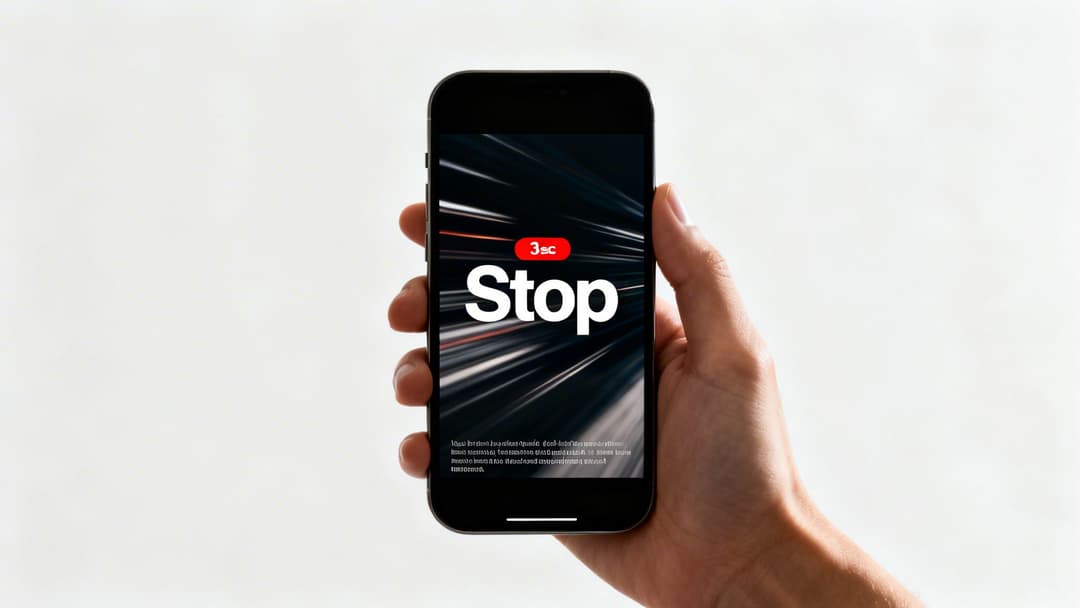
Getting the technical specs right is just the price of admission. The real challenge—and where most ads fail—is creating something that can actually interrupt a mindless scroll and command attention. When it comes to Facebook video, the entire battle is won or lost in the first few seconds.
Your number one job is to master the 3-second hook. This is all about using an arresting visual, a sudden movement, or a bold text overlay to jolt someone out of their scrolling stupor. Forget slow, cinematic intros or saving your logo for a big reveal. You have to deliver immediate value or intrigue.
For instance, a fitness app should open with a dynamic, in-your-face shot of a challenging exercise, not a bland logo animation. A food brand? Show a close-up of gooey, pulling cheese. The goal is simple: make stopping more compelling than scrolling.
Designing For a Sound-Off World
Let’s be real: the vast majority of people will see your video without ever turning the sound on. This means your story has to be told visually, full stop. If you're relying on a voiceover to explain what's going on, you've already lost.
Instead, think like you're making a silent film. Use large, dynamic text overlays to get your key messages across. Just make sure the text is concise and stays on-screen long enough for someone to actually read it.
- Highlight the good stuff: Use bold text to shout out "50% Off" or "Free Shipping."
- Ask a question: A simple "Tired of slow software?" can hook viewers by tapping into a pain point.
- Guide the story: Use short, punchy phrases to explain what’s happening on screen.
Adopting this visual-first approach ensures your message lands, whether the audio is on or completely ignored.
Pro Tip: Don't save your branding for the end. Weave your logo or brand colors into the first few seconds. It can be a subtle watermark or a quick visual cue, but it's crucial for building brand recall, even with viewers who only watch for a moment.
Optimizing For Vertical and Mobile
Every single creative choice you make needs to be filtered through a mobile-first lens. Vertical video (9:16) is king, especially for formats like Reels and Stories. Why? Because it fills the entire screen, creating an immersive experience that feels native to the platform instead of like a clunky, repurposed ad.
Speaking of which, Facebook Reels have exploded to become the platform's fastest-growing format, now accounting for 50% of all time spent on Facebook. These bite-sized videos are reshared a staggering 3.5 billion times every day, offering a massive opportunity for organic reach. If you're not creating Reels, you're leaving visibility on the table.
Finally, every great video needs a clear, compelling Call-to-Action (CTA). Don't just let your video fade to black. Tell people exactly what to do next. Whether it's "Shop Now," "Learn More," or "Sign Up," your CTA should be visually prominent and impossible to miss. Combine an on-screen text CTA with the actual ad button for maximum impact.
To take your video strategy even further, look into how AI for creative operations can help you scale your efforts. For more hands-on advice, you can also check out our guide on https://www.adstellar.ai/blog/digital-marketing-creatives.
How to Scale Video Production with AI
Making one fantastic video is a great first step. But if you want to win on Meta long-term, you need a constant stream of fresh creative. I’ve seen it time and time again: the real challenge for growth teams isn’t just making a single good ad; it's producing enough variations to fight off creative fatigue and find the next winning formula.
This is a massive bottleneck. Manually editing dozens of video versions—swapping out headlines, trying new calls-to-action, or testing different music—is painfully slow and simply doesn’t scale. The moment you launch a campaign, the clock starts ticking on creative decay.
This is exactly where the sharpest performance marketers are turning to AI.
Automating Your Creative Variations
This is where platforms like AdStellar AI come into play. They’re built to smash this exact bottleneck. By connecting directly to your media library and ad account, you can generate hundreds of video and copy variations in minutes, not days. The idea is to transform manual drudgery into a strategic, automated workflow.
Instead of getting bogged down in a video editor for hours, you get to focus on high-level strategy. This new way of working lets you:
- Launch More Tests: Systematically pit different hooks, value props, and visuals against each other to see what really works.
- Find Winners Faster: When you get more "at-bats," you can quickly spot the creative combos that drive the best results.
- Reinvest Your Time: Free yourself up from the repetitive grunt work to focus on what matters—analyzing performance and planning your next big campaign.
This approach gives even lean teams a powerful edge, allowing for a level of creative testing that was once only possible for companies with huge budgets and teams.
Here’s a glimpse of what an AI-powered creative dashboard looks like. You can see how you can manage and generate multiple video assets all in one place.
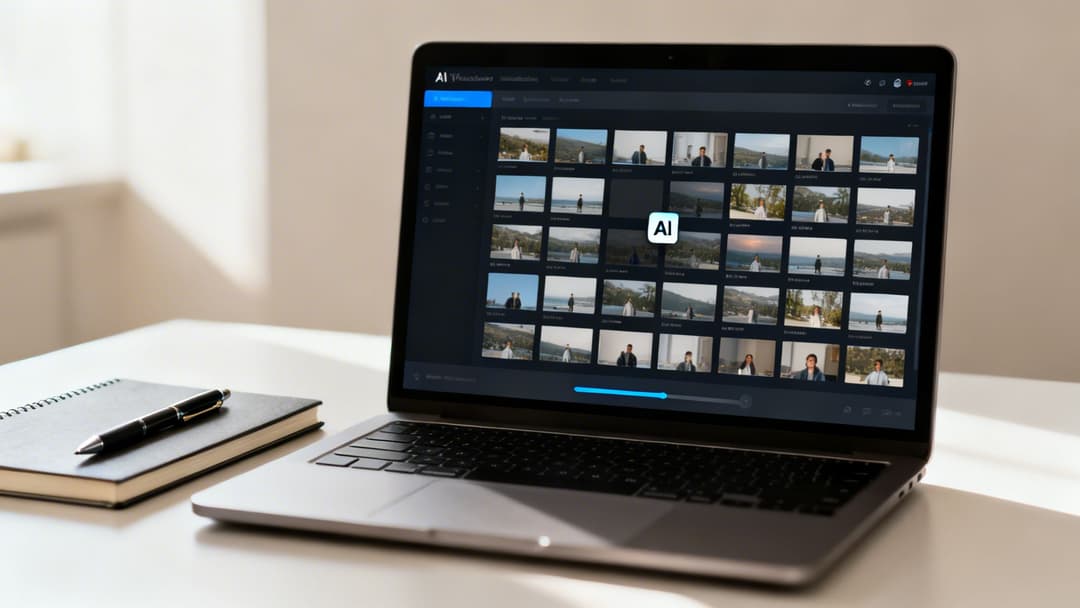
The interface pulls all your assets together, making it incredibly easy to select different elements and let the AI generate dozens of ready-to-launch variations for your campaigns.
A New Workflow for Growth
Think about it. You have a top-performing video ad that's crushing it. Instead of just letting it run until performance inevitably drops off, you can use AI to instantly spin up 50 new versions.
For example, you could test:
- 10 different opening hooks to see which one is the ultimate scroll-stopper.
- 5 different versions of primary text, each highlighting a unique product benefit.
- A new background music track or a different CTA to see if it lifts your click-through rates.
The goal is to shift your mindset from creating one-off videos to building a system of continuous creative iteration. By automating production, you test more ideas, learn faster, and unlock a whole new level of performance and scale from your Meta ad spend.
This isn't just about moving faster; it's about making data-driven decisions at a much quicker pace. When you have more creative in the market, you get more signals back about what your audience truly wants.
If you want to dig deeper into how these systems work, check out this great overview of creative automation tools and how they fit into a modern marketing stack. It's how the best teams consistently win on platforms like Facebook.
Got questions about making Facebook videos? You're not alone. Even with a killer strategy, the nitty-gritty details can trip you up. Let’s tackle some of the most common questions I hear from marketers so you can get back to creating.
First, let's get one thing straight: for performance marketers, video is where the money is. The data doesn't lie. Social video pulls in a staggering 1200% more shares than text and images put together. On Facebook, video posts hit a 6.01% average engagement rate, comfortably beating out photo posts at 4.81%.
When 73% of consumers say a brand's social media presence influences their buying decisions, getting your video right is non-negotiable.
What Is the Best Length for a Facebook Video Ad?
This is the million-dollar question, isn't it? While Facebook lets you upload longer videos, the sweet spot for most feed ads is between 15-30 seconds. Your real job is to nail your core message in the first three seconds to stop the scroll.
For super-fast environments like Reels and Stories, you need to think even shorter. Aim for under 15 seconds, always. The only way to know for sure is to test different lengths and see what your audience actually responds to.
Can I Use Popular Music in My Video Ads?
Tread very carefully here. Using popular, copyrighted music without a commercial license is a fast track to getting your ad rejected or your account flagged. Getting those licenses? It's usually a nightmare of complexity and cost.
Instead, just use Meta's Sound Collection. It's packed with royalty-free music and sound effects that are totally safe to use in your ads.
Honestly, most people watch videos with the sound off anyway. Your energy is much better spent on powerful visuals and crystal-clear captions. Think of music as a nice-to-have for the few who turn the sound on, not the main event.
How Do I Add Captions to My Facebook Video?
You’ve got a few solid options.
Inside Meta Ads Manager, there's a built-in auto-captioning tool. It's a good starting point, but you absolutely have to proofread it. AI makes mistakes, and a typo can kill your credibility.
For more precision, you can upload your own SubRip (.srt) file. This gives you full control over timing and wording.
But the most reliable method? Just "burn" the captions directly into the video file with your editing software. This makes them a permanent part of the video, guaranteeing they show up perfectly across every single placement and device. It’s the best way to maximize your message’s reach.
And of course, make sure your video creative itself follows all the rules. If you need a refresher, check out our comprehensive guide to navigating Facebook Ads policy.
Ready to stop wasting time and start scaling your campaigns? With AdStellar AI, you can automate your ad creation, launch hundreds of creative tests in minutes, and let AI identify your top performers. See how it works at https://www.adstellar.ai.


