
A Facebook mockup ad is your secret weapon. It’s a high-fidelity preview of exactly what your ad will look like across different Meta placements—before you spend a single dollar. Think of it as the final dress rehearsal for your campaign, giving you the chance to see and tweak everything from the copy and creative to the headline for the best possible impact.
Why Facebook Mockup Ads Are Non-Negotiable in 2026
We've all been there: staring at a blank canvas in Ads Manager, feeling the pressure to get it right the first time. The ad-buying environment is more crowded and expensive than ever, which is exactly why mockups have become an indispensable tool for any serious performance marketer.
Simply launching one ad and hoping it works is a recipe for wasted budget. The modern Meta landscape rewards those who can test smarter and faster. Mockups are the strategic backbone of that rapid iteration, letting you validate concepts, headlines, and visuals before your ad spend is even on the line.
The Strategic Edge of Mocking Up
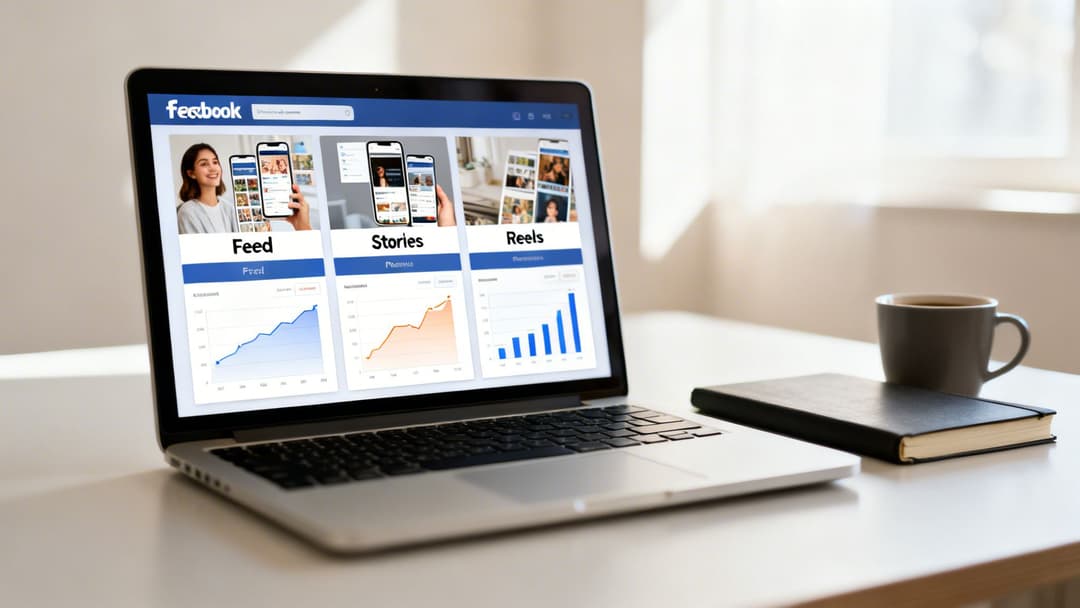
Getting a real-world preview of dozens of ad variations across placements like Feed, Stories, and Reels is a massive advantage. This is where you catch the costly mistakes—the awkward image crops, the headline that gets cut off, or the text overlay that covers a key part of your video. You spot these issues in the planning phase, long before they can drag down your campaign's performance.
The scale of the platform alone makes this a necessity. In 2025, Facebook's ad revenues hit a staggering $116.53 billion worldwide, a testament to its reach. With over 3.06 billion monthly active users, creating a Facebook mockup ad for rapid testing isn't just a smart move; it's a survival tactic. We've even seen that vertical video mockups with a simple voiceover can lift conversions by as much as 3% per dollar spent. For more details on these trends, you can explore the latest Facebook statistics.
This is where the real value comes into play:
- Better ROAS: By pre-testing your ideas, you launch with creative that’s already proven more likely to connect with your audience, directly leading to a higher return on ad spend.
- Faster Scaling: Mockups let you build a library of high-potential ads. When you find a winner, you're ready to scale it immediately.
- Smarter Collaboration: Instead of getting bogged down in subjective feedback, you can share mockups with stakeholders to focus the conversation on strategy and performance.
The core problem mockups solve is the shift from a slow, manual creative process to a fast, data-informed workflow. This change is absolutely critical for any team trying to find sustainable growth on Meta.
Ultimately, mockups bridge the gap between just previewing ads and actually achieving better results. They turn a tedious, high-risk guessing game into a clear, strategic workflow. For those still questioning the platform's potential, our article on whether Facebook advertising works offers some deeper insights. Automation platforms like AdStellar AI take this foundational practice and turn it into a powerful engine for growth.
Crafting Your First Facebook Ad Mockup
Diving into your first Facebook ad mockup can feel a bit daunting, but it's less about being a design wizard and more about smart preparation. Before you even think about opening a tool, you need to get all your ingredients in order. Think of it as mise en place for marketers—everything in its right place before the cooking starts.
Your main goal here is to build a small library of creative components. Having a few versions of each element ready lets you quickly mix and match, testing different hooks and angles without having to go back to the drawing board every single time.
Assembling Your Creative Components
Let's get practical. Imagine you're a DTC brand launching a new skincare product. You'd want to gather a few different assets to see what resonates with your audience.
Here’s what that looks like in the real world:
- Visuals: Grab 3-5 high-quality images or short video clips. You'll want some variety—maybe a lifestyle shot, a quick product-in-use video, and a clean graphic that calls out a key benefit.
- Copy: Write two different takes on your primary text. One can hit on an emotional pain point ("Feel confident in your skin"), while the other can be more direct and feature-focused ("Our serum fades dark spots in 14 days").
- Headlines: You'll want at least three punchy headlines to test. Try a question ("Ready for a skin refresh?"), a clear offer ("Get 20% Off Your First Order"), and a benefit-driven statement ("Visibly Brighter Skin Awaits").
- Calls-to-Action (CTAs): Think about what you really want the user to do next. "Shop Now" is the old standby, but if your product needs a bit more explanation, "Learn More" can often be the smarter choice.
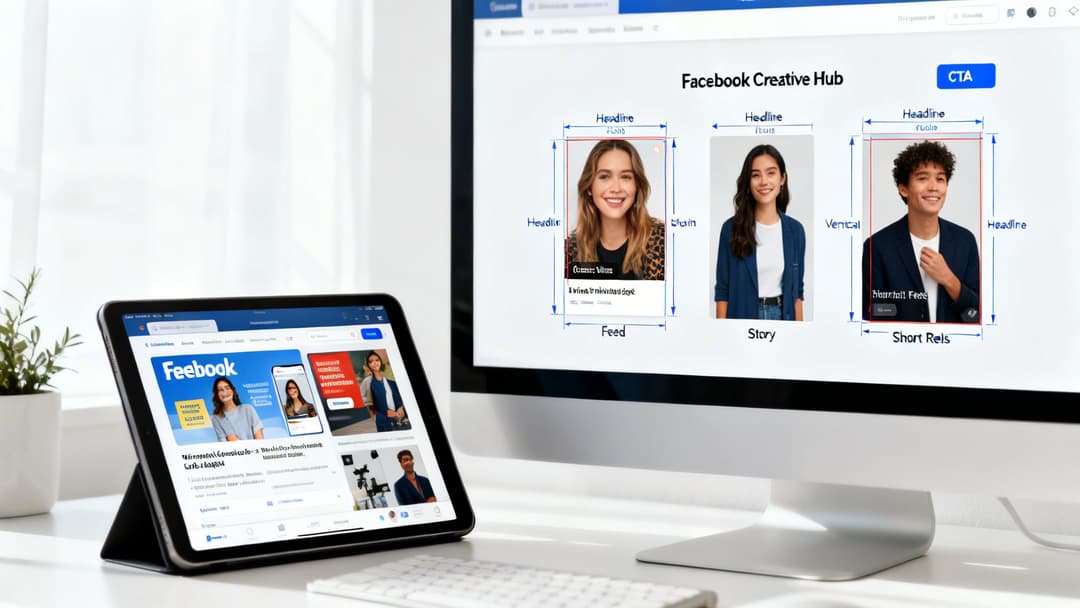
Once you have these pieces, you’re ready to build a preview. The easiest place to start is Meta's own Facebook Creative Hub. It's a completely free tool that lets you upload your assets and see exactly how your ad will look across all the different placements.
A classic rookie mistake is designing a beautiful ad for the News Feed and just assuming it will look good everywhere else. Using the Creative Hub is a reality check—it forces you to see how that 1:1 ad gets awkwardly cropped in a 9:16 Story, helping you catch costly errors before you spend a dime.
Ensuring Your Mockup Is Spec-Perfect
Getting the technical details right from the start is non-negotiable. An ad can look perfect in Figma or Canva but fall flat on Facebook if it doesn't meet Meta’s strict requirements. The wrong aspect ratio leads to ugly cropping, and too much text overlay on an image can still hurt your ad's delivery.
To help you get this right every time, here’s a quick-reference table with the specs for the most common placements.
Essential Facebook Ad Specs for Common Placements
| Placement | Recommended Resolution | Aspect Ratio | Primary Text Limit | Headline Limit |
|---|---|---|---|---|
| Feeds | 1080 x 1080 pixels | 1:1 | 125 characters | 40 characters |
| Stories & Reels | 1080 x 1920 pixels | 9:16 | 125 characters | 40 characters |
| In-Stream Video | 1080 x 1080 pixels | 1:1 | 125 characters | 40 characters |
| Search Results | 1080 x 1080 pixels | 1:1 | 125 characters | 40 characters |
Keep this table handy to ensure your mockups are pixel-perfect and primed for performance. For a deeper dive into the creative strategy behind this, our guide on crafting a Facebook post mockup provides more valuable tips.
Of course, building powerful assets from the start is half the battle. Learning how to create AI video ads that convert can give you a massive head start in your creative process.
By nailing these foundational steps, you’re not just making a pretty picture. You’re building a professional-grade Facebook ad mockup that’s built to perform the moment it goes live.
Choosing the Right Mockup Tool for Your Workflow
Picking your Facebook ad mockup tool isn’t just a small technical choice; it’s a decision that dictates your team’s speed, creative output, and ability to scale. The right tool can be a massive advantage, while the wrong one creates frustrating bottlenecks.
Your choice really depends on what you're trying to accomplish. Are you a freelancer crafting a handful of beautiful ads, or are you an agency trying to test hundreds of creative variations a week? The answer will point you toward one of three paths: manual design software, dedicated preview tools, or fully integrated AI platforms. Each has its place, but they serve very different needs.
Manual Design Software
For years, the design world has lived in tools like Figma, Sketch, and Adobe XD. These platforms give you unparalleled, pixel-perfect control over every single creative element. If you're building a highly unique, brand-defining visual, there's no substitute.
But here’s the catch: this manual approach hits a wall, and it hits it fast. The moment you need mockups for different placements—like the Feed, Stories, and Reels—you’re stuck in a cycle of duplicating, cropping, and resizing. It's repetitive and slow. Collaboration becomes a mess of exported PNGs and scattered feedback on Slack, making revisions a painful, drawn-out process.
This route works for one-off, bespoke projects where precision is everything. But for rapid A/B testing or large-scale campaigns, it's a recipe for inefficiency.
Dedicated Preview Tools
Next up are platforms built specifically for previewing ads, with Meta's own Creative Hub being a prime example. These tools do one thing very well: they show you exactly how your finished assets will look across all of Meta’s ad placements.
You just upload your images, videos, and copy, and you get a perfect preview. This is a huge step up from guessing how things will render. You can even generate shareable links for clients or managers to approve, which streamlines the feedback loop. The problem is, these are preview tools, not creation tools. They don't help you actually generate the dozens of variations you need to test in the first place.
Think of preview tools as the final quality check before an ad goes live. They’re fantastic for catching placement-specific errors, but they don't solve the bigger problem of producing enough creative to find what actually works.
Integrated AI and Automation Platforms
This is where the game really changes. Tools like AdStellar AI are built to handle the entire creative workflow, from initial concept all the way to launch. Instead of just previewing finished ads, these platforms automate the creation of hundreds of Facebook ad mockup variations for you.
You can connect a product feed or upload your core creative assets, and the system will instantly mix and match them into a massive volume of test-ready ads. This approach is built from the ground up for performance marketing teams who need to move fast and test everything.
The benefits are impossible to ignore:
- Scalability: Go from idea to hundreds of ad variations in minutes, not days.
- Efficiency: Automate all the tedious resizing and reformatting for different placements.
- Collaboration: Keep all your creative assets, mockups, feedback, and approvals in one place.
For any team serious about scaling their ad spend, these platforms are no longer a nice-to-have. Our guide on creative automation tools dives deeper into how this technology is reshaping modern ad workflows. Ultimately, if your goal is to test, learn, and scale faster than your competition, an integrated AI platform is essential.
Doing everything by hand has a hard limit. If you want to be truly agile with your campaigns, you have to move past crafting one Facebook ad mockup at a time and embrace automation. This is where you find a real competitive edge—by generating a massive volume of creative variations in a fraction of the time it would take manually.
The secret lies in what we call a creative matrix. Instead of painstakingly building individual ads, you feed an automated system a pool of creative components: a handful of strong headlines, a variety of images or videos, and different blocks of ad copy. The platform then does the heavy lifting, mixing and matching these elements to spit out hundreds of unique ad mockups in minutes.
What was once a grueling, multi-day task becomes a quick afternoon project. For anyone looking to scale ad creative fast, digging into advanced generative AI tools and Stable Diffusion img to img techniques can completely change your workflow.
The Power of Data-Informed Automation
But the real game-changer is when you plug this automation directly into your ad account. By integrating a platform like AdStellar AI with your Meta Ads Manager, the system can pull in all your historical performance data. It quickly learns which headlines, visuals, and messages have previously delivered the best ROAS or CPL.
This data-driven approach means the system isn't just creating random combinations. It intelligently assembles new ad mockups using elements that are already proven winners. That drastically increases the odds that your next batch of test ads will perform well right out of the gate.
This flow from manual design to automated intelligence is a crucial evolution for any modern marketing team.
The diagram below shows the typical path teams take as their mockup process matures, starting with basic design tools and moving toward sophisticated AI automation.
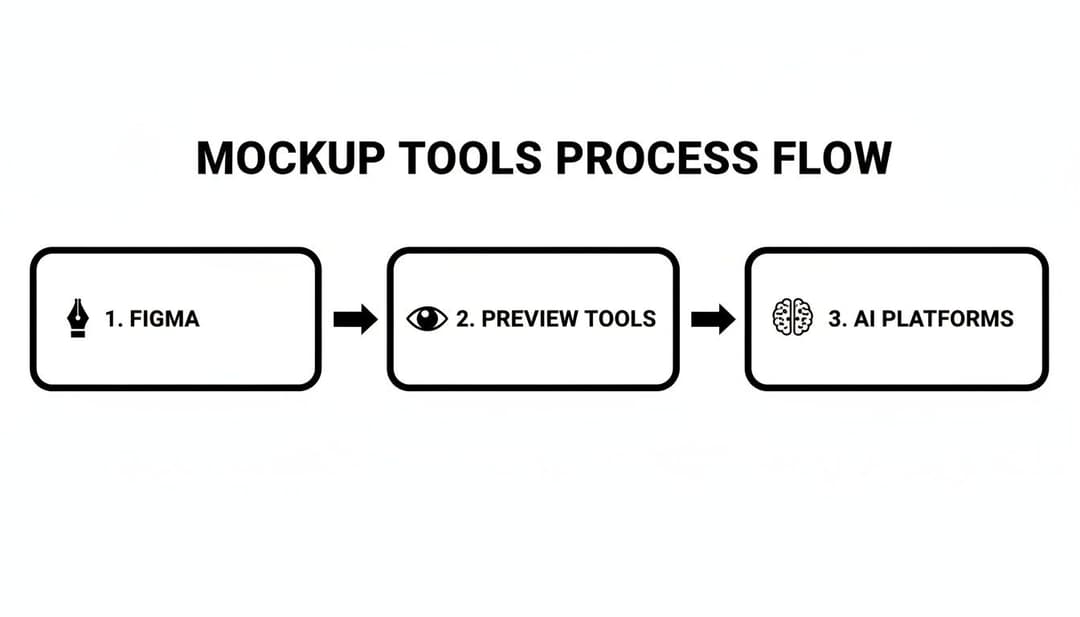
This visual shows how teams evolve from having total creative control to using AI for scalable, data-backed ad creation that actually drives results.
Automation in a Real-World Scenario
Let's picture an e-commerce brand getting ready for a huge holiday sale. To maximize their return during this critical window, they need to test dozens of different angles, and they need to do it fast.
- Manually: Their designer would be buried in Figma for days, resizing assets for every placement and creating endless variations. Feedback would be a chaotic mess of Slack pings and email threads. It's slow and prone to error.
- With Automation: The team uploads their sale-themed images, video clips, and promotional copy into an automation platform. In about an hour, they have over 200 distinct, spec-perfect ad mockups ready for review and stakeholder approval.
This isn't just about saving time; it's about massively amplifying your capacity to test and learn. The competition on Meta is fierce. With over 10 million active advertisers, you have to iterate quickly to stand out. We know that things like including video in lead-gen ads can boost conversions by 20%, and proper conversion optimization can lead to a 2-3x ROI improvement. Rapid iteration lets you find those wins faster than your competitors.
Platforms like AdStellar AI are built to solve this exact problem, bulk-generating hundreds of creative and copy combinations from your proven winners. For a deeper look at how this all works, check out our guide on using an automated ad creation platform. This approach takes the chaos of manual creation and turns a bottleneck into your biggest strategic advantage.
Presenting Mockups and Integrating Team Feedback
So, you've created a technically perfect Facebook ad mockup. That’s a great start, but it’s only half the battle. The real test often comes when you need to get buy-in from stakeholders—be it clients, your boss, or even other teams.
I’ve seen it a hundred times: a well-planned testing strategy gets completely derailed because the feedback process turns into a subjective debate about colors and fonts.
The secret is to change the conversation entirely. You have to frame every presentation around a clear testing hypothesis. Stop asking, "Do you like this ad?" and start asking, "Which of these three angles do you think will resonate best with Audience A?" This simple shift moves the discussion from personal taste to strategic, data-driven decisions. Your job is to get everyone focused on the outcome, not just the pretty picture.
Moving From Subjective Opinions to Strategic Decisions
When you show a Facebook mockup ad, you're not unveiling a finished masterpiece. You're proposing a scientific experiment. Each mockup represents a different variable you want to test, and presenting multiple variations at once anchors the entire feedback process in comparison and strategy.
For example, you might walk into a meeting with three distinct mockups:
- Mockup A: Hits hard on a specific product feature with a direct, benefit-driven headline.
- Mockup B: Goes for a lifestyle vibe, using an emotional, story-based copy.
- Mockup C: Puts a customer testimonial front and center with a powerful call-to-action.
Now, the question isn't about which one someone likes more. It’s, "Which of these hypotheses is most likely to drive conversions for our target audience?" This approach forces everyone in the room to think like a marketer and align their feedback with the campaign's actual goals.
The most productive feedback sessions I've been a part of are the ones where we never discuss personal preferences. The only question that matters is, "Does this ad clearly communicate the benefit we need to test?" If the answer is yes, the mockup has done its job.
Streamlining Feedback with Professional Tools
Let's be honest, emailing attachments back and forth or trying to gather feedback in a messy Slack thread is a nightmare. It's inefficient, disorganized, and frankly, unprofessional.
To keep the process clean and effective, use tools that generate shareable links or dedicated dashboards. Platforms like AdStellar AI are built specifically for this, letting you present a whole collection of ad mockups in a single, polished view.
This centralized approach pays off in a few huge ways. First, it guarantees everyone is looking at the most up-to-date versions, which instantly cuts down on confusion. Second, it keeps all comments, revisions, and approvals in one place, creating a clear paper trail of every decision.
Finally, presenting your mockups within a professional dashboard sends a subtle but powerful message: these are strategic assets, not just random images. This small change in presentation can completely elevate the quality of feedback you receive, making the entire approval process faster and far more effective.
From Mockup to Live Campaign and Beyond
Getting your Facebook ad mockup approved is a great feeling, but that’s really just the starting line. The real magic happens when you can seamlessly push that creative into a live campaign and then—this is the crucial part—use the performance data to make your next move.
This is where you close the loop, turning a promising idea into a measurable result. With a platform like AdStellar AI, an approved mockup can be sent directly to Meta Ads Manager with a single click. No more rebuilding ads by hand, and no more worrying if a tiny mistake will derail the launch. What you saw in the preview is exactly what goes live.
Analyzing Performance and Closing the Loop
Once your ads are out in the wild, the focus immediately pivots to analysis. The goal is to figure out what’s working and what’s not, fast. Instead of getting buried in spreadsheets, AI-powered insights can stack-rank your ads against your most important goals—be it ROAS, CPL, or CPA. This gives you a clear signal on which creative concepts are your true winners.
That performance data is gold. It feeds directly back into your next round of mockups, finally putting an end to the guesswork. You’re no longer staring at a blank page; you're building on what you already know works.
The scale of Facebook’s platform is staggering. By 2025, it's projected to hit 3.07 billion monthly active users and pull in $196 billion in global ad revenue. For any growth team, that scale means you have to be testing constantly. For instance, campaigns with an awareness objective drive 37.7% of all impressions, and having the right mockups ready to go can make a huge impact. You can dig into more of this data in these recent Facebook statistics.
From Insights to Intelligent Scaling
This cycle of test-learn-iterate is what separates the top-tier performance teams from everyone else. The key is having auto-learning models that constantly monitor your campaign results.
Here’s how this data-driven workflow gives you an edge:
- Spotting Winners Early: The system automatically flags high-performing ads as soon as they show promise, so you don't miss an opportunity.
- Scaling What Works: It then pushes more budget toward those winning creatives, maximizing your return on every dollar spent.
- Cutting the Losers: On the flip side, it spots the underperformers and pulls back their spend, preventing you from burning cash on creative that just isn't connecting.
This approach transforms mockup creation from a one-time task into the first step of a continuous optimization machine. Every campaign gives you the intelligence to make the next one smarter, creating a powerful feedback loop that drives consistent improvement.
By connecting your mockups directly to your Facebook ad launch workflow, you build a repeatable system for scaling your wins. It’s about moving from creative chaos to campaign clarity, giving you the confidence to double down on what works and drive real growth.
Ready to turn your mockups into high-performing campaigns? AdStellar AI helps you launch, test, and scale Meta ads 10x faster. Stop guessing and start scaling with a data-backed workflow.


