
So, you need to post on Instagram and Facebook. You've really got three main ways to tackle it: posting in each app separately, using Instagram to cross-post to Facebook, or going through a tool like Meta Business Suite to schedule and manage everything in one place.
While just cross-posting from Instagram is definitely the quickest route, I've found that using the Business Suite gives you way more control, especially when you need to schedule content or tweak it for different audiences.
Why Your Posting Strategy Matters
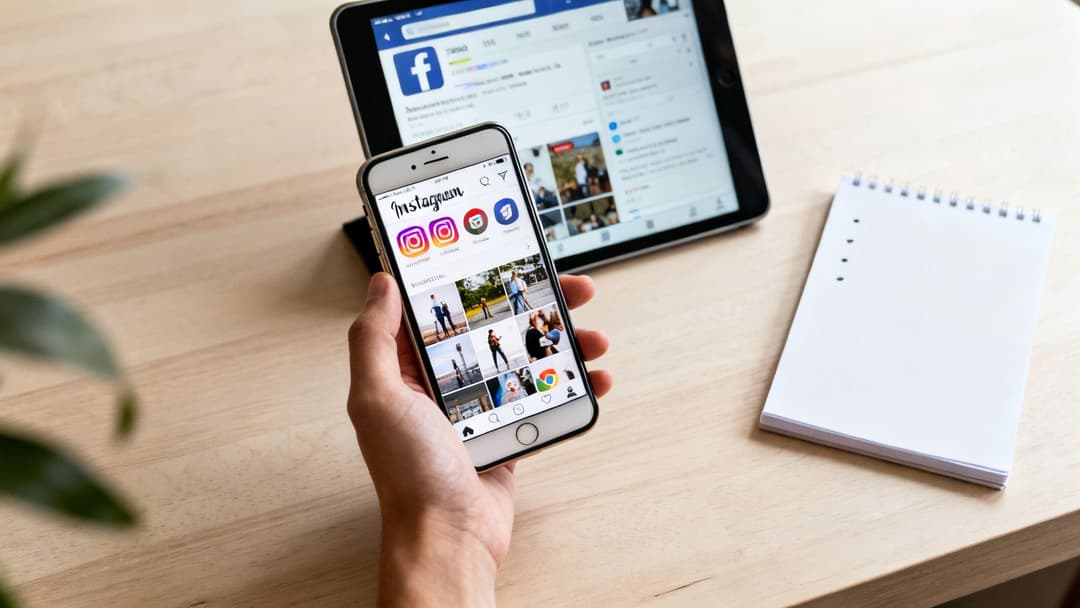
Knowing how to post on these platforms is about more than just hitting "publish." It's about recognizing that you're talking to two completely different crowds, and each has its own unique expectations and behaviors.
A smart approach isn't just about being efficient; it's about making deliberate choices that actually move the needle. Before you even think about the "how," you need a winning social media marketing strategy in place. Trust me, it’s the foundation for any real, long-term success.
This guide will walk you through the three core methods for getting your content live, so you can pick the best workflow for your brand and your goals.
The Instagram and Facebook Divide
At the heart of any good strategy is understanding the massive difference between these two social giants. Instagram is a visual-first world—it's all about aesthetics, quick entertainment, and influencer culture. Facebook, on the other hand, acts more like a community hub built on personal connections, news sharing, and group discussions.
This isn't just a vibe thing; the numbers back it up. Let's take a quick look at how the two platforms stack up for marketers.
Instagram vs Facebook At a Glance for Marketers
This table gives a snapshot of the key differences that should guide your posting decisions.
| Metric | ||
|---|---|---|
| Primary Audience | Younger (Gen Z, Millennials) | Broader (Gen X, Boomers) |
| Content Focus | Visuals: photos, Reels, Stories | Diverse: links, text, video, photos |
| Engagement Rate | 0.48% (higher per post) | 0.15% (lower per post) |
| Best For | Brand building, visual storytelling | Community building, driving traffic |
| Key Format | Reels & Stories | Video & Link Posts |
As you can see, the engagement metrics alone tell a compelling story. The higher engagement rate on Instagram explains why formats like Reels are so dominant for advertisers. It's all about capturing attention quickly.
Key Takeaway: Stop treating these platforms like a monolith. Even small tweaks to your content for each audience can make a huge difference in your results. What kills it on Instagram can easily fall flat on Facebook, and vice versa.
Before we jump into cross-posting and scheduling, you’ll need to make sure your accounts are properly connected. If you haven’t done that yet, check out our guide on how to link your Facebook and Instagram accounts to get your foundation set.
With that out of the way, let's explore how to put all this into practice. We'll cover:
- Posting natively in the mobile and desktop apps.
- Using Meta Business Suite for scheduling and customization like a pro.
- Optimizing your content with insights from your data.
Mastering Native Posting on Mobile and Desktop
The fastest way to get your content out there is by posting directly from the Instagram and Facebook mobile apps. This is your go-to method for those "in-the-moment" updates—think sharing a live event on an Instagram Story or giving your followers a spontaneous behind-the-scenes look.
When you post natively, you’re using the apps exactly as they were intended. On Instagram, you tap the “+” icon and a menu pops up with options for a Post, Story, Reel, or Live broadcast. Each format comes with its own creative toolkit, like stickers for Stories or trending audio for Reels, that you can only access right there in the app.
Facebook’s mobile experience is just as straightforward. You start by tapping the “What’s on your mind?” box. From there, you can upload photos and videos, go live, run a quick poll, or even add a feeling or activity to your post.
Crafting Your Post on Mobile
Let’s run through a real-world scenario. Imagine you’re a coffee shop owner and you've just gotten a fresh batch of single-origin beans delivered. How do you share the news?
- For Instagram: A multi-slide carousel post would be perfect. Your first slide could be a stunning, high-quality photo of the beans. Follow that with a short video of them being brewed, and cap it off with a graphic announcing they're only available for a limited time. Your caption would be packed with targeted hashtags like #SingleOriginCoffee, #SpecialtyCoffee, and your own branded tag like #YourShopRoasts.
- For Facebook: Here, you have more room to tell a story. You could write a longer post detailing the journey of the beans from the farm to your shop. Maybe you'd even include a link to a blog post on your website about the farm, inviting your community to learn more and come in for a taste.
On both platforms, you can tag other accounts and add a location—two small steps that can seriously boost your visibility. Tagging your roaster or the farm where the beans came from sends them a notification and opens the door for a cross-promotional share. Adding your shop's location also makes your post pop up for anyone searching for coffee nearby.
Pro Tip: Never, ever skip the location tag. Posts with a tagged location see 79% higher engagement on average. It’s a simple click that connects your content to a local, highly motivated audience.
The Limitations of Desktop Native Posting
While mobile is fantastic for spontaneity, what happens when you're working from your desk? Both Instagram and Facebook let you post directly from their websites. You can drag and drop your media, write captions, and publish straight from your browser. It gets the job done.
But you’ll quickly notice the desktop experience has some major limitations, especially on Instagram. Sure, you can upload standard feed posts and carousels, but trying to create or edit a Reel is clunky at best. It's missing the rich creative tools—like audio sync and special effects—that make the mobile version so dynamic.
This is a huge reason why a deep understanding of how to post on Instagram and Facebook means looking beyond the native apps alone. Direct posting is a must-have in your toolkit, but its desktop shortcomings highlight the need for more powerful solutions. To keep your visuals sharp and consistent, you also have to make sure your media is sized correctly. You can get all the specs by checking out the best sizes for Instagram photos in our detailed guide. Ultimately, these desktop weaknesses are exactly why tools like Meta Business Suite have become essential for any serious marketing strategy.
If you're trying to post to Instagram and Facebook natively from your phone and from your desktop, you've probably realized it gets chaotic. Fast. This is where you can start reclaiming your time and sanity. Think of Meta Business Suite as your social media command center, built to manage your Facebook Page and Instagram profile from one single, unified dashboard.
Instead of building out two entirely separate posts, the Suite lets you create a single piece of content and then fine-tune it for each platform, all within the same workflow. For anyone trying to build a cohesive brand presence without literally doubling their work, this integration is an absolute game-changer.
This process flow shows how content moves from creation to publishing, and it really highlights why a central tool becomes so essential for efficiency.
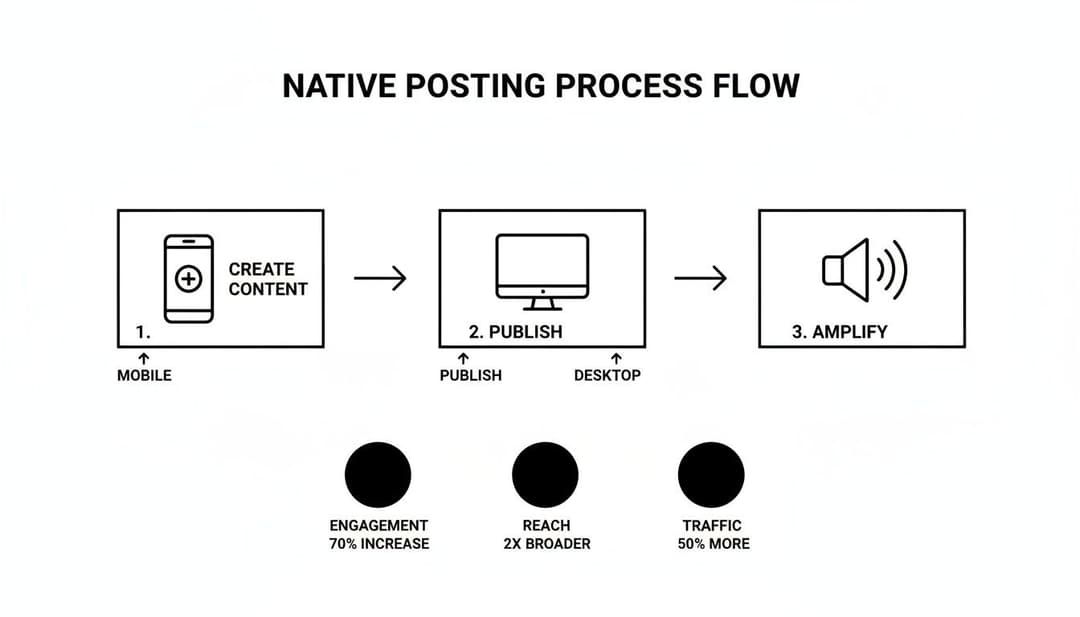
As you can see, while posting natively from each app works, a unified system like Business Suite merges these separate paths into one streamlined process. The time and effort you save are significant.
Creating and Customizing Your Posts
When you hit the “Create Post” button in the Business Suite, you’ll immediately see checkboxes for your Instagram and Facebook accounts. Select them both, upload your photo or video, and write your main caption.
But here’s where the magic really happens. The interface gives you platform-specific previews for the Feed, Stories, and more. If your caption suddenly feels too long for Instagram or you want a different call-to-action for your Facebook audience, you can just click into the text box for that specific preview and edit it directly. No more copy-pasting into different apps.
A Tip from Experience: Customization is everything. A "one-size-fits-all" post almost never performs as well as one that's tailored. Get in the habit of using the preview feature in Business Suite to tweak your text, hashtags, and even your media for each platform’s audience and best practices.
From this central hub, you can jump over to the planner, content creator, inbox, and insights dashboards. It truly becomes the heart of your social media operations. For a much deeper dive into everything it can do, you can learn more about mastering the Meta Business Suite in our comprehensive guide.
Scheduling for Peak Engagement
Maybe the most valuable feature in the entire Suite is the integrated content calendar, which they call the "Planner." This is where you can schedule all your posts weeks, or even months, ahead of time. Better yet, Business Suite provides recommended posting times based on when your specific audience has been most active in the past. This isn't generic data; it's your own.
For instance, your data might reveal that your Instagram followers are most active around 7 PM, while your Facebook audience is more likely to engage around noon. You can schedule the same core post to go live at these two distinct times, giving it the best possible chance for visibility on each platform.
This scheduling power transforms your entire content strategy from being reactive to proactive. Instead of scrambling to figure out what to post every day, you can batch-create your content and schedule it all out at once. Consistency, solved.
Here are a few practical ways I use the planner:
- Set up theme days: Schedule out a whole month of "Tip Tuesdays" or "Feature Fridays" in a single session.
- Plan campaigns early: Get all your promotional content for an upcoming holiday planned and scheduled way ahead of time. This frees you up to actually manage customer comments and questions when the campaign goes live.
- A/B test your timing: Schedule two similar posts at different times on different days to see which time slot pulls in more engagement.
By using the Business Suite to manage how to post on Instagram and Facebook, you’re no longer just a content creator. You’re a strategic marketer using data and automation to get better results with less hands-on effort.
Optimizing Your Content with Data and Automation
Alright, now that you’ve got the hang of how to post, let’s get into the real meat of the strategy: the why. A successful social media presence isn’t just about posting consistently; it’s about posting with purpose. Your content strategy should be tied directly to real performance data, not just what you think your audience wants to see. This is where you transform your social media from a daily chore into a measurable engine for growth.
Your first stop is the Insights tab inside Meta Business Suite. Seriously, don't skip this. This dashboard is a goldmine, showing you who’s following you, how they find you, and what content actually gets them to stop scrolling. It breaks down everything from reach and engagement on specific posts to the age, gender, and location of your audience.
By checking these metrics regularly, you can stop guessing and start building a strategy based on how your own audience behaves. It's the foundation of any solid data-driven marketing approach.
Let Your Data Guide Your Decisions
Once you're in the Insights panel, your job is to play detective. Look for the patterns. Are your video posts on Facebook getting way more comments than your images? Are your Instagram Reels blowing up on weekday evenings? The data will give you a clear roadmap if you just look for it.
For instance, if you notice a huge engagement spike every time you share a customer story, that’s your audience screaming, "More of this, please!" And when a post bombs? Don't just archive it and move on. Dig into what might have gone wrong. Was it the caption? The visual? The time of day? Every flop is a lesson.
Key Insight: The most important metric is the one that actually lines up with your business goals. If you run an e-commerce store, that’s probably link clicks. If you're a local service business, it might be DMs or location tag views. Focus on the numbers that matter to your bottom line.
Tailoring Content to Platform Demographics
Knowing how to post on Instagram and Facebook effectively means treating them like two different parties. You wouldn't wear the same outfit or talk to people the same way at both. The data makes it crystal clear: what works on Instagram often falls flat on Facebook, and vice versa, because the crowds are different.
Instagram is on track to hit 3 billion monthly active users in 2025, and it’s a young crowd—a whopping 63% are between 18 and 34. They want quick, visually stunning content like Reels that grabs their attention instantly.
Facebook, with its massive 3.07 billion users, is a more mixed bag. Millennials aged 25-45 are a huge slice of the pie, making it a fantastic platform for building community, sharing detailed information, and guiding product discovery.
This means you need to be intentional with your content.
- For Instagram: Think high-impact visuals. Use trending audio in your Reels. Show the real, unpolished side of your brand with behind-the-scenes Stories. The goal here is to entertain and inspire.
- For Facebook: This is where you can go deeper. Post longer videos, ask questions to spark conversation in your community, and use link posts to drive people to your website or blog. The goal is to inform and connect.
By using Meta Business Suite to schedule these different types of posts, you're ensuring the right message hits the right people on the right platform, at the perfect time. This is the difference between just "doing social media" and executing a professional strategy that delivers real, measurable results.
Advanced Tips For Captions, Hashtags, And Media Specs

Knowing how to post on Instagram and Facebook is one thing; making those posts actually perform is a completely different ballgame. The small details—the stuff in your captions, your hashtag choices, and your media quality—are what separate amateur efforts from professional, high-impact content.
It’s time to get beyond the basics and really zero in on the nuances that drive real engagement.
Crafting Captions And Hashtags That Actually Work
Think of your caption as the opening line of a conversation. On Instagram, that first sentence is absolutely critical, since everything else gets tucked behind a "more" link. You have to make it count. Ask a question, state a bold opinion, or tease the value hidden in your post.
Facebook gives you more room to tell a story, but that doesn't mean you should ramble. Clarity and a strong call-to-action (CTA) are still your best friends. And remember, a great CTA isn't always about making a sale. It can be as simple as asking followers to "tag a friend who needs this" or "share your thoughts in the comments."
Hashtag strategy is where I see so many marketers stumble. It's not about spamming every popular tag you can think of. A balanced, thoughtful approach always works best. Here's a simple framework I use:
- Broad Tags: Use 2-3 popular tags (like
#DigitalMarketing) to get your content into the wider conversation. - Niche Tags: Add 5-7 more specific tags (like
#PerformanceMarketingTips) to attract a highly relevant audience that’s actively looking for your expertise. - Branded Tags: Always, always include your unique hashtag (like
#YourBrandName) to build community and easily track user-generated content.
Key Takeaway: Treat your hashtags like a funnel. Broad tags cast a wide net, niche tags qualify your audience, and branded tags capture your dedicated community. This mix is your ticket to maximizing both visibility and relevance.
Mastering Media Specifications For 2026
Nothing screams "amateur" faster than a blurry, poorly cropped image. A huge part of making your content effective is simply making sure it meets the platform's technical specs. If you want your visuals to look professional and crisp every time, you have to master your Instagram image dimensions.
The specs are always changing, which can be a real headache. To make it easier, here's a quick-reference guide to the latest recommended dimensions and formats for key placements to ensure your content is always optimized.
2026 Media Specifications for Instagram & Facebook
| Placement | Recommended Resolution | Aspect Ratio | Format |
|---|---|---|---|
| Instagram/Facebook Feed | 1080 x 1350 px | 4:5 | JPG, PNG, MP4 |
| Instagram/Facebook Story | 1080 x 1920 px | 9:16 | JPG, PNG, MP4 |
| Instagram/Facebook Reel | 1080 x 1920 px | 9:16 | MP4 |
| Facebook Link Post Image | 1200 x 628 px | 1.91:1 | JPG, PNG |
Sticking to these specs prevents that awful pixelation and awkward cropping that can undermine your brand's credibility. This isn't just a minor detail; it's a core part of a strong, professional posting strategy.
Speaking of strategy, 2026 benchmark studies looking at over 70 million posts found that the sweet spot for most brands is around 5 posts per week. This keeps you visible without burning out your audience.
Even more interesting? Marketers are finding that Instagram carousels can generate over 3 times the interactions of a single image. They're perfect for deeper storytelling or breaking down complex topics. You can dive into more of these numbers by checking out the social media benchmarks from Socialinsider to help fine-tune your own content calendar.
Common Questions About Posting on Instagram and Facebook
Even after you’ve got the hang of the basic workflows, you're bound to run into a few tricky situations. It’s just part of the game. Knowing how to post on Instagram and Facebook isn't just about following steps; it's also about knowing how to troubleshoot when things don't go as planned.
Let’s tackle some of the most common questions I hear from marketers.
One of the most frequent headaches is a post that publishes to one platform but fails on the other, especially when you're trying to cross-post. Nine times out of ten, this is a lost connection token. The fix is simple but crucial: just pop into your Meta Business Suite settings, disconnect the account that’s giving you trouble (let's say it's Instagram), and then immediately reconnect it. This process re-authorizes the connection and almost always gets things working again.
To Cross-Post or Not to Cross-Post
This is the big strategic question: when is it okay to blast the exact same content everywhere versus tailoring it for each platform? There's no single magic answer, but I’ve developed a pretty reliable rule of thumb over the years.
It’s generally fine to cross-post identical content when you are:
- Announcing major company news: Think product launches, funding rounds, or a big partnership. The core message needs to be consistent and clear across the board.
- Sharing urgent updates: If there’s a service outage or an unexpected change in your store hours, you need to get that information out fast and uniformly.
- Running a large-scale campaign: When a unified brand message is the absolute top priority for a major campaign, identical posts can work to reinforce it.
However, for your day-to-day engagement posts, you should almost always be customizing the content. A trending Reel that’s built for Instagram’s discovery engine is going to feel totally out of place on a community-focused Facebook Page. If you want to dive deeper into this, our guide on how to share content from Facebook to Instagram strategically is a great next read.
Key Insight: A good test is to ask yourself, "Does this post feel native to the platform?" If it feels like an obvious copy-paste job from somewhere else, your audience will notice. Trust me, they always do, and your engagement will likely take a hit.
What Is the Best Third-Party Posting App
You’ll find plenty of tools out there, like HubSpot, that offer social media publishing features. But they often come with a catch. For instance, some can’t auto-post certain formats to Instagram or have funky restrictions on which accounts you can automate. While they can be helpful, they often lack the deep integration you get inside Meta’s own ecosystem.
For performance marketers, the most powerful tool isn't just one that posts—it’s one that learns from your data. The real goal is to close the loop between content creation, publishing, and performance analysis. This is why native tools or deeply integrated platforms usually give you a massive advantage over generic third-party schedulers. They provide direct access to the metrics that actually move the needle.
Ready to stop the manual grind and start launching high-performing campaigns at scale? AdStellar AI automates your entire Meta ad creation process, from generating hundreds of ad variations to identifying your top-performing creative with AI-driven insights. Launch, test, and scale 10x faster by visiting https://www.adstellar.ai.


