
So, what does boost post mean on Instagram? Think of it as Instagram's built-in megaphone. You take an organic post that's already performing well and, with a few taps, put a paid budget behind it to push it out to a much wider audience beyond your existing followers.
It’s the simplest, most direct way to turn your content into an ad.
Decoding The Instagram Boost Post Button
At its heart, boosting a post is advertising made easy. It’s designed as the perfect entry point for anyone with a business or creator account who wants to dip their toes into paid social media. You get to skip the more intimidating, feature-heavy Meta Ads Manager and amplify your content in just a couple of minutes.
You’ve probably seen that little blue "Boost Post" button sitting right under your posts. Tapping it kicks off a simple, guided process:
- Choose a Goal: You first tell Instagram what you want to accomplish. Are you trying to get more people to visit your profile, click over to your website, or slide into your DMs?
- Define Your Audience: Next, you pick who sees your post. You can let Instagram's algorithm work its magic and find people similar to your current followers (an "Automatic Audience"), or you can build your own custom audience based on location, age, gender, and interests.
- Set Your Budget and Duration: Finally, you decide how much you want to spend and for how many days your promotion will run. You have full control here.
This is the first screen you'll see after hitting that boost button. It's where you set the entire direction for your promotion with a single selection.
The "Boost Post" button (originally launched as "Promote" way back in 2016) quickly became popular because it’s so straightforward. It’s an incredibly useful tool, especially when you know exactly when and why to use it.
Instagram Boost Post Goals at a Glance
When you boost a post, Instagram asks you to pick one of three primary goals. Each one is designed to drive a specific type of action from the people who see your ad.
| Goal | What It Does for You | Ideal for Driving |
|---|---|---|
| More Profile Visits | Sends users directly to your Instagram profile page. | Follower growth, brand awareness, and engagement on other posts. |
| More Website Visits | Directs traffic to an external URL you provide. | Sales on an e-commerce site, blog traffic, or lead magnet sign-ups. |
| More Messages | Encourages users to start a conversation with you via Instagram DMs. | Lead generation, customer service inquiries, or booking appointments. |
Choosing the right goal is the most critical step. It tells Instagram's delivery system what kind of user to look for—someone who likes to follow new accounts, someone who clicks on links, or someone who starts conversations.
For a deeper dive into how boosting can fit into your overall marketing efforts, check out this complete guide to Instagram for small business. And if you’re also active on Facebook, you’ll find our guide on what boosting a post on Facebook means super helpful, as the principles are similar but the platforms have their own quirks.
Boosting Posts vs. Using Ads Manager
Every performance marketer eventually faces the choice between boosting a post and launching a full-blown campaign in Meta Ads Manager. Understanding the difference is critical. Let’s break it down with an analogy.
Think of the “Boost Post” button as the express lane of Instagram advertising. It’s built for speed and simplicity. You have a great post that’s already getting good organic traction, and you want to quickly get it in front of more people. Simple. Fast. Effective for that specific goal.
In contrast, Meta Ads Manager is the professional command center. This is where you go to build sophisticated, multi-layered campaigns with surgical precision and control. While boosting is a quick hit, Ads Manager is where you achieve true scalability, detailed optimization, and a clear return on investment (ROI).
The decision tree below clearly shows this fork in the road. It visualizes the moment you decide to put money behind a post, separating the simple "boost" path from the more complex world of full ad campaigns.
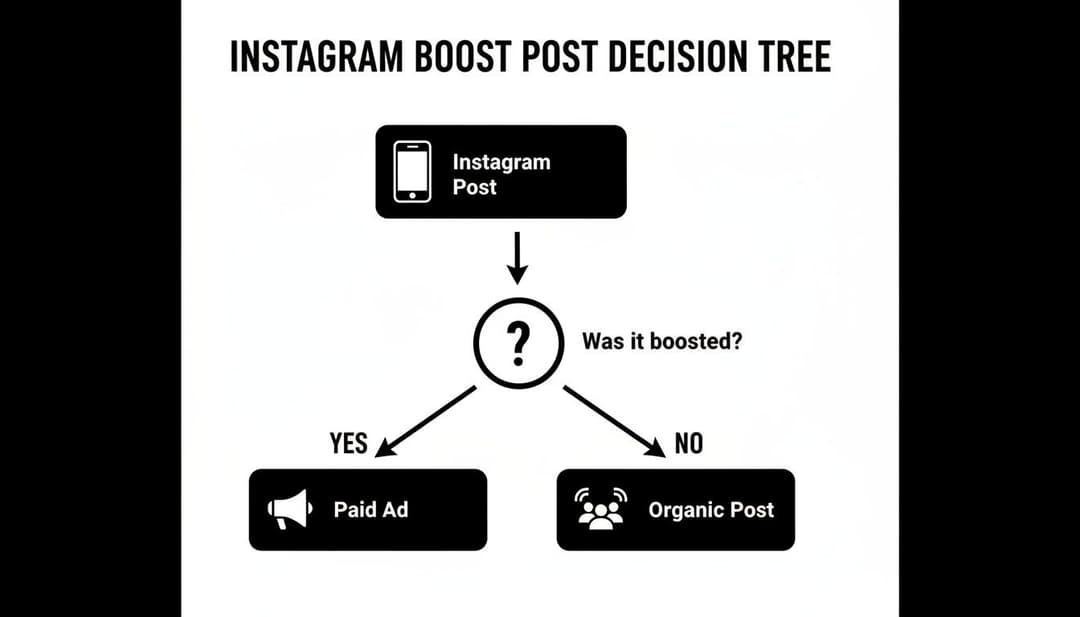
As the chart shows, hitting that boost button is the simplest way to turn an organic post, seen mostly by your followers, into a paid ad delivered to a much wider, targeted audience.
The Key Differences That Matter
So, how do you choose? It all boils down to your campaign's goals and complexity. The major trade-offs are in the depth of your targeting, the creative options available, and how you measure performance.
The Takeaway: Boosting is your go-to for quick engagement wins with limited options. Ads Manager provides the comprehensive toolkit you need to architect campaigns built for granular optimization and measurable business impact.
For instance, you can’t run A/B tests on your creative or headlines with the Boost Post button. You’re also stuck with a few basic objectives, like getting more profile visits or website clicks. If you need to promote an Instagram post with advanced goals like generating leads or tracking specific conversions on your website, Ads Manager is your only real choice.
Feature Showdown: Boost Post vs. Meta Ads Manager
To make this crystal clear, let's put them head-to-head. This table breaks down exactly what you get—and what you give up—when you choose one path over the other.
| Feature | Boost Post (The Express Lane) | Meta Ads Manager (The Command Center) |
|---|---|---|
| Objective Options | Limited to Profile Visits, Website Visits, and Messages. | A full suite of objectives like Conversions, App Installs, and Lead Generation. |
| Targeting Depth | Basic demographic and interest targeting; "automatic" audiences. | Advanced lookalike audiences, custom audiences from website data, and detailed behavioral targeting. |
| Creative Control | Limited to boosting an existing, single post. No A/B testing. | Full control to A/B test ad copy, visuals, and headlines; create ads that don't live on your profile (dark posts). |
| Placement | Limited automatic placements on Instagram, Facebook, and Messenger. | Full control over placements across the entire Meta network, including Audience Network and specific in-app locations. |
Ultimately, knowing which tool to grab from your marketing toolbox is key. Boosting a post is a tactic for a specific, often short-term, goal. Building a campaign in Ads Manager is where you start to build a real, scalable advertising strategy.
Ready to give your content a serious push? Boosting a post on Instagram is designed to be super simple and quick. Let’s walk through how you can turn your best-performing organic content into a targeted ad in just a few taps.
First things first, you’ll need a Professional Account (either Business or Creator).
Before you even think about hitting that boost button, make sure your Instagram and Facebook accounts are linked up. If you're scratching your head on how to do that, our guide on how to link your Facebook and Instagram accounts has you covered. This connection is non-negotiable—it's how you’ll handle payments and let Meta’s brainpower work its magic across both platforms.
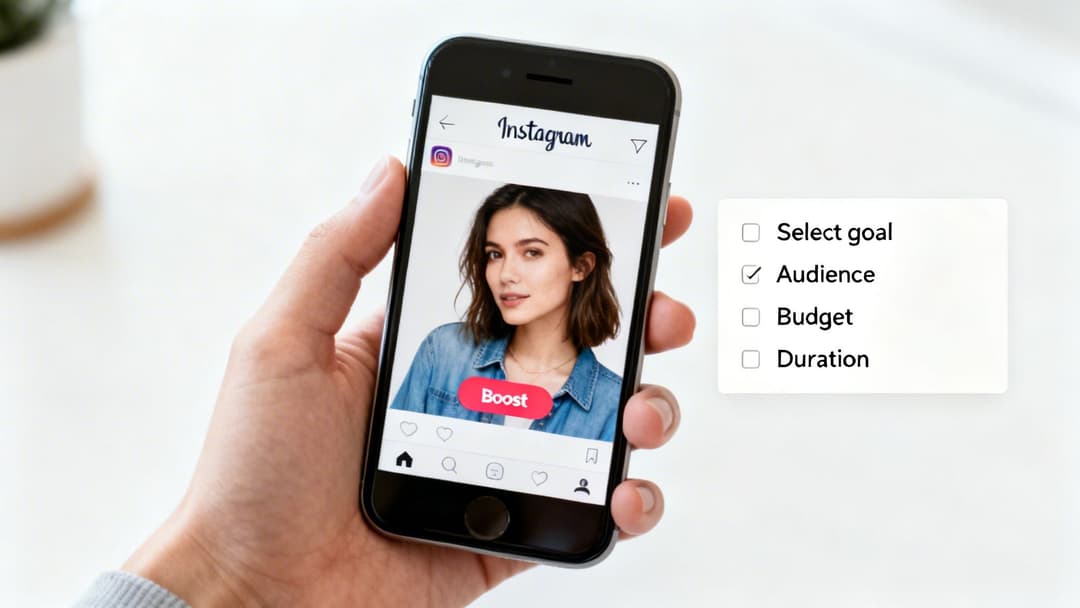
1. Pick Your Post and Set Your Goal
Your journey starts with choosing which post you want to put money behind. My advice? Pick a winner—something that’s already getting great organic likes, comments, and shares. Once you've found it, you'll see a blue “Boost post” button right underneath the image or video. Go ahead and tap it.
The very first thing Instagram asks is for you to choose a goal. This is easily the most critical choice you'll make here, as it tells the algorithm exactly what you want people to do when they see your ad.
Your options are:
- More Profile Visits: This is your go-to for growing your follower count and just getting your brand name out there.
- More Website Visits: Perfect for sending traffic directly to a product page, a new blog post, or a specific landing page.
- More Messages: Use this to get people talking. It encourages users to slide into your DMs on Instagram, Messenger, or WhatsApp.
2. Define Who You Want to Reach
Next up is the fun part: deciding who sees your post. Instagram gives you two main paths.
The first is "Automatic," which tells Instagram to target people who look a lot like your current followers. It’s a fantastic, low-effort option for getting in front of a relevant audience fast. Think of it as a smart shortcut.
Your other option is to "Create your own" audience. This puts you in the driver's seat, letting you build a custom audience from scratch. You can get pretty specific here based on:
- Location: Target users by country, region, or even down to the city level.
- Interests: Hand-pick interests that align with your brand, like "digital marketing" or "sustainable fashion."
- Age & Gender: Zero in on the exact demographic profile of your ideal customer.
As you build this custom audience, Instagram gives you a real-time estimate of its size, so you know your potential reach. This level of control is what makes boosting a surprisingly sharp tool for hitting very specific market segments.
3. Lock In Your Budget and Timeline
Last but not least, you’ll tell Instagram how much you want to spend and for how long. You can start with as little as $1 per day, so it’s incredibly accessible.
Based on your budget and duration, Instagram will give you a forecast of your estimated reach—a ballpark number of how many people will see your boosted post.
Once you’ve reviewed everything—your goal, audience, budget, and timeline—and added your payment info, just tap the final “Boost post” button. Your post will go into a quick review, and once it's approved, it'll be out in the wild, reaching a whole new audience.
Strategic Scenarios for Using the Boost Post Button
Knowing what does boost post mean on instagram is one thing, but knowing when to use it is where the real strategy kicks in. The boost button isn't a replacement for a full-blown advertising plan. Think of it more like a sniper rifle in your marketing arsenal—a powerful, single-shot tool perfect for specific, high-impact moments.
By far, the most common and effective way to use it is to amplify your top-performing organic content. If a post is already getting tons of likes, comments, and shares from your followers, you've got a proven winner on your hands. Boosting it simply puts fuel on an already burning fire, extending its reach to new people who are very likely to love it too.
Quick Tests and Audience Discovery
Another smart move is using boosts for rapid-fire testing. Got a new message or creative angle you want to try out? A small, targeted boost can give you real data in a matter of days, all without the headache of building a whole campaign in Ads Manager.
This makes it a fantastic tool for gathering audience insights. You can quickly see which pain points or benefits get the most clicks from different interest-based audiences, which in turn helps shape your future content and ad strategies.
Boosting is your fastest way to get real-world feedback. You can quickly validate which images, copy, and offers capture attention before investing a larger budget into a full-scale Ads Manager campaign.
Finally, boosting is a game-changer for influencer collaborations. When an influencer posts about your brand, their reach is confined to their own followers. But if they enable the branded content toggle, you can boost their post directly. This lets you put their authentic content—and all the credibility that comes with it—in front of a much larger, highly targeted group.
While boosting Instagram posts is a powerful tool for social media visibility, it's worth remembering that other platforms offer unique promotional opportunities, like the Amazon Influencer Program. Every platform gives you a different way to connect with the right people.
How to Measure the Success of Your Boosted Posts
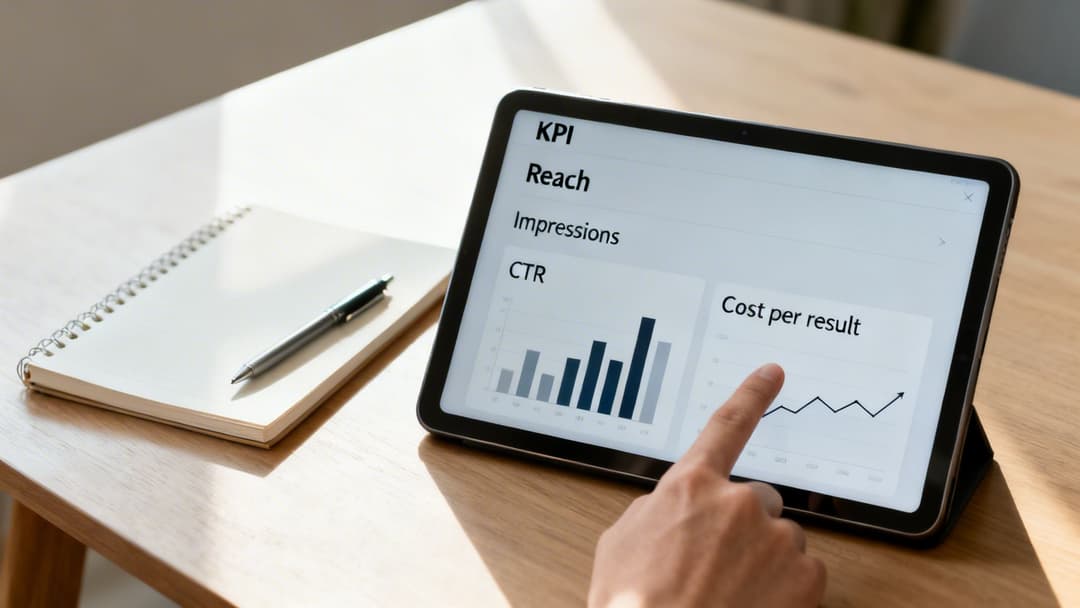
As a performance marketer, you live and breathe data. So, when it comes to boosting posts, "success" is never just about getting a flurry of likes. While boosting is wonderfully simple, measuring its real impact means looking past those vanity metrics and digging into the key performance indicators (KPIs) that actually move the needle for your business.
Once your boosted post is live, Instagram gives you a handy “View Insights” button. This is your command center, a dashboard showing how your investment is paying off in real time. Getting comfortable with these numbers is the only way to figure out what’s working and what isn’t.
Key Metrics for Boosted Posts
The metrics that matter most depend entirely on what you were trying to achieve with the boost in the first place. Don't let a huge impression count distract you if your real goal was driving traffic to your website.
- Reach and Impressions: These are your go-to metrics for brand awareness. Reach tells you how many unique people saw your post, while Impressions count the total number of times it was viewed. If your impressions are way higher than your reach, it’s a sign that the same people are seeing your ad multiple times.
- Engagement Rate: This bucket includes likes, comments, shares, and saves. While it’s not the end-all-be-all, a strong engagement rate is a fantastic signal that your content is hitting the mark with a new audience.
- Profile Visits: Was your goal to get more followers? This is your North Star. It tracks how many people were curious enough after seeing your ad to click through and check out your profile.
For marketers trying to drive specific actions, the focus needs to be sharper. It’s time to look at the KPIs that measure intent and prove your campaign’s efficiency.
Measuring Action-Oriented Goals
When your objective is getting clicks or leads, you have to analyze the numbers that directly reflect those actions. These are the KPIs that give you a clear picture of your return on ad spend (ROAS).
The most important metric isn't just a single number—it's the Cost Per Result. This tells you exactly how much you paid for each desired action (like a click or a new follower), allowing you to calculate the true ROI of your boost.
Here’s what to zero in on:
- Website Clicks: The total number of clicks on the URL you provided. For any traffic campaign, this is your primary measure of success.
- Click-Through Rate (CTR): Basic boost insights don't always show this, but you can easily calculate it yourself: Clicks ÷ Impressions. A higher CTR is a great indicator that your ad creative and call-to-action are compelling.
- Cost Per Result (CPR): This is the ultimate efficiency metric. If you spent $50 and got 25 website clicks, your CPR is a clean $2 per click.
Understanding these numbers is foundational for any paid social strategy. To get a truly complete view of your advertising effectiveness, you should also dive into other essential Meta Ads performance metrics explained in our detailed guide. The more you analyze these insights, the smarter your campaigns will become—and the easier it will be to justify your ad spend.
Common Questions About Boosting Instagram Posts
Once you get the hang of what boosting a post on Instagram actually is, a few practical questions almost always come up. Nailing these details is the key to running a smooth, effective promotion. Let's tackle the most common ones head-on with some quick, clear answers.
Can You Edit a Boosted Post?
Simply put, no. You can't edit the text, images, or video of a post once it's been boosted and the promotion is live.
If you spot a typo or decide the creative needs a tweak, you have to delete the entire promotion. After that, you can edit the original organic post on your feed and then boost it all over again. It's a critical detail to remember, so always—always—double-check your content before you hit that final boost button.
How Much Should You Spend on a Boost?
Ah, the million-dollar question. The truth is, there’s no single magic number. Your budget really depends on your specific goal and how big your target audience is.
A great starting point is to spend enough to reach a meaningful slice of your audience. Think somewhere between $5 to $10 per day for about 3-5 days. If you want to get more strategic with your spending, digging into some resources on Instagram advertising prices can offer some deeper insights.
Key Takeaway: The goal isn't just to spend money; it's to gather data. A small initial budget can tell you if your content is actually connecting with people before you commit to a bigger spend.
Why Was My Boosted Post Rejected?
Seeing that "rejected" notification is frustrating, but it usually means the post has run afoul of Meta's advertising policies.
Some of the most common culprits are making claims you can't back up, using prohibited content (like certain health products or "get rich quick" schemes), or simply having too much text on your image. If your post gets rejected, your first step should be to review Instagram's ad guidelines. They’ll point you to the specific reason so you can make the right corrections.


