You launch a campaign. Creative is approved, landing page is live, tracking looks clean, and the audience structure makes sense. Then Meta blocks publishing, limits delivery, or sends you into a support loop because the business itself doesn't look trustworthy enough inside Business Manager.
That's where meta business verification stops being admin work and starts being a media buying prerequisite.
Teams usually treat verification like a box to tick later. In practice, it's one of the first things to handle if you plan to scale spend, connect automation, or run client portfolios without constant friction. If your operation depends on stable ad delivery, clean support access, and a lower chance of account interruptions, verification belongs near the top of the checklist.
Why Meta Business Verification Is Now Non-Negotiable
Meta changed the context in early 2025. Meta Verified for Business launched as a paid subscription, moving verification beyond the older free notability model and opening access to businesses of different sizes. Pricing starts at $21.99 per month for one profile, with bundle options for larger setups, and the broader verification ecosystem had already reached 7.7 million subscribers by early 2025 according to the reporting summarized by Storyy's coverage of Meta Verified for Business.
That shift matters because Meta is clearly treating identity, authenticity, and account trust as product layers, not just policy checks. If you run paid social seriously, you should read that as a signal. Meta wants businesses to prove who they are before the platform gives them more room to operate.
The practical impact shows up long before a blue badge becomes visible to customers. It shows up when a brand wants to scale spend, connect more assets, onboard a new payment setup, or get faster resolution when something breaks. Unverified businesses can still run campaigns, but they often hit avoidable friction at the worst time. Launch windows get delayed. Appeals move slowly. Scaling becomes less predictable.
What marketers usually miss
Verification is often viewed as being about appearance. It's really about platform confidence.
Meta's systems look for alignment across your legal entity, your website, your Business Manager details, and the assets connected to your ad operation. When those signals line up, Meta has fewer reasons to restrict, question, or slow your account activity. When they don't, every aggressive move looks riskier.
That's why verification becomes even more important when you introduce automation, bulk campaign building, or large testing volumes. The more efficiently your team can launch, the more damaging trust friction becomes.
Practical rule: Don't wait until you need support, higher limits, or a recovery path. Verify while the account is healthy.
Why this matters before scaling
If you're building a serious acquisition engine, verification is foundational infrastructure. It sits in the same category as clean pixel setup, a reliable domain, and disciplined naming conventions. You can skip it for a while. Eventually it catches up with you.
For teams trying to understand the customer-facing side of the trust signal, this guide on how a Facebook account gets verified is a useful companion. The bigger takeaway is simpler: the platform has moved toward commercialized trust, and advertisers need to adapt.
Preparing for a Flawless Submission
Most verification failures start before anyone opens Security Center. The documents might be real, but the business signals are messy. The company name on the website footer doesn't match the legal entity. The phone number belongs to a call routing tool that no one answers. The Facebook Page uses a marketing brand name while the uploaded paperwork uses the registered company name.
That's why the prep work matters more than the button-clicking.
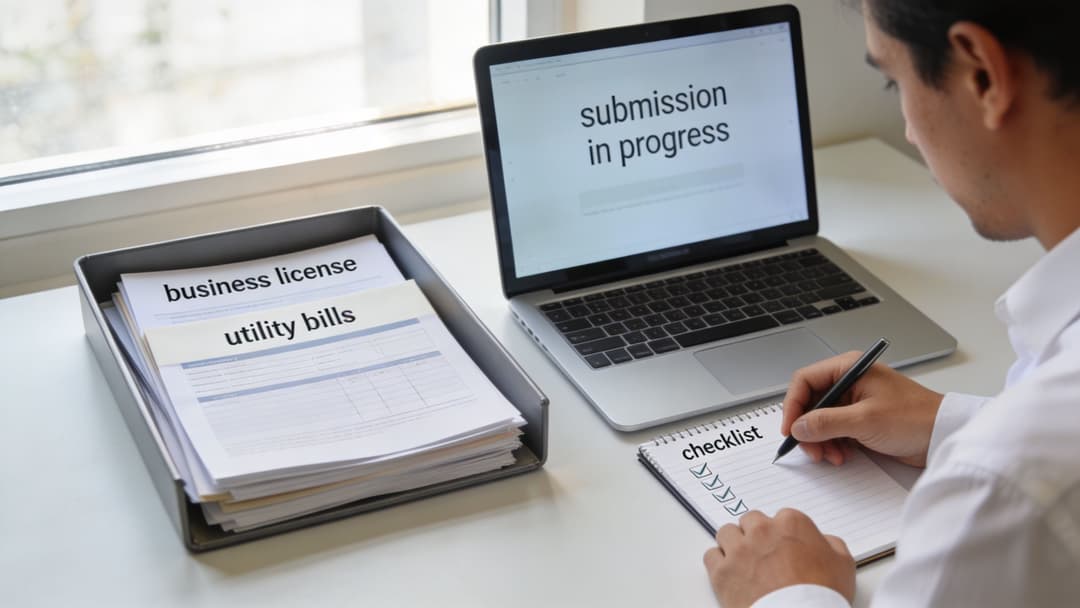
Align every business signal first
Before submitting, audit the four places Meta is most likely to compare:
- Legal records. Your registration documents need to show the exact business name and core details you plan to submit.
- Business Manager details. The legal name, address, and contact information should match what appears on your documents.
- Website identity. Your site should clearly show the same business identity, usually in the footer, contact page, and about page.
- Contact channels. Email domain, phone number, and public business information should point to the same company, not three different versions of it.
Meta business verification is rarely derailed by one catastrophic mistake. It's usually derailed by small inconsistencies that stack up.
Secure the account before you submit
Enable two-factor authentication across the people who matter inside Business Manager. Then audit connected apps, permissions, and old users who no longer need access. Verification is partly about proving legitimacy, but it also sits inside a broader trust and security review.
If your business relies on phone-based verification options, make sure the number you use is stable, accessible, and tied to business operations. For teams comparing options for dedicated business communications, SMS Activate's virtual number guide is a helpful overview of how virtual numbers fit into business workflows. Don't treat that as a shortcut around verification. Treat it as part of getting your operational contact layer organized.
A clean submission starts with a clean business footprint. Meta can't trust what your own assets contradict.
Document quality is not a minor detail
The submission itself is straightforward only if your files are clean. Uploads need to be high quality, with all corners visible, minimal glare, and enough clarity that a reviewer or system can read them without guessing. If you use a business license, tax document, GST certificate, or similar record, don't crop too tightly and don't send phone photos that look rushed.
A simple preflight check helps:
| Checkpoint | What to confirm |
|---|---|
| Business name | Matches legal documents exactly |
| Address | Same formatting across site and Meta |
| Phone or email | Usable and associated with the business |
| File quality | Clear, readable, no reflections |
| Website branding | Public-facing business identity is obvious |
If the business setup itself still needs work, this walkthrough on creating a new Facebook account for business is useful before you push into verification.
The End-to-End Verification Process
Once the prep work is done, the actual Meta business verification flow is fairly linear. Inside Business Manager, you go to Security Center and start the verification process. Meta asks for your legal business details, prompts you to upload supporting documents, and then lets you choose a verification method such as email, phone, SMS, WhatsApp, or domain.
According to Weblish's breakdown of the Meta verification process, review typically finishes within 3 to 14 business days, and the process combines automated checks with manual review. In some cases approvals happen much faster, but you should plan around the full review window.
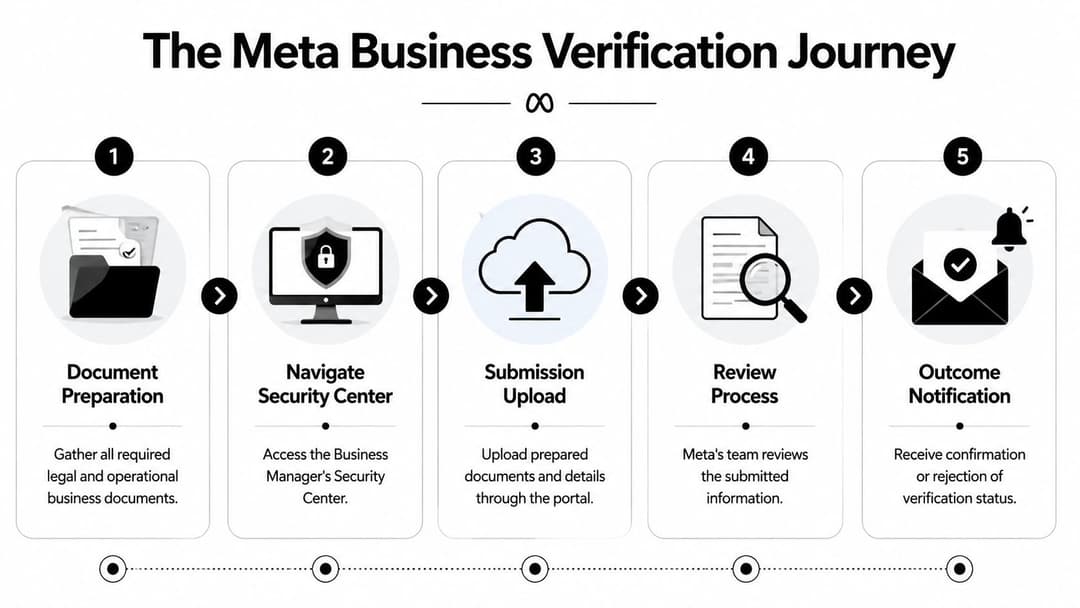
What happens inside Security Center
The form itself isn't hard. The risk is submitting quickly and assuming Meta will “figure it out.” It won't.
When you enter your legal details, use the registered business information exactly as it appears on the source documents. Don't clean it up for branding. Don't shorten it because the legal name looks clunky. Don't swap in a customer-facing DBA unless that exact identity is supported by the records you're uploading.
After that, you'll upload the documents and choose how Meta should validate the business. In general, use the method that's most tightly tied to your company. A domain-based method often creates fewer headaches than relying on a phone line that gets routed, filtered, or missed by a team member.
What Meta is really checking
There are two layers happening at once.
The automated layer checks whether the data is structurally consistent. Do the documents look valid? Does the name match? Do the contact signals align? Does the verification route connect back to the company?
The manual layer is where edge cases get resolved. Reviewers look at whether the business appears legitimate and whether the surrounding ecosystem supports the claim. That's why weak websites, stale contact pages, or mismatched entity names can still cause delays even when the uploaded document itself is valid.
A practical way to consider this:
- Identity check. Is this a real business?
- Consistency check. Does the business appear the same across its assets?
- Control check. Does the applicant appear to control the email, phone, domain, or other verification route?
- Trust check. Does anything look improvised, misleading, or incomplete?
Managing timelines without sabotaging yourself
Don't submit right before a major sale, product drop, or client launch unless the account already has enough runway. Verification reviews can move fast, but some don't. If Meta asks for revised details, the delay gets longer.
If review is in progress, avoid changing core business details unless there's a real error. Constant edits create a second problem when you're still trying to solve the first.
For teams that need a better handle on where verification sits inside the broader account stack, this overview of Meta Business Suite gives the right context.
Why Verifications Get Rejected and How to Fix Them
A rejection usually feels vague. In practice, the causes are predictable.
Empirical testing summarized by Revved Digital's write-up on Meta Verified business results found that some accounts were approved in under 48 hours, but approximately 40% of initial rejections came from document failures tied to format mismatches or poor quality. The same analysis also points to inconsistent signals across a business website and Business Manager as a major rejection driver.
That tracks with what happens in the field. Most failed submissions aren't “Meta being random.” They're weak submissions.

The most common failure patterns
Here's the short diagnostic table I use mentally when a submission fails:
| Problem | What Meta sees | Fix |
|---|---|---|
| Name mismatch | Different entity names across docs, Page, and website | Make the legal name consistent everywhere that matters |
| Weak document upload | Blurry, cropped, reflective, or incomplete files | Re-scan or re-photograph the document clearly |
| Website inconsistency | Public site doesn't support the entity being claimed | Update footer, contact page, and about page to match |
| Contact mismatch | Verification route looks disconnected from the business | Use a business-controlled phone, email, or domain |
| Rushed resubmission | Same issue submitted again with no real correction | Pause, fix root cause, then reapply |
Fix the business, not just the form
Many marketers lose time at this stage. They receive a rejection, upload the same document again, and hope a different reviewer will pass it. That rarely works.
If the business name on your registration document includes a suffix or a formal structure, reflect that accurately where it matters. If your website markets under a shortened brand name, make sure the legal entity is still visible somewhere public and easy to confirm. If your phone number points to a switchboard that doesn't reliably receive codes, use a more dependable route.
Watch your limited retries
Meta allows re-verification attempts before the process moves into appeal territory. Don't burn those attempts on cosmetic edits.
Use a quick rejection triage:
- If the file was weak, replace the file.
- If the name didn't match, fix the naming structure on the assets Meta is likely checking.
- If the site looked thin, improve the public trust signals before reapplying.
- If multiple details were off, stop and rebuild the submission package from scratch.
Field note: A clean second submission often beats a fast second submission.
A lot of marketers discover verification issues only after a larger account problem lands, which is why these issues often overlap with the causes behind a disabled Facebook ads account. Verification won't solve every account health problem, but weak trust signals make every other problem harder to fix.
Beyond the Badge Unlocking Ad Power and Trust
Verification matters because it changes how both users and the platform perceive the business. It's not magic. It's an advantage.
A 2025 Meta survey across 44 countries with 3,974 respondents found people were nearly twice as likely to view verified businesses as authentic, according to Social Media Today's reporting on Meta's verification and warning tests. That matters for performance marketers because authenticity doesn't stay abstract for long. It affects clicks, conversion intent, and how efficiently paid traffic turns into revenue.
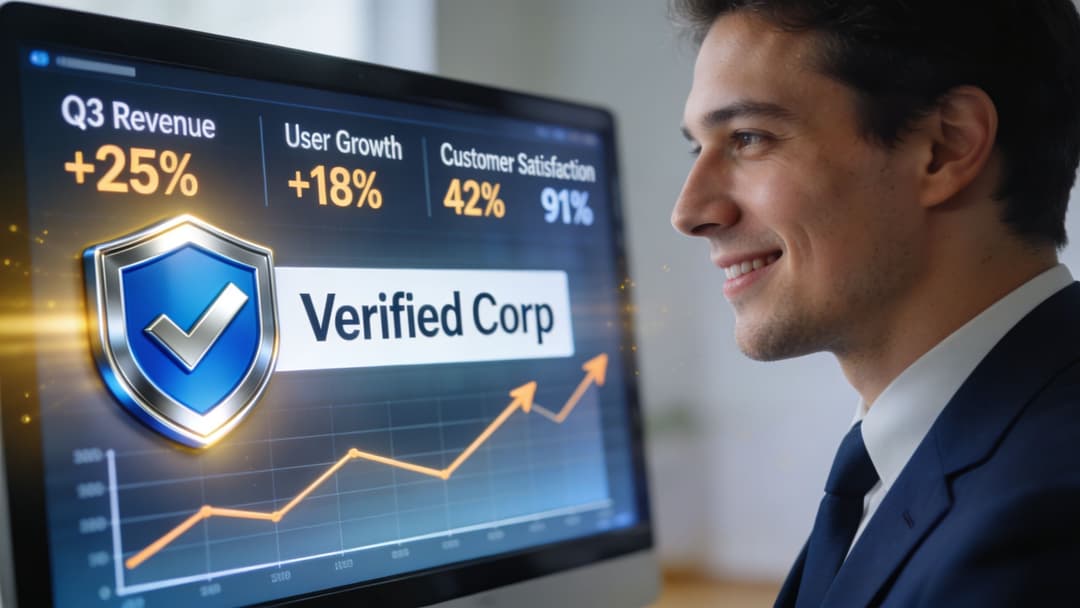
Trust shows up in performance
When a buyer sees a verified business, the business looks more established. That doesn't replace a strong offer, clean funnel, or good creative. It does reduce hesitation.
That's why verified status tends to matter most for:
- DTC brands selling through ads to cold audiences
- E-commerce stores that need fast trust transfer on first touch
- Lead generation teams trying to lower skepticism before a form fill
- Agencies that need cleaner client asset credibility inside Meta
If you want a broader read on the psychology behind this, this explanation of how social proof builds trust is useful. Verification is one of the clearest platform-native examples of social proof because Meta itself is attaching the signal.
Why media buyers should care
For operators, the upside isn't just audience perception. It's also operational resilience.
Verified businesses get access to support and protection layers that matter more once spend rises. The account is easier to defend when impersonation becomes a problem. Internal trust signals are stronger when you request help. And campaign scaling is less likely to run into invisible friction caused by low confidence in the business behind the ads.
This is especially important when your ad operation is fast. If your team can generate and publish large volumes of ads quickly, the bottleneck shifts from production to platform trust. Verification reduces that bottleneck.
Here's a useful walkthrough that complements the point above:
What verification does not do
It won't rescue bad media buying. It won't fix a weak product. It won't override poor landing page economics.
But it does remove a class of unnecessary drag. It gives the business a stronger footing inside Meta's ecosystem and makes the rest of your optimization work more likely to compound.
Advanced Scenarios and Pro Tips for Agencies
Agency verification is where a lot of otherwise competent teams create avoidable mess.
The clean structure is to verify a parent agency hub Business Manager first, then assign client portfolios beneath it. That best practice is highlighted in 360dialog's documentation on Meta business verification, which also notes that onboarding and verification failures create delays for an estimated 40% of agencies in this context.
The reason is simple. When agencies blur the boundary between agency assets and client assets, trust issues spread. One client's document mismatch, restricted asset, or unstable setup can create problems that affect more than one account.
The structure that works
For multi-client teams, the most stable setup usually looks like this:
- Agency hub at the top. The parent Business Manager holds the agency's own verified identity.
- Client portfolios kept separate. Each client's assets stay isolated instead of being merged into a shared operating mess.
- Permissions managed deliberately. Staff access follows role needs, not convenience.
- Website and legal identity made explicit. The agency's own public footprint should support the entity being verified.
That structure isn't glamorous, but it prevents cross-contamination.
The mistakes that keep repeating
Some agencies onboard clients into the same environment too loosely. Others rush verification after the client setup is already tangled. The result is confusion over which business is being verified, which documents belong to whom, and why a new portfolio suddenly creates a mismatch.
Agencies should verify the business that operates the system first. Client verification and client assets should remain distinct from that parent trust layer.
If you run a service model built around automation and large campaign volume, it's worth studying how other AI agencies position their operational stack. The best setups usually separate identity, access, and execution cleanly.
Small signals that speed review
A few practical details improve your odds:
- Public about page. Make the company identity easy to confirm.
- Footer consistency. Show the same legal or operational identity across the site.
- Business email domain. Shared ownership signals are easier to validate.
- Old user cleanup. Remove former employees and stale permissions before submission.
Agency teams working on scale mechanics beyond verification should also review this guide on scaling Meta ads for agencies. Verification won't replace campaign operations discipline, but without it, disciplined scaling gets harder than it needs to be.
If you want to scale Meta campaigns without drowning in manual setup, AdStellar AI helps teams launch, test, and optimize far faster. It connects to Meta Ads Manager through secure OAuth, learns from historical performance, and makes high-volume campaign production manageable for brands and agencies that need speed without chaos.