You’re probably here because the usual advice feels too simple for the stakes involved. You don’t just want a Facebook Page. You want an account structure that can survive launch week, support paid campaigns, and not collapse the first time Meta’s systems review your setup.
That difference matters. A public Page is only the front door. The essential work happens in the backend: asset ownership, ad account creation, business verification, permissions, and data tracking. If you create a new facebook account for business the same way a local hobby page would, you can end up rebuilding everything later under pressure.
Why Your Facebook Business Setup Might Fail
A lot of businesses still start the wrong way. They create or use a personal profile, spin up a Page from it, add a card, and start buying traffic. That can work for a while. It’s also one of the fastest ways to run into restrictions once activity increases.
The problem isn’t just policy violations in the obvious sense. Meta also reacts to patterns that look risky: inconsistent business details, aggressive ad activity from a fresh setup, or a structure where key assets sit too close to a single personal profile. According to this breakdown of Facebook Page setup risks, 20-30% of new business accounts get restricted within the first 90 days due to automated flagging tied to suspicious bulk ad activity or mismatched profile details. The same source also notes a 15% rise in enforcement on profile-linked Pages for ad-heavy accounts.
That’s the part most beginner guides miss. They explain how to make something visible. They don’t explain how to make it resilient.
The core mistake
The common assumption is that your Page is the business account. It isn’t.
Your Facebook Business Page is the public-facing asset customers see. Your Meta Business Manager is the ownership layer that controls the Page, ad accounts, people, integrations, and business settings. If you skip that distinction, you build on weak foundations.
Practical rule: If a business plans to run ads seriously, the Page should live inside a proper business asset structure from day one.
When accounts get restricted, the damage usually isn’t limited to one campaign. Teams lose admin access, payment setups get tangled, agencies can’t work cleanly, and troubleshooting turns into a support maze. If you’ve already had that happen, it helps to understand the most common blocked Facebook account scenarios before you rebuild.
What works better
A safer approach is to treat setup like infrastructure, not like social posting. That means:
- Create the public Page carefully, with complete branding and accurate details.
- Establish Business Manager early, so the business owns assets instead of an individual loosely controlling them.
- Add the ad account within that structure, not as an afterthought.
- Verify what Meta asks you to verify, before spend and complexity increase.
That’s what separates a disposable setup from an account system you can scale.
Building Your Foundational Business Page
Your Page is still important. It’s the first branded asset most customers will see, and it often becomes the first asset you attach to your business backend.
Facebook Business Pages support a massive amount of commercial activity. According to this guide on creating a business Facebook account, Facebook Business Pages have powered over 200 million active business pages worldwide, giving marketers access to Meta’s 3.05 billion monthly active users. The same source reports that Pages with complete profiles see 18% more engagement on average, and Pages using Insights analytics report 2.5x higher interaction rates by posting at peak audience times.
What to set up before you click publish
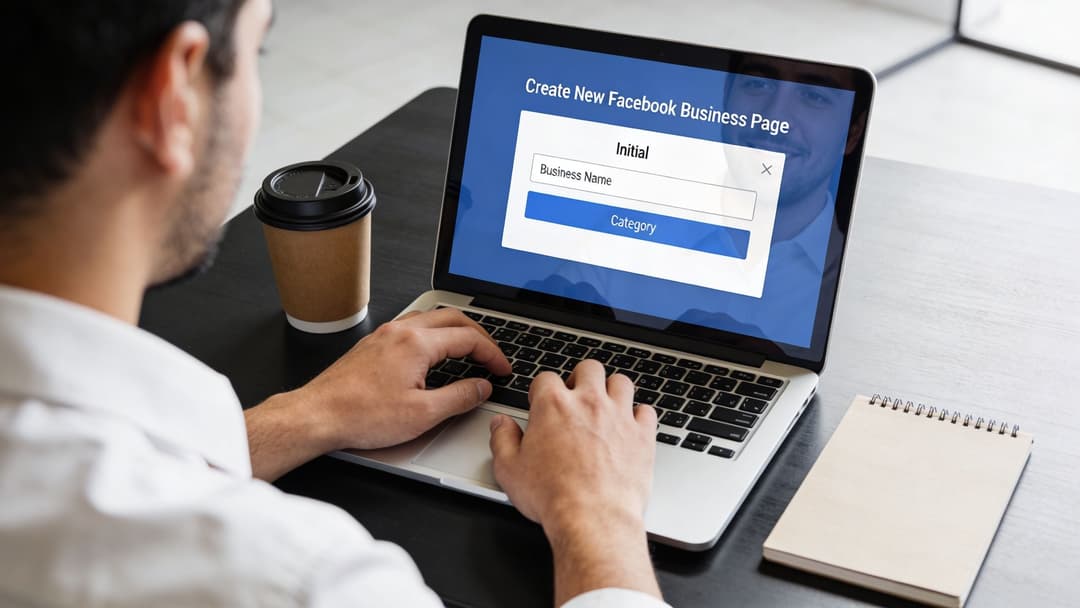
Don’t rush through the Page fields. Meta reads these signals, and so do customers.
Business name Use your actual trading name your customers know. Don’t stuff keywords into it. If your legal name and brand name differ, keep the public identity clear and consistent with your website.
Category Choose the category that most closely matches what the business does. This affects presentation, trust, and sometimes available features.
Description Write a short description that explains the offer plainly. Good descriptions reduce confusion and make your Page look maintained rather than auto-generated.
Profile photo and cover image Use a recognizable logo and a cover that matches your current positioning. If your branding looks dated or inconsistent, it’s worth taking time to refine your social media profile before you start driving traffic.
Small details that carry weight
The businesses that look legitimate usually do the basics well. That includes:
- Contact info: Add a working email, phone number, and website where appropriate.
- Username: Claim a clean handle that matches your brand as closely as possible.
- Page buttons: Use the button that matches your goal, such as Shop Now, Learn More, or Contact Us.
- Initial content: Publish a few real posts so the Page doesn’t look empty when someone checks it after seeing an ad.
A blank Page with active ads creates unnecessary friction. People click through from an ad, land on the Page, and wonder if the business is real.
Treat the Page as an asset, not a destination
A lot of junior marketers stop too early. They think the Page is the project. It isn’t. It’s one asset in a larger system.
Once the Page is created, check that the visuals fit Meta’s layout requirements and brand correctly. If you need a quick reference for sizing before you upload your banner, use this guide to Facebook cover photo dimensions. Then move on to the backend where ownership, access, and ad operations live.
Setting Up Meta Business Manager for Central Control
If the Page is your storefront, Meta Business Manager is the control room. It serves as the hub for your business to own its Page, ad accounts, integrations, and team access.
That separation matters in real operations. When assets sit inside Business Manager, you’re not relying on one employee’s profile to hold everything together. You’re creating a structure other people can safely work inside without everyone sharing logins or improvising permissions.
Early in the process, it helps to see the setup flow visually.
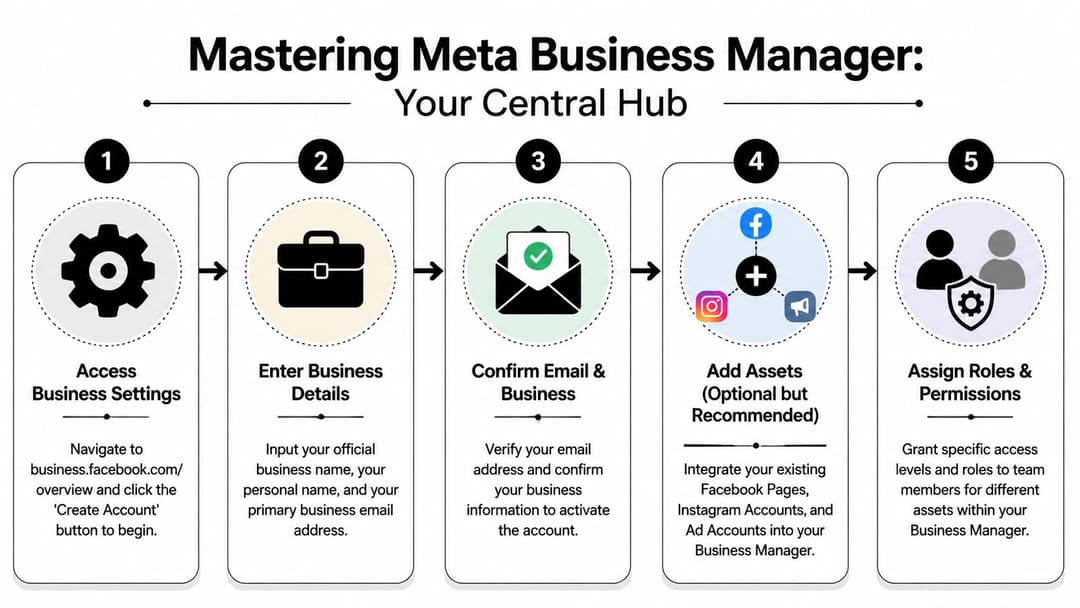
The setup sequence that keeps things clean
Go to Meta’s business environment and create the account using your business details. Use an email address tied to your company domain, not a disposable address and not a freelancer’s personal inbox. That gives the account a more credible operational footprint and makes ownership clearer later.
When the account is active, start adding assets deliberately:
- Add your Facebook Page if you already created it.
- Create or connect your ad account inside the same business structure.
- Add Instagram only if it belongs to the same business operation.
- Review business info fields carefully so your names, website, and public brand line up.
A lot of messes happen because teams add assets casually and only think about ownership when someone leaves the company or an account gets flagged.
Why Business Manager-first is safer
There’s a practical security advantage here. Meta expects businesses that advertise at scale to use its business infrastructure correctly. When a company relies too heavily on a single personal-profile path, every problem becomes harder to untangle.
Business Manager gives you:
- Central asset ownership
- Separated team access
- Cleaner partner collaboration
- Better control over future verification
- A proper place to manage settings without handing over personal credentials
The cleanest setups are boring. One business owns the assets, each person gets the access they need, and no one has to ask whose profile “really owns” the Page.
A lot of teams now work mostly inside Business Suite interfaces, but the underlying principle is the same. The business entity should control the assets. If you need a practical walkthrough of the interface and ownership model, this guide to Meta Business Suite is useful.
After the account exists, spend a few minutes checking every listed asset and admin before moving on. That’s boring work. It also prevents expensive confusion later.
For a quick visual walkthrough, this video covers the flow in a straightforward way:
A simple ownership rule
Use this mental model:
| Asset | Where it should live | Who should control it |
|---|---|---|
| Facebook Page | Inside Business Manager | The business |
| Ad account | Inside Business Manager | The business |
| Team access | Assigned by role | Named individuals |
| Agency access | Partner access | External partner without ownership |
That one rule prevents a surprising amount of cleanup work.
Connecting and Configuring Your Ad Account
The ad account is where casual setup mistakes start costing money. Once you create it, a few decisions become operationally annoying to undo. So slow down here.
Inside Business Manager, go to business settings and create a new ad account if the business doesn’t already have one. If you’re an agency or consultant, don’t automatically create a fresh ad account for every situation. Sometimes the right move is to request access to an existing client ad account instead, especially if the client already has billing history, pixel history, and established ownership.
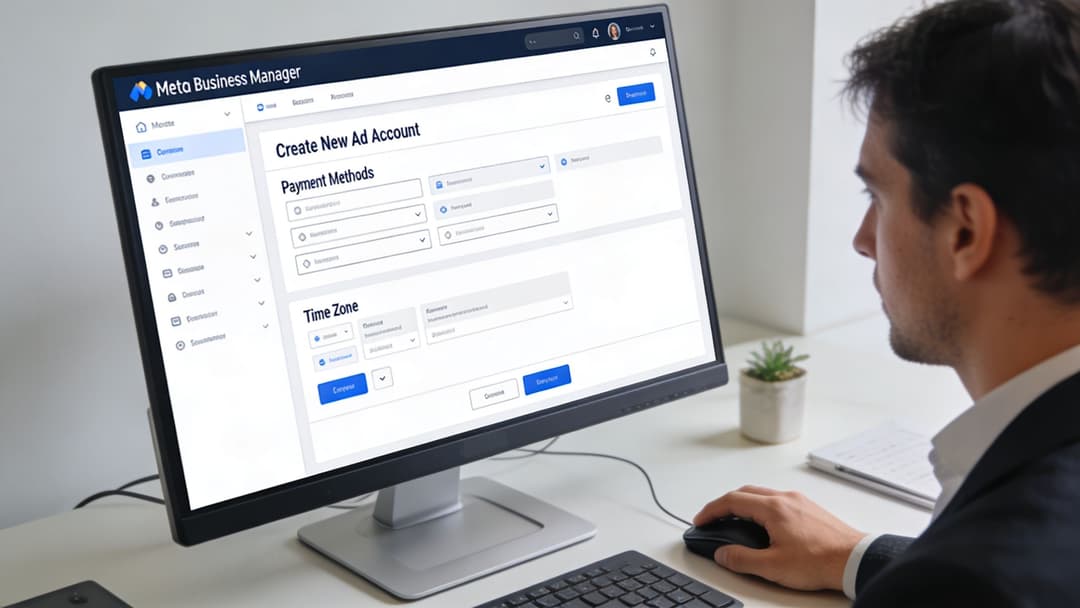
The choices you should get right once
The first major decisions are currency and time zone. Pick the currency that matches how the business budgets and reports. Pick the time zone that matches how your team reviews performance and how the market operates.
If those settings are misaligned, reporting gets messy fast. Daily pacing looks off, finance reconciliation becomes annoying, and campaign reviews turn into “wait, which day are we talking about?”
Keep these checks in mind:
- Billing fit: Use the currency finance closes books in.
- Reporting fit: Use the time zone your team uses for daily decision-making.
- Market fit: If one market dominates spend, align with that operating reality.
- Naming convention: Name the ad account clearly. Future you will thank you when there are multiple brands, regions, or clients involved.
Payment setup and early controls
Add a business payment method that the company can maintain over time. Don’t attach a card that belongs to a contractor or junior buyer unless there’s a very temporary reason and everyone understands the risk.
For new setups, conservative pacing is usually smarter than aggressive launch behavior. The point early on is not to prove how fast you can spend. It’s to prove that the account behaves normally, bills cleanly, and maps to a legitimate business.
New ad accounts benefit from discipline. Stable billing, clear naming, and realistic launch activity create fewer problems than trying to brute-force scale in week one.
You should also connect the right business assets immediately:
- Assign the Facebook Page to the ad account
- Confirm who can manage campaigns
- Check that billing permissions are limited
- Connect your website tracking setup before launch
If you need a more tactical walkthrough on account creation screens and asset assignment, this guide on how to create a Facebook ad account fills in the interface details.
New account or existing account access
A simple rule helps here:
| Scenario | Better choice |
|---|---|
| New brand with no paid history | Create a new ad account |
| Client already advertising | Request access |
| Agency wants control but client needs ownership | Use partner access, not personal logins |
| Rebuild after a messy internal handoff | Audit ownership first, then decide |
Most ad account chaos doesn’t come from campaign strategy. It comes from ownership confusion and sloppy access choices made during setup.
Managing People and Permissions Securely
A clean Business Manager setup can still break down fast if access is sloppy. I’ve seen solid ad accounts get restricted after a contractor logged in through a founder’s profile, changed settings they did not own, and left no clear audit trail. Meta is much more forgiving when the business structure is clear and each person uses their own access.
Set permissions like you expect turnover, mistakes, and security reviews. Because at some point, you will get all three.
The principle that keeps accounts safer
Give people the lowest level of access that still lets them do the job.
That sounds conservative. It saves a lot of cleanup. Billing controls, asset ownership, and admin rights should stay with a very small group inside the business. Campaign execution can be assigned more broadly. Those are different responsibilities, and treating them as the same is how businesses lose control of Pages, pixels, and ad accounts.
Meta Business Manager Role Permissions
| Permission | Admin Access | Employee Access | Analyst Access |
|---|---|---|---|
| Manage business settings | Yes | No | No |
| Add or remove people | Yes | No | No |
| Claim or assign assets | Yes | Limited to assigned assets | No |
| Create and edit campaigns | Yes, if assigned | Yes, if assigned | No |
| View performance data | Yes | Yes, if assigned | Yes |
| Manage payment methods | Yes | No | No |
How to assign access without creating future problems
Use named access for every person. No shared logins. No “team account.” No agency login tied to a former employee’s email.
A setup that holds up in practice looks like this:
- Founders or heads of marketing: Admin access, limited to the few people who own business decisions.
- Media buyers: Employee access with permissions on the ad accounts, pixels, and Pages they actively manage.
- Analysts: View access where possible. They usually do not need publishing or billing rights.
- Agencies: Partner access through Business Manager. Do not add the agency team through a founder’s personal workaround.
- Freelancers: Asset-specific access with a clear removal date once the project ends.
If someone asks for full access “just to get started,” ask for the exact task list. In most cases, they need one asset and one permission set, not control of the whole business.
A second safeguard is admin count. Keep it small. Two or three trusted admins is usually enough. Once too many people can change ownership, payment settings, or security controls, small errors turn into account reviews, lost access, or billing disputes.
Use approved connections, not password sharing
Outside tools should connect through Meta’s approved authorization flow whenever possible. That keeps the business tied to the asset, not to one person’s browser session or saved password. It also makes removal cleaner when a vendor changes, which matters more than people think.
The same logic applies to your verification path. Businesses that keep ownership, access, and identity aligned have fewer problems during manual reviews. If you have not mapped that process yet, this guide on how to get your Facebook account verified helps clarify what Meta expects before access issues turn into larger restrictions.
Permissions look administrative until an employee leaves, a freelancer disappears, or Meta asks who actually owns the asset. At that point, clean access control becomes part of account survival.
Proactive Verification to Prevent Account Bans
Most setup guides stop too early. They get you to “account created” and act like the job is done. For advertisers, that’s only the halfway point.
What stabilizes a business account is verification. Meta wants signals that your business is real, owns what it says it owns, and can be tied to legitimate commercial activity. The more your setup reflects that, the less fragile it becomes.
According to this business verification and setup guide, 70% of suspended ad accounts stem from policy violations like unverified businesses. The same source notes that proactive business and domain verification can reduce iOS14+ signal loss from 20% to less than 5%, and that verification is required for ad spend exceeding $10,000.
Business verification is not optional
If you’re running ads seriously, submit the business details and supporting documentation Meta asks for. Keep the business name, website, and legal records aligned. Misalignment creates unnecessary friction and often leads to manual cleanup later.
Practical checks before you submit:
- Use the official business name: It should match how the business is documented.
- Use the business website you directly control: Don’t send Meta to a placeholder.
- Prepare the requested documents early: Waiting until an account issue appears is the slow path.
- Make sure contact channels are current: Old emails and outdated business details slow everything down.
Domain verification and tracking quality
Domain verification does more than satisfy a compliance box. It helps establish that the business really controls the site where conversions happen.
That matters even more when attribution is already under pressure. If Meta can’t connect your business, your domain, and your tracking setup cleanly, reporting quality suffers and optimization gets weaker.
A solid setup usually includes:
- Verified business details
- Verified website domain
- Meta Pixel configured properly
- Conversions API implemented where available
- Consistent event mapping between site and ad account
Strong tracking setup isn’t just for analytics. It also signals that the advertiser is operating like a legitimate business, not a throwaway account.
If you’re already in Business Manager and need the next step, this walkthrough on getting a Facebook account verified is a useful reference.
What doesn’t work
Three habits cause recurring trouble:
- Launching ads before verification is underway
- Using business details that don’t match the website or documents
- Treating tracking as a later task instead of setup infrastructure
Verification feels slower at the start. Rebuilding a restricted account is slower.
Frequently Asked Questions About Business Accounts
Can I create a new facebook account for business without using my personal profile at all
Meta still ties access to an individual login. So in practice, a personal profile is usually the doorway. The mistake is letting that profile remain the owner of the Page, ad account, and billing setup.
Set up the business inside Business Manager early, then assign assets there. That structure gives the company control if an employee leaves, a profile gets restricted, or an agency relationship ends. It also creates a cleaner path for permissions, billing, and support.
My Page already lives under a personal profile. Do I need to start over
Usually no.
Start with an asset audit. Confirm who owns the Page, who has full control, which ad account is connected, whether a Business Manager exists, and whether the business has access to its own billing and domain settings. A lot of messy setups can be repaired without rebuilding everything.
Rebuild only if ownership is unclear, old admins cannot be removed, or the assets are attached to a profile the business does not fully control.
Can I run ads without Business Manager
Yes, but it creates avoidable risk.
Business Manager gives you centralized ownership, cleaner access control, partner permissions, and fewer handoff problems later. For a solo operator testing a small offer, the shortcut may feel faster. For any real business, especially one with staff, contractors, or agency support, that shortcut often turns into account disputes, lost access, and wasted spend.
What if I’m locked out of the main account
First identify what is locked. A personal profile issue is different from a Page restriction, and both are different from a Business Manager problem.
Then check whether another admin still has access. If nobody else can get in, recovery becomes slower and less predictable. That is why I always want at least two trusted admins on the business and clear records showing who owns the Page, ad account, domain, and billing method.
Should agencies create accounts for clients or request access
The client should own the assets whenever possible. Agencies should request partner access instead of building the whole setup under agency ownership.
This avoids ugly transitions later. If the client fires the agency, changes teams, or brings media buying in-house, the business keeps its history, pixel data, audiences, and account control.
How many people should have admin access
Fewer than you think.
Admin access should stay with the smallest group responsible for ownership and recovery. Everyone else should get role-based access tied to what they do, such as campaign management, billing, creative, or reporting. Broad admin rights create unnecessary risk, especially once multiple freelancers or agencies touch the account.
How do I identify the right Page or asset during troubleshooting
This matters when a business has duplicate Pages, old brand names, local variants, or assets built by former team members. In those cases, the fastest way to avoid changing the wrong asset is to confirm the underlying ID, not just the display name.
If you need a reference for that process, PeopleFinder's guide to Facebook IDs is a useful starting point.
A good business setup is not the one you can click through fastest. It is the one that keeps ownership clear, access controlled, and recovery possible when Meta asks questions or something breaks.
If your team wants to launch and scale Meta campaigns without drowning in manual setup, AdStellar AI helps you generate, test, and push live large volumes of ad variations through a secure OAuth connection to your Meta environment. It’s built for marketers who want cleaner execution, faster experimentation, and less operational drag inside Meta.