Your Meta Ads Manager probably looks familiar right now. Too many campaigns, too many placements, too many creative options, and one question sitting underneath all of it: which format should get your budget? A static image can work. A short video can work better. A collection ad can turn browsing into shopping. But the wrong choice burns spend fast, especially when the format doesn’t match the objective.
That’s why most advice on types facebook ads falls short. It tells you what each format is, but not when to use it, when to avoid it, and what breaks once you try to scale. In practice, format selection is less about feature lists and more about fit. You’re matching buyer intent, placement behavior, and production capacity to a specific result.
If you’re weighing Meta against other channels, this matters even more. Search catches intent already in motion. Social has to create it, shape it, and convert it. That’s why creative format does more heavy lifting here than many teams expect. This overview of PPC vs social media ads is a useful reminder that channel mechanics change what “good creative” means.
The good news is that the core formats are manageable once you stop treating them as interchangeable. Some are workhorses. Some are testing tools. Some are scaling tools. Some look exciting in a deck and underperform in the account.
Below are the ten Meta ad types I’d keep in active rotation in 2026, along with the trade-offs, best-fit objectives, and the fastest way to scale each one without turning your team into a production studio.
1. Image Ads
Image ads are still the cleanest way to test an offer fast. One visual, one hook, one CTA. If your team needs signal quickly, this is still one of the best starting points.
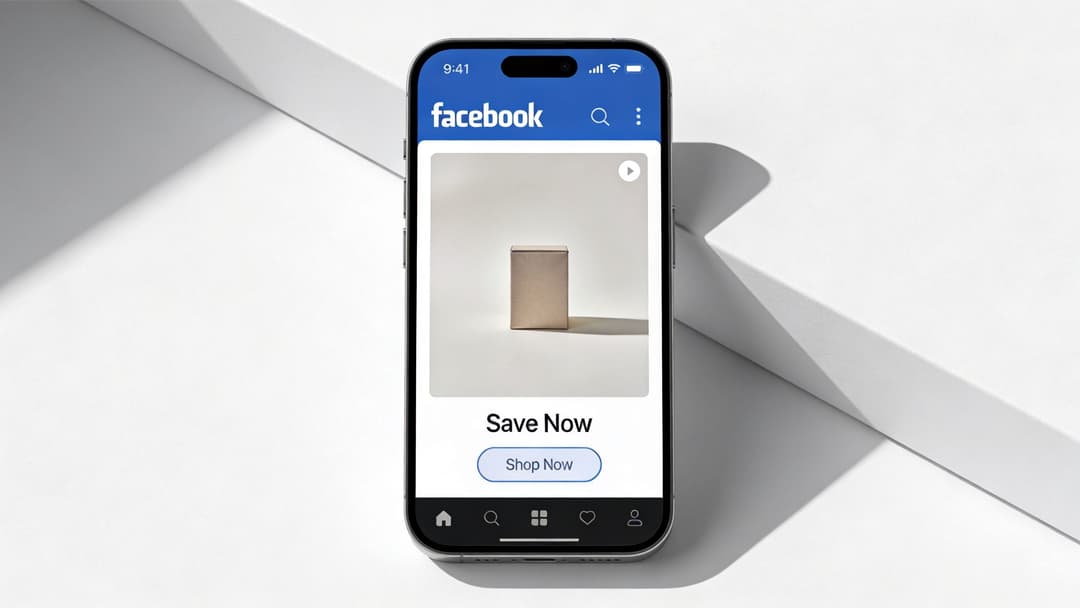
A lot of brands abandon static too early because video gets more attention. That’s true in many placements, but image ads are still useful when the offer is simple and the buying decision is visual. Glossier-style product photography, a clear software benefit like Notion, or a DTC lifestyle frame with one obvious next step can all work well here.
When image ads work best
Image ads are strongest when you need clarity more than narrative. Product launches, offer tests, lead magnet promos, and retargeting reminders all fit. They also load fast, which matters on mobile.
What doesn’t work is trying to cram five selling points into one square. If the image needs a paragraph to make sense, the ad should probably become a carousel or video instead.
Practical rule: If your designer can’t explain the ad’s point in one sentence, the image is doing too much.
A few patterns tend to hold up:
- Single focal point: One product, one person, or one benefit beats crowded layouts.
- Mobile-first contrast: Bold contrast and restrained text hold up better on smaller screens.
- Audience match: Show the use case your buyer recognizes, not the brand mood board your team likes.
How to scale image testing
This format is ideal for bulk iteration. Swap hooks, headlines, backgrounds, crops, and CTAs without changing the core offer. That’s where automation matters. Instead of manually exporting endless variants, teams can use a system like AdStellar to generate and launch large batches quickly, then rank winners by CPA or ROAS based on actual account history.
If your sizing is inconsistent across placements, fix that before you chase copy tweaks. This guide to the best image size for Facebook is worth keeping handy because bad crops ruin good concepts.
2. Video Ads
A prospect stops on your ad for about a second, maybe less. Video wins or loses in that window.
That is why video earns a place in almost every Meta account. It can show the product, frame the problem, and prove the claim faster than a static asset, especially for offers that need demonstration. I use it most when the buyer needs to see the mechanism, the result, or the context of use before they click.
Video is also the easiest format to overspend on. Strong performance rarely comes from expensive production. It comes from clear openings, fast pacing, and a concept built for mobile viewing.
What video ads do better than other formats
Video works best when the objective is understanding, not just recognition. If you are selling a skincare routine, showing the texture and application beats a headline. If you are pushing software demos, a short screen recording with one promised outcome usually outperforms polished brand footage. If you are retargeting warm traffic, founder clips, customer proof, and side-by-side comparisons often give the algorithm more to work with than another product image.
The common thread is simple. Video helps when motion explains the offer.
That does not mean every campaign needs a long narrative. In fact, shorter usually performs better because the user gets the point faster.
A production structure that holds up
I keep video ads on a tight three-part structure:
- Opening: Put the product, problem, or end result on screen immediately
- Proof: Show the claim in action with demo footage, UGC, testimonial clips, or a clear before-and-after
- CTA: Ask for one action that matches the campaign goal
Weak video usually fails in the opening. The brand logo appears first. The scene-setting takes too long. The offer arrives after the user has already scrolled away.
Good video starts with utility. Show the stain lifting, the dashboard result, the outfit on body, the meal being made, the lead magnet promise, or the price drop. Then earn the click with detail.
How to make video scale without killing your workflow
Video becomes difficult at scale because every variable matters. The first three seconds matter. The headline overlay matters. The CTA card matters. Placement cuts matter. One concept can need six to ten versions before you know what travels across audiences.
That is where a structured production system saves time. AdStellar AI helps teams generate multiple hooks, intros, captions, CTAs, and aspect-ratio variations from the same core concept, then compare performance by message and audience instead of editing everything by hand. For marketers building cross-format campaigns, this breakdown of Instagram carousel post ideas and sequencing is useful too, because many winning video concepts can be repurposed into swipeable proof sequences for retargeting.
One more practical rule. If the ad makes no sense with the sound off, fix the creative. Captions help, but clear framing and visible product payoff matter more.
If you want a practical breakdown of what good paid social video needs, this guide to video for advertising is a useful reference.
3. Carousel Ads
A carousel usually wins or loses on card two.
Card one gets the stop. Card two tells the user whether to keep swiping or leave. That is why this format works best for offers that improve as the sequence unfolds. A single-product impulse buy often performs better with a standard image ad. A product line, a before-and-after story, a feature comparison, or a step-by-step explanation often performs better with a carousel.
Warby Parker can use carousel to show frame options by face shape. A real estate brand can move from curb appeal to kitchen to living space to neighborhood proof. A fashion retailer can sell the outfit, not just the jacket. The format gives you more room, but every card has to earn that room.
Best use cases for carousels
Carousel ads fit campaigns where the user needs one of three things: comparison, progression, or proof.
- Product range: Different SKUs, colors, bundles, or price tiers
- Story progression: Problem, solution, result, CTA
- Feature breakdown: One claim or use case per card for higher-consideration products
- Proof stacking: Review, demo, objection handling, offer
The common mistake is weak sequencing. Card one is polished, cards two through five feel recycled, and performance drops because the ad was built from leftover assets instead of a clear sales argument.
Put your strongest card first. Then make card two do a specific job. It can handle the main objection, show the best-selling variant, or prove the promise with a result.
How to make carousel ads perform
Build in card logic. Not asset logic.
Each card should answer one question: what does this add to the sale? If a card does not introduce a product option, advance the story, handle an objection, or tighten intent, cut it. In practice, shorter sequences often beat bloated ones because the message stays sharp.
This format is also easier to test methodically than many advertisers realize. You can hold the visuals steady and change only the order of benefits. You can keep the copy structure and swap the first card from product-led to outcome-led. That gives media buyers a cleaner read on angle fatigue and audience fit than random creative rotation.
AdStellar AI helps teams produce these variations without rebuilding every unit by hand. Product shots, testimonial lines, feature claims, hooks, and CTAs can be turned into multiple card sequences for different funnel stages. Prospecting carousels can lead with category education. Retargeting carousels can lead with proof, reviews, and offer urgency. For teams refining sequence strategy, these Instagram carousel post ideas for sequencing and structure translate well to Meta ad builds.
4. Collection Ads
Collection ads are for brands that sell multiple products and want to reduce friction between discovery and shopping. They feel strongest when the top creative creates desire and the product grid makes action easy.

This approach offers a significant advantage to many Shopify brands, beauty brands, and apparel advertisers. One hero image or short video sets the mood, then the shopper gets a clean set of product paths underneath. Kylie Cosmetics, ASOS-style seasonal edits, and curated home décor themes all fit this format well.
Where collections beat standard feed ads
Collection ads are useful when a single product isn’t the whole story. Maybe the hook is “summer workwear,” “starter skincare routine,” or “small-space storage.” The user responds to the theme, then chooses the exact item.
That’s also why weak merchandising kills this format. If the hero visual says premium and the grid below looks random, the ad breaks trust.
A few priorities matter:
- Lead with context: Lifestyle creative usually works better than plain packshots at the top.
- Curate tightly: Don’t dump your catalog. Feature products that belong together.
- Order with intent: Put likely click magnets and high-margin products where they’ll be seen first.
Scaling collections without making a mess
Collection ads become much more useful once you can build variations around themes instead of hand-building every set. You can rotate hero assets, reorder product groups, and align collections to audience segments such as new prospecting, category retargeting, or seasonal pushes.
This is also a place where creative and merchandising teams need one shared workflow. If the catalog is messy, no amount of ad optimization will save it. AdStellar helps most when the product feed is already usable and the team wants faster variation across themes, product order, and top-of-ad creative.
5. Stories Ads
You launch a weekend offer on Friday afternoon, spend starts moving, and by evening the creative is already under pressure. That is Stories. Fast consumption, full-screen real estate, and very little patience from the viewer. If the message is not clear in the first beat, the swipe comes before the value prop does.

Stories work best when the offer is easy to grasp and the action is obvious. Limited-time promos, app install pushes, event drops, flash sales, and simple product demos usually fit better than messages that need explanation. I treat Stories as a speed placement. The creative has to establish context, present the hook, and make the next step clear without asking for much effort.
The production mistake I see most often is not concept. It is layout.
According to Meta’s ad specs guidance, vertical size alone is not enough. Creative also needs safe zones so text, logos, and calls to action stay clear of interface elements at the top and bottom of the screen. A story that looks clean in review can still ship with the headline blocked by profile UI or the CTA sitting too low to read. That turns a usable ad into a weak one.
Where Stories fit in the funnel
Stories usually perform best for mid-funnel and fast-response campaigns. They are strong when the audience already has some context and just needs a reason to act now. Prospecting can work too, but only if the creative gets to the point immediately and the offer is easy to understand on mute.
That creates a clear trade-off. Stories can produce cheap attention, but they punish complexity. Brands trying to explain too much in one frame often end up with low retention and weak click quality. Brands that keep the message tight tend to get cleaner results.
A practical setup looks like this:
- Open with the offer or outcome in frame one.
- Keep on-screen copy short enough to read instantly.
- Design with top and bottom clearance from the start.
- Use one CTA. More choices usually reduce response.
- Refresh hooks often, because fatigue shows up quickly in this placement.
For scale, build Stories as their own production line instead of resizing feed ads and hoping they survive the crop. AdStellar AI is useful here because Stories need volume more than polish. Teams can generate vertical variants, swap hooks by audience or offer, and keep safe-zone formatting consistent across batches. That makes it easier to test urgency, promo angles, creator-style intros, and retargeting reminders without rebuilding every asset by hand.
6. Reels Ads
A Reel can spend your budget fast and still teach you nothing if the creative was built like a feed ad. I see this mistake all the time. Teams crop a polished promo into vertical, add captions, and call it a Reels strategy. Then they blame the placement when watch time collapses in the first second.
Reels rewards creative that feels native to short-form viewing. That usually means faster pacing, a stronger opening frame, and a clear visual payoff early. Product reveals, before-and-after transformations, creator demos, reaction-style clips, and quick tutorials tend to hold attention better than brand-heavy intros or static claims on screen.
The trade-off is straightforward. Reels can generate cheap top-of-funnel attention, but it is unforgiving when the concept needs too much setup. If the viewer has to wait for the point, you lose them. If the first frame already shows the outcome, the use case, or the problem being solved, the placement has a real chance to work.
Where Reels fit in the funnel
Reels is usually strongest for prospecting and retargeting with fresh creative angles. For cold audiences, use it to earn the first few seconds of attention and create enough curiosity to win the click or view-through. For warmer audiences, use it to reframe the offer with social proof, product use in context, or a sharper objection-handling hook.
It can close sales too, but only for simple offers or products with obvious visual appeal. Complicated products often get better results from Reels as the entry point, then convert later through retargeting, product page visits, or another ad type that gives you more room to explain.
What to build differently for Reels
The best Reels ads are usually designed around one idea, not five.
A practical setup looks like this:
- Start with motion, outcome, or tension in the first second
- Keep branding light at the open and introduce it after the hook
- Use on-screen text to support the visual, not replace it
- Frame important elements away from interface-heavy areas
- Cut faster than you would for feed video
- Test multiple hooks against the same core product message
Creative variety matters more here than polish. A new opening line, a different creator face, or a tighter edit can change performance more than a full redesign. That is why Reels production needs a testing system, not a one-off asset review process.
AdStellar AI helps by turning one concept into multiple Reel-ready versions at speed. Teams can swap hooks, resize scenes for vertical, generate audience-specific intros, and keep safe-zone formatting consistent across batches. That makes Reels easier to scale without sending the creative team back to rebuild every variation from scratch.
7. Instant Experience Ads
Instant Experience is what you use when a normal click-out landing page is too abrupt and a standard ad unit is too cramped. It gives you room to build a guided, mobile-native sales path inside Meta.
Travel brands can build visual lookbooks. Automotive brands can walk through features in sequence. A real estate brand can combine gallery, short video, and CTA in one controlled flow. For products that need more than one glance, this format earns attention better than trying to explain everything in feed copy.
Why this format works
The advantage isn’t novelty. It’s continuity. The user taps, stays in-platform, and gets a fuller brand experience without the hard break of a browser load.
For lead capture, product education, and richer storytelling, that matters. The format is especially useful when the offer needs a bit of framing before the click becomes a conversion.
A short example is worth seeing in context:
How to keep it from becoming bloated
Instant Experience can turn into a digital brochure if nobody edits hard. Don’t add modules because you can. Add them because they move the user one step closer to action.
A simple structure usually works best:
- Top: Strong hero visual or headline
- Middle: Product proof, details, or exploration module
- Bottom: One clear next action
This format benefits from modular testing. Swap opening media, shorten sections, reorder proof blocks, and compare bounce behavior. AdStellar can help teams scale those layout and creative combinations, but the strategic work still matters. If the story is muddy, more modules won’t fix it.
8. Lead Form Ads
A user taps your offer during a commute, between meetings, or while half-distracted on the couch. If your funnel sends that click to a slow page with too many fields, you lose them. Lead form ads fix that specific problem. They capture intent inside Meta, which makes them useful for demo requests, quote requests, event registration, financing inquiries, and gated content where speed matters.
That convenience is the upside and the risk.
Lead volume can rise fast with this format. Lead quality can fall just as fast if the offer is weak, the form is too easy to complete, or the follow-up process is sloppy. Teams usually blame the platform when qualification design is the issue. A lead form should match what sales can handle, how fast the team responds, and how expensive a bad lead is.
Where lead forms fit best
Lead form ads work best when the user already understands the category and does not need a long landing-page argument before converting. They are especially effective for service businesses, B2B offers with a clear next step, education providers, automotive, real estate, and any campaign where mobile conversion rate drops on external pages.
They are less effective when the buyer needs pricing context, technical proof, heavy comparison shopping, or a high-trust environment before sharing contact details. In those cases, sending traffic to a stronger pre-qualification page can produce fewer leads but more pipeline.
That trade-off matters more than cost per lead.
How to keep quality from collapsing
The strongest lead form ads offer a clear exchange. "Book a demo," "Get a custom quote," and "See available units" usually outperform vague asks because the user knows what happens next.
A few rules hold up across accounts:
- Keep the offer specific: The value after submission should be obvious.
- Ask for fields with a purpose: Name, email, phone, company size, timeline, and budget all have a cost. Only keep what changes routing or sales action.
- Use higher intent settings when lead quality matters: More friction can improve downstream performance.
- Add one qualifying question if sales is overwhelmed: A single filter often beats a longer form.
- Match the ad to the form: If the ad promises a guide, do not drop the user into a hard sales handoff.
Follow-up speed still decides whether these leads turn into revenue. If the CRM sync breaks or the sales team responds a day later, the format did its job and the handoff failed.
How to scale production without flooding sales
Lead forms scale well when the creative system and routing logic are built together. That is where AdStellar AI is useful. Teams can generate variations by audience, pain point, offer, and CTA, then connect those variants to the right intake path so enterprise leads, local-service leads, and content-download leads do not all hit the same workflow.
I usually separate scale into three layers:
- Creative variation: Test hooks, visuals, and offer framing.
- Form variation: Adjust field count, intent setting, and qualifier questions by audience.
- Ops variation: Route leads by geography, product line, or readiness.
That structure gives you cleaner testing. It also keeps the account from producing cheap leads that sales ignores.
If you run both lead forms and catalog retargeting, it helps to understand how they play different roles in the funnel. This breakdown of display and dynamic ads is useful for that comparison. This guide to lead generation on Facebook is also a solid starting point for building the form, creative, and follow-up system together.
9. Dynamic Ads
A shopper browses three products, gets distracted, and leaves. By afternoon, your campaign is already showing the right items back to that person without anyone on the team building a fresh ad by hand. That is the core value of dynamic ads. They let a small team keep product-level retargeting running at scale, as long as the feed and tracking are set up correctly.
This format works best for ecommerce brands, marketplaces, travel inventory, and any account with too many SKUs to manage manually. Meta pulls from the catalog, matches products to user behavior, and serves the most relevant items based on what people viewed, added to cart, or bought. The strategy is simple. Reconnect existing intent before it cools off.
What makes dynamic ads strong
Dynamic ads usually outperform static catalog pushes when product interest already exists. The user does not need a broad brand pitch. They need a clean reminder, accurate pricing, and a fast path back to the product page.
That efficiency is also the trade-off.
You give up some creative control in exchange for coverage and speed. If the catalog is messy, the ad inherits every flaw. Bad titles, cropped images, missing variants, stale availability, and weak event mapping all show up in delivery.
What usually breaks
I rarely see dynamic ads fail because the format is weak. They fail because the setup underneath them is loose.
The common failure points are predictable:
- Feed quality problems: Product names read like internal SKU labels, images vary in quality, and sale prices do not match the site.
- Weak segmentation: Viewed-product retargeting, cart recovery, and broad prospecting all get lumped into one audience strategy.
- Poor product economics: A few low-margin or low-converting items absorb spend because nobody checks SKU-level performance.
- Tracking gaps: ViewContent, AddToCart, and Purchase events fire inconsistently, so Meta has less signal to match against.
Fix those first. Then judge the format.
How to use dynamic ads strategically
The strongest accounts do not treat dynamic ads as a single campaign type. They split them by objective. One setup can recover carts. Another can retarget product viewers with tighter windows. A broader catalog set can prospect against high-intent audiences if the feed is strong enough.
Creative still matters here, even with automation. Add overlays, promotional frames, or copy wrappers that change by category, price point, or offer. A generic product tile often gets ignored. A product tile paired with a clear hook, urgency, or benefit usually earns more attention.
AdStellar AI helps on that layer. Teams can generate and test category-specific wrappers, copy angles, and offer variants around the feed instead of relying on the raw catalog alone. If you want a more detailed breakdown of where catalog retargeting fits versus broader display formats, this guide to display and dynamic ads is a useful reference.
10. Playable Ads
Playable ads are niche compared with the other types facebook ads, but when they fit, they can qualify intent better than a standard click. Gaming and app advertisers use them because letting someone interact with the product before install filters for interest in a way static media can’t.
That’s why titles like Homescapes, Candy Crush, and Clash-style mobile games lean on mini-experiences. The ad itself becomes a preview, not just a promise.
When this format earns its keep
Playable ads are strongest when the product’s appeal is experiential. If a user needs to feel the mechanic, pacing, or interface to understand the value, a preview can do more than a trailer.
The danger is overbuilding. If the interaction is confusing, laggy, or disconnected from the actual app experience, installs may come in but quality won’t hold.
The design priority is simple:
- Teach instantly: The user should understand what to do almost immediately.
- Show the core loop: Not side features, not menu screens. The reason people keep playing.
- Keep performance smooth: Technical friction ruins the point of the format.
The business case for using them
This format is less about broad reach and more about intent shaping. It tends to suit user acquisition teams that already track post-click quality closely and can connect ad interaction to downstream app behavior.
For most non-app brands, there are better options. But if you sell an interactive product and your best pitch is “try it,” playable can outperform a passive ad because the ad itself does the qualifying. AdStellar’s role here is less about making the playable unit itself and more about helping teams analyze which openings, mechanics, and audiences deserve more spend once results come back.
Top 10 Facebook Ad Types Comparison
| Ad Format | Implementation complexity | Resource requirements | Expected outcomes | Ideal use cases | Key advantages |
|---|---|---|---|---|---|
| Image Ads | Low | Single static image, basic copy and CTA | Good awareness and direct response; fast launch | Quick tests, low-budget campaigns, broad audiences | Easiest to produce and scale; low cost; fast loading |
| Video Ads | Medium–High | Video production, captions, thumbnails, multiple aspect ratios | Higher engagement and view-through; better storytelling | Product demos, brand narratives, attention-driven campaigns | Superior engagement and algorithmic reach; demonstrative power |
| Carousel Ads | Medium | Multiple images/videos (2–10), card-level copy and URLs | Higher CTR; granular per-card insights; longer time-on-ad | Product ranges, comparisons, step-by-step stories | Multi-product showcase and sequential storytelling; strong analytics |
| Collection Ads | High | Primary creative + product catalog integration, product tiles | Improved mobile conversions and in-app purchases | E-commerce catalogs, impulse purchases, mobile-first shopping | Seamless in-app storefront; reduced friction to purchase |
| Stories Ads | Medium | Vertical video assets, captions, short hooks | High attention and swipe-through; good brand recall | Time-sensitive promos, mobile-first creative, youth audiences | Full-screen immersion; strong mobile engagement and recall |
| Reels Ads | Medium–High | Short vertical videos, trend-aware content, audio rights | Broad organic-like reach, high awareness, lower CAC | Trend-driven brand awareness, Gen Z targeting, creator partnerships | Algorithmic distribution; high shareability and reach |
| Instant Experience Ads | High | Rich media design (images, videos, forms), layout setup | Deep engagement, higher conversions vs external links | Lookbooks, interactive product showcases, retargeting | Immersive mobile experience with fast load and lead capture |
| Lead Form Ads | Medium | Form design, CRM/webhook integration, consent setup | High form completion and lead volume; good CPL | B2B lead gen, webinars, trials, service inquiries | Native pre-filled forms increase completion; instant lead delivery |
| Dynamic Ads (Product Ads) | High | Product catalog, pixel implementation, feed maintenance | Strong ROAS and automated personalization; scalable retargeting | Large ecommerce catalogs, retargeting, automated promotions | Automated product-personalization at scale; high relevancy |
| Playable Ads | Very High | Interactive development, QA for multiple devices | High install/conversion rates for apps; qualified users | Mobile game installs, interactive app demos, UA campaigns | Hands-on previews drive higher installs and user qualification |
From Format to Funnel Your AdStellar Automation Plan
Teams often don’t struggle because they don’t know the names of the formats. They struggle because execution gets messy the moment volume increases. One image ad becomes twelve. One video becomes fifteen cuts for feed, Stories, and Reels. A useful carousel test becomes a backlog of sequencing ideas nobody has time to build. This is the bottleneck.
The fix is to stop thinking in one-off ads and start thinking in systems. Each format should have a role in the funnel. Image ads test simple hooks. Video ads explain and persuade. Stories and Reels earn fast mobile attention. Carousel and Collection ads help shoppers explore. Lead forms capture demand with less friction. Dynamic ads handle product relevance at scale. Instant Experience bridges ad and landing page when the sale needs more context. Playables qualify app users through interaction.
You also need to respect placement behavior. Projected 2026 data shows video accounts for over 37.5% of total ad spend, and mobile-first campaigns yield 52% higher CTRs than desktop, according to Uproas’ Meta placement benchmarks. That should change how your team produces creative. Mobile-native assets aren’t a polish step. They’re the default.
The same applies to audience and angle. The best-looking format won’t save the wrong message. According to Leadenforce’s analysis of creative angles, mapping creative to buyer awareness can improve ROAS and conversion performance, and weak angle fit often shows up as stable CPM with rising CPA. In practice, that means a product-aware audience may need proof and risk reduction, while an unaware audience may need the problem framed first. If you ignore that, you get clicks without meaningful movement.
That’s where automation becomes practical, not flashy. You need a way to create many combinations of format, hook, angle, CTA, and audience without manually rebuilding every ad. AdStellar AI is one option for doing that. It connects to Meta through secure OAuth, ingests historical performance, helps generate large batches of creatives and audience combinations, and ranks results against goals like ROAS, CPL, or CPA. For a team managing many launches or many clients, that matters more than any single creative trick.
The right workflow is usually straightforward. Pick one offer. Match it to two or three formats that fit the objective. Build multiple angles for each. Launch enough variation to learn quickly. Cut losers without sentiment. Then turn winning concepts into broader production runs for other placements and audiences.
That’s how this becomes manageable. You’re not trying to guess the perfect ad in advance. You’re building a repeatable process that helps the account tell you which format, message, and audience combination deserves more money.
If you do that consistently, the list of ad formats stops feeling like clutter. It becomes a working kit. Each format has a job. Each test has a reason. And scaling becomes less about making more ads by hand, and more about making better decisions faster.
If you want a faster way to launch and test high volumes of Meta creative, AdStellar AI helps teams generate, organize, and scale image, video, carousel, audience, and campaign variations from one workflow, then learn from live performance data to keep improving what goes out next.