
Trying to find the absolute best image size for Facebook? For maximum quality and reach, your two best bets are 1080x1080 pixels (a 1:1 ratio) and 1080x1350 pixels (a 4:5 ratio). Sticking to these dimensions is the secret to making sure your images always look sharp and professional, whether they're viewed on a phone or a desktop.
Your Facebook Image Size Cheat Sheet
Getting your image dimensions right is the very first step to creating content that actually performs. If you get it wrong, Facebook might automatically crop your beautiful graphic, compress it into a blurry mess, or it could just get lost in a sea of other posts. Think of this guide as your single source of truth for all things Facebook image specs in 2026.
You can use this guide for a quick lookup when you're in a hurry. But for those who really want to understand why these sizes are so important, we'll also dig into how the right dimensions can boost your engagement, click-through rates, and overall campaign success. If you're managing multiple accounts, our guide on how to post on Instagram and Facebook simultaneously can also be a real time-saver.
Top Image Formats for Feeds
To make sure your visuals really pop in the feed, you'll want to focus on the two main formats that dominate the user experience.
1080 x 1080 pixels (1:1 ratio): The classic square. This is your go-to, reliable choice that looks great just about everywhere—feed posts, carousels, you name it. It gives you a clean, balanced look on both mobile and desktop.
1080 x 1350 pixels (4:5 ratio): This vertical format is a true mobile-first powerhouse. Why? Because it takes up significantly more screen real estate on smartphones, which is exactly what you need to stop the scroll and grab someone's attention.
Here's a quick visual breakdown of the two most crucial image sizes for your Facebook feed posts and ads.
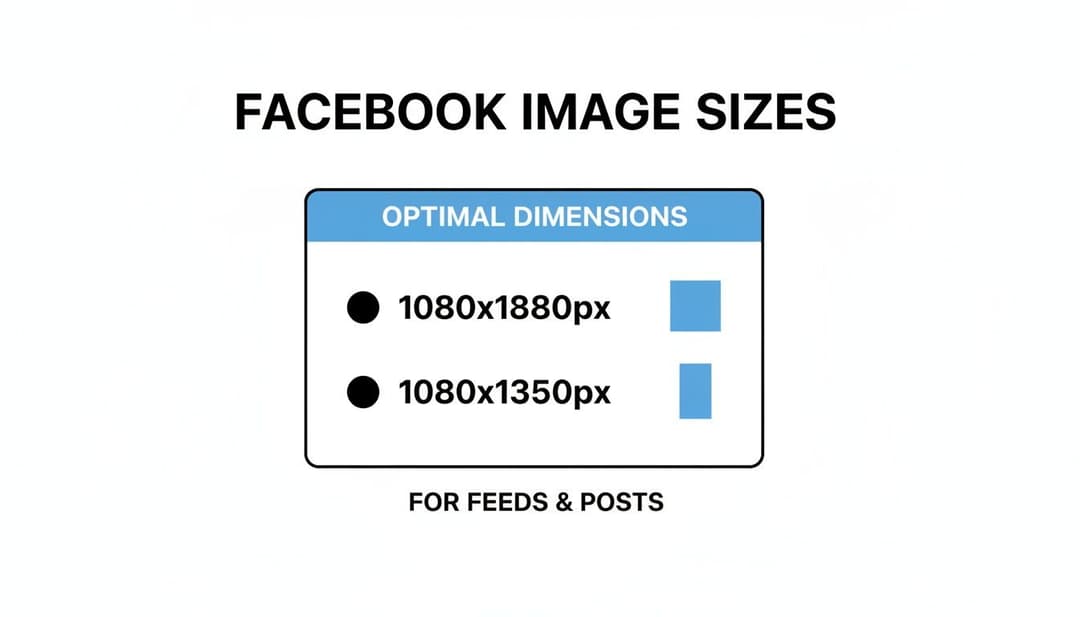
As the graphic shows, both the 1:1 square and the 4:5 vertical formats are designed for modern, high-resolution displays. This ensures your creative is always crisp and clear.
For everything else, from your profile picture to event covers, I’ve put together a master cheat sheet. Bookmark this page and use it as your go-to reference for every placement.
Facebook Image Size Master Cheat Sheet 2026
Here's a quick-reference table with the recommended dimensions, aspect ratios, and file size limits for all the major Facebook image placements. No more guesswork.
| Placement Type | Recommended Dimensions (Pixels) | Aspect Ratio | Max File Size |
|---|---|---|---|
| Feed Post (Square) | 1080 x 1080 px | 1:1 | 30MB |
| Feed Post (Vertical) | 1080 x 1350 px | 4:5 | 30MB |
| Facebook Stories | 1080 x 1920 px | 9:16 | 30MB |
| Cover Photo | 851 x 315 px | 2.7:1 | 100KB |
| Profile Picture | 320 x 320 px | 1:1 | 30MB |
| Event Cover Photo | 1920 x 1005 px | 1.91:1 | 30MB |
| Link Preview | 1200 x 630 px | 1.91:1 | 8MB |
| Carousel Ads | 1080 x 1080 px | 1:1 | 30MB |
Having this table handy will save you countless hours of hunting for specs and fixing formatting issues down the road. Keep it close, and you'll always have the right answer.
Why Image Dimensions and Aspect Ratios Are Crucial
Getting your Facebook image sizes right isn't just about ticking a technical box. Think of it as a strategic move that directly feeds into your campaign's performance. When you upload an image that doesn't fit Meta's recommendations, its algorithm often tries to "fix" it for you—and those fixes can sabotage your efforts before anyone even sees your post.
The most common problems are automatic cropping and aggressive compression. Cropping can slice off your key message or the best part of your product shot. Compression, on the other hand, degrades quality, making your beautiful visuals look blurry or pixelated. On the high-resolution mobile screens where most people scroll, this instantly signals a lack of professionalism and creates a jarring user experience.
The Business Cost of Poor Sizing
The fallout from poorly optimized images hits your bottom line directly. A badly cropped or compressed image simply won't stop the scroll, which means lower engagement and fewer clicks. For advertisers, the damage is even more significant.
Low-quality visuals can tank your ad's relevance score, one of the key metrics Meta uses to decide who sees your ad and how often. A lower score often leads to reduced visibility in the feed and forces you to spend more to reach the same number of people. You end up wasting your budget.
On the flip side, images that are properly sized and optimized reinforce a professional brand image and create a seamless, high-quality experience for the user. This builds trust, encourages people to interact, and tells the algorithm your content is valuable.
Understanding Aspect Ratios for a Perfect Display
Beyond just pixel dimensions, the aspect ratio is absolutely vital for making sure your creative vision translates correctly across different placements. The aspect ratio is just the relationship between an image's width and its height.
Here’s a quick rundown of why the most common ratios matter so much:
- 1:1 (Square): This is the universal workhorse. It’s perfect for standard feed posts and carousels, giving you a balanced, clean look on both desktop and mobile devices.
- 4:5 (Vertical): A true mobile-first powerhouse. This ratio takes up more vertical screen real estate in the feed, making it far more effective at grabbing and holding attention.
- 9:16 (Full-Screen Vertical): This is the non-negotiable ratio for immersive formats like Facebook Stories. It fills the entire screen, creating a high-impact, full-bleed experience.
Choosing the right aspect ratio for each ad placement is how you maintain creative control. For a deeper dive into how placement choices impact your results, you might want to check out our guide on the strategic placement of advertising. When you match your image's ratio to the placement's native format, you guarantee your content looks exactly as you intended, free from any surprise crops or awkward distortions.
The Best Image Sizes for Facebook Feed Posts and Ads
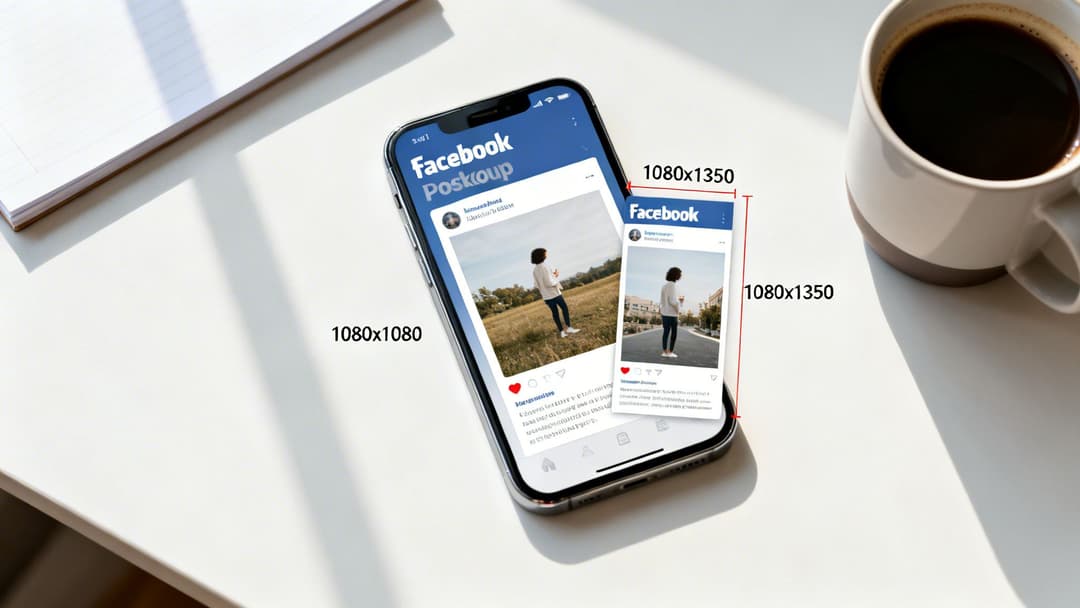
The Facebook feed is easily the most crowded real estate on the platform. You're not just competing with other brands; you're up against baby photos, vacation updates, and group discussions all vying for your audience's attention. To stand a chance, your images need to grab as much screen space as possible, especially since most users are just scrolling on their phones.
When it comes to both organic posts and paid ads, we've seen two formats consistently come out on top: the 1:1 square and the 4:5 vertical. Honestly, these are the best image sizes for Facebook because they're built from the ground up for a mobile-first world.
Square Images: The Reliable Standard
Think of the 1:1 aspect ratio as your trusty, all-purpose workhorse. We always recommend a size of 1080 x 1080 pixels. It gives you a clean, balanced look that works perfectly on both mobile and desktop feeds without any weird or unexpected cropping.
You can use this dimension for almost anything:
- Product Shots: Perfect for showing off your products right in the center of the frame.
- Brand Graphics: Great for creating shareable graphics with text overlays that are easy to read.
- Team Photos: A solid choice for highlighting your company culture with well-composed portraits.
The square format is just a safe, effective bet. It guarantees your message gets across exactly how you designed it. If you're looking for more tips on making your visuals pop, check out our guide on effective advertising banner design.
Vertical Images: The Mobile Powerhouse
Now, if you really want to dominate the mobile feed, you have to go with the 4:5 aspect ratio. Sizing your image to 1080 x 1350 pixels is the key here. This taller format fills so much more of a smartphone screen, making it incredibly effective at stopping that endless scroll and actually holding someone's attention.
Vertical formats can command up to 45% more screen real estate on mobile devices. This increased visibility often translates into higher click-through rates, boosting CTR by as much as 12-22% for certain campaigns.
Using a 4:5 ratio gives your content a much more immersive feel. It's hands-down the best choice for impactful storytelling and driving real engagement.
Optimizing Image Sizes for Ads
When you're putting money behind your posts, using the right image size isn't just a suggestion—it's critical for performance. I've seen it time and time again: incorrect dimensions can make your costs skyrocket. In fact, data shows that mismatched image sizes can inflate your campaign costs by 20-35% simply because you're throwing off the platform's learning phase. For those who'd rather not leave it to chance, professional Facebook Ad Management services can make all the difference.
Sticking to 1080 x 1080 px or 1080 x 1350 px helps keep ad fatigue at bay by making sure your creatives look good everywhere. This keeps your frequency rates in a healthy range and, ultimately, brings your campaign costs down.
Mastering Image Dimensions for Facebook Stories
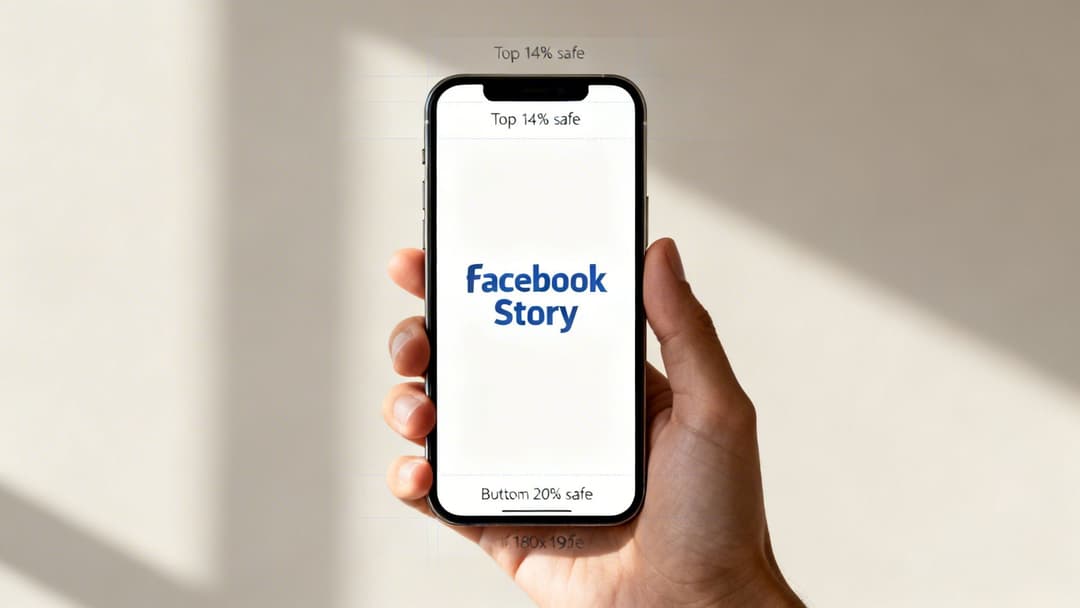
Facebook Stories aren't just another post type—they demand a completely different approach. This is your chance to go full-screen and create an immersive experience that really grabs your audience. But there's one golden rule you can't ignore: use a 9:16 aspect ratio with dimensions of 1080 x 1920 pixels.
Get this wrong, and Facebook will automatically crop or zoom your image, destroying the quality and killing the user experience in an instant. This vertical format is the heart of a mobile-first strategy, filling the entire screen for a powerful, one-on-one connection. When you nail it, Stories can drive engagement rates that blow standard feed posts out of the water.
Navigating the UI Safe Zones
One of the most common stumbles I see marketers make with Stories is forgetting about the user interface. Your profile icon, name, and the interactive buttons at the bottom will cover parts of your creative. It's absolutely critical to design within the "safe zones" to avoid this.
Here’s a simple guideline to keep your key elements from getting hidden:
- Top Safe Zone: Leave the top 14% of your image (roughly 250 pixels) clear of text, logos, or crucial parts of your visual.
- Bottom Safe Zone: Keep the bottom 20% of your creative (about 340 pixels) free from any must-see information, especially your call-to-action.
Think of these as "no-go" areas for anything important. By keeping your core message and CTAs in that central, fully viewable area, you guarantee they’re seen. These same principles are a good starting point for other platforms, too. For a deeper dive, check out our guide on the correct size of Instagram Stories to keep your creative consistent.
Common Pitfalls and Technical Specs
Beyond just the dimensions, the technical details can trip you up. Facebook Stories have a maximum file size of 30MB. It might sound like a lot, but high-res images can easily push past this limit, causing your upload to fail without a clear error message. It's a surprisingly common roadblock that can halt a campaign in its tracks.
When Stories first launched, the early days were messy. Mismatched image sizes were rampant, causing up to 65% of brand Stories to appear cropped or distorted. It quickly became obvious that sticking to the 1080x1920 spec was the only way to ensure performance, and that standard holds true today. For brands scaling their campaigns, platforms like AdStellar AI can automate the creation of hundreds of compliant Stories creatives, turning a tedious resizing chore into a streamlined, revenue-driving workflow.
Getting Your Image Specs Right for Other Facebook Placements
Beyond the main feed and Stories, Facebook has a whole arsenal of other ad placements. Getting the image specs right for these is just as crucial—maybe even more so, since each one works a little differently. If you ignore the specific dimensions for formats like Carousels or Marketplace, you’ll end up with creative that looks sloppy, performs terribly, and just burns through your ad budget.
This guide will break down the ideal image sizes for these specialized ad formats. Sticking to these specs makes sure your ads look polished and are set up to actually drive clicks and conversions.
Carousel and Collection Ads
Carousel and Collection ads are absolute workhorses for e-commerce brands. They let you show off several products or highlight multiple features within a single, interactive ad. For both of these formats, the magic number is 1080 x 1080 pixels. That clean 1:1 aspect ratio is your best friend here.
Carousel Ads: These ads let users swipe through two or more images or videos. When every single card is a perfect 1:1 square, you create a smooth, seamless swiping experience. If you mix and match aspect ratios, the ad feels clunky and unprofessional. Visual consistency is everything.
Collection Ads: This format is a bit different. It uses a main "hero" image or video above a grid of smaller product images that open into an Instant Experience. While your hero creative has some flexibility, those product images pulled from your catalog absolutely need to be 1080 x 1080 pixels. This guarantees they look clean and uniform in the grid. If you're using video, you can dive deeper into the specs in our complete guide to Facebook video ad specifications.
For these multi-product ads, consistency isn’t just about looking good—it builds trust and smoothly guides a potential customer toward making a purchase.
We've organized the key specs for these niche placements into a handy table for quick reference.
| Ad Format | Recommended Dimensions (Pixels) | Aspect Ratio | Key Creative Tip |
|---|---|---|---|
| Carousel Ad | 1080 x 1080 | 1:1 | Use a consistent 1:1 ratio for all cards to create a seamless user experience. |
| Collection Ad | 1080 x 1080 (for product images) | 1:1 | Ensure product images from your catalog are square to maintain a clean, grid-like look. |
| Marketplace Ad | 1200 x 1200 | 1:1 | Use a high-quality, native-looking square image to blend in with organic listings. |
| Right Column Ad | 1080 x 1080 | 1:1 | Keep visuals simple and bold; complex images with text become unreadable at this small size. |
Remember, these formats are designed with a specific user behavior in mind, so matching the creative specs is the first step to making them work for you.
Marketplace and Right Column Ads
The main feed gets all the glory, but don't sleep on placements like Marketplace or the desktop-only Right Column. They offer unique ways to reach people who are actively looking to buy or browse. But be warned, their creative needs are very different from a standard feed ad.
Pro Tip: For tiny ad spots like the Right Column, your creative has to be incredibly simple and bold. Any image with small text or intricate details will just look like a blurry mess. Go with a single, clear product shot or a high-contrast graphic that grabs the eye in a split second.
Facebook Marketplace Ads When you run ads here, you’re talking to people with serious purchase intent. For a single-image ad in Marketplace, the recommended size is 1200 x 1200 pixels (1:1 ratio). This square format looks clean and feels native next to all the organic product listings, helping your ad fit in while still catching the eye.
Facebook Right Column Ads This is an old-school, desktop-only placement that shows up in the right-hand column on Facebook pages. Because these ads are so small, your visuals have to do a lot of heavy lifting in a tiny space. The official recommendation is 1080 x 1080 pixels, but the real trick is making sure your creative is punchy enough to be understood at a glance. Ditch the clutter and forget about fine details.
Perfecting Your Profile and Cover Photo Dimensions
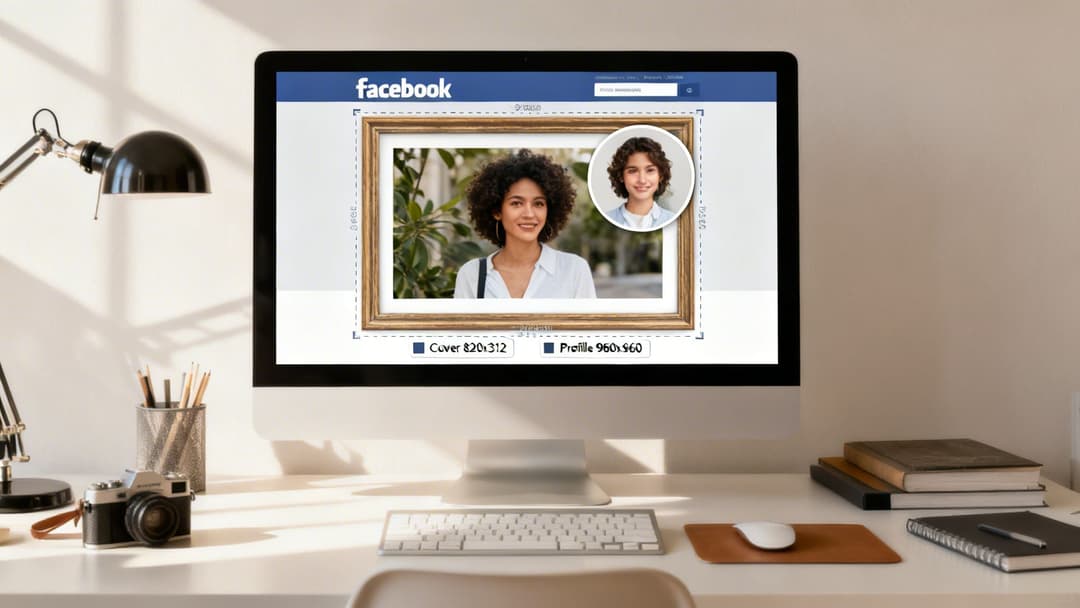
Think of your profile and cover photo as the welcome mat and front door to your brand's home on Facebook. For new visitors, these are often the very first things they see, making them absolutely critical for nailing that first impression. Get the sizes wrong, and you risk awkward cropping, pixelated images, and a look that just feels unprofessional.
These aren't just decorative flourishes; they're foundational brand assets. Let's break down exactly what you need to know to get them looking sharp on every single device.
Facebook Profile Picture Size
Your profile picture is your brand's tiny ambassador. It shows up everywhere—on your Page, next to your comments, in Messenger, and in search results. For the best possible quality, always upload a square image of at least 960 x 960 pixels. Facebook will shrink it down, of course, but starting with a high-resolution file prevents it from looking blurry or pixelated.
The most important thing to remember? Facebook crops your profile picture into a circle for all posts and ads.
When you're designing it, treat your square canvas like a target. Your logo or main visual needs to be dead center. Imagine a circle drawn inside your square—anything outside that circle will get chopped off.
This means you should never put text or essential parts of your logo in the corners. They'll simply disappear. A well-centered design guarantees your brand is instantly recognizable no matter where it appears.
Facebook Page Cover Photo Size
Your Page’s cover photo is a much bigger canvas, giving you a great opportunity to tell a larger brand story or showcase a new campaign. It's also where things get tricky. The image displays differently on desktop versus mobile, and that’s where most people run into trouble. The secret is to design for mobile first.
Here are the dimensions you’re working with:
- Displays on Desktop: 820 x 312 pixels
- Displays on Mobile: 640 x 360 pixels
Because the mobile version is taller and narrower, Facebook essentially crops the sides off your desktop image. To create one cover photo that looks great everywhere, design your image at 851 x 315 pixels but keep every critical element (like text, faces, or logos) within a central "mobile-safe" area. This ensures your main message is always visible, whether someone is on their phone or their computer.
Group and Event Cover Photo Sizes
The game changes a bit for specific formats like Groups and Events. These are designed for different kinds of user interaction, so their cover photos have unique dimensions. Using the right size is key to making the space feel professional and inviting for your community members.
For these, you’ll want to stick to these specs:
- Facebook Group Cover Photo: The recommended size is 1640 x 856 pixels. This works out to a wider 1.91:1 aspect ratio.
- Facebook Event Cover Photo: Use an image that is 1920 x 1005 pixels, which also fits that same 1.91:1 aspect ratio.
A nice bonus here is that, unlike personal and business pages, these cover photos aren't partially blocked by a profile picture. This gives you the entire canvas to play with, so you can really make an impact.
Automating Creative Compliance with AdStellar AI
Manually resizing images to get the right dimensions for every single Facebook ad placement is more than just a headache—it’s a massive bottleneck. For agencies and marketing teams, this constant loop of creating, checking, and re-uploading creative variations burns hours that should be spent on high-level strategy. It's a grind, and a single mistake can lead to a rejected ad, a poorly cropped visual, or budget wasted on a placement that never had a chance.
This is exactly the problem AdStellar AI was built to solve. It automates the entire creative compliance workflow, empowering teams to generate hundreds of perfect ad variations in minutes. Instead of building one ad at a time, you can create countless combinations of images, headlines, and audiences—all sized flawlessly for their intended placements.
Scale Campaigns with Data-Driven Creative
AdStellar AI connects directly to your Meta Ads Manager using secure OAuth to get a clear picture of your campaign history. From there, the platform's AI gets to work, analyzing your past performance to see which specific image sizes and creative formats drove the highest Return on Ad Spend (ROAS) or the lowest Cost Per Acquisition (CPA).
This means the AI isn’t just guessing what works. It’s using your own performance data to recommend and prioritize the creative combinations that are most likely to win. This data-first approach takes the guesswork out of creative optimization and ensures you're always leading with your best-performing assets.
By automating the generation of compliant, high-performing creative, AdStellar AI empowers teams to scale campaigns 10x faster. It wipes out the manual errors and creative fatigue that hold back growth, turning a complex workflow into a streamlined, repeatable process.
For growth teams and agencies juggling multiple clients, this is a genuine game-changer. AdStellar AI centralizes everything from bulk ad creation to performance analysis, helping you manage more accounts with far greater efficiency. You can finally stop worrying about pixel dimensions and get back to what actually matters: driving results.
Common Questions About Facebook Image Sizes
Even with a comprehensive guide in hand, a few specific questions always seem to pop up. Let's tackle some of the most common snags people run into with their Facebook images so you can get your visuals perfected and your content live.
What Happens If I Upload the Wrong Image Size?
Uploading an image with the wrong dimensions kicks off Facebook's automatic resizing process, which can really do a number on your content's quality and performance. The platform essentially forces your image to fit its required aspect ratio, and this usually leads to a few big problems.
- Automatic Cropping: Facebook might just chop off key parts of your image. This could be your logo, a critical product detail, or the headline you spent so much time crafting.
- Compression and Blurriness: The platform may also stretch or compress your image to make it fit. The result? It looks pixelated, blurry, and unprofessional, especially on high-resolution screens.
- Ad Rejection: If you're running paid campaigns, using the wrong dimensions is a classic rookie mistake that gets ads rejected during the review process. This can throw your entire launch schedule off track.
Bottom line: using the wrong size makes your brand look careless and can tank your content's effectiveness before it even has a chance.
Should I Use JPG or PNG for Facebook Images?
The choice between JPG and PNG really just boils down to what kind of image you're uploading. Both are great file types, but they're built for different jobs.
Use JPG for: Photographs and complex images that have a lot of colors and gradients. The JPG format is fantastic at compressing these kinds of images into a smaller file size without a noticeable drop in quality, which means faster load times for your audience.
Use PNG for: Graphics that include text, logos, or need a transparent background. PNG files keep sharp lines and text looking crisp in a way that JPGs just can't match. And if you need a transparent background, PNG is your only option.
As a simple rule of thumb for the best Facebook image quality: if it’s a photo, go with JPG. If it has sharp lines, text, or needs transparency, PNG is the way to go.
Why Do My Images Look Blurry on Facebook?
Blurry images on Facebook are almost always the fault of the platform's compression algorithm. When you upload a low-resolution image, Facebook tries to blow it up, which causes that tell-tale pixelation. But even if you upload a high-resolution image, the platform still applies compression to shrink the file size and make sure everything loads quickly.
To fight back against the blur, always start with the highest quality source file you can get your hands on. When you upload images at the recommended dimensions (like 1080x1080 or 1080x1350) at a high resolution, you’re giving Facebook's algorithm more data to work with. This results in a much cleaner, sharper final image after its compression is done.
Stop wasting time resizing creatives and start scaling your campaigns. AdStellar AI automates bulk ad creation, generating hundreds of perfectly sized, data-backed ad variations in minutes. See how it works at https://www.adstellar.ai.


