
So, what exactly is Facebook remarketing? Simply put, it's the practice of showing ads to people who have already crossed paths with your brand—maybe they visited your website, added a product to their cart, or watched one of your videos. It's your chance to turn that initial flicker of interest into a real conversion by gently reminding them of what they saw.
This isn't just a nice-to-have tactic; it's essential for getting the most out of every dollar you spend on ads and closing sales that would otherwise be lost.
Why Facebook Remarketing Is a Growth Engine
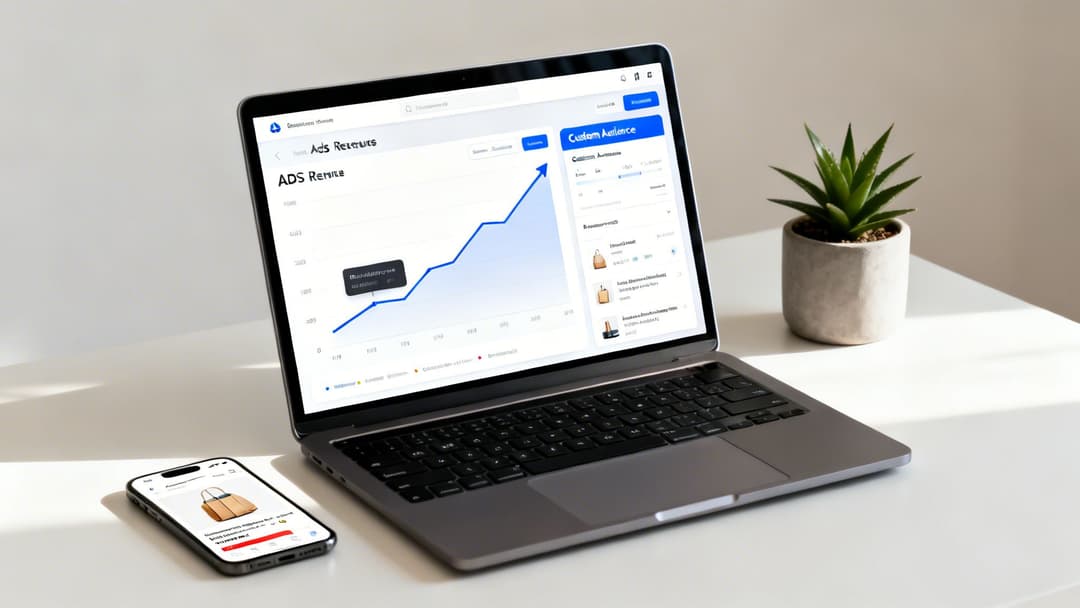
Think about how people actually shop online. Someone sees your ad, clicks over to your site, looks at a few products... and then their dog barks, they get a text, and they’re gone. Without a plan, that potential customer is probably gone for good.
Facebook remarketing is your digital safety net. It gives you a second, third, or even fourth shot at reconnecting with these high-intent people right where they spend their time: scrolling their social feeds. This isn't about bothering cold leads. It’s about picking up a conversation with someone who's already shown they’re interested. These are your "almost-customers."
Familiarity and Perfect Timing
The idea is simple: people buy from brands they know and trust. When your brand pops back up in their Facebook or Instagram feed, you're building that crucial familiarity and staying top-of-mind. It's incredibly effective for tackling two of the biggest headaches in e-commerce:
- Cart Abandonment: We've all done it. You add something to your cart, get distracted, and forget. A dynamic ad showcasing that exact product is often the perfect nudge to bring them back and finish checking out.
- High-Intent Bounces: Someone checks out your pricing page or a specific product but leaves without buying. You can retarget them with ads that overcome common objections, highlight key benefits, or show off a five-star customer review.
Let's quickly compare what makes remarketing so different from standard campaigns that target broad, cold audiences.
Facebook Remarketing vs Standard Prospecting
| Metric | Remarketing Campaigns | Standard Prospecting Campaigns |
|---|---|---|
| Audience | Warm; has prior interaction with your brand. | Cold; has no prior interaction with your brand. |
| Typical Cost Per Click (CPC) | Lower | Higher |
| Typical Conversion Rate | Higher | Lower |
| Return on Ad Spend (ROAS) | Generally higher | Generally lower |
As you can see, remarketing focuses on an audience that already knows you, which usually translates to better efficiency and higher returns. It's a key piece of the puzzle for driving customer loyalty, and when you pair it with good customer retention management software, the results can be even more powerful.
I can't stress this enough: remarketing is a cornerstone of modern performance marketing. It’s no surprise that 55% of advertisers call it their number-one retargeting channel. I've personally seen dynamic product ads recover 10-25% of abandoned carts for clients, turning what would have been lost revenue into solid sales.
Turning Data Into Dollars
At its core, remarketing in Facebook runs on data. It all starts with tracking tools like the Meta Pixel and the Conversions API, which tell you what people are doing on your website. This is where the magic happens.
By tracking those actions, you can build incredibly specific Custom Audiences. Want to target users who viewed your sneaker collection in the last 7 days? You can do that. How about people who watched 75% of your latest video ad but didn't click? Easy.
This level of precision lets you stop shouting into the void with generic ads and start having relevant conversations. If you're ready to get your hands dirty, our guide on how to set up retargeting ads on Facebook is the perfect next step. This is what transforms your ad account from a cost center into a true growth engine.
Effective remarketing doesn't start with clever ads or slick copy. It begins with something far less glamorous but infinitely more important: a solid foundation of clean, reliable data. Before you can even think about audiences or creative, you need to build the engine that will power your entire strategy.
This engine really has two parts working in tandem: the Meta Pixel and the Conversions API (CAPI). It’s best to think of them as an essential partnership. The Pixel is a bit of code that lives on your website, tracking what people do in their browser, while CAPI sends data directly from your server straight to Meta.
Let's be clear: using both isn't just a "nice-to-have" anymore. It's a must. With all the browser restrictions and privacy changes flying around, relying only on the browser-side Pixel means you’re flying blind. CAPI fills in the gaps, giving you a much more durable and complete picture of what's actually happening.
The Pixel and CAPI Partnership
Think of the Meta Pixel as your scout on the ground. It's fantastic at reporting back what it sees in real-time—someone viewing a product, clicking a button, you name it. It's fast and captures a ton of valuable browser activity.
But sometimes, that scout's vision gets blocked. Ad blockers, privacy-focused browsers like Firefox and Safari, and of course, Apple's iOS 14+ updates can stop the Pixel from firing. We've seen this firsthand, and industry data backs it up: you can easily lose 15-30% of your browser-side tracking data.
That’s where the Conversions API saves the day. It's like having a direct, encrypted satellite feed from your headquarters (your server). Because it doesn't depend on the user's browser, it can report on critical actions like a purchase or a lead submission even when the Pixel can't.
Meta then takes the data from both sources and "deduplicates" it, so you get a single, accurate record for every conversion. If you want to get into the nitty-gritty of the server-side setup, our guide on the Meta Conversions API is the perfect next step.
Setting Up Your Core E-commerce Events
To make your remarketing campaigns truly effective—especially dynamic ads—you absolutely have to track the key events in your sales funnel. These signals tell you exactly where someone is in their journey, so you can hit them with the perfect message.
For any e-commerce business, these are the non-negotiables:
- ViewContent: Someone lands on a product page. This is the first sign of interest.
- AddToCart: They've put an item in their cart. Now we're talking real intent.
- InitiateCheckout: They've started the checkout process. They are right on the cusp of buying.
- Purchase: The finish line. A successful transaction is complete.
The good news? Most modern platforms like Shopify have made this incredibly simple. You can connect your Facebook account right from the Shopify admin, and it will automatically set up and send these standard events through both the Pixel and CAPI. Your product catalog gets synced, and your data foundation is ready to go.
Pro Tip: Don't just stick to the basics. Get creative with Custom Conversions for actions that are uniquely valuable to your business. A SaaS company might track a "DemoBooked" event, or a publisher could track a "NewsletterSignup." These create hyper-relevant audiences you can target later.
Domain Verification and Event Configuration
You’re almost there. There are just two final, one-time steps to take inside your Meta Business Manager to make sure your data is legitimate and prioritized correctly.
First up is Domain Verification. This is simply you proving to Meta that you own your website. It's a quick security step that's required before you can configure your events and it stops anyone else from running ads with your domain.
Next, you'll configure your Aggregated Event Measurement. This is Meta's system for handling data from users who opt out of tracking on iOS devices. It lets you rank up to eight standard or custom events in order of importance. For an e-commerce store, your priority list should look something like this:
- Purchase
- InitiateCheckout
- AddToCart
- ViewContent
By setting this priority, you're telling Meta, "Even if you only get limited data from an iOS user, prioritize telling me if a Purchase happened." This ensures your most valuable conversions are still counted, which allows your campaigns to keep optimizing for what actually drives your business forward.
Crafting High-Intent Custom Audiences
Alright, your data is flowing smoothly from your site to Meta. Now for the fun part—turning that raw data into audiences that actually drive performance. This is where we move past the beginner-level stuff and get surgical with Facebook remarketing.
Forget about the default "All Website Visitors" audience. It's a lazy approach and, frankly, a waste of money. Lumping every single visitor into one bucket is like yelling at a mixed crowd; you're speaking to everyone and no one at the same time.
The goal is to talk to people based on what they did, not just that they visited. The foundation for this precision is a resilient data setup.
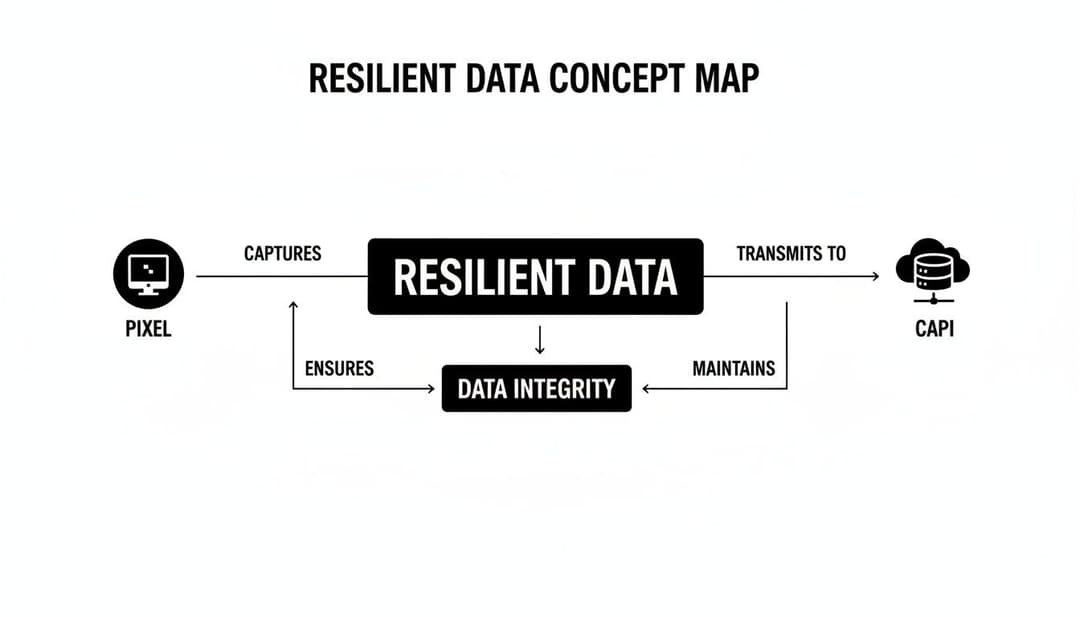
Having both the Meta Pixel and the Conversions API working together is no longer a "nice-to-have." It’s essential. Browser privacy updates can easily block the Pixel, but CAPI’s server-side tracking fills in those data gaps, giving you a complete picture to build truly effective audiences.
Moving From Broad To Granular
The best campaigns I've ever run all had one thing in common: they targeted users based on the strength of their intent. Someone who spent five minutes scrolling your pricing page is worlds apart from someone who bounced off your homepage in ten seconds. Your audience strategy has to reflect that reality.
Let’s get practical with a few examples:
- For an e-commerce store: Isolate users who added an item to their cart in the last 7 days but never finished checking out. This is your lowest-hanging fruit, a group screaming with purchase intent.
- For a SaaS business: Create an audience of people who landed on your
/pricingpage and stayed for at least 30 seconds but didn't book a demo. They're clearly weighing their options, and a well-timed ad can push them over the edge. - For a content-driven brand: Build an audience from people who watched 75% or more of your latest video ad. This group is already bought into your story; they’re primed for whatever you want to show them next.
When you create these granular segments, your ads stop feeling like ads. They feel helpful and timely. If you want to go even deeper on this, there’s a lot more to explore in effective audience segmentation strategies.
A quick story from the trenches: I once took over an account where the remarketing ROAS was completely flat. Their only audience was "All Visitors - 90 Days." We made one simple change: we switched to a "Viewed Product - 14 Days" audience and made sure to exclude recent buyers. Within two weeks, ROAS shot up by 35%. Granularity pays off, every single time.
Creating Your First High-Intent Audiences
Head over to the "Audiences" section in your Meta Ads Manager. This is your command center. Click "Create Audience," then "Custom Audience," and let's build some money-making assets.
Here are three powerful audiences you should set up right now:
- Cart Abandoners (Last 14 Days): This is non-negotiable for e-commerce. You'll want to target anyone who triggered the
AddToCartevent but not thePurchaseevent. A 14-day window is a perfect starting point. - Engaged Site Visitors (Last 30 Days): Instead of targeting all visitors, use the "Visitors by time spent" option. Create an audience of the top 25% of people who spent the most time on your site. These aren't casual browsers; they're genuinely interested.
- Specific Category Viewers (Last 30 Days): Selling different types of products? Segment by interest. Create an audience of people who visited URLs containing "/running-shoes/" and show them ads for—you guessed it—your newest running shoes.
And please, always remember to exclude recent purchasers from your campaigns (unless you're running a specific upsell or cross-sell campaign). There's no faster way to burn cash and annoy a happy customer than by showing them an ad for the product they just bought.
Dynamic Audiences For Maximum Relevance
For any e-commerce brand with a decent-sized product catalog, Dynamic Product Ads (DPA) are the ultimate form of remarketing. These aren't just ads; they're a fully automated relevance machine.
Instead of you manually building dozens of audiences for every product, DPAs tap into your product catalog and Pixel events to do the heavy lifting. They create dynamic audiences on the fly, automatically showing people ads featuring the exact products they viewed or added to their cart.
This level of personalization is insanely powerful. It’s how you turn a window shopper into a paying customer and a one-time buyer into a repeat fan. By combining a solid data foundation with a smart, segmented audience strategy, you're setting yourself up for campaigns that deliver real, measurable results.
Designing and Launching Remarketing Campaigns
This is where the magic happens. You’ve put in the work to build your data pipelines and segment your audiences. Now it’s time to turn those high-intent users into customers by designing campaigns that bring them back.
The key here is understanding that there's no one-size-fits-all playbook. A successful remarketing structure has to mirror your business goals and the specific audience you're trying to win over.
For example, the game plan for an e-commerce store is worlds apart from a B2B SaaS company’s strategy. One is chasing immediate sales, while the other is playing the long game of nurturing leads. Let's dig into how to build campaigns for both.
Campaign Structures for Different Business Models
For e-commerce brands, it’s all about turning that initial flicker of interest into a sale. Your most powerful weapon in this fight is Dynamic Product Ads (DPA), now a core part of Meta's Advantage+ catalog ads.
DPAs are brilliant because they automatically serve ads showing the exact products someone looked at or added to their cart. It’s hyper-personal, and it works. Some reports show that dynamic ads can boost conversion rates by up to 5x compared to standard ads. The numbers don't lie: Facebook retargeting ads have an average click-through rate of 0.9%, which completely blows the 0.05% for typical display ads out of the water. You can explore more stats on retargeting performance over at MarketingLTB.
Now, if you’re a B2B marketer, your approach needs to be totally different. Your prospect probably isn’t going to impulse-buy your software after downloading a whitepaper. A loud "Buy Now!" ad will just scare them away. Instead, your campaign needs to be about building trust and proving your value.
Here’s how you can do that:
- Lean on Social Proof: Are people checking out your features page? Hit them with ads showcasing glowing customer testimonials or detailed case studies.
- Keep Offering Value: Someone downloaded your e-book? Great. A week later, retarget them with an invitation to a webinar on a related topic.
- Handle Objections Proactively: If someone visited your pricing page but didn't convert, they likely have questions. Target them with ads that point to an ROI calculator or a competitive comparison guide.
Ad Sequencing to Guide the Customer Journey
Hitting someone with the same ad over and over is the fastest way to get ignored. A much smarter strategy is ad sequencing, where you create a narrative by showing a series of different ads over time. This keeps your message from going stale and moves the user along their journey.
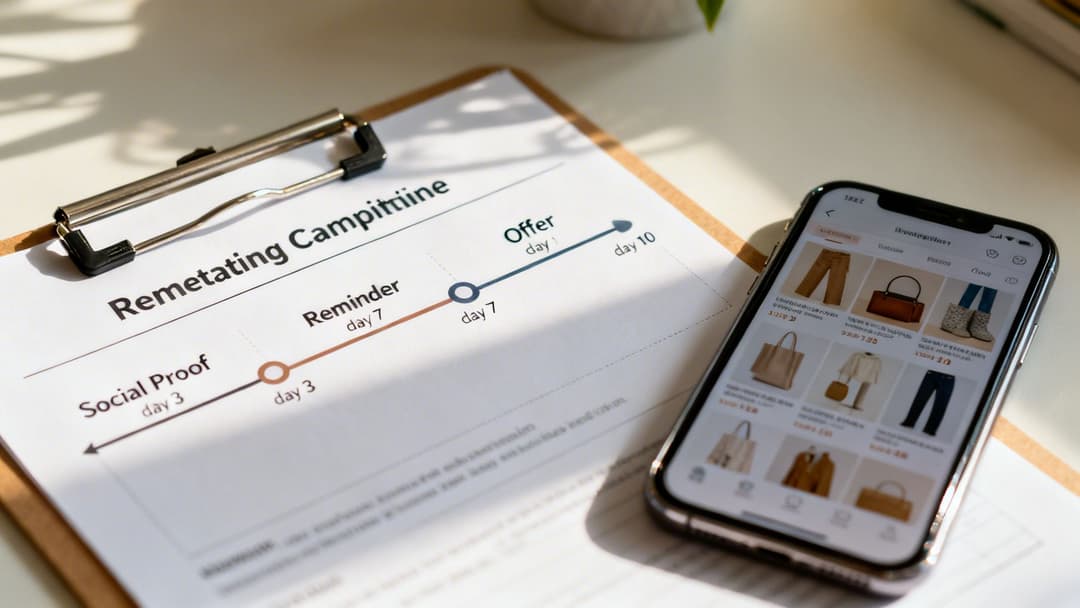
Think about a classic cart abandoner. A good sequence might look something like this:
- Days 1-3 (The Gentle Nudge): Start with a simple reminder. A DPA showing the item they left behind with light copy like, "Still thinking it over?" usually does the trick.
- Days 4-7 (The Confidence Builder): Now, introduce some social proof. The ad could feature a five-star review or a "customer favorite" badge to ease any hesitation.
- Days 8-14 (The Final Push): If they still haven't converted, it's time to create a little urgency. This is where a small, time-sensitive incentive like "Complete your order for 10% off" can work wonders.
This method guides the user from consideration to decision without being aggressive. You’re giving them the right message at the right time.
I've seen this work wonders for a B2B client. We targeted demo page visitors with a three-part sequence. The first ad was a customer testimonial video. The second was an infographic about industry results. The final ad was a direct invitation to book a one-on-one call. This nurtured approach increased our demo bookings from that audience by 40%.
Budgeting and Bidding Best Practices
Your creative and sequencing can be perfect, but it won't matter if your budget and bidding strategy are off. Since you're targeting smaller, high-intent audiences, your approach here will look different from your broad, top-of-funnel campaigns.
Budget Allocation You don't need a massive budget to start. A good rule of thumb is to dedicate about 15-20% of your total Facebook ad budget to remarketing. You can always scale this up once you see a positive Return on Ad Spend (ROAS).
Bidding Strategy Make sure your bidding strategy matches what you’re trying to achieve.
| Bidding Strategy | When to Use It |
|---|---|
| Highest Value | Your goal is to maximize Return on Ad Spend (ROAS). This is ideal for e-commerce DPAs. |
| Lowest Cost | You want to get the most conversions possible for your budget. Good for lead gen. |
| Cost Per Result Goal | You need to maintain a specific Cost Per Acquisition (CPA). Best for stable scaling. |
Finally, keep a close eye on your frequency—the average number of times each person sees your ad. If that number starts creeping above 5-7 in a seven-day window, it’s a red flag. Your audience is getting saturated, and you risk annoying your warmest leads. This is your signal to either refresh your ad creative or shorten your audience duration. Getting these details right before launch is crucial, and our Facebook campaign launch checklist is a great resource to make sure you've covered all your bases.
Advanced Tactics for Scaling and Automation
Alright, so your remarketing campaigns are humming along and turning a consistent profit. Nice work. Now, it’s time to stop just maintaining and start really growing. This is where you shift gears from simply re-engaging warm traffic to actively hunting for new customers who behave just like your best ones.
This is the part of the job that separates the pros from the amateurs. Scaling effectively is a delicate dance between expanding your audiences, constantly optimizing your creative, and using smart automation so you don't drown in spreadsheets. This is how a single profitable campaign becomes the growth engine for your entire business.
Expanding Your Reach with Lookalike Audiences
Think of your best Custom Audiences—the frequent buyers, the high-value customers, the people who watch every second of your videos. These aren't just retargeting lists; they're sitting on a goldmine of data. The most logical next step is to take that data and find more people just like them.
This is exactly what Lookalike Audiences were built for. You can hand Meta a high-quality source audience, like a "Top 10% LTV Customers" list, and its algorithm will build a massive new audience of people who share similar demographics, interests, and online habits. This is your primary lever for scaling intelligently.
A few high-impact Lookalikes I always build first are:
- Lookalike of your highest LTV customers: This is a no-brainer. It tells Meta to find more prospects who mirror the traits of your most profitable buyers.
- Lookalike of recent purchasers: This helps you find people similar to those converting right now, which is perfect for capitalizing on current buying trends.
- Lookalike of highly engaged video viewers: If video is your jam, this finds users who are predisposed to actually watch and respond to your content.
It's a proven fact that Lookalike audiences built from high-performing remarketing pools can convert up to 45% better than other prospecting methods. This strategy isn't just about reaching more people; it's about reaching the right people at scale. You can explore more data on why this is so effective and other powerful retargeting statistics on MarketingLTB.
A Practical Framework for Creative Optimization
Scaling isn’t just about finding bigger audiences—it’s about keeping them from getting bored. Ad fatigue is a real threat, and it gets exponentially worse as your spend increases. The creative that worked beautifully on a small, warm audience will get stale in a hurry when you show it to millions.
You absolutely need a structured creative refresh cycle. As a baseline, I recommend swapping out your ad creative every 10-14 days. This simple discipline is one of the most effective ways to combat ad fatigue and can sustain performance gains of 15-30% over time. This doesn't mean you need a total redesign every two weeks; it can be as simple as a new headline, a different background color, or a fresh customer testimonial.
Let the data, not your gut, guide your optimization. Keep a close eye on your core metrics:
- Return on Ad Spend (ROAS): Is this creative actually making you money?
- Cost Per Acquisition (CPA): Is it generating leads or sales at a cost you can live with?
- Click-Through Rate (CTR): Is the ad compelling enough for people to even bother clicking?
When you find a winning ad, don't just set it and forget it. Double down. Take the elements that are clearly working—the hook, the image, the offer—and use them as the foundation for your next round of creative tests. This iterative cycle of testing, learning, and applying is the key to maintaining performance as you pour more fuel on the fire.
Leveraging AI for Smarter Testing and Automation
Trying to manually test dozens of ad variations across a handful of audiences is a recipe for burnout. It’s tedious, slow, and full of human error. For any serious performance marketer, this is where AI-powered tools become indispensable.
Platforms like AdStellar AI can automate this entire workflow. You can bulk-create hundreds of ad combinations by mixing and matching different images, headlines, and copy, then launch them against your best Lookalike and Custom Audiences in minutes instead of hours.
But the real magic is in the automated analysis. The AI tirelessly monitors performance, automatically identifying the winning ad-and-audience combinations based on the KPIs you care about. It shows you exactly which creative is delivering the highest ROAS or the lowest CPA, so you can kill the losers and shift budget to the winners with confidence. If you're looking to implement this, our guide to scaling Meta campaigns with AI is a great place to start. This approach lets you trade manual grunt work for data-driven execution, freeing you up to think about big-picture strategy instead of being buried in reports.
Facebook Remarketing FAQs: Your Top Questions Answered
As you start working with remarketing, you'll find a few questions tend to pop up again and again. I've heard them from new marketers and seasoned pros alike.
Getting these sorted out early will save you a ton of time, budget, and headaches. Let's get right to it.
What's the "Right" Audience Size to Start With?
There’s no single magic number, but a solid rule of thumb is to wait until you have at least 1,000 matched users in a Custom Audience. That’s the point where Facebook's algorithm has enough data to work its magic and find the right people without spamming them.
Of course, there are exceptions. If you're targeting a hyper-specific, high-intent group—like people who abandoned a cart in the last 3 days—you might go live with just a few hundred. Just watch your ad frequency like a hawk. If it shoots up, you're on the fast track to annoying your hottest leads.
For broader audiences, like "all website visitors in the last 30 days," you'll want a much bigger pool of several thousand. This gives you room to segment later and keeps your campaign from hitting ad fatigue in the first week.
What’s the Difference Between Remarketing and Retargeting?
Honestly, in 2026, the terms are used pretty much interchangeably. If you say "retargeting" in a meeting about Facebook Ads, everyone will know exactly what you mean: showing ads to people who've already interacted with your brand.
But if you want the classic, old-school distinction, it's this: "retargeting" originally meant re-engaging anonymous users with ads based on browser cookies (like display ads that follow you around). "Remarketing" was a broader term that also included targeting known contacts, like an email list you upload.
When we talk about Facebook remarketing, we’re covering it all: targeting anyone on the platform who has visited your site, watched your video, engaged with your page, or is on your customer list.
My Remarketing CPA Is Sky-High. What Do I Check First?
A high Cost Per Acquisition (CPA) on a remarketing campaign is a classic problem, but it's almost always fixable. Before you hit the panic button, run through this quick diagnostic.
First, check your audience exclusions. This is the number one culprit, and it's an easy fix. Are you showing "buy now" ads to people who literally just bought from you? Always, always exclude recent purchasers (e.g., a "Purchasers - Last 30 Days" audience) from your top-of-funnel remarketing.
Next, take a hard look at your offer and creative. Is a simple reminder enough to get them to come back? Probably not. You need to sweeten the deal. Test a stronger offer—a small discount, free shipping, a free gift—and pair it with fresh ad creative.
Finally, look at your audience window. If you're targeting someone who visited your site 90 days ago with the same urgency as someone who visited yesterday, your performance will suffer. Try tightening your targeting to a more recent window, like 7 or 14 days. This focuses your spend on high-intent users and often brings CPA right back down.
How Soon Can I Start Remarketing After Launching a New Site?
You should get your tracking set up on day one. Seriously. Install your Meta Pixel and configure the Conversions API before you even think about driving traffic. This ensures you’re banking all that valuable audience data from your very first visitor.
While you can start building an audience immediately, you can't effectively run ads until you hit that critical mass. Once your key audiences (like "All Visitors" or "ViewContent") cross that 1,000-user threshold, you're ready to launch. You’ll be starting with a warm, ready-made audience instead of from a dead stop.
Done right, remarketing is one of the highest-impact things you can do. In most markets, it’s not uncommon to see 30-80% higher conversion rates from these campaigns. They can lift your total conversions by 30-50% and even boost branded search traffic by over 100% as brand familiarity grows. You can discover more insights on retargeting performance to see just how powerful it is. Of course, to see that impact, you need to know how to measure advertising effectiveness properly.
Ready to stop guessing and start scaling? With AdStellar AI, you can launch, test, and optimize hundreds of ad variations in minutes, not days. Our AI-powered platform automates tedious campaign setup and identifies your top-performing creatives and audiences, so you can double down on what works and drive more revenue from Meta. Unlock faster growth with AdStellar AI today.


