
You open Meta Ad Library to check two competitors and end up with 37 screenshots, five tabs you meant to revisit, and no clear answer on what to test first. I see this all the time during account audits. The research happened, but the analysis never did.
That is the gap this guide is meant to close.
Finding facebook ads best examples is easy. Building a system that turns those examples into better hooks, stronger offers, and cleaner creative tests takes more discipline. An ad is useful only when you can explain why it might work for that brand, audience, and stage of the funnel. Without that context, a swipe file becomes storage, not strategy.
Research often breaks down at the tagging stage. A marketer saves a founder video because it feels persuasive, then saves a discount carousel for a completely different audience, then grabs a polished testimonial ad from a brand with a larger budget and longer sales cycle. Those examples are not wrong. They are mixed together without a framework, so they are hard to apply.
My rule is simple. Never save an ad without a note beside it. Record the hook, offer, format, audience, and the level of promise on the landing page. If I cannot name the mechanism behind the ad, I do not keep it. That one habit keeps inspiration tied to execution.
The goal here is not to build a bigger swipe file. It is to build an inspiration system. You need a few reliable sources for discovery, a consistent way to score what you find, and a way to move strong ideas into production without copying competitors. If you want more context on what high-performing creative patterns look like in practice, review these best ads on Facebook before you start pulling examples apart.
Some tools are better for live market checks. Some are better for curated inspiration. A few are useful because they connect research to briefing, editing, and iteration. Used well, they help you find ads, analyze them like a media buyer, and turn scattered inspiration into measurable tests.
1. Meta Ad Library
A campaign brief lands on your desk Monday morning. Before anyone asks for new hooks or fresh concepts, open the official Meta Ad Library.
It is the fastest way to see what brands are running on Meta right now. You are not looking at a curated winner list or a scraped archive with gaps. You are looking at live market behavior. If I need a read on how a competitor is framing price, proof, or urgency this week, this is my first stop.
Why practitioners still start here
Search by brand, Page, or keyword. Filter by country. Switch placements. Open the advertiser and review multiple active ads side by side. That gives you two critical data points for campaign planning: current messaging and creative volume.
Page Transparency adds another layer. You can often spot whether a brand is testing aggressively or just keeping a few assets live. One polished ad can be misleading. A cluster of similar ads with slight changes usually tells you more, because it shows what angle the team believes is worth iterating.
I use it most during competitor pre-flight checks. The goal is not to copy ads. The goal is to map the category before you spend into it. Four questions usually surface what matters:
- What offer structure repeats. Trial, discount, bundle, quiz, proof-led CTA, or educational lead-in.
- What format gets the most attention from the brand. Static image, UGC-style video, carousel, Stories, or Reels.
- What promise appears first. Outcome, pain point, identity cue, speed, convenience, or social proof.
- How produced the ads feel. Raw founder content, edited creator footage, polished studio assets, or fast-turn meme-native creative.
Meta Ad Library does not show performance data, so treat “still active” carefully. Sometimes an ad stays live because it works. Sometimes it stays live because the account is messy, the spend is low, or no one has reviewed the campaign recently. That trade-off matters.
How to analyze what you find
Use the library as a collection layer, then perform the analysis outside it. I log ads by angle, mechanism, and stage of awareness. Brand names matter less than patterns. “Problem demo,” “testimonial with offer,” and “objection handling” are more useful labels than a folder named after competitors.
Video deserves a closer look when you see a brand producing many variations. That does not mean every account should push video into every campaign. It means repeated investment in one format usually signals that the team sees enough response to keep testing it.
A simple note beside each save makes the research usable later. Record the hook, the offer, the format, the landing page promise, and what changed across variants. If the reason an ad might work is still fuzzy after that, I do not save it.
Save fewer ads. Write more notes. A swipe file with ten well-labeled examples beats a folder with two hundred unlabeled screenshots.
If you want a cleaner reference point while reviewing live ads, this collection of Facebook ad creative examples helps compare category patterns against the ads you find in the library, and this breakdown of best ads on Facebook is a useful companion for turning those observations into test ideas.
The downside is speed. Research in Meta Ad Library is manual, and manual work gets messy fast once multiple stakeholders are saving examples in different places. It is excellent for discovery and market checks. It is weaker as a repeatable team system unless you add your own tagging and review process.
2. AdEspresso Ads Gallery
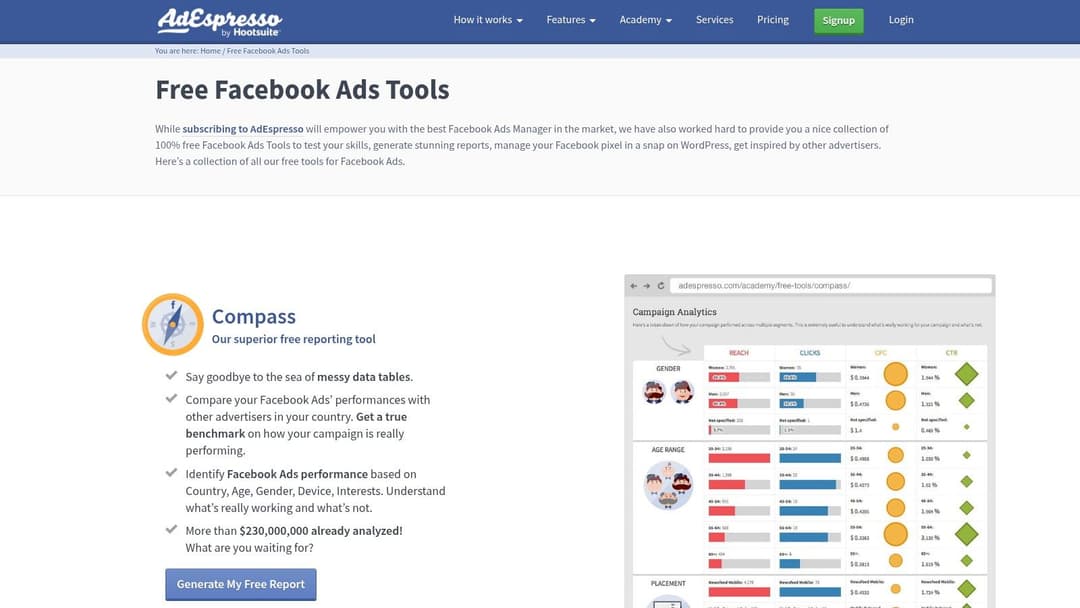
A common research bottleneck shows up right after the first round of ad hunting. You have enough examples to feel busy, but not enough structure to explain why certain ads keep showing up. AdEspresso’s free tools help at that stage because the gallery is organized for pattern recognition, not raw discovery.
I use it as a teaching and review tool. The value is speed. You can sort through examples by format and campaign type, then study recurring decisions around hooks, visual hierarchy, CTA placement, and offer framing without building your own tagging system first.
What it does well
AdEspresso works best when a team needs a clearer lens, not a bigger pile of screenshots.
That makes it useful for junior media buyers, in-house teams that do not have a dedicated creative strategist, and founders reviewing ads between other priorities. The curation adds bias, but it also removes noise. That trade-off is often worth it when the job is to train your eye.
The bigger advantage is educational context. AdEspresso does more than collect ads. It explains why certain formats and structures keep appearing, which helps teams build an inspiration system instead of a random swipe folder. In practice, that means it reinforces creative fundamentals that in-house teams often overlook, especially around message clarity, visual priority, and the first second of attention.
Video examples are especially useful here. AdEspresso highlights that many Facebook videos are watched without sound and that drop-off happens fast. As highlighted in AdEspresso’s analysis of ad examples, advertisers may have less than two seconds to earn attention, and viewers can leave after roughly 1.7 seconds in video environments. That should shape the brief from the start. If the offer, pain point, or visual payoff arrives too late, the edit is already working against you.
If your team is studying visuals more than copy, reviewing a few examples alongside these Facebook ad design examples and breakdowns makes the exercise more practical. The goal is to identify repeatable design choices you can test, not to recreate someone else's ad.
Where it falls short
Curated galleries get stale faster than live ad libraries. Some examples still teach good structure even after the campaign is gone, but timing matters in paid social. A format that worked two years ago may still be valid. The offer framing, CTA style, or production polish may not be.
I would not use AdEspresso to track competitors, spot fresh promos, or confirm what is spending right now. I would use it to review creative building blocks such as:
- Hook design. What the first frame, headline, or opening line asks the viewer to notice.
- Offer clarity. Whether the value exchange is obvious without reading everything.
- Message compression. How well the image, headline, and primary text split the workload.
- CTA timing. Whether the ad asks for action before trust is earned.
The practical move is to treat AdEspresso as a training ground. Save examples by pattern, write down why they may work, then turn each observation into a testable variable inside your own account. That is how inspiration becomes a system instead of a folder.
3. Swiped.co
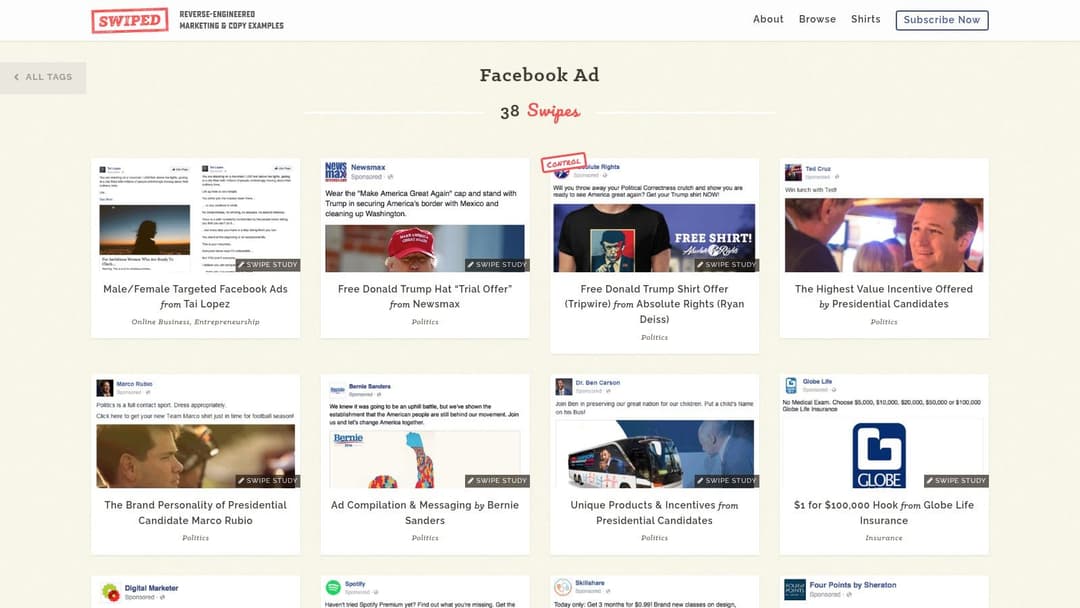
You open Ads Manager, see acceptable thumb-stop rates, and still miss your CPA target. That usually points to message-market fit, offer framing, or weak promise clarity. Swiped’s Facebook ad collection is useful in that moment because it helps diagnose why an ad sounds persuasive or forgettable.
Many performance marketers hunt for visual inspiration when the core issue sits in the copy. Swiped is strong on direct-response mechanics. Hooks, claims, objections, specificity, offer structure. It gives you better material for studying persuasion than for tracking what competitors launched this week.
Best for copy and offer analysis
I recommend Swiped when your static ads look polished but fail to earn the click, or when your team keeps shipping safe creative that says very little. The value is not just the ad itself. In many cases, you can review how the headline, body copy, and landing page work together. That lets you check whether the promise survives the click instead of collapsing on the page.
That matters with simple image ads in particular. Some of the strongest Meta winners are visually plain and strategically sharp. The useful lesson is rarely the layout. It is the message sequence. What belief the ad challenges first, what benefit it makes concrete, and how it lowers perceived risk before asking for action.
How to study patterns instead of copying lines
Swiped gets misused when teams save outputs instead of mechanisms. A better approach is to label the job each ad is doing.
Instead of saving “this headline,” save the pattern behind it:
- Reframes the problem
- Challenges a false belief
- Creates curiosity without becoming vague
- Makes the offer feel safer
- Calls out a clear identity
That is what turns a swipe file into an inspiration system. You stop collecting ads and start collecting repeatable decisions you can test across offers, audiences, and funnel stages.
If you cannot explain an ad in one sentence such as “this works because it turns a weak feature into a concrete outcome,” you have not analyzed it yet.
Swiped is also useful when you are briefing designers and editors. Creative direction should come from the angle, not from personal taste. If the ad wins on proof, the visual should show proof. If it wins on urgency, the visual should compress urgency fast. Reviewing a few Facebook ad creative examples by format and angle alongside Swiped makes that connection easier to see.
The trade-off is straightforward. Coverage is broad, but it is not a real-time Meta monitoring tool and it is not built for competitor surveillance. Use it as a messaging reference library. For live market intelligence, use a different source.
4. Foreplay.co
A common failure point shows up right after a good research session. The buyer saves ten strong ads, the designer saves five more, the founder drops screenshots into Slack, and two weeks later nobody remembers why any of them were saved.
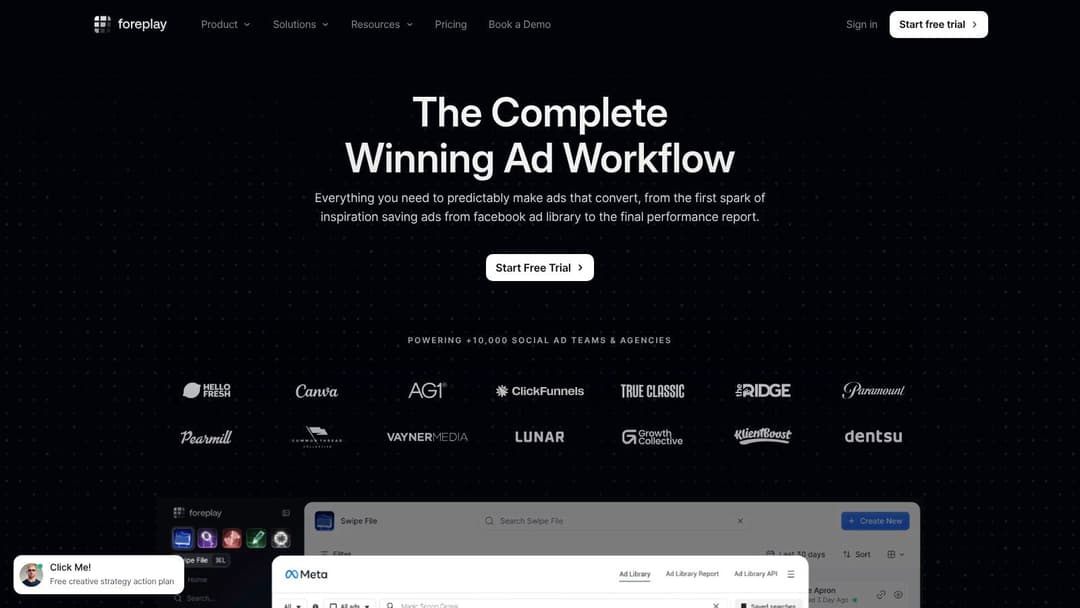
Foreplay fixes that operational mess. It gives teams a shared place to save ads from public libraries, tag them, comment on them, and group them into boards that are usable during production. That matters because inspiration only helps if the reasoning survives long enough to influence the next brief.
Foreplay is strongest for teams that review creative collaboratively. Agencies, in-house growth teams, and D2C brands usually hit this point first. Once several people are touching hooks, concepts, edits, and approvals, random screenshot folders stop being a system.
Its main advantage is structure. A good board is not just “ads we liked.” It is a working reference built around a specific job: first-frame hooks, creator-style product proof, testimonial edits, discount statics, founder-led offers, or objection handling. Many D2C brands also use boards to study format shifts across placements and platforms so they can see when an angle travels well and when it needs a different execution.
That is where Foreplay becomes more than a swipe file. It helps you build an inspiration system.
I usually recommend standardizing what gets logged on every saved ad:
- Angle
- Audience
- Offer
- Format
- Hook type
- Why it may work
- What to test instead of copy
That last field separates useful research from creative theft. “Open with the problem in the first second, then show proof before the CTA” gives a team something testable. “Great ad” gives them nothing.
Foreplay also helps during creative reviews because comments stay attached to the asset. A strategist can call out the mechanism, an editor can note the pacing, and a designer can reference layout patterns without starting from scratch each round. If your team also studies visual execution, reviewing saved boards alongside these Facebook ad creative examples by format and angle makes the gap between concept and execution much easier to spot.
The trade-off is simple. Foreplay earns its keep when the team is disciplined. If nobody tags consistently, names boards clearly, or explains why an ad was saved, the account ends up with a polished archive that still does not improve decisions.
Smaller teams can wait. If one person handles buying, concepts, and approvals, Meta Ad Library plus a spreadsheet may do the job. Once creative volume increases, Foreplay becomes useful because it preserves judgment, not just files.
5. MagicBrief
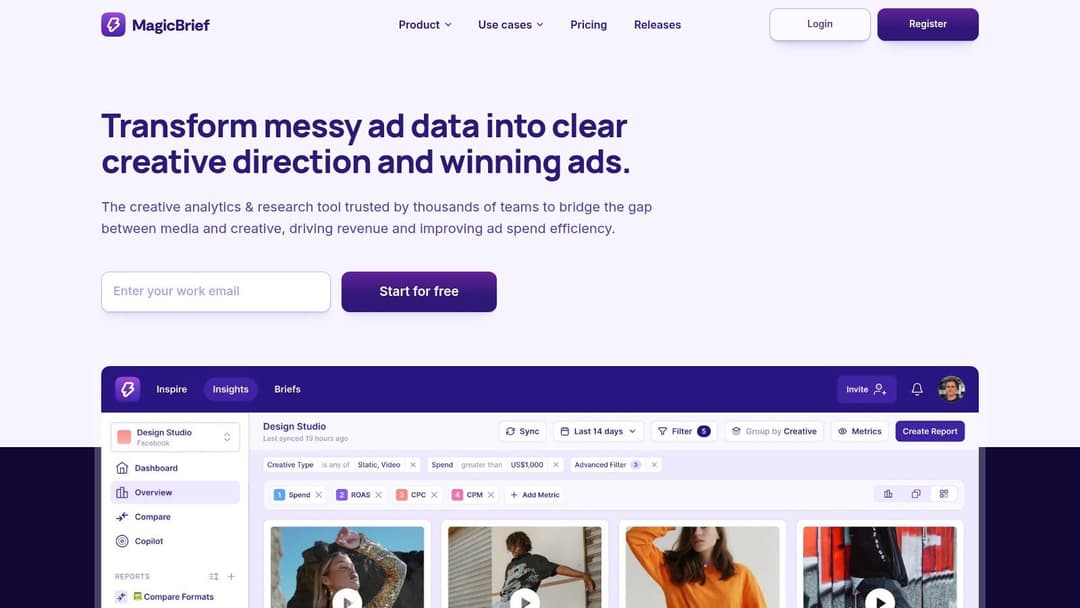
A common failure point shows up after research is done. The media buyer has a clear test in mind, but the creative brief says, “make it feel more native” or “try a stronger UGC hook.” That is usually where momentum dies.
MagicBrief helps close that gap. It works best for teams that do not need another place to collect ads. They need a way to turn a saved example into a usable brief, storyboard, and production plan.
Better for production handoff
MagicBrief earns its place when research needs to become output fast. The value is not the saved ad itself. The value is the translation layer between “this angle is working in the market” and “here is how we will build our version.”
An agency's media buyers often know what angle they want to test, but the brief for the creative team is vague. That creates avoidable back-and-forth, especially when editors, designers, and creators all interpret the same note differently.
If I save three competitor videos that use fast product shots and heavy on-screen text, I do not want to hand over screenshots and hope the team gets the point. I want a brief that spells out the opening line, first three seconds, proof sequence, pacing, CTA frame, and the elements we should avoid copying directly.
That matters even more in Meta because creative choices are shaped by feed behavior. Short, mobile-first videos usually need to communicate visually, get to the point early, and survive with the sound off. A good brief should reflect those constraints before anyone opens Premiere or Canva.
Good for teams with creative volume
MagicBrief is useful when the team is producing enough ads that memory stops being reliable. Save the ad. Add notes on the angle and structure. Build the brief from those observations. Then compare the finished asset against the original hypothesis after launch.
That last part is what makes it more than a swipe file.
I also like it for post-mortems. When a concept wins, the team can trace back to the source material and ask a better question than “should we make more like this?” The better question is “what exactly carried over?” Sometimes it was the promise. Sometimes it was the pacing. Sometimes the original inspiration was only useful because it clarified what to cut.
The main trade-off is product stability. Since Canva absorbed MagicBrief, teams should verify the current workflow, feature set, and fit before building their whole briefing process around it.
One practical note. If your team is strong on strategy but weaker on visual execution, these facebook ad creatives can help ground briefs in actual feed-native formats.
MagicBrief is strongest for teams that want a repeatable inspiration system, not a folder full of ads with no path to execution.
6. AdLibrary.com
Open three tabs during competitor research, one for Meta, one for TikTok, one for YouTube, and the pattern gets hard to miss. The same offer starts traveling. The same claim gets reworded. The same UGC angle shows up in a square feed ad after it works in vertical video.
AdLibrary.com is useful for catching that movement early.
Best for cross-platform pattern spotting
This tool fits teams that are asking a broader question than "what are competitors running on Facebook?" It lets you review a brand's creative across platforms and compare how the message changes by channel, audience, and format.
That makes it good for category mapping.
A practical example. A supplement brand may run polished benefit-first image ads on Meta, then use founder clips and customer proof on TikTok. That difference matters. It shows where the brand is protecting conversion efficiency and where it is testing for attention. If several competitors follow the same pattern, you are no longer collecting random examples. You are building a view of channel roles inside the category.
Speed is the primary advantage. You can filter by platform, geography, recency, and brand without jumping between native libraries and trying to normalize the findings afterward.
What to trust and what not to trust
Use the archive for pattern recognition, not for verdicts on performance. Breadth helps you see what is being tested and repeated. It does not tell you what produced profitable acquisition.
The questions worth asking are simple: What themes repeat across channels? Which hooks keep resurfacing? How does the same product get framed differently by platform?
Then pressure-test those observations where the ads run.
This matters when you are building an inspiration system instead of a folder of screenshots. Cross-platform tools are best at generating hypotheses. They help you say, "this angle seems to travel well," or "this offer only appears in one environment." The next step is tighter analysis. Check landing page alignment, creative age, comment quality, and whether the format matches the objective before you turn a pattern into a test.
Agencies also get value from it as a consistency check. If the Meta ads position the product as premium but the short-form video creative sells it like a cheap impulse buy, the issue is not design quality. The brand strategy is slipping between channels.
The trade-off is interpretation. In-house marketers without a clear research question can buy broad search tools and drown in options. Go in with a job to do, competitor monitoring, offer mapping, hook research, or format analysis, and AdLibrary.com becomes far more useful.
7. Adligator
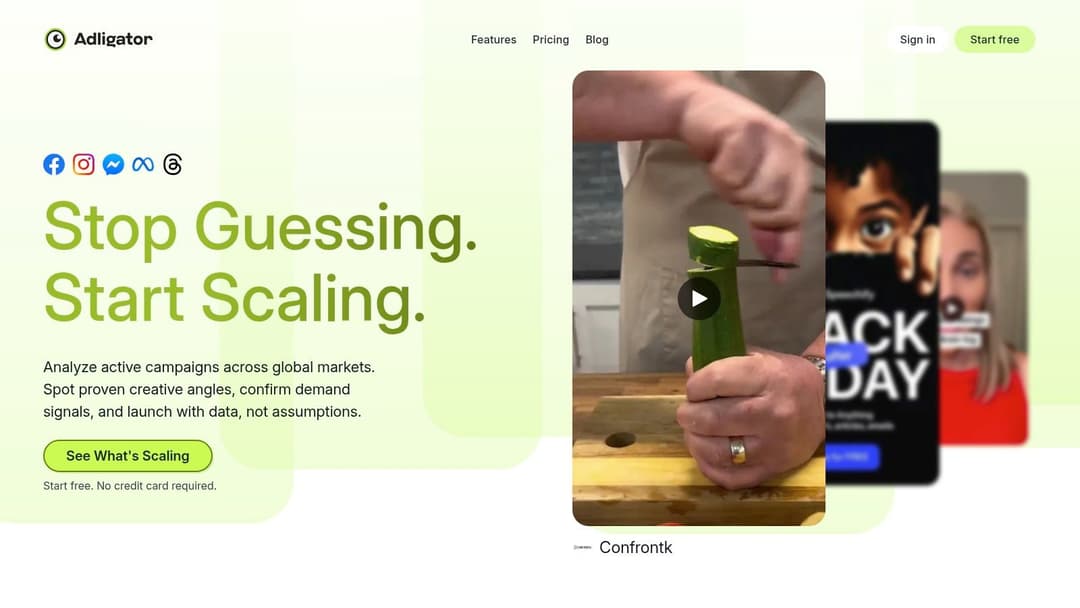
Adligator suits a specific job. A Meta-heavy team needs to know which competitors changed creative this week, which angles are spreading across variants, and which accounts are increasing pressure in new geographies. For that use case, a narrower tool is often the better pick.
I use Meta-first tools when the question is operational, not exploratory. Many in-house media buyers do not need another giant inspiration database. They need a cleaner way to track launches, compare iterations, and spot testing patterns before they become market-wide copycats.
Where a Meta-first tool wins
Adligator is useful because it keeps the research tied to execution. Days active, GEO coverage, creative exports, duplicate detection, and trackers help you study how an account tests, not just what it made.
That matters for teams such as: DTC brands watching a small competitor set, agencies running several Meta-led accounts, and buyers who care about controls, iterations, and rollout speed.
Tracker-led research changes how you build your swipe file. Instead of saving isolated screenshots, you can log sequences. One competitor introduces a new hook, then rolls out three statics, then a UGC cut, then broader GEO coverage. That usually points to a significant business change, such as a stronger offer, fresh inventory, or a push for scale. Those are the moments worth turning into test plans.
How to analyze what you find
The best use of Adligator is not passive browsing. It works best inside a simple review system:
What changed in the last 7 to 14 days? Which message appears in multiple variants? Which creatives look like controls versus fresh tests? Is the account expanding distribution or just refreshing fatigue?
Those questions keep the tool tied to decisions. If a brand repeats one structure with small hook edits, that usually signals disciplined testing. If they swap format, angle, and offer all at once, it is harder to learn anything from the volume.
This is the trade-off. Adligator gives you speed and focus inside Meta, but it will not help much with cross-channel angle research. If your job is to build a broader inspiration system, it belongs alongside wider discovery sources. If your job is to monitor competitors closely and respond faster on Meta, the narrower scope is a strength.
Good competitor research is pattern detection you can turn into a test.
Top 7 Facebook Ad Examples: Platform Comparison
| Tool | Implementation complexity | Resource requirements | Expected outcomes | Ideal use cases | Key advantages |
|---|---|---|---|---|---|
| Meta Ad Library (official) | Low, simple web UI, manual workflows | Free; time for manual search and saving | Accurate view of currently running Meta ads | Quick competitor scans, compliance checks, real‑time discovery | Official source‑of‑truth; current creatives and Page Transparency |
| AdEspresso Ads Gallery (by Hootsuite) | Low, browse curated gallery | Mostly free access; some deeper features on paid plans | Curated examples with educational context | Learning tactics, inspiration by objective/industry | Curated examples + teaching resources for faster discovery |
| Swiped.co (Facebook Ad section) | Low, searchable swipe file | Free; manual extraction of copy/structure | Direct‑response hooks, headlines and copy ideas | Copywriting, offer development, funnel alignment | Strong focus on hooks, offers and direct‑response breakdowns |
| Foreplay.co (Swipe file + discovery tool) | Medium, install extension and set up boards | Paid subscription; team adoption for full value | Organized, shareable swipe files and collaborative workflows | Agencies and growth teams managing multiple brands | Chrome extension, boards, notes and workflow modules for handoff |
| MagicBrief (now part of Canva) | Medium, workspace, scoring and brief tools | Likely subscription; integrates with Canva workflows | Scored discovery with briefing and storyboarding for production | Teams needing creative briefs and production handoff | Scoring to surface stronger formats; Canva design/workflow ties |
| AdLibrary.com (multi‑platform ad search engine) | Medium, advanced search and API options | Paid plans for full features; API access available | Cross‑platform surveys and saved swipe files | Omnichannel creative strategy and brand audits | Very large indexed coverage, advanced filters and cross‑platform view |
| Adligator (Meta‑focused ad research) | Low–Medium, set up trackers and filters | Affordable paid plans; Meta‑centric tooling | Fast detection of new creative tests and detailed Meta intel | Teams focused primarily on Facebook/Instagram monitoring | Meta‑specific filters, live trackers and cost‑effective monitoring |
From Inspiration to Execution Scale Your Winning Ideas
Monday morning. The team Slack is full of saved ads, everyone has a favorite, and none of it is in market yet. That gap between inspiration and execution is where a lot of Facebook ad research dies.
The goal is not to collect more references. The goal is to build a repeatable system that turns references into tests, and tests into spend-worthy winners.
Each tool in this list supports a different part of that system. Meta Ad Library shows what is live now. AdEspresso helps explain why certain hooks and formats get used. Swiped improves copy judgment. Foreplay gives teams a cleaner way to organize and share findings. MagicBrief helps turn examples into briefs the creative team can build from. AdLibrary.com widens the view beyond Meta. Adligator gives Meta-focused buyers tighter monitoring.
Used together, they help you move faster with better judgment.
The mistake I see most often is treating any saved ad as proof. An active ad might be a fresh test. A polished ad might be brand-first creative with weak economics. A big advertiser might be solving for a completely different price point, sales cycle, or margin structure than yours. Good analysis fixes that.
Use the same scoring framework every time you save an ad: angle, hook, format, offer, audience clue, landing page continuity, and the testable hypothesis it creates for your account.
That final field matters most.
It forces a media buyer to answer the only useful question: what exactly should we test because we saw this ad?
Format deserves its own review. Short-form video, statics, carousels, testimonial edits, UGC, founder ads, and listicle-style creative each solve different problems. Some formats earn the click. Some do a better job pre-qualifying traffic. Some hold up in retargeting but fall apart in prospecting. Study examples by objective, not just by how good they look in a swipe file.
I would push most agency teams toward a creative-velocity mindset. The accounts that scale consistently usually do not rely on one hero ad for months. They produce structured variation: new hooks on the same angle, new offers on the same product, new formats for the same message, and audience-specific edits that keep the core idea intact. Then they let spend and conversion data decide what stays.
AdStellar AI fits into that workflow after the research step. Once a team has identified a few promising patterns, execution becomes the bottleneck. Writing dozens of variants, pairing them with different audience and offer combinations, launching them, and sorting winners manually takes time. AdStellar AI handles bulk ad creation, launch, and ranking of creatives, audiences, and messages against goals like ROAS, CPL, or CPA using connected Meta account data.
The sequence is what matters.
Study examples carefully. Extract the pattern. Build multiple assets from that pattern. Launch enough variations to get signal, not noise. Keep the combinations that earn their way into the budget. Cut the rest.
That is how inspiration becomes an operating system instead of a folder full of screenshots.
If your team already has more ideas than time, AdStellar AI can help turn research into live Meta tests faster by generating bulk creative, copy, and audience variations, launching them from one workflow, and surfacing the combinations that deserve the next round of spend.


