
You're probably staring at the blue Boost Post button, wondering if that's all there is to Facebook ads.
It isn't. That button is the fast lane into spending money without much control.
If you're asking how do I post ads on Facebook, the useful answer isn't “click Promote.” The useful answer is: build a campaign the way Meta expects you to build one. That means choosing a business goal, setting up tracking, deciding who should see the ad, controlling placements, building the creative, and only then publishing. That process feels heavier at first, but it's the reason good accounts improve over time while weak ones keep restarting from zero.
Most beginner guides stop at the mechanics. Click here. Add image. Set budget. Done. In practice, that's not how performance teams work. They treat Facebook as a managed media channel, not a place to toss up a post and hope.
Why Posting Ads on Facebook Is a Campaign Not a Click
The first mistake most advertisers make is thinking a Facebook ad is a post with money behind it. Meta doesn't treat it that way, and you shouldn't either.
In the standard workflow, the practical sequence is to create or access a Meta ad account, start a campaign, choose an objective, set budget and schedule, define audience and placements, build the creative, and publish, as outlined in Mailchimp's walkthrough of how to run Facebook ads. Meta also supports simpler Page-based options like Boost a post, Create new ad, and Automated ads. Those shortcuts are real, but they're shortcuts.
What beginners usually mean by posting
When someone says “I want to post an ad on Facebook,” they usually mean one of three things:
- Promote an existing post: Quick, simple, and limited.
- Create a new ad from the Page: Better than boosting, still simplified.
- Build a campaign in Ads Manager: More setup, much more control.
That last option is where serious work happens.
If your goal is leads, purchases, booked calls, or signups, you need the campaign structure behind the ad. Otherwise, Facebook has very little direction on what outcome matters. You'll still get delivery, but you may get the wrong kind of delivery.
Practical rule: If the result matters to your business, build it in Ads Manager. If it's just a short-lived visibility push, a boosted post can be fine.
Why the structure matters
A campaign gives you room to test. One audience against another. One image against another. One offer against another. A single promoted post hides a lot of those decisions.
That's also why teams that care about revenue don't judge ads by likes alone. They care about the result tied to the objective.
If your end goal is sales, this matters even more. The difference between “post an ad” and “build a campaign” is the difference between buying exposure and building a repeatable acquisition channel. If you want a clearer picture of that shift, this guide on Facebook ads for sales is a useful next read.
Laying the Foundation for Profitable Ads
Before you touch creative, set up the account properly. This is the part people rush through, and it's usually where future reporting problems start.
A workable setup has three pieces: your business hub, your ad account, and your tracking. Skip one, and you'll feel it later.
Get the business assets under control
Use Meta Business Manager or Business Suite as the central place for your assets. That's where you manage page access, ad accounts, payment methods, and permissions.
If you're running ads for a client or for a team with multiple people involved, this matters even more. Personal logins and shared passwords create messy ownership and even messier handoffs.
A clean setup should answer these questions fast:
- Who owns the Page
- Who has access to the ad account
- Which payment method is active
- Which people can publish, review, or analyze campaigns
If you haven't created the Page yet, start there. This walkthrough on creating a Facebook Business Page covers the basics.
Create the ad account with intention
Your ad account is the billing and campaign container. Name it clearly. If you manage more than one brand, don't leave accounts with vague labels that force your team to double-check every launch.
Keep your naming simple and operational:
| Asset | Good naming example | Bad naming example |
|---|---|---|
| Ad account | Brand US Main | My Ads |
| Campaign | Lead Gen Demo April | Test Campaign |
| Ad set | Broad US 25-54 Feed+Stories | Audience 1 |
| Ad | Testimonial Video V1 | New Creative |
That sounds minor until you need to diagnose performance quickly.
Tracking is not optional
If you're sending traffic to a website, install the Meta Pixel and configure your conversion events. If you have technical support, add the Conversions API too.
Why this matters:
- Measurement: You need to know what happened after the click.
- Optimization: Meta improves delivery when it can learn from actual outcomes.
- Retargeting: You can build audiences from site visitors and engaged users.
- Decision-making: Without tracking, you're mostly guessing.
Most accounts don't fail because the first ad was ugly. They fail because no one trusted the data coming back.
A common beginner pattern is launching ads first and “sorting out tracking later.” That usually leads to one of two problems. Either the campaign performs and you can't prove why, or it underperforms and you can't tell where the leak is.
The quiet setup mistakes that cost you later
A few problems show up over and over:
- Using personal asset ownership: That creates access issues when staff or agencies change.
- Launching without conversion events: You can't optimize toward a vague outcome.
- Ignoring retargeting groundwork: Website traffic becomes useless if it isn't captured.
- Messy naming: Analysis slows down because no one knows what's what.
Foundation work feels administrative. It's performance work. The cleaner the setup, the faster you can make good decisions once spend goes live.
Structuring Your Campaign for Success
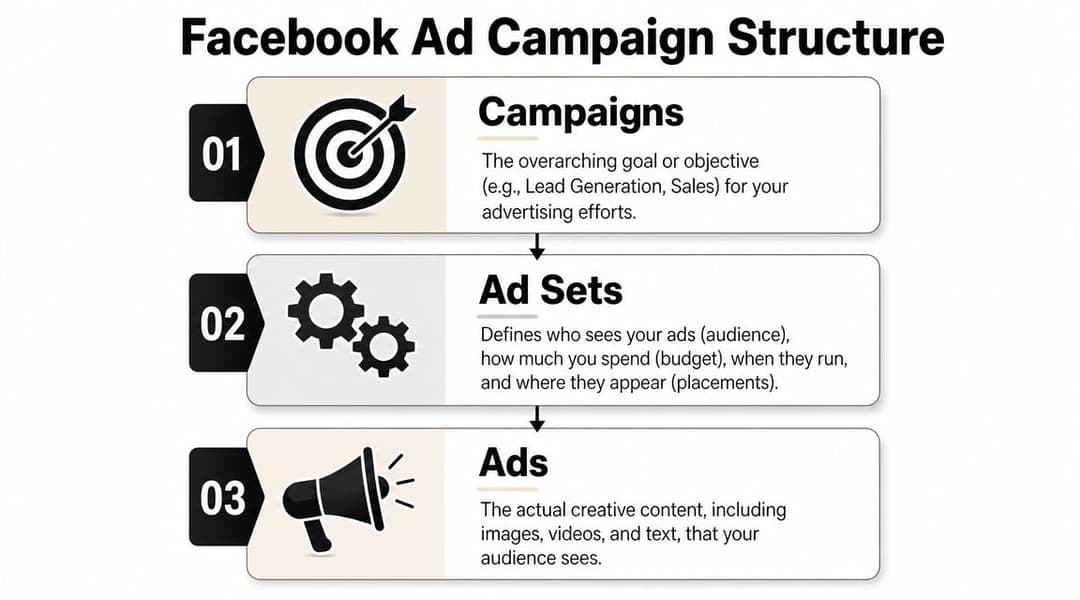
Meta's system is built in three layers: campaign, ad set, and ad. If you understand that hierarchy, Facebook advertising gets much easier to control.
Campaign decides the destination
The campaign is the top-level instruction. It tells Meta what success should look like.
Meta's ad workflow is standardized around Ads Manager, where advertisers make structured decisions at the campaign, ad set, and ad levels, and Meta encourages objective-driven setup plus automation like Advantage+ Audience in its lesson on creating Facebook ads from a Facebook Page.
That objective choice isn't paperwork. It shapes delivery. If you pick traffic, you're telling the system to chase clickers. If you pick leads or sales, you're asking it to find people more likely to complete those actions.
Ad set controls the conditions
The ad set is where you define the operating environment.
This is where you set:
- Audience
- Budget
- Schedule
- Placements
Think of the campaign as the business goal, and the ad set as the delivery plan. Most bad launches happen here, not at the ad level. Advertisers either over-constrain the audience, spread budget too thin, or force placements they haven't earned the right to force.
Ad is what people actually see
The ad is the creative unit. Image, video, copy, headline, call to action.
This is the visible part, so beginners often overfocus on it. But the same creative can perform well in one ad set and poorly in another because the surrounding conditions changed. That's why structured testing matters. Don't judge an ad in isolation.
A strong creative inside a weak structure usually loses to an average creative inside a disciplined structure.
Use the hierarchy to test, not just organize
The hierarchy works best when each level has one job.
A simple example:
| Level | What it should answer |
|---|---|
| Campaign | What outcome are we trying to generate? |
| Ad set | Who sees this, where, and under what spend conditions? |
| Ad | What message and format will persuade them? |
That separation makes analysis cleaner. If results are weak, you can ask the right question. Was the objective wrong? Was the audience off? Was the creative unconvincing?
For a deeper practical breakdown, this guide to Meta ads campaign structure is worth bookmarking.
Defining Your Audience Budget and Placements
At this stage, Facebook ads stop feeling theoretical. You now decide who sees the ad, where they see it, and how much room the system gets to learn.
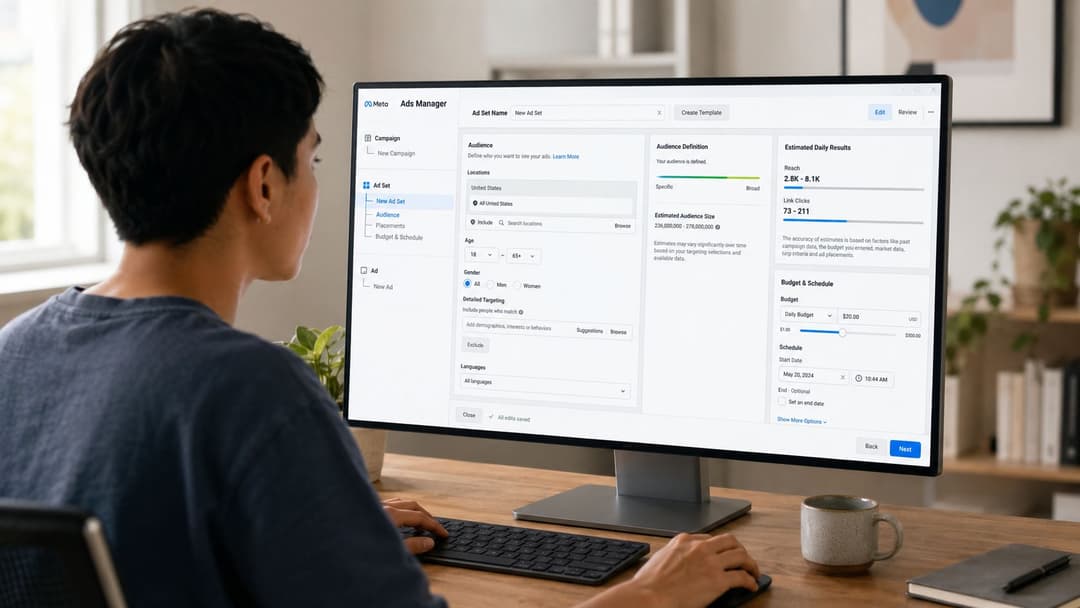
Most junior buyers make the same move here. They narrow the audience too much because it feels safer. It usually isn't.
Start with audience type, not audience size panic
You'll usually work with three audience buckets:
- Core audiences: Built from demographics, interests, and location.
- Custom audiences: Built from your own data, like site visitors or customer lists.
- Lookalike audiences: Built from source audiences that represent existing customers or leads.
For a first campaign, don't stack too many filters unless you have a clear reason. New advertisers often combine age, interests, behaviors, job roles, and niche exclusions until the audience becomes too constrained to deliver well.
Meta notes on its Facebook ads information pages that most ads see the best performance with audience sizes of 2–10 million, and it recommends giving the system enough budget for 7 days to optimize. That doesn't mean every campaign must fit that range exactly, but it's a useful reality check. If your audience is tiny and your budget is thin, underdelivery is a real risk.
Broad versus narrow in real accounts
Broad isn't always lazy. Narrow isn't always smart.
Use broad targeting when:
- Your offer has wide relevance
- Your creative clearly calls out the intended buyer
- You want the system to find pockets of demand
Use narrower targeting when:
- The offer is highly specialized
- Geography heavily limits who can buy
- You already know which segments convert better
A lot of new media buyers hide behind targeting because it feels controllable. But creative often does the filtering better than a long list of interest layers.
If your ad can't tell the right person “this is for you,” no amount of targeting detail will rescue it.
Placements should usually start open
Meta can place ads across Facebook and Instagram from the same setup. In most cases, start with broader placements unless you have a known reason not to.
Manual placements make sense when:
- Your creative only fits one format
- You know one placement produces low-quality traffic
- You need strict control for compliance or brand reasons
Otherwise, let the system test where the ad can win. Restricting placements too early can choke delivery.
Budget expectations need to be realistic
Costs vary a lot by objective and setup, which is why one-size-fits-all budget advice is usually bad advice.
Recent industry roundups cited by Sprout Social's Facebook stats for marketers report an average 2.59% click-through rate for Facebook lead ads and an average $1.92 CPC for lead campaigns. The same roundup also notes that small changes in targeting can move performance meaningfully against benchmarks. That's the practical point. Don't assume your first audience will be efficient just because the ad is live.
A simple way to think about budget:
| Budget approach | Best use | Main risk |
|---|---|---|
| Daily budget | Ongoing testing and steady delivery | Can feel slow if budget is too tight |
| Lifetime budget | Fixed campaign windows | Harder to compare periods cleanly |
Here's a quick visual walkthrough before you set this up inside Ads Manager:
What usually works on a first launch
For a first pass, keep it simple:
- Choose one primary audience strategy instead of five.
- Use broader placements unless format or quality issues force manual control.
- Set a budget that can gather signal across several days.
- Let the campaign run long enough to judge patterns, not just day-one noise.
Most wasted spend comes from premature edits. Buyers panic, cut the audience, swap placements, rewrite copy, and reset learning before the system has enough evidence to settle.
Crafting Ads That Capture Attention and Convert
If campaign structure is the skeleton, creative is the muscle. It does the selling.
A mediocre setup can still get traction with a strong ad. A perfect setup with weak creative usually stalls. That's why creative is often the biggest lever in the account once the basics are in place.
What a useful Facebook ad must do fast
Your ad has only a few jobs:
- Stop the scroll
- Signal relevance
- Make the offer clear
- Tell the person what to do next
That sounds obvious, but a lot of ads miss one of those four.
Some ads look polished but don't explain the offer. Others explain too much and lose attention before the point lands. The best ones do less, more clearly.
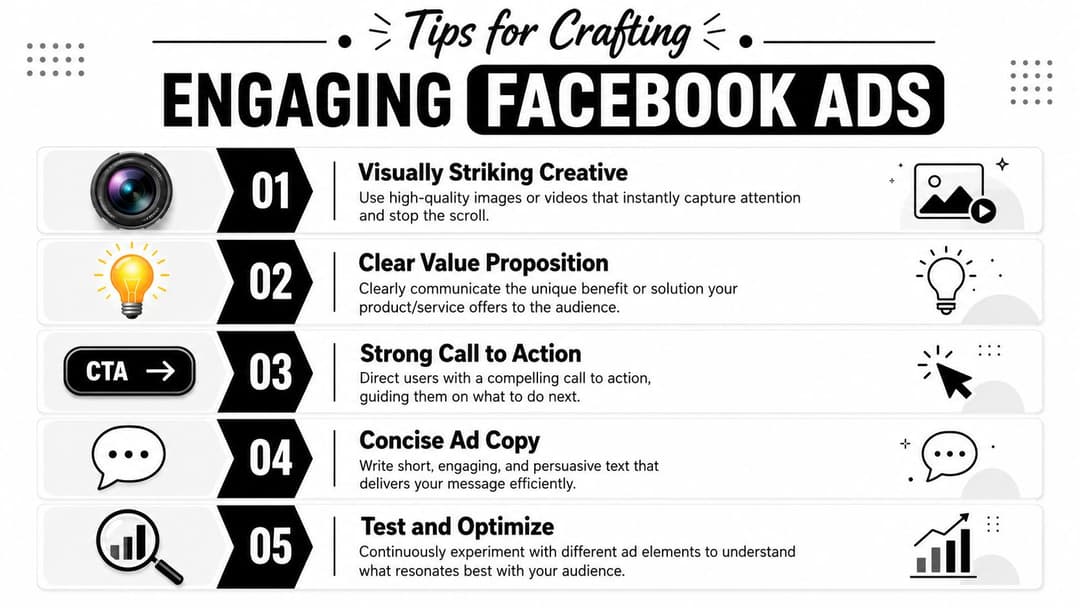
The ad checklist I'd hand to a junior buyer
Visual
Use an image or video with one clear focal point. Don't cram the frame with multiple competing messages. On mobile, clutter dies fast.
Headline
Write the headline like the person is half-distracted. It should either promise a benefit, call out a problem, or make the offer unmistakable.
Primary text
Lead with the hook, not the brand bio. If the first line doesn't create interest, the rest won't matter.
Call to action
Be explicit. “Learn More,” “Get Quote,” “Sign Up,” or “Shop Now” should match what happens after the click. Don't create a gap between ad promise and landing page action.
Format fit
Design for the placement. If the ad is likely to run in feed, reels, stories, and Instagram surfaces, make sure the creative still works outside one ideal crop.
Good creative doesn't just look on-brand. It makes the next step feel easy.
What usually underperforms
A few patterns show up constantly:
- Generic stock visuals: They don't signal anything specific.
- Feature-dump copy: It lists details without a reason to care.
- Weak hooks: If the opening line could fit any brand, it won't cut through.
- Vague CTAs: People click less when the next step is unclear.
Creative volume also matters because one concept rarely carries an account for long. If your team needs a better system for generating more variants without turning production into a weekly bottleneck, this piece on how to create faster client ads with AI has practical ideas worth borrowing.
For a deeper framework on ad assembly, angle development, and format choices, see these Facebook ad creative best practices.
Launch Review and Scale Beyond Manual Workflows
Launch day usually fails in boring ways. The campaign goes live with the wrong event, the mobile preview cuts off the headline, or the CTA points to a page that does not match the offer. Five careful minutes before publishing saves hours of cleanup after approval.
Run a final review like an operator, not a spectator. Confirm the destination URL, CTA, conversion event, Page identity, budget, location targeting, and mobile preview. None of this feels strategic in the moment. It protects the strategy from avoidable execution mistakes.
What to expect after publishing
Meta will review the ad first. Once it is approved, delivery starts, and the account may look noisy for a while.
That early movement is normal. New advertisers get into trouble when they react to every swing in the first few hours and keep editing a campaign before it has a fair shot to stabilize. If you change bids, budgets, audiences, and creative all at once, you lose the clean read on what caused the result.
Use a short pre-launch checklist:
| Check | What to confirm |
|---|---|
| Objective | Matches the business outcome |
| Conversion point | Pixel event or lead form is correct |
| Audience | Broad enough to deliver, relevant enough to matter |
| Placements | Creative fits where it can appear |
| Landing page | Message matches the ad promise |
The beginner mistakes that keep repeating
A few errors show up over and over in first launches:
- Judging too early: Calling winners and losers before enough delivery data comes in
- Editing too often: Resetting delivery because of short-term nerves
- Testing too many variables at once: Changing offer, audience, and creative together, then learning nothing
- Scaling clutter: Duplicating messy campaigns instead of expanding a clean structure
A campaign you can learn from is worth more than a campaign that simply goes live.
Manual setup breaks when volume increases
A single campaign is manageable inside Ads Manager. A real testing program is not. Once you are running multiple audiences, several offers, and fresh creative every week, the job stops being "posting ads" and turns into production management.
At that point, automation stops being a nice-to-have. The bottleneck is no longer campaign creation inside Meta. The bottleneck is the manual work around it: naming conventions, variant building, duplication, QA, and comparing tests across campaigns. If you want a practical breakdown of that shift, read this guide on how to automate Facebook ads.
Here's what that shift toward automation can look like in practice:
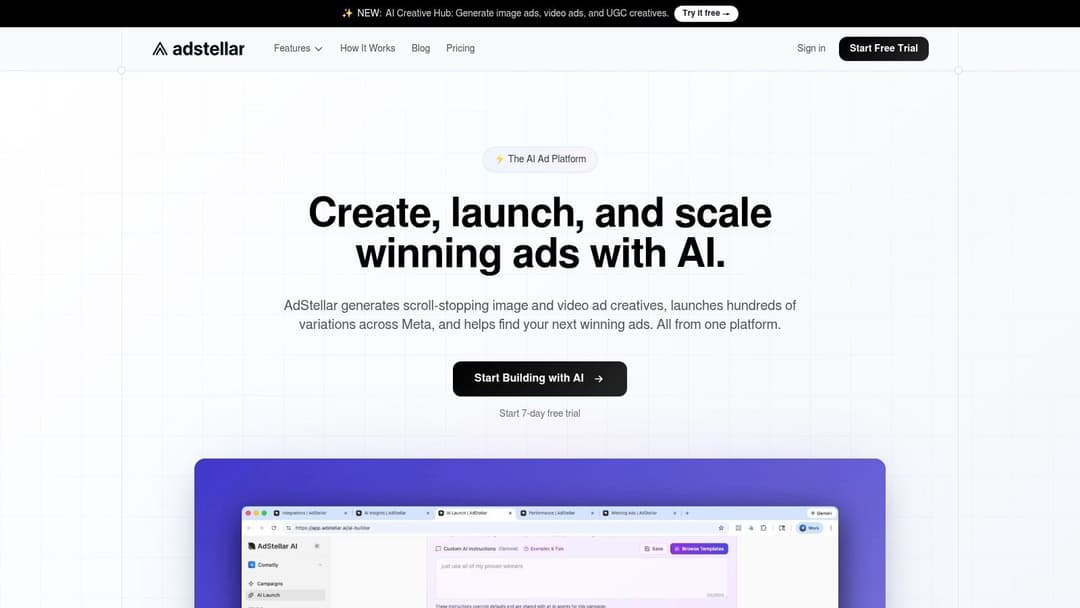
AdStellar AI connects to Meta Ads Manager and helps teams generate campaign variations, launch tests faster, and compare combinations of creative, copy, and audience settings without building each setup by hand. That matters when the critical question becomes how to produce enough good tests to find winners before the market shifts.
Teams handling more advanced workflow logic on top of Meta should also understand the infrastructure side. This primer on mastering Facebook API integrations is useful background if your process is growing beyond Ads Manager clicks.
What scaling should look like
Scaling starts with control.
Keep the winning objective and offer stable. Expand through deliberate creative variation. Broaden or segment audiences based on observed performance. Increase spend where lead quality, conversion rate, or purchase efficiency still holds up.
That is the progression beginner guides often skip. First you launch cleanly. Then you build repeatable tests. Then you use automation to scale the parts of the workflow that should not depend on manual setup every time.
If your team spends more time assembling campaigns than reviewing what you learned from them, AdStellar AI is worth a look. It is built for advertisers who need to generate campaign variations, launch faster, and turn Facebook ad creation into a repeatable workflow instead of a manual grind.


