
So, what does it actually mean to "bump" a Facebook post?
Think of it as giving an older post a shot of adrenaline. You can do this in two main ways: for free by commenting or resharing to stir up new activity, or with a paid boost to guarantee it gets seen by a wider, more targeted audience.
What Bumping a Facebook Post Actually Means
When you first publish something on Facebook, the algorithm shows it to a small group of your followers. Based on how that initial group reacts—with likes, comments, shares, and clicks—the algorithm decides if it's worth showing to more people. But over time, as new content floods everyone's News Feed, your post's visibility naturally fades. It gets buried.
Bumping is how you fight that natural decay.
By kicking off a new wave of engagement, you're sending a fresh signal to the algorithm that says, "Hey, people are still interested in this!" That new activity, whether it's an organic comment or a paid ad, forces the algorithm to take another look. It re-evaluates the post and gives it a second wind, pushing it back into people's feeds.
This is a game-changer for getting the most out of your best content. Instead of being on a constant content treadmill, you can strategically breathe new life into posts that have already proven themselves. It’s all about making sure your hard-earned content reaches as many people as possible.
The big question is how to bump it. Do you go the organic route or put some money behind it? Your immediate goals will tell you which path to take.
This simple decision tree breaks down the two main options you have when you need to give a post a little nudge.
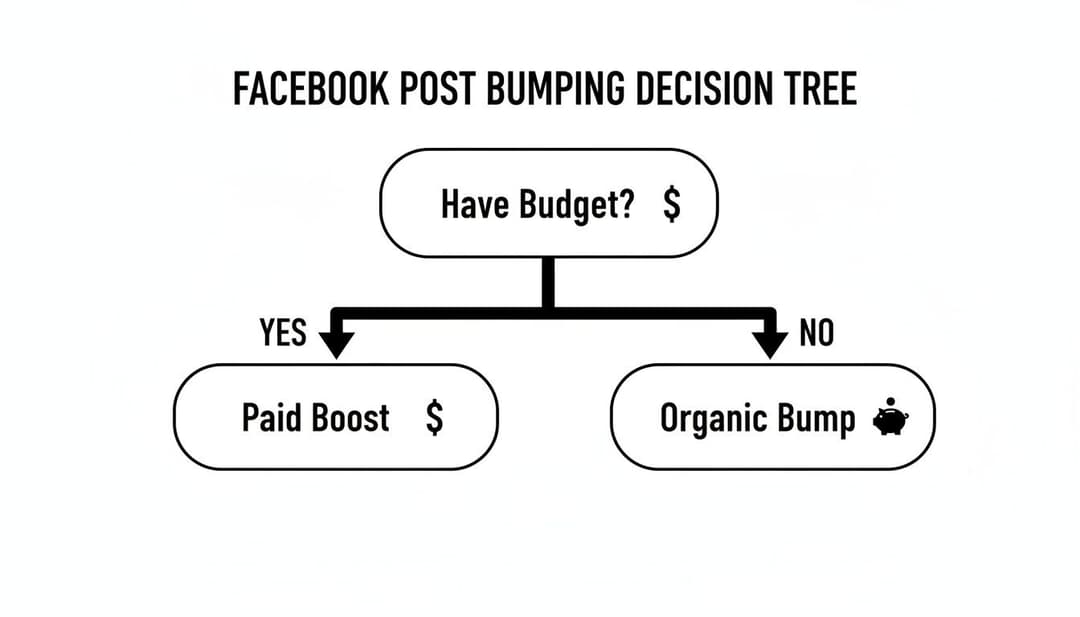
Here's a quick breakdown to help you decide which method is right for your situation.
Organic vs Paid Bumping Methods at a Glance
| Method | Cost | Best For | Key Benefit |
|---|---|---|---|
| Organic Bumping | $0 | Re-engaging your existing audience, sparking conversation, and reminding followers of evergreen content. | Builds authentic community engagement and strengthens relationships with your current followers. |
| Paid Bumping (Boosts) | Varies (you set the budget) | Reaching a new, targeted audience, promoting time-sensitive offers, or driving specific actions (like website clicks). | Guarantees visibility and allows you to reach people who don't already follow your page. |
In the end, it really comes down to whether you need guaranteed reach or just want a cost-effective way to get your existing community talking again.
Both approaches share the same goal: get more eyes on your post and drive more social media impressions.
Mastering Organic Bumping for Free Visibility
Paid boosts are great, but sometimes the smartest move is the scrappy one. Knowing how to bump a Facebook post for free is all about creating genuine, strategic engagement that tells the algorithm your content is still relevant—without spending a dime. And forget just typing "bump" in the comments; that low-effort trick is a waste of time, ignored by both users and the platform.
The real goal is to restart a conversation. This means taking a more thoughtful approach, focusing on actions that actually prompt responses, trigger notifications, and give your content a second chance to shine in the News Feed.
Spark New Conversations with Strategic Comments
The most direct way to bump a post is to add a new comment. But it's the kind of comment you leave that separates a successful bump from a wasted effort. A simple emoji or a generic "Great post!" just isn't going to cut it. Your comment needs to add value and, more importantly, invite a reply.
Think of it as adding a new chapter to the post's story. You could try:
- Asking an open-ended question: Instead of just saying "Thanks for the feedback!" on an old comment, go deeper. Reply with something like, "That's a great point! How have you seen this play out in your own work since then?"
- Sharing an update or a new insight: Drop a comment like, "Quick update on this: We just found a new statistic that makes this even more relevant..." This injects fresh value and gives people a reason to jump back in.
- Tagging relevant people or pages: If someone in your network is an expert, bring them into the loop. For example, "Hey @JaneDoe, you're a pro at this. What are your thoughts on the latest developments?" This sends them a direct notification, pulling them right into the conversation.
Key Takeaway: A strategic comment doesn't just bump the post; it creates a new entry point for engagement. The goal is to make people want to reply, which sends a much stronger signal to the Facebook algorithm than a lazy, one-word comment ever could.
Reshare and Repurpose for a Fresh Audience
Sometimes the best way to get more eyes on a post is to take it somewhere new. Your original post might have hit its peak in the main feed, but it can find a whole new life elsewhere. This is a core idea behind many effective content distribution strategies that focus on getting the most out of every single piece of content you create.
Here are a few practical ways to do this:
- Share to Your Story: This is a super simple, high-impact move. Just share the original post to your Facebook Story and layer on an interactive element like a poll, a quiz sticker, or a question box. Not only does this get your post in front of your most engaged followers (the people watching Stories), but it also generates fresh engagement signals.
- Cross-Post to Relevant Groups: Find Facebook Groups where your post would be genuinely helpful and share it there. But first, always read and respect the group's rules on self-promotion. Don't just drop a link; frame it with a custom intro explaining why it's valuable to that specific community. Something like, "Hi everyone, I saw a discussion about [topic] here last week and thought this post from our page might be helpful."
This approach works best when you know exactly who you're trying to reach. To get better at this, check out our detailed guide on how to identify a target audience and make sure your content always lands in the right places.
By resharing, you’re not just bumping a post—you’re strategically placing it in front of a fresh, qualified audience that probably missed it the first time around. This multi-channel approach is how you get maximum mileage out of your best organic content.
Sometimes, the best way to breathe life back into a post is to give it a visual facelift.
If your text-only update didn't get any traction or the original image just didn't connect, editing the post to add a fresh visual can be a total game-changer. This simple action does two things: it signals to the Facebook algorithm that something new is happening, and it catches the eye of people endlessly scrolling their feeds.
Visuals are the lifeblood of an organic bump. The data doesn't lie—posts with images or videos just get more attention. While the average engagement rate for a Facebook page fan is a pretty dismal 0.06%, posts with images see that jump to 0.1%. Compare that to the tiny 0.03% engagement rate for simple link posts, and it's clear where you should be putting your effort.
Transform Your Existing Content
The good news is you don't have to start from square one. Take a look at your posts that are gathering dust and ask yourself where a visual upgrade could make a difference. That link you shared could become a dynamic carousel, or a long block of text could be repurposed into a punchy, shareable infographic.
Here are a few common scenarios where swapping in a visual can revive a post:
- The Text-Only Wall: Pull out the key points from your text and drop them into a simple, bold graphic using a tool like Canva.
- The Outdated Image: Is that photo from last season or promoting an old offer? Swap it for something that reflects what's happening right now.
- The Lonely Link: Instead of just a link preview, edit the post to include a carousel of images. Each one can highlight a different feature or benefit from the page you're linking to.
- The Video That Bombed: If your video didn't perform, try replacing it with a short, snappy GIF or a different clip that gets to the point much faster.
Pro Tip: When you edit a post to add or change a visual, the algorithm often sees it as a major update. This can kick off a new wave of distribution, giving your content a second chance to find its audience.
Adding Video for Maximum Impact
If you really want to stop the scroll, video is your best bet. A short, looping clip or a quick, authentic testimonial can grab attention far more effectively than any static image. You don't need a Hollywood production budget, either—smartphone videos often feel more genuine and perform surprisingly well.
Just remember that formatting is everything, especially on mobile. Make sure your video dimensions are optimized so they look great on every screen. For a deeper dive, check out our guide on the correct Facebook ad video size.
This is also where AI tools can be a huge help. You can use them to generate new image ideas in seconds, create short video clips from a block of text, or even test different visual styles to see what your audience responds to. It’s a fast way to iterate and find the perfect creative to give your post the bump it deserves.
Strategic Timing for Your Bumping Strategy
You wouldn't shout into an empty room, right? Bumping a post at 2 AM on a Saturday is pretty much the same thing. The entire point of an organic bump—whether it's a clever comment or a quick reshare—is to get fresh eyes on your content. That means you have to do it when people are actually online to see it.
So, when is that, exactly? Let's move past the generic "post when your audience is active" advice. Data consistently shows that certain days and times just perform better. Wednesday, for instance, has long been a sweet spot for Facebook engagement, with studies pointing to higher organic reach.
The peak times on Wednesdays often land around 9:00 a.m., 11:00 a.m., and 3:00 p.m. These windows line up perfectly with people's natural daily rhythms—morning coffee breaks, pre-lunch scrolls, and the mid-afternoon slump. Timing your bump to hit one of these peak hours gives your content its best possible shot at getting rediscovered.
Align General Data with Your Page Insights
While industry data is a great starting point, the real truth is hiding in your own Facebook Page Insights. Your audience is unique. Maybe they're night owls, or perhaps they're most active during their commute. This is where you connect the dots between general best practices and your specific follower behavior.
To find your audience's rhythm, head to your Page's "Insights" tab and click on the "Posts" section. Facebook lays it all out for you, showing the days and hours your followers are most active. This chart is your roadmap.
Pro Tip: Don't just glance at the data—look for patterns. If you see a consistent spike at 8 p.m. every Thursday, that’s your golden hour. Mark it on your calendar and plan a strategic comment or share for that exact time to breathe new life into an old post.
Plan Your Bumps Like New Content
Once you know your peak times, you can stop bumping posts on a whim. For agencies and serious brands, this means scheduling bumps right into your content calendar. Treat them with the same strategic importance as a brand-new post.
Here’s a simple way to put this into practice:
- Identify Evergreen Posts: Scan your feed for top-performing content from the past month that’s still relevant and valuable.
- Check Your Insights: Pinpoint the two or three best time slots for engagement over the next week.
- Schedule the Bump: Add a reminder to your calendar to drop that strategic comment or reshare the post during that peak window.
By treating your bumping strategy with this level of detail, you're turning a reactive tactic into a proactive system for getting more value out of every single post. If you want to zoom out, you can explore our guide on the best days to post to social media for more platform-specific insights.
Using Paid Boosting for Guaranteed Reach
While organic tricks are great for keeping your existing community buzzing, sometimes you just need guaranteed results. It's that simple.
When you've got a crucial announcement, a can't-miss offer, or content that absolutely has to break out of your bubble, paid boosting is your most reliable friend. This is how you bump a post on Facebook with total certainty.
Instead of crossing your fingers and hoping the algorithm notices you, you’re paying to put your post directly in front of a handpicked audience. It's the perfect way to amplify your best-performing organic content. After all, if your followers loved it, there's a good chance a wider, similar audience will too.
When to Hit the Boost Button
Boosting isn't just about throwing money at a post—it’s a strategic move. You pull this lever when your goal is crystal clear and you need an immediate, measurable lift.
Think about it: promoting a webinar registration or driving traffic to a flash sale requires a level of visibility that organic reach rarely delivers on a deadline.
Consider a paid boost in these situations:
- Time-Sensitive Offers: You've got a sale ending in 48 hours and need to create urgency.
- Amplifying Top Performers: A post is already getting tons of organic love. Time to show it to new people.
- Reaching Lookalike Audiences: You want to target users who share traits with your best customers.
- Driving Website Traffic: You need to push a specific blog post or landing page to a relevant audience.
This direct approach has become even more important as Facebook's algorithm keeps changing. A recent overhaul has supercharged engagement, with some publishers seeing referral traffic skyrocket. With up to 50% of feeds now featuring AI-recommended content, your posts have to spark real interaction to get anywhere. Boosting gives you that initial push to get the ball rolling.
Navigating the Boost Post Process
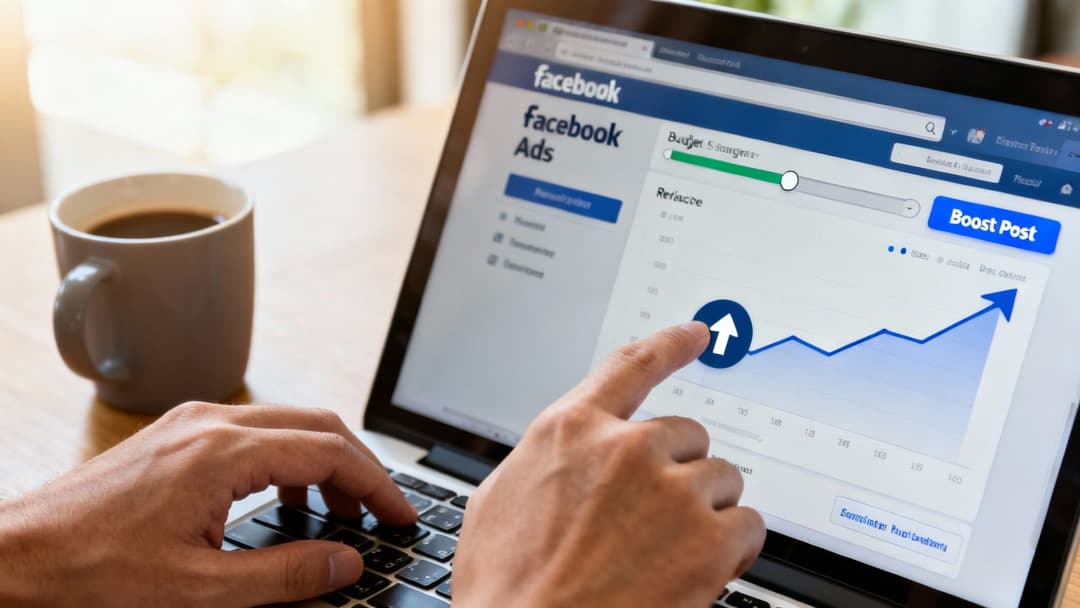
The beauty of the "Boost Post" button is its simplicity. It’s designed to be a straightforward way to turn any post into an ad without getting lost in the weeds of Ads Manager.
Once you click it, you’ll define a few key settings that control who sees your post and how much you spend.
- Audience: You can target people who already like your Page, their friends, or build a totally new audience based on demographics, interests, and behaviors. This is where you can get super specific and make sure your money is working hard for you.
- Budget: Set a total budget for the campaign. You can start with just a few dollars a day to test the waters and see what works.
- Duration: Choose how long you want the boost to run, whether it's for a single day or several weeks.
Key Takeaway: Boosting a post is the fastest way to guarantee visibility beyond your existing followers. It’s less complex than a full Ads Manager campaign and perfect for giving a single piece of content a direct, powerful lift.
For businesses looking to scale their paid ads without getting bogged down, hiring a dedicated virtual assistant for Facebook Ads management can be a game-changer. It frees up your time while an expert handles the day-to-day of your campaigns.
And if you want to see how this fits into the bigger picture, check out our guide on building a complete paid social media strategy.
Frequently Asked Questions About Bumping Posts
Even with the best strategy, you're bound to run into some specific questions once you start bumping posts. Getting the right answers helps you sharpen your approach and avoid those little mistakes that can waste your time and budget. Let's tackle some of the most common ones I hear.
How Often Should You Bump a Post?
Honestly, there's no magic number here. The right frequency really depends on the content itself. For evergreen stuff—think useful tips or timeless articles—a gentle organic bump every few weeks or even months can keep it in front of new eyes without feeling repetitive.
Promotional content for a specific sale or event is a different story. You might bump it more frequently over a few days. The best advice is to let the post’s performance be your guide. When you see engagement start to flatline after a day or two, that’s your cue for a strategic comment or share to breathe some life back into it.
Be careful not to overdo it. Bumping the same post multiple times in one day is a fast track to looking spammy, both to your followers and to the Facebook algorithm. Keep your bumps spaced out so they feel natural.
Will Editing a Post Hurt Its Reach?
This is a big concern for many, but the short answer is no—as long as you do it smartly. Editing a post to fix a typo, swap in a better image, or add a quick update is actually a good thing. The edit itself counts as activity, which can signal to the algorithm that the post is still relevant.
Where people run into trouble is by drastically changing the original message or link. That just confuses anyone who already engaged with it. Think of it as enhancing the post, not overhauling it. Adding value, like a fresh visual or a helpful follow-up comment, is a great way to bump a post.
Can Any Post Be Bumped Effectively?
Technically, you can bump any post, but not every post is worth the effort. The best candidates are the ones that already showed some spark.
Dig into your analytics and find content that had a strong start but has since gone quiet. These posts have already proven they resonate with your audience, making them perfect for a revival. Trying to bump a post that got zero traction from the get-go is usually a lost cause. You’re better off putting your energy into amplifying your winners.
- Good candidates: Evergreen how-to guides, top-performing blog posts, glowing customer testimonials.
- Poor candidates: Outdated sale announcements, posts with broken links, content that barely got a single like.
Remember, choosing the right post to bump is just as crucial as the technique you use to do it.
Ready to stop guessing and start scaling your Meta ads? AdStellar AI automates ad creation, testing, and optimization, letting you launch hundreds of ad variations in minutes and find winning combinations faster. Turn campaign chaos into predictable growth at https://www.adstellar.ai.


