
You publish a Facebook post, see solid engagement, click Boost Post, and wait for the sales to show up.
They often don’t.
That’s the pattern behind a lot of frustration with Facebook promotion. The post gets likes. Maybe comments too. Traffic looks alive for a moment. But revenue, qualified leads, or booked demos stay flat. The problem usually isn’t that Facebook can’t work. It’s that many teams use the easiest promotion tool for a job that needs a more controlled ad setup.
If you’re searching for how to promote a post in facebook, the answer isn’t just “click the boost button and set a budget.” It’s knowing when a boost is enough, when it’s a waste, and when you need Ads Manager to protect efficiency.
Beyond the Boost Button Why Your Promotions Aren't Working
A boosted post can create the illusion of traction.
A marketer sees reactions climb and assumes the campaign is working. A founder sees comments and thinks demand is building. A social manager gets a screenshot-worthy reach spike and reports a win. Then the performance team checks Shopify, HubSpot, or the CRM and finds no meaningful lift in purchases or pipeline.
That disconnect happens because boosting is built for simplicity, not for serious control. It’s fast, accessible, and useful in narrow situations. But if your real goal is customer acquisition, the shortcut often strips away the levers that matter most.
Why engagement can mislead
Facebook can absolutely help a post travel further. The issue is what the platform is optimizing for.
If you choose a lightweight promotion path and judge success by surface metrics, you can end up paying to amplify content that people notice but don’t act on. That’s why teams often feel like Facebook promotion “works” in-platform while failing in the business.
Boosting a post is not the same thing as building a campaign.
The confusion usually starts with the interface. Facebook makes boosting feel like advertising without requiring much setup. That convenience is exactly why many brands overuse it.
A cleaner way to think about it is this: boosting is a distribution shortcut. Ads Manager is an advertising system. If you want a clearer breakdown of what boosting does and where it falls short, AdStellar has a useful explainer on what a Boost Post on Facebook really means.
What strong promotion actually looks like
The marketers who get reliable results from promoted posts don’t just ask, “How do I put spend behind this?” They ask better questions:
- What outcome matters most: engagement, traffic, leads, or purchases?
- What audience should see this: warm users, lookalikes, or a narrow prospect segment?
- What signal is Facebook optimizing toward: clicks, conversions, or lightweight interactions?
- What happens if this post works: does it stay a one-off or become part of a repeatable system?
Those questions usually push you away from casual boosting and toward a more deliberate setup.
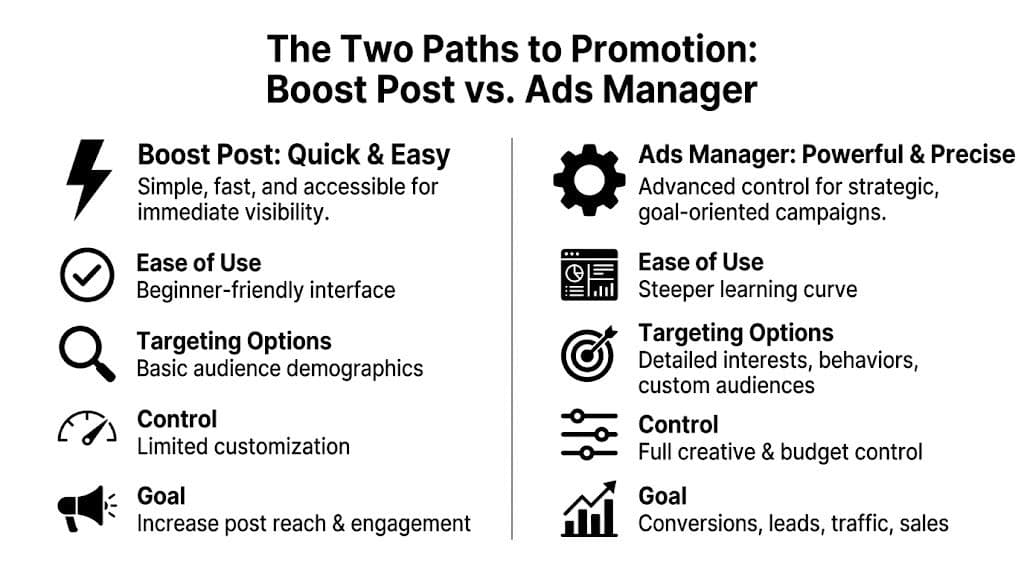
The Two Paths to Promotion Boost Post vs Ads Manager
There are really two ways to promote a Facebook post. One is fast. One is built for control.
The mistake isn’t choosing Boost Post sometimes. The mistake is treating both tools as if they’re interchangeable when they serve very different jobs.
What Boost Post is good at
Boost Post exists for speed. You already have a post on your page, you want more people to see it, and you don’t want to build a full campaign. For local announcements, social proof, community content, or lightweight awareness, that can be enough.
It’s a decent tool when the cost of setup matters more than precision. A restaurant promoting an event update, a creator amplifying a post with strong comments, or a small brand pushing a timely announcement can all justify using it.
Where Ads Manager pulls ahead
Ads Manager is where post promotion becomes actual media buying.
You can use an existing post, choose a business outcome, structure audiences properly, control placements, manage bidding, and read performance at a level that lets you improve instead of guess. That matters because once budget rises, bad defaults become expensive.
A quick walkthrough of Facebook Ads Manager and how it differs from boosting helps if you’ve only worked from the page-level interface before.
Side-by-side trade-offs
| Decision area | Boost Post | Ads Manager |
|---|---|---|
| Speed | Faster to launch | Slower to set up |
| Learning curve | Lower | Higher |
| Objectives | Simpler, narrower choices | Better control over business goals |
| Targeting | Basic | Layered audiences, custom segments, lookalikes |
| Creative testing | Limited | Better testing structure |
| Reporting | Surface-level | More actionable breakdowns |
| Best use | Visibility and engagement | Leads, sales, CPA and ROAS control |
That difference shows up in performance. This analysis of boosting versus optimized Ads Manager campaigns notes that boosted posts can produce 2-3x lower ROAS than optimized Ads Manager campaigns for DTC brands. It also notes that Advantage+ creative adjustments within boosting can underperform custom setups in Ads Manager by 15-20% in A/B tests, and that scaleups report up to 40% budget waste on unoptimized boosts when conversion goals matter most.
A practical decision rule
Use this filter before you promote anything:
- Choose Boost Post if the post is time-sensitive, your goal is visibility, and the downside of imprecise optimization is low.
- Choose Ads Manager if you care about purchases, lead quality, CPA stability, or scalable learning.
- Stop boosting once you need audience exclusions, testing discipline, or conversion-focused reporting.
Practical rule: If you’d be disappointed to spend money and get only likes, don’t use the boost button.
That sounds blunt, but it saves budget.
Quick Wins When to Use the Boost Post Button
Boost Post still has a place. It’s just a narrower place than Facebook suggests.
The right boosts are tactical. They support momentum you already have or put extra reach behind something timely. They are not a substitute for a real acquisition campaign.

Use boosts for speed-sensitive posts
Some posts lose value if you wait.
That includes flash-sale announcements, event reminders, deadline-driven launches, product restocks, press mentions, and customer testimonials tied to a live campaign. In those cases, the operational simplicity of boosting can beat the friction of building a full campaign from scratch.
You can also use boosts to support community-building posts. User-generated content, founder updates, and posts that already sparked comments can benefit from extra distribution if your goal is visibility and credibility rather than hard conversion efficiency.
Only boost posts that already show signs of life
This is the biggest mistake with simple promotion. Teams boost the post they want to win, not the one that already earned attention.
Socialinsider’s Facebook best practices write-up recommends promoting your winners. It notes a platform average engagement rate of 0.15% in 2026, with posts at 0.20% or higher being stronger candidates for paid support. The same source notes that Reels can hit 0.30%+ engagement rate and get double the reach of images when promoted, and that boosting weak posts can cause costs to double because the algorithm is fighting poor relevance signals.
If you want a simple tactical guide, AdStellar also covers how to bump a post on Facebook in a way that aligns better with performance thinking.
A short boost checklist
Before you click anything, run through this:
- Check organic traction first: Boost posts that are already outperforming your page norm.
- Match the goal to the post: Event reminder, social proof, product drop, or community signal. Keep the goal narrow.
- Keep targeting tight: Page followers, engaged users, or an obviously relevant local audience usually make more sense than a vague broad audience.
- Set a clear stop point: A short run beats letting a weak boost drift.
- Watch for bad signals: If comments are low quality, clicks don’t materialize, or relevance looks weak, stop.
A good boost amplifies momentum. A bad boost pays to hide the fact that the post never resonated.
That distinction matters more than the budget size.
Promoting Posts Like a Pro with Ads Manager
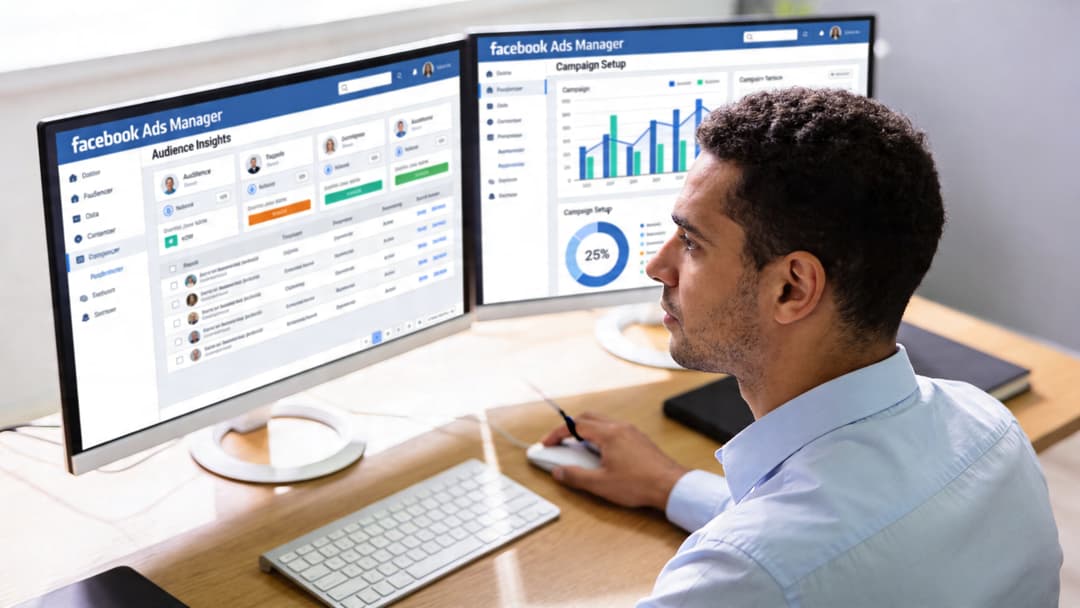
If the post needs to drive a measurable business result, use Ads Manager and build around the existing post there. That gives you the social proof of the original post plus the controls that make paid media efficient.
Start with the right campaign structure
Inside Ads Manager, build a campaign and select the business outcome that matches what you want from the promoted post. Then use Use Existing Post at the ad level so you keep the original engagement while gaining full campaign controls.
That’s the key shift. You’re no longer “boosting.” You’re running an ad using a post as creative.
Build the audience before you think about spend
Weak targeting breaks post promotion faster than weak copy.
A more professional setup uses audience intent to decide who sees the post. This guide on common Facebook marketing mistakes and professional setup notes that Ads Manager can achieve 20-50% lower CPA than a simple boost. It recommends layering interests with demographics, using 1-5% Lookalikes, starting with automatic bidding, then moving to cost cap for CPA control. It also points to benchmarks such as $0.72 average CPC, CTR above 1%, and keeping frequency below 3 to reduce audience fatigue.
A practical audience stack often looks like this:
Warm traffic first
People who already know you usually give the clearest signal. Site visitors, cart users, video viewers, and past engagers are often where an existing post performs best.Lookalikes next
Once you have a meaningful seed audience, test lookalikes within the 1-5% range mentioned above.Interest plus demographic layering
This matters when your product sells better to a clear subgroup and broad delivery muddies the message.
Control placements and budget deliberately
Most promoted posts don’t need every placement.
If the post was built for feed behavior, start there. If it’s vertical creative designed for Stories or Reels, separate that out instead of forcing one post to do every job. Better alignment usually beats convenience.
Budgeting should start simple, then tighten. Automatic bidding is useful when you need the algorithm to find room. Cost caps matter once you’ve learned enough to protect efficiency.
For teams that want a broader framework beyond Facebook mechanics, this overview of broader paid social marketing strategies is useful because it connects channel decisions, creative variation, and measurement, which is where many post-promotion efforts break down.
Read the campaign like a buyer, not a social manager
Don’t stare only at reach and reactions. Read the post as media.
Ask:
- Is CTR clearing the benchmark you set?
- Is frequency creeping up toward 3?
- Are some placements spending but not producing downstream action?
- Did the audience segment you expected to work convert?
Those answers tell you whether the post deserves more budget, a new audience, or a different creative wrapper.
A quick visual walkthrough can help if you’re setting this up for the first time:
A clean process for existing-post promotion
Use this as your baseline workflow:
- Pick the post deliberately: It should already express one clear offer, argument, or call to action.
- Choose a business-first objective: Traffic can work, but conversion-focused outcomes are usually better if sales matter.
- Attach the right audience: Warm first, then lookalikes, then carefully layered cold targeting.
- Limit waste early: Trim weak placements and watch frequency.
- Scale only after proof: Increase spend on combinations that hold quality, not just volume.
That’s how to promote a post in facebook when the goal is results you can defend in a performance review.
Optimizing Your Promoted Post Creative and Copy
Promotion doesn’t fix a weak post. It exposes it faster.
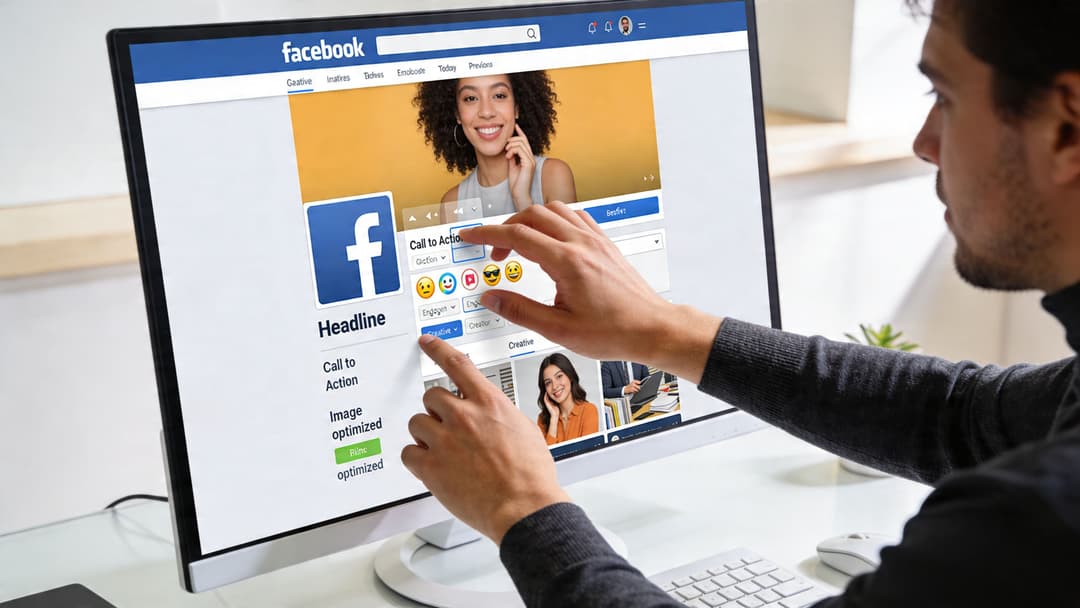
A lot of Facebook post promotion advice gets stuck in setup. The more important truth is that your media buying skill can only amplify the quality already in the creative. If the offer is muddy, the visual feels generic, or the call to action is passive, better targeting only limits the damage.
What strong promoted posts usually have in common
The post should answer three questions quickly:
- Why should I care?
- Why now?
- What should I do next?
That sounds basic, but most underperforming posts fail one of those. They open with brand language instead of audience pain, use safe visuals instead of specific proof, and end without a direct next step.
A creative format most marketers underrate
Video gets the attention, but it isn’t the only format worth promoting.
Hootsuite’s analysis of Facebook algorithm performance reports that albums have the highest average engagement rate at 1.6%, ahead of video at 1.5% and above links and single photos at 1.3%. That makes albums a surprisingly strong option for promoted posts when you need sequencing, product storytelling, before-and-after framing, or a multi-angle showcase.
Non-obvious move: If one image can’t carry the offer, an album often can.
For ecommerce, an album can show use case, product detail, social proof, and offer context in one unit. For B2B, it can walk through a workflow, feature set, or customer problem without forcing everything into a single cramped visual.
Make the copy do one job
Don’t write Facebook post copy like a brochure. Write it like a prompt to act.
Try this pattern:
- A sharp opening line tied to a problem or desire
- One clear explanation of what changed or why the offer matters
- A direct CTA that tells the reader what happens next
Authentic creator-style media can help here too. If you’re working with partnerships or creator assets, this guide on how to repurpose influencer content for paid social ads is useful because it shows how to adapt social-native material into conversion-minded ad creative.
If your team struggles more with the words than the visuals, AdStellar has a practical resource on writing Facebook ad copy that aligns better with paid performance than social filler.
From Promotion to System Scaling Your Winning Posts
A promoted post becomes interesting when it stops being a one-off.
That’s the graduation point. The audience responds, the economics hold, and now the question changes from “Should we spend behind this post?” to “How many versions of this angle can we test before performance fades?”
Manual promotion hits a ceiling quickly. One post, one audience, one setup, one person watching results. That can work for maintenance. It doesn’t work for aggressive growth.
Why winning posts eventually stall
Every good post has a shelf life.
Audiences saturate. Comments stop helping. Frequency climbs. The same message that looked sharp in week one starts feeling repetitive in week three. Teams often react too late because they’re still treating post promotion as a social task instead of a testing system.
That’s where more advanced audience work matters.
Micro-angles beat generic targeting
Broad audience definitions often flatten relevance. Strong media buyers break a market into smaller intent clusters and tailor the message to each one.
This discussion of micro-angles and advanced Facebook targeting notes that marketers use combinations such as niche interest overlaps to raise relevance scores by 30-50% and cut CPAs by 20-40%. It also notes that methodical manual testing of micro-angles can outperform Advantage+ audience by around 18%.
That matters because a post that feels average to a broad audience can feel highly specific to the right slice of the market.
A few examples of how that thinking applies:
- Product-market framing: same product, different hooks for price-sensitive buyers versus convenience-first buyers
- Behavior overlap: audience built from adjacent interests that imply stronger intent
- Offer matching: testimonials for skeptics, demos for comparison shoppers, proof-heavy posts for high-consideration purchases
The scaling advantage doesn’t come from spending more on the same post. It comes from multiplying the right message across the right audience slices.
Why automation becomes necessary
Once you start testing creative angle, audience angle, copy angle, and placement angle together, manual work becomes the bottleneck.
This is the point where tooling matters. Some teams use internal workflows and spreadsheets. Others use creative testing platforms to generate combinations and push them into Meta at speed. AdStellar AI is one example. It connects with Meta, ingests performance history, generates combinations of creatives, copy, and audiences, and launches them in bulk. That kind of setup is relevant when your team is moving past isolated promoted posts and into repeatable testing. If scaling is your problem, this guide on how to scale Facebook ads is a practical next step.
The fundamental shift is mental. You stop asking which single post to promote and start building a machine that identifies winners, adapts them, and expands them before fatigue erodes performance.
Conclusion From Boosting Posts to Building an Ad Engine
The simple version of Facebook promotion is easy. Click boost, choose a budget, and hope the extra reach turns into business results.
That approach has a place, but only when the goal is narrow and the stakes are low. For anything tied to efficiency, lead quality, CPA, or ROAS, you need the controls inside Ads Manager. That’s where promoted posts stop being vanity distribution and start becoming measurable paid media.
The bigger opportunity is to stop treating each post as a standalone decision. Winning teams use boosts selectively, use Ads Manager when precision matters, and build systems that turn strong posts into repeatable campaigns.
This is the optimal strategy for how to promote a post in facebook. Pick the tool that matches the goal. Keep weak posts out of paid distribution. Scale what proves itself.
If your team is spending too much time manually building Facebook campaigns, AdStellar AI helps turn winning posts and ad insights into scalable Meta campaigns faster. It’s built for teams that want to generate more creative and audience combinations, launch them in bulk, and use performance data to decide what deserves more budget.


