Crafting a high-performing video ad campaign starts with inspiration and competitive intelligence. But where do you find a quality sample video advertisement that provides strategic insights, not just a pretty visual? Sifting through endless feeds for good examples is time-consuming and often fruitless. You need access to what’s currently working, why it’s effective, and how you can replicate its success for your own brand.
This curated list solves that problem. We've compiled the seven best platforms and resources for discovering and analyzing video ads. Instead of just showing you flashy campaigns, we provide a strategic breakdown for each source. You will learn how to use these tools to deconstruct top-performing ads, identify winning creative formulas, and find actionable takeaways to inform your own campaigns. To kickstart your creative process for video ads, consider exploring comprehensive lists such as these 7 Killer Resources for finding effective PPC Ad Examples.
Each entry in this guide includes direct links and a clear explanation of its unique value, whether it’s a free-to-use transparency tool or a specialized ad intelligence platform. This resource is designed for performance marketers, growth teams, and e-commerce brands who need to move beyond guesswork and build video ad strategies based on proven data. We will cover platforms like the Meta Ad Library, TikTok Creative Center, and Foreplay, giving you a complete toolkit for competitive research. You'll leave with a clear understanding of where to find the best ad examples and how to turn them into your next winning campaign.
1. Meta Ad Library
For anyone serious about creating effective video ads, the first and most crucial destination isn't a stock footage site or an editing tool; it's a library of real, live campaigns. The Meta Ad Library is Meta’s official, public archive of every advertisement currently running across its platforms, including Facebook, Instagram, Messenger, and the Audience Network. It's the ultimate source for finding a sample video advertisement directly from the source.
Instead of guessing what works, this tool allows you to see exactly what your competitors and industry leaders are putting their ad spend behind. Its power lies in its transparency and comprehensiveness. You get to see the actual video creative, the accompanying ad copy, headlines, and even different variations an advertiser might be testing. This makes it an indispensable resource for creative research and competitive intelligence.
How to Use It for Video Ad Research
The user interface is direct and functional. You can search by advertiser name or a specific keyword to find relevant brands and campaigns. The filters are what make it truly effective for marketers.
- Filter by Media Type: Immediately narrow your search to "Videos" to see only video ad examples.
- Filter by Advertiser: Enter a competitor’s or an admired brand’s Facebook Page name to see their entire active ad portfolio.
- Filter by Region: See what kind of ads are being run in specific geographic markets.
Pro Tip: Don’t just look at your direct competitors. Analyze top-performing direct-to-consumer (DTC) brands in other verticals. They are often at the forefront of creative testing and can provide inspiration for new hooks, formats, and messaging angles that you can adapt for your own industry.
Key Features and Considerations
| Feature | Description |
|---|---|
| Access | Completely free and accessible without a Meta account. |
| Scope | Shows active and inactive ads across all Meta platforms. |
| Content | View video, image, and carousel ads with full copy and headlines. |
| Transparency | For social issues, elections, or politics, it shows spend ranges and reach. |
The primary drawback is the absence of performance metrics like click-through rate (CTR) or return on ad spend (ROAS) for commercial ads. You can't know how well an ad is performing, but you can infer success based on how long a specific creative has been running. If a brand has been spending money on the same video ad for months, it’s a strong signal that it's profitable. For more context on why certain ad structures perform better than others, you can explore detailed breakdowns of video for advertising best practices.
Website: https://www.facebook.com/ads/library/
2. Meta Creative Hub
If the Meta Ad Library is the raw, unfiltered firehose of live ads, the Meta Creative Hub is the curated art gallery. It's Meta’s official environment designed for inspiration, learning best practices, and, most importantly, building and sharing ad mockups. This free tool helps bridge the gap between finding a great sample video advertisement and creating a polished, client-ready version of your own.
Where the Ad Library shows you what is running, the Creative Hub shows you what could be. It's a sandbox for marketers to experiment with different ad formats, preview how creative will render on various placements like Reels, Stories, and Feeds, and share functional mockups with team members or clients for sign-off. This makes it a critical tool for pre-production and ensuring your creative vision translates perfectly to the final platform.
How to Use It for Video Ad Research
The Creative Hub is split into two main functions: inspiration and creation. The "Get Inspired" section offers a hand-picked collection of high-performing ads, which can be filtered to find ideas relevant to your goals.
- Filter by Format: Isolate examples for specific formats like Instant Experience, Carousel, or single video ads.
- Filter by Objective: Find creatives organized by marketing goals, such as "Increase brand awareness" or "Get more website purchases."
- Filter by Industry: Browse examples from verticals like E-commerce, Gaming, or CPG to see what works for them.
Pro Tip: The most valuable feature is the mockup tool. Once you find an inspiring ad, immediately jump into the mockup creator to build your own version. You can upload your video assets, add your copy, and generate a shareable preview link. This is a powerful way to show stakeholders exactly how an ad will look and feel on a real device.
Key Features and Considerations
| Feature | Description |
|---|---|
| Access | Completely free, but requires a Facebook Business account. |
| Scope | A curated gallery of examples, not a comprehensive market view. |
| Content | Mockup tool for building video, image, and other formats with shareable links. |
| Guidance | Provides placement-specific specs, format guides, and creative best practices. |
The main limitation of the Creative Hub is that the examples are curated by Meta and lack the raw, real-time context of the Ad Library. You won't find live performance data or see how long a creative has been running. However, its strength lies in execution, not just research. It helps ensure that the technical aspects of your ad are flawless. For an up-to-date reference on technical requirements, review the official Facebook video ad specifications to avoid any last-minute surprises.
Website: https://www.facebook.com/business/creativehub
3. TikTok Creative Center – Top Ads Dashboard
While the Meta Ad Library shows you what’s live, the TikTok Creative Center’s Top Ads Dashboard shows you what’s performing. This is TikTok’s official, free showcase of the highest-performing advertisements on the platform, making it an essential tool for finding a sample video advertisement that is already proven to resonate with the TikTok audience.
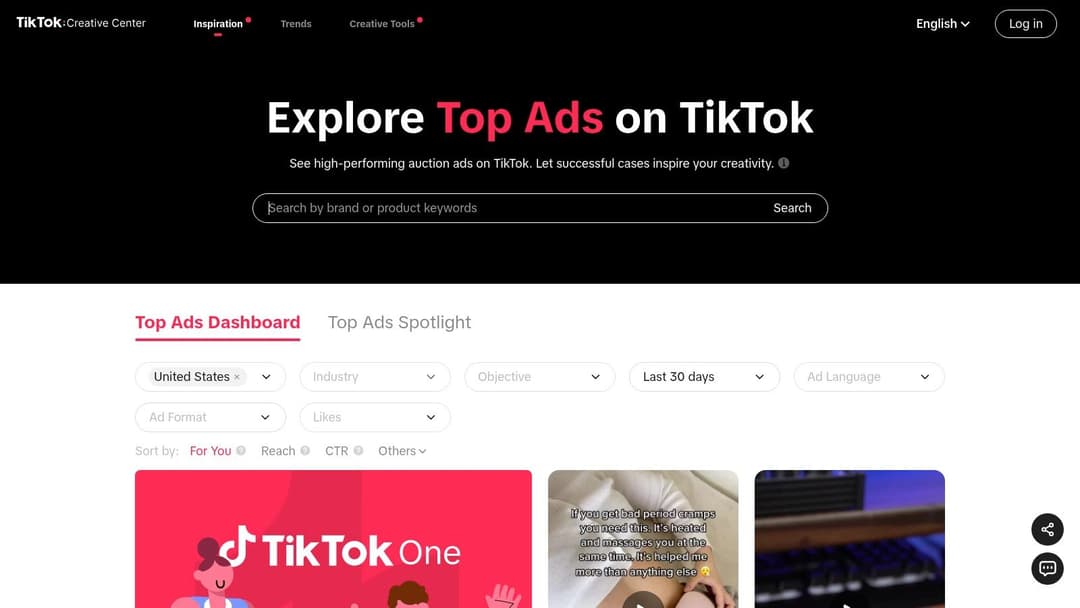
This platform isn't just a library; it's a curated gallery of success. It provides advertisers with direct insight into the hooks, editing styles, audio choices, and messaging that capture attention in the fast-paced, sound-on environment of TikTok. By reverse-engineering these top ads, you can quickly understand the creative DNA of effective short-form video and apply those principles to your own campaigns.
How to Use It for Video Ad Research
The dashboard is designed for discovery and analysis. You can browse freely or use a powerful set of filters to find precisely what you need. This makes it simple to move from broad inspiration to specific, actionable ideas.
- Filter by Objective: Isolate ads based on goals like "Reach," "Video Views," "Traffic," or "Conversion." This helps you analyze creatives that are built for your specific marketing objective.
- Filter by Industry & Region: Select your vertical and target market (e.g., "E-Commerce" in the "United States") to see what your most successful competitors are doing.
- View Ad Details: Each video comes with its accompanying caption, call-to-action (CTA), and basic metrics like engagement rates. This gives you a complete picture of the ad unit.
Pro Tip: Pay close attention to the "Audio" section for each ad. Sound is a primary driver of trends on TikTok. Identifying popular sounds used in top-performing ads can give you a significant creative advantage. Test using trending audio in your own videos to tap into existing user behavior.
Key Features and Considerations
| Feature | Description |
|---|---|
| Access | Free to use, but requires a TikTok for Business account for full functionality. |
| Scope | A curated dashboard of top-performing ads, not a comprehensive archive. |
| Content | Full video ads with captions, CTAs, and key details like likes, shares, and comments. |
| Tools | Includes trend discovery, creative playbooks, and an audio library. |
The main limitation is that it’s a showcase, not a complete historical archive like Meta’s library. Ads are featured based on performance and may be removed over time, so it's not ideal for tracking a specific ad's longevity. However, for understanding current, effective creative strategies, it is second to none. For those looking to implement these fast-paced creative strategies at scale, a guide to TikTok automation software can provide valuable insights into managing your campaigns efficiently.
Website: https://ads.tiktok.com/business/creativecenter/inspiration/topads/pc/en
4. Google Ads Transparency Center
Similar to Meta’s library, Google provides its own searchable repository of ads served across its massive network. The Google Ads Transparency Center is an essential tool for finding a sample video advertisement that is actively running on YouTube, Google's premier video platform. This makes it a goldmine for understanding what brands are pushing on the world's second-largest search engine.
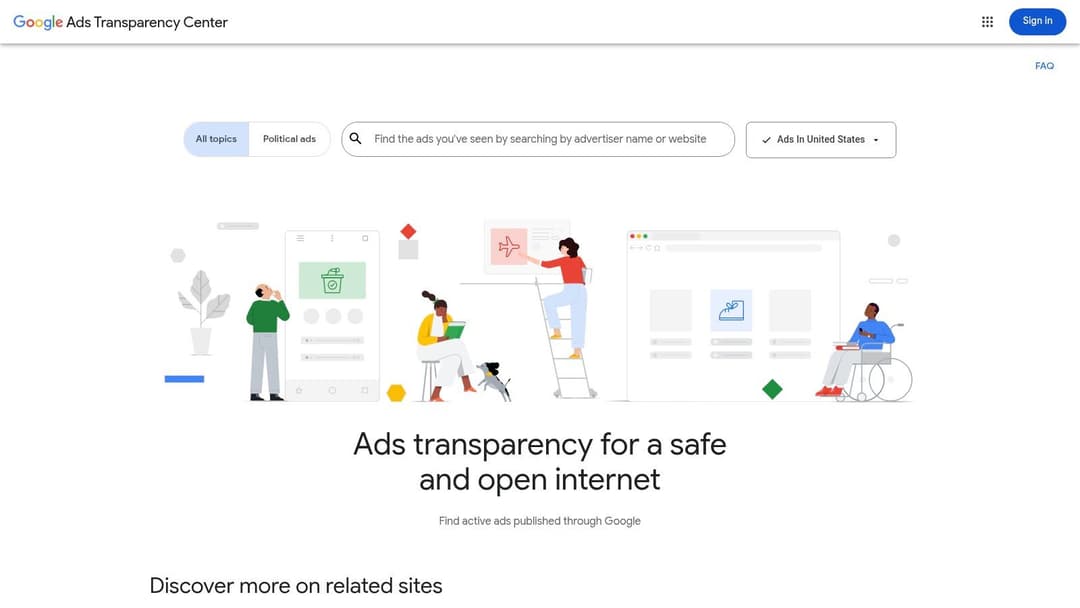
While the Meta Ad Library is focused on social feeds, Google’s center gives you direct insight into the world of YouTube in-stream, in-feed, and Shorts ads. It allows you to search for any verified advertiser and see the creatives they've run, the formats they used, and the dates the ads were active. This is particularly valuable for B2B marketers and brands whose audiences are more active on YouTube than on Facebook or Instagram.
How to Use It for Video Ad Research
The platform is built around advertiser-specific searches, making it ideal for competitive analysis. You can look up a company by name and see a chronological list of their ad creatives.
- Search by Advertiser: Enter the name of a known competitor or a brand you admire to see their ad history on Google's platforms.
- Filter by Format: While less granular than Meta's, you can see if an ad was a video, image, or text, helping you focus on YouTube content.
- Analyze Ad Longevity: The "Last shown" date is a key piece of data. An ad that has been running for several months is almost certainly a top performer for that brand.
Pro Tip: Use the Ads Transparency Center to spot-check the YouTube strategy of major players in your space. Look for patterns in their video ad duration, calls to action (CTAs), and whether they favor live-action footage, animation, or screen recordings. This can inform your own production choices.
Key Features and Considerations
| Feature | Description |
|---|---|
| Access | Free and public, no Google account required for searching. |
| Scope | Covers ads from verified advertisers on Google Search, YouTube, and Display. |
| Content | Preview video ads directly in a player, view image/text ads, and see run dates. |
| Data | Shows formats used, regions where ads were shown, and first/last shown dates. |
The main limitation of the Google Ads Transparency Center is its advertiser-centric search function. It's difficult to browse for inspiration by keyword, topic, or industry trend. You need to know which advertisers you want to investigate beforehand. Furthermore, just like Meta's library, it provides no direct performance metrics, so you must infer success from the duration of a campaign. Despite these constraints, it’s an indispensable, free resource for deconstructing successful YouTube ad campaigns.
Website: https://adstransparency.google.com/
5. YouTube Ads Leaderboard (Think with Google + Best in Ads)
While competitive intelligence tools show you what’s running, curated galleries reveal what’s resonating. The YouTube Ads Leaderboard, hosted on Think with Google, is a showcase of the most popular and effective video ads on the platform. This isn't an exhaustive library but a curated collection of top-performing creative, offering a fantastic source for finding a sample video advertisement that excels in storytelling and brand building.
Unlike raw ad libraries, this resource provides context, celebrating ads that capture audience attention through creativity rather than just high media spend. It’s an ideal destination for marketers looking to move beyond direct-response tactics and understand the craft of narrative-driven, mid-funnel, and brand-awareness video content. These examples are particularly useful for analyzing long-form ad structures and high-production creative that can inspire more ambitious campaigns.
How to Use It for Video Ad Research
The Leaderboard is presented as editorial content, making it simple to browse. Google regularly publishes articles highlighting the top ads of the month or year, often grouped by region or theme. This makes it a go-to spot for trend-spotting and creative inspiration.
- Study the Winners: Analyze the monthly and yearly "Best in Ads" lists to identify common themes, emotional hooks, and storytelling techniques.
- Read the Analysis: Google often includes short case notes or commentary on why a particular ad was successful, pointing out its creative approach or audience engagement signals.
- Focus on Narrative Structure: Pay close attention to how these ads build a story, introduce characters, and create an emotional payoff, especially in formats longer than 60 seconds.
Pro Tip: Look for ads that master the "skippable" format. The first five seconds are critical. Analyze how these top-performing ads use a powerful hook, intriguing visuals, or a direct-to-camera address to convince viewers not to hit "Skip Ad." This is a masterclass in earning attention.
Key Features and Considerations
The Leaderboard's value is in its curation and focus on creative excellence, which provides a different kind of insight than a quantitative ad library.
| Feature | Description |
|---|---|
| Access | Completely free and part of the Think with Google content hub. |
| Scope | Curated selection of top-performing and standout global YouTube ads. |
| Content | High-production video examples, often with accompanying analysis and trends. |
| Format | Ideal for studying brand storytelling, long-form narratives, and skippable ad formats. |
The main limitation is its purpose; it’s a showcase, not a competitive monitoring tool. You won’t find granular performance data, and the curation tends to favor big brands with high production budgets. It won’t show you the scrappy, direct-response ads that might be driving conversions for smaller competitors. However, for understanding high-level video craft and inspiring your next brand campaign, it is an exceptional resource.
Website: https://www.thinkwithgoogle.com/intl/en-ww/marketing-strategies/video/youtube-ads-leaderboard/
6. Foreplay – Ad Swipe File + Discovery
While ad libraries like Meta’s are essential for discovery, they are fundamentally transient archives. Ads disappear, links break, and organizing your findings is a manual, often messy process. Foreplay solves this by acting as a purpose-built swipe file and collaborative workspace for ad creative, turning fleeting inspiration into a permanent, organized asset for your team.
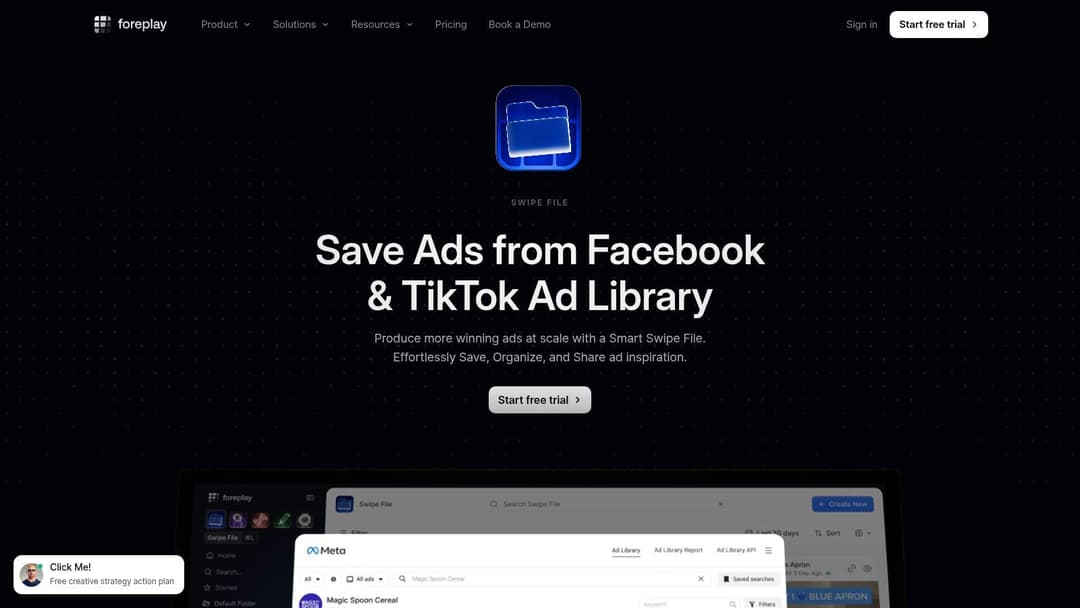
This platform isn't just about finding a sample video advertisement; it's about systematically saving, dissecting, and sharing it. With a browser extension, you can grab video ads directly from sources like the Meta Ad Library, TikTok Creative Center, or even your own social feeds. The ad, its copy, and its landing page are all saved to your private boards, where you can tag them, add notes, and discuss strategy with your team, preventing valuable creative research from getting lost in a sea of spreadsheets and broken links.
How to Use It for Video Ad Research
Foreplay serves as the organizational layer on top of official ad libraries. It’s built for media buyers and creative teams who need to build a structured library of references to inform their own campaign production.
- Save with One Click: Use the Chrome extension to instantly save a video ad and all its associated metadata (copy, headline, advertiser info) from any major platform.
- Organize with Boards and Tags: Create dedicated boards for "Competitor Ads," "High-Performing Hooks," or "UGC Examples." Use tags to categorize by format (e.g.,
testimonial,unboxing) or objective (ROAS,lead-gen). - Search the Discovery Library: Explore a massive, community-curated database of saved ads. Its AI-powered search helps you find specific examples, like "skincare video ads under 15 seconds," far more efficiently than native libraries.
Pro Tip: When you save an ad, immediately add notes on why you saved it. Was it the first three seconds? The call-to-action? The editing style? This context is gold when you revisit the ad weeks later. To go even deeper, learning about getting a direct link to MP4 files for analysis can help you download the raw creative for frame-by-frame study.
Key Features and Considerations
| Feature | Description |
|---|---|
| Access | Paid platform with a 7-day free trial. Pricing is per user. |
| Scope | Save ads from Meta, TikTok, Pinterest, LinkedIn, and Google. |
| Content | Saves the full video, ad copy, landing page screenshot, and live URL. |
| Collaboration | Features team workspaces, comments, and shareable links for feedback. |
The main consideration is that Foreplay is a paid tool and requires a disciplined process to get the most value. It’s not a replacement for visiting official libraries; it’s a powerful companion that supercharges your research workflow. For teams constantly brainstorming and producing new video creative, the ability to build and reference a "greatest hits" collection of ads is a significant advantage. The platform also offers a rich source of inspiration, showcasing what a great video ad example looks like across various industries.
Website: https://www.foreplay.co/swipe-file
7. BigSpy – Multi‑network Ad Creative Database
While official libraries like Meta's are essential for final verification, third-party ad intelligence tools offer a broader, multi-platform view. BigSpy is a massive ad-spy database that covers multiple major networks, including Facebook, Instagram, TikTok, and YouTube, all from a single interface. This makes it a powerful starting point for scanning high-level video ad trends and competitor strategies across different channels.
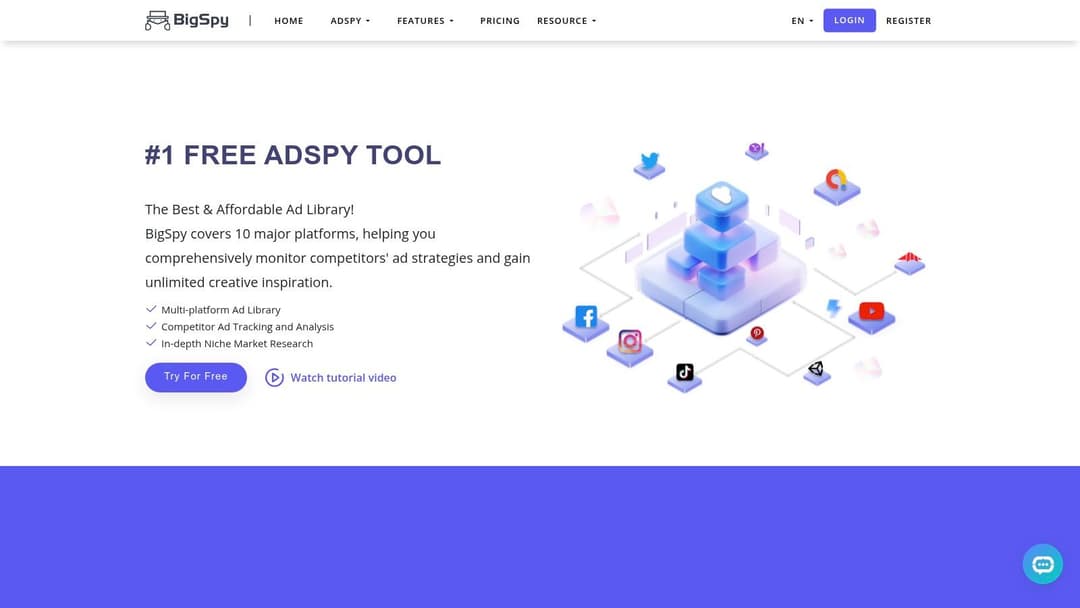
The primary advantage of BigSpy is its consolidation. Instead of jumping between TikTok’s Creative Center and Meta's Ad Library, you can conduct exploratory research in one place. It allows you to quickly compare how a brand adapts its sample video advertisement for different platforms, which is critical for understanding audience-specific messaging. It’s best used for initial idea generation and discovering new angles before digging deeper into the official, more precise platform libraries.
How to Use It for Video Ad Research
BigSpy’s interface is built for efficient discovery with a robust set of filters that help you find exactly what you’re looking for across its extensive database.
- Platform Selection: Start by choosing which networks you want to analyze, such as TikTok, Facebook, or YouTube, to see platform-specific creatives.
- Filter by Industry & CTA: Refine your search by industry (e.g., E-commerce, Gaming) and call-to-action (e.g., "Shop Now," "Learn More") to find direct parallels to your own campaigns.
- Use 'Top Charts': Explore the "Top Charts" section to discover ads that the platform has identified as high-performing, which can be a great source of inspiration for new hooks and formats.
Pro Tip: Use BigSpy to track a single competitor across all covered platforms. Notice how their video ad length, format (9:16 for TikTok vs. 1:1 for Facebook), and hooks change. This cross-platform view provides insights into their channel-specific strategy that you can’t get from a single-platform library.
Key Features and Considerations
| Feature | Description |
|---|---|
| Access | Offers a free plan with limited searches; paid tiers unlock more data and features. |
| Scope | Broad coverage across Facebook, Instagram, TikTok, YouTube, Pinterest, and more. |
| Content | Searchable database of video and image ads with the ability to download creatives. |
| Discovery | Features like "Top Charts" and competitor tracking help surface trending ad creatives. |
The main trade-off is that, as a third-party tool, the data freshness and performance metrics can sometimes be directional rather than exact. The accuracy may vary by pricing tier, and it’s always wise to cross-reference a specific sample video advertisement with the official platform library for 100% certainty on its active status. This is especially true for those exploring how to apply these creative ideas to the growing field of AI-generated commercials, where a solid foundation of proven concepts is key.
Website: https://bigspy.com/
Top 7 Video Ad Creative Comparison
| Tool | Implementation complexity | Resource requirements | Expected outcomes | Ideal use cases | Key advantages |
|---|---|---|---|---|---|
| Meta Ad Library | Low — web access, minimal setup | None; works without Meta account; browser | Browse active, in‑market video ads with filters | Competitor scans, building swipe files, market reconnaissance | Free, comprehensive view of live creatives with strong filters |
| Meta Creative Hub | Low — online mockup tool | None; source assets for mockups | Placement/device previews and shareable ad mockups | Previewing creatives by placement, internal/client sign‑off | Easy placement previews, best‑practice guidance and mock builder |
| TikTok Creative Center – Top Ads Dashboard | Low — web dashboard | None; browser | Curated list of high‑performing TikTok video ads and details | Reverse‑engineering TikTok hooks, short‑form creative testing | Official TikTok examples focused on hooks, structure and trends |
| Google Ads Transparency Center | Low — searchable repo | None; browser | Preview YouTube/Search/Display creatives and run dates | Validate who is running video on YouTube; sample retrieval | Official cross‑Google inventory with advertiser/date disclosures |
| YouTube Ads Leaderboard (Think with Google) | Low — curated gallery | None; browser | Curated, high‑production video ad examples and case notes | Brand storytelling, upper/mid‑funnel creative inspiration | Highlights world‑class creative craft and narrative techniques |
| Foreplay – Ad Swipe File + Discovery | Medium — setup + extension | Paid subscription (trial available); team onboarding | Organized, permanent swipe files with tracking and comments | Team collaboration, preserving examples, workflowed curation | Strong collaboration and preservation features; prevents lost links |
| BigSpy – Multi‑network Ad Creative Database | Medium — account + learning curve | Freemium/paid tiers; varying data freshness | Cross‑platform ad discovery, downloadable creatives, charts | Exploratory cross‑network research and trend comparisons | Broad multi‑network coverage for cross‑platform competitive scans |
Final Thoughts
We've explored a powerful collection of tools designed to give you an inside look at the world of high-performing video advertising. From the direct-from-the-source transparency of the Meta Ad Library and Google Ads Transparency Center to the trend-spotting power of TikTok's Creative Center, the path to finding an effective sample video advertisement is clearer than ever. These platforms are not just for idle inspiration; they are strategic intelligence hubs.
The key is to move beyond simply watching what others are doing. Your goal should be to deconstruct why a specific video ad works. Look for patterns in hooks, pacing, messaging, and calls to action that are succeeding within your niche. By analyzing the creative decisions behind top-performing ads, you gather the raw material needed to build your own winning campaigns. Each example is a lesson in audience psychology, platform optimization, and creative execution.
Synthesizing Your Findings for Maximum Impact
After gathering a swipe file of compelling ads from platforms like Foreplay or BigSpy, the real work begins. Don't just copy what you see. Instead, focus on synthesizing the underlying strategies into a testable hypothesis for your own brand.
- Identify Common Hooks: What are the first 3 seconds of the best ads in your category doing? Are they asking a question, presenting a shocking statistic, or showing a quick, satisfying product demo?
- Analyze Narrative Structures: Do successful ads follow a Problem-Agitation-Solution (PAS) framework, or do they lean on User-Generated Content (UGC) testimonials? Map out the story beats.
- Deconstruct CTAs: How are brands prompting action? Is it a direct "Shop Now," a benefit-driven "Get Your Free Trial," or a softer "Learn More"? Note the language and the visual cues leading up to it.
- Observe Visual and Audio Cues: Pay attention to text overlays, caption styles, background music, and editing speed. These elements are not accidental; they are deliberately chosen to hold attention and drive a specific feeling.
Remember, a great sample video advertisement isn't just about what's being shown, but how it's being shown. Your analysis should focus on these replicable tactics, not just the surface-level creative.
From Analysis to Action: Choosing Your Tools and Launching Your Tests
Your choice of tools should align directly with your marketing objectives. For instance, a DTC brand running primarily on Meta and TikTok will find immense daily value in combining the TikTok Creative Center with a dedicated swipe file tool like Foreplay. A B2B SaaS marketer might spend more time in the Google and YouTube ecosystems, looking for patterns in longer-form educational ads.
Your ultimate goal is to build a repeatable process for creative ideation, production, and testing. The examples you've gathered are the foundation. Use them to create a brief for your next ad set. Specify the hook you want to test, the narrative structure, and the exact call to action. This methodical approach turns creative "guessing" into a data-informed science, allowing you to iterate faster and allocate your budget with more confidence. The most successful performance marketers are not just creative; they are relentless testers who understand that the next breakthrough often comes from analyzing what’s already working.
Ready to turn your research into high-performing video ads in minutes? AdStellar AI takes the strategic insights you've gathered from any sample video advertisement and empowers you to create dozens of variations for rapid testing. Stop manually editing and start iterating at the speed of AI by visiting AdStellar AI to see how it works.