Managing a successful TikTok presence requires more than just viral trends; it demands consistent posting, timely engagement, and sharp performance analysis. As your brand or agency scales, manual management becomes a significant bottleneck, consuming valuable hours that could be spent on strategy and creative development. This is where TikTok automation software becomes essential. These platforms solve the core problem of scalability by automating repetitive tasks like post scheduling, comment moderation, and performance reporting.
However, the market is crowded with options, each with distinct features, strengths, and limitations. Choosing the right tool is critical. A mismatched platform can lead to wasted budget and inefficient workflows, while the right one can supercharge your growth and operational efficiency. This guide cuts through the noise to provide a detailed, comparative analysis of the top TikTok management and automation tools available today.
We will move beyond marketing claims to give you a clear picture of what each platform truly offers. To effectively scale your content production, exploring options like AI for generating AI-powered TikTok video ideas can be a game-changer, but you still need a robust system to publish and manage that content.
In this resource roundup, you will find:
- Detailed breakdowns of 12 leading TikTok automation software solutions.
- Practical use cases for performance marketers, agencies, and e-commerce brands.
- Honest pros and cons based on real-world application.
- Direct links and screenshots to help you evaluate each option.
Our goal is to equip you with the specific information needed to select the best software for your unique strategic objectives, team structure, and budget. Let's find the right tool to automate your TikTok workflow.
1. Buffer
Buffer is a well-established social media management tool that has extended its capabilities to include TikTok, making it a strong contender for those seeking straightforward TikTok automation software. Its primary strength lies in its simplicity and focus on core scheduling and publishing functions, making it ideal for solo marketers, small teams, and agencies who prioritize efficiency and cross-platform consistency over deep, granular analytics.
The platform allows for direct, auto-publishing of TikTok videos, removing the need for manual push notifications and final confirmation on your phone. This is a significant time-saver for teams managing a consistent content calendar. A key feature is the ability to easily repurpose a single video for publication across TikTok, Instagram Reels, and YouTube Shorts from one central interface. Its clean visual calendar provides a clear overview of scheduled content, with draft and approval workflows that support small team collaboration.
Key Features & Use Cases
- Direct TikTok Auto-Publish: Schedule videos to post automatically at a set time without manual intervention.
- Multi-Platform Repurposing: A great use case is uploading a video once and scheduling it as a Reel, Short, and TikTok, standardizing your short-form video workflow.
- Best Time to Post: Buffer provides data-driven suggestions to help you schedule content when your audience is most active on TikTok.
Our Take: Buffer excels at the “schedule and forget” aspect of content management. It's less about intricate campaign analysis and more about reclaiming time and maintaining a consistent posting cadence across multiple video-centric platforms.
Limitations and Pricing
The main limitation is its API-based integration, which prevents users from adding trending sounds, effects, or stickers directly within the Buffer platform. Content must be fully edited before upload. While it provides basic performance metrics, it lacks the in-depth analytics found in enterprise-level tools. For marketers needing to connect social performance with broader campaign goals, exploring tools for Instagram ad automation may offer more robust analytics integrations.
Pricing is flexible, starting with a free plan for up to three channels. Paid plans (starting at $6/month per channel) scale based on the number of social channels and users, making it a cost-effective choice for those just starting or with modest needs.
- Pros: Very easy to learn, affordable and scalable pricing, streamlines cross-platform video publishing.
- Cons: Limited native TikTok features (audio/effects), analytics are basic compared to specialized tools.
Website: https://buffer.com/tiktok
2. Hootsuite
Hootsuite is a long-standing leader in the social media management space, now offering robust tools for TikTok that position it as an enterprise-grade TikTok automation software. It's designed for larger teams, agencies, and organizations that need strong governance, collaborative workflows, and consolidated reporting across a multitude of social channels, not just TikTok. Its core advantage is centralizing complex social operations into a single, secure dashboard.
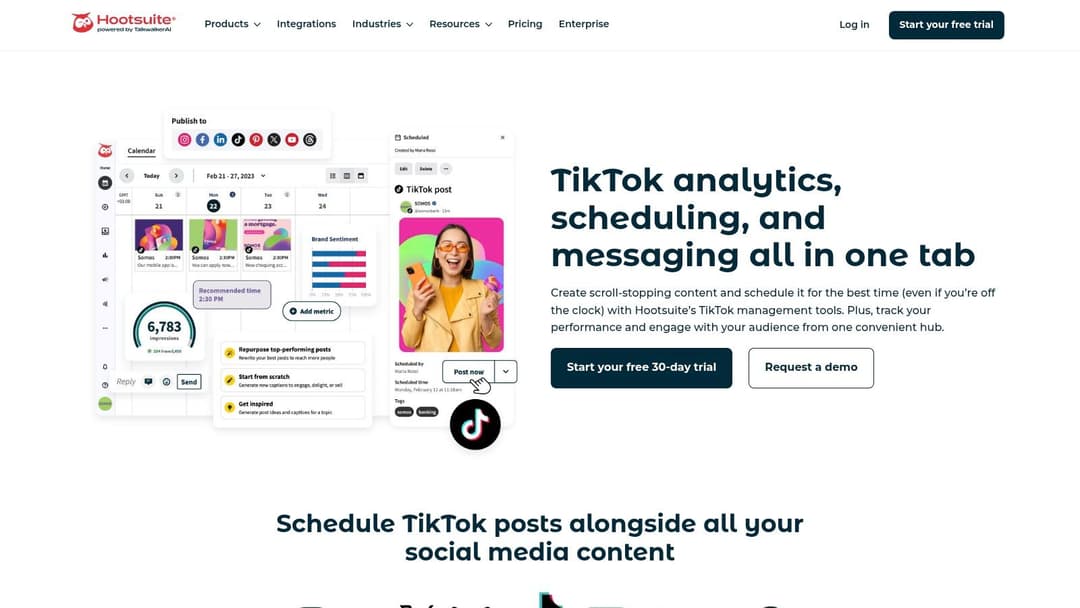
The platform supports direct scheduling and publishing of TikTok videos, which can be managed within a unified content calendar alongside posts for Instagram, Facebook, and others. Hootsuite provides detailed analytics on TikTok video performance, allowing teams to track metrics and demonstrate ROI. Key collaborative functions include setting team roles and permissions, creating approval workflows, and maintaining a shared content library for on-brand assets.
Key Features & Use Cases
- Unified Content Calendar: A great use case is for a marketing agency to plan, schedule, and get client approval for a month's worth of TikTok content in the same view as their other social campaigns.
- Team Roles & Approvals: Assign specific permissions to junior marketers, content creators, and managers to ensure all content is reviewed before it goes live.
- Best Time to Post: The platform analyzes your specific TikTok account's past performance to recommend optimal posting times for maximum engagement.
- Consolidated Analytics: Generate reports that combine TikTok performance data with metrics from other social networks to give a complete picture of social media impact.
Our Take: Hootsuite is the go-to for established teams that require control, security, and cross-channel reporting. It's less about nimble, individual use and more about bringing process and order to a large-scale social media strategy that includes TikTok.
Limitations and Pricing
Similar to other API-based tools, its primary limitation is the inability to add trending TikTok sounds, filters, or interactive stickers directly within the Hootsuite platform; videos must be fully edited prior to upload. For teams focused solely on basic TikTok scheduling, the platform's extensive feature set can feel overly complex and a bit heavy. The price point reflects its enterprise focus and is higher than tools built for small businesses.
Pricing begins with a Professional plan at $99/month, covering one user and ten social accounts. The Team plan and custom Enterprise solutions scale up significantly to accommodate more users, accounts, and advanced features like compliance and ad management.
- Pros: Excellent for team collaboration with strong approval workflows, consolidates many social channels into one dashboard, mature and reliable platform.
- Cons: Higher price point than competitors, can be too feature-heavy for users with simple scheduling needs.
Website: https://www.hootsuite.com/tiktok
3. Sprout Social
Sprout Social is a premium social media management suite that offers robust TikTok automation software capabilities for mid-market and enterprise teams. It stands out by integrating TikTok management into a polished, unified platform known for its powerful analytics and collaboration tools. The platform is designed for organizations that require stakeholder-ready reporting and structured approval workflows across multiple social networks.
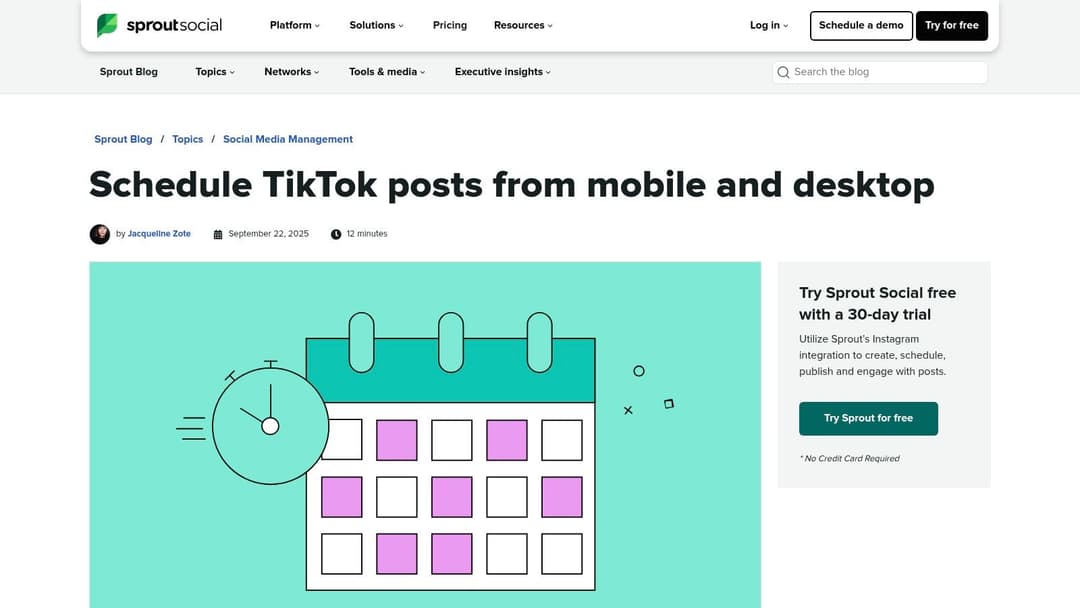
Unlike simpler schedulers, Sprout Social centralizes TikTok scheduling, comment moderation, and performance analysis in one place. Its unified calendar allows teams to plan and visualize their TikTok content alongside posts for other networks like Instagram, Facebook, and Twitter. This cross-network view is a significant advantage for brands aiming to execute cohesive, multi-channel campaigns. The platform also supports direct video publishing, removing the need for push-notification reminders.
Key Features & Use Cases
- Unified Smart Inbox: A great use case is managing comments and mentions from TikTok alongside other social channels in a single feed, ensuring timely community management.
- Robust Reporting: Generate presentation-ready reports that measure TikTok video performance, audience growth, and engagement, and export them for stakeholders.
- Collaboration & Approval Workflows: Teams can use Sprout to draft, review, and approve TikTok videos before they are scheduled, maintaining brand consistency and quality control.
Our Take: Sprout Social is built for accountability and measurement. It’s the right choice for established teams that need to prove social media ROI and integrate TikTok into a broader, more structured marketing strategy.
Limitations and Pricing
The platform's main limitation is its premium pricing model, which is based on a per-user cost, making it a considerable investment compared to other tools on this list. Like most API-based tools, content must be fully edited before being uploaded to Sprout; you cannot add trending sounds or effects within the platform. While its reporting is excellent for social metrics, teams looking for deeper advertising insights may find that tools for Instagram ad automation offer more specific performance-oriented features.
Pricing for the Standard plan starts at $249 per month (billed annually), which includes one user, with additional users costing extra. This positions Sprout firmly in the premium segment, best suited for businesses with dedicated social media budgets.
- Pros: Best-in-class analytics and reporting, excellent for team collaboration and approvals, unified inbox for multi-channel community management.
- Cons: High per-user pricing makes it expensive for small teams, requires content to be created and edited externally.
Website: https://sproutsocial.com/insights/tiktok-schedule/?utm_source=openai
4. Later
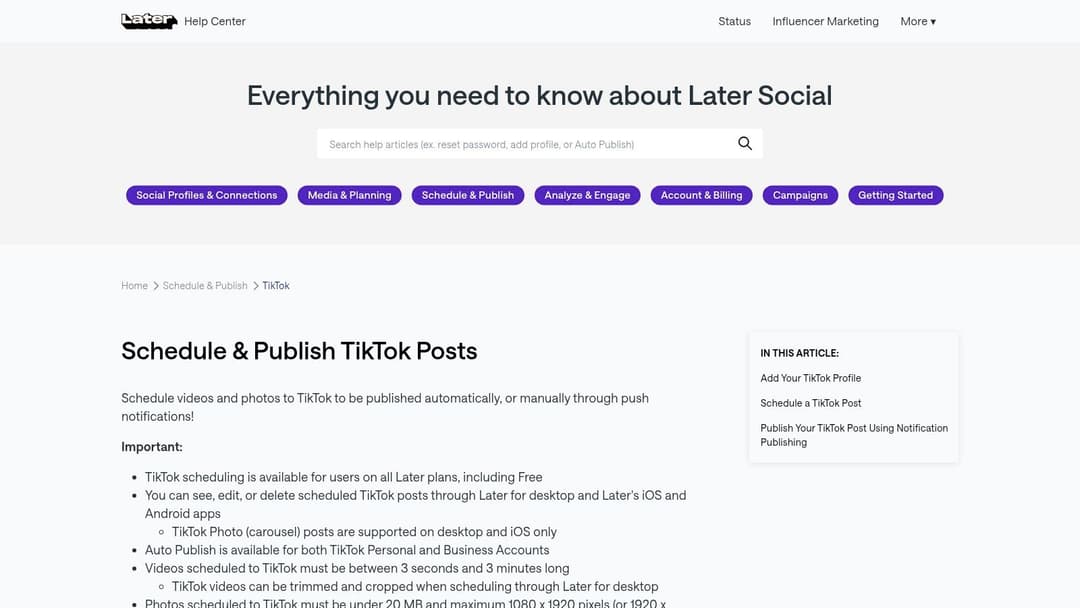
Later is a visually-driven social media planner that has become a favorite among creators and small businesses for its clean interface and accessible approach to TikTok automation software. Its strength lies in making content scheduling intuitive, focusing on a visual calendar that mirrors the aesthetic-first nature of platforms like Instagram and TikTok. This makes it an excellent choice for users who plan their content visually and need straightforward auto-publishing without a steep learning curve.
The platform supports direct auto-publishing for both TikTok personal and business accounts, a key feature that removes the friction of push-notification workflows. Users can prepare their videos, write and save captions for future use, and schedule them to post automatically. It's particularly useful for maintaining a consistent content flow and managing a library of pre-approved captions and hashtags, which saves significant time for solo operators and small marketing teams.
Key Features & Use Cases
- TikTok Auto-Publish: Directly schedule and post videos to both personal and business TikTok accounts without requiring a final manual push on a mobile device.
- Visual Calendar & Saved Captions: A great use case is for a brand to visually map out its TikTok feed for the week, using saved caption templates with recurring hashtags to ensure brand consistency.
- Best Time to Post: The tool analyzes your audience's activity and provides suggestions for optimal posting times, helping to maximize initial engagement.
- Link-in-Bio Tool: Later includes a "Linkin.bio" feature, allowing creators to build a clickable landing page from their TikTok profile, driving traffic to specific products or articles.
Our Take: Later excels at simplifying the scheduling process with its visual-first planner. It’s an ideal tool for creators and brands that prioritize content aesthetics and require a simple, effective "set and forget" publishing system alongside a functional link-in-bio solution.
Limitations and Pricing
The primary limitation of Later is its analytics depth. While it provides basic performance metrics, the reporting is not as detailed as enterprise-level suites, making it less suitable for data-heavy performance marketing teams. Collaboration features are also more basic compared to platforms built for large agencies. To complement its scheduling, users can learn more about the best days to post to social media to better inform their strategy.
Later offers a free plan with limited features and paid plans starting at a very accessible price point (around $25/month for the Starter plan). This pricing structure makes it an excellent value proposition for individual creators, influencers, and small to medium-sized businesses.
- Pros: Very friendly UI and easy onboarding, great value for small teams and creators, includes a useful link-in-bio tool.
- Cons: Reporting depth lags behind enterprise suites, advanced collaboration features are limited.
Website: https://help.later.com/hc/en-us/articles/360053594793-How-to-Schedule-and-Publish-TikTok-Posts
5. Metricool
Metricool is an all-in-one social media management tool that provides strong support for TikTok automation software, particularly appealing to those who manage multiple brands or need a blend of scheduling and analytics. Its competitive pricing and frequent feature updates make it a dynamic option for agencies and marketers looking for a tool that grows with them. The platform supports direct scheduling and auto-publishing for both video and image posts on TikTok.
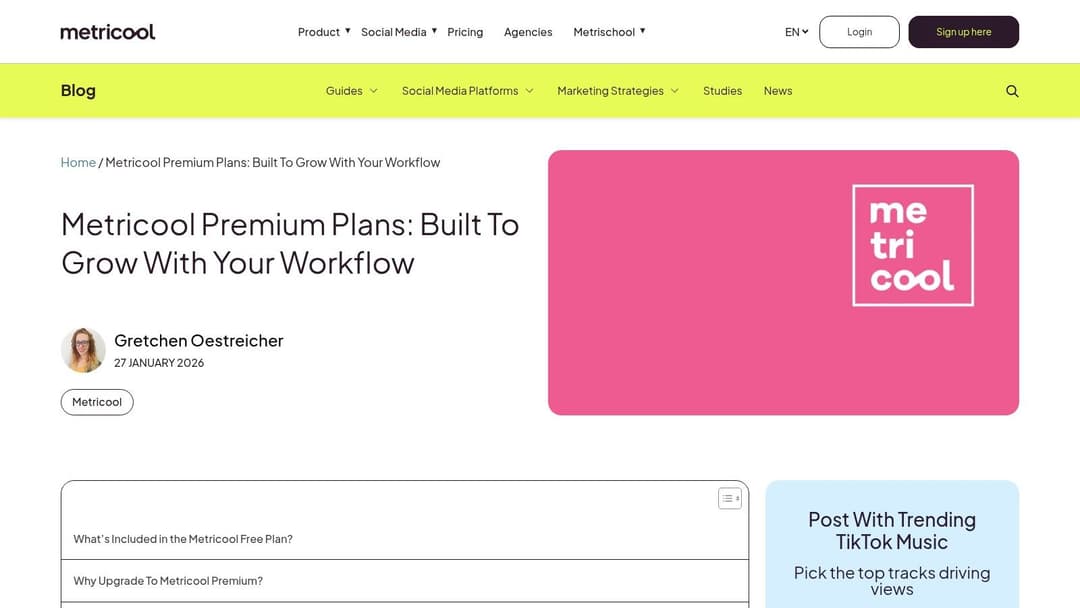
A standout capability for users with a TikTok Business account is the ability to search for and attach trending audio tracks directly within the Metricool scheduler. This solves a major pain point of pre-scheduling, allowing content to remain relevant and participate in current trends without last-minute manual edits. The unified analytics dashboard also pulls data from multiple platforms, including TikTok, into a single, cohesive report.
Key Features & Use Cases
- Trending Audio Integration: For a business account, a great use case is scheduling a video and attaching a currently trending sound from within Metricool to maximize reach, a feature many schedulers lack.
- Unified Analytics & Reporting: Consolidate TikTok performance metrics alongside data from Instagram, Facebook, and Google Business Profile to create comprehensive client reports from one place.
- Best Time to Post: The platform analyzes your TikTok account's specific follower activity to recommend optimal posting times, shown in a color-coded calendar.
Our Take: Metricool hits a sweet spot between affordability, functionality, and ease of use. The trending audio feature alone makes it a serious contender for businesses aiming to stay culturally relevant on TikTok while still benefiting from automation.
Limitations and Pricing
The primary limitation is that some of its best TikTok features, like attaching music, are restricted to TikTok Business accounts, which can be a hurdle for creator accounts. While its analytics are robust, it doesn't offer the deep governance controls or custom API integrations found in enterprise-grade software. This makes it less suitable for large corporations with strict compliance requirements.
Metricool offers a generous free plan that is perfect for a single brand with basic needs. Paid plans are affordably priced and scale based on the number of brands you manage, not users, making it exceptionally cost-effective for agencies. Plans start at approximately $22/month for managing up to 5 brands.
- Pros: Attaches trending audio (Business accounts), generous free tier, cost-effective pricing for managing multiple brands.
- Cons: Key features require a TikTok Business account, analytics are not as deep as enterprise-level tools.
Website: https://metricool.com/metricool-premium/?utm_source=openai
6. Agorapulse
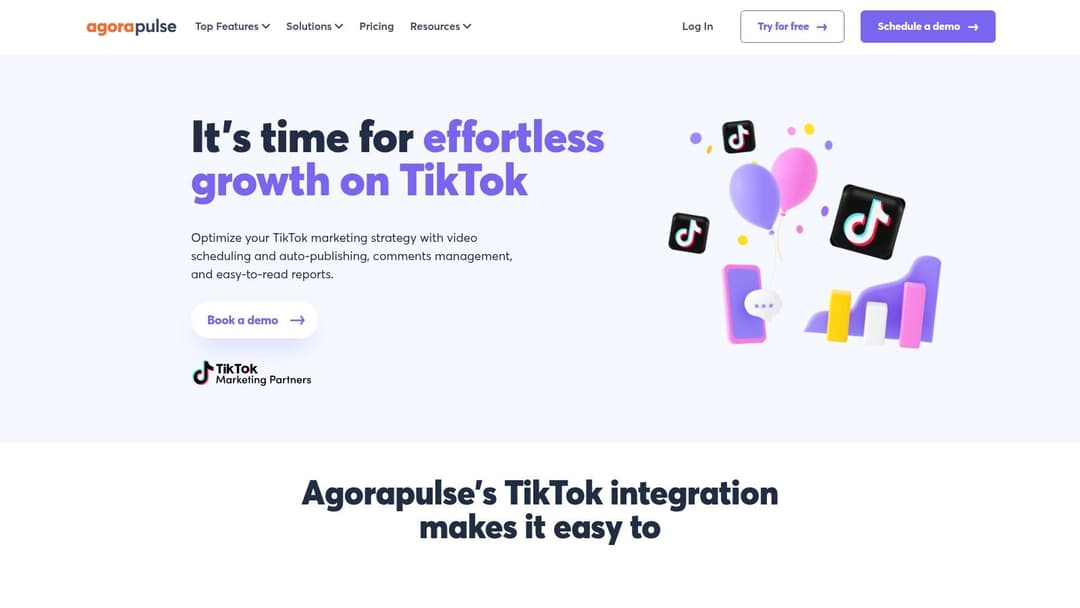
Agorapulse is an agency-friendly social media suite that treats TikTok as a first-class citizen, making it a powerful choice for teams that need robust collaboration and engagement tools. It positions itself as a strong piece of TikTok automation software by focusing heavily on team workflows, client management, and community interaction, making it ideal for digital agencies and larger marketing departments managing multiple accounts.
The platform provides direct auto-publishing for TikTok, but also retains a mobile reminder workflow for videos that require last-minute native edits like adding trending audio. Its standout feature is the unified social inbox, which pulls in TikTok comments alongside interactions from other platforms. This allows teams to manage and respond to community engagement efficiently without having to constantly switch between apps. The ability to create shared calendars and assign roles with approval workflows is perfect for agency-client collaboration.
Key Features & Use Cases
- Unified Social Inbox: A great use case is having a community manager monitor and reply to all TikTok comments from a single dashboard, assigning complex queries to other team members.
- Role-Based Workflows: Agencies can give clients "approver" access to a content calendar, letting them review and sign off on scheduled TikToks before they go live.
- Flexible Publishing: Schedule fully edited videos for auto-publish or use the mobile notification workflow to add trending sounds right before posting.
Our Take: Agorapulse shines in a team environment. It's less for the solo creator and more for the agency or brand team that needs to manage, approve, and report on TikTok activity with structure and accountability.
Limitations and Pricing
The primary limitation is that all creative work, like adding effects or text overlays, must be done outside of Agorapulse before uploading. Its per-user pricing model can also become costly for large teams compared to platforms that offer more users in their base plans. While its reports are clean and shareable, marketers seeking to tie social metrics into a broader ecosystem of business intelligence may find value in exploring other tools for AI marketing automation for more advanced integrations.
Pricing is tiered, with plans starting around $49 per user per month (billed annually). The cost scales with the number of users and social profiles, which is a key consideration for growing agencies.
- Pros: Excellent team collaboration and client approval workflows, unified inbox is great for community management, clear and shareable reporting.
- Cons: Per-user pricing can be expensive for larger teams, no native TikTok editing features for audio or effects.
Website: https://www.agorapulse.com/tiktok-integration/?utm_source=openai
7. Loomly
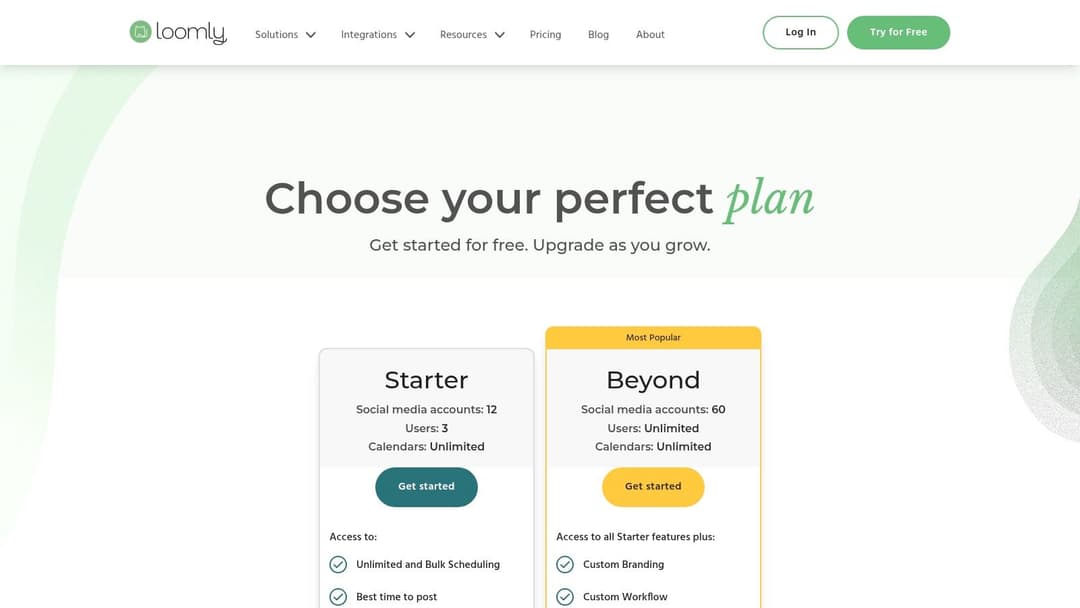
Loomly operates as a planning-first social media tool that includes TikTok automation software capabilities designed for collaboration. It shines for in-house marketing teams and agencies that require structured approval workflows, a clear content overview, and idea generation support before anything gets scheduled. Its core value is in organizing the entire content creation process from brainstorming to final post.
The platform offers both direct auto-publishing for TikTok and a notification-based system, giving teams flexibility. Its standout feature set revolves around collaboration, with a built-in asset library for storing media, versioning to track edits, and clear approval flows for managers or clients. This governance makes it a reliable choice for brands that need to maintain strict quality and brand consistency across all their social channels, including TikTok.
Key Features & Use Cases
- Content Approvals & Versioning: Ideal for agencies managing client accounts. A use case involves a junior marketer creating a TikTok draft, which is then automatically sent to a manager and the client for sequential approval before scheduling.
- Central Asset Library: Teams can store all approved video clips, audio files, and brand graphics in one place, ensuring everyone uses the correct assets for TikTok content.
- Calendar & Content Ideas: Loomly provides post ideas based on trending topics, holidays, and date-related events, helping teams overcome creative blocks for their TikTok calendar.
Our Take: Loomly is for the planners. It brings order and process to the often-chaotic world of social media content creation, making it a strong asset for teams where multiple stakeholders need to sign off on content before it goes live.
Limitations and Pricing
The primary limitation is that its analytics are not as deep as enterprise-level or specialized reporting platforms. While sufficient for tracking basic engagement, teams needing detailed ROI analysis might find it lacking. Additionally, some users have noted that its pricing structure and plan features have changed over time, which can be a point of friction for long-term subscribers.
Pricing begins with a Base plan at $42/month for 2 users and 10 social accounts. Plans scale up to a Premium tier for large teams and agencies, with costs increasing based on user count and the number of channels managed.
- Pros: Excellent for team collaboration and client approvals, provides a clear visual planning calendar, offers helpful content ideation features.
- Cons: Analytics depth is less comprehensive than competitor tools, pricing plans and features have been subject to change.
Website: https://www.loomly.com/pricing
8. SocialPilot
SocialPilot emerges as a highly cost-effective social media suite that provides dependable TikTok automation software, particularly for small to mid-sized businesses (SMBs) and agencies managing multiple accounts. It finds its sweet spot by balancing an approachable user interface with features designed for scale, without the enterprise-level price tag. The platform focuses on simplifying high-volume content calendars and streamlining client collaboration.
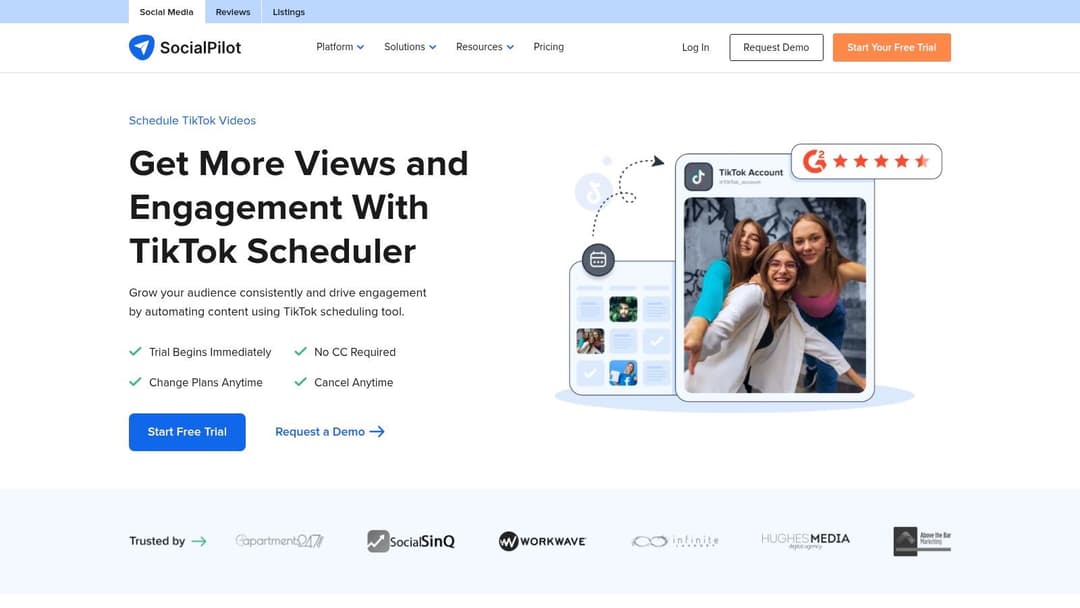
While it uses a notification-based system for publishing, its strength lies in workflow efficiency. You can schedule TikTok posts from a desktop or mobile app and organize your content strategy visually. The bulk scheduling feature is a standout, allowing users to upload and schedule up to 500 posts at once via a CSV file, a significant advantage for content-heavy campaigns or agencies managing dozens of client accounts. Role-based access and client management features further support agency operations.
Key Features & Use Cases
- Bulk Scheduling: A great use case involves an agency mapping out a client's entire monthly TikTok content calendar in a spreadsheet and uploading it in one go, saving hours of manual entry.
- AI-Assisted Copywriting: Generate post captions, ideas, and hashtags directly within the composer to speed up the content creation process.
- Client Management & Workflows: Onboard clients, manage their credentials securely, and set up approval workflows before content goes live, all within one dashboard.
Our Take: SocialPilot is an excellent value proposition. It's built for teams that need to manage a high volume of social content across many accounts without breaking the bank. The bulk scheduling is a genuine time-saver for organized, process-driven teams.
Limitations and Pricing
The primary limitation is that it relies on push notifications for final TikTok posting, meaning it isn't a fully automated “set-and-forget” solution. Its analytics and social listening capabilities are functional but less deep than what you'd find in more specialized or premium suites. Users looking for advanced performance tracking may need to pair it with another tool focused on social media analytics.
Pricing is a major plus, with plans starting at around $25.50/month (billed annually) for 10 social accounts. The plans scale generously, with agency-focused tiers offering management for 50+ accounts and multiple team members at a fraction of the cost of many competitors.
- Pros: Outstanding value for money, powerful bulk scheduling feature, strong client management and team collaboration tools.
- Cons: No direct auto-publishing for TikTok, reporting and analytics are good but not top-tier.
Website: https://www.socialpilot.co/tiktok-scheduler
9. Zoho Social
Zoho Social enters the market as a powerful option for businesses already embedded in the Zoho ecosystem. For these users, it stands out as a compelling piece of TikTok automation software by integrating social media management directly with their existing CRM, customer support, and business intelligence tools. Its primary value proposition is creating a single, unified view of the customer, where TikTok performance data can inform and be informed by other business activities.
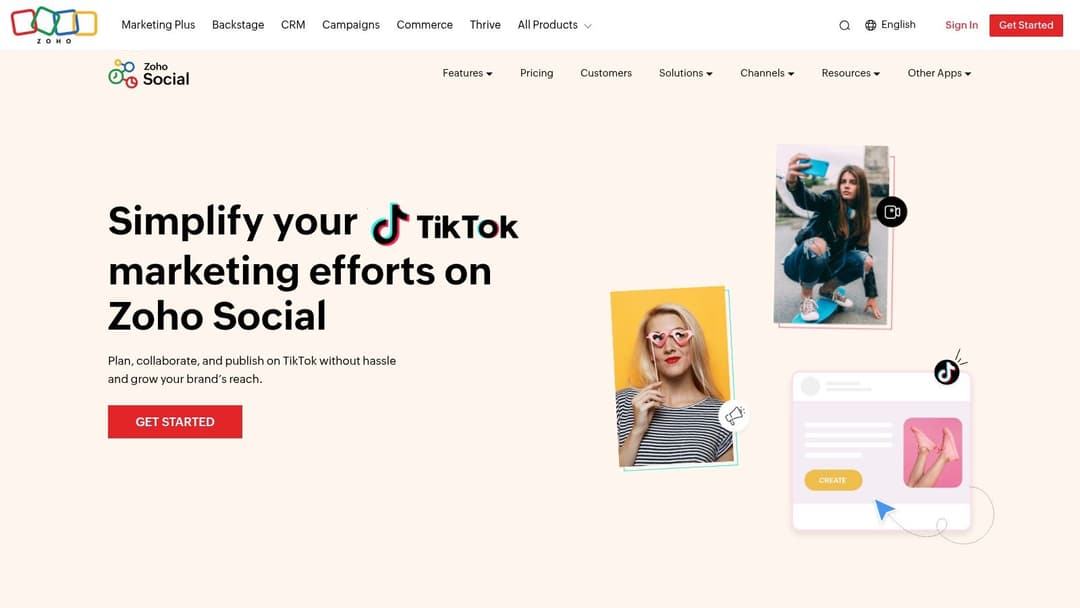
The platform offers direct scheduling and publishing for TikTok videos, alongside performance reporting that tracks key metrics like video views and audience growth. It’s built for collaboration, with features supporting multi-brand management, team member roles, and content approval workflows, making it a good fit for agencies and larger marketing departments managing multiple client accounts or internal brand divisions.
Key Features & Use Cases
- TikTok Scheduling and Publishing: Plan and schedule your TikTok content in advance to maintain a consistent posting schedule automatically.
- Performance Reporting: Monitor core TikTok metrics, including video views, engagement rates, and follower growth, directly within the Zoho dashboard.
- Zoho Ecosystem Integration: A key use case is linking TikTok leads or customer comments to your Zoho CRM, creating a support ticket in Zoho Desk, or building unified reports in Zoho Analytics.
- Collaboration & Agency Support: Manage multiple brands from a single dashboard, assign user roles, and create content approval queues for team-based workflows.
Our Take: Zoho Social is the obvious choice if your business runs on Zoho. The ability to connect social media activity with your central business data provides a strategic advantage that standalone social media tools can't match.
Limitations and Pricing
The platform's biggest strength is also a potential limitation; its true power is only unlocked when used with other Zoho applications. For companies not using the Zoho suite, there can be a learning curve, and it may feel less intuitive than more specialized, social-only tools. Furthermore, specific features and the number of brands you can manage are tied to different pricing tiers.
Zoho Social offers competitive pricing, beginning with a free plan for one brand and one user. Paid plans start at $15/month for the Standard plan, scaling up to Agency plans designed for managing multiple clients, making it an affordable option for a wide range of business sizes.
- Pros: Deep integration with the broader Zoho stack, competitive pricing with dedicated agency plans, strong team collaboration features.
- Cons: Has a learning curve if you're not a current Zoho user, feature depth and brand limits are tied to specific pricing plans.
Website: https://www.zoho.com/social/tiktok.html?utm_source=openai
10. Sendible
Sendible is a social media management suite built with agencies and client work in mind, now including direct TikTok scheduling as part of its offering. It positions itself as an effective TikTok automation software for teams that manage numerous brand profiles and require structured client approval and reporting systems. The platform's core advantage is its deep feature set designed for agency-client workflows, making it a standout choice for those who need more than just basic scheduling.
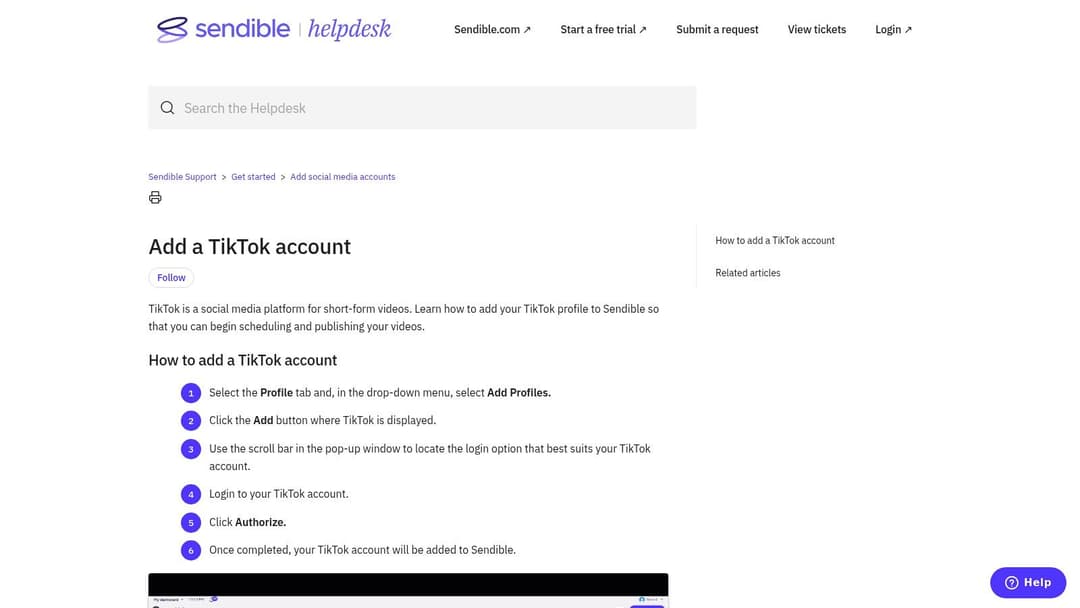
Its design philosophy centers on centralizing client management. You can schedule TikTok videos directly, but the real power comes from its integrated content calendars, a unified engagement inbox for responding to comments across profiles, and robust approval queues. This setup prevents content bottlenecks and ensures clients have final sign-off before a post goes live.
Key Features & Use Cases
- Direct TikTok Scheduling: Plan and auto-publish your fully edited videos at your designated times.
- Client-Ready Calendars: A key use case involves sharing a content calendar with a client, allowing them to review, comment on, and approve scheduled TikToks directly within the platform.
- White-Label Reporting: Agencies can generate and brand professional-looking performance reports with their own logo to send to clients.
- Unified Engagement Inbox: Manage comments and engagement from multiple TikTok profiles (and other social networks) in one consolidated stream.
Our Take: Sendible is the go-to tool for marketing agencies that need to fold TikTok into a broader, multi-client social media strategy. Its strength is less about TikTok-specific features and more about the surrounding project management and client service infrastructure.
Limitations and Pricing
Similar to other API-based tools, Sendible does not allow for adding trending TikTok sounds or effects within its interface; all video editing must be completed beforehand. For solo creators or small businesses not managing external clients, the depth of its feature set and its higher price point might feel excessive for simple scheduling needs. The user interface, while powerful, has a steeper learning curve than more lightweight schedulers.
Pricing is tiered for agency growth, starting with the Creator plan at $29/month for 1 user and 6 social profiles. The agency-focused Traction plan ($89/month) and White Label plan ($160/month) add more users, profiles, and advanced reporting capabilities.
- Pros: Excellent for agencies managing multiple brands, mature approval and reporting workflows, unified inbox is a major time-saver.
- Cons: Generally pricier than simpler schedulers, the UI can be complex for basic use cases.
Website: https://support.sendible.com/hc/en-us/articles/10616112577181-Add-a-TikTok-account
11. Vista Social
Vista Social positions itself as a modern and agile social media management tool, carving out a niche as a powerful TikTok automation software by quickly adopting new platform features. It is particularly noted for its early support for longer TikTok videos (up to 10 minutes), making it a great fit for creators, podcasters, and SMB agencies focused on straightforward scheduling and content repurposing without a high price tag.
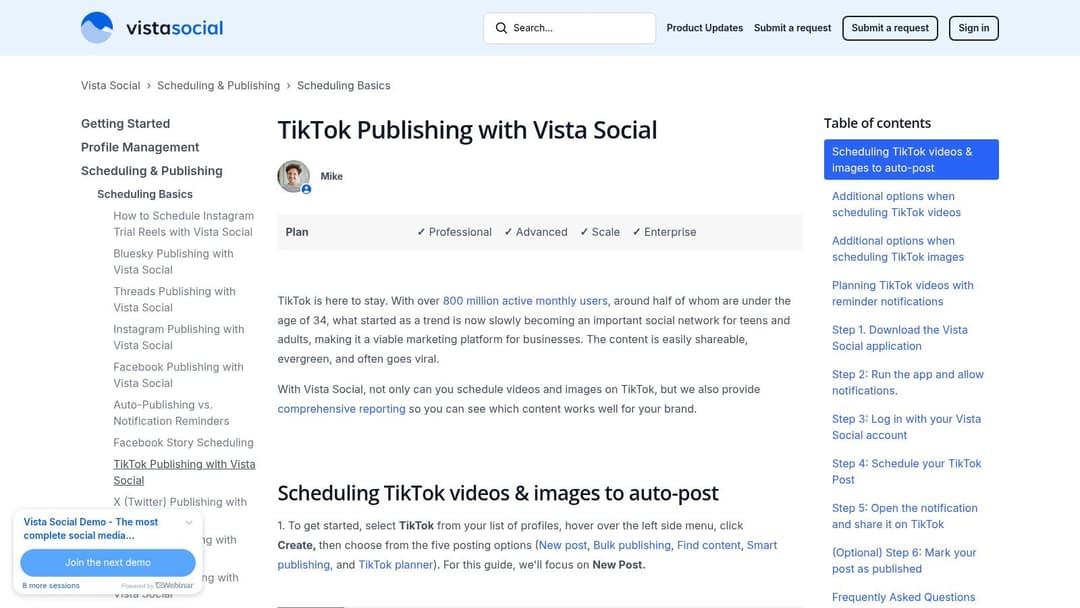
The platform provides a flexible workflow, allowing users to choose between direct auto-publishing for a hands-off approach or a mobile reminder system for last-minute edits. Vista Social supports scheduling for standard videos, image posts, and carousels, covering a wide range of TikTok content formats. Its content categorization and reporting tools help teams organize their media library and track basic performance metrics efficiently.
Key Features & Use Cases
- Support for Long-Form Video: A key use case is scheduling 10-minute videos directly to TikTok, ideal for educational content, interviews, or podcast clips that require more depth.
- Flexible Publishing Workflows: Choose between complete automation (auto-post) or a push notification to your phone, giving you control over the final post.
- Multi-Format Scheduling: Schedule not just videos but also image carousels, allowing for a more diverse and planned-out TikTok feed.
Our Take: Vista Social is a standout for its value and rapid feature adoption. It provides the essential scheduling and repurposing tools most small teams need, with the added benefit of supporting longer video formats that many competitors lack.
Limitations and Pricing
Its primary limitation is that its social listening and sentiment analysis features are more basic compared to the deep-dive analytics offered by premium enterprise suites. The platform's ecosystem and third-party integrations are also less extensive than those of long-standing incumbents like Sprout Social or Hootsuite.
Pricing is highly competitive, with a free plan that includes 3 profiles and 1 user. Paid plans start at a very accessible $3/month per profile, offering excellent value. This model makes it easy for small agencies or growing brands to scale their social media management affordably.
- Pros: Fast feature rollouts, great value for the price, straightforward scheduling and repurposing.
- Cons: Listening features are basic, smaller integration ecosystem than major platforms.
12. Smartly.io
Smartly.io is an enterprise-grade advertising platform and a badged TikTok Marketing Partner. It positions itself as TikTok automation software for large-scale advertisers who need to manage creative production and campaign optimization in one unified system. Its power comes from automating the creation and testing of countless ad variations, making it a critical tool for global brands and agencies focused on maximizing return on ad spend through data-driven creative strategies.
The platform excels at connecting product or data feeds directly into creative templates, allowing teams to generate thousands of contextualized video ads automatically. This is a massive advantage for e-commerce or travel companies with large catalogs. Beyond creative, its rules-based engine automates campaign management tasks like budget allocation and bid adjustments based on performance KPIs, freeing up large paid media teams to focus on strategy rather than manual adjustments.
Key Features & Use Cases
- Creative Automation at Scale: Use dynamic templates and data feeds to produce thousands of unique ad variations for A/B testing or personalization.
- Cross-Channel Campaign Management: A primary use case is managing and optimizing large-budget campaigns across TikTok, Meta, Pinterest, and other channels from a single dashboard.
- Advanced Workflow Automation: Set up custom rules to automatically pause poor-performing ads, reallocate budgets to winners, or adjust bids based on ROAS targets.
Our Take: Smartly.io is for the top tier of advertisers. It isn't about scheduling organic posts; it's about industrializing the process of creating, testing, and optimizing paid TikTok ads to find what truly drives performance at a massive scale.
Limitations and Pricing
The platform's primary limitation is its focus; it is built for large, sophisticated advertising teams and is overkill for small businesses or those only needing organic content scheduling. Its power in creative automation requires a significant strategic and operational commitment to be effective. For those who need a deeper understanding of TikTok's native ad platform before committing to an enterprise solution, exploring the fundamentals of the TikTok Ad Manager is a logical first step.
Pricing is quote-based and tailored to enterprise needs, typically based on a percentage of ad spend. This model makes it inaccessible for smaller advertisers or those with modest budgets.
- Pros: Exceptional for producing and testing creative variants at scale, powerful rule-based campaign automation, proven with major global advertisers.
- Cons: Enterprise-level pricing is prohibitive for most businesses, complex feature set requires dedicated expertise, not suited for organic content management.
Top 12 TikTok Automation Software Comparison
| Platform | Key features | Best for | Strengths | Price & ad-automation fit |
|---|---|---|---|---|
| Buffer | TikTok auto-publish, repurpose to Reels/Shorts, visual calendar, basic analytics | Solo marketers, small teams, creators | Simple UI, fast onboarding, low entry cost | Low-cost/freemium — good for organic scheduling; limited for scaled paid ad automation |
| Hootsuite | TikTok scheduling, unified calendar/inbox, team roles, reporting | Large teams, enterprises | Strong governance, consolidated reporting | Enterprise pricing — fits cross-channel management; not focused on creative ad automation |
| Sprout Social | TikTok scheduling, comment moderation, polished reporting, approvals | Mid-market & enterprise teams | Best-in-class reporting, stakeholder-ready exports | Premium pricing — great for reporting-driven teams; limited native ad creative automation |
| Later | TikTok auto-publish, visual planner, saved captions, link-in-bio | Creators and SMBs | Visual calendar, easy onboarding, good value | Affordable — ideal for organic planning; not aimed at paid campaign automation |
| Metricool | TikTok scheduling, cross-posting, attach trending tracks, unified analytics | SMBs and growing brands | Frequent updates, generous free tier | Competitive pricing — useful analytics; modest ad automation capabilities |
| Agorapulse | Auto-publish/reminders, unified inbox, reporting, role-based approvals | Agencies managing multiple clients | Strong inbox and client workflows, clear approvals | Mid-tier pricing — agency-friendly; limited native TikTok effects/ad automation |
| Loomly | Direct publishing, approvals, asset library, idea cues | In-house teams and agencies | Easy collaboration, visual planning | Mid pricing — planning-first; not built for large-scale creative automation |
| SocialPilot | TikTok scheduling, bulk upload, AI-assisted copy, client management | SMBs and budget-conscious agencies | Strong value, bulk scheduling for high volume | Cost-effective — good for high-volume organic posting; limited paid-ad automation |
| Zoho Social | TikTok scheduling & analytics, multi-brand support, Zoho integrations | Teams using Zoho stack, agencies | Competitive pricing, consolidates with CRM/workflows | Affordable — great inside Zoho ecosystem; limited advanced ad automation |
| Sendible | Direct TikTok publishing, client calendars, unified inbox, white-label reports | Agencies handling many brands | Mature client workflows, white-label reporting | Agency pricing — strong client features; not focused on automated creative testing |
| Vista Social | TikTok scheduling (long videos), auto-post/reminders, reporting | Creators and SMB agencies | Fast feature rollouts, supports 10‑min videos | Competitive pricing — good for repurposing content; modest ad automation |
| Smartly.io | Creative automation, dynamic variations, rules-based optimization, feed integration | Large advertisers and paid-social teams | Enterprise-grade creative scale, TikTok partner, robust optimization | Enterprise/quote-based — built for paid ad automation and creative testing at scale |
Choosing Your Automation Partner: Final Recommendations
The journey through the world of TikTok automation software reveals a diverse and specialized market. We've moved beyond simple schedulers and into platforms offering sophisticated analytics, content management, and even ad campaign automation. The right tool isn't a one-size-fits-all solution; it’s a strategic partner that aligns with your specific goals, team structure, and budget.
What’s clear is that manual TikTok management is no longer a sustainable model for ambitious marketers. The speed of trends, the demand for consistent content, and the need for data-driven decisions make automation a necessity, not a luxury. From enterprise-level giants like Sprout Social and Smartly.io to agile, SMB-focused tools like Later and Vista Social, there is a platform designed to solve your most pressing workflow challenges.
Recapping Your Top Choices
To make your final decision easier, let’s categorize our findings based on common business needs:
For Large Agencies & Enterprise Teams: If you manage numerous client accounts or have complex approval workflows and deep analytics requirements, Sprout Social, Agorapulse, and Hootsuite are your strongest contenders. Their robust feature sets, security protocols, and extensive reporting justify the higher price point. Smartly.io stands apart for performance marketers laser-focused on automating and optimizing paid TikTok campaigns at scale.
For E-commerce & DTC Brands: Visual planning is paramount. Later excels here with its visual calendar and Link-in-Bio features, making it a favorite for brands that rely on aesthetics. Metricool also offers a powerful combination of scheduling, analytics, and a smart link tool at a very competitive price, making it an excellent value proposition.
For SMBs & Startups: Budget and ease of use are key. Buffer provides a clean, straightforward scheduling experience that's perfect for small teams just getting started. SocialPilot and Vista Social deliver immense value, packing a surprising number of advanced features into affordable packages, making them ideal for growing businesses needing to maximize their ROI.
For All-in-One Marketing Stacks: If you’re already invested in a specific ecosystem, staying within it can simplify your tech stack. Zoho Social is the obvious choice for Zoho users, while Sendible offers strong CRM integrations that can be a game-changer for agencies focused on lead generation.
Final Factors Before You Commit
Before you sign up for a trial, take a moment to reflect on these critical implementation factors. The best tiktok automation software on paper can fail if it doesn't fit your operational reality.
Analyze Your True Workflow: Don't just look at features. Map out your team's exact process from content creation to approval, scheduling, and reporting. Where are the real bottlenecks? Choose a tool that solves that specific problem, whether it’s a clunky approval chain or a lack of performance insights.
Prioritize the User Experience (UX): Your team has to use this tool every single day. A confusing interface or slow platform will lead to frustration and poor adoption. During your free trial, have the primary users test it thoroughly. Can they schedule a post, pull a report, and find key metrics without extensive training?
Scrutinize the Analytics: Go beyond vanity metrics like likes and views. Does the platform provide actionable data? Look for metrics like audience growth rate, engagement rate per post, best times to post based on your actual data, and click-through rates on your bio link. This is where automation moves from a time-saver to a growth driver.
Confirm TikTok API Compliance: As we've stressed, using an official TikTok Marketing Partner is non-negotiable. This ensures your account's safety, data security, and access to the latest features as TikTok's platform evolves. Steer clear of any tool that requires your login credentials or uses unofficial methods.
Ultimately, selecting the right TikTok automation software is an investment in efficiency and strategic growth. By offloading repetitive tasks, you free up your team’s creative and analytical capacity to focus on what truly matters: creating content that connects and building a community that converts.
Ready to take your TikTok advertising to the next level? While the tools above manage your organic presence, AdStellar AI automates the creative optimization for your paid campaigns. Our platform analyzes your ad performance and automatically generates new creative variations, ensuring you always have fresh, high-performing ads running on TikTok. Discover how AdStellar AI can boost your campaign ROI today.