
Instagram carousel ads are the multi-card format you’ve seen a thousand times, letting you swipe through a series of images or videos in one self-contained ad. This isn't just a gimmick; it's a powerhouse format for telling a story, showing off a product line, or breaking down the features of a single offer. For performance marketers, it’s one of the sharpest tools in the shed.
Why Carousel Ads Are a Performance Marketer's Secret Weapon
In a feed that’s overflowing with static images and blink-and-you'll-miss-it videos, Instagram carousel ads are a pattern interrupt. They do something most other ads can't: they make people do something.
Unlike a single-image ad that lives or dies by one perfect shot, a carousel invites you to play. That simple act of swiping creates a tiny commitment, a micro-interaction that keeps a user’s eyeballs on your brand for just a few seconds longer.
That extra dwell time isn't just a vanity metric. It’s a huge, flashing green light for Meta's algorithm. When a user spends more time with your ad, the algorithm sees it as relevant and valuable content. The reward? Often better ad placements and lower costs.
Fueling Engagement and Clicks
It’s just human nature—the interactivity of carousels pulls people in and drives up engagement. This isn't just a gut feeling; the data backs it up, again and again. Recent studies show carousel ads can pull in 18% higher engagement than their single-image cousins, making them a clear winner for campaigns built around interaction.
So, what’s the psychology behind the swipe? It boils down to a few key triggers:
- Curiosity: A killer first card creates an "information gap." You just have to swipe to see what’s next.
- Storytelling: Carousels are perfect for a classic narrative. You can introduce a problem on card one, agitate it on card two, and slam dunk your solution on card three.
- Variety: In one ad, you can show off an entire product collection, highlight five different use cases, or appeal to multiple customer personas.
Key Takeaway: Carousel ads aren't just a creative choice; they're a strategic one. By getting users to actively participate, you increase dwell time, feed the algorithm positive signals, and get way more chances to make your case in a single impression.
Before we dive deeper into creating your own, let's put carousels head-to-head with the standard single-image ad format. It helps to see exactly where each one shines.
Carousel Ads vs Single Image Ads At a Glance
| Metric/Feature | Carousel Ads | Single Image/Video Ads |
|---|---|---|
| User Engagement | Higher; encourages interaction (swiping). | Lower; passive consumption. |
| Storytelling | Excellent; supports sequential narratives. | Limited; relies on a single moment. |
| Product Showcase | Ideal for multiple products or features. | Best for a single hero product/offer. |
| Click-Through Rate | Often higher due to multiple clickable cards. | Can be high with a strong CTA, but one shot. |
| Cost-Per-Click | Can be lower due to higher engagement. | Tends to be higher, on average. |
| Creative Flexibility | High; mix and match images/videos. | Low; one creative asset per ad. |
| Best For | E-commerce, storytelling, feature breakdowns. | Brand awareness, direct response, single offers. |
Seeing them side-by-side makes it clear: when you have more than one thing to say or show, the carousel is almost always the smarter bet.
A Versatile Format for Every Objective
Beyond pure engagement, carousels are incredibly adaptable. An e-commerce brand can drop a new collection. A SaaS company can walk you through a 3-step setup. A local business can string together five glowing customer testimonials.
The real magic is that each card can have its own headline, description, and even its own unique destination URL. This gives you insane control over the user journey.
This versatility means you can hit multiple marketing goals at once, from building top-of-funnel awareness to driving bottom-funnel conversions. If you really want to master this, understanding the core principles of the psychology in advertising will help you build narratives that stick. Now, let’s get into the nuts and bolts of turning that potential into profit.
Designing Carousels That Stop the Scroll and Drive Clicks
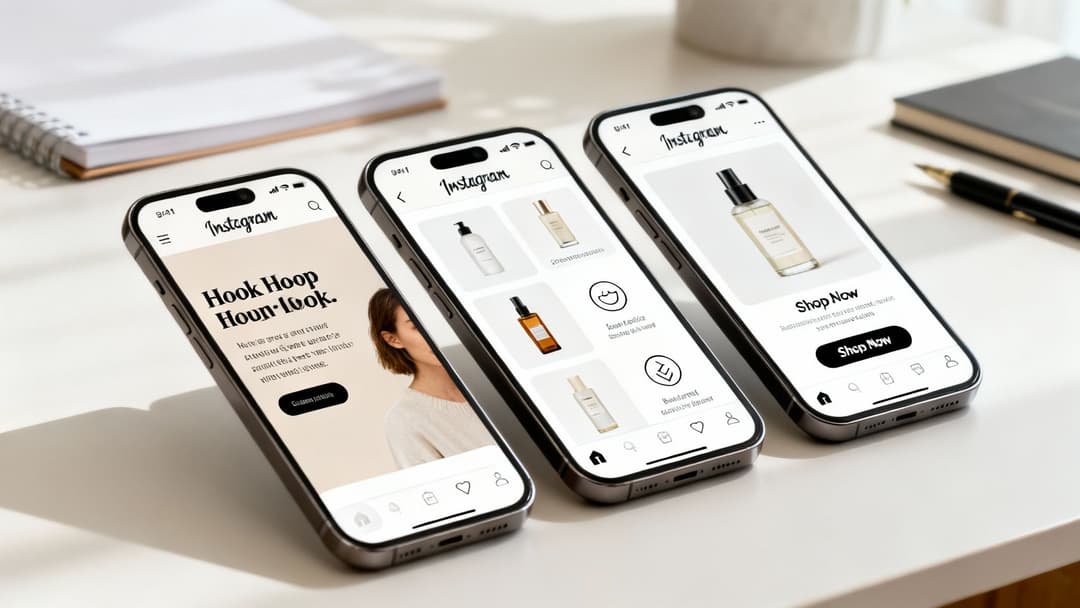
A great carousel Instagram ad isn't just a random assortment of pictures. It’s a story, carefully crafted to pull someone out of their mindless scrolling and get them actively swiping. The magic really happens when each card builds on the last, creating momentum that leads straight to a click.
Think of your carousel as a mini-landing page, living right inside the feed.
The first card is your ad. Seriously. If it doesn’t immediately hook the user and create an irresistible urge to see what's next, the rest of your work is wasted. You need a powerful visual—a stunning photo, a bold question, or the start of an engaging video—that makes swiping feel like the only logical next step.
Once they're hooked, the middle cards have to deliver on that initial promise. This is your chance to build the argument, keeping the look and feel consistent while dropping new information with every swipe. The final card has one job: turn that interest into action with a crystal-clear call-to-action (CTA).
Proven Frameworks for Carousel Ad Narratives
Instead of reinventing the wheel, you can lean on storytelling frameworks that are practically made for the carousel format. These give you a solid structure to guide people from curiosity to conversion.
The Problem-Agitate-Solve (PAS) Model: This is a classic for a reason, especially if you’re in SaaS or services.
- Card 1 (Problem): Hit on a pain point your audience knows all too well. Example: "Still tracking project progress in a dozen messy spreadsheets?"
- Cards 2-4 (Agitate): Twist the knife a little. Show the real-world consequences—missed deadlines, confused teams, wasted hours.
- Final Card (Solve): Position your product as the obvious, simple fix, and close with a CTA like "See How It Works."
The Feature-to-Benefit Showcase: This is gold for e-commerce. It’s all about translating what your product is into what it does for the customer.
- Card 1 (Hook): Start with an aspirational lifestyle shot featuring your product.
- Cards 2-4 (Features to Benefits): Each card highlights one feature and its direct benefit. Example: "Feature: Waterproof Material" becomes "Benefit: Never get caught in a surprise downpour again."
- Final Card (CTA): A direct invitation like "Shop the Collection" or "Explore All Colors."
Pro Tip: Nobody cares about features. They care about what those features do for them. Always frame every detail as a solution or an upgrade to their life. That emotional link is what gets the click.
To really nail this, you need a solid grasp of how to create engaging social media content that actually connects with people.
Technical Specs and Creative Best Practices
Beyond a great story, getting the technical details right is non-negotiable. Badly formatted creative can tank an ad's performance before the algorithm even gives it a fair shot.
First off, think about mixing media types. One of the most effective tactics for carousel Instagram ads is to combine static images with short videos (under 15 seconds). A killer sequence is often a thumb-stopping video on the first card, followed by crisp images that break down benefits or show off different product angles. This keeps things interesting and avoids swipe fatigue.
If you want to go deeper on how different creative formats influence performance, check out our guide on the role of creatives in digital marketing.
Here are the core specs you absolutely need to get right:
| Spec | Recommendation | Why It Matters |
|---|---|---|
| Dimensions | 1080 x 1080 pixels (1:1 ratio) | This ensures your creative fills the screen in the feed without any weird, unprofessional cropping. |
| Number of Cards | 3 to 5 for products; up to 10 for stories | Gives you enough room to tell your story without overwhelming the user and causing them to drop off. |
| Text Overlay | Less than 20% of the image area | Meta's algorithm has long favored ads with minimal text on the image, often rewarding them with better delivery. |
| File Type | JPG or PNG for images; MP4 or MOV for videos | These are the standard, high-quality formats that work flawlessly in Meta Ads Manager. |
Combine a strong narrative framework with technically perfect creative, and you've built a carousel ad that’s engineered to perform. It respects the user's time, rewards their curiosity, and makes that final click an easy decision.
Writing High-Converting Copy for Each Carousel Card
A stunning visual might grab their attention for a second, but it’s the copy that actually closes the deal. When it comes to carousel Instagram ads, each piece of text needs to work together, building a case that moves someone from "just scrolling" to taking real action. Your copy is the narrative glue holding the whole experience together.
I like to think of a carousel's copy as a short, punchy conversation. The first card is your opening line, the middle cards build trust and add value, and the last card asks them out—or, in this case, asks for the click. If any part of that conversation falls flat, they're gone.
Crafting the Hook on Card One
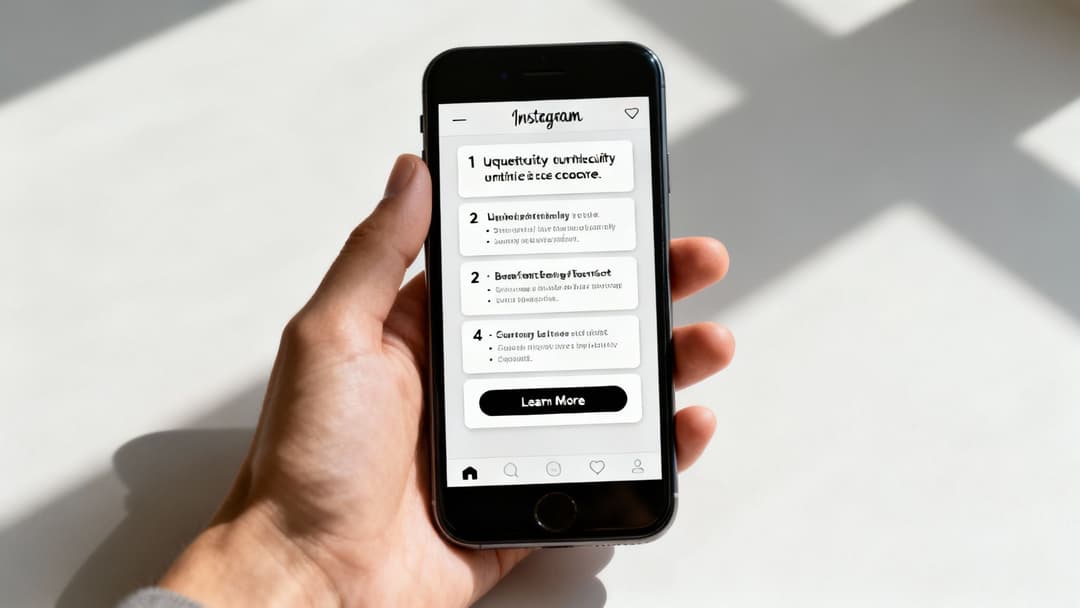
Your first card has one job: create an "information gap." This is a classic persuasion trigger. You present a compelling idea or a problem but hold back the full solution, making the user incredibly curious to find out more. The only way they can scratch that itch is to swipe.
Ditch the generic headlines like "Shop Our New Collection." You have to spark some intrigue.
- For an e-commerce brand: "The only jacket you'll need for the next 10 years. Here's why."
- For a SaaS product: "Tired of manual reports? This dashboard saves our clients 10 hours a week."
- For a service-based business: "Three mistakes homeowners always make when hiring a contractor (and how to avoid them)."
This approach instantly changes the dynamic. You're not just showing them an ad; you're inviting them to solve a puzzle. They're now swiping with a purpose, actively looking for the answer you've promised.
Maintaining Momentum with Middle Cards
Okay, you've got their attention. Now the middle cards need to deliver on that promise, offering a little reward with every swipe. This is no place for long, dense paragraphs. Think short, powerful bullet points or a single, impactful sentence per card.
The goal is to build momentum, not overwhelm them with a wall of text. Each card should reveal a new benefit, feature, or piece of social proof that makes your case stronger.
- Card 2: "Built with 100% waterproof materials. Go ahead, test it."
- Card 3: "Five hidden pockets to keep your essentials secure."
- Card 4: "Trusted by over 50,000 happy customers."
See how each point is a self-contained reason to believe in the product? It's incredibly scannable, helping users absorb your key selling points in seconds and making the decision to click that much easier.
Expert Tip: Don't forget that in Meta Ads Manager, every single carousel card gets its own headline and description field. Use them! Customize the headline on each card to shout out its main benefit. This gives you way more control over the story and lets you test which messages really land with your audience.
Driving Action on the Final Card
The final card is your closer. You've built all this momentum, and now it's time to channel it into a single action. The copy here needs to be direct, clear, and maybe even a little urgent. Don't be vague. Tell people exactly what to do next and what's in it for them.
A generic "Learn More" can work in a pinch, but you'll almost always see better performance with stronger, more specific language.
- Weak: "Click here."
- Strong: "Shop the look and get free shipping."
- Strong: "Start your free trial (no credit card needed)."
- Strong: "Get your personalized quote in 60 seconds."
This final piece of copy should tie directly to the CTA button below it. For a deeper dive, our guide on how to write a call-to-action that actually gets clicks is a great resource. That synergy between your last card's text and the button is what seals the deal and turns a swipe into a conversion.
Alright, you've got your killer carousel creative and copy locked and loaded. Now it's time to jump into Meta Ads Manager and bring this campaign to life. This is where the rubber meets the road, and getting the setup dialed in is absolutely critical for performance.
Think of it as a series of choices, starting broad at the campaign level and getting more granular all the way down to the individual ad. Every click and setting you choose tells Meta who to show your ad to and what you want them to do. Precision is the name of the game here.
If you need a refresher on the platform itself, our guide on what is Facebook Ads Manager is a great place to start. For now, let's get this carousel built.
Choosing the Right Campaign Objective
First things first: you have to tell Meta what you're trying to achieve. Your campaign objective is the single most important setting you'll select, as it dictates how the algorithm optimizes your ad delivery. For performance-focused carousel Instagram ads, it almost always boils down to two options.
Conversions/Sales: This is your bread and butter for most e-commerce and lead gen campaigns. When you pick this, you're telling Meta, "Find people in my audience who are most likely to actually buy my product or fill out my form." The algorithm then goes to work, prioritizing users with a history of converting.
Traffic: This objective is designed to get as many eyeballs on your landing page as possible, usually for a low cost per click. It can have its place for top-of-funnel awareness, but be warned. The algorithm will find the "clickiest" people, not necessarily the people who will pull out their wallets.
For any direct-response goal, always start with the Sales objective. You're paying for revenue, not just website visits.
Defining Your Audience at the Ad Set Level
With your objective set, you'll move down to the ad set level. This is where you tell Meta who should see your carousel. Your strategy here will look completely different depending on whether you're chasing new customers or reminding existing ones.
Retargeting Warm Audiences
Carousels are an absolute powerhouse for retargeting. You can build custom audiences based on specific actions people have already taken, making your ads incredibly relevant.
- Cart Abandoners: The classic retargeting play for a reason. Set up a dynamic product carousel to show these high-intent shoppers the exact items they left behind.
- Product Page Viewers: Build an audience of people who checked out specific products but didn't add them to their cart. Hit them with a carousel featuring that product alongside a few related best-sellers.
- High-Engagement Users: Don't forget the people who've recently engaged with your Instagram profile or saved your posts. They're already warm leads; a great carousel can be the nudge they need to convert.
Prospecting for New Customers
When you're on the hunt for new customers, you'll lean on broader targeting and let your winning creative do the heavy lifting.
- Lookalike Audiences: This is a fantastic starting point. Create a lookalike audience from your best customers (like a list of past purchasers), and Meta will find new people with similar traits.
- Interest-Based Targeting: Go after users based on interests that align with your product, like "skincare," "hiking gear," or "home decor."
- Broad Targeting: If you're using Advantage+ campaigns and have a strong, self-selecting creative, you can go broad. Let Meta's algorithm do the work of finding the right people for you. This works best when your ad creative makes it crystal clear who your product is for.
Assembling Your Carousel at the Ad Level
This is the final step, where you actually upload your creative and copy. In the Ad format section, you'll select Carousel. Now you've got a couple of crucial decisions to make.
You can manually upload each image or video, giving you total control to write a unique headline and description for every card. For e-commerce brands, another great option is connecting your product catalog to create a dynamic carousel that automatically pulls in product info.
In the crowded world of Instagram ads, carousels punch above their weight. They are a storytelling staple for B2C brands in fashion, beauty, and e-commerce for a reason. Research shows carousel posts can drive 35% higher engagement rates compared to single-image posts. You can find more insights into high-converting Instagram strategies over on Straight North.
One of the most important—and debated—settings here is the checkbox for "Automatically show the best performing cards first."
- When to check it: If your carousel is a collection of distinct products (like a "Best Sellers" showcase) and your goal is pure conversion, let Meta's algorithm work its magic. It will show each user the card they are most likely to click first, which can definitely lift performance.
- When to uncheck it: If your carousel tells a specific, step-by-step story—like a how-to guide or a Problem-Agitate-Solve narrative—you must uncheck this box. Letting Meta reorder your cards will destroy your story and leave users confused.
Finally, don't forget to assign a unique destination URL to each card where it makes sense. This lets you send users directly to specific product pages from the corresponding card, creating a much smoother path from ad to checkout.
Testing and Scaling Your Winning Carousel Ads
Getting your campaign live is just the starting line. The real work—and the real profit—comes from systematically testing your carousel ads, understanding what the data is telling you, and intelligently scaling what works. This is where good marketers become great, turning promising campaigns into predictable growth engines.
Right off the bat, you need to move beyond surface-level metrics. While Click-Through Rate (CTR) is a decent health indicator, it doesn't tell the whole story for carousels. To really get a feel for performance, you have to dig a little deeper into the numbers that reveal how people are actually interacting with the ad itself.
One of the most valuable, yet often overlooked, KPIs is Swipe-Through Rate. This tells you exactly how many people who saw your first card actually bothered to swipe and see the second, third, and so on. A high swipe-through rate is a great sign that your hook and story are pulling people in. A low rate? That's a clear signal your first card just isn't compelling enough to earn that swipe.
This next visual breaks down the core setup process, from defining your goal to creating the final ad.
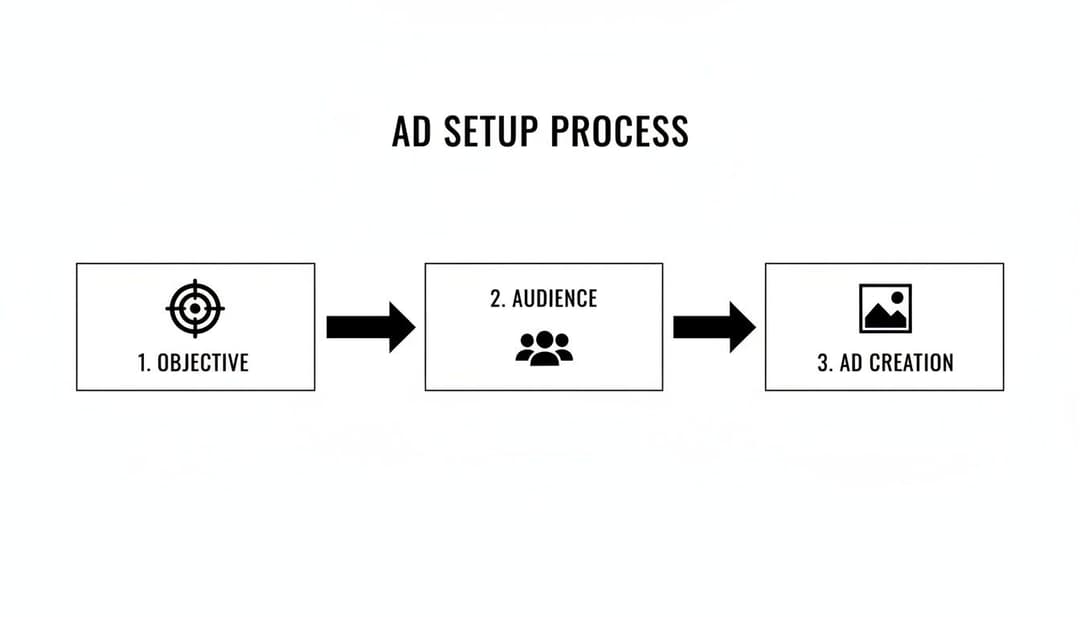
This process really highlights how each stage builds on the last, making sure your final carousel ad is perfectly aligned with a clear objective and a specific audience.
A Structured Framework for A/B Testing
Guesswork is expensive. Instead of just randomly tweaking things, you need a structured approach to A/B testing that isolates variables and gives you clean, actionable data. For carousels, the most efficient way to test is by working from the front to the back of the user's journey.
Start by zeroing in on the single most impactful element: the hook on card one. Your first card is your entire ad, at least initially. Test different images, short video clips, or headline hooks to see what stops the scroll most effectively. The variation with the highest swipe-through rate is your winner.
Once you’ve nailed the hook, you can move on to testing the narrative flow. With your winning first card as the control, try out different sequences or benefits in the middle cards. For instance, does a "Problem-Agitate-Solve" story outperform a simple product feature showcase? Here, you’re watching for card-specific click data and the overall conversion rate.
Finally, it's time to optimize the call-to-action on the last card. Test different CTA copy or offers. Does "Shop Now & Get Free Shipping" beat "Explore the Collection"? The primary KPI here is the click-through rate on that final card and, ultimately, the conversion rate on your landing page.
A systematic A/B testing plan is non-negotiable for finding what truly resonates with your audience. Here’s a simple framework to guide your efforts and keep your testing organized.
A/B Testing Framework for Carousel Ads
| Testing Phase | Element to Test | Example Variation A | Example Variation B | Primary KPI to Watch |
|---|---|---|---|---|
| Phase 1: The Hook | First Card Creative | Bold lifestyle image showing product in use | Short, eye-catching video clip of the product | Swipe-Through Rate |
| Phase 2: The Story | Middle Card Narrative | Feature > Benefit > Social Proof | Problem > Agitate > Solution | Card-Specific CTR |
| Phase 3: The Offer | Last Card CTA | "Shop Now & Save 15%" | "Discover Your Perfect Match" | Final Card CTR, CVR |
This structured approach prevents you from testing too many things at once, ensuring the insights you gather are clean and directly attributable to the changes you made.
Key Insight: Don't try to test everything at once. Isolate one variable at a time—the first card image, the middle card copy, or the final card CTA. This is the only way to know for sure what change is actually driving the improvement in your results.
Interpreting the Data to Make Smart Decisions
Data is useless without interpretation. Your Ads Manager dashboard is packed with clues telling you exactly what to do next, you just need to learn how to read them.
Jump into the performance breakdown by carousel card. Meta Ads Manager lets you see clicks, impressions, and CTR for each individual card, which is pure gold.
- A huge drop-off after card one? Your hook isn't strong enough or it’s setting the wrong expectation. Time to go back to the drawing board for that first impression.
- High swipe-through but low clicks on the other cards? Your story is engaging enough to keep them swiping, but your benefits aren't compelling enough to make them act.
- Most clicks happening on a middle card? Whatever message is on that card is incredibly powerful. You should probably think about moving it closer to the front.
This card-by-card analysis is your secret weapon for iteration. It tells you not just if an ad is working, but why. As you fine-tune your carousel campaigns, understanding the critical difference between metrics like ROI vs ROAS is essential for true profitability. Focusing on the right number ensures you're scaling based on actual profit, not just revenue.
Knowing When to Scale and When to Kill
After a few rounds of testing, you'll start to see clear winners emerge. But scaling isn't just about cranking up the budget; it’s a strategic process that requires a delicate touch.
Once you've found a winning carousel—one that’s consistently hitting your target CPA or ROAS—it's time to give it more fuel. Start by gradually increasing the ad set budget by 20-30% every 48 hours. This slow-and-steady approach avoids shocking the algorithm and resetting the learning phase.
If a winning ad starts to show signs of fatigue (performance declines over time), don't kill it just yet. Try duplicating it into a new ad set and target a different lookalike audience or a fresh set of interests. Often, a great creative just needs a new audience. For a more in-depth look at this, our guide on how to scale Facebook ads covers more advanced tactics.
On the flip side, you have to be ruthless about killing the losers. If an ad variation isn't hitting your KPIs after it has exited the learning phase and spent at least twice your target CPA, turn it off. Don't fall into the trap of hoping it will magically improve. Cut your losses and reallocate that budget to testing your next hypothesis.
Common Questions About Instagram Carousel Ads
Even with a killer strategy, you'll always hit a few practical snags when you're deep in the trenches building carousel Instagram ads. Getting straight answers to these common sticking points can save you time, money, and a whole lot of second-guessing. Let’s jump into the questions we hear most from performance marketers.
One of the biggest debates is always about the number of cards. Sure, you can use up to ten, but that doesn't mean you should. The real secret is to use only as many cards as you need to tell a complete, compelling story without your audience swiping away from fatigue.
For most e-commerce brands showing off a product line or a few best-sellers, the sweet spot is usually between 3 to 5 cards. This range keeps engagement high without seeing a major drop-off rate. But if you’re doing more in-depth storytelling, like a tutorial or a step-by-step guide, pushing it to 8-10 cards can work incredibly well—as long as every single swipe delivers fresh value.
Can I Mix Videos and Images in the Same Carousel?
Absolutely. In fact, it’s one of the most effective tactics you can use. A hybrid approach almost always outperforms carousels that stick to just one media type. When you combine the thumb-stopping power of video with the detail-rich format of static images, you create a far more dynamic and engaging experience.
Here’s a sequence that consistently crushes it:
- Card 1: A short, punchy video clip (under 15 seconds) that serves as an irresistible hook.
- Following Cards: Crisp, high-quality static images breaking down features, showing different product angles, or highlighting glowing customer testimonials.
This structure plays to the strengths of both formats. You grab their attention right away with motion, then give them scannable, easy-to-digest info if they want to lean in and learn more.
What Is the Best Way to Retarget Using Carousel Ads?
Carousel ads feel like they were made for retargeting, simply because they allow for such specific personalization. For any e-commerce brand, the gold standard is using Dynamic Product Ads (DPA). This feature hooks directly into your product catalog and automatically shows people a carousel of the exact products they looked at or added to their cart on your site. It’s powerful stuff.
For service-based businesses or SaaS companies, the playbook is similar but requires a more manual touch. Start by creating custom audiences based on high-intent actions—think visitors to your pricing page or a specific features page. Then, build a carousel that speaks directly to their likely questions or hesitations. Use each card to showcase a testimonial, a key benefit, or a case study that nudges them back toward converting.
Ready to launch, test, and scale your Meta ad campaigns without the manual grind? At AdStellar AI, our platform automates bulk ad creation, helping your team generate and launch hundreds of creative variations in minutes. Learn how AdStellar AI can help you unlock more revenue from Meta with less time and spend.