
First things first, what exactly is a Facebook ad conversion? It’s any meaningful action someone takes on your website after clicking one of your ads. Think a completed purchase, a demo request, or even just adding an item to their cart.
Tracking these actions is the absolute bedrock of profitable campaigns. It's how you tell Meta's algorithm what a "win" looks like, so it can go out and find more people who are likely to do the same thing.
Building Your Tracking Foundation
To get a solid Facebook ad conversion rate, you need a tracking system that’s both bulletproof and accurate. Flying blind is the fastest way to burn through your ad budget. In 2026, a rock-solid tracking foundation is built on two pillars working together: the Meta Pixel and the Conversions API (CAPI).
Think of the Meta Pixel as your scout on the ground. It’s a small piece of code that you install on your website, and it operates within the user’s browser. When someone clicks an ad and lands on your site, the Pixel fires off events to Meta, tracking actions like product views, adds to cart, and purchases. This is what we call client-side tracking.
But the Pixel isn't perfect. It has a few Achilles' heels—namely ad blockers, cookie restrictions, and increasing browser privacy settings. These can stop the Pixel from firing, leaving you with major gaps in your data. That's where its partner comes in.
The Power of Server-Side Tracking
The Conversions API (CAPI) is your direct line to Meta. Instead of relying on the user's browser, it sends data straight from your server to Meta's servers. This server-to-server connection sidesteps all the browser-level issues that can trip up the Pixel.
Key Takeaway: In today's advertising world, using both the Pixel and CAPI isn't just a best practice—it's essential. The Pixel catches what it can from the browser, and CAPI reliably fills in the gaps from the server, giving Meta the complete, accurate data it needs to optimize your campaigns effectively.
This dual-tracking system creates powerful data redundancy. Let's say a user has an aggressive ad blocker that stops the Pixel from reporting an "AddToCart" event. No problem. Your server can still send that same event through CAPI, ensuring the algorithm never misses the signal.
Want a deeper dive into the technical setup? Our comprehensive guide on the Meta Conversions API has you covered.
This diagram shows how these two methods work in concert to give you a complete picture.
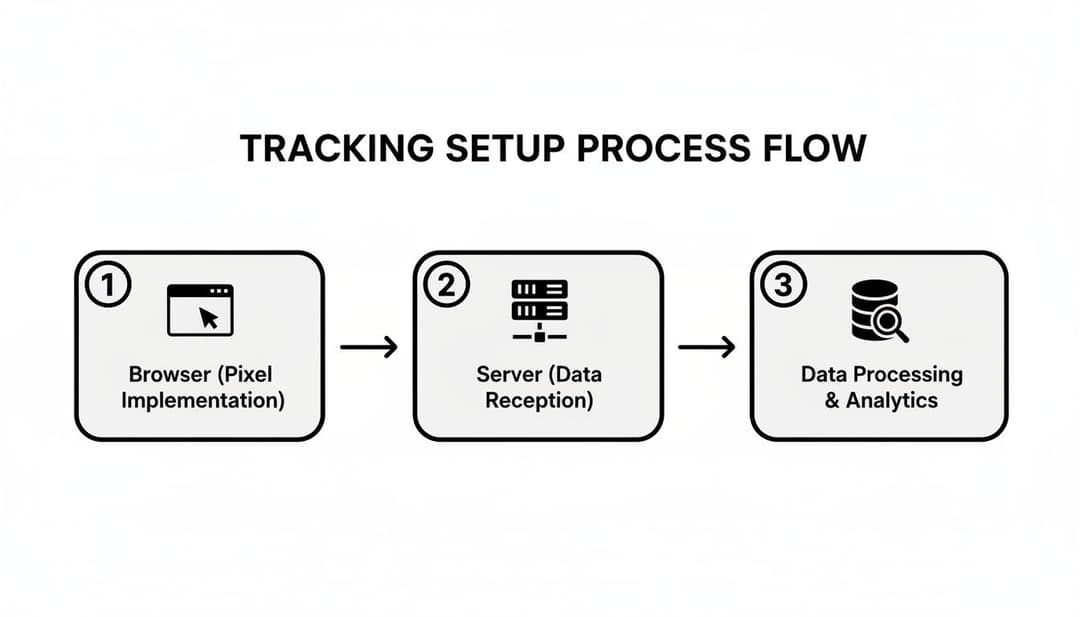
As you can see, when one method is blocked, the other can still get the event data through. This combination is what creates a truly resilient tracking system.
To make the differences crystal clear, here’s a quick breakdown of how each tool operates.
Meta Pixel vs Conversions API (CAPI) Showdown
| Feature | Meta Pixel (Client-Side) | Conversions API (Server-Side) |
|---|---|---|
| Data Source | User's browser | Your website's server |
| Reliability | Susceptible to ad blockers & cookie policies | Highly reliable, bypasses browser issues |
| Data Control | Limited control, handled by browser | Full control over what data is sent |
| Use Case | Captures a wide range of browser-based events | Fills data gaps, tracks offline events |
| Best Practice | Use as the primary, frontline tracker | Use in tandem with the Pixel for accuracy |
Ultimately, you need both. The Pixel is easy to set up and captures a ton of valuable interaction data, while CAPI provides the reliable, server-verified backbone that ensures you're not missing conversions.
Verifying Your Setup in Events Manager
Once the Pixel and CAPI are in place, you absolutely must confirm everything is working correctly inside Meta's Events Manager. You’re specifically looking for two things: that events are being received from both sources and that Meta is correctly "deduplicating" them. Deduplication is how Meta ensures that an event sent by both the Pixel and CAPI is only counted once.
Here's a quick checklist to run through:
- Head to Events Manager in your Meta Business Suite.
- Pick your Pixel from the list of data sources.
- Review your "Event Match Quality" score. This tells you how well Meta can connect event data to an actual user profile. A higher score means better attribution.
- Confirm deduplication is active. The interface will show you events coming from both "Browser" and "Server" and confirm they are being processed as a single event.
Your Events Manager dashboard is the single source of truth for your tracking health. Keep a close eye on it to catch any issues before they have a chance to mess with your campaign performance.
Mapping Business Goals to Events
With the technical side handled, the final piece of the puzzle is strategic. You need to translate your business objectives into specific, trackable events. These events are the language you speak to Meta's algorithm, telling it precisely what you value.
Don't just track the final "Purchase." You need to map out the entire customer journey to give the algorithm multiple data points to learn from.
For an e-commerce brand, this might look like:
- ViewContent: Someone looks at a product page.
- AddToCart: They add that product to their cart.
- InitiateCheckout: They start the checkout process.
- Purchase: They complete the sale.
For a SaaS or lead gen business, it could be:
- ViewContent: A user visits your pricing or features page.
- CompleteRegistration: They sign up for a webinar (a valuable micro-conversion).
- SubmitLeadForm: They request a demo.
- Schedule: They book a meeting on your calendar (the main goal, or macro-conversion).
By tracking these incremental steps, you’re feeding the algorithm a rich dataset. It learns not just who buys, but also who shows intent. This allows for much smarter optimization and incredibly effective retargeting campaigns. A solid data foundation is what elevates a campaign from good to great, ensuring every dollar is working hard to drive a real Facebook ad conversion.
Translating Business Goals Into Conversion Events
Alright, you’ve got your tracking set up. Now comes the fun part—the strategy. A common mistake I see is marketers either tracking everything or tracking nothing. Just telling Meta’s algorithm "I want sales" isn't enough; you have to show it how a great customer acts on their way to making a purchase.
Think of it as creating a trail of digital breadcrumbs for the algorithm. Your job is to define what those breadcrumbs are, mapping your customer's journey with specific conversion events.
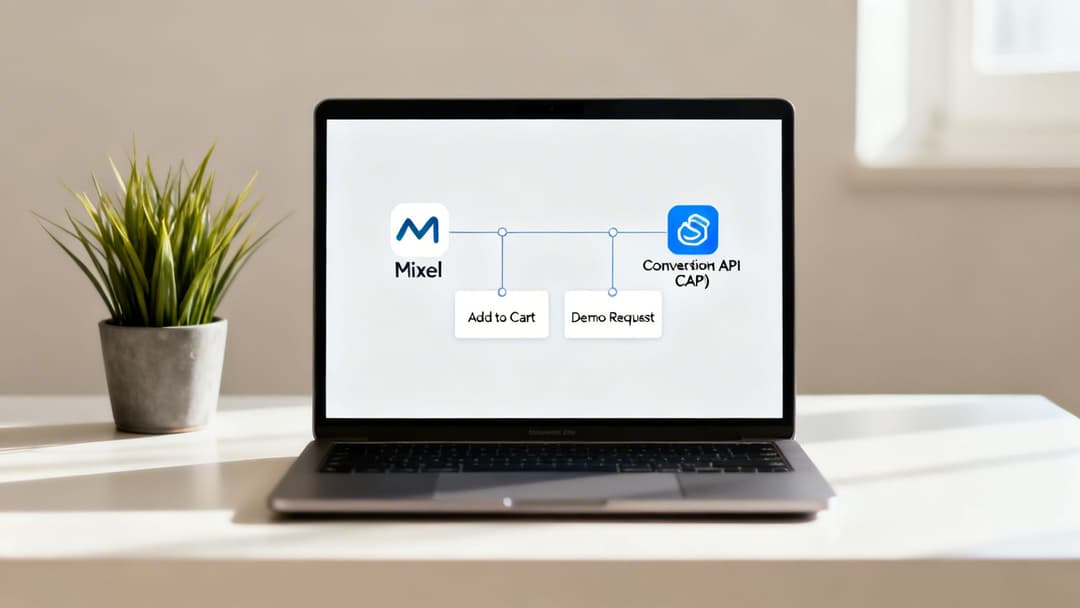
This means pinpointing your ultimate goal and all the crucial steps a user takes to get there.
Micro vs. Macro Conversions
The secret here is to distinguish between your main goal (macro-conversions) and the smaller, high-intent actions that come before it (micro-conversions).
Macro-Conversions: This is the finish line. For an e-commerce brand, it's the "Purchase." For a SaaS company, it's the "Schedule Demo." This is the primary event you'll eventually want to optimize your campaigns for.
Micro-Conversions: These are the leading indicators that signal someone is serious. Actions like an "AddToCart," an "InitiateCheckout," signing up for a newsletter, or watching 75% of a product demo video are perfect examples. These users are worlds apart from a casual browser.
Tracking both gives you a ton of strategic flexibility. For example, if you don't have enough "Purchase" events to get out of Meta's learning phase, you can start by optimizing for a micro-conversion like "AddToCart" to feed the algorithm data faster. It also lets you build hyper-targeted retargeting audiences, like everyone who added to cart but didn't buy.
A well-structured event plan transforms your optimization from a blunt instrument into a surgical tool. Instead of just chasing a single outcome, you're teaching the algorithm to recognize and prioritize users at every stage of consideration.
Creating Custom Conversions for Specific Goals
Standard events are your foundation, but custom conversions are where you can really dial in your targeting. They let you define a conversion based on more granular rules, like specific URLs a user visits or parameters passed with a standard event.
Let's say you run an e-commerce store that sells both everyday cookware and a line of high-end, professional-grade kitchenware. A "Purchase" is great, but a purchase from the high-end line is way more valuable.
You could create a custom conversion for that exact scenario:
- Event: Purchase
- Rule: Fired for users who land on the thank-you page URL that contains
/order-confirmation/high-end/.
It's the same idea for B2B. Maybe "Lead" is your standard event. But a lead who fills out your long "Request a Quote" form is infinitely more qualified than someone who just downloaded a free checklist. By creating a custom conversion for users who hit your "quote-request-thank-you" page, you can isolate these high-value leads and tell Meta to find more people just like them. To learn more about this, check out our guide on choosing the right campaign objective to sync up with these goals.
Shifting from CPL to ROAS with Event Values
The final piece of the puzzle is assigning a monetary value to your conversion events. This is what unlocks Meta’s most powerful bidding strategies, especially Return on Ad Spend (ROAS) optimization.
Instead of just telling the algorithm to get you a "Lead" for the lowest Cost Per Lead (CPL), you're now asking it to find users who will generate the most revenue for your business.
You can configure this right in Events Manager. For a "Purchase" event, you can dynamically pass the actual order value with the event. If you're a lead-based business, you can assign an estimated value based on your historical close rates and customer lifetime value. For instance, a "Demo Request" might be worth $250 to you, while a "Newsletter Signup" is only worth $5.
When you pass these values, you give the algorithm the context it needs to differentiate between a user who buys a $20 product and one who buys a $200 one. It will then actively prioritize showing your ads to people who look like your most profitable customers, directly boosting your bottom line and improving your Facebook ad conversion results.
With your tracking foundation in place, it’s time for what might be the single most important decision you’ll make for your campaign: choosing the right objective. This one setting is your direct instruction to the Meta algorithm, telling it exactly what a "win" looks like. Get it wrong, and you’re essentially giving a taxi driver the wrong address—you'll burn a lot of fuel and end up nowhere near your destination.
I’ve seen it a hundred times: advertisers pick "Traffic" because it sounds right, but what they really want is a "Sale" or a "Lead." A traffic campaign tells Meta, "Find me people who love to click links!" The algorithm will do just that, but those clickers often aren't buyers. For a true Facebook ad conversion campaign, your objective must mirror your business outcome.
It's also important to understand the fundamental differences in campaign structures. For instance, knowing the ins and outs of Boosted Posts Vs Real Facebook Ads helps clarify when a quick engagement play is appropriate versus when you need the full power of a dedicated conversion campaign.
Aligning Your Objective with Your Goal
Thankfully, Meta has streamlined its campaign objectives to focus squarely on business outcomes. For anyone serious about conversions, the only two you really need to worry about are Sales and Leads.
Sales Objective: This is your bread and butter if you're in e-commerce or run a direct-to-consumer brand. Selecting "Sales" tells the algorithm to hunt for users who are most likely to complete a purchase, using your "Purchase" event as the guiding star.
Leads Objective: This is built for B2B, SaaS, and service-based businesses. It’s designed to optimize for actions like form submissions, demo requests, or phone calls, using your "Lead," "CompleteRegistration," or other custom conversion events to find the right people.
Sure, "Awareness" and "Engagement" campaigns have their place in a full-funnel strategy, but they aren't built to drive conversions directly. Use them to warm up cold audiences, but when you need to see a return, Sales or Leads are the only game in town.
Decoding Bidding Strategies for Maximum Impact
After you've set your objective, you have to tell Meta how you want it to spend your money. This is your bidding strategy. For conversion campaigns, you'll mainly be looking at "Highest Volume" and setting a "Cost Per Result Goal."
Highest Volume (or "Lowest Cost")
This is the simplest approach. You're telling Meta, "Get me the most conversions you can within my budget." It’s a fantastic starting point, especially if you don't have a firm grasp on your target cost per acquisition (CPA) yet. The algorithm will bid what it thinks is necessary to win auctions, but be aware that your costs can fluctuate day-to-day.
Cost Per Result Goal
This option gives you far more control. Here, you tell Meta the average amount you’re willing to spend for each conversion. The algorithm then works to hit that target, which helps keep your costs stable and predictable. The catch? If you set your goal too low, you’ll hamstring your campaign, preventing it from entering enough auctions and leaving valuable conversions on the table.
Pro Tip: When you first launch with a "Cost Per Result Goal," I always recommend setting it about 15-20% higher than your ideal CPA. This gives the algorithm enough breathing room to learn and compete effectively. You can always dial it back down once performance stabilizes.
Unleashing Value Optimization
For e-commerce brands, there's an even more powerful tool in the arsenal: Value Optimization. This bidding strategy takes things a step further. Instead of just getting you a purchase, it actively seeks out customers who are likely to spend more.
To make this work, you absolutely must be passing purchase value data back to Meta through your Pixel and CAPI. With that information, the algorithm stops looking for just any buyer and starts looking for people who resemble your highest-LTV customers. The entire focus shifts from a simple cost per purchase to maximizing your Return on Ad Spend (ROAS).
Recent 2026 data shows that this approach pays off. Facebook ads delivered an impressive average ROI of around 4x ad spend, with 70% of advertisers hitting positive returns within just three months. Conversion-optimized campaigns, especially those using advanced bidding and targeting, often achieve 2-3x higher ROI than their less-focused counterparts.
Getting these settings right is a cornerstone of any successful campaign. To dig even deeper into these strategies, our complete guide on Facebook ads optimisation will help you refine your approach even further.
Optimizing Creative and Audiences for Higher Conversions
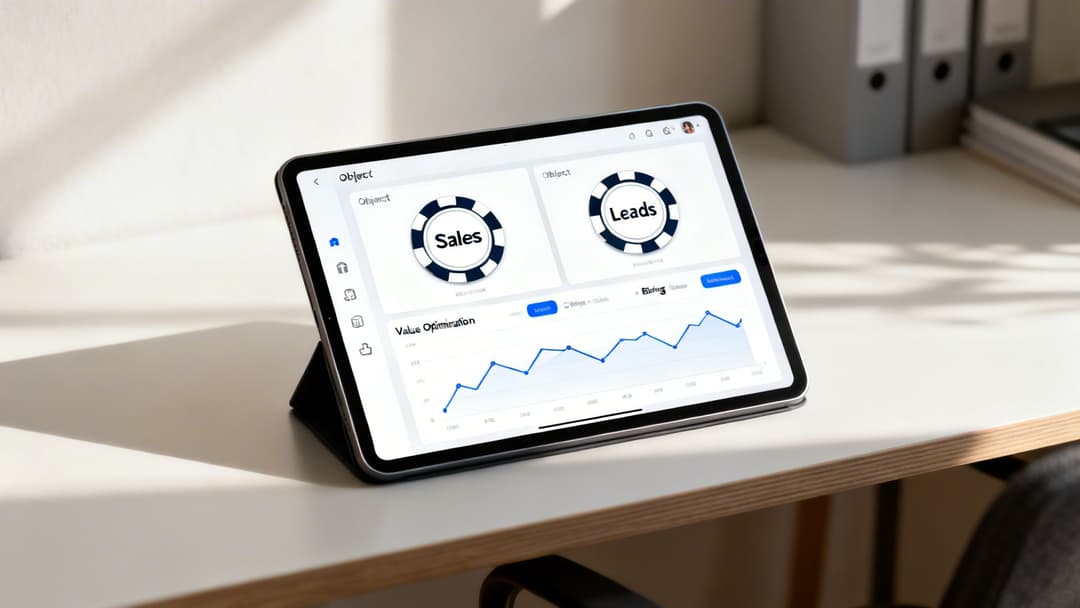
You’ve laid all the technical groundwork with your Pixel and CAPI. Now for the part that really moves the needle: your ad creative and your audience targeting.
Think of it this way: your tracking setup is the plumbing, but creative and audience are the water. One is useless without the other. I’ve seen incredible ads completely bomb because they were shown to the wrong people, and I've seen perfectly targeted campaigns fail because the creative was an afterthought.
Getting this balance right is what separates the campaigns that just spend money from the ones that actually make it. It’s a constant loop of testing, learning, and tweaking both what you say and who you say it to.
Developing Scroll-Stopping Ad Creative
Let’s be honest—you have about three seconds to get someone to stop scrolling on their feed. Your first job isn't to sell; it's to interrupt their mindless thumb-flicking.
For e-commerce, one of the most reliable ways to do this is to show your product immediately. It might feel a bit blunt, but getting straight to the point just works. We analyzed over $28 million in ad spend in 2026, and the data was clear: videos that put the product front-and-center in the first two seconds had much higher conversion rates.
One ad that did this perfectly hit a 7.08% CVR with a pretty high $5.08 CPC. This just proves that grabbing high-intent clicks is far more valuable than getting cheap clicks from easily distracted people. You can dig into more of that data in Smart Marketer's 2026 report.
To find your own winning ads, you can’t just guess. You need a testing plan.
Key Creative Variables to Test:
- Hooks: What happens in the first 3 seconds? Test different opening scenes or headlines.
- Formats: Don't just run static images. Test them against video, carousels, and especially user-generated content (UGC).
- Angles: Are you selling convenience or luxury? Highlighting a pain point or a benefit? Test different core messages.
- Calls-to-Action (CTAs): Does "Shop Now" work better than "Learn More"? The only way to know is to test it.
If you’re looking for more inspiration, our guide on producing high-performing Facebook ad creatives is a fantastic place to start.
Building High-Intent Audiences
The old days of stacking dozens of niche interests are over. Today, the game is about feeding Meta's algorithm broad, high-quality data and letting the machine learning take over. The focus has shifted to building a funnel based on audiences who have already shown they’re interested.
The trick is to start with your hottest audiences and work your way out. This creates a clean structure that prevents you from showing the same ads to the same people in different campaigns.
Key Takeaway: Stop trying to find the perfect audience yourself. Your real job is to give the algorithm strong source audiences so it can find new customers for you.
Here’s a simple, proven structure that works:
Retarget High-Intent Segments: This is your money-maker audience. Go after people who have taken specific actions in the last 30-90 days, like
AddToCartorInitiateCheckout. They know who you are and are close to buying. Don’t sleep on this.High-Value Lookalike Audiences: Don’t just upload your entire customer list. Build a source audience from your best customers—people with high lifetime value or multiple purchases. A 1% Lookalike of your VIPs will always outperform a 5% Lookalike of every single person who ever bought from you.
Broad Targeting with Exclusions: This is where you let Meta’s algorithm really cook. Target a wide demographic (like US, ages 25-55) with one critical adjustment: exclude all recent website visitors and purchasers. This tells Meta to find brand new people who behave like your existing customers, without wasting your prospecting budget on people already in your funnel.
When you structure your campaigns this way, you create clear lanes for prospecting and retargeting. It’s a cleaner, more efficient way to manage your budget and drive a much better Facebook ad conversion rate. Of course, many of these principles tie back to universal truths you can find in these 10 Essential Conversion Rate Optimization Best Practices.
Measuring Attribution and Scaling What Works

You’ve put in the hard work to build a powerful tracking system and fine-tune your campaigns. Now comes the fun part—figuring out what’s actually working so you can pour fuel on the fire.
Let's be clear: if you can't measure your performance accurately, you can't scale it intelligently. This is where solid attribution and analysis become your most valuable skills as an advertiser.
Understanding Meta's Attribution Models
Your first stop is Meta's Ads Manager. To make sense of the data, you absolutely have to know the rules of the game—specifically, Meta's attribution settings. These settings are how the platform decides which ads get credit for your conversions.
By default, Meta uses a 7-day click, 1-day view attribution window. What does that mean? If someone clicks your ad and converts within seven days, the sale is credited to that ad. If they just see your ad (no click) and convert within one day, it also gets credit.
While you can tweak this window in your ad set settings, the default is a solid starting point for most businesses. Knowing this is crucial because it’s the lens through which Meta reports all your results.
Key Insight: The numbers in Ads Manager are not absolute truth. They're Meta's interpretation based on its attribution model. This data is incredibly useful for optimizing within the platform, but it rarely tells the whole story of a customer's journey.
To get the full picture, you have to look beyond Meta's walled garden. This is where combining platform data with your own analytics gives you a much clearer understanding of your advertising effectiveness.
Looking Beyond Platform ROAS
To truly get a panoramic view of performance, you need to use UTM parameters on every single ad link. I can't stress this enough. These are simple tags you add to your URLs that tell other analytics tools—like Google Analytics 4 (GA4)—exactly where your traffic came from.
With UTMs in place, you can log into GA4 and see what users from your Facebook campaigns really do once they hit your site. You might discover that Meta took credit for a sale that GA4 attributes to your email list, because the customer clicked an ad and an email before buying.
Neither platform is wrong; they just have different perspectives on the same journey. Piecing them together is a core part of how to properly measure advertising effectiveness and make decisions based on a complete dataset.
A Framework for Analyzing Performance
With data flowing in from multiple sources, your next job is to analyze it and make confident decisions. The trick is to ignore the vanity metrics and focus on what directly impacts your bottom line.
Your Go-To Metrics for Analysis:
- Cost Per Purchase (or Cost Per Lead): This is your core efficiency metric. Is this number profitable based on your product margins or customer lifetime value?
- Return on Ad Spend (ROAS): For every dollar you put in, how many are you getting back? This is the ultimate measure of profitability.
- Frequency: How many times has the average person seen your ad? If this number is climbing (say, above 5) and your performance is dipping, your creative is probably getting stale.
While your own numbers are what matter most, it helps to have some context. For example, industry benchmarks for 2026 showed the average conversion rate for Facebook lead gen ads was 7.72%. Some sectors, like Restaurants & Food, hit an incredible 18.25%, while others like Furniture were down at 3.77%. You can dig into more Facebook ad benchmarks to see how you compare.
Intelligent Scaling Strategies
Once you find a winning ad or ad set—one that’s consistently hitting your target CPA or ROAS—it’s time to scale. But how you scale is just as important as when. You have two main options: increasing the budget or duplicating the ad set.
Increasing the Budget (Vertical Scaling)
This is the most straightforward method: you simply give a high-performing ad set more money to spend.
- When to use it: When an ad set is humming along and you want to give it more runway.
- How to do it: Increase the budget gradually—no more than 20-30% every 24-48 hours. Any drastic change can shock the algorithm and kick your ad set right back into the learning phase, killing your momentum.
Duplicating the Ad Set (Horizontal Scaling)
This means creating an exact copy of a winning ad set and launching it as a brand-new one.
- When to use it: When you want to scale more aggressively or test your winning combination against a completely new audience. It's also a great way to start fresh with a larger budget from day one.
- How to do it: Just duplicate the ad set, assign it a new (and likely higher) budget, and hit launch. This new ad set will enter its own learning phase, totally independent of the original.
By mastering measurement and adopting a structured approach to scaling, you can systematically grow your campaigns. This is how you transform advertising from a cost center into a predictable, revenue-driving engine, squeezing maximum value from every single Facebook ad conversion.
Answering Your Toughest Conversion Questions
When you're deep in the weeds of managing Meta ad conversions, a lot of questions pop up. I get it. I’ve been there. Let’s tackle some of the most common ones I hear from marketers, with answers you can put to work right away.
How Long Should I Wait Before Optimizing a Campaign?
I know it’s tempting to jump in and start tweaking things the moment a campaign goes live. But you have to resist. Seriously. Let your ad set get out of the "learning phase" before you touch anything significant like creative, targeting, or budget.
Meta's system is trying to figure out who your best customers are, and it needs about 50 conversion events within a 7-day window to do that effectively. If you make changes too early, you reset the whole process and send the algorithm right back to square one.
If your budget is tight and hitting 50 purchases feels impossible, don't worry. Just optimize for an event that happens more often. For example, aim for "Add to Cart" first. Once you've gathered enough data and momentum, you can switch your optimization goal to "Purchase."
Why Is My Conversion Rate Low if My CTR Is High?
Ah, the classic mystery. A high click-through rate (CTR) but a low conversion rate almost always points to one thing: a major disconnect between your ad and your landing page.
Think of it this way: your ad is doing its job perfectly. It’s compelling, it’s grabbing attention, and it’s earning the click. The problem isn't the ad; it's what happens after the click.
Key Insight: A high CTR proves your ad is desirable. A low conversion rate proves your landing page experience isn't delivering on the ad's promise. Your job is to close that gap.
This is a "leaky bucket" problem. Check these common culprits first:
- Slow Page Load Speed: People have zero patience. If your page takes more than a couple of seconds to load, they're gone.
- Misaligned Messaging: Does the offer, the headline, and the vibe of your landing page perfectly match what you promised in the ad? Even small differences can create distrust.
- Poor Mobile Experience: Most of your traffic is coming from a smartphone. Is your site a pain to navigate on a small screen? Be honest.
- Confusing Checkout Process: Are you surprising people with high shipping costs at the end? Forcing them to create an account? Too many steps will absolutely kill your conversions.
Should I Use Advantage+ Shopping Campaigns?
If you run an e-commerce or DTC brand, the short answer is yes. Advantage+ Shopping Campaigns (ASC) are an absolute powerhouse for driving up your Facebook ad conversion numbers. They basically hand the keys over to Meta's AI, consolidating audience targeting and creative testing to find buyers with maximum efficiency.
ASC works best when you already have a mature Pixel and CAPI setup with plenty of conversion history for the algorithm to learn from. The main trade-off is giving up that granular control over exactly who you're targeting. A fantastic strategy I've seen work time and again is to use ASC for your broad, top-of-funnel prospecting, while running manual sales campaigns for more precise retargeting or creative tests.
What Is a Good Facebook Ad Conversion Rate in 2026?
Everyone wants a magic number, but the truth is, a "good" conversion rate is simply one that gets you a profitable Cost Per Acquisition (CPA). Industry benchmarks might say the average is anywhere from 3% to over 10%, but that's almost meaningless without context.
A 1% conversion rate could be incredible for a business selling high-ticket furniture, while a brand selling $15 t-shirts would go broke with that number.
Instead of getting hung up on generic benchmarks, get laser-focused on your own numbers. We break this down further in our deep dive on conversion rates for Facebook ads. Calculate the target CPA that works for your business, figure out the conversion rate you need to hit that goal, and then relentlessly test to improve your own baseline.
Ready to stop guessing and start scaling? AdStellar AI is your AI-powered copilot for creating, testing, and optimizing Meta campaigns 10x faster. Automate your creative testing and let AI insights guide you to higher ROAS. Discover how AdStellar AI can transform your workflow today.


