So, you want to post a GIF on Instagram? Here's the catch: you can't directly upload a standard .gif file to your feed. But don't worry, there's a simple and powerful workaround.
The secret is to post a GIF-style video. By converting your animated GIF into an MP4 video file, you unlock that same eye-catching, looping effect that stops the scroll. This quick conversion gives you all the visual punch of a GIF while playing perfectly within Instagram's rules for feed posts, Stories, and Reels.
Why GIF-Style Videos Are an Instagram Must-Have in 2026
Let's be real—just posting a static image on Instagram isn't enough to capture attention anymore. Organic reach is tougher than ever, and users are swamped with content across the feed, Reels, and Stories. This is exactly where GIF-style videos become a game-changer for any brand or creator.
These short, looping MP4s give you the best of both worlds: the immediate visual hook of a GIF combined with the native compatibility of a video. They're built to grab attention in the first three seconds, tapping right into the rapid-fire consumption habits that define platforms like TikTok and Instagram Reels.
Instead of getting stuck on the fact that Instagram doesn't support .gif uploads, the smart play is to shift your strategy. It’s all about creating GIF-style MP4s that do the job even better.
The Data Backs Up a Motion-First Approach
Recent data shows a massive shift in how people interact with content, making motion more critical than ever. While brands are posting constantly, deep engagement is actually on the decline. A 2026 benchmark report, for instance, found a 16% drop in average comments per post, which points toward more passive consumption like views and likes.
During that same time, overall post reach fell by 31%, yet impressions per post shot up by 27%. What does that mean? The algorithm is showing your content to the same people over and over again. This makes a looping, GIF-style video incredibly powerful, as it makes the most of those repeat views.
This new reality demands content that can snag attention instantly and hold it.
The core idea is to think like a performance marketer even with organic content. Your goal isn't just to post; it's to deploy an asset that can interrupt a user's scrolling pattern and deliver a message in seconds.
Moving Beyond Static Creatives
GIF-style videos are perfectly built for this challenge. They bring several clear advantages to the table that you just don't get with a traditional static image.
Here's a quick look at why they're so effective.
GIF-Style Video vs Static Image Performance Snapshot
When you pit a looping, dynamic video against a static image, the performance differences become pretty clear. We see this all the time in both organic posts and paid campaigns. Motion almost always wins.
| Metric | GIF-Style Video | Static Image |
|---|---|---|
| Scroll-Stop Rate | High | Low |
| Average Watch Time | Higher (due to looping) | N/A |
| Message Recall | High | Moderate |
| Click-Through Rate (CTR) | Often higher | Baseline |
| Engagement (Likes/Shares) | Generally higher | Varies |
Ultimately, the data shows that movement is a key driver of engagement and attention. A GIF-style video simply gives you more opportunities to make an impact in the short window you have.
Here’s what makes them so powerful:
- Attention-Grabbing Motion: In a feed full of still images, any bit of movement is like a magnet for the user's eye. It’s the simplest way to stand out.
- Seamless Looping: A well-designed loop can keep a viewer engaged longer, which boosts your watch time and helps your core message sink in.
- Narrative in Seconds: You can tell a quick micro-story, showcase a product feature, or demonstrate a process effectively and efficiently.
By embracing this format, you're not just making another post. You're building a versatile asset that works for both organic engagement and paid ads. We see many of the most successful campaigns using simple animated elements, just like the ones in these compelling video ad examples. This approach ensures your message gets seen, understood, and remembered in a very crowded feed.
Crafting Your Instagram-Ready GIF Video
Alright, you're sold on the power of GIFs. So how do you actually get them onto your Instagram feed? This is where a lot of people get stuck, because Instagram doesn't play nice with the classic .gif file format. The trick is to think of it not as a GIF, but as a short, looping MP4 video. This gives you all the visual punch and scroll-stopping motion of a GIF while fitting perfectly into Instagram’s technical specs.
You really have two paths you can take here. You can either convert a GIF you already have, or you can build a new looping video from the ground up with some incredibly user-friendly design tools. Both routes get you a high-quality video ready for your feed, Stories, or Reels.
The whole point is to turn a static, easy-to-ignore image into something that actively grabs and holds attention. This simple switch from a static asset to an animated one is what stops the scroll.
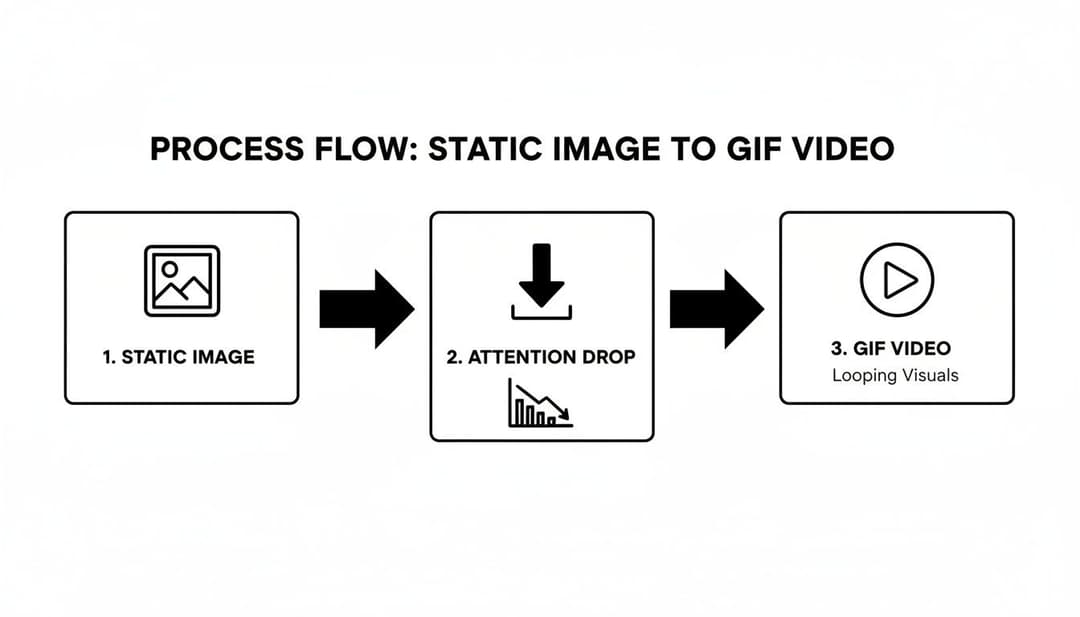
As you can see, that little bit of motion makes all the difference in preventing viewer attention from dropping off.
Building Your GIF-Style Video From Scratch
Honestly, for the best quality and the most creative freedom, building your video from scratch is the way to go. This lets you sidestep any compression weirdness that can pop up when you're converting a low-quality GIF. Tools like Canva or Adobe Express are fantastic for this; they're intuitive and built for exactly this kind of work.
If you're hunting for ideas, browsing through popular meme templates can be a goldmine. So many viral posts are just clever takes on familiar formats, which gives you an immediate head start on creating something people will find relatable and want to share.
As you build, keep these technical settings locked in for the best results:
- Aspect Ratio: This has to match your placement. Use 1:1 (1080x1080 pixels) for a classic square feed post or 4:5 (1080x1350) for a taller vertical post. For Reels and Stories, you'll need the full-screen 9:16 (1080x1920) ratio.
- Resolution: Always export in high definition. A minimum of 1080p resolution is non-negotiable if you want your video to look sharp and professional on a phone screen.
- Video Length: The sweet spot is anywhere between 3 and 15 seconds. This nails that classic, looping GIF vibe and also satisfies Instagram's 3-second minimum video length.
The Conversion Method: Using an Existing GIF
What if you already have the perfect GIF? No problem. Converting it to an MP4 is your quickest option. A ton of free online tools like Ezgif or CloudConvert can get this done for you in seconds. Just upload your .gif, choose MP4 as the output format, and hit download.
Here's a critical tip I've learned the hard way: start with the highest quality GIF you can possibly find. If your original file is blurry or pixelated, the final MP4 will only look worse. Conversion magnifies flaws; it doesn't fix them.
Once you have that MP4 file—whether you built it from scratch or converted it—you’ve got a flexible asset you can use anywhere on Instagram. If you're designing for multiple placements at once, getting all the dimensions right is crucial. You can dive deeper into this with our complete guide to Meta ad sizes, which breaks down the specs for every single format. A little prep here ensures your animated creative looks incredible everywhere it shows up.
How to Share Your GIF on Instagram Feed, Stories, and Reels
Alright, so you’ve got your GIF-style video ready to go. The hard part is over, right? Well, almost. Now comes the strategic part: deciding where to post it. A lot of people make the mistake of just throwing their new MP4 onto Instagram without thinking about where it will perform best.
The thing is, the Feed, Stories, and Reels are three entirely different worlds. Each one has a unique audience and purpose. Getting this right is the key to turning your looping video into a performance powerhouse.
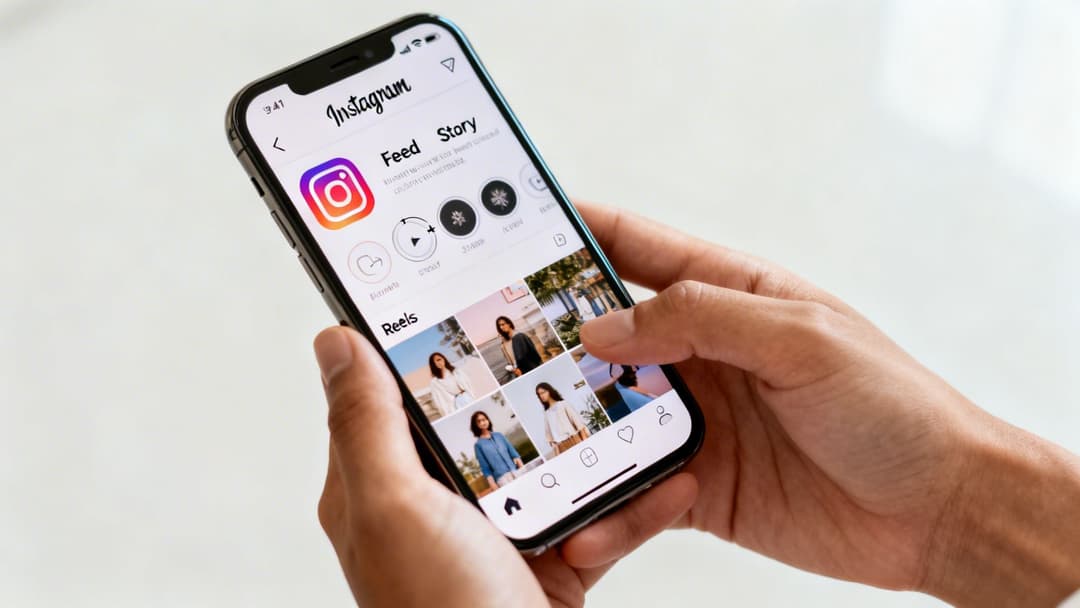
Let's break down the strategy for each placement so you know exactly where your creative will make the biggest splash.
Posting to Your Instagram Feed
Think of your main Instagram Feed as your brand’s permanent art gallery. This is where you post evergreen content that you want to live on your profile grid for a long time. When it comes to your GIF-style video, you have a couple of solid options here.
Your first choice is the direct approach: a standalone video post. You simply upload the MP4 file as you would with any other video. Since the feed is a more polished space, you’ll want to make sure your loop is absolutely seamless and the video quality is pristine.
A more strategic move is to use your animation as the hook in a carousel post. Make it the very first slide to instantly stop the scroll. Then, you can use the following slides for static images, text graphics, or more details that build on the story you started with the animation.
No matter which way you go, don't forget the cover image. This is the static frame people see on your profile before the video plays, so pick a frame that’s visually striking and teases the content to get that click.
Using GIFs in Instagram Stories
Stories are a completely different beast. They're built for more casual, in-the-moment content that disappears after 24 hours. This ephemeral nature actually invites more interaction, and you have two great ways to use animated content here.
Upload Your Custom MP4: If you've gone to the trouble of creating a branded animation, this is the way to go. Upload it directly to your Story for product announcements, special promotions, or quick-hit tutorials. Then, layer on interactive elements like polls, quizzes, or question stickers to get your audience involved.
Use the GIPHY Sticker Library: For a quick dash of personality, the built-in GIPHY integration is your best friend. While editing any Story, just tap the sticker icon and search for a GIF that fits the mood. It’s perfect for adding a bit of humor or reacting to something, but you obviously sacrifice branding control.
Animated content absolutely crushes it on Instagram. With a staggering 200 billion Reels played every day across Meta's apps, looping videos are now responsible for 45% of total engagement. And while Stories have seen some shifts, the format still pulls in 500 million daily users, proving that quick, looping animations are as powerful as ever. You can dig into more of these trends in the latest Instagram statistics and findings on Wordstream.
The big takeaway here is to match the vibe. A polished, branded animation feels right at home on the Feed, while a funny, spontaneous reaction GIF from GIPHY is perfect for a quick Story.
Leveraging GIFs in Instagram Reels
If you want your content to be discovered by people who don't follow you, Reels are your golden ticket. The algorithm is practically designed for short, snappy, and entertaining loops, making it the ideal home for a well-made GIF-style video. But just uploading it isn't enough.
To really get traction with Reels, you need to play by its rules.
- Don’t Post It Silent: Seriously, don't. Tap into the Reels audio library and find a trending song or sound that fits your video. This one simple step can dramatically boost your visibility and help the algorithm pick up your content.
- Write a Hook-First Caption: Your caption needs to work with the video. Start with a strong opening line that stops the scroll, and be sure to include a mix of relevant hashtags so people can find you through search.
- Master the Seamless Loop: Reels play on a continuous loop by default. If you can make your video flow perfectly from end back to the beginning, you’ll trick people into watching it multiple times. That increased watch time is a massive signal to Instagram that your content is worth showing to more people.
By understanding the unique roles of the Feed, Stories, and Reels, you can place your GIF-style videos where they'll truly shine. For a more complete look at building a cohesive presence, check out our guide on how to post on Instagram and Facebook for a unified social strategy.
Optimizing GIF Creatives for Performance Marketing
Using GIFs for organic posts is one thing. But when you're putting real ad dollars on the line, the game changes completely. For performance marketers, a GIF-style video isn't just a fun piece of content—it’s a conversion machine in miniature, a direct-response asset that needs to work hard for your budget.
This means you have to get technical and strategic. In paid advertising, every millisecond and every kilobyte counts. Your animated creative has to load in a flash, get its point across without a single sound, and grab attention long enough to get that click. Nailing these details is what separates a high-performing ad from a money pit.
Design for the Sound-Off World
Let's be clear: the vast majority of people watch videos on Instagram with the sound off. If your core message is hiding in a voiceover, it's a message that will never be heard. Your GIF-style ads have to be built from the ground up to be 100% effective in silence.
This is where big, bold text overlays become your best friend. Your value proposition, your amazing offer, your call to action—all of it needs to be spelled out visually. I always tell my team to think of it like directing a silent movie. The visuals and the text on screen have to tell the entire story, no excuses.
The Underused Power of the Seamless Loop
One of the most powerful—and most overlooked—tricks in the GIF ad playbook is the seamless loop. When an ad ends abruptly, it's a pattern interrupt. It jolts the viewer out of the experience and gives them the perfect excuse to keep scrolling.
A perfect loop, on the other hand, creates a mesmerizing, continuous motion that can subconsciously hold a user's attention for several cycles. This isn't just about giving your message more time to sink in. That extra watch time sends positive signals to Meta's ad algorithm, telling it that your creative is engaging. This can lead to better ad delivery and, ultimately, lower costs.
Technical Specs for Peak Performance
To give your ad the best chance of success, you have to get the technical details right. A slow-loading ad is a dead ad—most users will scroll right past before it even starts playing.
Before you export your final video file, run it through this quick checklist. Hitting these specs is crucial for making sure your ad runs smoothly across all placements without lagging.
GIF Ad Creative Specification Checklist
| Placement | Recommended Length | Resolution | File Size |
|---|---|---|---|
| Feed/Reels | 3-15 seconds | 1080x1920 (9:16) | Under 15MB |
| Stories | 3-15 seconds | 1080x1920 (9:16) | Under 15MB |
| Carousel Card | 3-10 seconds | 1080x1080 (1:1) | Under 10MB |
Keeping that file size down is non-negotiable. A massive file will chug on weaker connections, and you'll lose your audience before you even had a chance. Always export your final video using web-optimized settings.
For performance campaigns, never assume your shiny new animation will beat a trusty static image. The only way to know for sure is to A/B test them head-to-head. I’ve seen countless campaigns where a simple, crystal-clear static image absolutely crushed a complex, expensive animation. Test everything.
The Golden Rule: A/B Test Everything
This brings me to the most important rule in all of performance marketing: always be testing. A GIF-style ad is simply a hypothesis. It’s an educated guess, not a guaranteed home run. You have to pit your new animated creative against your best-performing static image to find out what your audience actually responds to.
Here’s a dead-simple testing framework you can use:
- Create one ad set running your new animated video creative.
- Duplicate that ad set but swap in your best static image.
- Keep the audience, budget, and ad copy identical across both.
Let them run for a few days, then check the data. Look at the metrics that truly matter for your business, whether that’s Return on Ad Spend (ROAS), Cost Per Lead (CPL), or Click-Through Rate (CTR). This approach replaces guesswork with hard data, ensuring your budget flows to the creative that actually delivers results. For a deeper dive into setting up these kinds of tests, check out our guide on how to create Instagram ads that convert.
Scaling Your Creative Production with AI
So you’ve A/B tested a few GIF-style videos against your static images. That’s a fantastic start, but let's be honest, it's just scratching the surface. The real challenge pops up when you try to scale that process without completely burning out your creative team. Manually building, launching, and then trying to make sense of dozens of ad variations is a massive resource sink. It’s almost impossible for most teams to keep up.
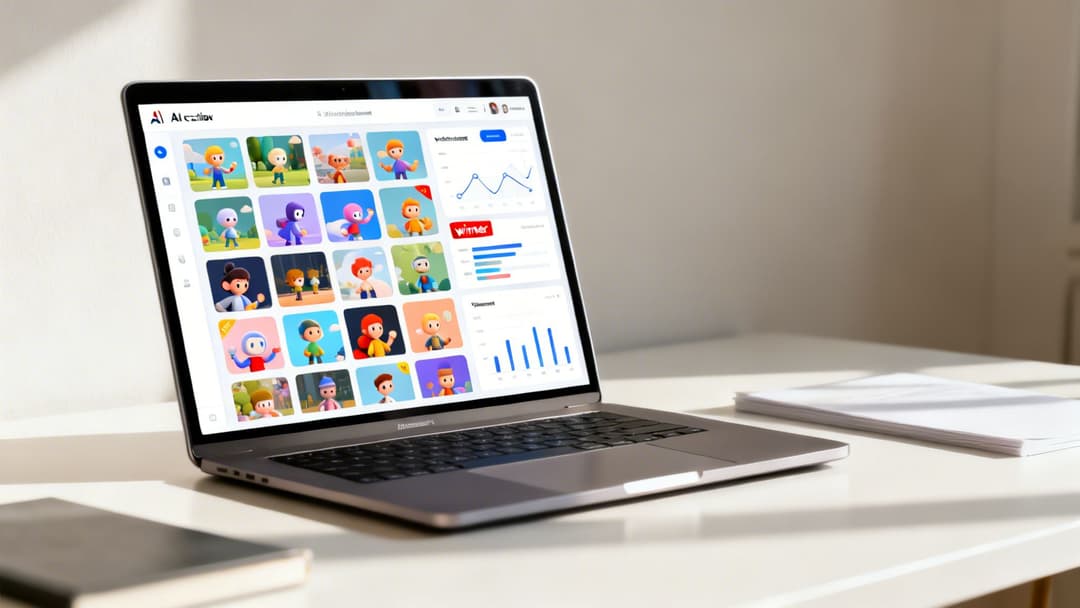
This is where the entire game changes. Modern creative AI platforms were built to solve this exact bottleneck. Instead of sinking hours into building ads one by one, you can spin up hundreds of unique combinations in minutes. These tools are designed to automatically mix and match your animated videos, headlines, ad copy, and audience targets to produce a huge volume of creatives ready for testing.
From Manual Guesswork to Automated Insights
Picture a direct-to-consumer brand gearing up for a new product launch. Instead of the team debating which gif instagram post might work best, they use an AI platform to generate 50 distinct animated ad variations. In just 48 hours, the system has already crunched the numbers, identified the top three creatives based on real-time ROAS, and started shifting the budget toward those winners automatically.
This isn't some far-off concept; it's exactly how top-tier marketing teams are operating today. They've turned creative iteration from a slow, manual chore into a powerful revenue engine, letting them make data-backed decisions with incredible speed and confidence.
And the opportunity is massive. With Instagram’s audience projected to hit 3 billion monthly active users by 2025, the potential for well-tested creatives is bigger than ever. We're seeing this play out in the data—carousel and Reel GIFs are especially powerful. Carousels pull in a 3.55% engagement rate, while Reels are driving a staggering 45% of all interactions on the platform. You can dig into more of these trends and find other Instagram engagement statistics on Vidpro.
How Creative Automation Works
So how does it all come together? These platforms plug directly into your Meta Ads Manager, pulling in historical performance data to see what’s already working. By analyzing past wins—from visuals to messaging—the AI can build new campaigns that are already primed for success from the get-go.
The core value is turning creative chaos into campaign clarity. It provides a structured, repeatable system for testing at scale, ensuring every ad dollar is spent learning what truly moves the needle for your business.
This approach is a game-changer for performance marketers who live and breathe metrics like ROAS, CPL, or CPA. Here are a few of the biggest wins:
- Rapid Variation Production: Generate hundreds of ad variants in the time it would take to build just a few by hand.
- Data-Driven Decisions: The AI ranks creatives against your primary business goals, not just vanity metrics like likes or comments.
- Automatic Scaling: Budgets are intelligently shifted to the winning combinations, maximizing your return on ad spend without you lifting a finger.
By bringing this tech into your workflow, your team can move faster, learn quicker, and ultimately drive much better results. For anyone ready to put this strategy into action, understanding the landscape of available creative automation tools is the next step toward truly scaling your campaigns.
Got Questions About Using GIFs on Instagram? We’ve Got Answers.
So you’ve created the perfect GIF, ready to make your Instagram feed pop, only to hit a wall when you try to upload it. It’s a common frustration. You’re not alone—many marketers and creators run into the same technical snags. The good news is, the solutions are usually pretty simple once you know the rules of the game.
Let's clear up the confusion so you can get your animations live without the headache.
The first, and most common, question is always: "Can I just upload a .gif file?" The short answer is no, at least not directly to your feed, Reels, or as a standard post. Instagram’s platform just isn’t built to handle the .gif format for those placements.
To get that classic, looping animation, you have to play by their rules. That means converting your animation into a video file—specifically, an MP4. This simple conversion is the secret to making it all work. The only place you can really use native GIFs is in Stories, where the built-in GIPHY search lets you add animated stickers. For any custom animation you’ve made yourself, converting to MP4 is a must.
Nailing the Length and Quality
Once you know you need a video, the next questions are always about the specs. How long should it be? How do I keep it from looking blurry?
For that snappy, eye-catching GIF feel, aim for a video that’s between 3 and 15 seconds long. You can post longer videos, of course, but the magic of a GIF-style post is in its quick, satisfying loop. A short animation grabs attention instantly and encourages repeat views, which is a big win for engagement.
Blurry or pixelated videos are another frequent headache. If your awesome animation looks terrible after you upload it, the issue usually comes down to two things: a low-quality source file and Instagram’s own compression. The platform compresses everything, so if you start with a low-res file, it’s only going to look worse on the other side.
The best way to guarantee a sharp, clean animation is to stop trying to convert a low-quality GIF. Instead, build your looping video from scratch in a video editor and export it as a high-resolution MP4. Aim for 1080p with a decent bitrate.
Starting with a high-quality source file gives your gif instagram post the best possible chance to look professional when it goes live. It’s a simple step, but it makes a world of difference in how your audience sees your brand.
Ready to stop guessing and start scaling your best creatives? AdStellar AI automates the entire process, letting you launch, test, and scale hundreds of ad variations in minutes, so you can double down on what drives real revenue. Discover how AdStellar can transform your Meta ad campaigns today.