Creating an ad on Google is more than just filling in forms—it’s about aligning every choice with a clear business objective before you spend a single dollar. From opening your account to writing compelling headlines, each step builds toward a campaign that delivers real results.
Setting Up Your Google Ads Account For Success
Laying a strong foundation in your Google Ads account is your first strategic move. Skip this, and you risk burning through your budget on guesses rather than data-driven decisions.
To kick things off, head to ads.google.com and link your existing Google profiles. Believe it or not, over 2 million businesses jumped in during 2023, and accounts tied to your Google login often see a 15% performance boost thanks to personalized recommendations. And here’s a stat worth bookmarking: 70% of advertisers who plan their strategy upfront avoid campaigns that spend up to 30% more without hitting targets. Learn how to plan your Google Ads strategy for better performance.
Here is the official Google Ads homepage where you will begin your journey.
This page is the gateway to the platform, offering a clear starting point for new advertisers.
Pausing Default Campaigns
Once you’re inside, Google’s Smart and Express campaigns beckon you to launch right away. Instead of clicking “yes,” hit pause.
Switch over to Expert Mode. It might feel like a detour, but it opens up manual bidding, precise targeting, and the analytics you’ll rely on to optimize every dollar.
Expert Tip: Expert Mode isn’t optional for serious advertisers—it’s where you unlock the tools that drive measurable growth.
Defining Your Core Objectives
With Expert Mode engaged, get crystal clear on what you want to achieve:
- Sales: Drive purchases on your e-commerce site.
- Leads: Gather contact details from interested prospects.
- Website Traffic: Send quality visitors to your blog or landing pages.
Pinpointing one primary goal makes choosing campaign settings and measuring success far more straightforward. For a deeper dive into squeezing every penny of ROI from your efforts, explore a consultant's guide on how to create Google Ads for maximum ROI. Additionally, to manage your campaigns more efficiently offline, you might be interested in our guide on the Google Ads Editor download.
Choosing the Right Campaign for Your Business Goals
With your account foundation sorted, it's time to make what might be the single most important choice in your Google Ads journey: selecting your campaign type.
Think of it like this: you wouldn't use a screwdriver to hammer a nail. It’s the same with Google Ads. A Search campaign is your hammer—perfect for capturing the urgent, immediate needs of someone typing "24/7 plumber near me." But for building brand buzz with a slick new video, you'd reach for a YouTube campaign instead.
This decision directly connects your money to your goals. Get it right, and you're on the fast track to results. Get it wrong, and you're just lighting cash on fire.
Your business goal is the North Star that guides this choice. For a new online boutique, the goal might be a mix of direct sales and just getting their name out there. This points them toward a combination of Shopping ads to display products right in search results and Performance Max campaigns to cast a wider net across all of Google's channels, from Gmail to YouTube.
Aligning Goals with Campaign Types
When you set up a campaign, Google will ask for your primary objective—think 'Sales,' 'Leads,' or 'Brand Awareness.' This isn't just a formality. You're giving Google's AI its marching orders, telling it exactly what a "win" looks like for your business.
This one choice dramatically changes how and where your ads show up. The difference between a strategic setup and a rushed one is night and day.
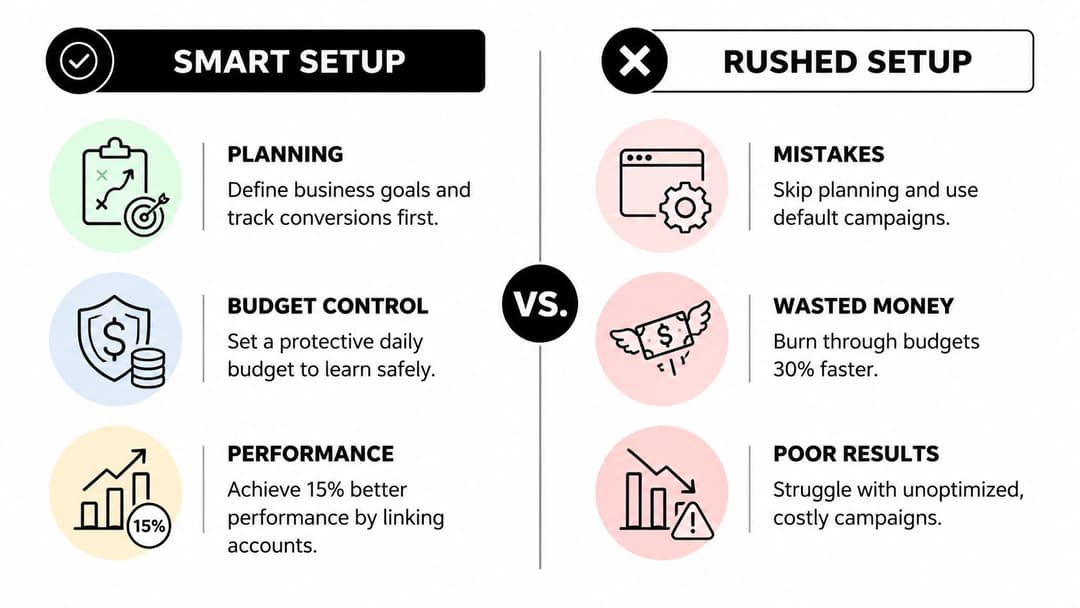
The takeaway here is pretty stark. Rushing through the setup and accepting the default settings can burn through your budget 30% faster with almost nothing to show for it. A thoughtful approach from the very beginning is what separates successful campaigns from expensive learning experiences.
To successfully create an ad on Google, you must align your specific marketing goal with the correct campaign architecture. This ensures your budget is spent efficiently to achieve the results you need.
To help you match your goals to the right campaign, here’s a quick breakdown of the most common types and what they’re built for.
Matching Google Ads Campaign Types to Your Goals
| Campaign Type | Best For | Primary Goal |
|---|---|---|
| Search | Capturing high-intent users actively looking for your product or service. | Leads, Sales, Website Traffic |
| Performance Max | Finding new customers across all of Google's channels from a single campaign. | Leads, Sales |
| Display | Building brand awareness with visually engaging ads across websites and apps. | Brand Awareness & Reach |
| Shopping | E-commerce businesses wanting to showcase products directly in search results. | Product Sales |
| Video (YouTube) | Engaging audiences with video content to tell a brand story or drive action. | Brand Awareness, Sales, Leads |
| Demand Gen | Driving consideration and action with immersive, visual-first ads on YouTube, Discover, and Gmail. | Conversions, Website Visits |
Choosing 'Sales,' for example, tells the algorithm to hunt for users who behave like past purchasers. But if you select 'Brand Awareness,' it will prioritize getting your ad in front of the maximum number of eyeballs for the lowest cost, even if they don't click. It’s a fundamental distinction that defines your campaign's entire purpose.
And while Google Ads is an absolute powerhouse, it's always smart to understand the broader ecosystem. Exploring other PPC advertising platforms can reveal how different channels might work together to round out your overall strategy.
Structuring Your Campaigns for Lower Costs
How you structure your campaigns is the secret weapon that separates advertisers who get real results from those who just throw money at Google. Let's be clear: the old method of stuffing hundreds of keywords into a single ad group is dead. Today, profitable campaigns are all about hyper-relevance, which is your direct path to lower costs and a better ad position.
The core idea is simple. You need to create tightly themed ad groups.
Think of it like organizing a massive bookstore. You wouldn't just dump every book into one giant pile. You'd have a section for sci-fi, another for history, and so on. Your Google Ads account needs that same level of organization. Each ad group should be a small, focused cluster of just 10-20 closely related keywords.
For instance, a plumber shouldn’t have one generic ad group for "plumbing services." That’s far too broad. Instead, they'd build out separate, specific ad groups for each service they offer:
- "emergency plumbing services"
- "drain cleaning services"
- "water heater repair"
- "leak detection services"
This level of detail is a game-changer. It means you can write incredibly specific ad copy that speaks directly to each search. The ad for "water heater repair" can promise "24/7 emergency repairs" and "new unit installations," perfectly matching what the user was looking for. This tight alignment is exactly what Google's algorithm rewards with a higher Quality Score.
Using the Keyword Planner Strategically
This is where you stop guessing and start making data-backed decisions. The Google Keyword Planner is more than an idea generator; it’s your forecasting tool. Use it to check the search intent and potential costs for the themed keyword lists you just created.
Pay close attention to the search volume and the suggested bid ranges. This information gives you a realistic picture of what people are searching for and what it might actually cost you to get a click. This is crucial for setting a smart budget and bidding strategy right from the start.
A well-structured campaign is non-negotiable if you want to be cost-efficient. We’ve seen precision in keyword selection and ad group structure slash costs by as much as 50%. Recent data confirms that highly optimized campaigns can achieve an average Click-Through Rate (CTR) of 4.5%, completely dwarfing the 1.2% average for poorly structured ones.
Standard vs. Dynamic Search Ads
Within a Search campaign, you've got two main routes. A Standard search campaign gives you complete manual control. You pick every single keyword you want to bid on, which is perfect for the tightly-themed structure we just talked about.
The alternative is Dynamic Search Ads (DSAs). Here, you let Google’s technology do some of the heavy lifting. DSAs automatically match user searches to the content on your website and create an ad on the fly. They can be a fantastic supplement, especially for e-commerce sites with huge inventories or content-heavy blogs, often boosting relevance scores by 20-30%. While the specifics are unique to Google, this principle of tight organization is universal. You can see how this applies elsewhere by checking out our guide to creating a strong Facebook Ads campaign structure.
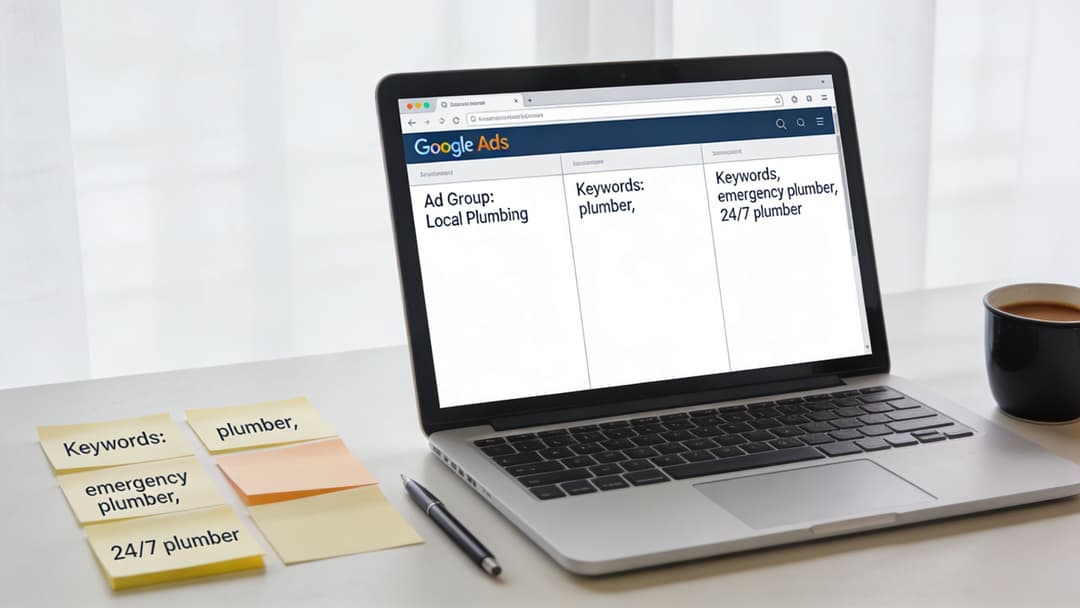
Ultimately, putting in the work to build a logical campaign structure is how you set yourself up for success. It’s the foundational step that makes every other part of your optimization—from writing compelling ads to refining your bids—infinitely more effective.
Writing Ad Copy That People Actually Click
You've done the hard work of setting up your campaign, defining your audience, and choosing your keywords. But it all comes down to this: a few lines of text. Your ad copy is the moment of truth that convinces a searcher to stop scrolling and click.
Think of it from their perspective. Someone frantically Googling "24-hour plumber" doesn't care about your company's founding story. They have a problem right now. Your ad needs to be the immediate, obvious solution.
Nail Your Headlines to Make an Instant Connection
Your headlines account for 80% of your ad's impact. It’s the first—and sometimes only—thing people read. The fastest way to build a connection is to mirror the searcher's language. If they searched for "emergency roof repair," your main headline should say exactly that. It's an instant confirmation they're in the right place.
From there, you build on that promise with your Unique Selling Point (USP). For example:
- Headline 1: Emergency Roof Repair
- Headline 2: Free Inspections & Quotes
- Headline 3: Certified & Insured Pro Team
This combination instantly addresses their urgent need, removes the risk of contacting you, and builds a layer of trust.
Make Every Word in Your Description Count
The description is where you expand on your promise and close the deal. This is your chance to reinforce the headlines and guide them to the next step with a powerful call-to-action (CTA). Forget "Click Here." Tell them exactly what to do and what they'll get.
A powerful description answers the user’s "So what?" question. Instead of saying "We have 10 years of experience," say "Trust Our Decade of Expertise to Fix Your Leak Right—The First Time." It transforms a simple fact into a compelling benefit.

Supercharge Your Ads with Extensions
Ad extensions are the secret weapon of high-performing campaigns. They are completely free additions that make your ad bigger, more informative, and far more clickable—all without adding a cent to your cost-per-click. Think of them as free real estate on the search results page.
Some of the most valuable extensions include:
- Sitelinks: Add extra links to important pages, like your "Services," "Pricing," or "Contact Us" pages.
- Callouts: Short, punchy phrases that highlight your best features, like "Free Shipping" or "24/7 Support."
- Structured Snippets: Showcase specific aspects of your services or products using predefined headers. For a shoe store, this might be "Brands: Nike, Adidas, Puma."
Using extensions is a non-negotiable part of learning how to create an ad on Google that actually performs. They immediately make your ad stand out and can give your click-through rate a serious boost. For more deep-dive strategies on persuasive messaging, check out our guide on how to write an effective advertisement.
Launching Your Campaign and Reading the Initial Data
You’ve done the hard work of setting up your campaign, writing the copy, and dialing in your targeting. It’s tempting to hit ‘Publish,’ sit back, and wait for the sales to roll in. But the moment your campaign goes live isn't the finish line—it's when the real work starts.
Before you do anything else, run a quick post-launch check. Are your campaigns, ad groups, and ads actually enabled? It sounds simple, but you'd be surprised how often this gets missed. Most importantly, double-check that your conversion tracking is firing correctly. If it’s not, you're essentially flying blind, spending money without knowing what's working.
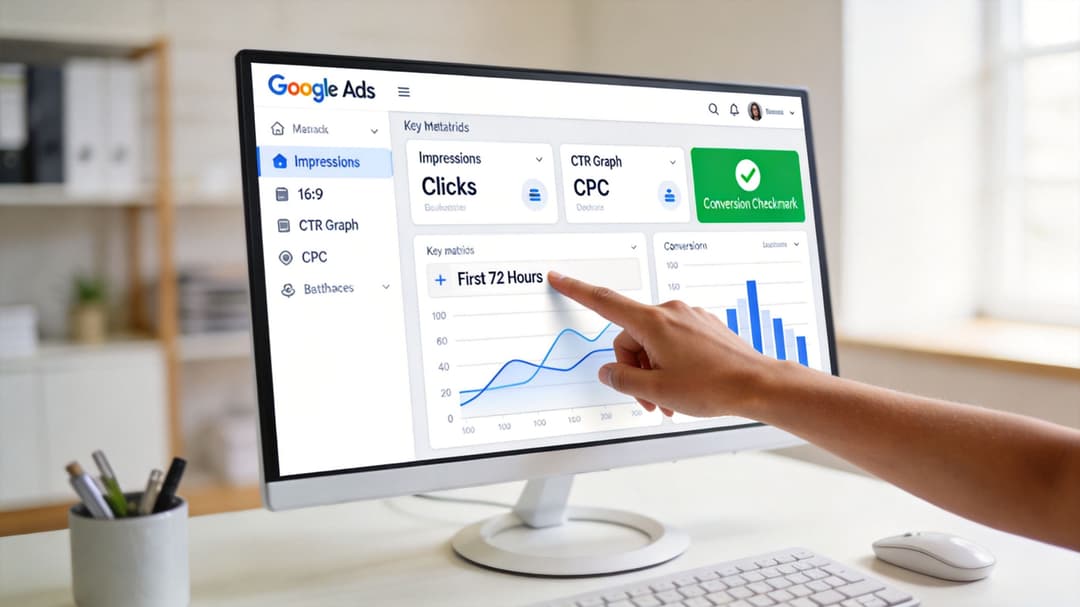
Making Sense of Your First 72 Hours
The first few days are all about observation, not drastic action. Google’s algorithm needs time to learn, so your job is to resist the urge to make big changes. Instead, focus on what the initial data is telling you.
You're looking for early clues in a few key metrics:
- Impressions: This is your first sign of life. If you have zero impressions, something is wrong. It could be an issue with your bid, targeting, or even ad approval.
- Clicks: This tells you if your ad is resonating. Plenty of impressions but no clicks? That's a strong signal that your headline or description isn't hitting the mark.
- Click-Through Rate (CTR): This is just your Clicks ÷ Impressions. A low CTR is often the clearest sign of a mismatch between your keywords and your ad's message.
- Cost-Per-Click (CPC): This shows what you're actually paying for each click. Watching this from day one is crucial for managing your budget effectively.
Think of your dashboard as a translator. It’s telling you a story. High impressions but a low CTR means people are seeing your ad, but it’s not compelling enough to make them act. The data is nudging you to go back and refine your ad copy or check your keyword relevance.
Once you’ve collected some initial data, the goal is to move into a cycle of continuous optimization, especially when it comes to boosting e-commerce ad results. You can start making small, informed tweaks. For instance, you might pause a keyword that’s getting zero impressions or test a new headline on an ad with a poor CTR.
Ultimately, learning how to measure advertising effectiveness is what separates a losing campaign from a profitable one. These first few days are your foundation for every smart decision you'll make down the road.
Common Questions About Creating Google Ads
Diving into Google Ads for the first time can feel like walking into a maze. A lot of questions pop up, and it's easy to get overwhelmed.
Let's clear the air. I’m going to walk you through some of the most common hurdles and questions that new advertisers have. Getting these answers straight is your first step to building a campaign that actually works.
A great place to start is with the most frequently asked questions we hear from new advertisers. We've compiled them into a quick-reference table for you.
Answers to Your Top Google Ads Questions
| Question | Answer |
|---|---|
| How much does it cost to run an ad on Google? | There's no minimum spend. You control your budget and typically only pay when someone clicks your ad (PPC). Budgets can range from $10 a day for a local business to thousands for a national brand. The key is setting a daily budget you're comfortable with and focusing on your return on ad spend (ROAS). |
| How long does it take for Google ads to start working? | Your ads can appear within minutes of approval, but the real results take time. Expect a 'learning period' of 1-2 weeks for Google's algorithm to gather data and optimize your campaign. Be patient and avoid making major changes in the first few days while the system learns. |
| What is a good click-through rate (CTR) for Google Ads? | This varies widely by industry, but the average for Search ads is around 3-5%. However, a 'good' CTR is one that is profitable for your business. Instead of chasing a specific number, focus on improving your CTR over time by testing ad copy and refining your keyword targeting. A higher CTR is a strong indicator of relevance. |
These answers should give you a solid foundation. Remember, the goal isn't to be perfect on day one but to start smart and improve with data.
Why You Shouldn't Chase a "Good" Click-Through Rate
Everyone wants to know what a "good" click-through rate (CTR) looks like. It’s the most common performance question, and the answer is always, "it depends."
Sure, the average CTR for Search ads floats around 3-5%, but that number is almost meaningless without context. A 2% CTR for a law firm specializing in high-value corporate cases could be wildly profitable. On the flip side, a 10% CTR for a store selling low-margin t-shirts might be a money pit.
Your real goal isn't to hit some universal benchmark. It’s to consistently improve your own CTR. A rising CTR tells you one thing: your ads are getting more relevant to the people who see them. That's the win.
So, how do you get there? You test. You tweak your ad copy. You refine your keywords. That’s how you build a campaign that not only gets clicks but drives real business growth.
When Will My Ads Actually Start Working?
This is the big one. You've launched your campaign, and now you’re refreshing the dashboard every five minutes, waiting for the magic to happen.
Here's the hard truth: while your ads might start showing up almost instantly, real results take a little patience.
You have to get through Google's "learning period" first. This usually takes about one to two weeks. During this time, the algorithm is working hard in the background, gathering data and figuring out the best way to show your ads to the right people. It’s testing, learning, and optimizing.
- Don't panic and make big changes. Let the system do its job.
- Trust the process. The data being collected now is the foundation for your future success.
- Watch and learn. Use this time to observe what's happening without knee-jerk reactions.
This initial phase is critical. Giving the system enough time and data to learn is what separates the advertisers who get long-term results from those who quit after a week.
Ready to stop the manual grind and scale your campaigns faster? AdStellar AI uses artificial intelligence to launch, test, and optimize your Meta ad campaigns, letting you generate hundreds of ad variations in minutes. Discover how AdStellar can transform your workflow today.